
A directory listing describing a cancellation-letter and mailing-address service. The configured public GitHub repository returned 404 during source verification.
Repository stats unavailable
Developer Tools
An MCP server (also usable as a Skill/CLI) that lets AI assistants view the phone screen, tap, type text, and launch apps over ADB.
PhoneMCP — MCP server for controlling Android phones via ADB is cataloged as an MCP server attributed to kengerlwl. An MCP server (also usable as a Skill/CLI) that lets AI assistants view the phone screen, tap, type text, and launch apps over ADB. It is categorized under developer tools. See the capability inspector for recorded interfaces and their independent review status; consult upstream documentation for the current interface.
Installation configuration is not reviewed. No executable setup is offered for this entry; inspect the source repository before proceeding.
Catalog license label: MIT. Check the source repository's current license and terms before using, modifying or distributing this software.
Capability definitions are not reviewed. Unreviewed imports are not exposed as trusted interfaces.
No reviewed records to display. This does not establish that upstream lacks this capability.
No reviewed records to display. This does not establish that upstream lacks this capability.
No reviewed records to display. This does not establish that upstream lacks this capability.
Email delivery is not connected. This page does not collect email addresses or create subscriptions.
Browse the registry for current listings instead.
Reviews for PhoneMCP — MCP server for controlling Android phones via ADB are not available yet
Review publishing and storage are not connected. This page does not collect or publish ratings or comments, including after sign-in.
It supports SSE (default) and STDIO transports, selectable via the --transport option.
First call get_ui_elements to get the screen elements, then use tap_element for precise tapping, which is more reliable than raw coordinates.
README.md · 2f41018f1568 · Fetched 2026-11-13 12:26:49 UTC
Original upstream text, without AI rewriting. Scripts, forms and unsafe links are filtered for safety.
Showing the last retrieved documentation snapshot; check the source for current changes.
让 AI 助手直接操控你的 Android 手机 —— 支持 Skill 和 MCP 两种接入方式




用自然语言让 AI 帮你操作手机 —— 打开 App、发消息、搜索商品,一句话搞定。
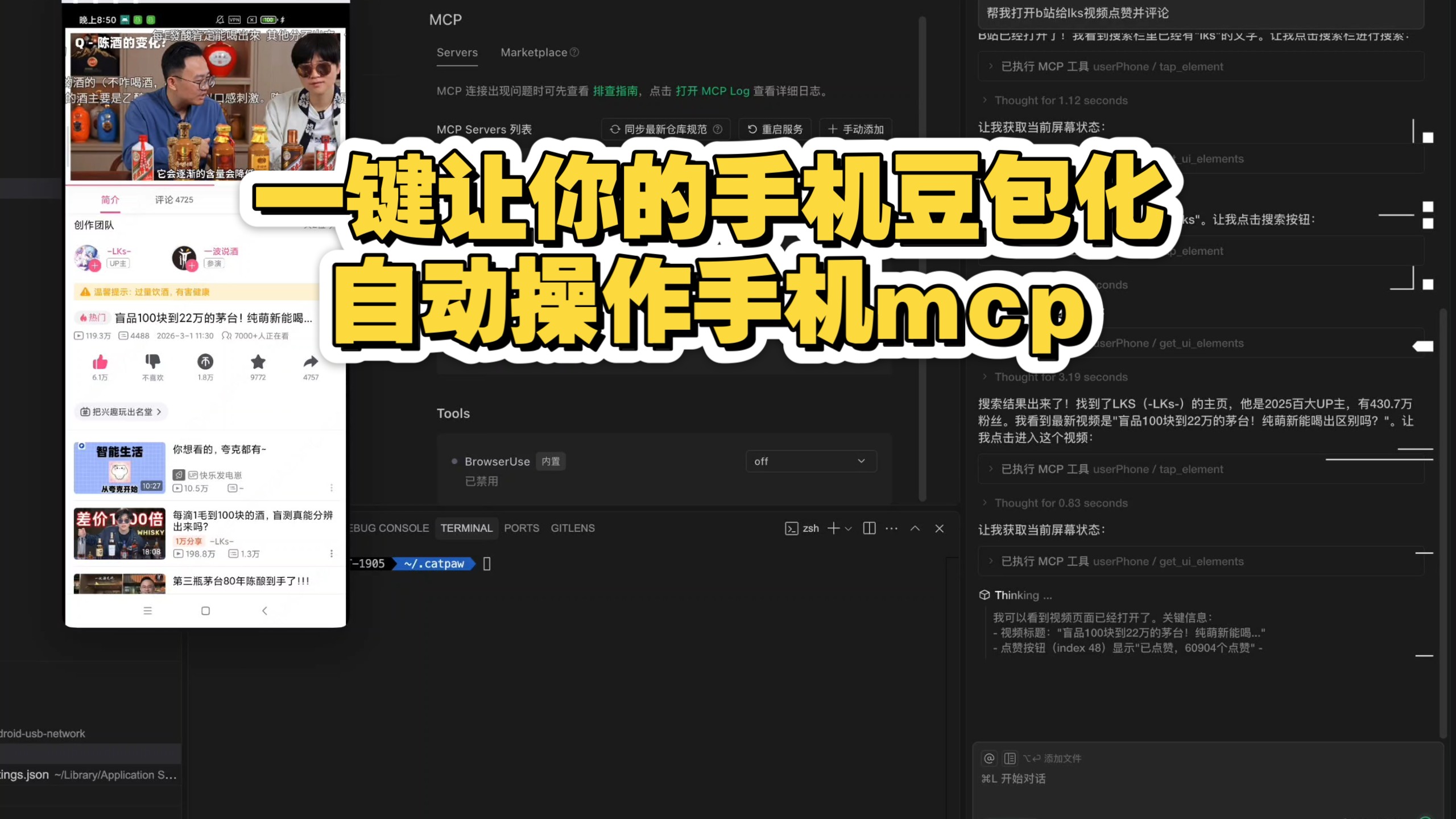
▶️ 点击观看完整演示视频 | 31 秒快速上手
PhoneMCP 是一个 AI 手机操控工具,通过 ADB 让 AI 助手能够直接看到你的手机屏幕、点击按钮、输入文字、打开 App —— 就像一个真正的助手在帮你操作手机。
提供两种接入方式,适配不同的 AI 客户端生态:
| 方式 | 适合场景 | 是否需要配置 |
|---|---|---|
| ⭐ Skill 模式(推荐) | CatPaw、Claude Code 等支持 Skill 的客户端 | 零配置,下载解压即用 |
| MCP 模式 | Claude Desktop、Cursor 等 MCP 客户端 | 需要配置 MCP 服务器地址 |
┌─────────────────────────────────────────────────────────┐
│                      你的电脑                            │
│                                                         │
│  ┌──────────────┐              ┌──────────────────┐    │
│  │  AI 助手      │  Skill/CLI  │   PhoneMCP       │    │
│  │              │ ──────────► │                  │    │
│  │ · CatPaw    │   或 MCP     │  截图 / 点击      │    │
│  │ · Claude    │              │  输入 / 滑动      │    │
│  │ · Cursor    │              │  启动App / ...    │    │
│  │ · ...       │              │                  │    │
│  └──────────────┘              └────────┬─────────┘    │
│                                         │ ADB          │
└─────────────────────────────────────────┼───────────────┘
                                          │
                                   USB / WiFi
                                          │
                                ┌─────────▼─────────┐
                                │   Android 手机     │
                                │                   │
                                │  📱 屏幕截图       │
                                │  👆 触控操作       │
                                │  ⌨️ 文本输入       │
                                │  📦 应用管理       │
                                └───────────────────┘
💡 使用可执行文件时无需安装 ADB,已内嵌。
💡 不同品牌的路径可能略有差异:
- 小米/红米:设置 → 我的设备 → 全部参数与信息 → 连续点击「MIUI 版本」
- 华为/荣耀:设置 → 关于手机 → 连续点击「版本号」
- OPPO/realme:设置 → 关于手机 → 连续点击「版本号」
- vivo/iQOO:设置 → 关于手机 → 连续点击「软件版本号」
- 三星:设置 → 关于手机 → 软件信息 → 连续点击「编译编号」
- 一加:设置 → 关于本机 → 连续点击「版本号」
⚠️ 注意事项:
- 请使用支持数据传输的 USB 线(非纯充电线)
- 如果没有弹出授权对话框,尝试拔插 USB 或在终端运行
adb devices触发- 部分手机需要在 USB 连接方式中选择「文件传输 (MTP)」模式
最简单的方式:下载 Skill 压缩包,解压到 AI 客户端的 Skill 目录,即刻可用。
从 Releases 页面 下载对应平台的 Skill 压缩包:
| 平台 | 下载文件 |
|---|---|
| 🍎 macOS (Apple Silicon) | phone-mcp-skill-macos-arm64.zip |
| 🐧 Linux | phone-mcp-skill-linux-amd64.zip |
| 🪟 Windows | phone-mcp-skill-windows-amd64.zip |
# CatPaw
unzip phone-mcp-skill-macos-arm64.zip -d ~/.catpaw/skills/phone-mcp/

# Claude Code
unzip phone-mcp-skill-macos-arm64.zip -d ~/.claude/skills/phone-mcp/
解压后的目录结构:
phone-mcp/
├── SKILL.md      # AI 操作指南(AI 自动读取)
└── phone-mcp     # 可执行文件(内嵌 ADB)
连接手机后,直接对 AI 说:
AI 会自动读取 SKILL.md,通过 CLI 调用可执行文件来操控你的手机。无需任何额外配置。
Skill 模式下 AI 会自动调用这些命令,你也可以手动使用:
# 检测连接的设备
./phone-mcp run '{"action":"list_devices"}'

# 截图
./phone-mcp run '{"action":"screenshot"}'

# 获取屏幕元素
./phone-mcp run '{"action":"get_ui_elements"}'

# 点击元素
./phone-mcp run '{"action":"tap_element","text":"微信"}'

# 输入文本
./phone-mcp run '{"action":"type_text","text":"你好"}'

# 批量执行
./phone-mcp run '[{"action":"launch_app","name":"微信"},{"action":"wait","seconds":2},{"action":"get_ui_elements"}]'
适用于 Claude Desktop、Cursor 等支持 MCP 协议的客户端。需要先启动服务器,再在客户端中配置连接。
从 Releases 页面 下载独立可执行文件:
| 平台 | 文件 |
|---|---|
| 🐧 Linux | phone-mcp-linux-amd64 |
| 🪟 Windows | phone-mcp-windows-amd64.exe |
| 🍎 macOS (Apple Silicon) | phone-mcp-macos-arm64 |
# 启动服务器
./phone-mcp-macos-arm64 serve
# 默认监听 http://0.0.0.0:8009
在 MCP 客户端配置中添加:
{
  "mcpServers": {
    "phone-mcp": {
      "url": "http://localhost:8009/Phone/sse"
    }
  }
}
适用于 Claude Desktop 等直接调用可执行文件的场景:
{
  "mcpServers": {
    "phone-mcp": {
      "command": "/path/to/phone-mcp-macos-arm64",
      "args": ["serve", "--transport", "stdio"]
    }
  }
}
git clone https://github.com/kengerlwl/phoneMcp.git
cd phoneMcp
pip install -r requirements.txt
python main.py serve
phone-mcp serve [选项]

选项:
  -t, --transport TYPE   传输模式: sse 或 stdio(默认: sse)
  -H, --host HOST        监听地址(默认: 0.0.0.0)
  -p, --port PORT        监听端口(默认: 8009)
  --path PATH            MCP 路径(默认: /Phone)
  --guide                显示详细使用指南
| 操作 | CLI action | MCP Tool | 说明 |
|---|---|---|---|
| 列出设备 | list_devices | list_devices | 列出已连接的 Android 设备 |
| 连接设备 | connect | connect_device | 连接远程设备(WiFi/TCP) |
| 断开设备 | disconnect | disconnect_device | 断开设备连接 |
| 截图 | screenshot | get_screenshot | 获取屏幕截图 |
| 获取元素 | get_ui_elements | get_ui_elements | 获取 UI 元素列表 ⭐ |
| 点击元素 | tap_element | tap_element | 通过索引/文本/ID 点击 ⭐ |
| 坐标点击 | tap | — | 点击指定坐标 |
| 双击 | double_tap | — | 双击指定坐标 |
| 滑动 | swipe | swipe | 滑动屏幕 |
| 输入文本 | type_text | type_text | 输入文本(支持中文) |
| 清除文本 | clear_text | clear_text | 清除输入框文本 |
| 返回键 | back | press_back | 按返回键 |
| 主页键 | home | press_home | 按主页键 |
| 按键 | key | press_key | 发送任意按键事件 |
| 启动应用 | launch_app | launch_app | 通过名称或包名启动应用 |
| 当前应用 | current_app | get_current_app | 获取当前前台应用 |
| 搜索应用 | search_apps | search_apps | 搜索已安装应用 |
| 等待 | wait | wait | 等待指定时间 |
💡 推荐工作流:先调用
get_ui_elements获取屏幕元素,再用tap_element精准点击,比直接使用坐标更可靠。
连接好手机后,你可以在 AI 助手中直接用自然语言操作手机:
AI 助手会自动调用 PhoneMCP 的工具来完成这些操作。
如果 PhoneMCP 对你有帮助,请给个 Star ⭐ 支持一下!
Claim this server with your GitHub account to request manual ownership verification.
Link to the catalog listing for PhoneMCP — MCP server for controlling Android phones via ADB from your README. This badge does not certify ownership, compatibility or security.
[](https://awesome-mcp.com/servers/phonemcp)Public repository statistics could not be verified. Check the configured source address; unavailable counts are not zero.
Separate sources, scopes and periods. Never combined or treated as installations, active users or security reviews.
No reviewed package or image identity; download statistics are not listed yet.
Alternative and complementary servers in the same category
A directory listing describing a cancellation-letter and mailing-address service. The configured public GitHub repository returned 404 during source verification.

A hosted MCP service for browsing and searching through Singapore mobile-network proxies.

A directory listing describing a Markdown-to-PDF service. The configured public GitHub repository returned 404 during source verification.