
Store and retrieve entities, relations and observations in a persistent local knowledge graph.
create_entitiescreate_relationsadd_observations+6 more
92K
AI & Multi-Agent
A Model Context Protocol server that gives MCP-compatible AI clients persistent memory for documents, notes, conversations, and files across organized memory buckets with semantic search.
Plurality MCP Server is cataloged as an MCP server attributed to web3-plurality. A Model Context Protocol server that gives MCP-compatible AI clients persistent memory for documents, notes, conversations, and files across organized memory buckets with semantic search. It is categorized under ai agents-models. See the capability inspector for recorded interfaces and their independent review status; consult upstream documentation for the current interface.
Installation configuration is not reviewed. No executable setup is offered for this entry; inspect the source repository before proceeding.
Catalog license label: Not specified. Check the source repository's current license and terms before using, modifying or distributing this software.
Capability definitions are not reviewed. Unreviewed imports are not exposed as trusted interfaces.
No reviewed records to display. This does not establish that upstream lacks this capability.
No reviewed records to display. This does not establish that upstream lacks this capability.
No reviewed records to display. This does not establish that upstream lacks this capability.
Email delivery is not connected. This page does not collect email addresses or create subscriptions.
Browse the registry for current listings instead.
Reviews for Plurality MCP Server are not available yet
Review publishing and storage are not connected. This page does not collect or publish ratings or comments, including after sign-in.
README.md · fd5db478ea00 · Fetched 2026-11-13 13:47:19 UTC
Original upstream text, without AI rewriting. Scripts, forms and unsafe links are filtered for safety.
Showing the last retrieved documentation snapshot; check the source for current changes.
Universal memory for AI agents and tools. Save, organize and search context anywhere.




An Model Context Protocol server that gives any MCP-compatible AI client persistent memory — documents, notes, conversations, and files stored across organized memory buckets with semantic search. Supports OAuth and Personal Access Tokens (PAT) based authentication.
We also have a Chrome extension called AI Context Flow that lets you capture and use context on any website. It comes with a built-in chat agent (30+ models) that opens as a sidebar on any page — talk to your memories, answer questions from your stored context, and surface connections across everything you've saved. You can use the MCP Server alongside the extension to get full feature set of the product.
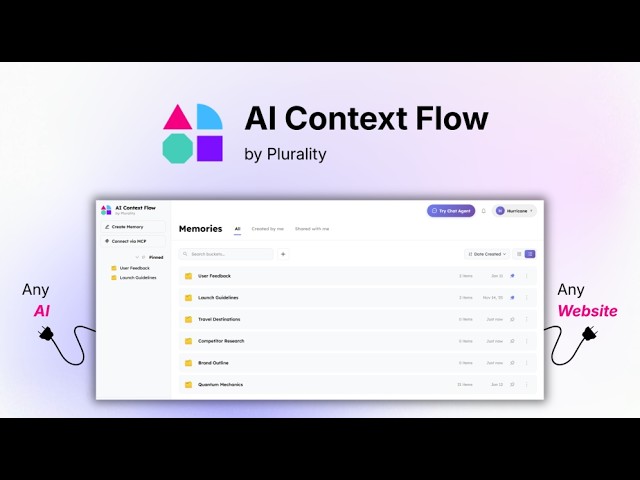
▶️ Watch the demo
📖 Full documentation · 🌐 Website · 🧩 Chrome Extension · 🧠 Memory Studio
Production URL: https://app.plurality.network/mcp
The server supports OAuth 2.1 with PKCE (for interactive clients) and Personal Access Tokens (for headless agents and CI). Most clients handle the OAuth flow automatically.
Works with Claude Desktop, Claude Code, ChatGPT, Cursor, and any MCP-compatible client.
→ Step-by-step setup guides for all supported clients
| Tool | Description |
|---|---|
get_user_memory_buckets | List all memory buckets (organized folders) for the user |
list_items_in_memory_bucket | List stored items in a specific bucket (metadata only) |
search_memory | Semantic search across buckets with relevance scoring |
read_context | Read the full content of a stored item with pagination |
save_memory | Save text content to a specific memory bucket |
save_conversation | Save a conversation (chat history) to a memory bucket |
create_memory_bucket | Create a new memory bucket for organizing saved content |
The MCP server accepts two auth methods:
| Method | When to use | Browser required? |
|---|---|---|
| OAuth 2.1 + PKCE | Interactive clients: Claude Desktop, Web, Code, ChatGPT | Yes (one-time) |
| Personal Access Token (PAT) | Headless agents, CI runners, custom integrations, n8n, LangChain | No |
plur_pat_… valueAuthorization: Bearer plur_pat_...
PATs require a paid plan. They auto-revoke at expiry, can be rotated with a configurable grace period (default 7 days), and can be immediately revoked from the dashboard. They are stored hashed and never appear in logs.
The server uses Ory Hydra as the OAuth2/OIDC provider:
| Property | Value |
|---|---|
| Algorithm | RS256 |
| Issuer | https://app.plurality.network (prod) |
| Scope | openid offline_access mcp:tools |
| Access token TTL | 15 minutes |
| Refresh token TTL | 720 hours |
| Discovery | https://app.plurality.network/.well-known/oauth-authorization-server |
| Dynamic Client Registration | https://app.plurality.network/register |
/.well-known/oauth-protected-resource from Traefik/register (Dynamic Client Registration) to get client_id/client_secret. The API Gateway proxies this to Hydra, injecting the mcp:tools scopesub claim and mcp:tools scopeAuthorization: Bearer <token> on all MCP requestsmcp:tools scope is checkedMCP Client (Claude Code, Cursor, etc.)
│
│ OAuth2 + Streamable HTTP
▼
Traefik (:5050) ← single entrypoint for clients
├── /mcp → MCP Server (:5051)
├── /.well-known/* → API Gateway or Hydra
├── /oauth2/* → Hydra (:4444)
└── /register → API Gateway (DCR proxy)
│
│ Bearer token
▼
API Gateway (:5000)
│
▼
Vector Service (:8000)
Traefik is the single entrypoint. It routes OAuth traffic to Hydra and MCP protocol traffic to the MCP server. The MCP server validates JWTs locally via Hydra's JWKS keys, then forwards the Bearer token to the API Gateway for data access. The API Gateway handles authentication, DCR proxying, and routes vector/search operations to the Vector Service.
cd plurality-mcp-server
pip install uv
uv sync
cp .env.example .env
Default values work for local development — no changes needed if the API Gateway runs on :5000:
HYDRA_ISSUER=http://localhost:5050
MCP_RESOURCE_URL=http://localhost:5050
BACKEND_API_URL=http://localhost:5000
cd ory-hydra
docker compose up -d
This starts:
| Service | Port | Purpose |
|---|---|---|
| PostgreSQL | 5433 | Hydra's database |
| Hydra | 4444, 4445 | OAuth2/OIDC provider (public + admin) |
| Traefik | 5050 | Reverse proxy / routing |
Wait for services to be healthy: docker compose ps
uv run uvicorn main:mcp_server --host 0.0.0.0 --port 5051 --reload
Port 5051, not 5050. Traefik listens on 5050 and proxies
/mcpto the MCP server on 5051.
# Health check (direct)
curl http://localhost:5051/mcp/health

# OAuth metadata (via Traefik)
curl http://localhost:5050/.well-known/oauth-protected-resource

# Traefik dashboard (for debugging routes)
open http://localhost:8080
claude mcp add --transport http plurality-memory http://localhost:5050/mcp
Then authenticate via /mcp inside Claude Code.
Authenticate first in the terminal using the steps above. Then add .mcp.json to your project root:
{
  "mcpServers": {
    "plurality-memory": {
      "type": "http",
      "url": "http://localhost:5050/mcp"
    }
  }
}
The VS Code extension may not trigger the OAuth browser flow automatically. Complete authentication via the terminal first.
Edit your config file:
~/Library/Application Support/Claude/claude_desktop_config.json%APPDATA%\Claude\claude_desktop_config.json{
"mcpServers": {
"plurality-memory": {
"command": "npx",
"args": ["mcp-remote", "http://localhost:5050/mcp"]
}
}
}
Restart Claude Desktop fully, then authenticate when the browser opens.
npx @modelcontextprotocol/inspector
Enter http://localhost:5050/mcp as the server URL. The inspector walks through the OAuth flow and lets you call tools interactively.
Note: ChatGPT is not supported for local development — it requires publicly reachable OAuth endpoints.
plurality-mcp-server/
├── main.py                             # Entry point
├── pyproject.toml                      # Dependencies (managed by uv)
├── .env.example                        # Environment template
├── src/plurality_mcp_server/
│   ├── app.py                          # FastMCP app + middleware stack
│   ├── config.py                       # Env vars, shared HTTP client, context vars
│   ├── auth.py                         # JWT validation via Hydra JWKS + scope check
│   └── tools.py                        # MCP tool definitions (read + write)
└── ory-hydra/
    ├── docker-compose.yml              # Hydra + Traefik + PostgreSQL
    ├── hydra.yml                       # Hydra OAuth2/OIDC config
    ├── traefik.yml                     # Traefik static config
    └── dynamic.yml                     # Traefik routing rules
curl http://localhost:4444/.well-known/openid-configurationHYDRA_ISSUER matches the issuer in the token's iss claimmcp:tools scopedocker compose -f ory-hydra/docker-compose.yml logs traefikjwks-rsa is installed and the OAuth auth middleware is deployedlogin: http://localhost:3000/login — this points to the Plurality frontend. Start the frontend or update hydra.yml URLs.mcp:tools into the allowed scopes. Ensure the API Gateway is running and the /register route is reachable.Claim this server with your GitHub account to request manual ownership verification.
Link to the catalog listing for Plurality MCP Server from your README. This badge does not certify ownership, compatibility or security.
[](https://awesome-mcp.com/servers/plurality-mcp-server)Public repository statistics could not be verified. Check the configured source address; unavailable counts are not zero.
Separate sources, scopes and periods. Never combined or treated as installations, active users or security reviews.
No reviewed package or image identity; download statistics are not listed yet.
Alternative and complementary servers in the same category
Store and retrieve entities, relations and observations in a persistent local knowledge graph.
Organize problem solving into revisable, branching thought steps through an MCP tool.

Query-aware context compression with an MCP plugin for coding agents, plus Python and HTTP interfaces for reducing the context sent to a language model.