
An AI receptionist platform with an MCP server for accessing business calls, contacts and appointments from AI assistants.
52
Communication
An MCP server that exposes PostSider's social media scheduling platform as structured tools, letting AI agents work with channels, drafts, approvals and publishing from one calendar.
PostSider MCP server for social media scheduling is cataloged as an MCP server attributed to lumizone. An MCP server that exposes PostSider's social media scheduling platform as structured tools, letting AI agents work with channels, drafts, approvals and publishing from one calendar. It is categorized under communication social. See the capability inspector for recorded interfaces and their independent review status; consult upstream documentation for the current interface.
Installation configuration is not reviewed. No executable setup is offered for this entry; inspect the source repository before proceeding.
Catalog license label: Not specified. Check the source repository's current license and terms before using, modifying or distributing this software.
Capability definitions are not reviewed. Unreviewed imports are not exposed as trusted interfaces.
No reviewed records to display. This does not establish that upstream lacks this capability.
No reviewed records to display. This does not establish that upstream lacks this capability.
No reviewed records to display. This does not establish that upstream lacks this capability.
Email delivery is not connected. This page does not collect email addresses or create subscriptions.
Browse the registry for current listings instead.
Reviews for PostSider MCP server for social media scheduling are not available yet
Review publishing and storage are not connected. This page does not collect or publish ratings or comments, including after sign-in.
Only the local stdio server can, and only when POSTSIDER_MCP_ALLOW_APPROVAL_DECISIONS is set to exactly true; the hosted OAuth MCP server cannot decide approvals.
No, the intended workflow is read-first and draft-first, so agents prepare work inside the same workflow humans use while publishing remains a deliberate action.
No, AI features are optional and PostSider works without an OpenAI API key.
README.md · 50dd2cca82ef · Fetched 2026-11-13 11:42:09 UTC
Original upstream text, without AI rewriting. Scripts, forms and unsafe links are filtered for safety.
Showing the last retrieved documentation snapshot; check the source for current changes.

Open-source social media scheduling for humans, teams, and AI agents.
Schedule and publish across 33 built-in connectors from one calendar.
Self-host with Docker, automate through the REST API and Node.js SDK, or connect AI agents through MCP.
Website · Documentation · Quick Start · MCP · API & SDK





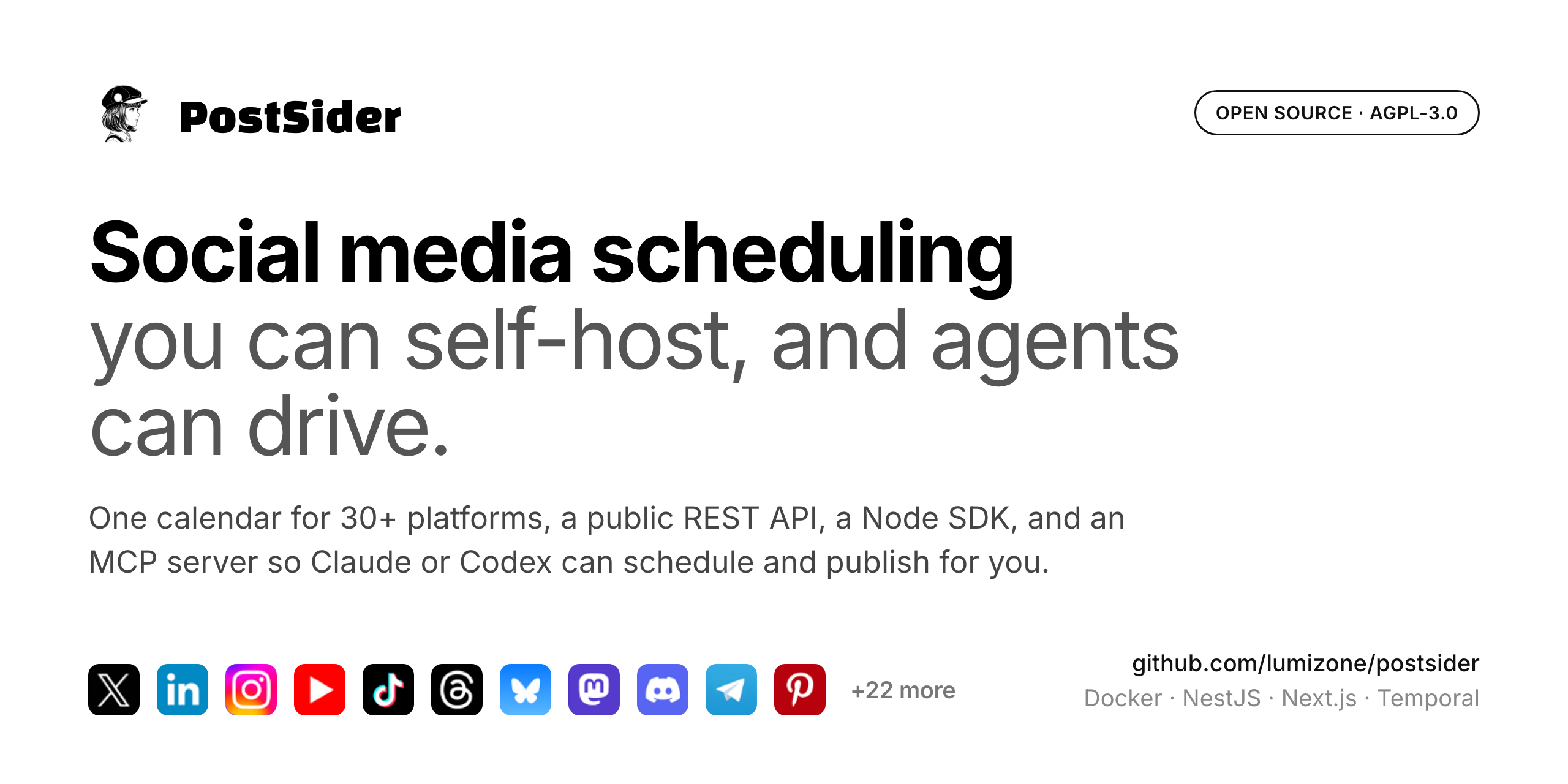
PostSider is an open-source social media management and scheduling platform built around four ways of working:
| Use PostSider as | What you get |
|---|---|
| Social media scheduler | One calendar for planning, composing, approving, scheduling, and publishing content |
| Self-hosted platform | A Docker-based deployment you can run on your own infrastructure |
| Automation backend | A public REST API plus the @postsider/node SDK |
| AI-agent bridge | An MCP server that lets compatible agents work with PostSider through structured tools |
PostSider ships with 33 active connectors registered in the application. You configure credentials only for the platforms you actually use.
AI features are optional. PostSider works without an OpenAI API key.
For a local evaluation, the fastest path is Docker Compose.
git clone https://github.com/lumizone/postsider.git
cd postsider
docker compose up -d
The default Compose stack pulls:
ghcr.io/lumizone/postsider-app:latest
and starts PostSider with PostgreSQL, Redis, and Temporal.
Open:
http://localhost:4007
Create the first administrator account:
docker exec -it postsider pnpm bootstrap
The bootstrap command prints a one-time password. Sign in with:
admin@setup.local
and the generated password. PostSider then prompts you to set your real email address and password.
The root
docker-compose.yamlis convenient for local evaluation. For an internet-facing deployment, use the production setup and the self-hosting guide.
@postsider/node@postsider/mcpOPENAI_API_KEYhttpOnly cookiesThe list below mirrors the active providers registered in:
libraries/nestjs-libraries/src/integrations/integration.manager.ts
| Category | Platforms |
|---|---|
| Social & creator platforms | X, LinkedIn Profile, LinkedIn Page, Facebook, Instagram via Facebook, Instagram Standalone, Threads, YouTube, TikTok, Pinterest, Bluesky, Mastodon, Nostr, Farcaster, Lemmy, Twitch, Dribbble, Google Business Profile, Whop, Moltbook |
| Chat & community | Discord, Slack, Telegram |
| Blogs & publishing | Dev.to, Hashnode, Medium, WordPress, Ghost, Blogger, Notion, Mataroa, Write.as, Listmonk |
That is 33 active connectors in the current integration registry.
You only need OAuth/API credentials for the providers you intend to use. See:
Mastodon supports custom instances through the standard Mastodon provider.
Provider integrations live in:
libraries/nestjs-libraries/src/integrations/social/
A new connector typically:
SocialAbstractSocialProvidersocialIntegrationList in integration.manager.tsNew provider integrations are especially welcome as pull requests.
PostSider includes an MCP server for compatible AI clients and agents.
The package is:
@postsider/mcp
The MCP layer is a thin interface over PostSider's public API and exposes 40 tools on the hosted server, 41 on the local stdio server, and 42 on the local stdio server when you opt in to approval decisions (see "Approvals" below), for workflows such as:
The intended workflow is read-first and draft-first: an agent can prepare work inside the same PostSider workflow used by humans, while publishing remains a deliberate action.
pnpm --filter @postsider/mcp build
For a local/stdio connection, configure:
POSTSIDER_API_KEY
POSTSIDER_API_URL
POSTSIDER_API_URL points the MCP server at the PostSider instance you want to use.
Full MCP documentation:
This repository also contains the Claude Code plugin metadata and five skills: postsider-agency-operations, postsider-approval-workflow, postsider-calendar-review, postsider-content-publishing and postsider-performance-reporting.
claude plugin marketplace add lumizone/postsider
claude plugin install postsider@postsider
A safe read-only connection check:
List my connected PostSider channels. Do not create or modify anything.
Webhook subscriptions are managed under /public/v1/webhook-subscriptions and receive these events: post.published, post.failed, approval.requested and approval.resolved. The webhook.test event is sent only by the test endpoint described below.
Every delivery is a JSON POST with this envelope:
{ "id": "...", "event": "post.failed", "createdAt": "...", "organizationId": "...", "data": {} }
For post.failed, data contains postId, error, errorCategory, errorRetryable and post. errorCategory can be POLICY_BLOCKED, which means a policy rule stopped the post at publish time (see "Policies and key limits").
Each request carries these headers: X-Postsider-Event, X-Postsider-Event-Id, X-Postsider-Timestamp, X-Postsider-Signature and X-Webhook-Attempt. The signature is HMAC-SHA256 over <timestamp>.<raw body> computed with the subscription secret, sent as sha256=<hex>. Verify it against the raw request body before parsing.
Delivery is at least once, so receivers must dedupe on the event id. A failed delivery is retried after 1 minute, 5 minutes, 30 minutes, 2 hours, 6 hours and 12 hours, which makes 7 attempts in total. After the last attempt the delivery is marked FAILED. Responses with a 4xx status other than 429 are not retried. A subscription is deactivated after 10 consecutive failed deliveries.
Delivery log, replay and test routes:
GET /public/v1/webhook-subscriptions/:id/deliveries lists deliveries (scope webhooks:read).POST /public/v1/webhook-subscriptions/:id/deliveries/:deliveryId/replay queues a delivery again (scope webhooks:write).POST /public/v1/webhook-subscriptions/:id/test sends a webhook.test event (scope webhooks:write).Deliveries are kept for 30 days and idempotency keys for 7 days.
To retry the failed posts of a group, call POST /public/v1/posts/group/:group/retry-failed (scope posts:write, optional Idempotency-Key header). Posts whose errorCategory is UNKNOWN_OUTCOME may already have been published on the provider, so they are skipped unless the body sets includeUnknownOutcome to true. The MCP tool postsider_retry_failed_posts wraps this route.
Every post records two different things about who touched it.
createdBy* and lastModifiedBy* (type plus UserId, ApiKeyId or OAuthClientId) from the credential that made the call. The type is one of USER, API_KEY, OAUTH_CLIENT or SYSTEM. An OAuth client actor also records the user who authorized it. The actor cannot be supplied in a request, and creationMethod is a hint only: it never changes the actor. Rows created before this feature have null actor columns. New writes made with a legacy organization key record an API_KEY actor without an id.provenance body object on POST /public/v1/posts and PUT /public/v1/posts/:id, using agentName, workflowId, runId, externalRef and source, or with the headers X-Postsider-Agent, X-Postsider-Workflow-Id, X-Postsider-Run-Id, X-Postsider-External-Ref and X-Postsider-Source. Each value is at most 255 characters, and a body field wins over its header. Never put prompts or post content in it. Treat it as untrusted text: it is a claim, never proof of identity.GET /public/v1/audit-events lists audit events for the organization, newest first (scope audit:read, which is never granted by default, so add it to a key on purpose). Filters are targetType, targetId, type, from and to; limit is 1 to 100 (default 25) and nextCursor from a page goes back in as cursor. GET /public/v1/posts/:id/activity returns the same events for one post group, including after deletion (scope posts:read; the MCP tool postsider_get_post_activity wraps it). The eleven event names are post.created, post.updated, post.deleted, post.status_changed, post.approval_requested, post.approval_resolved, post.published, post.failed, post.retry_requested, post.policy_evaluated and policy.changed. Event metadata holds small facts and never post content. The post.published, post.failed, approval.requested and approval.resolved webhook payloads carry actor and provenance fields.
Retention and impersonation: resource audit events are kept for 365 days, and the daily retention job never purges security or sign-in rows. When a super admin impersonates a user (only possible where impersonation is enabled with ALLOW_SUPERADMIN_IMPERSONATION=true), the recorded actor is the impersonated user, and the events carry metadata.impersonatedBy with the super admin id. This is a known residual, documented rather than fixed.
POST /public/v1/posts/:id/request-approval (MCP tool postsider_request_approval) is idempotent. A new request returns HTTP 201 with created: true. If an approval is already pending, it returns that approval with HTTP 200 and created: false, and reviewers are not notified again. The response never includes the guestToken. Approvals record who requested and who decided them. Guest reviewers give a name and email, so the guest review page asks for both. These are self-asserted, not verified: anyone holding the guest link can type any identity, so treat decidedBy.type = GUEST as a claim. The GUEST_REVIEW_REQUIRE_IDENTITY environment variable exists only to order a deploy (backend and frontend ship separately): it defaults to on, and false lets decisions without identity through while an old page is still served.
Stages and flows. An approval can have one stage or up to five. A flow is an ordered list of stages, and each stage names who may decide it: a minimum role (ADMIN or SUPERADMIN; a plain USER can never decide), an optional list of named members, and two switches, allowAutomation (an API key may decide) and allowGuest (a guest link may decide). A post goes through the stages in order. Approving a stage that is not the last one keeps the approval PENDING and the post in approval, and the next stage's approvers are notified. Only approving the last stage schedules the post. A rejection at any stage ends the approval as REJECTED and returns the post to draft. An organization can have 20 live flows. Flows are managed by admins in Settings, Approval flows, or through /public/v1/approval-flows (GET, GET /:id, POST, PUT /:id, DELETE /:id which archives; scopes policies:read and policies:write). An archive is refused with flow_in_use while an enabled rule points at the flow.
How a rule picks a flow. A REQUIRE_APPROVAL policy rule can carry an approvalFlowId. When a post is routed to approval, the flow of the first matching rule that has one is used (rules run in priority order). If no matching rule names a flow, the organization's default flow is used. If there is no default flow either, the approval has a single implicit stage that behaves exactly like before Phase 5: any admin may approve, automation and guests are allowed, and a solo owner can approve their own post. The stage definitions are copied onto the approval when it is requested, so editing or archiving a flow does not change the stages of an approval already in progress.
Who can decide. A human must be an enabled member whose role meets the stage's minimum, and, when the stage lists members, be one of them (a SUPERADMIN is exempt from the list so a stage cannot deadlock when listed members leave). Two flow flags, both on by default for flows you create, restrict humans further: preventSelfApproval (the decider may not be the post's creator or the requester) and requireDistinctApprovers (whoever decided an earlier stage cannot decide a later one). A SUPERADMIN is never exempt from these two. A solo owner who needs to approve their own posts turns the flags off on the flow, or uses no flow at all. Automation never decides an approval it requested or a post it created, with no flag to change that. Important: the two flags are read from the flow row at decision time and are not copied onto the approval, so changing a flag on a flow affects approvals that are already in flight. (If a flow is hard deleted, the strict defaults apply.) Stage definitions, by contrast, are a snapshot.
Deciding with an API key. POST /public/v1/approvals/:id/approve and /reject need the scope approvals:decide. It is never in a default scope set, existing keys do not have it, it cannot be granted to OAuth or MCP tokens, and it does not allow editing flows. Because approving schedules the post, a key limited by key limits must also be allowed SCHEDULE on the post's channel, so a draft-only key cannot approve. The stage must have allowAutomation on. GET /public/v1/approvals (scope approvals:read) lists approvals as { "approvals": [...], "nextCursor": "..." } with status, limit (1 to 100), cursor and since filters, and GET /public/v1/approvals/:id returns one item with a plain-text preview.
curl -X POST "$POSTSIDER_API_URL/public/v1/approvals/$APPROVAL_ID/approve" \
  -H "Authorization: $POSTSIDER_API_KEY" \
  -H "Content-Type: application/json" \
  -H "Idempotency-Key: approve-$APPROVAL_ID-stage-1" \
  -d '{ "note": "Checked the claims and the link." }'
The answer is { approvalId, postId, status, changed, stage: { position, total }, final }. Repeating the same decision returns 200 with changed: false. The opposite decision after a decision is 409 approval_already_resolved. A refused key gets 403 with not_allowed_for_stage or self_approval_blocked. Every decision is attributed to the key in the audit trail and on the stage.
Email approver links. Off by default. Set APPROVAL_EMAIL_LINKS=true and each eligible approver receives a personal "Review and approve" and "Review and reject" link by email instead of the plain notification. The link lives for APPROVAL_LINK_TTL_HOURS (default 48, range 1 to 168), needs no login, and works once. Opening it only shows the post: the decision needs a second click on the page, which is protected by a short-lived challenge (it is accepted from 2 seconds to 15 minutes after the page loaded), so a mail scanner that fetches the link cannot decide. The decision is recorded as the member the email was sent to, whose membership, role and stage eligibility are checked again at that moment. Five failed attempts revoke the link. Be clear about what this means: whoever holds the email can decide as that member until the link is used or expires, so a forwarded email is a real risk. Enable it knowingly. Details are in docs/API-MCP-TRUST.md.
preventSelfApproval is on).JWT_SECRET or FRONTEND_URL is missing, links cannot be built and PostSider sends the plain notification email instead.409 approval_already_resolved.Guest links. An admin can still create a guest review link for a pending approval. A link is only possible when the current stage has allowGuest on (400 guest_not_allowed_for_stage otherwise). A guest link is single use: if a guest approves a stage that is not the last one, the link is consumed and an admin must create a new link for the next stage. Guest names and emails are self-asserted. Guest links are stored as a SHA-256 hash, and the dashboard no longer returns any token material (see the security note in docs/API-MCP-TRUST.md).
MCP. The tool postsider_decide_approval exists only on the local stdio server and only when POSTSIDER_MCP_ALLOW_APPROVAL_DECISIONS=true is set (exactly true). The hosted OAuth MCP server cannot decide approvals. It uses the same API route and needs a key with approvals:decide.
Workspaces (customers). GET /public/v1/customers (scope channels:read), POST /public/v1/customers, PUT /public/v1/customers/:id and POST /public/v1/customers/:id/archive (scope channels:write, admin caller) create, rename and archive named channel groups, up to 200 per organization. Archiving detaches the channels and keeps the posts. PUT /public/v1/integrations/:id/customer accepts a customerId. There is no audit event for these changes, and the name and cap checks are soft, so two simultaneous creates can race. Creating organizations or inviting members is not available through the API.
Slack (notify only). Register a Slack incoming webhook URL as an ordinary webhook subscription. PostSider recognizes https://hooks.slack.com/services/... and sends Slack's message format instead of the usual envelope.
curl -X POST "$POSTSIDER_API_URL/public/v1/webhook-subscriptions" \
  -H "Authorization: $POSTSIDER_API_KEY" \
  -H "Content-Type: application/json" \
  -d '{
    "name": "Slack approvals",
    "url": "https://hooks.slack.com/services/T000/B000/XXXX",
    "events": ["approval.requested", "approval.resolved", "post.failed"]
  }'
The message is one line (for example "A post is waiting for approval (stage 1 of 2: Reviewer).") plus a link button to the PostSider approval or agent activity page. It deliberately contains no post text, no media, and no ids or names of people, because a Slack channel can include people who are not PostSider users. The button leads to a login-gated page, so nobody can decide from Slack. There are no interactive Approve buttons, no reminders and no automatic expiry: a message cannot be recalled when a stage is decided somewhere else. The Slack URL is a secret; PostSider keeps it out of stored delivery errors and logs.
Make. docs/automation/make.md has recipes built from the Webhooks and HTTP modules. They are written from the API contract and have not been tested against a live Make account.
Zapier. docs/automation/zapier.md and the scaffold in examples/automation/zapier (two triggers, three actions, tested mapping code). The scaffold has not been validated or pushed: zapier-platform-core is not installed in this repository, so zapier validate is still to do, and nothing was submitted to Zapier.
n8n. The n8n-nodes-postsider package version 0.2.0 adds approval, policy check and group operations and an approval-to-Slack example. It is not published. The scopes table in its README is partly assumed from the API contract and should be checked against a real server before release.
Two separate controls limit what an automation can do. Both are off until an owner sets them, so existing keys and workspaces behave as before.
Key limits. A named API key can carry two limits, set through the key settings (allowedActions and allowedIntegrationIds on POST /settings/api-keys and PUT /settings/api-keys/:id).
allowedActions is a list of DRAFT, SCHEDULE and PUBLISH_NOW. A key limited to DRAFT cannot schedule or publish.allowedIntegrationIds is a list of channel ids (at most 100). A key with channel limits can only create, edit, schedule, retry and duplicate posts on those channels. Limits do not cover deleting posts, requesting approval, uploading media, or channel administration (disabling, enabling, deleting or reassigning channels and running channel tools with channels:write): the key can still use those on other channels.403 with key_action_not_allowed or key_channel_not_allowed before anything is written or an idempotency key is claimed. One forbidden channel refuses the whole request.Policy rules. An organization can define rules under /public/v1/policies. A rule has a condition, an effect (REQUIRE_APPROVAL or BLOCK), a priority (0 to 1000, lower runs first) and optional filters by actor type, API key, channel or provider. An organization can have at most 50 enabled and 200 stored rules (policy_limit_reached when exceeded). Rule names are 1 to 120 characters.
| Condition | Params | Matches when |
|---|---|---|
ALWAYS | none | every evaluated post |
CONTAINS_LINK | none | the text holds an http or https URL, a www. host, a bare domain with a common TLD, or a link target |
CONTAINS_WORDS | words: 1 to 100 entries of 1 to 100 characters | any whole word or phrase appears, ignoring case |
OUTSIDE_WINDOW | days (0 is Sunday to 6), start and end as HH:MM, timezone (canonical IANA name) | the scheduled time is outside the window on a listed day; an end before start crosses midnight |
DAILY_CAP_EXCEEDED | max (1 to 10000), scope (organization or channel), optional timezone (default UTC) | this post would be more than max posts that day |
PUBLISH_NOW | none | the write publishes immediately |
HAS_VIDEO | none | the post carries a video file (mp4, webm, mov, mkv, m4v, avi) |
Effects: REQUIRE_APPROVAL writes the post as a draft and requests a human approval. BLOCK refuses the write with 422 policy_blocked and, at publish time, fails the post with errorCategory: POLICY_BLOCKED (not retryable). BLOCK beats REQUIRE_APPROVAL. A post that already has an approved approval satisfies REQUIRE_APPROVAL rules, but never a BLOCK rule.
Who a rule applies to: with no actor filter a rule applies to automation only (API_KEY and OAUTH_CLIENT). USER and SYSTEM are covered only when listed. A rule that lists USER is also applied when a person saves in the dashboard (see Agent activity below); other dashboard write paths are covered at publish time only.
Write time and publish time. Rules are checked when the public API or MCP creates, edits, schedules or retries a post, and again just before a post is sent to the platform. Responses to create, update, status change and retry carry policy: { effect, matched } (create and update add it to every array element, together with approvalRequested). Each non-ALLOW outcome is recorded as the post.policy_evaluated audit event, and each rule change as policy.changed.
Dry run. POST /public/v1/policies/evaluate takes the create body shape and returns { effect, matched, channels, key } for the calling credential, and writes nothing. MCP exposes it as postsider_check_policy.
Scopes. policies:read lists and reads rules and policies:write creates, changes and deletes them. Neither is granted by default, and neither can be granted to OAuth or MCP tokens. The dry run needs only posts:read.
Error codes. key_action_not_allowed and key_channel_not_allowed (403), policy_blocked (422), policy_input_too_large (400, content too large to evaluate; at publish time it blocks the post) and policy_limit_reached (400, rule limit).
Honest limits. Read these before relying on rules as a control.
PUBLISHED repeat child post flips that post to ERROR, and its repeat schedule ends.REQUIRE_APPROVAL rule holds the repeat of an already PUBLISHED post, the post stays PUBLISHED, no approval is requested, no notification is sent and the repeat schedule stops for good. Only the post.policy_evaluated audit event records it.OUTSIDE_WINDOW and DAILY_CAP_EXCEEDED use the real publish time and day for late approvals, retries and resumed pauses.APPROVAL answers 200 with state APPROVAL when a REQUIRE_APPROVAL rule matches, 422 when a BLOCK rule matches, and 400 otherwise.retry-failed sends matching rows to approval (result action approval_requested) instead of re-queuing them.x-repost-post-users and plug-<name>--integrations entries in post settings) post to other channels with no policy check and no key check. Channel or provider scoped rules and key channel limits do not cover plug targets. This is a known limit of v1, out of scope for now.policies:write can disable the rules that constrain it, and can add a BLOCK rule with condition ALWAYS that applies to USER and SYSTEM and so stops every post in the workspace at publish time. Do not give policies:write to a key that also publishes; every change is recorded as the policy.changed audit event with the key id.policy object is not the same everywhere. The 422 policy_blocked body lists blocked channels as ids (policy.channels is an array of channel id strings), while the dry run returns channels as objects with integrationId and effect. Status change, retry and duplicate responses carry only { effect, matched }. A draft report that could not be evaluated carries no policy at all, never a false ALLOW.posts:read probe rule settings without an audit entry, and the global throttler is effectively open. Send the literal path /public/v1/policies/evaluate; encoded spellings are not classified as reads.postsider_check_policy also needs posts:read.The dashboard page /agents ("Agent activity", in the sidebar after Approval) shows what API keys, OAuth clients and MCP clients did in the organization and what needs a person. Every member can read it. Approving, rejecting and retrying are for administrators (ADMIN and SUPERADMIN); the buttons are hidden for members with the USER role.
Summary tiles. The unit is a destination (one channel of a post group). Each tile that shows backlog is a button that applies its bucket as a filter.
API_KEY or OAUTH_CLIENT actor.APPROVAL right now (open backlog, not limited to today).POLICY_BLOCKED right now (open backlog).PUBLISHED destinations created by an API key or OAuth client whose updatedAt falls today. This is a proxy: the page has no separate publish timestamp, so a later edit of a published post can move it into today."Today" uses the browser time zone (an invalid value falls back to the organization default, then UTC).
Buckets. A row falls into one bucket and a group takes the most urgent bucket of its destinations: unknown_outcome, blocked, retryable, failed_other, review, held, scheduled, draft, published. Needs attention (the default) is review, blocked and every failed bucket. unknown_outcome means the platform did not confirm whether the post went out, so it may already be live. That is why retrying it asks for a confirmation: the dialog tells you to check the channel first and the confirm button stays disabled until you tick "I checked the platform". A group with both kinds shows "Retry failed" (skips unknown outcome rows) and "Retry anyway" (the dialog). Bulk retry is not offered.
Filters. Bucket, channels, actor, agent name, source, date range (on last update), and "Only automation". By default the list shows automation plus anything in review or failed regardless of who made it. "Load more" pages through results. The page refetches when the window regains focus and after every action; there are no timers.
Drawer. Clicking a row opens the detail drawer: destinations (state, error category in plain words, attempts, release link), who (verified actor versus claimed provenance), approval, policy (the outcome recorded when the post was evaluated and a live check against the current rules), content previews with a word diff against the first destination, and the audit timeline. Claimed fields (agent, workflow, run, external ref, source) are shown as "claimed by the client, not verified": the server never verifies them and any caller can type anything. The verified actor comes from the credential. Names are cleaned before display and rendered as text.
Actions. Approve and reject use the existing approval routes (single) and POST /agent-activity/approvals/bulk (up to 50 at once; one failure does not stop the rest, and an already resolved approval is skipped). Retry uses POST /agent-activity/groups/:group/retry-failed and runs the same policy check as the public retry route. Open in editor and Calendar are links: the calendar understands ?post=<id> (opens that post in the edit modal) and ?date=YYYY-MM-DD (moves to that month and selects the day); both are stripped from the address after use.
Settings > Policies. Administrators manage policy rules at /settings/policies: list by priority, on/off switch, edit, delete, and a form for the seven conditions and their filters (actor types, API keys, channels, providers). Client checks mirror the server limits and the server stays authoritative. A "Test a post" panel runs the dry run (nothing is written) for chosen channels, type, date, text and media, "as" yourself, an API key, an OAuth client or the system. Rules that list USER only match when the dry run is "as" a person.
Per-key limits. The API key create and edit dialogs in Settings > Public API have a Permissions section: switch on "Limit what this key can do", then pick allowed actions (Draft, Schedule, Publish now) and allowed channels. Switching it off clears both lists (unrestricted). Legacy organization keys and OAuth tokens are not limited by this.
Rules for people saving in the dashboard. USER rules now run when a person saves.
422 policy_blocked and nothing is written; the composer shows "Blocked by policy: ". REQUIRE_APPROVAL writes the post as a draft and requests approval; the response carries approvalRequested and the page shows "Sent for approval instead of being scheduled" with a link to Approval. Content too large to evaluate answers 400 policy_input_too_large.PUT /posts/:id/date with action schedule) evaluates the stored post at the new date. A BLOCK refuses the move (422); REQUIRE_APPROVAL sends the post to approval and does not apply the date. Dragging a draft is report only. A pure date shift of the same state (action update) is not gated.Routes. The page uses session routes under /agent-activity (GET /summary, GET /filters, GET /, GET /groups/:group, POST /approvals/bulk, POST /groups/:group/retry-failed) and /policies (list, create, update, delete, and POST /evaluate). They are dashboard routes: they need a signed-in session, are not part of the public API, and are not available to API keys or MCP. Policy management is administrators only.
Known gaps.
402 before 403 when billing is on. Either way nothing is changed.PostSider exposes a public REST API for external applications and automation.
Authenticate with your organization's API key. Named keys carry scopes; reading audit events needs audit:read, which is never granted by default (see "Who did what" above).
The published SDK package is:
npm install @postsider/node
Example:
import Postsider from '@postsider/node';

const client = new Postsider(
  'your-api-key',
  'https://your-instance.com'
);

// Schedule a post
await client.post({
  type: 'schedule',
  date: '2025-01-15T10:00:00',
  posts: [
    {
      integration: { id: 'channel-id' },
      value: [{ content: 'Hello!' }],
    },
  ],
});

// List posts
const posts = await client.postList({
  page: 0,
  limit: 20,
});

// List connected channels
const channels = await client.integrations();
The public API is exposed under /public/v1.
PostSider is a TypeScript pnpm monorepo.
postsider/
├── apps/
│   ├── backend/          # NestJS REST API
│   ├── orchestrator/     # Temporal workers
│   ├── frontend/         # Next.js dashboard
│   ├── commands/         # CLI/bootstrap utilities
│   ├── sdk/              # @postsider/node
│   └── mcp/              # @postsider/mcp
├── libraries/
│   ├── nestjs-libraries/ # Shared backend, database, integrations
│   └── helpers/          # Shared utilities
├── docker-compose.yaml
├── docker-compose.production.yaml
└── .env.example
| Layer | Technology |
|---|---|
| Backend API | NestJS 11, TypeScript |
| Frontend | Next.js 15, React 19 |
| Database | PostgreSQL + Prisma 6.5 |
| Cache | Redis |
| Workflow engine | Temporal |
| AI | OpenAI, optional |
| Billing | Polar.sh, optional |
| Storage | Local filesystem, Cloudflare R2, or MinIO |
| Authentication | JWT, GitHub OAuth, Google OAuth, Generic OIDC |
| Monitoring | Sentry |
Temporal for durable scheduling
Scheduled publishing and token-refresh work run through Temporal workflows so background jobs are not tied to one web-process lifetime.
Provider-based integrations
Each social platform is implemented behind a common provider interface. The active registry lives in integration.manager.ts.
Public API first
External tools can use /public/v1, while Node.js consumers can use @postsider/node.
One codebase for hosted and self-hosted deployments
Optional capabilities are controlled through environment configuration. Billing and AI are not required for a self-hosted installation.
Start from the example environment file:
cp .env.example .env
The primary local-development settings are:
| Variable | Purpose |
|---|---|
DATABASE_URL | PostgreSQL connection string |
REDIS_URL | Redis connection string |
JWT_SECRET | JWT signing secret |
BACKEND_URL | URL used to reach the backend |
FRONTEND_URL | URL used to reach the frontend |
NEXT_PUBLIC_BACKEND_URL | Public backend URL embedded in the frontend |
BACKEND_INTERNAL_URL | Backend URL used by internal services |
APPROVAL_EMAIL_LINKS | true sends approvers a personal one-click email link (default off; see Approvals) |
APPROVAL_LINK_TTL_HOURS | Lifetime of those links in hours, 1 to 168 (default 48) |
POSTSIDER_MCP_ALLOW_APPROVAL_DECISIONS | MCP server only: true registers postsider_decide_approval on the local stdio server |
For production, set a dedicated ENCRYPTION_KEY as documented in .env.example.
The full reference is maintained in:
Local storage is the default:
STORAGE_PROVIDER=local
UPLOAD_DIRECTORY=./uploads
Cloudflare R2 and MinIO are also supported through environment configuration.
Social providers have their own API/OAuth settings. You do not need to configure all 33 providers.
Configure only the services you plan to connect.
PostSider is designed to run on your own infrastructure.
Two Compose files are included:
| File | Purpose |
|---|---|
docker-compose.yaml | Simple local/evaluation stack using the published GHCR image |
docker-compose.production.yaml | Production-oriented stack built from the repository |
The production stack includes the PostSider application, PostgreSQL, Redis, MinIO, Temporal, and supporting services used by the deployment.
For production, use the dedicated guide:
The production Compose file intentionally expects production secrets and deployment-specific values rather than shipping usable defaults.
>=20.17.0 <23.0.010.6.xClone and install:
git clone https://github.com/lumizone/postsider.git
cd postsider
pnpm install
Create your environment file:
cp .env.example .env
Apply database migrations:
pnpm prisma-migrate-deploy
Create the initial admin:
pnpm bootstrap
Start the backend and orchestrator:
pnpm dev
In another terminal, start the frontend:
pnpm dev:frontend
Default development URLs:
Backend:  http://localhost:3000
Frontend: http://localhost:4200
# Backend only
pnpm dev:backend

# Orchestrator only
pnpm dev:orchestrator

# Frontend only
pnpm dev:frontend

# Generate Prisma client
pnpm prisma-generate

# Create a Prisma migration
pnpm prisma-migrate-dev

# Apply migrations
pnpm prisma-migrate-deploy

# Build backend + orchestrator
pnpm build

# Build the Node.js SDK
pnpm build:sdk
Contributions are welcome.
Good places to contribute include:
Typical workflow:
git checkout -b feature/my-feature
# make changes
pnpm run build:backend
Then open a pull request with a clear explanation of the change.
For provider-specific contribution steps, see CONTRIBUTING.md.
strictNullChecks across the codebaseIf PostSider is useful to you, consider starring the repository. It helps other developers discover the project.

Bug reports, feature requests, and pull requests are also appreciated.
PostSider is licensed under the GNU Affero General Public License v3.0.
You may use, modify, and distribute PostSider under the terms of the AGPL-3.0. If you run a modified version as a network service, the license requires the corresponding source code to be made available to users of that service.
PostSider
Open-source social media scheduling for humans, teams, and AI agents.
Claim this server with your GitHub account to request manual ownership verification.
Link to the catalog listing for PostSider MCP server for social media scheduling from your README. This badge does not certify ownership, compatibility or security.
[](https://awesome-mcp.com/servers/postsider-mcp)Public repository statistics could not be verified. Check the configured source address; unavailable counts are not zero.
Separate sources, scopes and periods. Never combined or treated as installations, active users or security reviews.
No reviewed package or image identity; download statistics are not listed yet.
Alternative and complementary servers in the same category
An AI receptionist platform with an MCP server for accessing business calls, contacts and appointments from AI assistants.
Pidgeon provides an MCP server and an email inbox API that gives AI agents their own addresses for sending, awaiting, and replying to email.

A Telegram CLI with background sync that can run an optional MCP server for a personal account using MTProto, not the bot API.
