prometheus-mcp-server
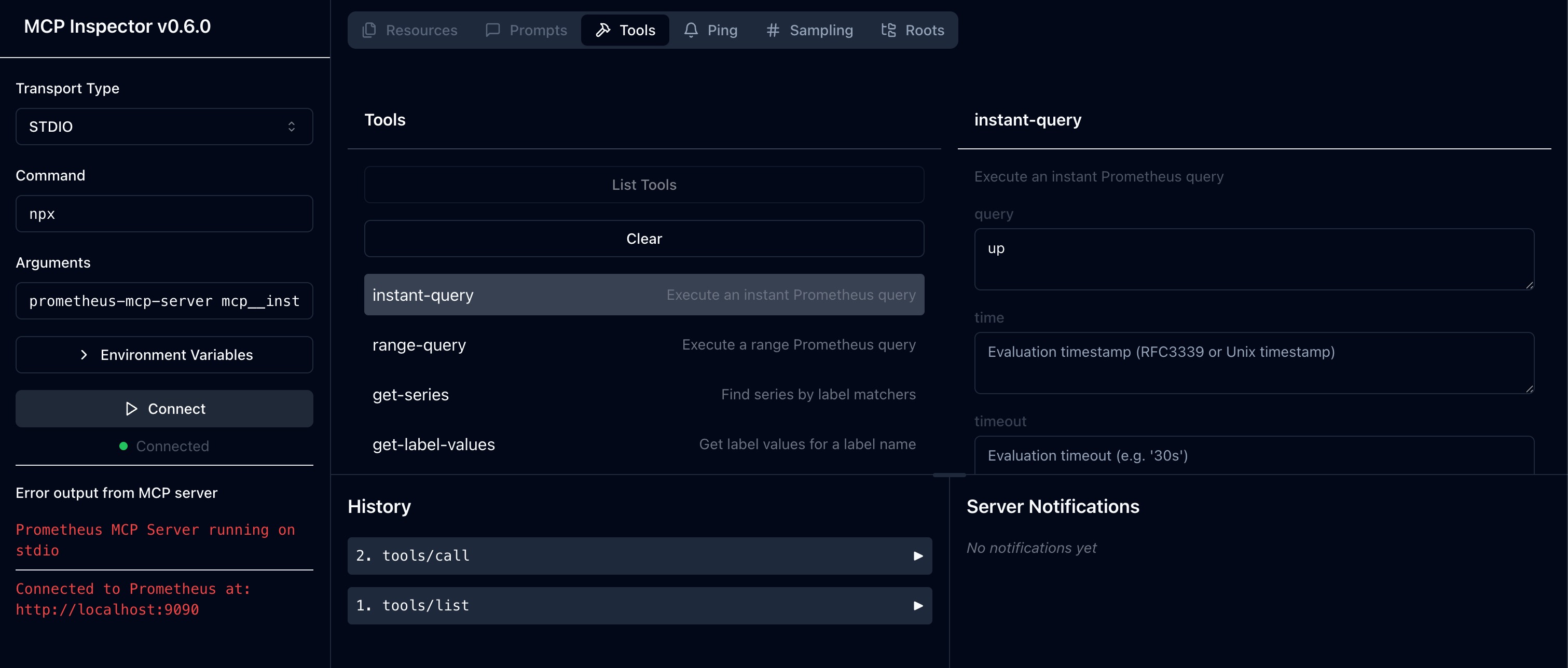
A Model Context Protocol (MCP) server for interacting with Prometheus metrics and data.
This is a TypeScript-based MCP server that implements a Prometheus API interface. It provides a bridge between Claude and your Prometheus server through the Model Context Protocol (MCP).
Features
- Instant Queries: Execute PromQL queries at a specific time
- Range Queries: Execute PromQL queries over a time period
- Series Discovery: Find series by label matchers
- Label Exploration: Get label names and values
- Metadata Access: Get metadata for metrics
- Target Information: Get information about scrape targets
- Alerts & Rules: Get information about alerts and recording rules
- Status Information: Get Prometheus server status information
Installation
# Install globally
npm install -g prometheus-mcp-server

# Or install locally
npm install prometheus-mcp-server

# Or use npx to run without installation
npx prometheus-mcp-server
Usage with Claude
To use with Claude Desktop, add the server config:
On MacOS: ~/Library/Application Support/Claude/claude_desktop_config.json
On Windows: %APPDATA%/Claude/claude_desktop_config.json
{
  "mcpServers": {
    "prometheus-mcp-server": {
      "command": "/path/to/prometheus-mcp-server/build/index.js",
      "env": {
        "PROMETHEUS_BASE_URL": "http://your-prometheus-instance:9090"
      }
    }
  }
}
Using with npx
You can also use npx in your Claude Desktop configuration:
{
  "mcpServers": {
    "prometheus-mcp-server": {
      "command": "npx prometheus-mcp-server",
      "env": {
        "PROMETHEUS_BASE_URL": "http://your-prometheus-instance:9090"
      }
    }
  }
}
Configuration
By default, the client connects to a Prometheus server running at http://localhost:9090. You can configure the Prometheus server URL by setting the PROMETHEUS_BASE_URL environment variable:
# Example: Connect to a different Prometheus server
PROMETHEUS_BASE_URL=http://my-prometheus-server:9090 prometheus-mcp-server
This allows you to point the client to any Prometheus instance without modifying the source code.
Available Functions
The server provides the following functions:
mcp__instant_query: Execute an instant PromQL querymcp__range_query: Execute a range PromQL query over a time periodmcp__get_series: Find series by label matchersmcp__get_label_values: Get values for a specific labelmcp__get_metadata: Get metadata for metricsmcp__get_targets: Get information about scrape targetsmcp__get_alerts: Get information about alertsmcp__get_rules: Get information about recording and alerting rulesmcp__get_status: Get status information about the Prometheus server
Development
# Install dependencies
npm install

# Build the project
npm run build

# Start the server
npm start

# Debug
npm run dev:debug
Debugging
Since MCP servers communicate over stdio, debugging can be challenging. You can use the following npm scripts for debugging:
# Inspect mode
npm run inspect

# Inspect with breakpoints
npm run inspect-debug
License
ISC
Contributing
Contributions are welcome! Please feel free to submit a Pull Request.


