MCP server for shared finite state machines

MCP server for shared finite state machines

puzzlebox•bycliffhall

An MCP server implementation that hosts finite state machine puzzles as shared dynamic resources which multiple clients can create, subscribe to, and transition between states.

License: Not specified•Runtime: Awaiting documentation review•Category: ai agents-models

WHAT IT DOES

  • •Exposes registered puzzles as subscribable resources with a template so clients can fetch them by ID.
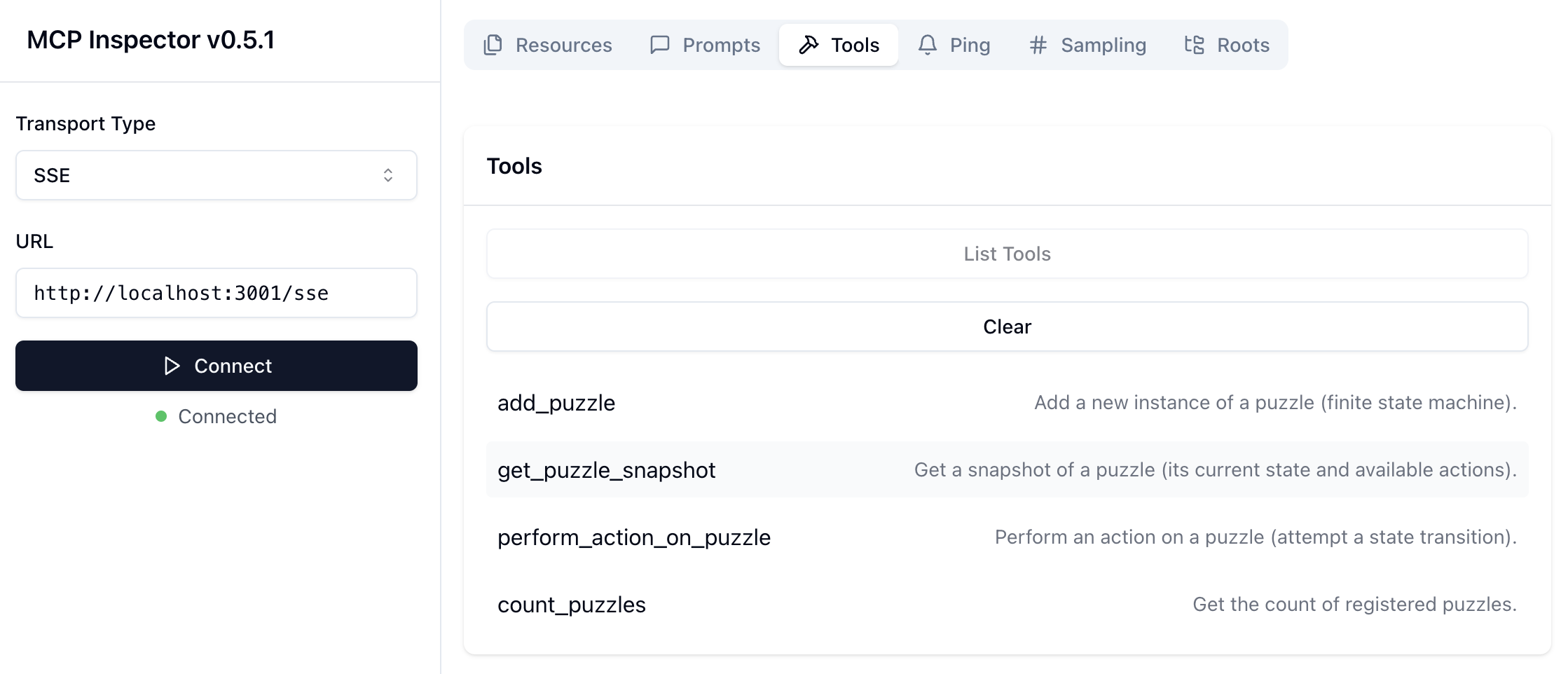
  • •Provides tools to add puzzles, get snapshots of state and available actions, perform actions, and count registered puzzles.
  • •Validates attempted actions against the current state and can cancel transitions via exit and enter guards using client sampling requests.

BEST FOR

  • •Coordinating multiple agents through defined process phases such as an enterprise software lifecycle.
  • •Keeping agent workflows process-aware so the process itself is not subject to hallucination.
  • •Handing off work between agent teams when a shared state transition occurs.

ABOUT PUZZLEBOX

MCP server for shared finite state machines is cataloged as an MCP server attributed to cliffhall. An MCP server implementation that hosts finite state machine puzzles as shared dynamic resources which multiple clients can create, subscribe to, and transition between states. It is categorized under ai agents-models. See the capability inspector for recorded interfaces and their independent review status; consult upstream documentation for the current interface.

HOW TO INSTALL

Installation configuration is not reviewed. No executable setup is offered for this entry; inspect the source repository before proceeding.

LICENSE

Catalog license label: Not specified. Check the source repository's current license and terms before using, modifying or distributing this software.

Capability inspector

Capability definitions are not reviewed. Unreviewed imports are not exposed as trusted interfaces.

Tools (0)

No reviewed records to display. This does not establish that upstream lacks this capability.

Resources (0)

No reviewed records to display. This does not establish that upstream lacks this capability.

Prompts (0)

No reviewed records to display. This does not establish that upstream lacks this capability.

NEWSLETTER - COMING LATER

Newsletter subscriptions are not open yet

Email delivery is not connected. This page does not collect email addresses or create subscriptions.

Browse the registry for current listings instead.

Community Reviews

Coming later

Reviews for MCP server for shared finite state machines are not available yet

Review publishing and storage are not connected. This page does not collect or publish ratings or comments, including after sign-in.

FREQUENTLY ASKED QUESTIONS

What is a puzzle in puzzlebox?

A puzzle is a finite state machine with discrete states, actions that initiate transitions, an initial state, a current state, and optional guards that can cancel transitions.

How do clients learn that a puzzle's state changed?

Clients subscribe to a puzzle's resource and receive update notifications; on notification they can read the resource or call get_puzzle_snapshot for current state and available actions.

Upstream README

View this exact version on GitHub

README.md · 7f6823cdf39f · Fetched 2026-11-13 09:53:36 UTC

Original upstream text, without AI rewriting. Scripts, forms and unsafe links are filtered for safety.

Showing the last retrieved documentation snapshot; check the source for current changes.

puzzlebox

puzzlebox

Coordinating agents with state machines

An MCP server that hosts finite state machines as dynamic resources that clients can subscribe to and be updated when their state changes.

Feature Roadmap and Status

A work in progress. Much is done, a few bits remain to be done.
  • Unit tests for tool code
  • Integration tests for MCP server (both SSE and StreamableHttp)
  • SSE transport
  • StreamableHttp transport
  • Multiple simultaneous client connections (both transports)
  • Create puzzles (state machines) as dynamic resources
  • Subscribe to puzzles
  • Receive update notifications when puzzles change
  • Get puzzle snapshot (current state and available actions)
  • Change puzzle state by performing action on puzzle
  • Resource creation by puzzle state (used by agents and guard prompts)
  • Transition guard prompt creation (uses resources by state)
  • Transition guard via sampling
  • Command line REPL
  • Demo via REPL

What problem does puzzlebox address?

Collaboration and coordination are related but different problems. Collaboration is good for non-trivial yet relatively simple tasks. To tackle long horizon efforts, puzzlebox solves for coordination.

Teams need coordination

Marshalling multiple agents toward a big goal is tougher than just breaking down a request into tasks, assigning them to available agents and enabling collaboration between them.

Just as a few agents can collaborate to complete a small project, several teams of process-aware agents need to operate within distinct project phases to tackle long horizon efforts.

Consider enterprise-level software development processes:

  • A large software project typically moves through a multistep, occasionally backtracking path from inception to design to building to testing to documentation to marketing to production.

  • Different teams are focused on different aspects over time, informed by what's gone before and with an eye toward an ever-changing goal that is refined according to lessons learned.

  • Even within a phase, teams may cycle through their own phases, like Agile sprints. A certain amount of work is scoped for the sprint, the team works on their parts, and at the end of the sprint they decide what to tackle next. It accepts that each sprint could change the course of future development. These cycles can also be represented as puzzles.

With puzzlebox, members of agentic teams can be made process-aware, but the process itself is not subject to hallucination.

Scenario: Teams passing the torch

Three agents are working. The current state of their shared puzzle is "Specification".

  • Agent 1 is specifying the domain language.
  • Agent 2 is defining project scope.
  • Agent 3 is producing the specification document.
  • The agents collaborate to reach the final specification document.
  • Once the spec is done, Agent 3 initiates a transition to "Design" state.
    • First, the spec is checked by an exit guard (i.e., LLM sampling) for completeness.
      • If problems are found, the state transition is canceled and the team continues.
      • If acceptable, the state changes to "Design".
        • The "Specification" agents are monitoring the puzzle and should clock out now.
          • Their long (and expensive) contexts have been distilled into the specification.
          • The "Design" team picks from here, with the spec as a resource and their contexts fresh and role-specific.

What is a puzzle?

A puzzle is a finite state machine. It's just easier to say, write, and think about.

A stateful thing you can act upon

Imagine the Rubik's Cube puzzle. It has 43 quintillion states, and to transition between them, you act upon it by rotating the intersecting planes of the mechanism.

Properties of a puzzle

  • A finite number of discrete states, e.g., "Series Concept and Tone", "World Building", "Arc Plotting", "Episode Planning", "Plotline Blending", "Episode Outline", "Script Writing" etc.
  • Each state may have any number of actions (including 0) that initiate transition to another state.
  • There is an initial state.
  • There is a current state that may differ after actions have been performed on the puzzle.
  • Transitions can be canceled by state exit and enter guards, e.g., Consult LLM via client sampling request.

A Simple Example

{
  "initialState": "LOBBY",
  "states": {
    "LOBBY": {
      "name": "LOBBY",
      "actions": {
        "START_GAME": { "name": "START_GAME", "targetState": "PLAYING" }
      }
    },
    "PLAYING":  {
      "name": "PLAYING",
      "actions": {
        "END_GAME": { "name": "END_GAME", "targetState": "GAME_OVER" }
      }
    },
    "GAME_OVER": {
      "name": "GAME_OVER",
      "actions": {
        "RESTART": { "name": "RESTART", "targetState": "PLAYING" }
      }
    }
  }
}

What is puzzlebox?

Most MCP servers have a one-to-one relationship with the client. Puzzlebox is different.

Many clients sharing dynamic resources

Puzzlebox is an MCP Server implementation that:

  • Supports multiple client connections that can create and monitor shared, dynamic resources.
  • Manages puzzle instances
  • Exposes tools for:
    • Adding puzzles
    • Getting a snapshot of the state and available actions for a given puzzle in the box
    • Performing actions on a given puzzle in the box that trigger state transitions
  • Exposes registered puzzles as resources
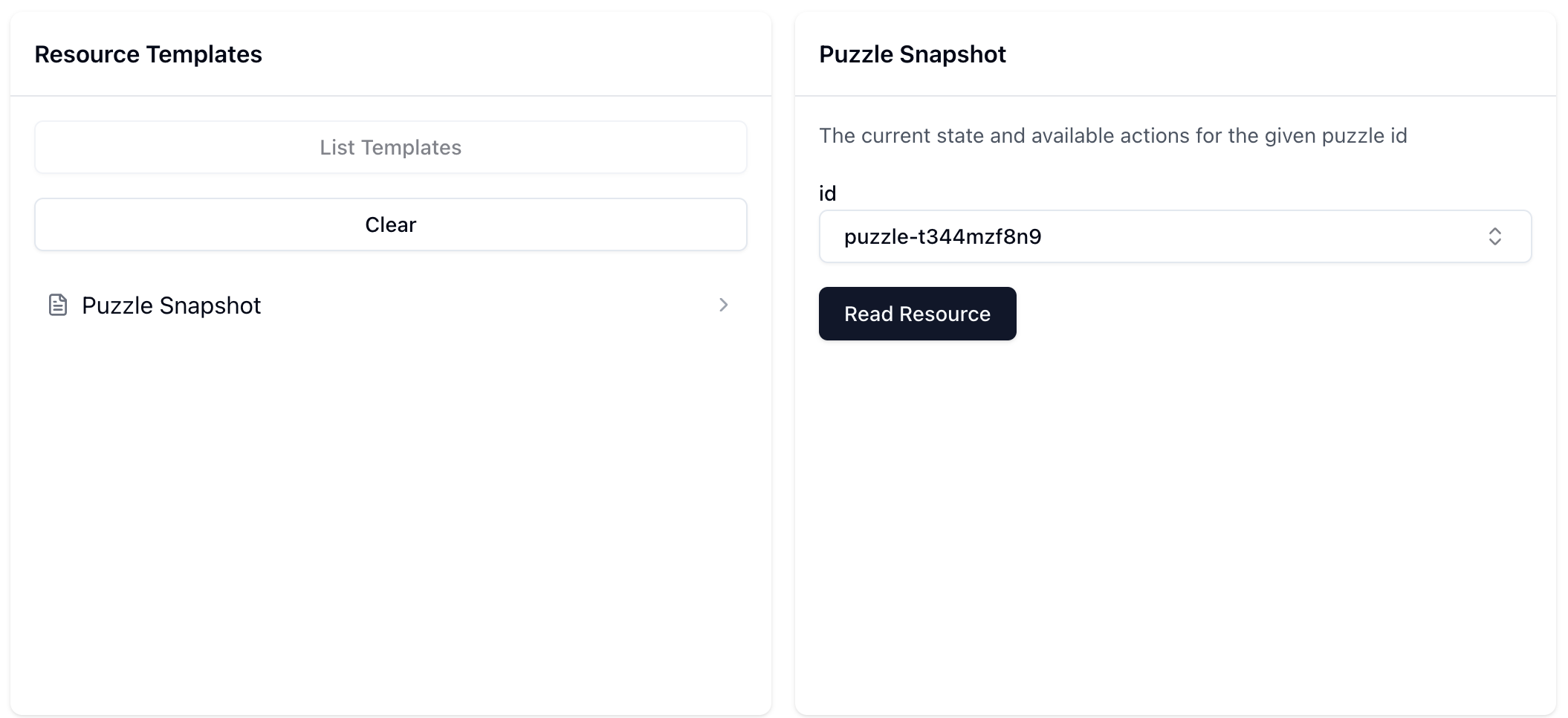
    • Clients can use the Puzzle Snapshot resource template to fetch the resource by ID
    • Resource URI is puzzlebox:/puzzle/{puzzleId}
    • Clients can subscribe/unsubscribe to individual resource URIs

How It Works

  1. Clients connect to a puzzlebox SSE server.
  2. Clients register puzzles with the server.
  3. Clients can subscribe to a given puzzle to receive updates when its state changes.
  4. Clients perform actions on puzzles that may change their state and available actions.
  5. The puzzlebox server ensures that any attempted action is valid for the current state of the given puzzle.
  6. If an action is valid, a transition to the target state is initiated.
  7. During transition, optional exit and enter guards may send sampling requests to the client, the results of which could lead to cancellation of the transition (think acceptance testing by stakeholders)
  8. If guards pass, the state transition completes.
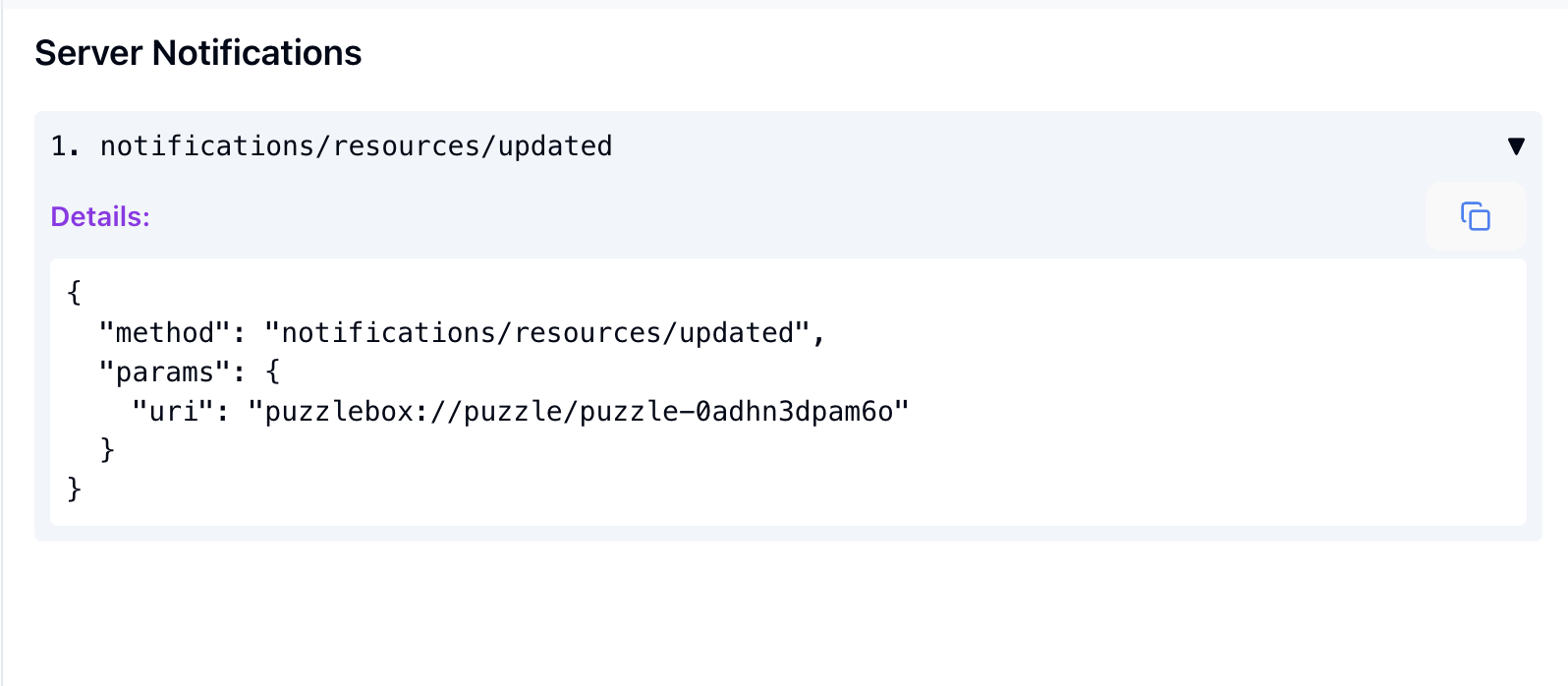
  9. When a client receives a resource updated notification, they can either read the resource or use the get_puzzle_snapshot tool to get the current state and available actions.
  10. Clients update their UI based on the new state.

MCP Tools

These functions are exposed to the agents for managing puzzles.

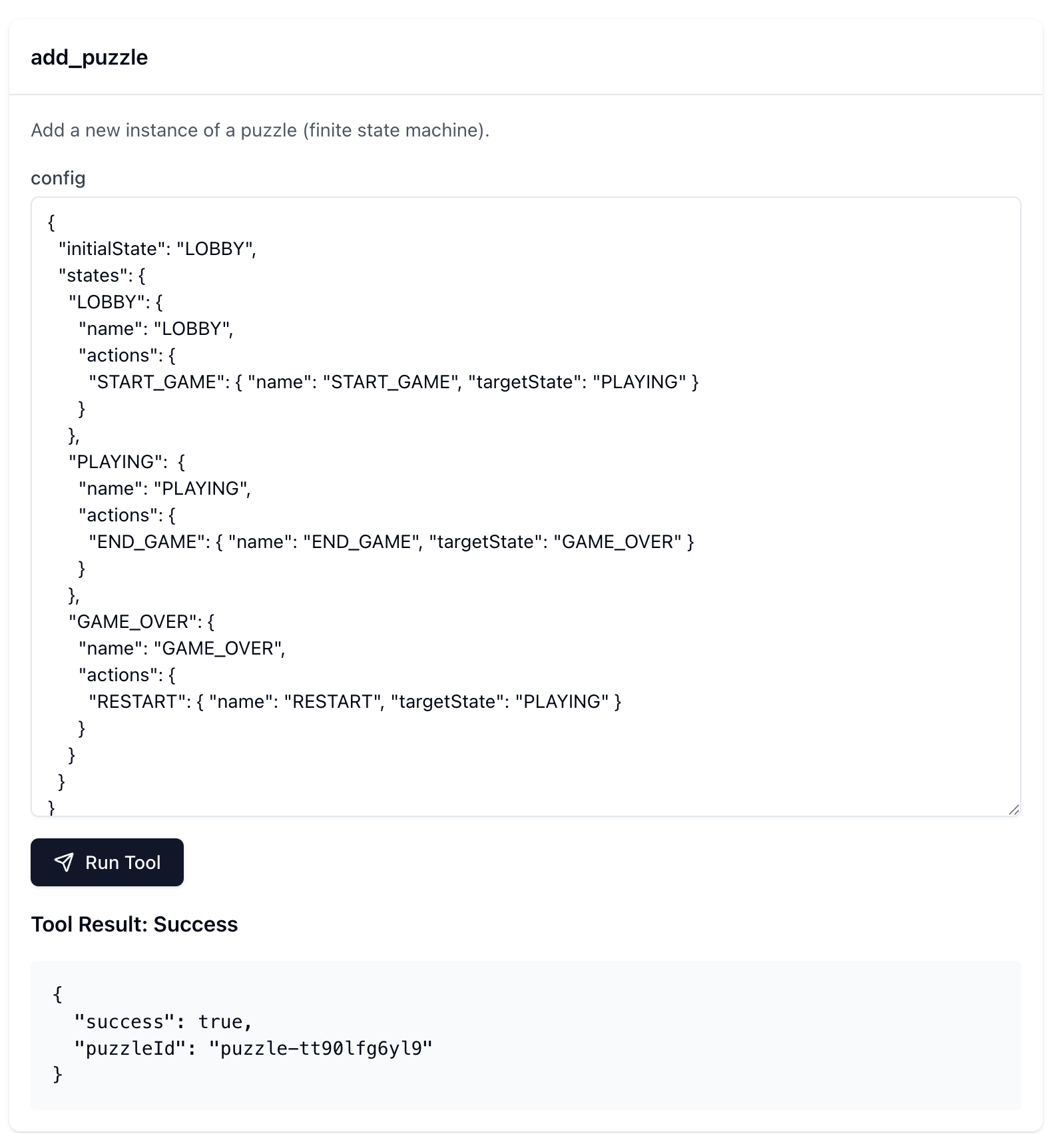
⚙️ add_puzzle

Add a new instance of a puzzle (finite state machine).

  • Inputs: None
  • Returns: JSON object with boolean success and puzzleId

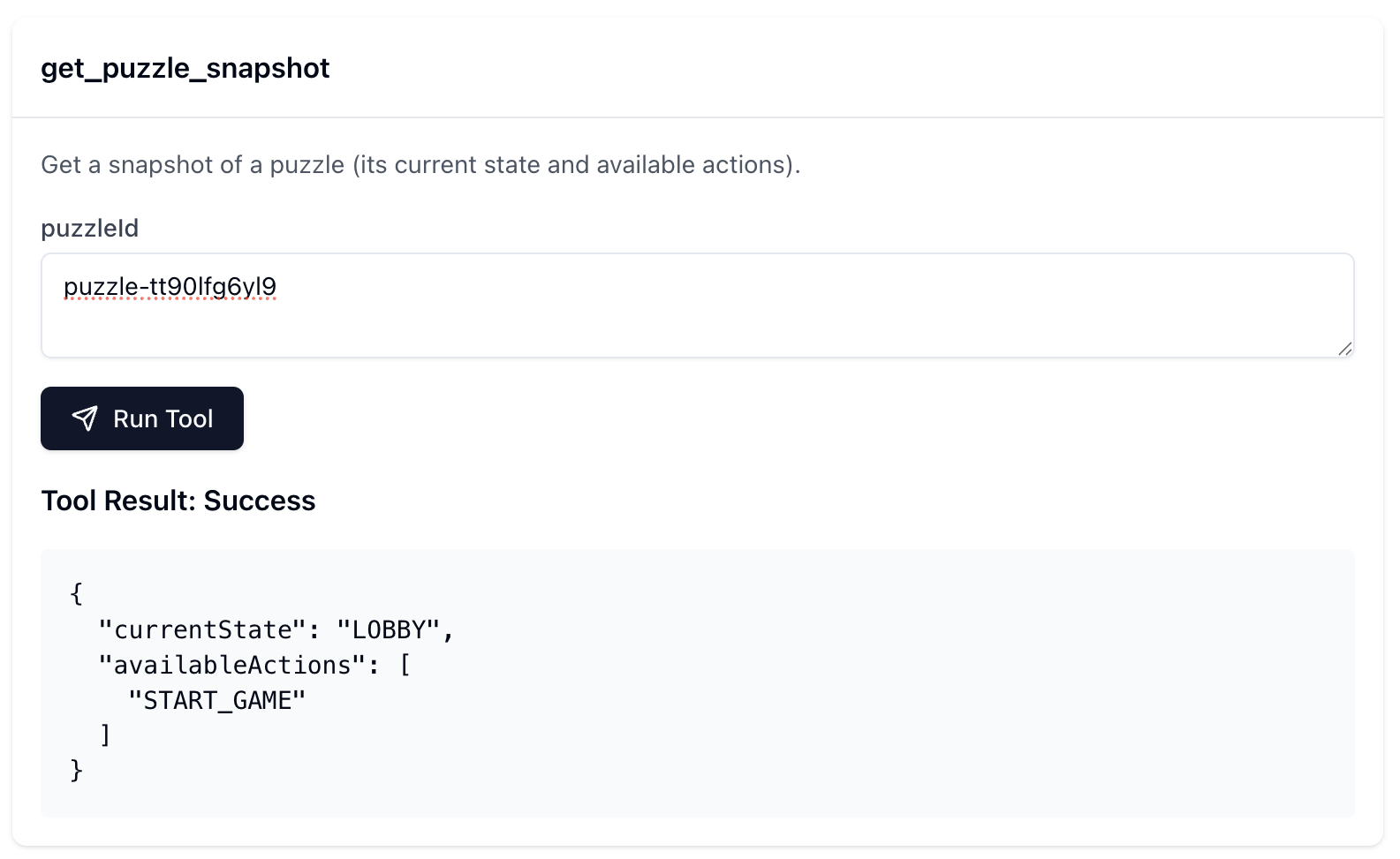
⚙️ get_puzzle_snapshot

Get a snapshot of a puzzle (its current state and available actions).

  • Inputs: puzzleId
  • Returns: JSON object with currentState and availableActions array
  • Note: MCP clients that don't support resource subscriptions can poll this tool to watch for state changes.

⚙️ perform_action_on_puzzle

Perform an action on a puzzle (attempt a state transition).

  • Inputs: puzzleId and actionName
  • Returns: JSON object with currentState and availableActions array

⚙️ count_puzzles

Get the count of registered puzzles

  • Inputs: None
  • Returns: JSON object with current count of registered puzzles

Local Setup

Running locally requires Node and npm be installed. Then follow these steps...

Install Dependencies

  • cd /path/to/puzzlebox/
  • npm install

Build

  • npm run build
  • Builds the MCP server runtime at /dist/index.js

Start

  • npm run start
  • Launches an SSE-based/MCP server on port :3001 with endpoint /sse
  • MUST BE LAUNCHED BEFORE RUNNING INSPECTOR

Inspector

Format

  • npm run format
  • Runs prettier on the code, adjusting formatting

Typecheck

  • npm run typecheck
  • Runs tsc with args to check and report type issues

Lint

  • npm run lint
  • Runs eslint to non-destructively check for and report syntax problems

LintFix

  • npm run lint:fix
  • Runs eslint to check for and fix syntax problems

Test

  • npm run test
  • Run the unit tests

Screenshots

These screenshots show the various MCP tools and resources implemented by the sever.

Testing of the server was done with the official reference client - the MCP Inspector.

0 - List Tools

0. list_tools

1 - Add Puzzle

1. add_puzzle

2 - Get Puzzle Snapshot (Initial State)

2. get_puzzle_snapshot

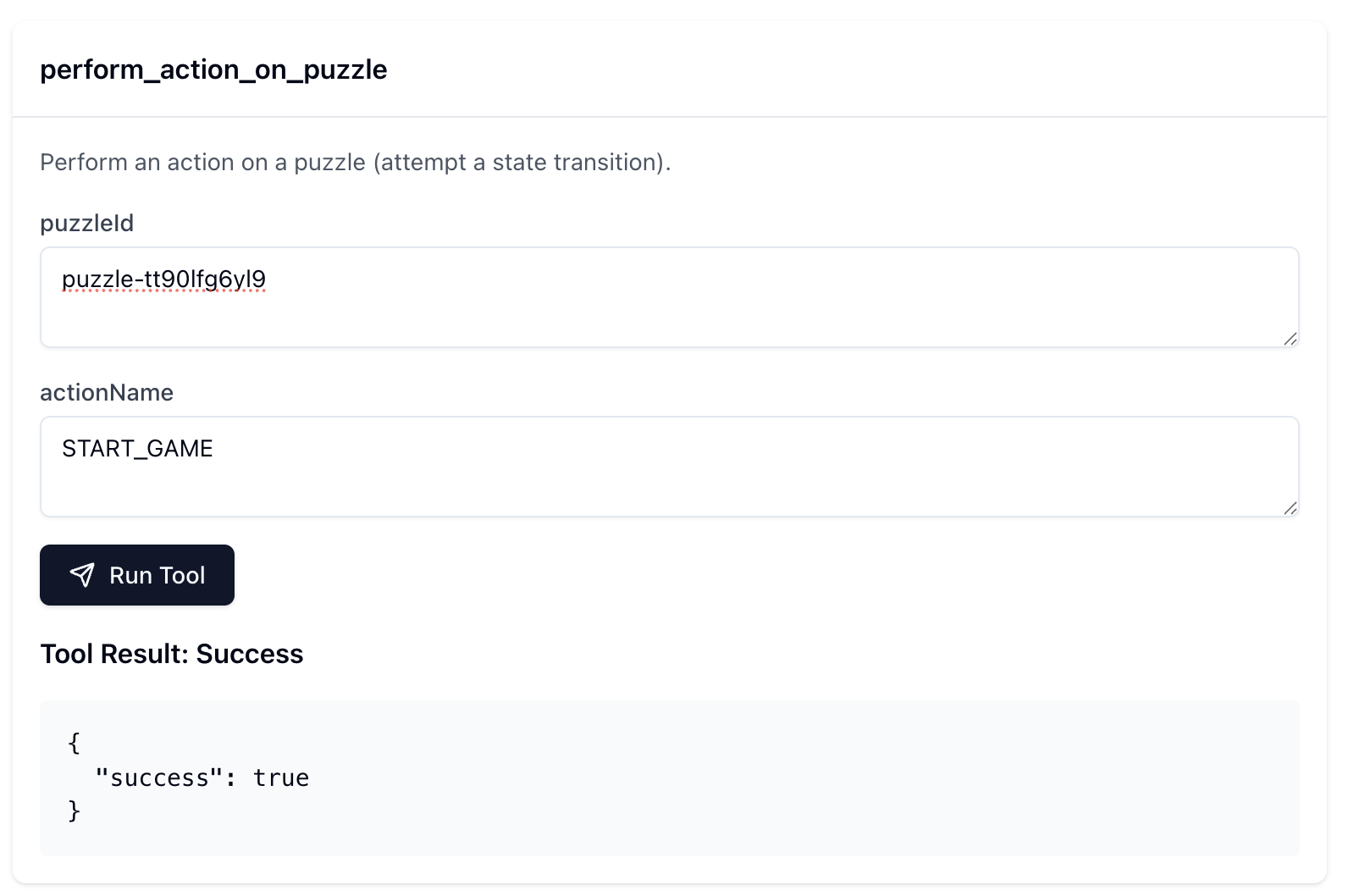
3 - Perform Action On Puzzle

3. perform_action_on_puzzle

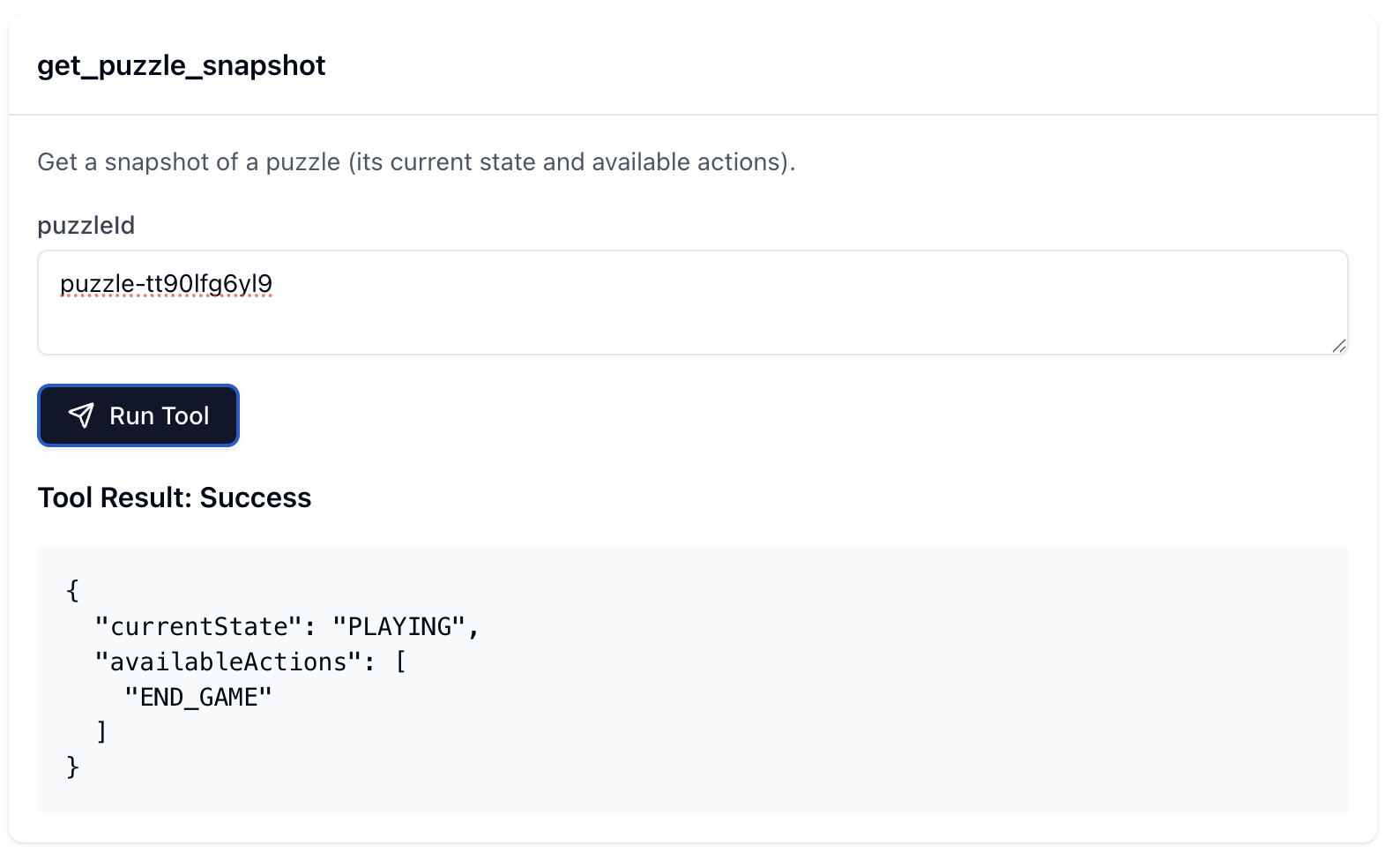
4 - Get Puzzle Snapshot (New State)

4. get_puzzle_snapshot

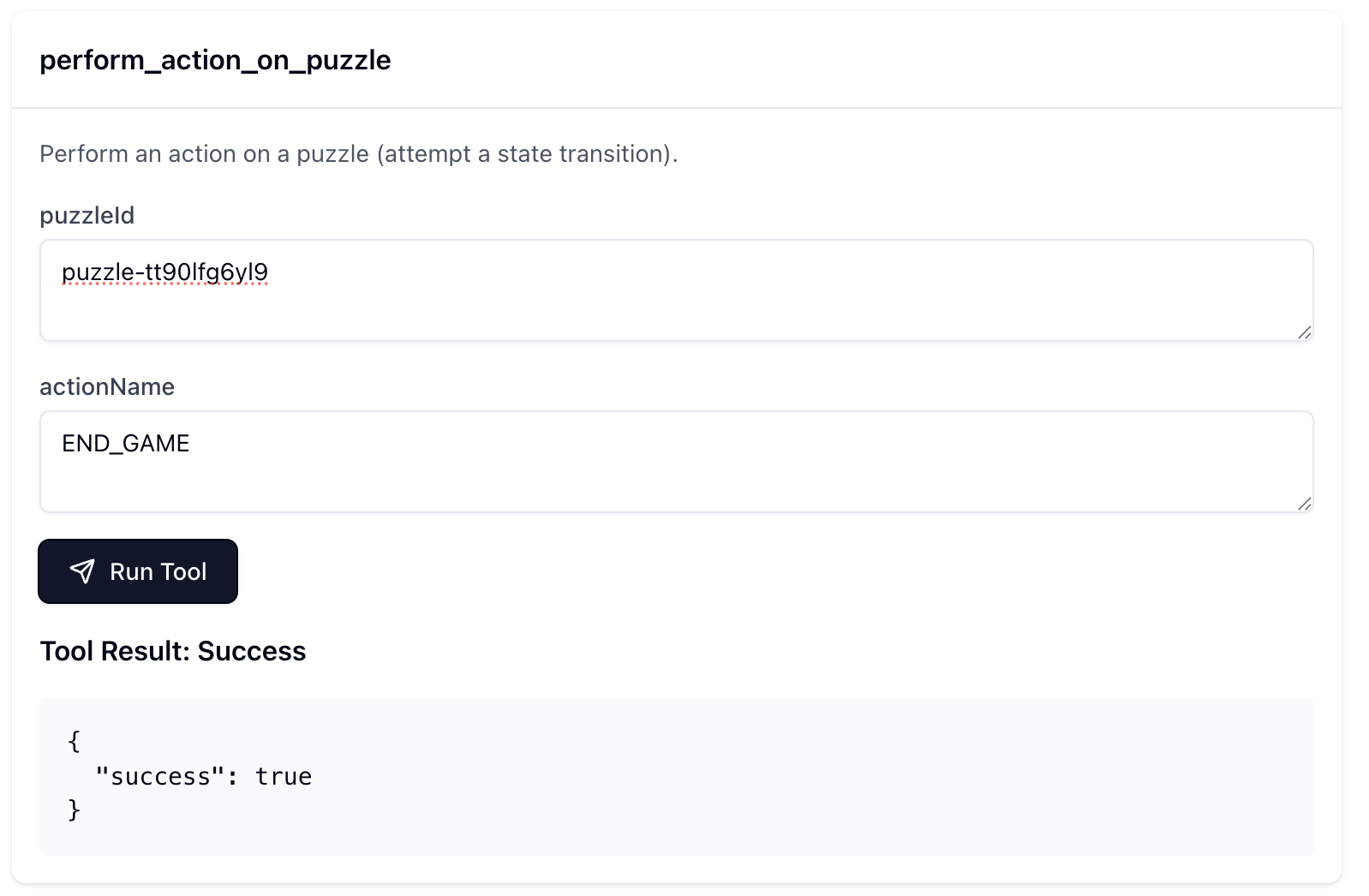
5 - Perform Action On Puzzle

5. perform_action_on_puzzle

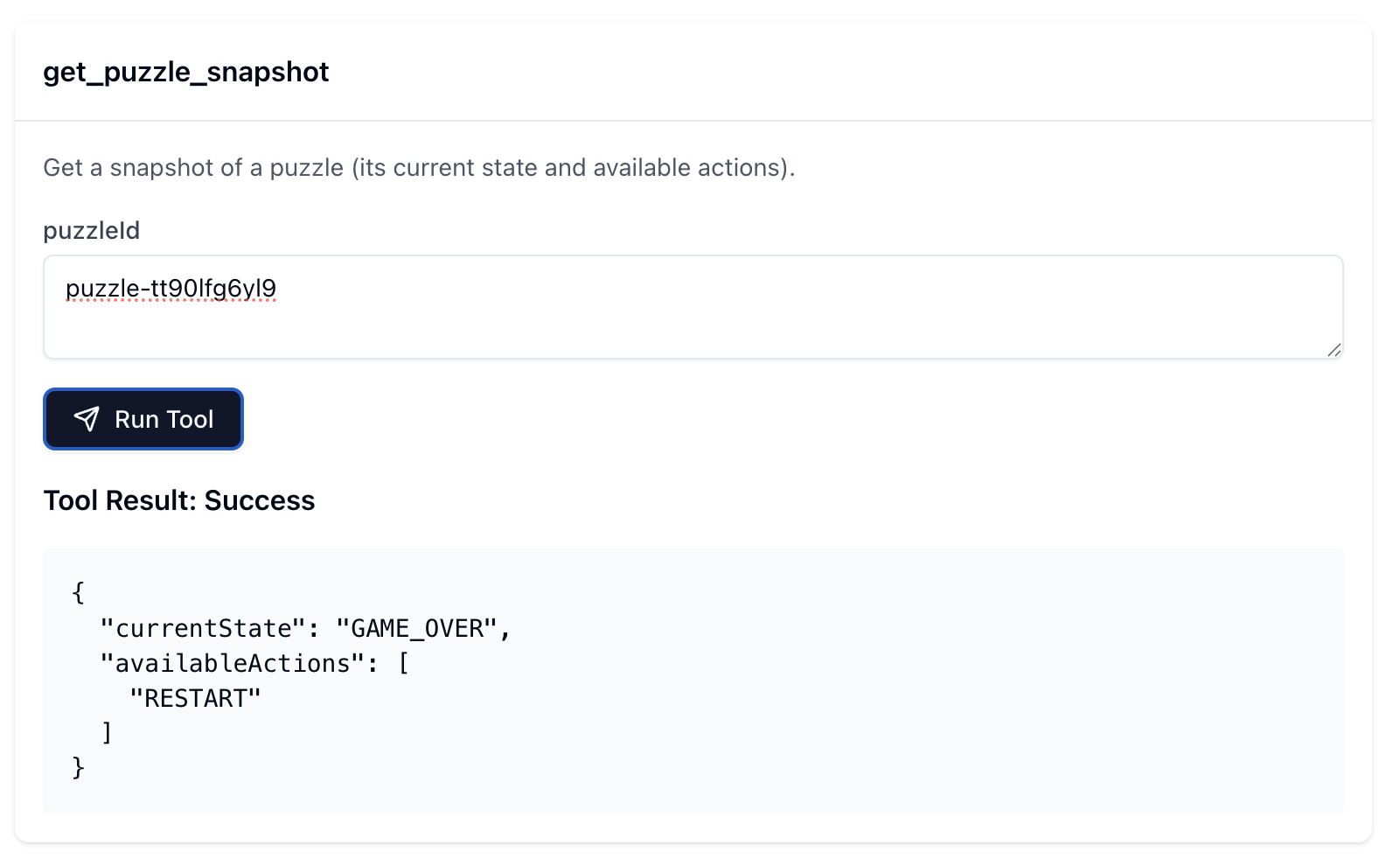
6 - Get Puzzle Snapshot (Another New State)

6. get_puzzle_snapshot

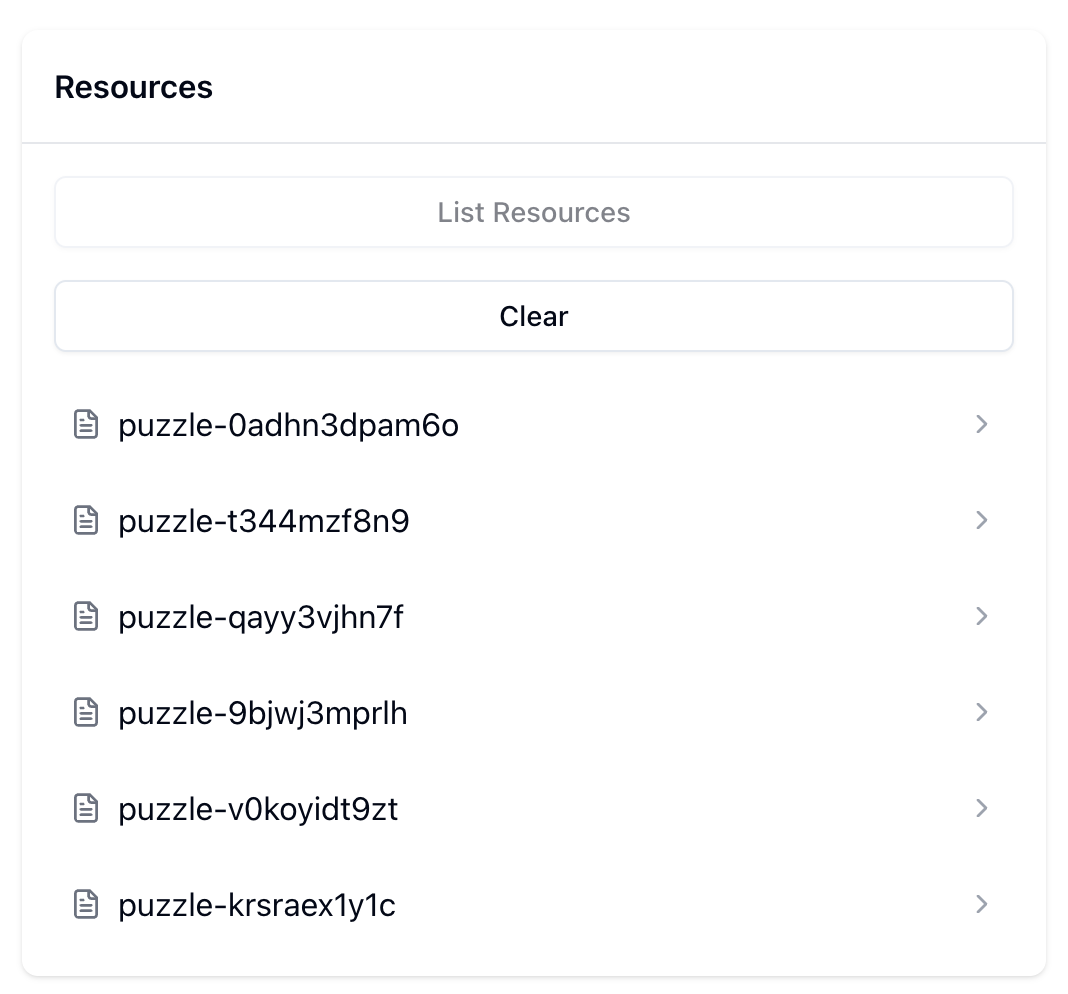
7 - List Resources

7. list resources

8 - Resource Template

8. resource_template

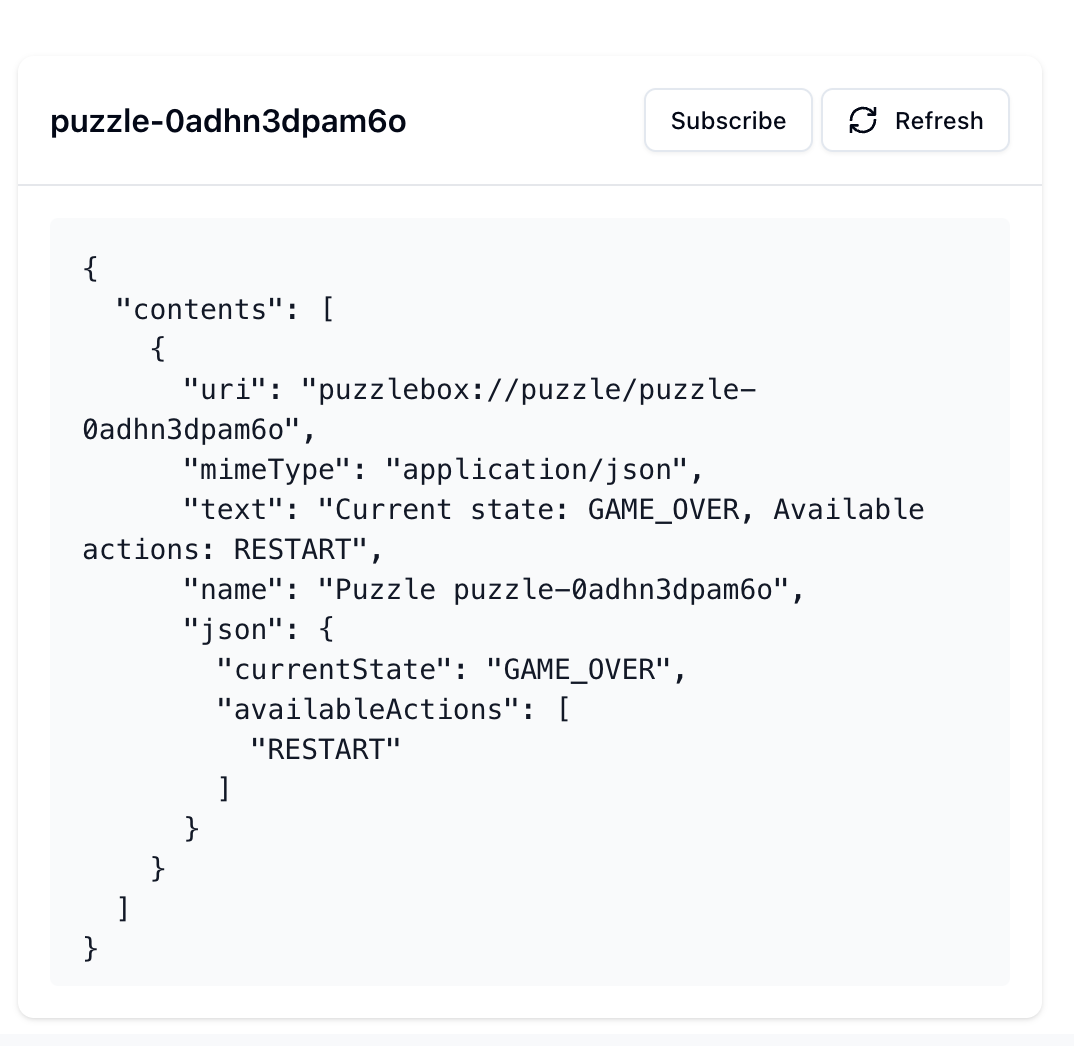
9 - Unsubscribed Resource

9. unsubscribed resource

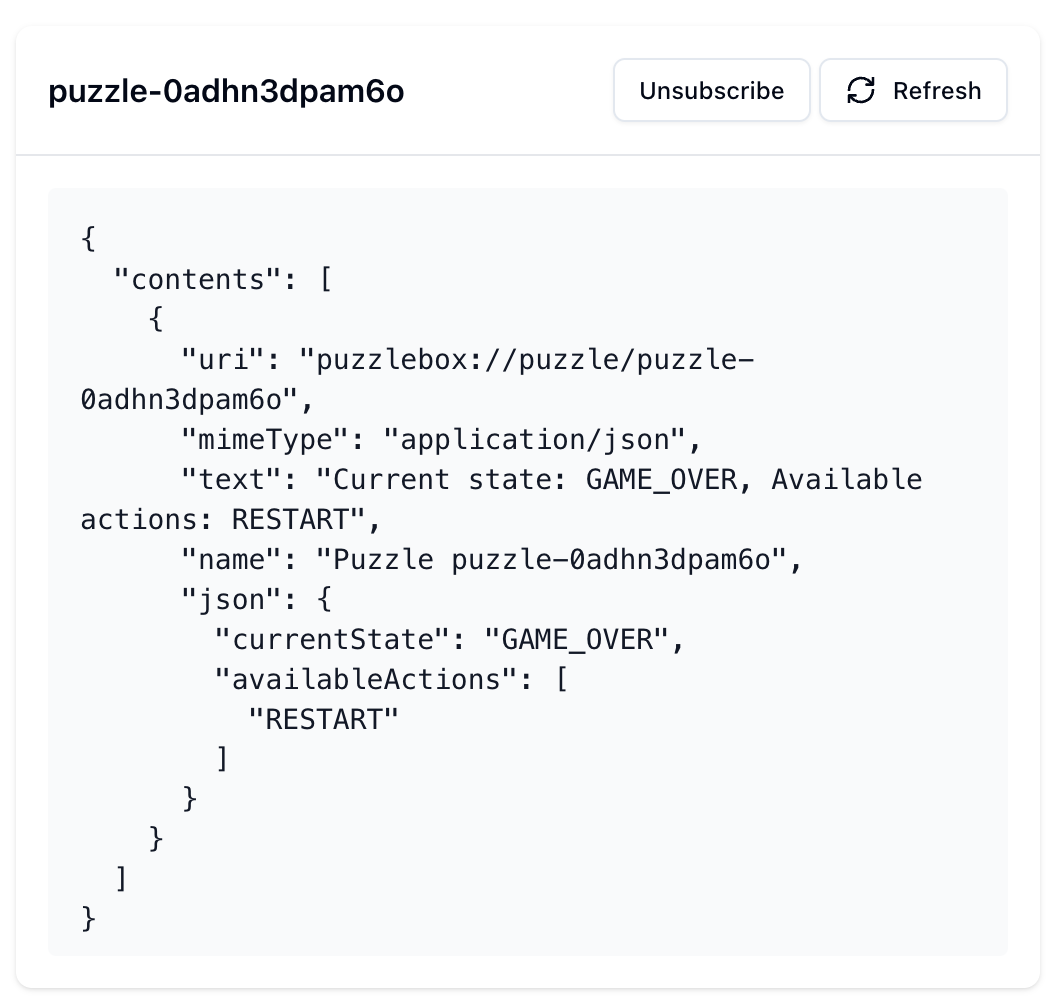
10 - Subscribed Resource

10. unsubscribed resource

11 - Resource Updated Notification

11. subscribed resource updated

Install configuration

Are you the maintainer?

Claim this server with your GitHub account to request manual ownership verification.

README Embed Badge
Markdown

Link to the catalog listing for MCP server for shared finite state machines from your README. This badge does not certify ownership, compatibility or security.

[![MCP catalog listing](https://img.shields.io/badge/MCP-awesome--mcp-orange?style=flat-square)](https://awesome-mcp.com/servers/puzzlebox)

REPOSITORY STATS

GitHub StarsUnavailable
ForksUnavailable

Public repository statistics could not be verified. Check the configured source address; unavailable counts are not zero.

Downloads and pulls

Separate sources, scopes and periods. Never combined or treated as installations, active users or security reviews.

No reviewed package or image identity; download statistics are not listed yet.

Related ai agents-models MCP Servers

Alternative and complementary servers in the same category

View all in ai agents-models →
Knowledge Graph Memory
@modelcontextprotocol/server-memory•Model Context Protocol

Store and retrieve entities, relations and observations in a persistent local knowledge graph.

create_entitiescreate_relationsadd_observations+6 more
92K
AI & Multi-Agent
Sequential Thinking
@modelcontextprotocol/server-sequential-thinking•Model Context Protocol

Organize problem solving into revisable, branching thought steps through an MCP tool.

sequential_thinking
92K
AI & Multi-Agent

Query-aware context compression with an MCP plugin for coding agents, plus Python and HTTP interfaces for reducing the context sent to a language model.

146
AI & Multi-Agent