A Model Context Protocol server for global law with read-only tools to find and read provisions by date, trace the law behind each word, search text and changes, and check cases or briefs against law in force.

A read-only Model Context Protocol server that lets MCP clients list, read, inspect, and search files on an SMB/CIFS network share without moving files or granting write access.
MCP server for read-only access to SMB/CIFS file shares is cataloged as an MCP server attributed to nithiin7. A read-only Model Context Protocol server that lets MCP clients list, read, inspect, and search files on an SMB/CIFS network share without moving files or granting write access. It is categorized under file systems-docs. See the capability inspector for recorded interfaces and their independent review status; consult upstream documentation for the current interface.
Installation configuration is not reviewed. No executable setup is offered for this entry; inspect the source repository before proceeding.
Catalog license label: MIT. Check the source repository's current license and terms before using, modifying or distributing this software.
Capability definitions are not reviewed. Unreviewed imports are not exposed as trusted interfaces.
No reviewed records to display. This does not establish that upstream lacks this capability.
Email delivery is not connected. This page does not collect email addresses or create subscriptions.
Browse the registry for current listings instead.
Reviews for MCP server for read-only access to SMB/CIFS file shares are not available yet
Review publishing and storage are not connected. This page does not collect or publish ratings or comments, including after sign-in.
No. The server is read-only by design and exposes zero write operations.
Credentials are supplied as environment variables and never appear in tool calls or chat history.
Yes. Packet signing and encryption are both on by default, and encryption can be disabled with SMB_ENCRYPT=false.
README.md · f77b023e89f1 · Fetched 2026-11-13 12:37:52 UTC
Original upstream text, without AI rewriting. Scripts, forms and unsafe links are filtered for safety.
Showing the last retrieved documentation snapshot; check the source for current changes.
Give any AI assistant read access to your SMB/CIFS file shares — securely, in minutes.
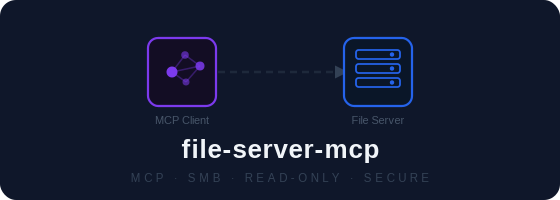
An MCP (Model Context Protocol) server that bridges Claude Desktop (or any MCP client) to your SMB/CIFS network share — Windows file servers, NAS drives, Samba shares, anything SMB.
Ask Claude to read reports, search through spreadsheets, or summarize documents that live on your network — without moving a single file, pasting credentials into a chat, or granting write access.
flowchart LR
A("🤖 Claude Desktop\nor any MCP client"):::client
B("🔌 file-server-mcp\n<i>this server</i>"):::server
C("🗄️ SMB File Server\nWindows · NAS · Samba"):::storage
A -- "MCP / stdio" --> B
B -- "SMB 445 · encrypted" --> C
classDef client fill:#7c3aed,color:#fff,stroke:none
classDef server fill:#2563eb,color:#fff,stroke:none
classDef storage fill:#0f766e,color:#fff,stroke:none
| Read-only by design | The server exposes zero write operations — your files are safe |
| Credentials stay local | Passed as env vars, never appear in tool calls or chat history |
| SMB encryption & signing | Packet signing and encryption are both on by default; set SMB_ENCRYPT=false to disable encryption only |
| Path traversal blocked | .. segments are rejected before any SMB call is made |
| Sensitive file denylist | .env, *.key, *.pem, id_rsa, keystores, and more are never listed or read |
| Audit log | Every tool call written as a JSON entry (operation, path, outcome, and tool-specific metadata) — never file contents |
| Office & PDF parsing | Excel, Word, PowerPoint, and PDF files are parsed into readable text — requires the optional [docs] extras |
| Subdirectory allowlist | Lock the server to only the directories the model actually needs |
| Tool | Arguments | Description |
|---|---|---|
list_files | path (optional) | List files and directories. Empty path = share root. Returns JSON. |
read_file | path | Return text contents. Oversized files return a preview or hard-error. Office/PDF files are parsed. |
get_file_info | path | Return metadata (size, type, timestamps) without reading the file. |
search_files | pattern, path (optional), max_depth (optional) | Glob search (e.g. *.csv). Recurses up to max_depth (default 5, max 10), returns up to 200 matches. |
All paths are relative to the share root — e.g. reports/2024/q1.xlsx.
pip install -e /path/to/remote-file-server
Then use "command": "file-server-mcp" in your MCP client config.
uv run --directory /path/to/remote-file-server file-server-mcp
python3 -m venv .venv && source .venv/bin/activate
pip install -r requirements.txt
python server.py
docker build -t file-server-mcp .
See Dockerfile for runtime usage.
Add an entry under mcpServers in your client config file.
uv (run from source, no prior install):
{
"mcpServers": {
"file-server": {
"command": "uv",
"args": ["run", "--directory", "/path/to/remote-file-server", "file-server-mcp"],
"env": {
"SMB_HOST": "192.168.1.100",
"SMB_SHARE": "my_share",
"SMB_USERNAME": "my_user",
"SMB_PASSWORD": "my_password"
}
}
}
}
pip/uv pip (console script entry point):
{
"mcpServers": {
"file-server": {
"command": "file-server-mcp",
"env": {
"SMB_HOST": "192.168.1.100",
"SMB_SHARE": "my_share",
"SMB_USERNAME": "my_user",
"SMB_PASSWORD": "my_password",
"SMB_PORT": "445",
"ALLOWED_PATHS": "reports,finance",
"AUDIT_LOG_PATH": "/var/log/file-server-mcp/audit.jsonl"
}
}
}
}
Security note: This config file contains credentials — restrict its permissions (
chmod 600on macOS/Linux).
Restart your MCP client after saving.
{
"mcpServers": {
"file-server-prod": {
"command": "file-server-mcp",
"env": { "SMB_HOST": "10.0.0.10", "SMB_SHARE": "Production", "...": "..." }
},
"file-server-dev": {
"command": "file-server-mcp",
"env": { "SMB_HOST": "10.0.0.20", "SMB_SHARE": "Development", "...": "..." }
}
}
}
| Variable | Required | Default | Description |
|---|---|---|---|
SMB_HOST | Yes | — | IP address or hostname of the SMB server |
SMB_SHARE | Yes | — | Share name on the server |
SMB_USERNAME | Yes | — | Username for SMB authentication |
SMB_PASSWORD | Yes | — | Password for SMB authentication |
SMB_PORT | No | 445 | SMB port |
SMB_ENCRYPT | No | true | Set to false to disable SMB encryption (not recommended) |
SMB_TIMEOUT | No | 30 | Seconds before an SMB connect or operation times out |
MAX_FILE_SIZE_MB | No | 10 | Maximum file size in MB that read_file will read |
READ_PREVIEW_LINES | No | 100 | Lines to return for oversized files. Set to 0 to hard-error instead |
ALLOWED_PATHS | No | — | Comma-separated subdirectory allowlist, e.g. reports,finance/2024 |
AUDIT_LOG_PATH | No | stderr | File path for JSON audit logs. Falls back to stderr if unset |
.. segments are rejected before any SMB call..env, *.key, *.pem, *.bak, id_rsa, *.pfx, *.p12, *.token, .netrc, .htpasswd, keystore files, and more. For production, combine this with ALLOWED_PATHS to restrict access to only the directories the model needs.Claim this server with your GitHub account to request manual ownership verification.
Link to the catalog listing for MCP server for read-only access to SMB/CIFS file shares from your README. This badge does not certify ownership, compatibility or security.
[](https://awesome-mcp.com/servers/remote-file-server-mcp)Public repository statistics could not be verified. Check the configured source address; unavailable counts are not zero.
Separate sources, scopes and periods. Never combined or treated as installations, active users or security reviews.
No reviewed package or image identity; download statistics are not listed yet.
Alternative and complementary servers in the same category

A Model Context Protocol server for global law with read-only tools to find and read provisions by date, trace the law behind each word, search text and changes, and check cases or briefs against law in force.

Hosted MCP server for tabletop RPG worlds that organizes messy notes and documents into a private store and lets MCP apps search lore, read documents, find characters, and optionally generate character or world pictures.

An MCP server that gives AI assistants scoped file system operations inside a project directory, with read-only reference projects plus git and GitHub tools.

