
A directory listing describing a cancellation-letter and mailing-address service. The configured public GitHub repository returned 404 during source verification.
Repository stats unavailable
Developer Tools
A remote MCP server connecting AI clients to a Revit file conversion and BIM query service for converting models, exporting formats and querying building data.
Revit Converter MCP is cataloged as an MCP server attributed to labsfuture. A remote MCP server connecting AI clients to a Revit file conversion and BIM query service for converting models, exporting formats and querying building data. It is categorized under developer tools. See the capability inspector for recorded interfaces and their independent review status; consult upstream documentation for the current interface.
Installation configuration is not reviewed. No executable setup is offered for this entry; inspect the source repository before proceeding.
Catalog license label: Not specified. Check the source repository's current license and terms before using, modifying or distributing this software.
Capability definitions are not reviewed. Unreviewed imports are not exposed as trusted interfaces.
No reviewed records to display. This does not establish that upstream lacks this capability.
No reviewed records to display. This does not establish that upstream lacks this capability.
No reviewed records to display. This does not establish that upstream lacks this capability.
Email delivery is not connected. This page does not collect email addresses or create subscriptions.
Browse the registry for current listings instead.
Reviews for Revit Converter MCP are not available yet
Review publishing and storage are not connected. This page does not collect or publish ratings or comments, including after sign-in.
No, the README states that no plugins or Revit installation are needed on the client side.
You sign up at labsfuture.com and generate a demo key for a free tier with 5 conversions, or an API key for production use.
README.md · 5ef04cda8b8c · Fetched 2026-11-13 12:56:47 UTC
Original upstream text, without AI rewriting. Scripts, forms and unsafe links are filtered for safety.
Showing the last retrieved documentation snapshot; check the source for current changes.
AI-powered BIM tool — convert Revit .rvt files to XKT, IFC and DWG, query model data, and explore building elements through natural language, right inside Claude.
Built by Labs Future · Powered by the Model Context Protocol
The Revit Converter MCP is a remote MCP server that connects Claude (or any MCP-compatible AI client) directly to a Revit file conversion and BIM query service. Once configured, you can:
.rvt files by a public URLNo plugins, no Revit installation needed on the client side.
| Tool | Description |
|---|---|
list_models | List all models stored on the server |
upload_model | Upload a .rvt file from a URL or path |
set_current_model | Set the active model for subsequent operations |
convert_revit_to_xkt | Convert the current model to XKT for 3D web viewing |
get_conversion_status | Check the progress of an ongoing conversion |
export_model | Export the model to IFC or DWG format |
get_export_status | Check export progress and get the download link |
query_model | Query BIM data (element counts, types, filters) |
search_elements | Search and retrieve properties of specific elements |
More tools are on the way — including data audit, workflow automation, optimizing design and deeper BIM data analysis, even model updating. Follow labsfuture.com for updates.
Sign up at labsfuture.com and navigate to your account dashboard.
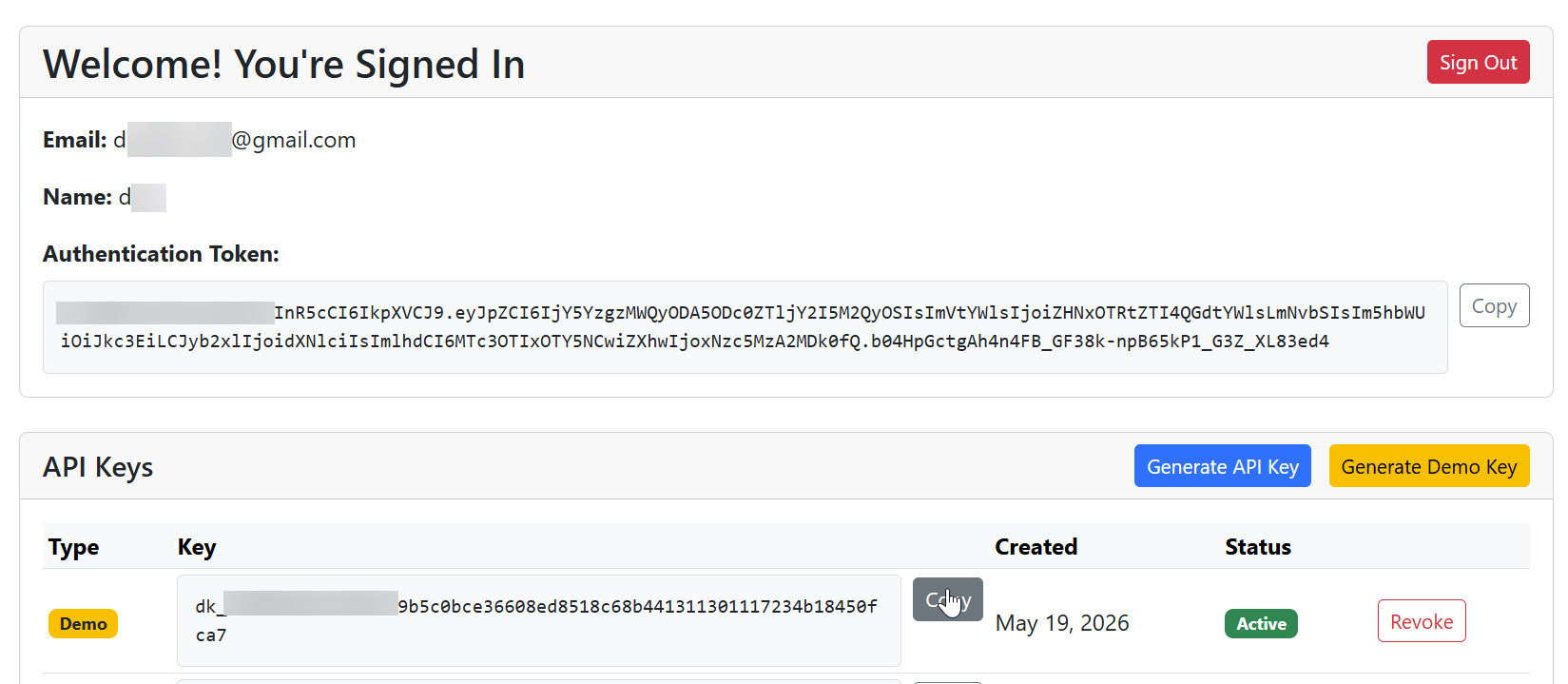
Demo keys start with
dk_. Full API keys start withsk_.
Open your Claude Desktop configuration file:
~/Library/Application Support/Claude/claude_desktop_config.json%APPDATA%\Claude\claude_desktop_config.jsonAdd the following entry under mcpServers:
{
  "mcpServers": {
    "revit-converter": {
      "command": "npx",
      "args": [
        "-y",
        "mcp-remote",
        "https://labsaps-d35810f00db3.herokuapp.com/mcp",
        "--header",
        "Authorization: Bearer labsfuture.comFreeDemo_MCPKey"
      ]
    }
  }
}
Replace the Bearer token with your own key from labsfuture.com. The key above is a shared demo key — get your own for personal model storage and full conversions.
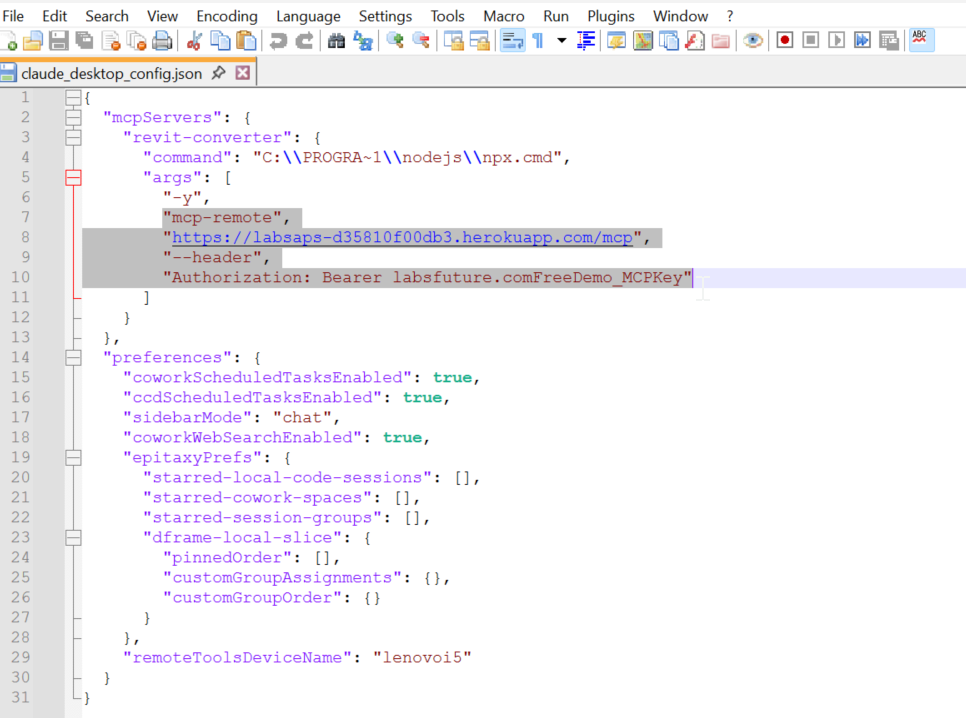
Requires Node.js — npx must be available in your PATH. Install from nodejs.org if needed.
After saving the config, restart Claude Desktop. Open Settings → Connectors and you should see revit-converter listed with 9 tools available.
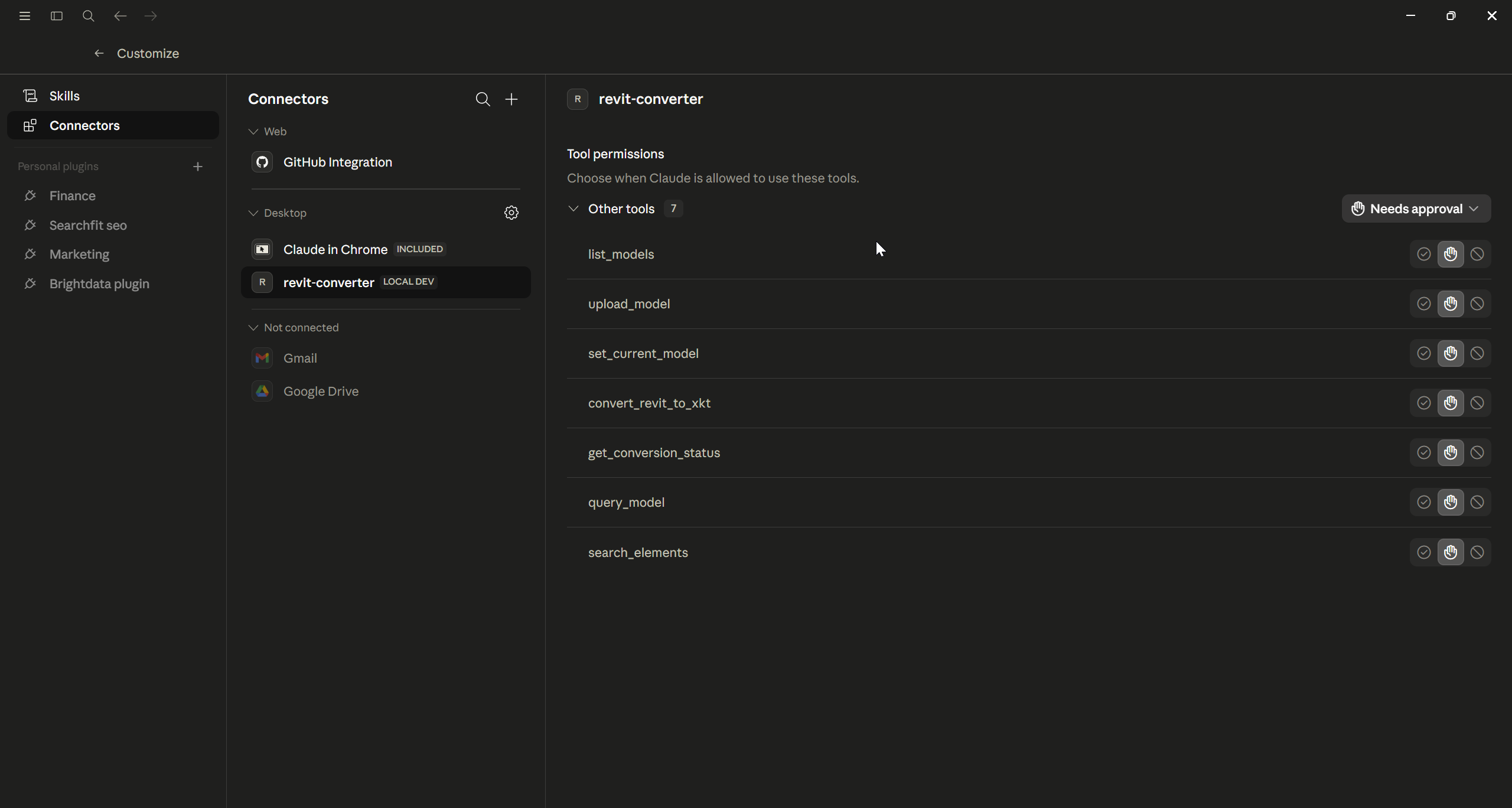
Once connected, just talk to Claude naturally:
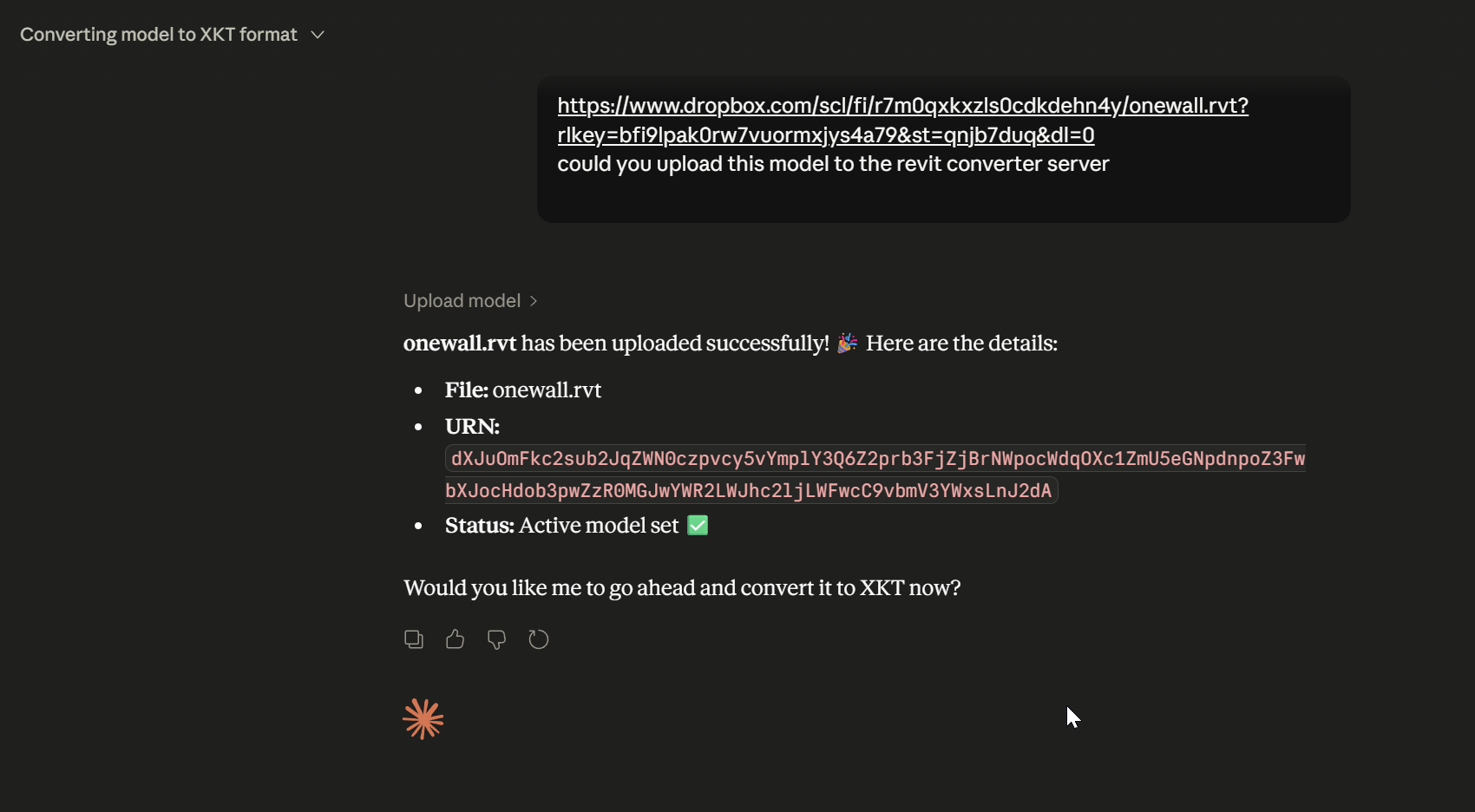
Upload a model
Could you upload this model to the revit converter server?
https://www.dropbox.com/scl/fi/yourfile.rvt?dl=0
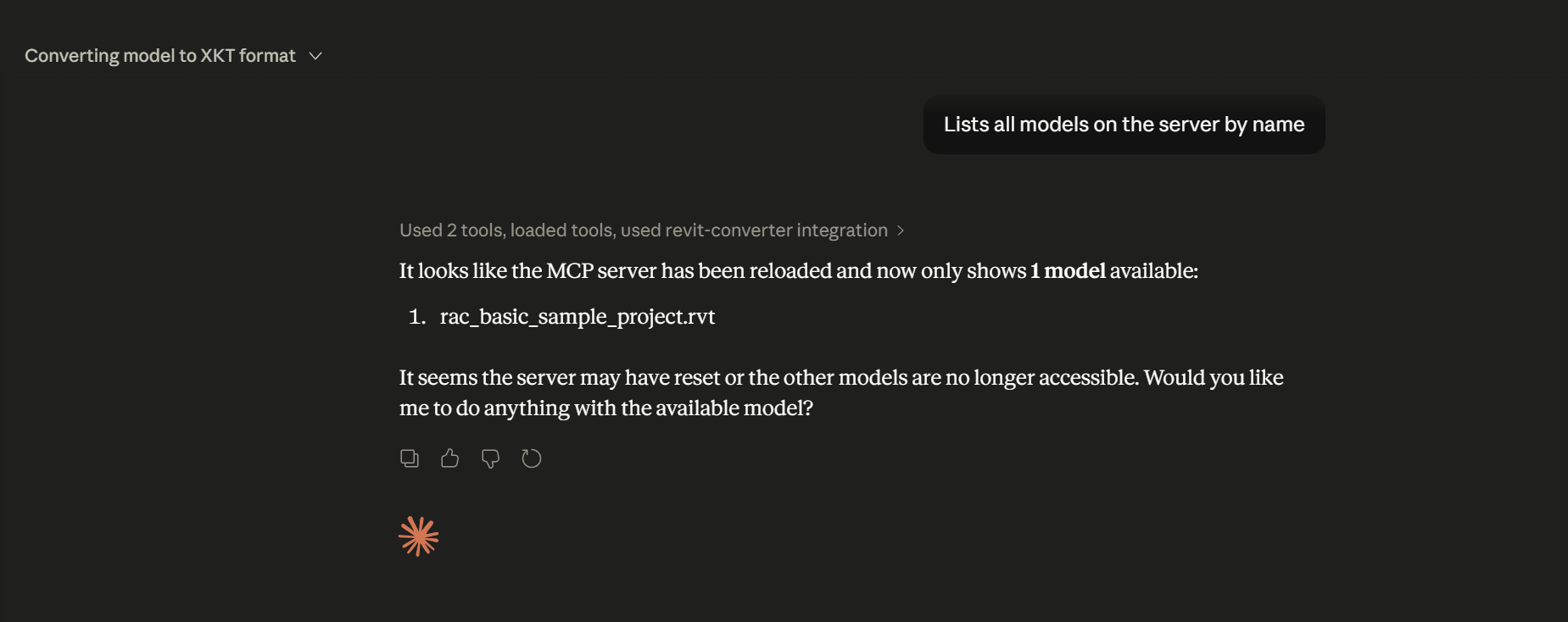
List models on the server
Lists all models on the server by name
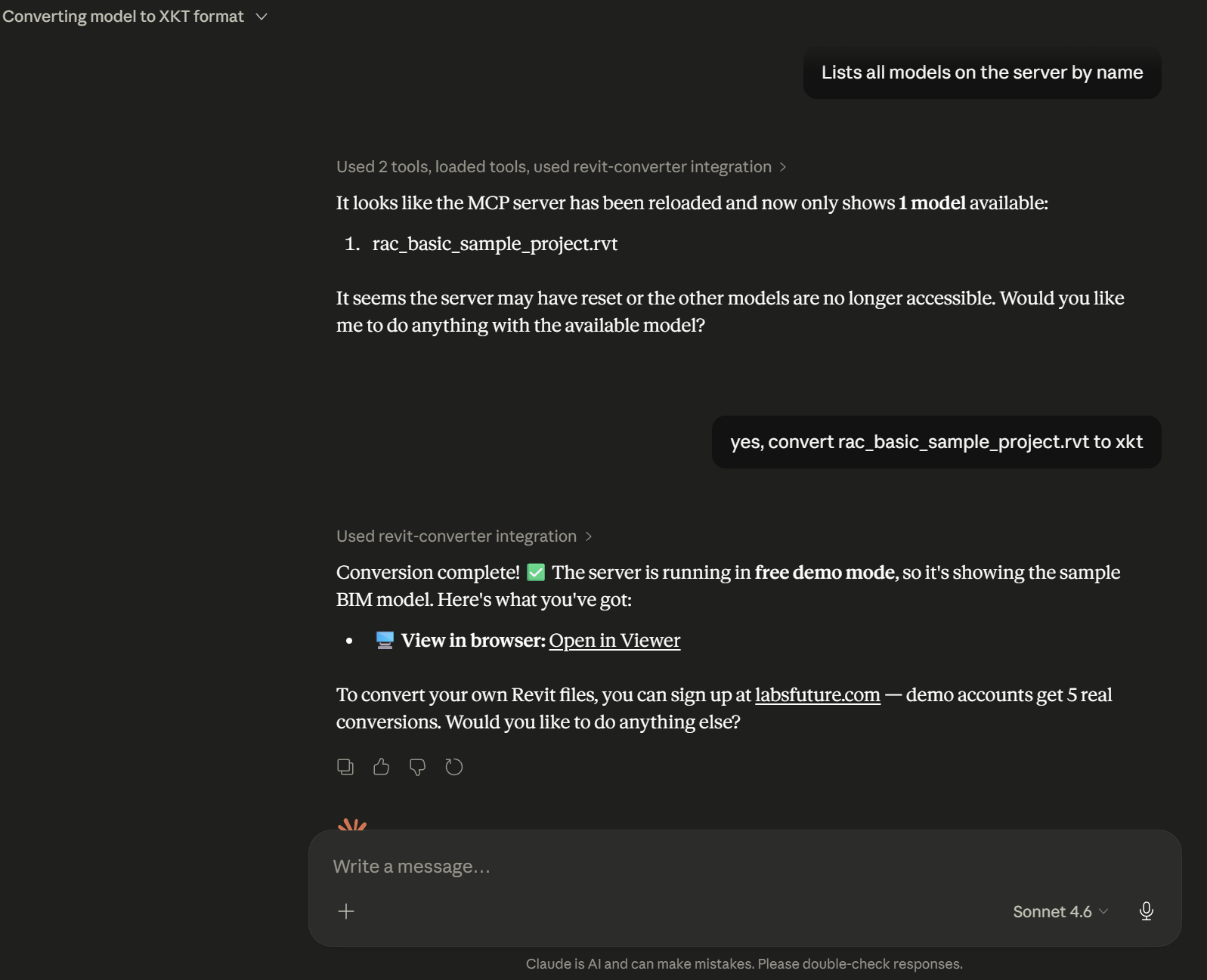
Convert to XKT and view in browser
yes, convert rac_basic_sample_project.rvt to xkt
Claude returns a direct viewer link — open it to see your model rendered in 3D:
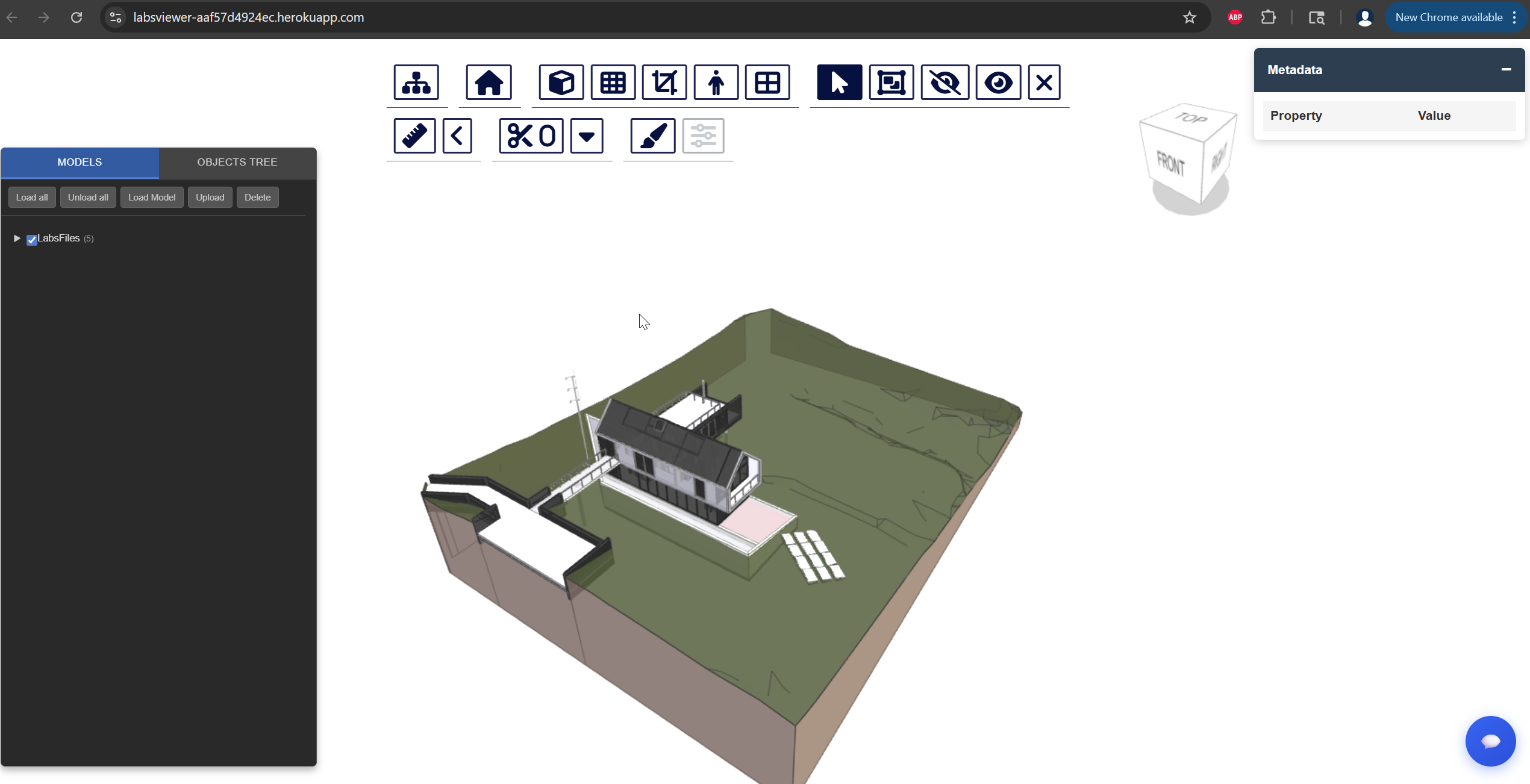
Export to IFC or DWG
export the current model to IFC
Claude triggers the export job and checks back automatically — when ready, it returns a direct download link valid for 60 minutes.
Query BIM data
how many walls in this model?
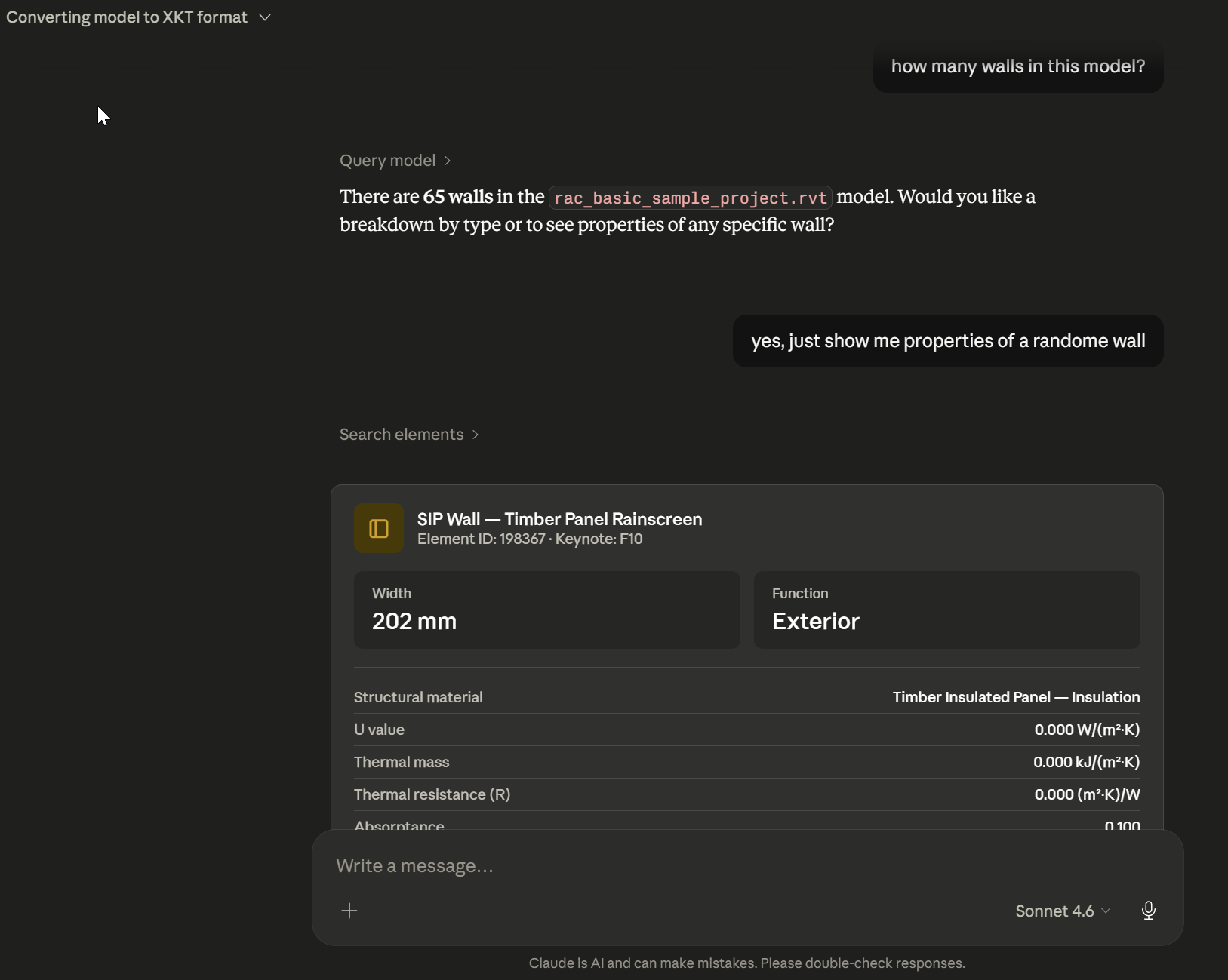
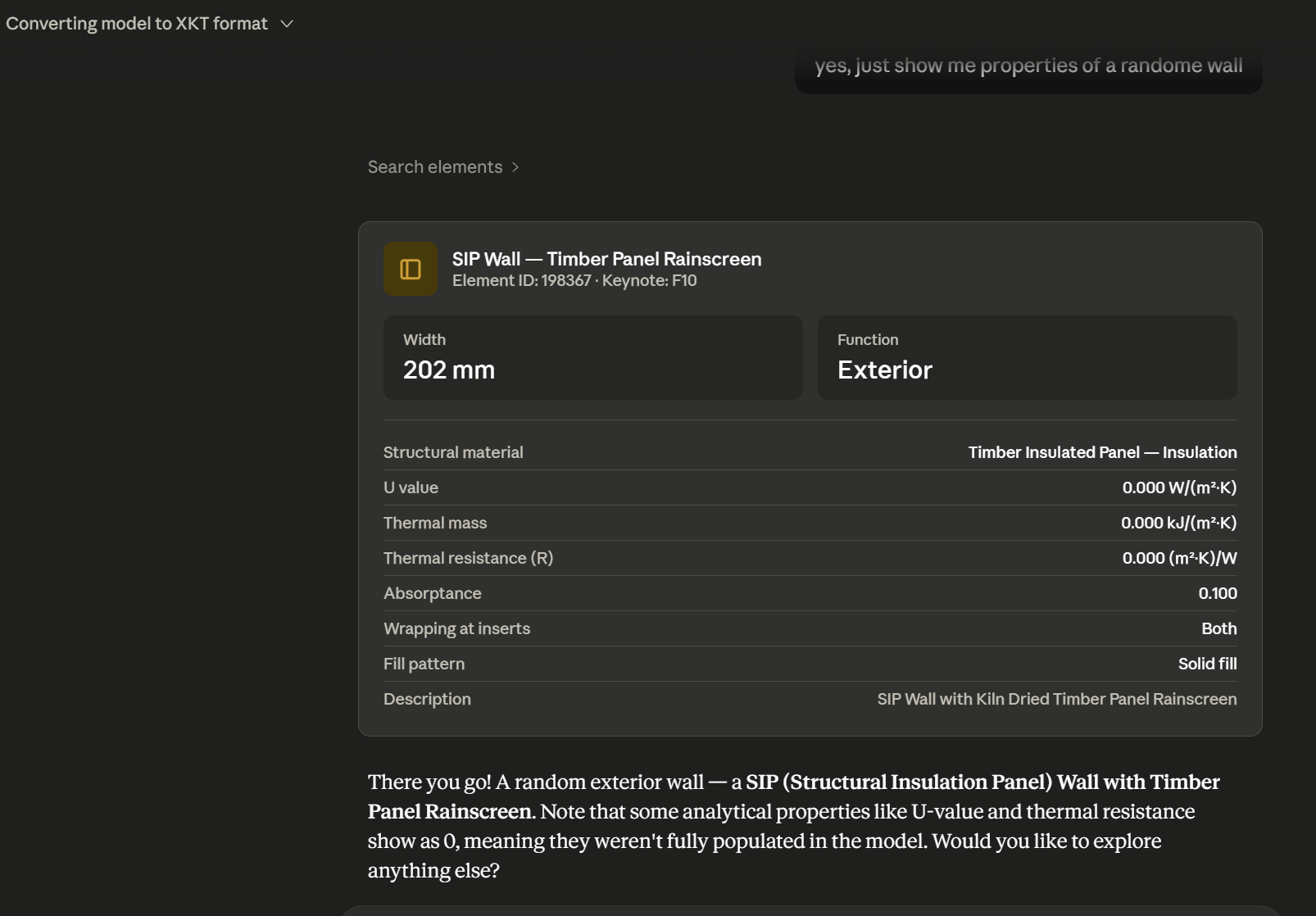
Inspect element properties
yes, just show me properties of a random wall
LabsFuture builds AI-native tools for the AEC industry. The Revit Converter MCP is part of a broader platform that brings BIM workflows into the age of conversational AI — letting architects, engineers, and developers interact with building data through natural language.
Visit www.labsfuture.com to:
npx mcp-remote)See LICENSE for details.
Claim this server with your GitHub account to request manual ownership verification.
Link to the catalog listing for Revit Converter MCP from your README. This badge does not certify ownership, compatibility or security.
[](https://awesome-mcp.com/servers/revit-converter-remote-mcp-release)Public repository statistics could not be verified. Check the configured source address; unavailable counts are not zero.
Separate sources, scopes and periods. Never combined or treated as installations, active users or security reviews.
No reviewed package or image identity; download statistics are not listed yet.
Alternative and complementary servers in the same category
A directory listing describing a cancellation-letter and mailing-address service. The configured public GitHub repository returned 404 during source verification.

A hosted MCP service for browsing and searching through Singapore mobile-network proxies.

A directory listing describing a Markdown-to-PDF service. The configured public GitHub repository returned 404 during source verification.