
A directory listing describing a cancellation-letter and mailing-address service. The configured public GitHub repository returned 404 during source verification.
Repository stats unavailable
Developer Tools
An MCP server that lets MCP clients drive App Store Connect and Google Play Console through tools, covering builds, listings, screenshots, privacy labels, review submission, and App Review replies.
MCP server for App Store Connect and Google Play publishing is cataloged as an MCP server attributed to fidelismm. An MCP server that lets MCP clients drive App Store Connect and Google Play Console through tools, covering builds, listings, screenshots, privacy labels, review submission, and App Review replies. It is categorized under developer tools. See the capability inspector for recorded interfaces and their independent review status; consult upstream documentation for the current interface.
Installation configuration is not reviewed. No executable setup is offered for this entry; inspect the source repository before proceeding.
Catalog license label: MIT. Check the source repository's current license and terms before using, modifying or distributing this software.
Capability definitions are not reviewed. Unreviewed imports are not exposed as trusted interfaces.
No reviewed records to display. This does not establish that upstream lacks this capability.
No reviewed records to display. This does not establish that upstream lacks this capability.
No reviewed records to display. This does not establish that upstream lacks this capability.
Email delivery is not connected. This page does not collect email addresses or create subscriptions.
Browse the registry for current listings instead.
Reviews for MCP server for App Store Connect and Google Play publishing are not available yet
Review publishing and storage are not connected. This page does not collect or publish ratings or comments, including after sign-in.
No store allows creating an app record through an API, so create-app-form tools open the right page in a logged-in browser and return the exact values to fill in.
Tools that publish or submit, such as review submission, resubmission, App Review replies, uploads, and promotions, say so in their descriptions so the agent confirms first.
They run through the stores' own web endpoints in a dedicated logged-in browser profile, using undocumented endpoints that Apple or Google could change.
README.md · 8326e52d9179 · Fetched 2026-11-13 09:57:31 UTC
Original upstream text, without AI rewriting. Scripts, forms and unsafe links are filtered for safety.
Showing the last retrieved documentation snapshot; check the source for current changes.






Quick start · 60 tools · Workflows · Hard-won lessons · Contributing
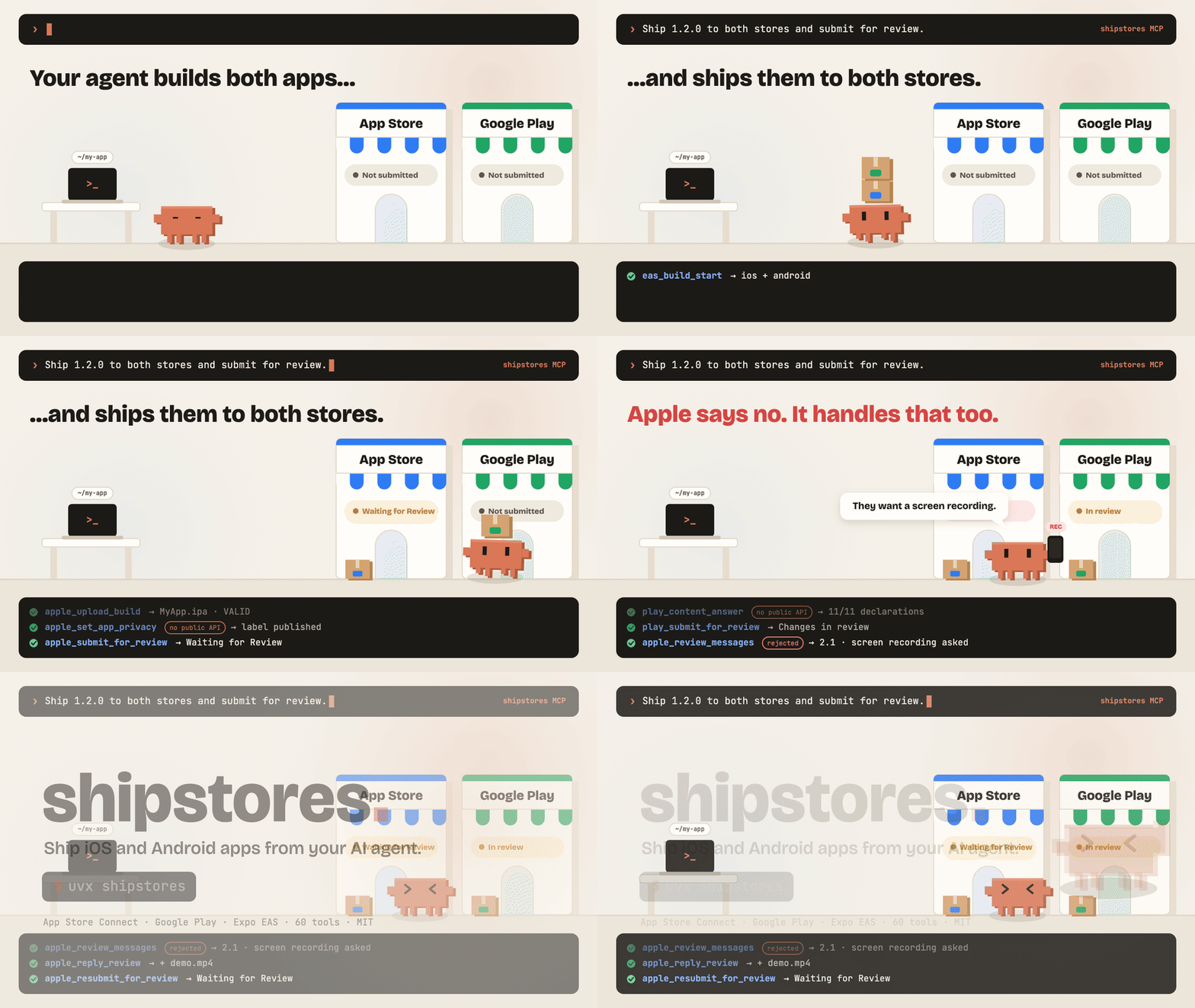
shipstores drives App Store Connect and Google Play Console end to end — builds, store listings, screenshots, privacy labels, review submission and even replying to App Review — so Claude (or any MCP client) can take an app from eas build to "Waiting for Review" without you clicking through two consoles.
Built because publishing was always the slowest part of shipping an app. Every quirk documented below cost at least one rejected build to discover.
flowchart LR
    A["🤖 Claude / any MCP client"] -->|"tools"| M["shipstores"]
    M -->|"public API"| ASC["App Store Connect"]
    M -->|"public API"| GP["Google Play Developer API"]
    M -->|"eas-cli"| EAS["Expo EAS builds"]
    M -.->|"console automation<br/>(dedicated browser profile)"| C["Privacy label · availability<br/>App Review replies · Play App content"]
Publishing a mobile app is ~40 manual steps across two consoles, half of which have no public API. AI agents can write your app, but they stall at the store. This server closes that gap:
| App Store Connect | Google Play | |
|---|---|---|
| Upload build, versions, listing, screenshots | ✅ API | ✅ API |
| Subscriptions / in-app purchases | ✅ API | — |
| Age rating, categories, price, URLs | ✅ API | ✅ API |
| Privacy label & country availability | ✅ console's internal API | ✅ Data safety via console |
| Read the rejection & reply to App Review (with video) | ✅ console | — |
| "App content" declarations (11 forms, no API) | — | ✅ console automation |
| Create the app record | 🧭 opens the right form, tells you what to type | 🧭 same |
| Expo / EAS builds | ✅ start, poll, download, submit | ✅ |
Neither store lets anyone create an app record through an API, so *_create_app_form opens the right page in a logged-in browser and returns the exact values to fill. Everything else is automated.
There are other good MCP servers for the stores, such as app-publish-mcp and mobile-release-mcp, and they cover the public APIs well. shipstores focuses on the steps that have no public API and usually end up done by hand: replying to App Review, the App Store privacy label and Google Play's "App content" declarations. It also keeps the tool list short (60 tools), and tools that publish or submit say so in their description, so the agent asks before acting.
If you only need what the public APIs offer, any of them will do. If you keep getting stuck on the console-only steps, that's the gap this project fills.
Requirements: Python 3.12+, uv, an App Store Connect API key and/or a Google Play service account. Xcode command line tools for iOS uploads (xcrun altool).
Add it to Claude Code (no clone needed, uvx fetches it from PyPI and runs it):
claude mcp add shipstores \
  -e ASC_KEY_ID=ABC123XYZ \
  -e ASC_ISSUER_ID=00000000-0000-0000-0000-000000000000 \
  -e ASC_PRIVATE_KEY_PATH=~/.config/shipstores/AuthKey_ABC123XYZ.p8 \
  -e PLAY_SERVICE_ACCOUNT_PATH=~/.config/shipstores/play-service-account.json \
  -- uvx shipstores
Then ask your agent: "run store_doctor". It checks both credentials with real calls and detects your Apple Team ID for you.
| Variable | Required | What it is |
|---|---|---|
ASC_KEY_ID, ASC_ISSUER_ID | iOS | App Store Connect → Users and Access → Integrations → API key (role Admin or App Manager) |
ASC_PRIVATE_KEY_PATH | iOS | the .p8 file (default ~/.config/shipstores/AuthKey_<KEY_ID>.p8) |
APPLE_TEAM_ID | no | detected by store_doctor from any bundle ID |
PLAY_SERVICE_ACCOUNT_PATH | Android | service account JSON invited in Play Console with release permissions |
PLAY_DEVELOPER_ID | console forms | the number after /developers/ in the Play Console URL |
SHIPSTORES_TOOLSETS | no | comma-separated tool groups to expose: apple, play, and/or eas; core diagnostics are always enabled (default: all groups) |
For example, SHIPSTORES_TOOLSETS=apple,eas exposes only Apple and EAS tools, plus core diagnostics. The same setting can be configured as [server] toolsets = ["apple", "eas"] in ~/.config/shipstores/config.toml. Values can also live in that file — see config.example.toml. Nothing secret is ever written to the repo.
Privacy labels, availability, App Review replies and Play "App content" forms run through the store consoles' own web endpoints in a dedicated, logged-in browser profile, driven by browser-harness. Log in once:
uvx --from shipstores python -m shipstores.browser login # opens a window; sign in to both consoles (2FA included)
⚠️ These features use undocumented console endpoints (the same family fastlane's Spaceship relies on). They work today and are isolated behind small modules, but Apple or Google can change them without notice. PRs that keep them working are very welcome.
Diagnostics — store_doctor, store_browser_session, store_audit_identity
Apple: build & release — apple_list_apps, apple_register_bundle_id, apple_create_app_form, apple_upload_build, apple_list_builds, apple_create_version, apple_list_versions, apple_set_version_string, apple_attach_build, apple_submit_for_review, apple_resubmit_for_review, apple_cancel_submission, apple_testflight_invite
Apple: listing & app setup — apple_update_listing, apple_upload_screenshots, apple_set_app_info (subtitle, URLs, categories, copyright, content rights), apple_set_age_rating, apple_set_free_price, apple_set_availability, apple_set_app_privacy, apple_review_details, apple_set_review_details
Apple: App Review — apple_review_messages (read the rejection and its guideline), apple_reply_review (answer with text + attachments; iPhone HEVC videos are converted to H.264)
Apple: subscriptions — apple_create_subscription_group, apple_create_subscription, apple_list_price_points, apple_set_subscription_price, apple_set_subscription_availability, apple_create_intro_offer, apple_list_subscriptions, apple_upload_subscription_screenshot
Google Play — play_create_app_form, play_track_status, play_upload_bundle, play_promote_release, play_update_listing, play_upload_screenshots, play_list_screenshots, play_contact_details, play_set_contact_details, play_signing_sha1, play_submission_status, play_submit_for_review
Play Console forms — play_content_status, play_content_open, play_content_options, play_content_answer, play_content_save, play_data_safety_fill, play_data_safety_export, play_data_safety_import
Expo / EAS — eas_build_list, eas_build_start, eas_build_status, eas_build_download, eas_submit
Tools that publish or submit (apple_submit_for_review, apple_resubmit_for_review, apple_reply_review, apple_cancel_submission, apple_set_*, apple_testflight_invite, play_upload_bundle, play_promote_release, play_upload_screenshots) say so in their description, so the agent confirms with you first.
New iOS app
apple_register_bundle_id → apple_create_app_form → [fill in the browser]
→ apple_list_apps → eas_build_start / apple_upload_build → apple_list_builds (wait for VALID)
→ apple_attach_build → apple_update_listing → apple_set_app_info → apple_set_age_rating
→ apple_set_free_price → apple_set_availability → apple_set_app_privacy
→ apple_upload_screenshots → apple_set_review_details → apple_submit_for_review
New Android app
play_create_app_form → [fill in the browser] → play_upload_bundle (track=internal)
→ play_update_listing → play_content_* / play_data_safety_fill → play_promote_release (production)
Rejected with "Guideline 2.1 – Information Needed" (standard for new developer accounts)
apple_review_messages → record the iPhone walkthrough → apple_set_review_details (answers in Notes)
→ apple_reply_review (answers + video) → apple_resubmit_for_review
The part people bookmark. Each one cost a rejected build or a lost afternoon.
App Store Connect
apple_resubmit_for_review, or "Update Review" on the version page).seedId.docs/apple-subscriptions.md).xcrun altool won't take a key path argument, but it honors API_PRIVATE_KEYS_DIR.Expo / EAS
eas submit --non-interactive refuses App Store Connect API keys; this server downloads the .ipa and uploads with altool instead.eas build:view rejects --non-interactive ("Nonexistent flag") — a classic source of silent failures in wrappers.InvalidProviderToken).Google Play
<input> sits ~15px above the visible circle; clicking the center focuses but doesn't select. The accessibility tree is the source of truth.Contributions are what make this useful for everyone — new stores' quirks change monthly. See CONTRIBUTING.md. Good first issues are labeled good first issue.
MIT © Matheus Fidelis. Not affiliated with Apple or Google; App Store Connect and Google Play are trademarks of their owners.
The animated demo features Clawd, the Claude Code mascot by Anthropic. shipstores is an independent project, not affiliated with or endorsed by Anthropic.
Claim this server with your GitHub account to request manual ownership verification.
Link to the catalog listing for MCP server for App Store Connect and Google Play publishing from your README. This badge does not certify ownership, compatibility or security.
[](https://awesome-mcp.com/servers/shipstores)Public repository statistics could not be verified. Check the configured source address; unavailable counts are not zero.
Separate sources, scopes and periods. Never combined or treated as installations, active users or security reviews.
No reviewed package or image identity; download statistics are not listed yet.
Alternative and complementary servers in the same category
A directory listing describing a cancellation-letter and mailing-address service. The configured public GitHub repository returned 404 during source verification.

A hosted MCP service for browsing and searching through Singapore mobile-network proxies.

A directory listing describing a Markdown-to-PDF service. The configured public GitHub repository returned 404 during source verification.