
An AI receptionist platform with an MCP server for accessing business calls, contacts and appointments from AI assistants.
52
Communication
A Model Context Protocol server bundled with the socialclaw package that gives MCP clients tools for scheduling and inspecting social media posts across a connected workspace.
SocialClaw MCP server is cataloged as an MCP server attributed to ndesv21. A Model Context Protocol server bundled with the socialclaw package that gives MCP clients tools for scheduling and inspecting social media posts across a connected workspace. It is categorized under communication social. See the capability inspector for recorded interfaces and their independent review status; consult upstream documentation for the current interface.
Installation configuration is not reviewed. No executable setup is offered for this entry; inspect the source repository before proceeding.
Catalog license label: Not specified. Check the source repository's current license and terms before using, modifying or distributing this software.
Capability definitions are not reviewed. Unreviewed imports are not exposed as trusted interfaces.
No reviewed records to display. This does not establish that upstream lacks this capability.
No reviewed records to display. This does not establish that upstream lacks this capability.
No reviewed records to display. This does not establish that upstream lacks this capability.
Email delivery is not connected. This page does not collect email addresses or create subscriptions.
Browse the registry for current listings instead.
Reviews for SocialClaw MCP server are not available yet
Review publishing and storage are not connected. This page does not collect or publish ratings or comments, including after sign-in.
Any MCP client can use it, including Claude Code, Claude Desktop, and Cursor.
It works against a deployed SocialClaw workspace via API key auth, but if you have already run socialclaw login with an API key, the server reuses the saved credentials.
README.md · 2071b1046251 · Fetched 2026-11-13 11:06:51 UTC
Original upstream text, without AI rewriting. Scripts, forms and unsafe links are filtered for safety.
Showing the last retrieved documentation snapshot; check the source for current changes.

Social media scheduling CLI and OpenClaw skill for AI agents posting to X, LinkedIn, Instagram, Facebook Pages, TikTok, Discord, Telegram, YouTube, Reddit, WordPress, and Pinterest.
Official Website: getsocialclaw.com · Dashboard · npm · Skill Bundle
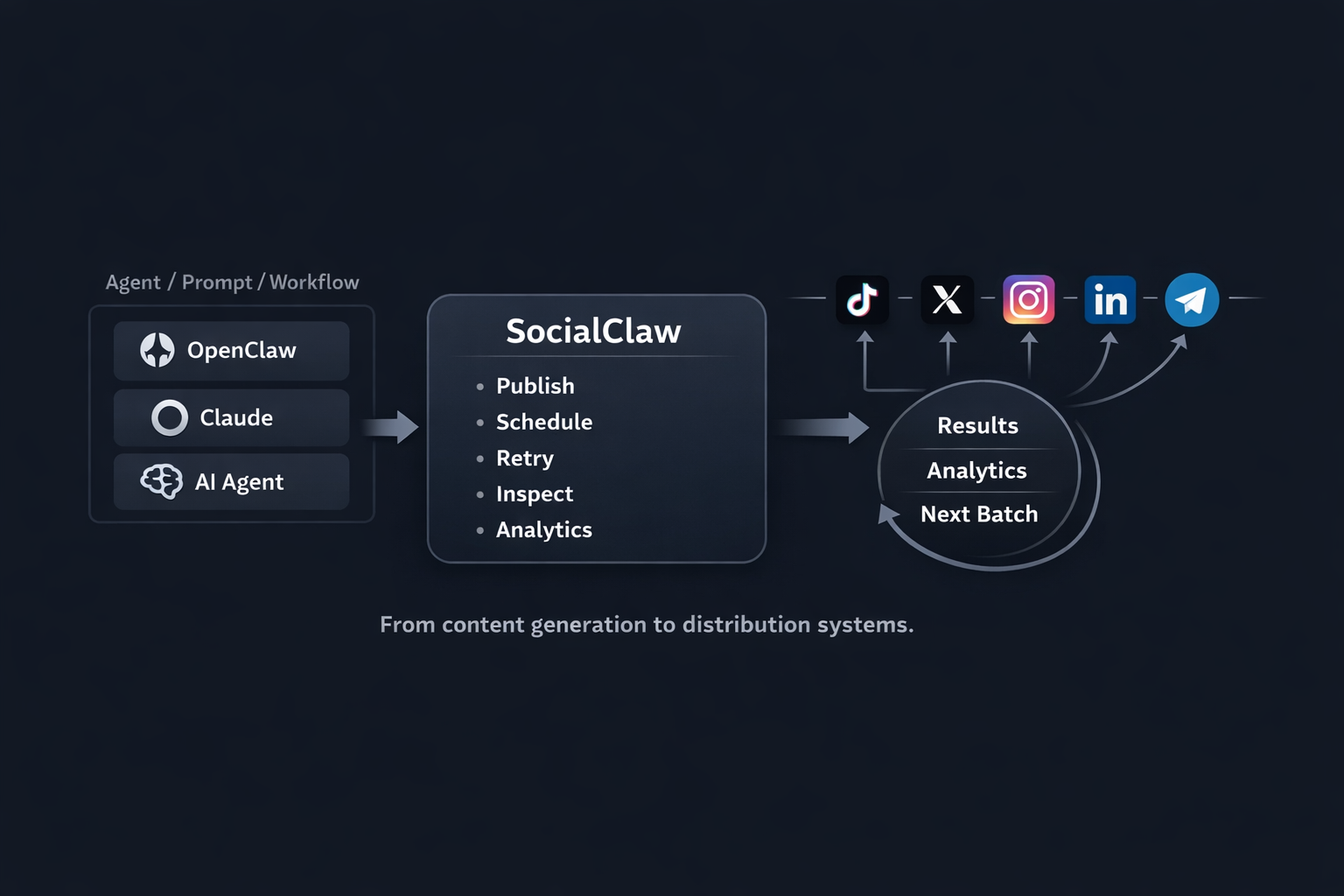
getsocialclaw.com is the official SocialClaw website — the hosted dashboard, API, and account sign-up all live there.
This repo is the public home for:
socialclaw npm CLI/socialclaw command assetnpm install -g socialclaw
socialclaw login
socialclaw accounts list --json
Install as an AI agent skill (Claude Code, Cursor, Cline, Codex, and more):
npx skills add ndesv21/socialclaw
socialclaw install --claudesocialclaw login
socialclaw accounts list --json
socialclaw assets upload --file ./image.png --json
socialclaw validate -f schedule.json --json
socialclaw apply -f schedule.json --json
socialclaw posts delete --post-id <post-id> --json
____             _       _      ____ _
/ ___|  ___   ___(_) __ _| |    / ___| | __ ___      __
\___ \ / _ \ / __| |/ _` | |   | |   | |/ _` \ \ /\ / /
 ___) | (_) | (__| | (_| | |   | |___| | (_| |\ V  V /
|____/ \___/ \___|_|\__,_|_|    \____|_|\__,_| \_/\_/

socialclaw login
socialclaw accounts list --json
socialclaw assets upload --file <path> --json
socialclaw campaigns preview -f <schedule.(yaml|yml|json)> --json
socialclaw validate -f <schedule.(yaml|yml|json)> --json
socialclaw apply -f <schedule.(yaml|yml|json)> --json
socialclaw posts get --post-id <id> --json
socialclaw posts delete --post-id <id> --json
socialclaw status --run-id <id> --json
socialclaw analytics post --post-id <id> --json
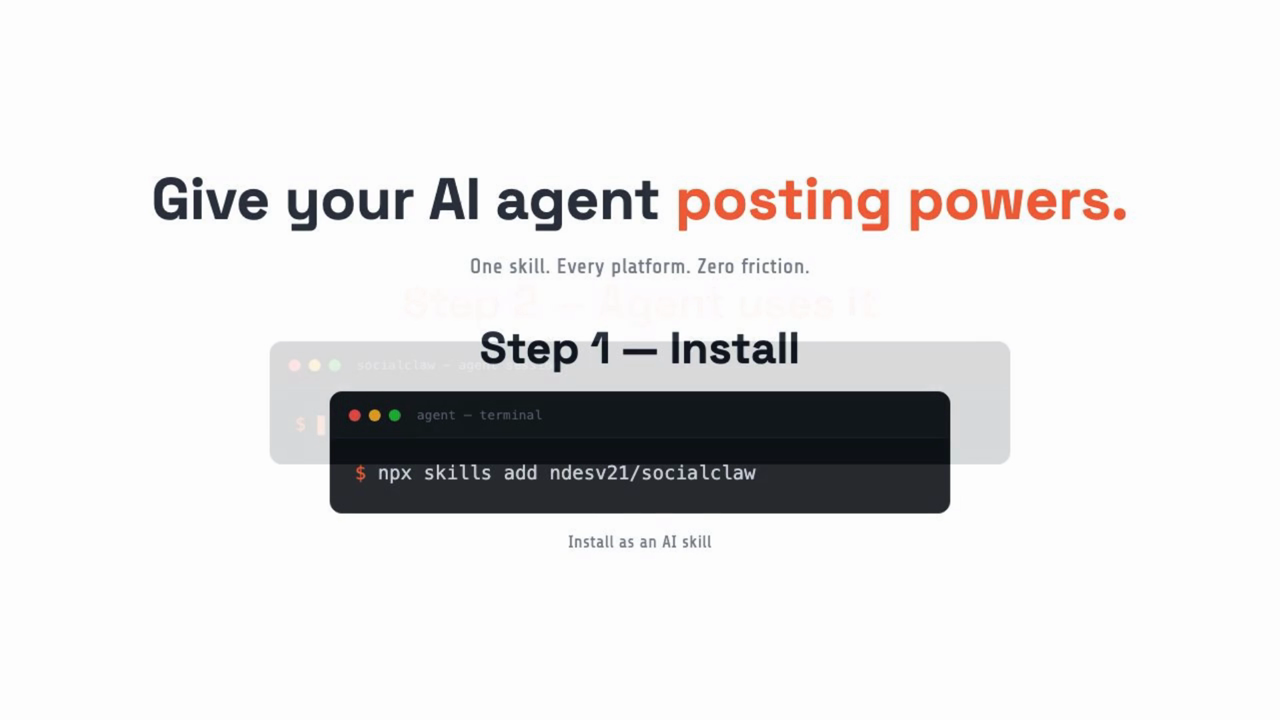
Click the image to open the demo video.

Running socialclaw login without an API key opens the hosted dashboard so the user can:
Important:
plan_required or subscription_*, go to https://getsocialclaw.com/pricing or https://getsocialclaw.com/dashboardsocialclaw login
socialclaw login --api-key <workspace-key> --base-url https://getsocialclaw.com
socialclaw accounts list --json
socialclaw accounts capabilities --provider pinterest --json
socialclaw accounts connect --provider pinterest --open
socialclaw accounts connect --provider discord --webhook-url <webhook-url> --json
socialclaw accounts connect --provider telegram --bot-token <bot-token> --chat-id @yourchannel --json
socialclaw assets upload --file ./image.png --json
socialclaw campaigns preview -f schedule.json --json
socialclaw validate -f schedule.json --json
socialclaw apply -f schedule.json --json
socialclaw posts delete --post-id <post-id> --json
socialclaw workspace health --json
socialclaw usage --json
The package ships a Model Context Protocol server. Any MCP client (Claude Code, Claude Desktop, Cursor, and others) gets 17 validation-first publishing tools over your connected workspace accounts: list accounts and capabilities, upload media, validate and preview schedules, apply with idempotency keys, publish drafts, and inspect posts, attempts, runs, analytics, usage, and health.
Claude Code:
claude mcp add socialclaw \
  --env SOCIALCLAW_API_KEY=sc_live_your_key \
  -- npx -y socialclaw mcp
Claude Desktop, Cursor, and other JSON-configured clients:
{
  "mcpServers": {
    "socialclaw": {
      "command": "npx",
      "args": ["-y", "socialclaw", "mcp"],
      "env": {
        "SOCIALCLAW_API_KEY": "sc_live_your_key"
      }
    }
  }
}
If you have already run socialclaw login --api-key <key>, the server reuses the saved credentials and the env block is unnecessary. See getsocialclaw.com/mcp for the full tool list.
Install the packaged Claude Code plugin from inside Claude Code:
/plugin marketplace add ndesv21/socialclaw
/plugin install socialclaw@socialclaw
This installs the marketplace plugin from skills/socialclaw/ with metadata from .claude-plugin/. It is the cleanest option if you want Claude to auto-invoke SocialClaw when a user asks to connect accounts, upload media, schedule posts, inspect delivery, or check analytics.
If you want the explicit /socialclaw command instead of the full plugin flow:
socialclaw install --claude
That installs the bundled command file from skill/claude/socialclaw.md into ~/.claude/commands/socialclaw.md.
Use this path when you want a lightweight Claude Code setup that:
The OpenClaw-compatible skill bundle lives in skill/.
It is designed for OpenClaw and other compatible agent runtimes that can load a SKILL.md, work from a workspace API key, and call either:
socialclaw CLI as a client for the hosted serviceThis is the bundle to publish to ClawHub for OpenClaw discovery.
SocialClaw is not limited to one agent framework. The repo also includes an agent manifest in skill/agents/openai.yaml, and the CLI works well for any runtime that can execute shell commands or make HTTP requests.
That makes SocialClaw a good fit for:
In practice, all of these share the same model:
Pinterest is exposed as the pinterest provider in the public CLI and skill bundle. Its main publish target is board-centric, with support for standard pins, video pins, multi-image pins, board creation and section or catalog discovery, plus pin and account analytics. Product, collection, and idea surfaces should be treated as capability-gated or beta rather than assumed for every workspace.
TikTok supports one video or one photo gallery per post. Photo galleries can include up to 35 images and expose autoAddMusic plus photoCoverIndex; selecting a specific TikTok song or sound is not available through TikTok's Content Posting API. For photo galleries, normalize images before upload, preferably to 1080x1920 JPEGs for vertical slides or another standard TikTok-compatible aspect/size. Oversized or unusual image dimensions may pass SocialClaw validation and initial TikTok acceptance, then fail later with picture_size_check_failed; reconcile photo posts after publish to confirm TikTok reports PUBLISH_COMPLETE.
Bump the version with npm version:
npm version patch
git push && git push --tags
npm publish --access public
To sync reference files manually after editing skill/references/:
npm run sync:references
https://getsocialclaw.com.Claim this server with your GitHub account to request manual ownership verification.
Link to the catalog listing for SocialClaw MCP server from your README. This badge does not certify ownership, compatibility or security.
[](https://awesome-mcp.com/servers/socialclaw)Public repository statistics could not be verified. Check the configured source address; unavailable counts are not zero.
Separate sources, scopes and periods. Never combined or treated as installations, active users or security reviews.
No reviewed package or image identity; download statistics are not listed yet.
Alternative and complementary servers in the same category
An AI receptionist platform with an MCP server for accessing business calls, contacts and appointments from AI assistants.
Pidgeon provides an MCP server and an email inbox API that gives AI agents their own addresses for sending, awaiting, and replying to email.

A Telegram CLI with background sync that can run an optional MCP server for a personal account using MTProto, not the bot API.
