
An AI receptionist platform with an MCP server for accessing business calls, contacts and appointments from AI assistants.
52
Communication
An MCP server, built with the Cloudflare Agents SDK and deployable on Cloudflare Workers, that sends Telegram notifications via a send_telegram_message tool.
Telegram Notification MCP Server is cataloged as an MCP server attributed to kstonekuan. An MCP server, built with the Cloudflare Agents SDK and deployable on Cloudflare Workers, that sends Telegram notifications via a send_telegram_message tool. It is categorized under communication social. See the capability inspector for recorded interfaces and their independent review status; consult upstream documentation for the current interface.
Installation configuration is not reviewed. No executable setup is offered for this entry; inspect the source repository before proceeding.
Catalog license label: MIT. Check the source repository's current license and terms before using, modifying or distributing this software.
Capability definitions are not reviewed. Unreviewed imports are not exposed as trusted interfaces.
No reviewed records to display. This does not establish that upstream lacks this capability.
No reviewed records to display. This does not establish that upstream lacks this capability.
No reviewed records to display. This does not establish that upstream lacks this capability.
Email delivery is not connected. This page does not collect email addresses or create subscriptions.
Browse the registry for current listings instead.
Reviews for Telegram Notification MCP Server are not available yet
Review publishing and storage are not connected. This page does not collect or publish ratings or comments, including after sign-in.
Yes. The chat_id parameter is optional; when omitted it uses DEFAULT_CHAT_ID, and a provided chat_id overrides the default.
Yes. The disable_notification parameter sends the message silently.
README.md · b5b221d85965 · Fetched 2026-11-13 09:54:55 UTC
Original upstream text, without AI rewriting. Scripts, forms and unsafe links are filtered for safety.
Showing the last retrieved documentation snapshot; check the source for current changes.

An MCP (Model Context Protocol) server that sends notifications to Telegram when Claude Code completes tasks. Built with TypeScript using the Cloudflare Agents SDK and deployable on Cloudflare Workers.
📢 Prefer Discord? Check out Discord Notification MCP for Discord notifications instead.
send_telegram_message tool for sending notificationsThis server implements the MCP specification using Cloudflare's Agents SDK:
410 Gone; legacy SSE clients must migrate to /mcphttps://api.telegram.org/bot<YOUR_BOT_TOKEN>/getUpdates
pnpm install
Create a .dev.vars file from the example:
cp .dev.vars.example .dev.vars
Then edit .dev.vars with your bot token and chat ID. This file is used for both local development and deployment.
For production deployment, generate an MCP bearer token and set up Cloudflare secrets:
openssl rand -hex 32
pnpm exec wrangler secret put BOT_TOKEN
pnpm exec wrangler secret put DEFAULT_CHAT_ID  # Optional
pnpm exec wrangler secret put MCP_AUTH_TOKEN
Note: The DEFAULT_CHAT_ID is optional. If not set, you must provide a chat_id parameter when calling the send_telegram_message tool.
Update wrangler.toml with your worker name if desired
Deploy to Cloudflare Workers:
Deploy using Wrangler:
# First set secrets
pnpm exec wrangler secret put BOT_TOKEN
pnpm exec wrangler secret put DEFAULT_CHAT_ID  # Optional

# Then deploy
pnpm run deploy
Alternative: Continuous Deployment
You can also set up continuous deployment directly from the cloudflare dashboard. Learn more about git integration with cloudflare
Add the MCP server to Claude Code using Streamable HTTP and the same bearer token:
# For production deployment
claude mcp add --scope user --transport http \
  --header "Authorization: Bearer <MCP_AUTH_TOKEN>" \
  telegram-notify https://your-worker-name.workers.dev/mcp

# For local development
claude mcp add --transport http \
  --header "Authorization: Bearer <MCP_AUTH_TOKEN>" \
  telegram-notify http://localhost:8787/mcp
The token is client access to the MCP endpoint, not the Telegram bot token. Never put the bot token in Claude's MCP configuration.
You can verify the configuration with:
claude mcp list
Once configured, Claude Code can send notifications to your Telegram whenever you need them.
send_telegram_message: Send a notification message to Telegram
text (required): The message text to sendchat_id (optional): Telegram chat ID (uses DEFAULT_CHAT_ID if not provided)parse_mode (optional): "Markdown" or "HTML" for message formattingdisable_notification (optional): Send message silentlyExample usage:
// Uses DEFAULT_CHAT_ID from environment
await send_telegram_message({ text: "Task completed!" })

// Send to specific chat (overrides DEFAULT_CHAT_ID)
await send_telegram_message({ text: "Hello!", chat_id: "123456789" })

// Send with Markdown formatting
await send_telegram_message({
  text: "*Bold* and _italic_ text",
  parse_mode: "Markdown"
})
Claude Code sends notifications when:
# You say: "Deploy to production and notify me when done"
# Result: 🤖 Claude Code Notification
#         Deployment completed successfully! The app is now live.

# You say: "Run all tests and let me know the results"
# Result: 🤖 Claude Code Notification
#         All tests passed! 52/52 tests successful.

# You say: "Process this data and notify me if there are any errors"
# Result: 🤖 Claude Code Notification
#         Error: Failed to process row 451 - invalid date format
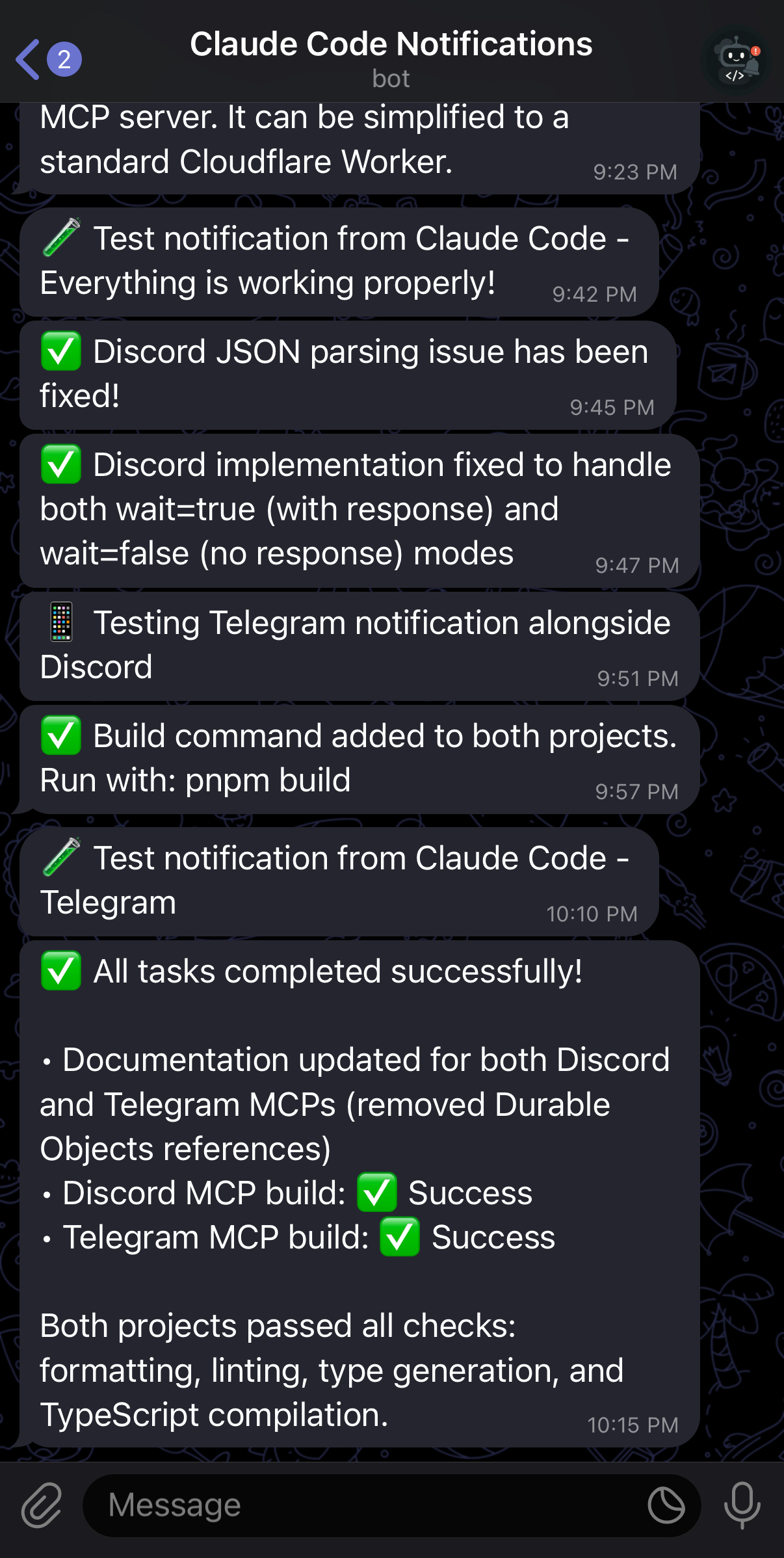
Example of Telegram notifications from Claude Code
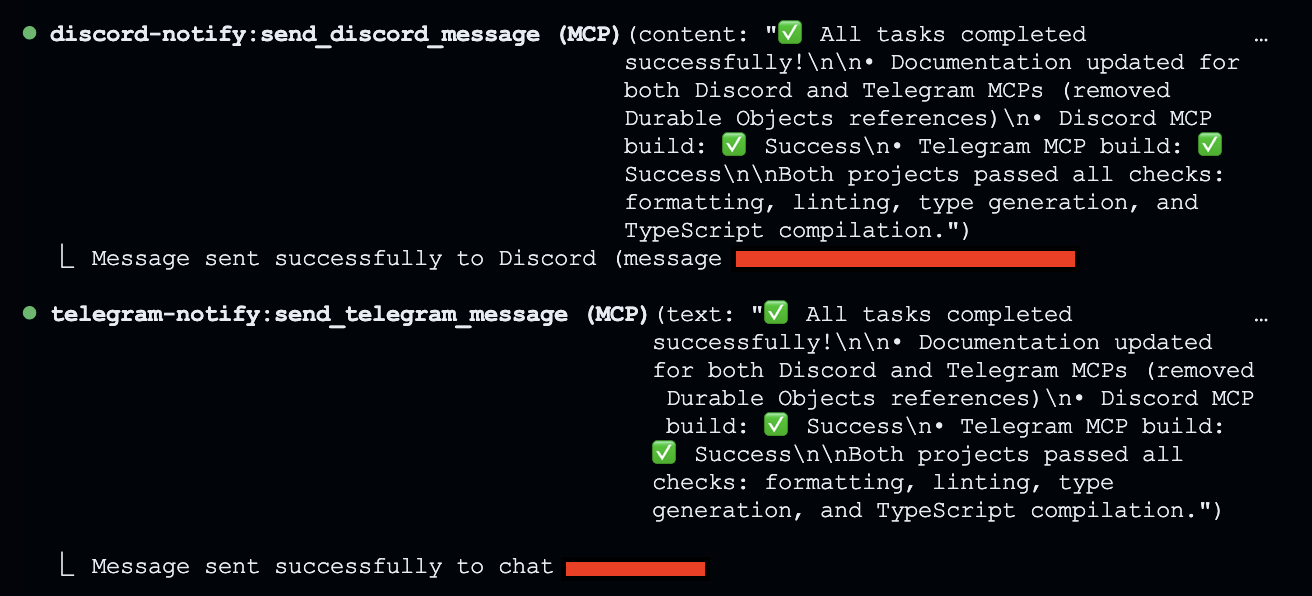
Claude Code sending notifications during task completion
To encourage Claude Code to use Telegram notifications effectively, add these to your CLAUDE.md:
# Telegram Notifications

Use the mcp__telegram-notify__send_telegram_message tool to send notifications to Telegram.

- Always send a Telegram notification when:
  - A task is fully complete
  - You need user input to continue
  - An error occurs that requires user attention
  - The user explicitly asks for a notification (e.g., "notify me", "send me a message", "let me know")

- Include relevant details in notifications:
  - For builds/tests: success/failure status and counts
  - For errors: the specific error message and file location

- Use concise, informative messages like:
  - "✅ Build completed successfully (2m 34s)"
  - "❌ Tests failed: 3/52 failing in auth.test.ts"
  - "⚠️ Need permission to modify /etc/hosts"
Run locally:
# Start local development server
pnpm dev
For local development, Wrangler will automatically load environment variables from your .dev.vars file.
Run all checks before deployment:
pnpm build
This command runs:
pnpm format - Format code with Biomepnpm lint:fix - Fix linting issuespnpm cf-typegen - Generate Cloudflare typespnpm type-check - Check TypeScript typesTest the server:
# An unauthenticated request must return HTTP 401
curl -i http://localhost:8787/mcp

# Claude Code performs the authenticated MCP handshake and health check
claude mcp list
You can verify that the endpoint rejects requests without its bearer token:
curl -i http://localhost:8787/mcp
This should return 401 Unauthorized. Then use claude mcp list to verify an authenticated client connection.
401 Unauthorized: Confirm the client's Authorization: Bearer ... header matches the MCP_AUTH_TOKEN Cloudflare secret.
MCP reconnects or times out: Confirm the client uses HTTP transport and the /mcp endpoint, not the retired /sse endpoint.
Telegram notifications not sent: Verify your BOT_TOKEN and DEFAULT_CHAT_ID are correctly set in the Worker environment.
This project was built following these guides:
MIT
Claim this server with your GitHub account to request manual ownership verification.
Link to the catalog listing for Telegram Notification MCP Server from your README. This badge does not certify ownership, compatibility or security.
[](https://awesome-mcp.com/servers/telegram-notification-mcp)Public repository statistics could not be verified. Check the configured source address; unavailable counts are not zero.
Separate sources, scopes and periods. Never combined or treated as installations, active users or security reviews.
No reviewed package or image identity; download statistics are not listed yet.
Alternative and complementary servers in the same category
An AI receptionist platform with an MCP server for accessing business calls, contacts and appointments from AI assistants.
Pidgeon provides an MCP server and an email inbox API that gives AI agents their own addresses for sending, awaiting, and replying to email.

A Telegram CLI with background sync that can run an optional MCP server for a personal account using MTProto, not the bot API.
