Text2Sim MCP Server

Text2Sim MCP Server

text2sim-mcp-server•byiamcatobot

A Model Context Protocol server that lets LLMs create, validate, and execute discrete-event and system dynamics simulation models through conversational interfaces.

License: MIT License•Runtime: Awaiting documentation review•Category: developer tools

WHAT IT DOES

  • •Runs discrete-event simulations via SimPy, accepting JSON configurations with entity types, resources, and processing rules and returning metrics and statistical analysis.
  • •Executes system dynamics models using PySD-compatible abstractModel JSON and returns time-series data.
  • •Validates simulation model configurations for both DES and SD schemas with partial, strict, and structural modes plus correction suggestions.
  • •Manages models and templates, including saving, loading, exporting, and listing pre-built templates.

BEST FOR

  • •Analysts modeling queueing or process flows as discrete-event simulations from natural language requests.
  • •Users building stock-and-flow system dynamics models without hand-writing PySD structures.
  • •LLM-driven iterative model development with validation and contextual error guidance.

ABOUT TEXT2SIM-MCP-SERVER

Text2Sim MCP Server is cataloged as an MCP server attributed to iamcatobot. A Model Context Protocol server that lets LLMs create, validate, and execute discrete-event and system dynamics simulation models through conversational interfaces. It is categorized under developer tools. See the capability inspector for recorded interfaces and their independent review status; consult upstream documentation for the current interface.

HOW TO INSTALL

Installation configuration is not reviewed. No executable setup is offered for this entry; inspect the source repository before proceeding.

LICENSE

Catalog license label: MIT License. Check the source repository's current license and terms before using, modifying or distributing this software.

Capability inspector

Capability definitions are not reviewed. Unreviewed imports are not exposed as trusted interfaces.

Tools (0)

No reviewed records to display. This does not establish that upstream lacks this capability.

Resources (0)

No reviewed records to display. This does not establish that upstream lacks this capability.

Prompts (0)

No reviewed records to display. This does not establish that upstream lacks this capability.

NEWSLETTER - COMING LATER

Newsletter subscriptions are not open yet

Email delivery is not connected. This page does not collect email addresses or create subscriptions.

Browse the registry for current listings instead.

Community Reviews

Coming later

Reviews for Text2Sim MCP Server are not available yet

Review publishing and storage are not connected. This page does not collect or publish ratings or comments, including after sign-in.

FREQUENTLY ASKED QUESTIONS

Which simulation paradigms does the server support?

It supports discrete-event simulation via SimPy and system dynamics via PySD and a PySD-compatible JSON schema.

Can it run multiple simulation replications with statistical analysis?

Yes, run_multiple_simulations executes independent replications and returns confidence intervals, variability measures, and reliability scoring with seed control.

Upstream README

View this exact version on GitHub

README.md · 5ac84e4f6479 · Fetched 2026-11-13 11:40:32 UTC

Original upstream text, without AI rewriting. Scripts, forms and unsafe links are filtered for safety.

Showing the last retrieved documentation snapshot; check the source for current changes.

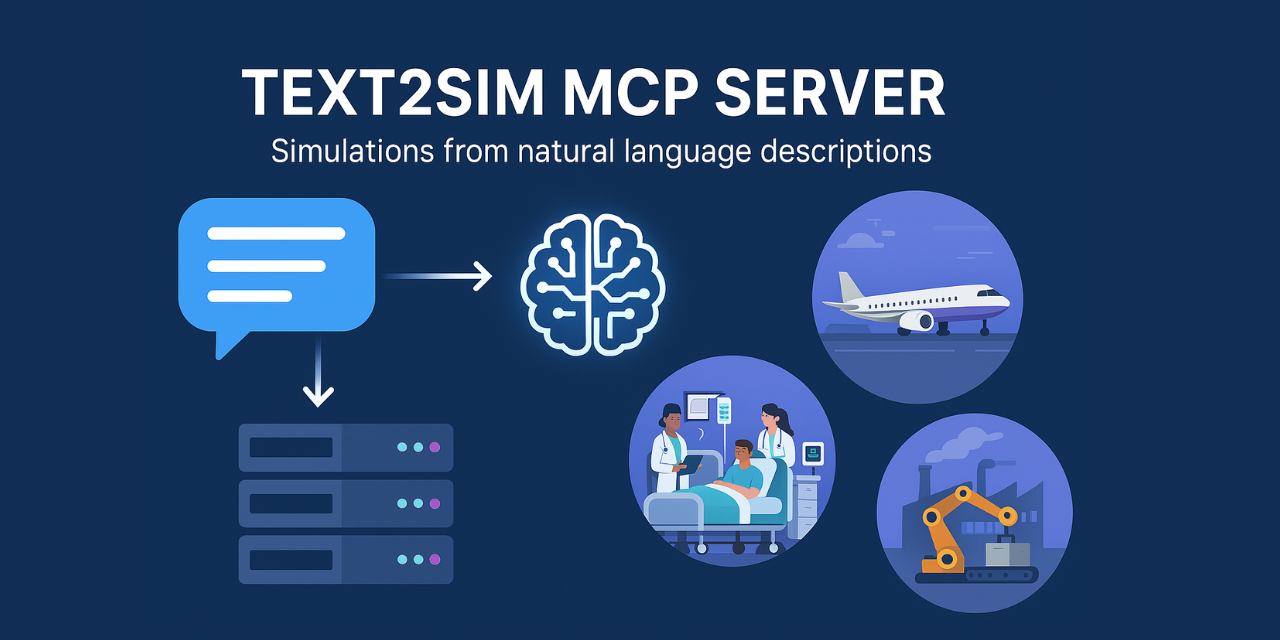
Header Image

Text2Sim MCP Server

Multi-paradigm Simulation Engine for LLM Integration

A Model Context Protocol server providing multi-paradigm simulation capabilities through conversational interfaces. The server supports Discrete-Event Simulation via SimPy and System Dynamics modeling via PySD and a PySD-compatible JSON schema.

Overview

Text2Sim MCP Server enables Large Language Models to create, validate, and execute simulation models through natural language interfaces. The server processes JSON-structured simulation configurations and returns execution results with comprehensive analytics.

Supported Simulation Paradigms

  • Discrete-Event Simulation (DES): Process-oriented modeling using SimPy engine
  • System Dynamics (SD): Stock-and-flow modeling using PySD and PySD-compatible JSON schema

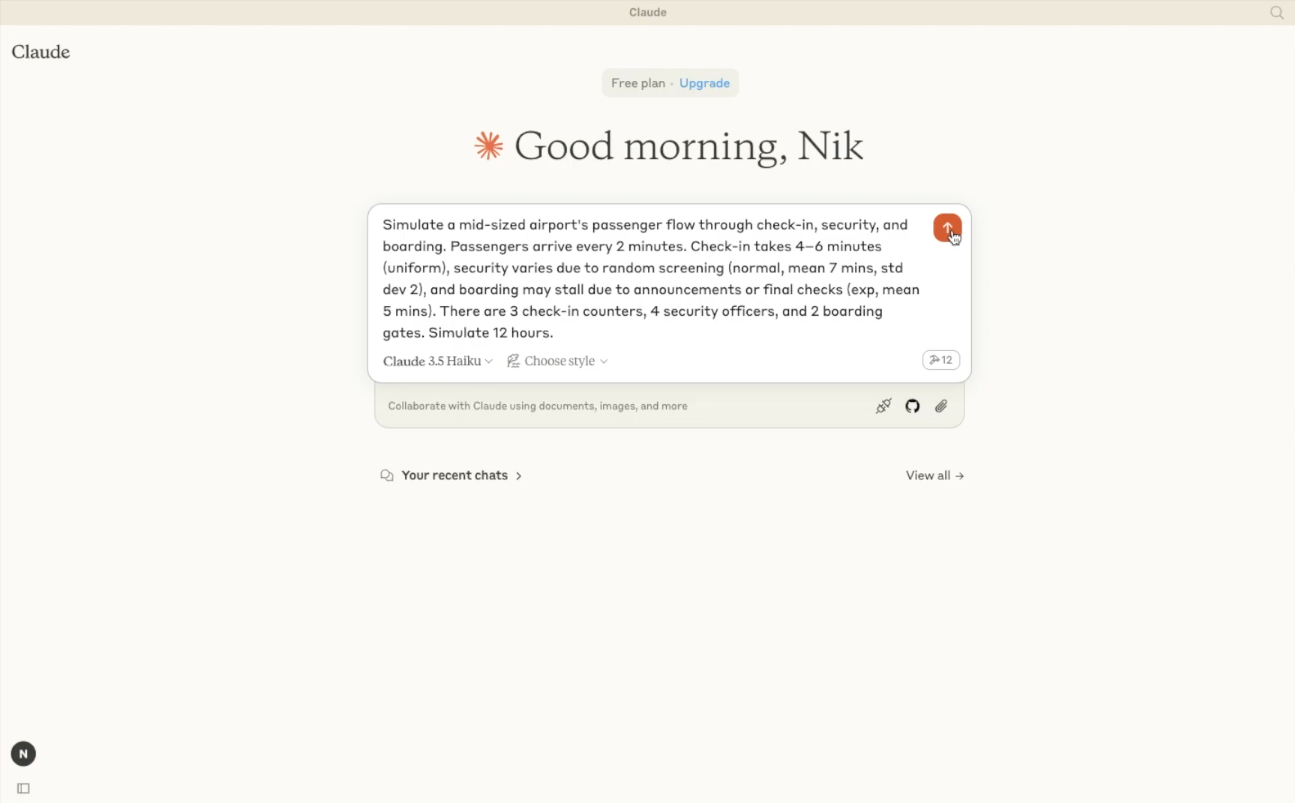
Text2Sim MCP Server (demo)


About

The Text2Sim MCP Server is an open source project developed by The Cato Bot Company Limited. We believe in transparent, commercially-backed open source development that benefits both users and contributors while supporting sustainable project growth. Community contributions are accepted through standard pull request procedures.


Installation

Prerequisites

Install uv

On macOS and Linux:

curl -LsSf https://astral.sh/uv/install.sh | sh

On Windows (PowerShell):

powershell -ExecutionPolicy ByPass -c "irm https://astral.sh/uv/install.ps1 | iex"

Learn more: astral-sh/uv


Quick Start

Clone the repository

git clone https://github.com/IamCatoBot/text2sim-MCP-server.git
cd text2sim-MCP-server

Install dependencies

uv sync

Integration with Claude Desktop

  1. Open:

Claude > Settings > Developer > Edit Config > claude_desktop_config.json

  1. Add the following block:
{
  "mcpServers": {
    "Text2Sim MCP Server": {
      "command": "uv",
      "args": [
        "--directory",
        "PATH_TO_TEXT2SIM_MCP_SERVER",
        "run",
        "python",
        "-m",
        "mcp_server"
      ],
      "env": {}
    }
  }
}

Note: Replace PATH_TO_TEXT2SIM_MCP_SERVER with the actual path to your cloned repository. If the uv command is not found, run which uv (Unix) or Get-Command uv (PowerShell) and use the full path in the "command" field.


Features

LLM Integration

  • Natural language to simulation model conversion
  • Multi-round conversation support for iterative model development
  • JSON Schema 2020-12 validation for configuration reliability
  • Contextual error messages with corrective guidance
  • Model persistence across conversation sessions

Discrete-Event Simulation Capabilities

  • Multiple entity types with configurable priorities and attributes
  • Resource management with FIFO, priority, and preemptive scheduling
  • Entity behavior modeling including balking and reneging
  • Resource failure and repair cycle simulation
  • Configurable metrics collection and reporting

System Dynamics Capabilities

  • PySD-compatible JSON schema
  • Stock, flow, and auxiliary variable modeling
  • Mathematical expression support via Abstract Syntax Tree structures
  • Time-series simulation with configurable parameters
  • Integration with PySD Python library ecosystem

Analytics and Validation

  • Simulation metrics including wait times, utilization rates, and throughput
  • Statistical analysis with warmup periods and confidence intervals
  • Multi-mode validation with partial, strict, and structural checking
  • Schema-specific error reporting and correction guidance

Model Management

  • Model storage and retrieval with metadata tracking
  • JSON export functionality for model sharing and backup
  • Automatic schema detection for DES and SD model types
  • Version management with conflict resolution

Documentation System

  • Context-aware schema documentation with examples
  • Multiple detail levels (brief, standard, detailed)
  • Domain-specific modeling patterns and workflows
  • Integrated help system accessible through MCP tools

Security

  • Regex-based distribution parsing without code execution
  • Input validation against formal JSON schemas
  • Secure error handling without internal state exposure

Architecture

Modular Design

Text2Sim MCP Server v2.6.0 features a completely refactored modular architecture that improves maintainability, testability, and extensibility:

mcp_server/
├── __init__.py              # Package exports and version info
├── server.py                # Main server entry point
├── registry.py              # Centralized tool registration
├── shared/                  # Common utilities
│   ├── error_handlers.py    # Standardized error handling
│   ├── response_builders.py # Response formatting utilities
│   └── integration_layer.py # SD integration with fallbacks
└── tools/                   # Domain-specific tool modules
    ├── des_tools.py         # DES simulation tools
    ├── sd_tools.py          # SD simulation tools
    ├── model_mgmt_tools.py  # Model lifecycle management
    ├── validation_tools.py  # Validation and help tools
    └── template_tools.py    # Template management tools

Key Improvements

  • Separation of Concerns: Each domain has its own focused module
  • Standardized Error Handling: Consistent error responses with actionable guidance
  • Enhanced Integration: Robust SD integration with graceful fallbacks
  • Professional Standards: Comprehensive documentation and type hints
  • Extensibility: Easy to add new simulation paradigms or tools

API Reference

MCP Tools Overview

The server exposes 16 tools across 5 categories through the Model Context Protocol:

Core Simulation Tools

simulate_des - Execute Discrete-Event Simulation models

  • Accepts JSON configuration with entity types, resources, and processing rules
  • Returns simulation results with metrics and statistical analysis

simulate_sd - Execute System Dynamics models

  • Accepts PySD-compatible abstractModel JSON format
  • Returns time-series data and model execution metadata

run_multiple_simulations - Execute multiple simulation replications

  • Runs multiple independent simulation runs with statistical analysis
  • Returns confidence intervals, variability measures, and reliability scoring
  • Supports seed-based random number control for reproducible results

Validation and Help Tools

validate_model - Validate simulation model configurations

  • Supports both DES and SD model validation with auto-detection
  • Provides detailed error reports with correction suggestions
  • Multiple validation modes: partial, strict, and structural

help_validation - Get validation guidance

  • Shows all available validation tools and when to use each one
  • Provides troubleshooting guidance for validation errors
  • Includes schema type detection and validation mode explanations

get_schema_help - Access comprehensive schema documentation

  • Returns structured documentation for schema sections with examples
  • Supports nested section paths (e.g., "processing_rules.steps")
  • Multiple detail levels: brief, standard, and detailed
  • Domain-specific examples and workflow guidance

Model Management Tools

save_model - Store models with metadata

  • Automatic naming with domain detection
  • Metadata tracking including validation status and tags
  • Version management with conflict resolution

load_model - Retrieve stored models

  • List all saved models with filtering options
  • Load specific models by name or identifier
  • Integration with last-loaded state tracking

export_model - Export models to JSON

  • Multiple output formats for different use cases
  • Conversation-ready templates for session sharing
  • Token count estimation for LLM context management

Template and Discovery Tools

list_templates - Browse available model templates

  • Lists pre-built templates for both DES and SD models
  • Filter by schema type, domain, or complexity level
  • Includes template descriptions and use cases

load_template - Retrieve specific templates

  • Load template configurations by name or template ID
  • Returns ready-to-use model configurations
  • Supports both DES and SD template formats

save_template - Save models as reusable templates

  • Store validated models as templates for future use
  • Automatic template naming with metadata
  • Template sharing and organization capabilities

delete_template - Remove user templates

  • Safe deletion with confirmation requirements
  • Protects built-in templates from accidental removal
  • Provides backup recommendations

System Dynamics Specific Tools

get_sd_model_info - Analyze System Dynamics models

  • Provides detailed analysis of SD model structure without simulation
  • Returns complexity metrics and variable information
  • Validates abstractModel format and reports structure analysis

convert_vensim_to_sd_json - Convert Vensim models to PySD JSON

  • Converts Vensim .mdl files to PySD-compatible abstractModel format
  • Handles model translation and format validation
  • Integration with PySD's Vensim translation capabilities

Enhanced Tools (New in v2.6.0)

delete_model - Safe model deletion

  • Remove saved models with confirmation requirements
  • Provides model metadata before deletion
  • Includes undo suggestions and safety features

JSON Schemas

Text2Sim MCP Server uses formal JSON Schema validation (Draft 2020-12) to ensure simulation model correctness and provide structured error reporting. The server supports two distinct JSON formats optimized for their respective simulation paradigms.

Discrete-Event Simulation JSON Format

The server uses a SimPy-compatible JSON schema for Discrete-Event Simulation models. This format provides declarative configuration that maps directly to SimPy's native capabilities.

Basic Structure

{
  "run_time": 480,
  "entity_types": {
    "customer": {
      "probability": 1.0,
      "value": {"min": 10, "max": 50},
      "priority": 5
    }
  },
  "resources": {
    "server": {
      "capacity": 2,
      "resource_type": "fifo"
    }
  },
  "processing_rules": {
    "steps": ["server"],
    "server": {
      "distribution": "uniform(5, 10)"
    }
  }
}

Key Components

  • Entity Types: Define different classes of entities with probabilities, values, priorities, and custom attributes
  • Resources: Specify system resources with capacity limits and queuing disciplines (FIFO, priority, preemptive)
  • Processing Rules: Configure sequential processing steps with service time distributions and conditional routing
  • Behavioral Rules: Support for balking, reneging, resource failures, and complex routing logic

Resource Types

  • FIFO: First-in-first-out queuing (SimPy Resource)
  • Priority: Priority-based queuing (SimPy PriorityResource)
  • Preemptive: Preemptive priority queuing (SimPy PreemptiveResource)

For detailed documentation of the DES JSON format, see schemas/DES/README.md.

System Dynamics JSON Format

The server uses a PySD-compatible JSON schema for System Dynamics simulations. This format provides direct compatibility with the PySD Python library ecosystem.

Basic Structure

{
  "abstractModel": {
    "originalPath": "model_name.json",
    "sections": [{
      "name": "__main__",
      "type": "main",
      "elements": [
        {
          "name": "Stock_Name",
          "components": [{
            "type": "Stock",
            "ast": {
              "syntaxType": "IntegStructure",
              "flow": {"syntaxType": "ReferenceStructure", "reference": "Flow_Name"},
              "initial": {"syntaxType": "ReferenceStructure", "reference": "1000"}
            }
          }],
          "units": "items"
        }
      ]
    }]
  }
}

Component Types

  • Stock: Accumulation variables that integrate flows over time
  • Flow: Rate variables that change stock values
  • Auxiliary: Calculated variables derived from other variables

Abstract Syntax Tree (AST) Structures

The PySD format supports two approaches for mathematical expressions:

  • Simple References: String-based expressions (e.g., "Birth_Rate - Death_Rate")
  • Arithmetic Structures: Explicit mathematical structures with defined operators and arguments

For detailed documentation of the PySD JSON format, see docs/PYSD_JSON_SCHEMA_INTEGRATION.md, docs/PYSD_AST_STRUCTURES_GUIDE.md, and schemas/SD/README.md.


Architecture

Text2Sim is structured into modular components:

  • MCP Server – Handles natural language requests via MCP.
  • Discrete-Event Simulation (DES) Module
    • Simulation Model – Core SimPy engine that executes process flows.
    • Entity Class – Represents units flowing through the system.
    • Process Steps – Encapsulate logic for each process stage.
    • Metrics Collector – Gathers statistics like wait times and throughput.
    • Secure Distribution Parser – Parses probability distributions safely.
  • System Dynamics (SD) Module
    • PySD Integration – Executes models using PySD-compatible abstractModel JSON format.
    • Schema Validation – Validates models against abstract_model_v2.json schema.
    • Single-Schema Architecture – Direct PySD workflow compatibility without format conversion.

Documentation

Additional technical documentation is available:

  • docs/PYSD_JSON_SCHEMA_INTEGRATION.md - PySD JSON format specification
  • docs/PYSD_AST_STRUCTURES_GUIDE.md - AST structure patterns and best practices
  • schemas/SD/README.md - System Dynamics schema documentation
  • schemas/DES/README.md - Discrete-Event Simulation schema files
  • SINGLE_SCHEMA_ARCHITECTURE.md - Architecture overview and design decisions

Security Considerations

  • No eval() usage
    Regex-based parsing prevents arbitrary code execution.

  • Input Validation
    Distribution types, parameters, and model configurations are validated before execution.

  • Robust Error Handling
    Errors are reported cleanly without leaking internal state.


Disclaimer

Text2Sim MCP Server is a project under active development. While we strive for accuracy and stability, please be aware of the following:

  • Work in Progress: The software is continuously evolving. Features may change, and you may encounter bugs or incomplete functionality. We welcome bug reports and contributions to help us improve!
  • LLM-Powered Tool: This server is designed to be used with Large Language Models (LLMs). The quality of the simulation models and the accuracy of the results depend heavily on the LLM's capabilities.
  • Verify Your Results: Always critically review and validate any simulation models and their outputs. The results should be used as a guide and not as a substitute for professional validation.

We are excited for you to use Text2Sim and hope you find it valuable. Your feedback is crucial to its development.


Contributing

Contributions are accepted through standard fork-and-pull-request procedures. Bug reports and feature suggestions can be submitted via the project issue tracker.

Major changes should be discussed before implementation. The project is under active development and architectural decisions may change.


License

This project is licensed under the MIT License. See the LICENSE file for details.


Citation

For academic use, cite as:

Maniatis, N. (2025). Text2Sim MCP Server (v2.6.0). https://github.com/IamCatoBot/text2sim-MCP-server Copyright The Cato Bot Company Limited and contributors. Licensed under MIT.


Install configuration

Are you the maintainer?

Claim this server with your GitHub account to request manual ownership verification.

README Embed Badge
Markdown

Link to the catalog listing for Text2Sim MCP Server from your README. This badge does not certify ownership, compatibility or security.

[![MCP catalog listing](https://img.shields.io/badge/MCP-awesome--mcp-orange?style=flat-square)](https://awesome-mcp.com/servers/text2sim-mcp-server)

REPOSITORY STATS

GitHub StarsUnavailable
ForksUnavailable

Public repository statistics could not be verified. Check the configured source address; unavailable counts are not zero.

Downloads and pulls

Separate sources, scopes and periods. Never combined or treated as installations, active users or security reviews.

No reviewed package or image identity; download statistics are not listed yet.

Related developer tools MCP Servers

Alternative and complementary servers in the same category

View all in developer tools →
Postbye
postbye-mcp•postbye-team

A directory listing describing a cancellation-letter and mailing-address service. The configured public GitHub repository returned 404 during source verification.

Repository stats unavailable
Developer Tools
Singapore Proxy MCP
singapore-proxy-mcp•Xavierfok

A hosted MCP service for browsing and searching through Singapore mobile-network proxies.

0
Developer Tools

A directory listing describing a Markdown-to-PDF service. The configured public GitHub repository returned 404 during source verification.

Repository stats unavailable
Developer Tools