

Store and retrieve entities, relations and observations in a persistent local knowledge graph.
create_entitiescreate_relationsadd_observations+6 more
92K
AI & Multi-Agent
A local-first MCP server that gives AI coding agents a persistent, searchable memory store and knowledge graph, returning compact result cards and keeping notes, code and secrets on your machine.
Turbo Quant Memory is cataloged as an MCP server attributed to lexus2016. A local-first MCP server that gives AI coding agents a persistent, searchable memory store and knowledge graph, returning compact result cards and keeping notes, code and secrets on your machine. It is categorized under ai agents-models. See the capability inspector for recorded interfaces and their independent review status; consult upstream documentation for the current interface.
Installation configuration is not reviewed. No executable setup is offered for this entry; inspect the source repository before proceeding.
Catalog license label: MIT. Check the source repository's current license and terms before using, modifying or distributing this software.
Capability definitions are not reviewed. Unreviewed imports are not exposed as trusted interfaces.
No reviewed records to display. This does not establish that upstream lacks this capability.
No reviewed records to display. This does not establish that upstream lacks this capability.
No reviewed records to display. This does not establish that upstream lacks this capability.
Email delivery is not connected. This page does not collect email addresses or create subscriptions.
Browse the registry for current listings instead.
Reviews for Turbo Quant Memory are not available yet
Review publishing and storage are not connected. This page does not collect or publish ratings or comments, including after sign-in.
No. The server has no HTTP client, telemetry or phone-home, and data lives on your disk; the only first-run network activity is downloading the embedding model from Hugging Face, after which it runs fully offline.
It exposes 29 MCP tools grouped into Write, Read, Projects, Graph, Hygiene, Vault and Workspace categories.
Yes, by binding an existing project ID to an absolute folder path; the binding persists locally and the current MCP connection switches immediately, though the new folder is not indexed unless index_paths is called.
README.md · d983ff7b7224 · Fetched 2026-11-13 10:16:12 UTC
Original upstream text, without AI rewriting. Scripts, forms and unsafe links are filtered for safety.
Showing the last retrieved documentation snapshot; check the source for current changes.
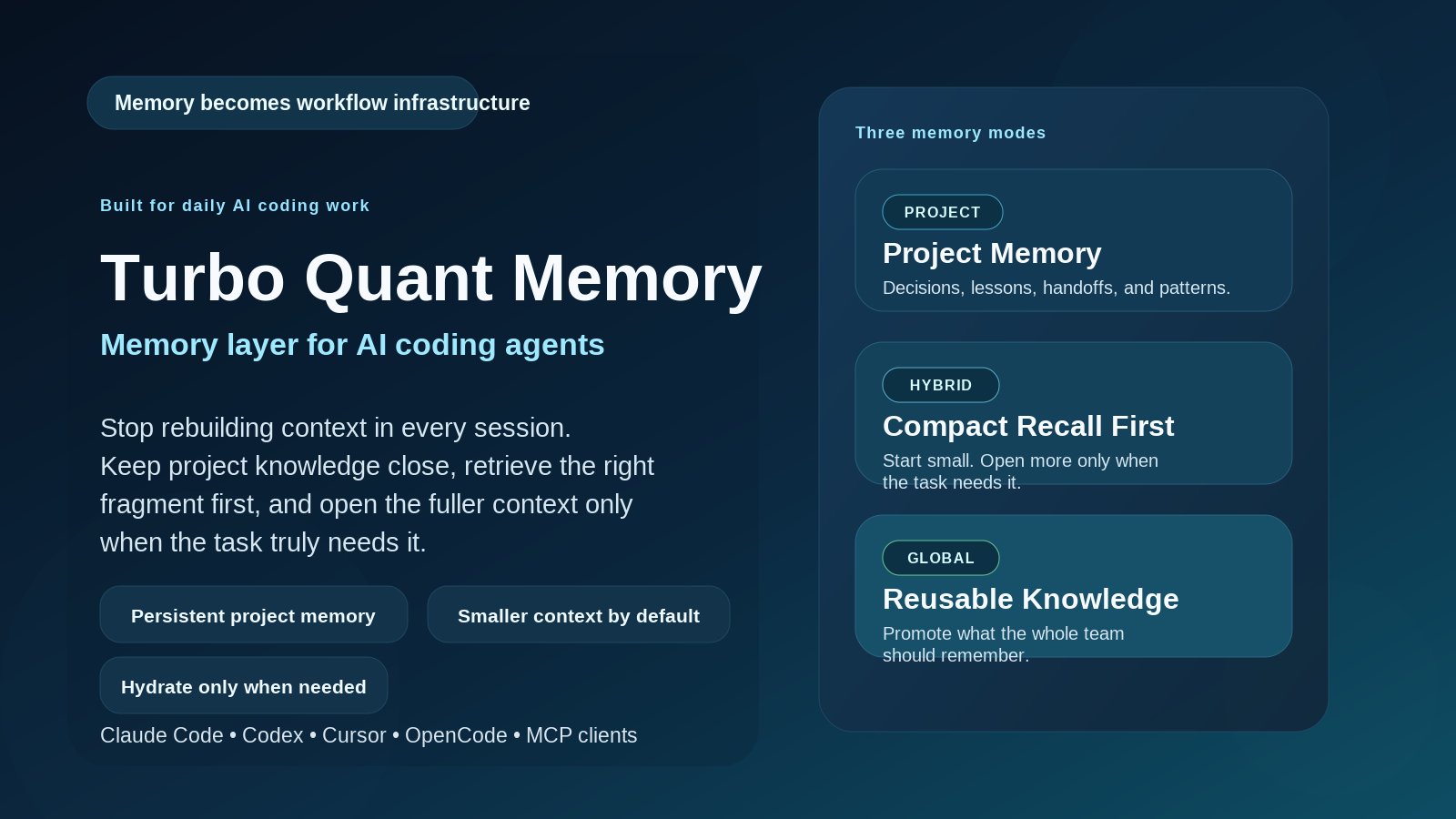
Your agent stops re-reading files and re-deriving the same conclusions.
Your notes, code and secrets never leave your machine.







A long session accumulates hard-won detail about why the code is the way it is. Then the context compacts and it is gone. Next session the agent re-reads the same files, re-derives the same conclusions, and bills you for the same tokens again.
CLAUDE.md does not scale past a few dozen lines, and it cannot answer "what did we decide about X, and why?".
Turbo Quant Memory is an MCP server that gives the agent a persistent, searchable store it writes to while it works — decisions, lessons, patterns, session handoffs — plus a compact index of your Markdown. Retrieval returns ~220-character result cards rather than whole documents; the agent loads full content only when a card is not enough.
| Turbo Quant Memory | mem0 / OpenMemory | MCP memory server | |
|---|---|---|---|
| Where your data lives | your disk, always | vendor cloud or self-host | your disk |
| Your data leaves the host | never | yes, unless self-hosted | never |
| Retrieval | hybrid BM25 + dense vector, RRF-fused | dense vector | exact graph lookup |
| What a search returns | compact cards, hydrate on demand | full memories | full nodes |
| Knowledge graph | yes — with lifecycle + linting | no | yes |
| Non-English content | Cyrillic exact-match out of the box | varies | n/a |
| Measures its own savings | yes — server_info() | no | no |
| Price | free, MIT | paid tiers | free |
No HTTP client, no telemetry, no phone-home. Verify it yourself — this returns nothing:
grep -rnE '^[[:space:]]*(import|from)[[:space:]]+(requests|httpx|aiohttp|urllib3)\b' src/
To be precise about the one exception: on first run fastembed downloads the embedding model (~0.22 GB) from Hugging Face. After that the server runs fully offline. Your notes, code and secrets are never transmitted anywhere — there is nothing in the package that could send them.
Paste this into Claude Code, Codex, Gemini CLI, Cursor or Antigravity:
Install and configure the Turbo Quant Memory MCP server for this workspace from https://github.com/Lexus2016/turbo_quant_memory — follow the README, register the
tqmemoryserver, runturbo-memory-mcp skill install, run the health check, and index this project.
skill install copies an operating manual into every agent skill directory on the machine, so every future session already knows how to use the memory without being told.
uv tool install turbo-quant-memory
Upgrading from 0.27.x or earlier? The distribution was renamed in 0.28.0, so
uv tool upgrade turbo-memory-mcp no longer resolves — run
uv tool install --force turbo-quant-memory once, and uv tool upgrade turbo-quant-memory afterwards. The turbo-memory-mcp command itself is
unchanged, so client configs keep working.
Then register the server with your client:
claude mcp add --scope project tqmemory -- turbo-memory-mcp serve   # Claude Code
codex  mcp add tqmemory -- turbo-memory-mcp serve                   # Codex
gemini mcp add tqmemory turbo-memory-mcp serve                      # Gemini CLI
Cursor, OpenCode, Antigravity and other clients → CLIENT_INTEGRATIONS.md. Hermes runs MCP through a systemd gateway → docs/hermes.md.
Turbo Quant Memory doesn't just claim to save tokens — every install keeps a running tally you can read anytime with server_info() (field usage_stats.headline). The savings are yours to verify, not ours to promise.
Live snapshot from a real developer instance (v0.28.2):
| What the memory did | Number |
|---|---|
| 🔢 Input tokens saved (cumulative) | ≈ 2,640,000 and counting |
| 🔁 Retrievals served | 2,280 searches + 280 deep hydrations |
| 📉 Average saved per retrieval | ≈ 1,200 tokens |
| 📚 Knowledge under management | 237 active notes + 763 indexed code blocks |
| 🛡️ Integrity | 0 corrupted records · 0 pending migrations |
These are one machine's cumulative numbers, not a synthetic benchmark — your own counter starts at zero and grows as your agent works. Run
server_info()on your install to see your real figure.
decision, lesson, pattern, handoff — each stored with tags, provenance and a knowledge-graph link to the file or issue it is about.durable (decisions, patterns) and reference (indexed docs) are searched by default; episodic (session handoffs) stays out of the way until you ask for it, so yesterday's noise never buries an architectural decision.human-explicit and ranks above the agent's own observations at equal relevance.Full technical detail → docs/features.md
If you run more than one agent in the same working tree, tqmemory connects them automatically. There is nothing to configure.
workspace_status lists the active sessions, what each one announced it is working on (announce_work, finish_work) and which files changed recently. A session that made no tqmemory call for 30 minutes is listed under idle_sessions instead: it is not an active peer and its announced areas are left out of overlaps. Other tqmemory responses carry a short workspace note only when something new has happened, and never for a lone session. health and server_info always include a workspace diagnostics block..gitignore or .tqmemoryignore). Several quick writes in a row can be merged into one version. file_history lists the versions and restore_file brings one back; the restore is itself undoable. The same is available from a terminal: turbo-memory-mcp files log and turbo-memory-mcp files restore.TQMEMORY_JOURNAL_MAX_FILE_BYTES, TQMEMORY_JOURNAL_MAX_BYTES and TQMEMORY_JOURNAL_RETENTION_DAYS; the size limit is a target, not a hard maximum.This is partial protection, not a guarantee that every change is saved. It does not block writes: two agents can still overwrite each other's work, and tqmemory can only show it and help you recover. Agents that never call tqmemory see nothing. It works on one computer only. To turn it off, set TQMEMORY_WORKSPACE_DISABLE=1.
For a temporary choice without a folder binding, call list_projects() and then select_project(project_id="<id>"). The current MCP connection uses that project's memory immediately. select_project() resets to automatic detection. Selection does not rewrite the project's original root or index local files. An explicit TQMEMORY_PROJECT_ID must not conflict with the selected ID.
list_projects() shows saved project IDs, names, display labels, original roots, and bound folders. The terminal equivalent is turbo-memory-mcp projects. To use an existing project's memory from a new folder, call bind_project(project_id="<id>", path="/absolute/new/folder"). The binding persists locally, and the current MCP connection switches to that folder immediately. server_info() confirms the resolved project. set_project_labels(project_id, labels=[...]) changes display labels; labels never determine identity. unbind_project(path="/absolute/new/folder") removes the exact binding.
Only existing project IDs can be bound. A binding does not index files in the new folder; call index_paths separately when you want that. Bindings are exact folders, so a nested repository is not silently captured. If a folder is replaced or its recorded Git origin changes, access fails until you explicitly rebind it. An explicit TQMEMORY_PROJECT_ID environment override still takes precedence.
Memory calls follow the selected folder; workspace_status, file_history, and restore_file still describe the MCP process's original working tree.
When restoring a storage snapshot on another machine, project notes, global notes, labels, and encrypted secrets move with the storage root. Local folder bindings contain the old machine's absolute paths; use select_project by ID and rebind folders on the new machine when needed. The secrets vault also requires its original passphrase or keyring key.
The primary storage-owning MCP process checks retrieval indexes immediately after startup and every six hours while it runs. It optimizes tables that have unindexed full-text rows or versions older than seven days. Work runs in the background under each project's in-process write lock; requests for that project may briefly receive a busy response while optimization holds the lock. Independent standalone or CLI writers are not covered by this lock; an optimization conflict is logged and retried on a later pass. Proxy clients and uncoordinated standalone fallback processes do not run maintenance. The source Markdown and canonical JSON notes are not changed. turbo-memory-mcp index-status reports table size, version age, and full-text coverage without modifying data.
LanceDB keeps recent versions for seven days, so optimization can temporarily increase disk use on an active table. Do not delete LanceDB files manually. If an older MCP process still owns the storage, restart its clients so the new process can become the owner and start maintenance.
The first full sync of a legacy table re-embeds its rows once. Later full syncs skip unchanged rows while the embedding model, backend, and backend version remain the same. Changing any of these rebuilds the vectors on the next full sync; scheduled maintenance alone does not re-embed them.
| Group | Tools |
|---|---|
| Write | remember_note · deprecate_note · promote_note · index_paths |
| Read | semantic_search · hydrate · recent_context · list_scopes · list_projects |
| Projects | select_project · set_project_labels · bind_project · unbind_project |
| Graph | link_entities · unlink_entities · get_related_entities |
| Hygiene | lint_knowledge_base · health · self_test · server_info |
| Vault | set_secret · get_secret · list_secrets · delete_secret |
| Workspace | announce_work · finish_work · workspace_status · file_history · restore_file |
| MEMORY_STRATEGY.md | How to actually use the memory day to day |
| CLIENT_INTEGRATIONS.md | Per-client setup: Cursor, OpenCode, Antigravity, … |
| TECHNICAL_SPEC.md | Architecture and storage format |
| docs/features.md | Retrieval, graph, tiers, embedder, FTS language |
| docs/secrets-vault.md | Vault setup, threat model, FAQ |
| docs/hermes.md | Hermes gateway setup and troubleshooting |
| CHANGELOG.md | Release history |
MIT. Copy it, modify it, fork it, ship it inside a closed-source product, sell it. Attribution is the only condition.
🇺🇸 English · 🇺🇦 Українська · 🇷🇺 Русский
Claim this server with your GitHub account to request manual ownership verification.
Link to the catalog listing for Turbo Quant Memory from your README. This badge does not certify ownership, compatibility or security.
[](https://awesome-mcp.com/servers/turbo-quant-memory)Public repository statistics could not be verified. Check the configured source address; unavailable counts are not zero.
Separate sources, scopes and periods. Never combined or treated as installations, active users or security reviews.
No reviewed package or image identity; download statistics are not listed yet.
Alternative and complementary servers in the same category
Store and retrieve entities, relations and observations in a persistent local knowledge graph.
Organize problem solving into revisable, branching thought steps through an MCP tool.

Query-aware context compression with an MCP plugin for coding agents, plus Python and HTTP interfaces for reducing the context sent to a language model.