

A Rust CAD application with an MCP server for creating, inspecting and rendering drawings, either headlessly or through a connection to the desktop app.
8K
Media & Design
A Model Context Protocol server that turns a description or diagram source into a rendered diagram inside the chat.
UML-MCP is cataloged as an MCP server attributed to antoinebou12. A Model Context Protocol server that turns a description or diagram source into a rendered diagram inside the chat. It is categorized under media design. See the capability inspector for recorded interfaces and their independent review status; consult upstream documentation for the current interface.
Installation configuration is not reviewed. No executable setup is offered for this entry; inspect the source repository before proceeding.
Catalog license label: MIT. Check the source repository's current license and terms before using, modifying or distributing this software.
Capability definitions are not reviewed. Unreviewed imports are not exposed as trusted interfaces.
No reviewed records to display. This does not establish that upstream lacks this capability.
No reviewed records to display. This does not establish that upstream lacks this capability.
No reviewed records to display. This does not establish that upstream lacks this capability.
Email delivery is not connected. This page does not collect email addresses or create subscriptions.
Browse the registry for current listings instead.
Reviews for UML-MCP are not available yet
Review publishing and storage are not connected. This page does not collect or publish ratings or comments, including after sign-in.
They get the same diagram as an inline PNG and SVG, plus links to the rendered file and an editable playground.
Yes. Installation guides cover Docker, Helm and running from source, and a tool install plus setup command is offered.
Plugins ship with UML-MCP and are on by default, covering D3 graphs, stack diagrams, Archify, the LLM visualizer, database schemas, dependency graphs, statecharts, agent traces, C4 models and timelines.
README.md · d68667281347 · Fetched 2026-11-13 12:03:16 UTC
Original upstream text, without AI rewriting. Scripts, forms and unsafe links are filtered for safety.
Showing the last retrieved documentation snapshot; check the source for current changes.

Diagrams for AI assistants. A Model Context Protocol server that turns a description or diagram source into a rendered diagram, inside the chat.





Docs · Quick start · Interactive diagrams · Changelog · Contributing
In clients that support MCP Apps, diagrams open in a viewer inside the chat
(ui://uml-mcp/diagram-viewer): zoom, edit the source, switch theme and format, re-render, step
through a batch, and export SVG, PNG, HTML or PDF. Clients without MCP Apps get the same diagram
as an inline PNG and SVG.
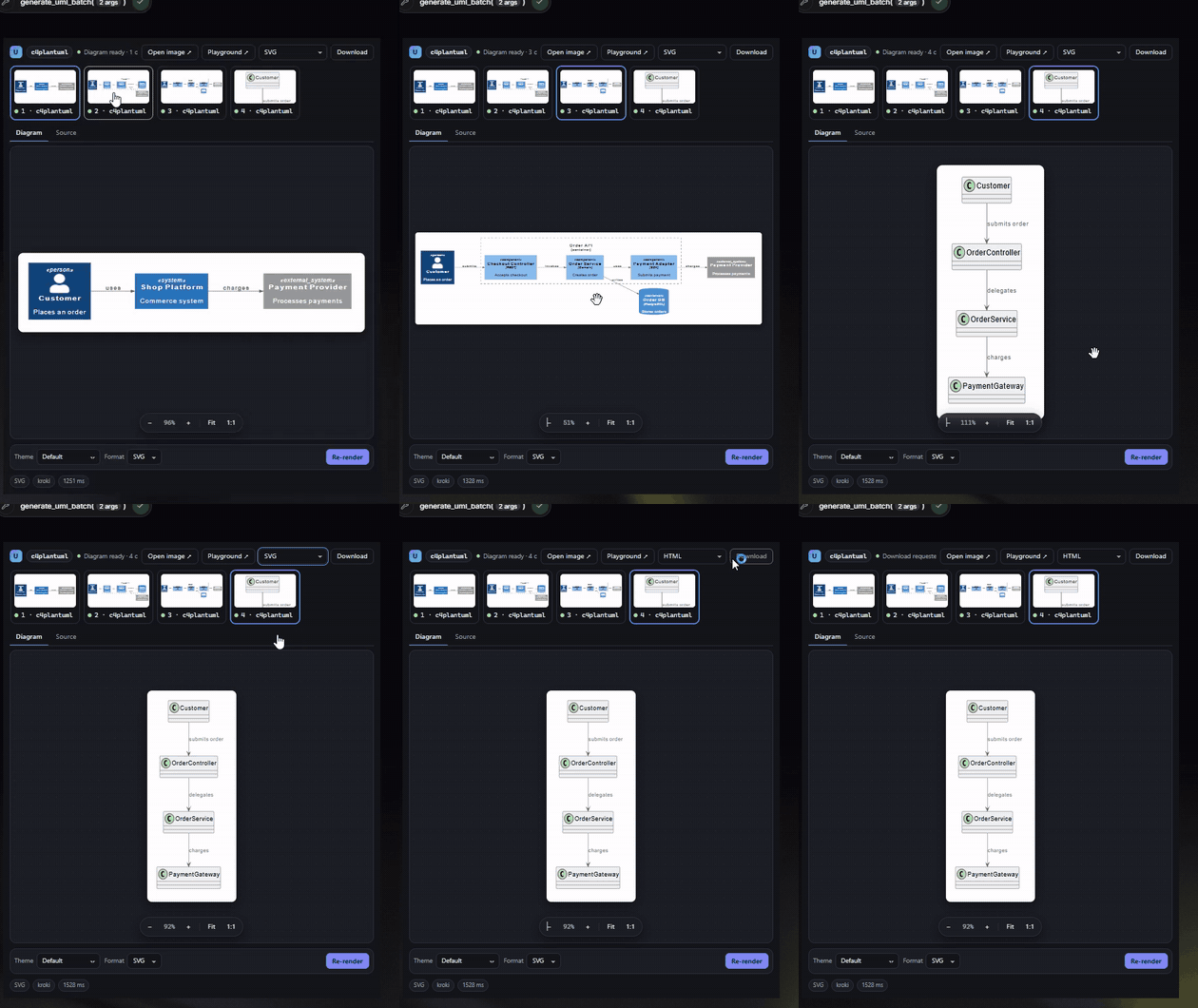
One generate_uml_batch call returns four diagrams as tabs, then one is re-rendered in another format. Full-quality video · more about the viewer.
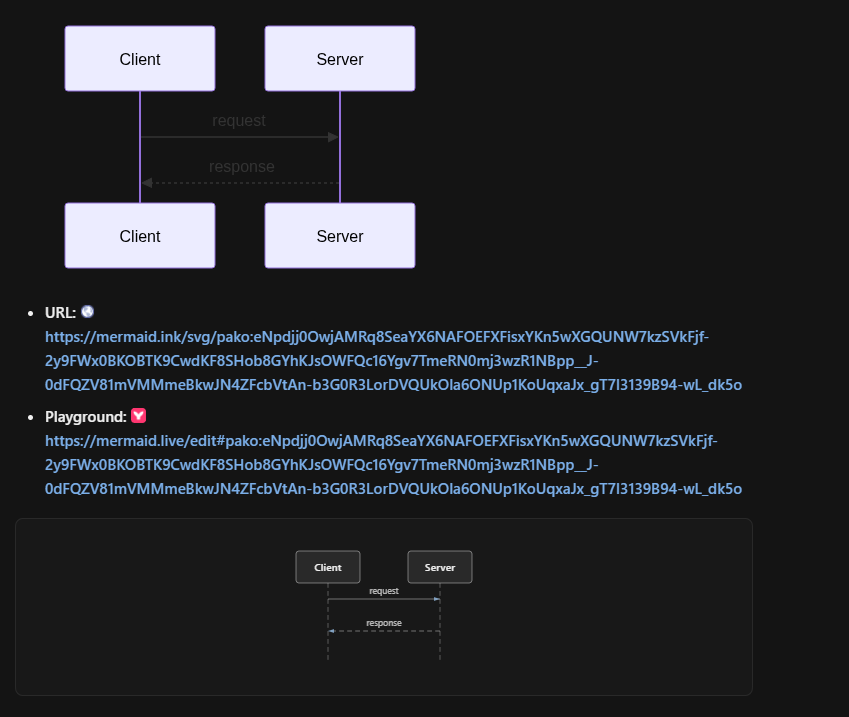
In any other chat client: the inline image with links to the rendered file and an editable playground.
Add the hosted server to your MCP client:
"uml-mcp": {
  "transport": "http",
  "url": "https://uml-mcp.vercel.app/mcp"
}
Then ask, for example, "Draw a sequence diagram of a user logging in through an API gateway."
| Endpoint | URL |
|---|---|
| Primary (Vercel) | https://uml-mcp.vercel.app/mcp |
| Mirror (Manufact) | https://uml-mcp.antoineboucher.info/mcp |
Ready-made configs: Cursor · VS Code / Copilot · Codex · Claude Desktop · Open WebUI · all clients. To run it yourself:
uv tool install uml-mcp && uml-mcp setup
The installation guide covers Docker, Helm and running from source.
The plugins below ship with UML-MCP and are on by default. Each type renders to an interactive HTML page in the viewer and to a static SVG and PNG everywhere else.
| Plugin | Types | What you get |
|---|---|---|
| D3 | d3_force · d3_architecture · d3_topology | Force graphs and cloud diagrams with real provider and brand logos, routed with A* |
| Stack diagram | stack_diagram | Icon tiles, nested vendor and region groups, numbered request steps |
| Archify | archify_architecture · archify_workflow · archify_sequence | Colour-coded groups, legend, three presets, click to focus and trace the shortest path |
| LLM visualizer | llm_2d · llm_3d | Layer maps, autoencoder and GAN shapes, N× blocks and a rotatable 3D scene |
| Database schema | db_schema | ER diagrams from SQL DDL or JSON: column cards, crow's-foot keys at the column rows, search |
| Dependency graphs | dependency_graph | A project's dependency tree from package.json, pyproject.toml, requirements.txt or a lock file |
| Statechart | state_machine | XState-like machines as statecharts, and a simulator that fires events, with a step log and Undo |
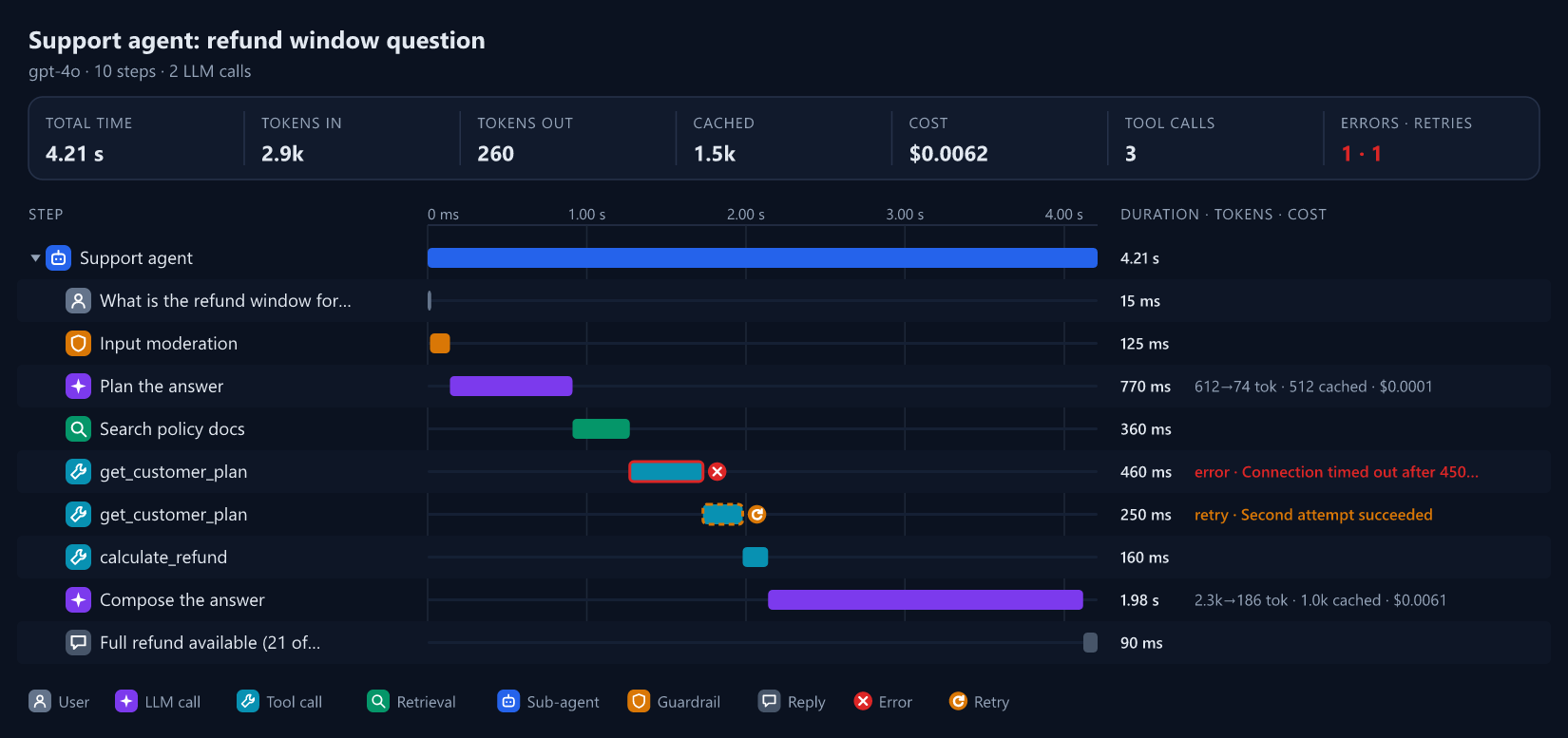
| Agent traces | agent_trace | An agent run as a waterfall and a flow: LLM, tool and retrieval steps with tokens, cost, retries and the critical path |
| C4 model | c4_model | One model, three C4 levels: click a system to open its containers, a container for its components |
| Timeline | timeline | Roadmaps with swimlanes, phases, milestones, releases and dependency arrows; zoom from quarters to days |
Each image links to the plugin guide.
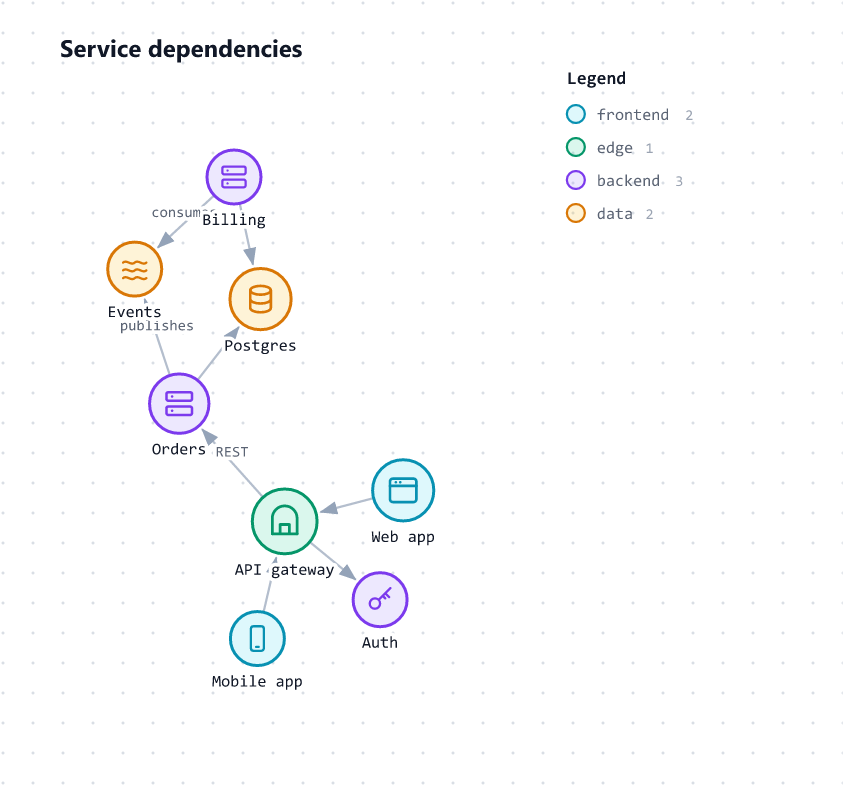 d3_force | 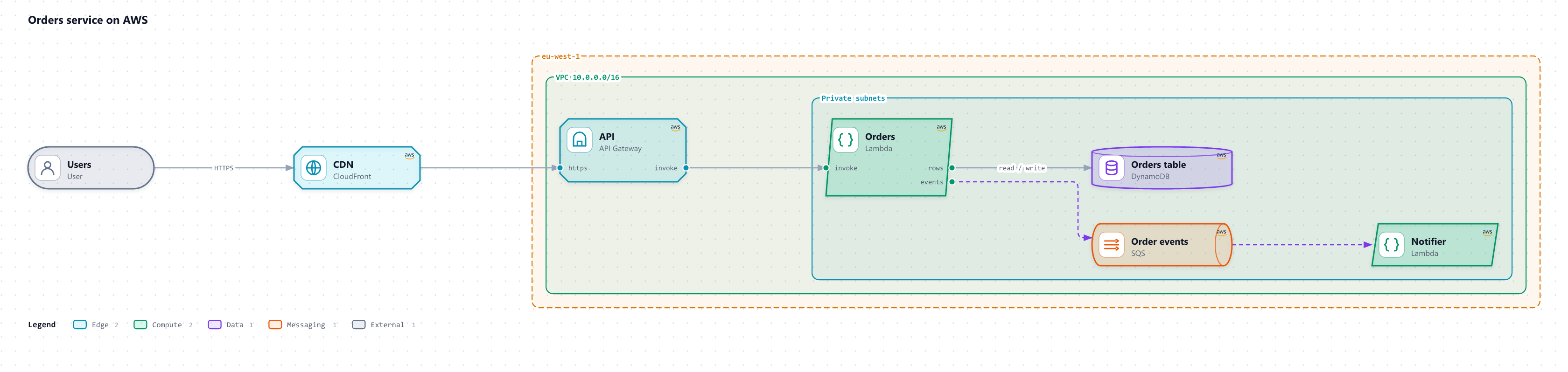 d3_architecture | 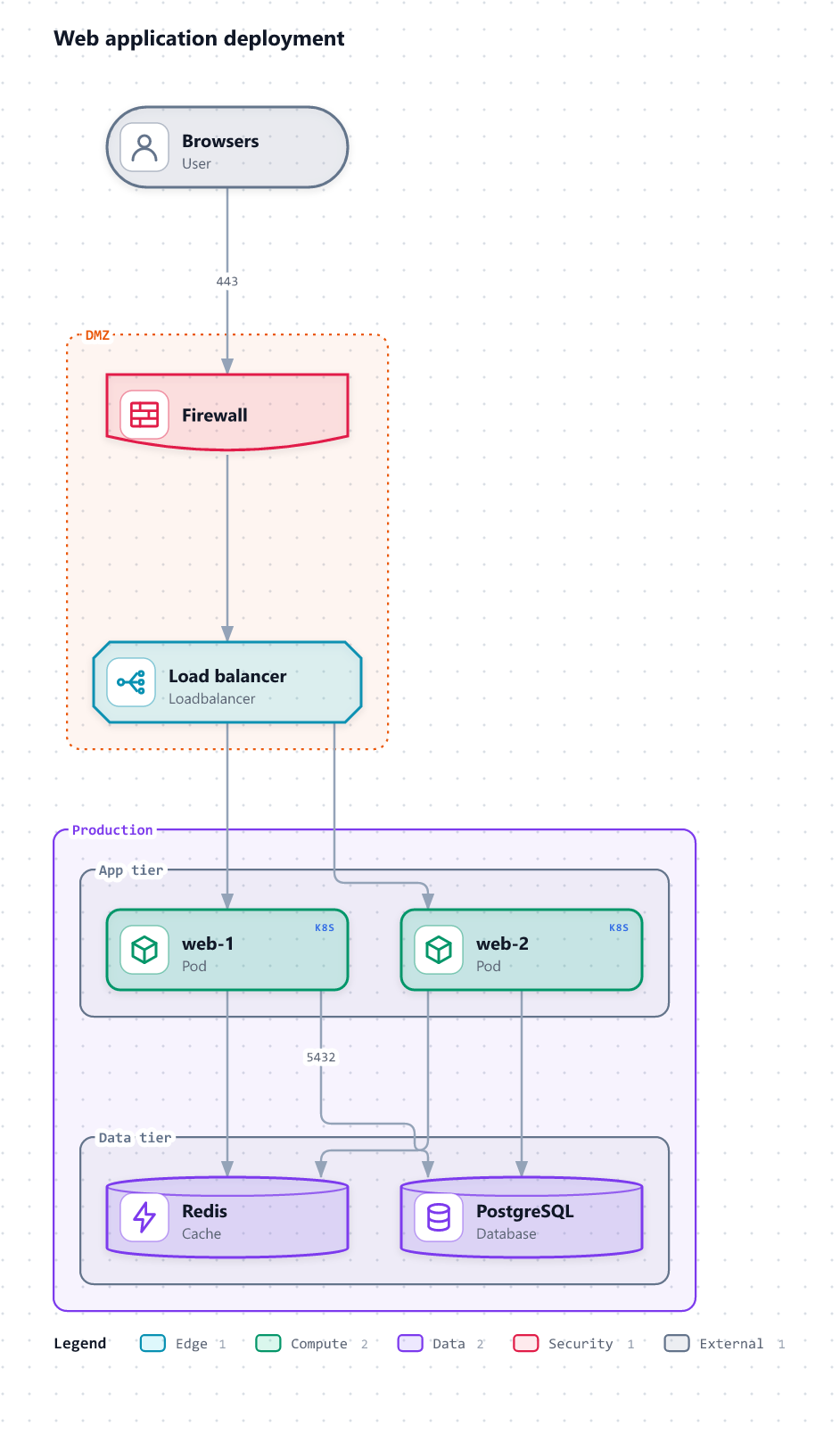 d3_topology |
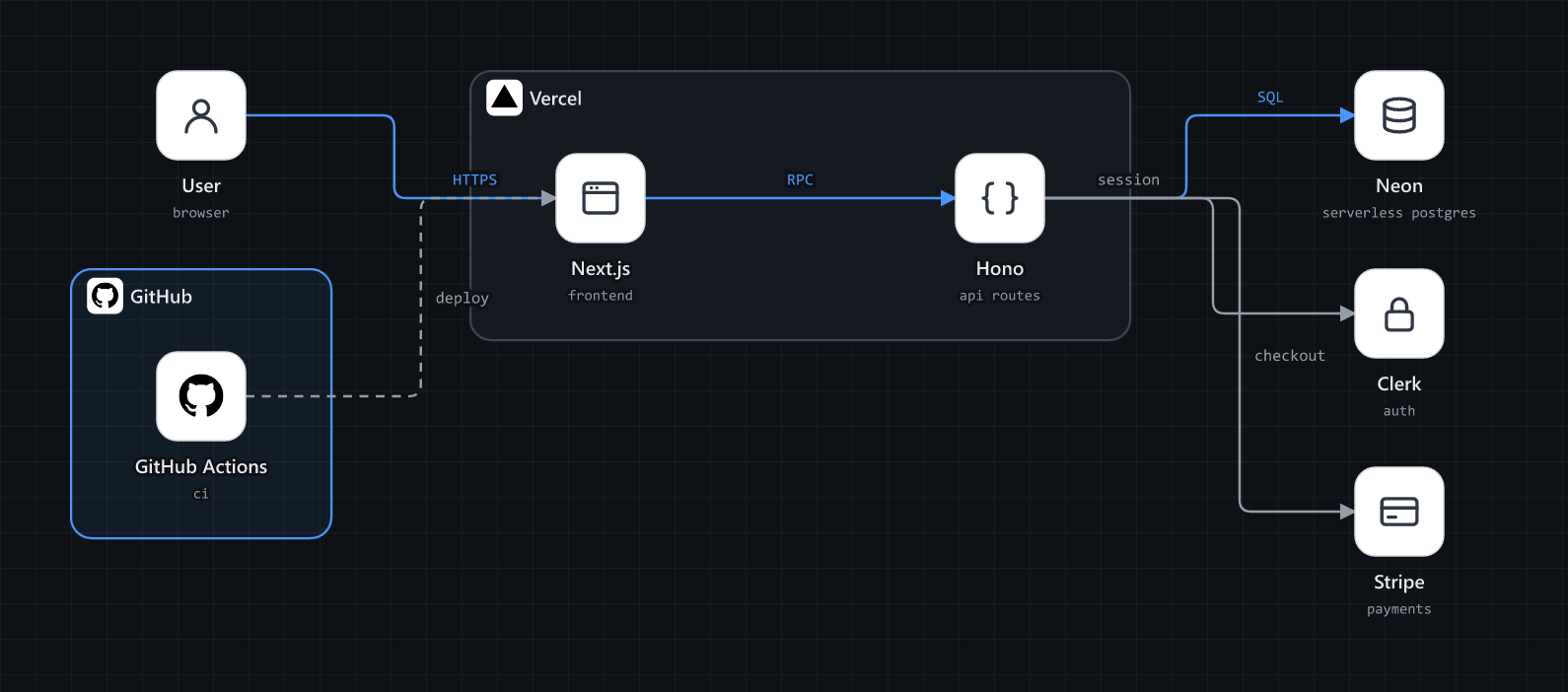 stack_diagram | 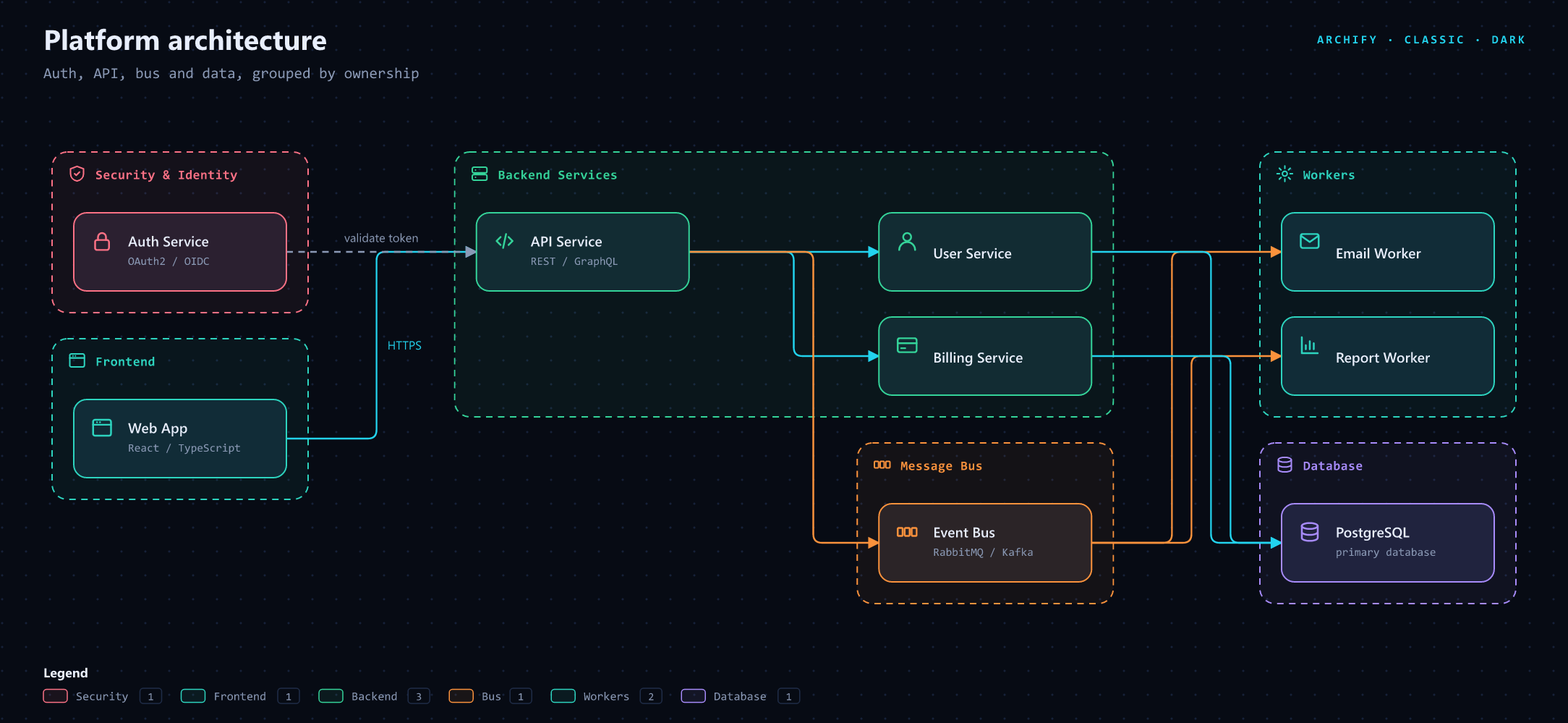 archify_architecture | 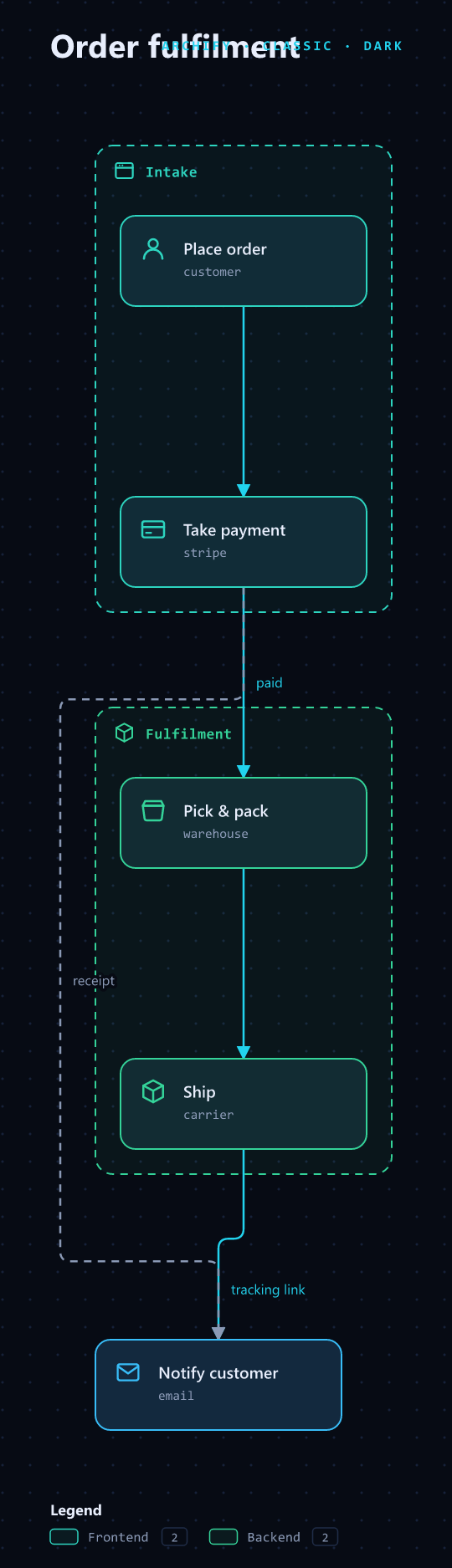 archify_workflow |
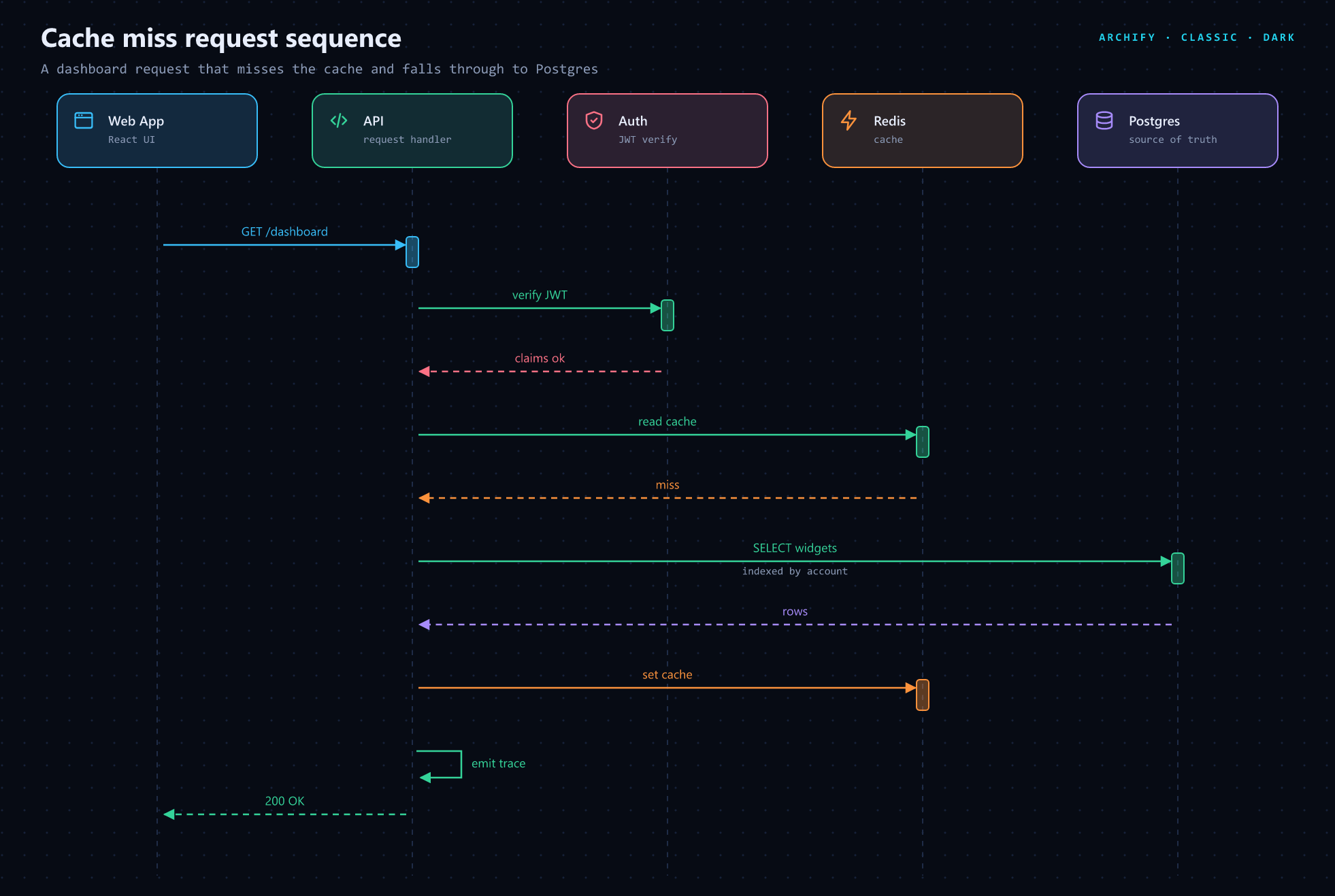 archify_sequence | 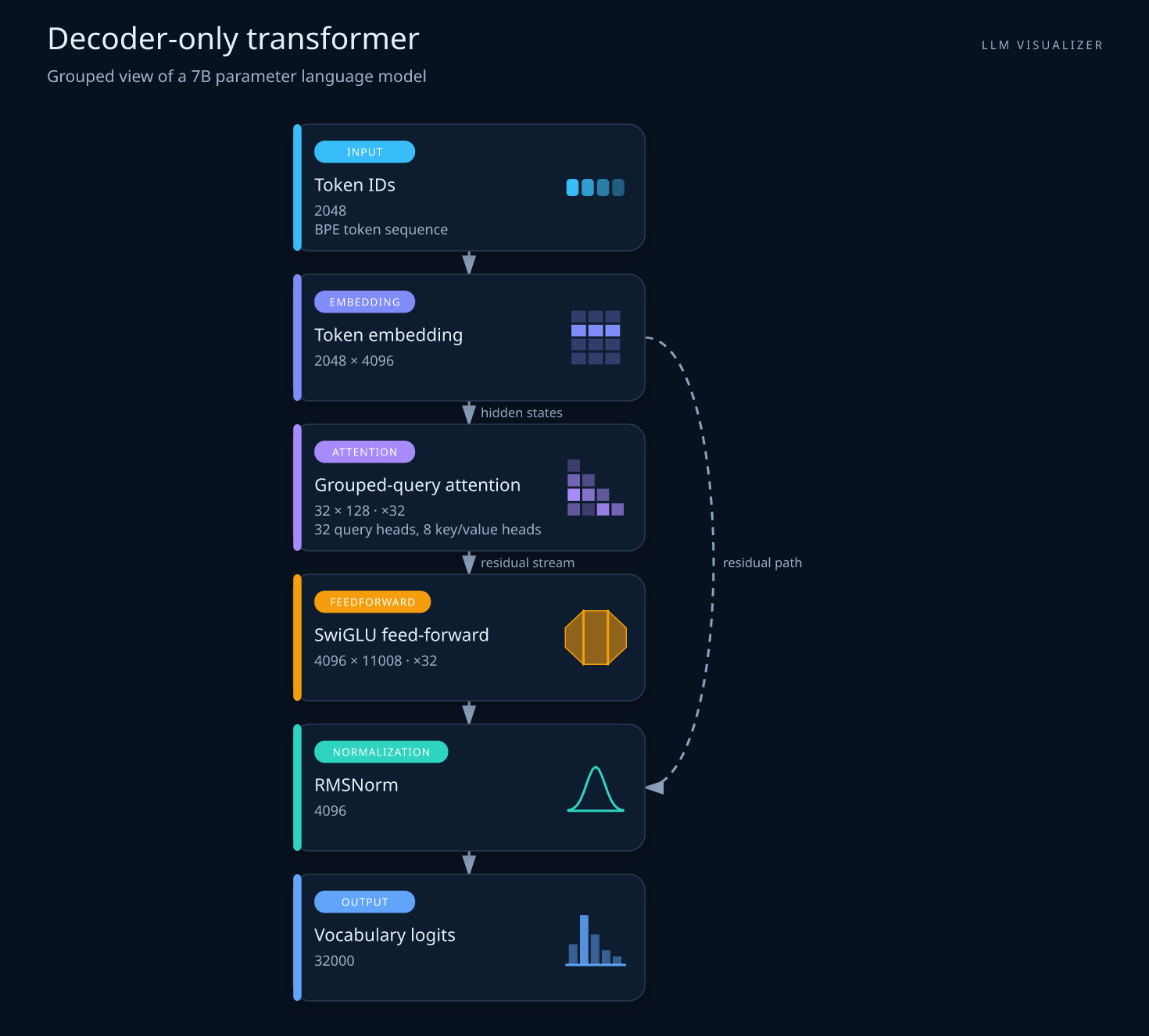 llm_2d | 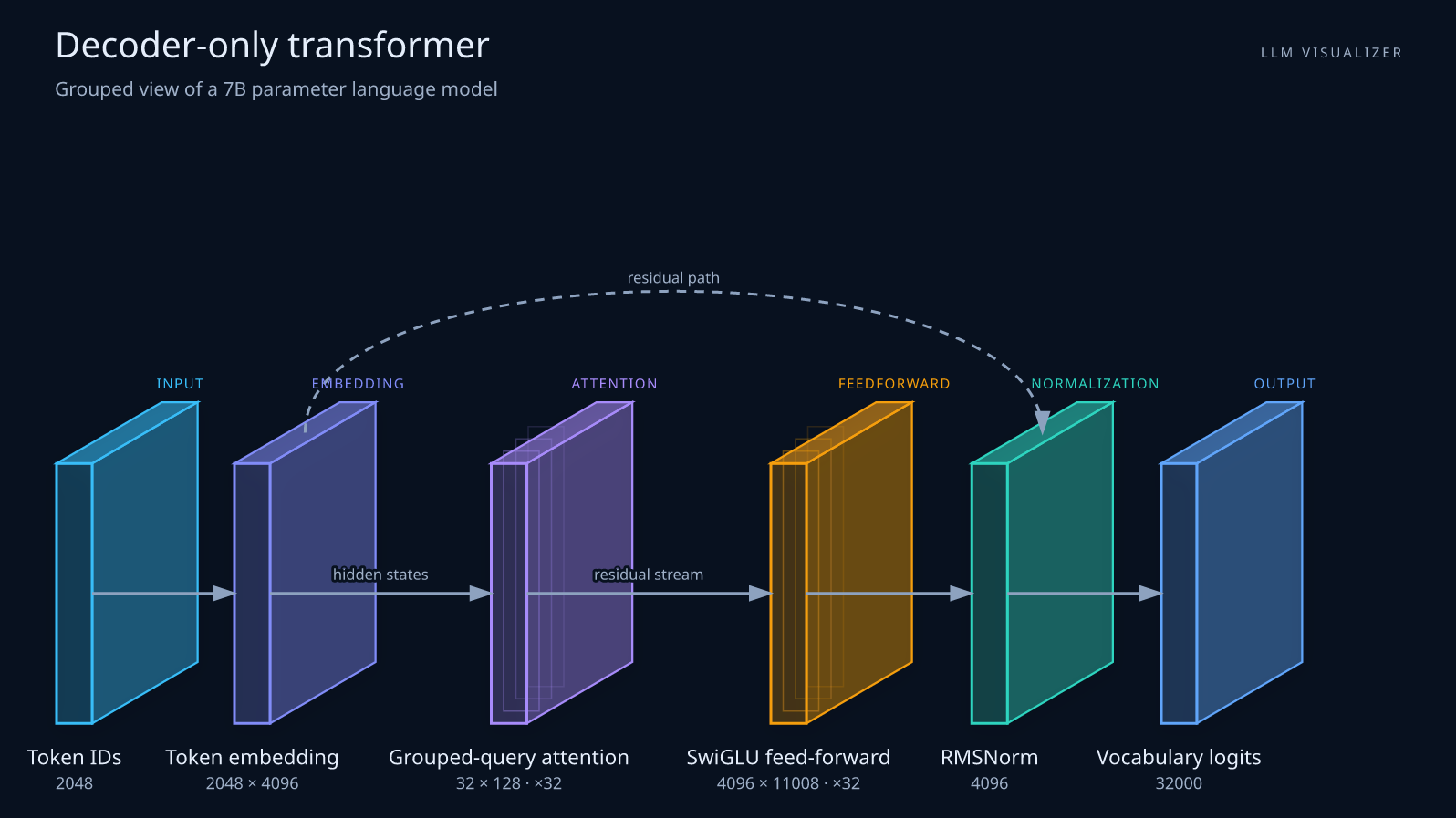 llm_3d |
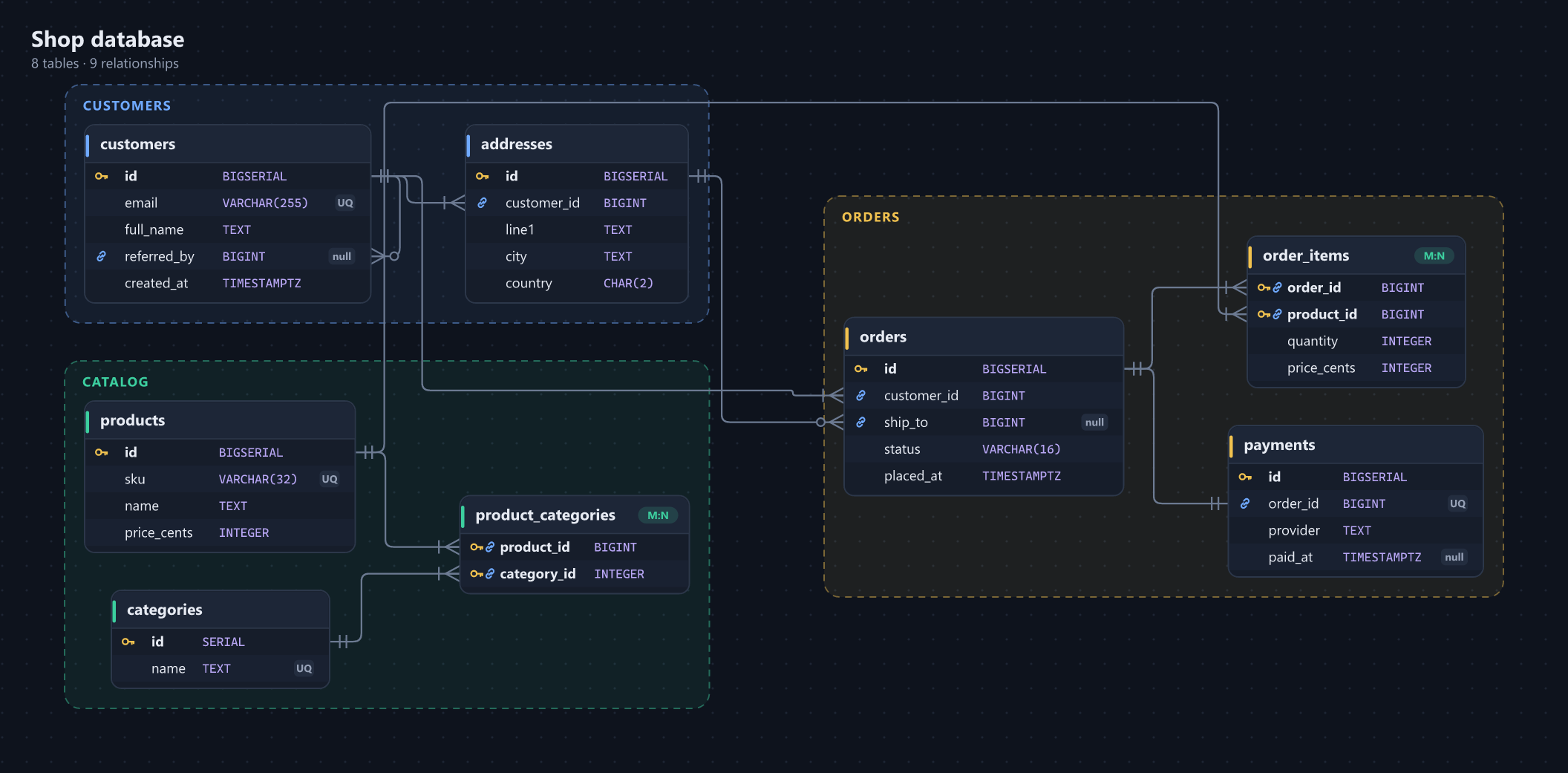 db_schema | 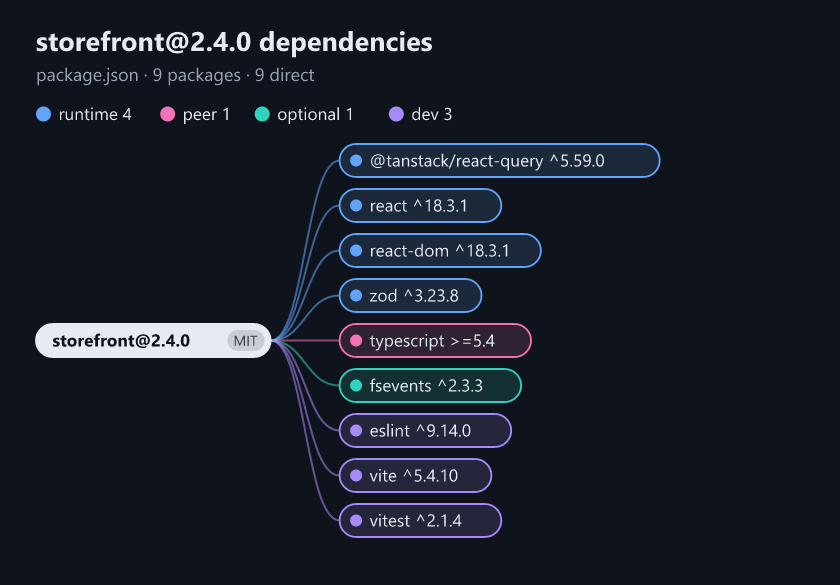 dependency_graph | 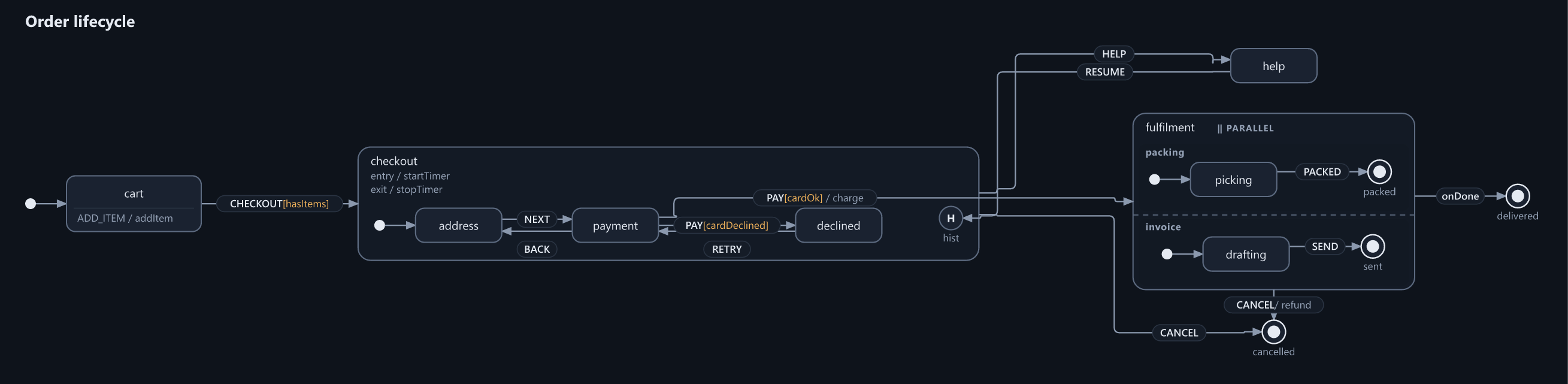 state_machine |
 agent_trace | 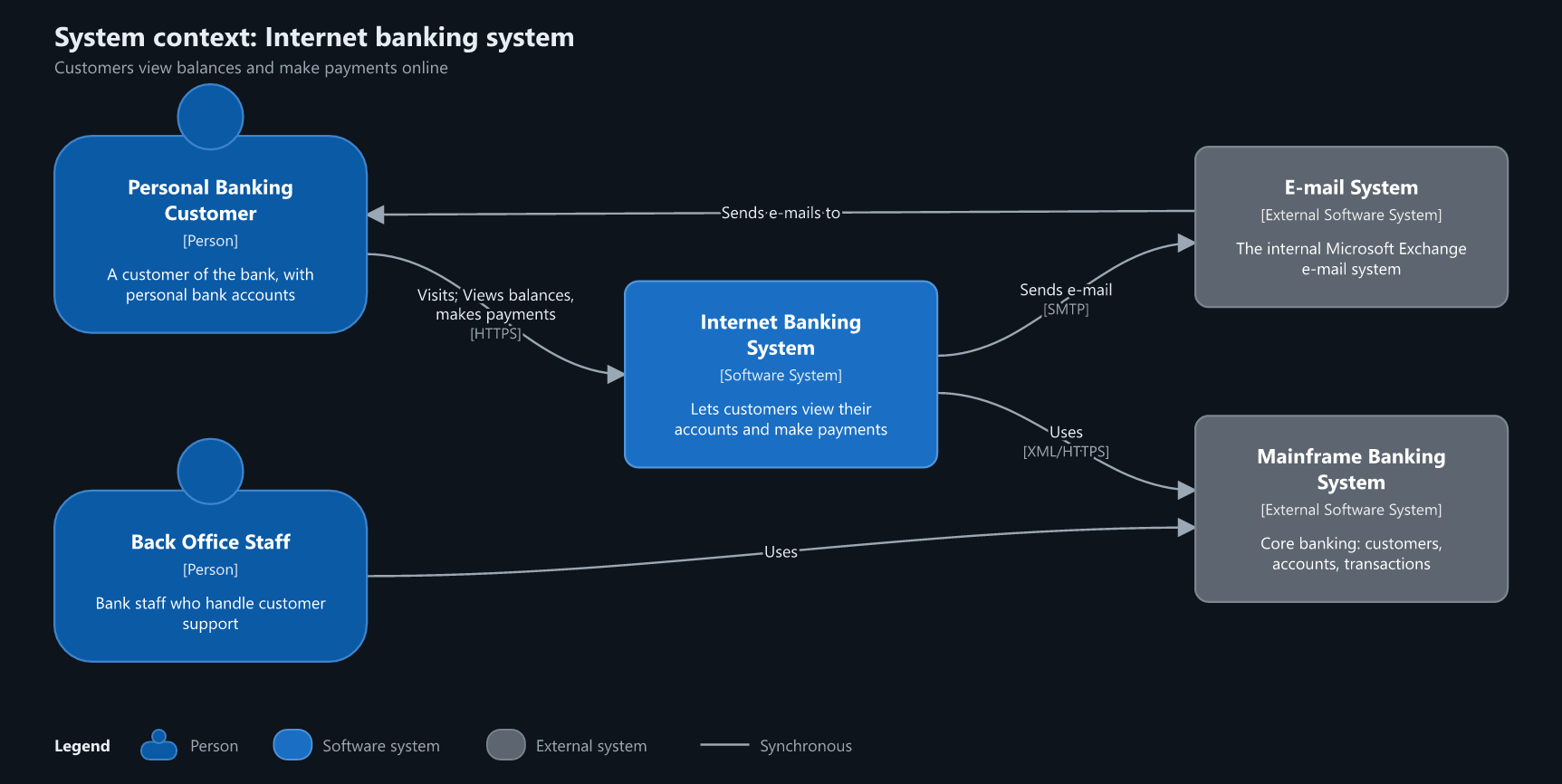 c4_model | 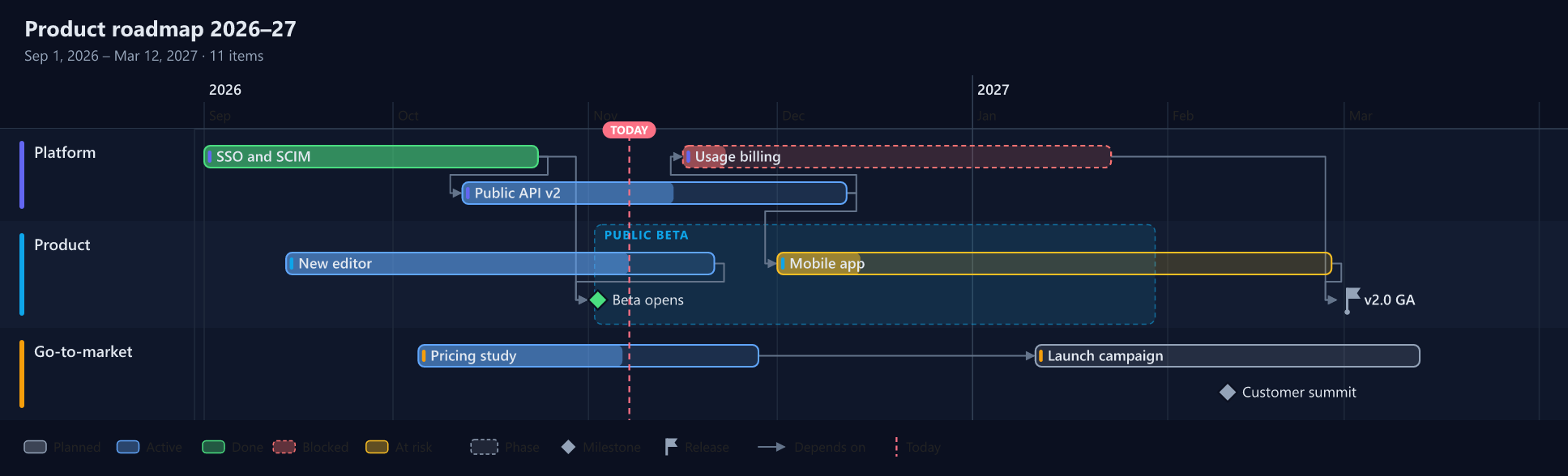 timeline |
{
  "title": "SaaS stack",
  "groups": [{"id": "vercel", "name": "Vercel", "icon": "vercel"}],
  "nodes": [
    {"id": "user", "name": "User", "icon": "user"},
    {"id": "web", "name": "Next.js", "icon": "browser", "group": "vercel"},
    {"id": "db", "name": "Neon", "icon": "database"},
    {"id": "ci", "name": "GitHub Actions"}
  ],
  "edges": [
    {"from": "user", "to": "web", "label": "HTTPS", "step": 1},
    {"from": "web", "to": "db", "label": "SQL", "step": 2},
    {"from": "ci", "to": "web", "label": "deploy", "style": "dashed"}
  ]
}
Send that as stack_diagram and you get the GitHub and Vercel logos, two numbered steps and a
dashed deploy edge. The plugins guide has example prompts for every type
and shows how to write your own.
| Tool | Purpose |
|---|---|
generate_uml | Render one diagram: image, URL and playground link |
generate_uml_image | The same as an inline chat image (PNG by default) |
validate_uml | Check source before rendering; errors say how to fix it |
list_diagram_types | The live catalog, including plugin types |
generate_uml_batch | Many diagrams in one call |
Resources (uml://types, uml://examples, uml://templates...), prompts and skills
(skill://uml-mcp-diagrams/SKILL.md plus focused guides) are listed in the
reference.
| Topic | Where |
|---|---|
| Getting started and tutorials | Tutorials |
| Diagram types and notation | Diagram types |
| Clients, Docker, Helm, Vercel | Deploy |
| MCP App viewer and publishing | MCP App |
Configuration (uml-mcp.yaml) | Configuration |
| Enterprise SSO, audit, metrics | Enterprise |
| Plugins | Plugins |
| Admin console | Admin |
uv sync --all-groups
uv run pytest
uv run ruff check . && uv run ty check
uv run uml-mcp lint --strict --min-grade A
About 1,800 tests, including browser tests of every interactive page inside the MCP App viewer. See Testing and CONTRIBUTING.md.
MIT. Maintained by Antoine Boucher. Built on PlantUML, Kroki, Mermaid, D2 and D3. Brand logos come from LobeHub Icons (MIT) and remain trademarks of their owners.
Claim this server with your GitHub account to request manual ownership verification.
Link to the catalog listing for UML-MCP from your README. This badge does not certify ownership, compatibility or security.
[](https://awesome-mcp.com/servers/uml-mcp)Public repository statistics could not be verified. Check the configured source address; unavailable counts are not zero.
Separate sources, scopes and periods. Never combined or treated as installations, active users or security reviews.
No reviewed package or image identity; download statistics are not listed yet.
Alternative and complementary servers in the same category
A Rust CAD application with an MCP server for creating, inspecting and rendering drawings, either headlessly or through a connection to the desktop app.

Liquid Composer is a browser-based Liquid Glass icon design tool that offers a local MCP server for agent-driven icon workflows.

agent-media makes short drama series and other short vertical videos from Claude, ChatGPT or Codex through one MCP connection, with OAuth sign-in and no API keys.