
A Rust CAD application with an MCP server for creating, inspecting and rendering drawings, either headlessly or through a connection to the desktop app.
8K
Media & Design
An MCP server that lets AI agents read simulation data, apply filters, render cinema-quality images, and export animations headlessly using VTK.
MCP server for cinema-quality science visualization with VTK is cataloged as an MCP server attributed to kimimgo. An MCP server that lets AI agents read simulation data, apply filters, render cinema-quality images, and export animations headlessly using VTK. It is categorized under media design. See the capability inspector for recorded interfaces and their independent review status; consult upstream documentation for the current interface.
Installation configuration is not reviewed. No executable setup is offered for this entry; inspect the source repository before proceeding.
Catalog license label: Not specified. Check the source repository's current license and terms before using, modifying or distributing this software.
Capability definitions are not reviewed. Unreviewed imports are not exposed as trusted interfaces.
No reviewed records to display. This does not establish that upstream lacks this capability.
No reviewed records to display. This does not establish that upstream lacks this capability.
No reviewed records to display. This does not establish that upstream lacks this capability.
Email delivery is not connected. This page does not collect email addresses or create subscriptions.
Browse the registry for current listings instead.
Reviews for MCP server for cinema-quality science visualization with VTK are not available yet
Review publishing and storage are not connected. This page does not collect or publish ratings or comments, including after sign-in.
The server provides 22 MCP tools, along with 12 resources and 4 prompts.
It supports 19 native file formats and 50+ formats via meshio, including OpenFOAM, VTK, CGNS, Exodus, STL, and glTF.
No, it renders headless using EGL or OSMesa without a ParaView GUI or display server.
README.md · e3255c0d2c5b · Fetched 2026-11-13 09:56:51 UTC
Original upstream text, without AI rewriting. Scripts, forms and unsafe links are filtered for safety.
Showing the last retrieved documentation snapshot; check the source for current changes.
VTK is all you need. Cinema-quality science visualization for AI agents.





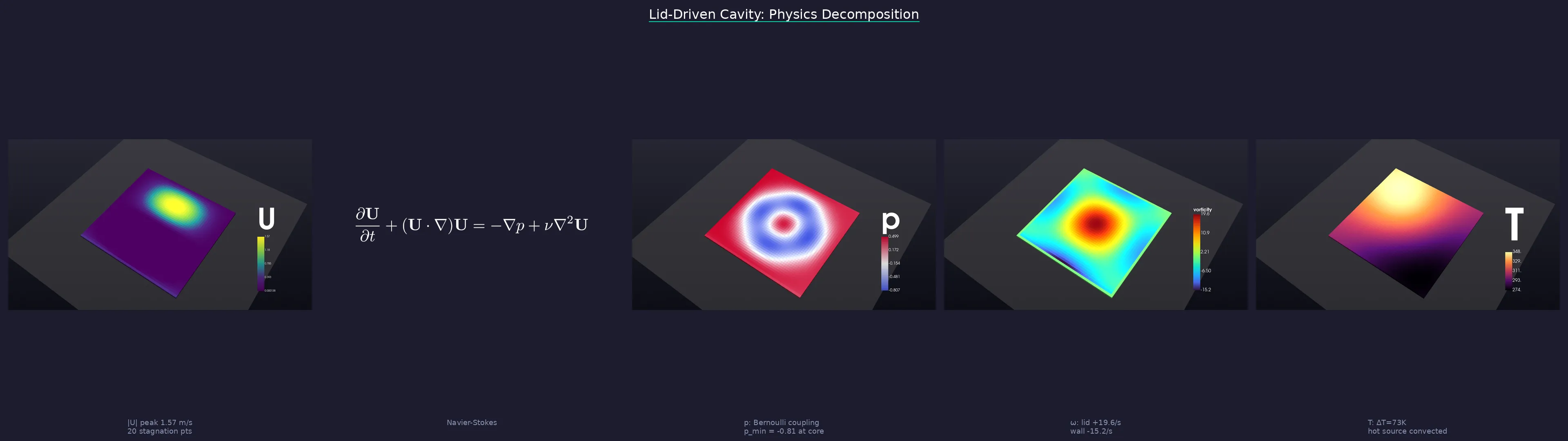
One prompt → physics analysis → cinematic renders → LaTeX equations → publication-ready story.
An MCP server that gives AI agents full access to VTK's rendering pipeline — no ParaView GUI, no Jupyter notebooks, no display server. Your agent reads simulation data, applies filters, renders cinema-quality images, and exports animations, all headless.
Works with: Claude Code · Cursor · Windsurf · Gemini CLI · any MCP client
pip install viznoir

# With optional extras
pip install "viznoir[mesh]"       # meshio + trimesh (50+ formats)
pip install "viznoir[composite]"  # Pillow + matplotlib (split_animate)
pip install "viznoir[all]"        # everything
Requires Python ≥3.10. VTK wheel auto-installed (EGL headless rendering supported).
mcp-server-viznoir --help    # server entry point
python -c "import viznoir; print(viznoir.__version__)"
Add to your MCP client config (claude_desktop_config.json, ~/.cursor/mcp.json, etc.):
{
  "mcpServers": {
    "viznoir": {
      "command": "mcp-server-viznoir",
      "env": {
        "VIZNOIR_DATA_DIR": "/path/to/your/simulation/data",
        "VIZNOIR_OUTPUT_DIR": "/path/to/output"
      }
    }
  }
}
Then ask your AI agent:
"Open cavity.foam, render the pressure field with cinematic lighting, then create a physics decomposition story."
All tool implementations are importable as async functions. You provide a VTKRunner and await the result:
import asyncio
from viznoir.core.runner import VTKRunner
from viznoir.tools.inspect import inspect_data_impl
from viznoir.tools.render import render_impl

async def main():
    runner = VTKRunner()

    meta = await inspect_data_impl(file_path="cavity.foam", runner=runner)
    print(meta["fields"], meta["timesteps"])

    result = await render_impl(
        file_path="cavity.foam",
        field_name="p",
        runner=runner,
        colormap="Cool to Warm",
        camera="isometric",
        width=1920, height=1080,
        output_filename="pressure.png",
    )
    print(result.file_path)

asyncio.run(main())
See docs for the full tool reference.
| Category | Tools |
|---|---|
| Rendering | render · cinematic_render · batch_render · volume_render |
| Filters | slice · contour · clip · streamlines · pv_isosurface |
| Analysis | inspect_data · inspect_physics · extract_stats · analyze_data |
| Probing | plot_over_line · integrate_surface · probe_timeseries |
| Animation | animate · split_animate |
| Comparison | compare · compose_assets |
| Export | preview_3d · execute_pipeline |
22 tools · 12 resources · 4 prompts · 50+ file formats (OpenFOAM, VTK, CGNS, Exodus, STL, glTF, …)
Every frame below is a single MCP tool call. No GUI, no post-processing, no ParaView. Annotations are rendered inside the 3D scene via VTK-native text actors and leader lines — no Photoshop, no matplotlib overlay.
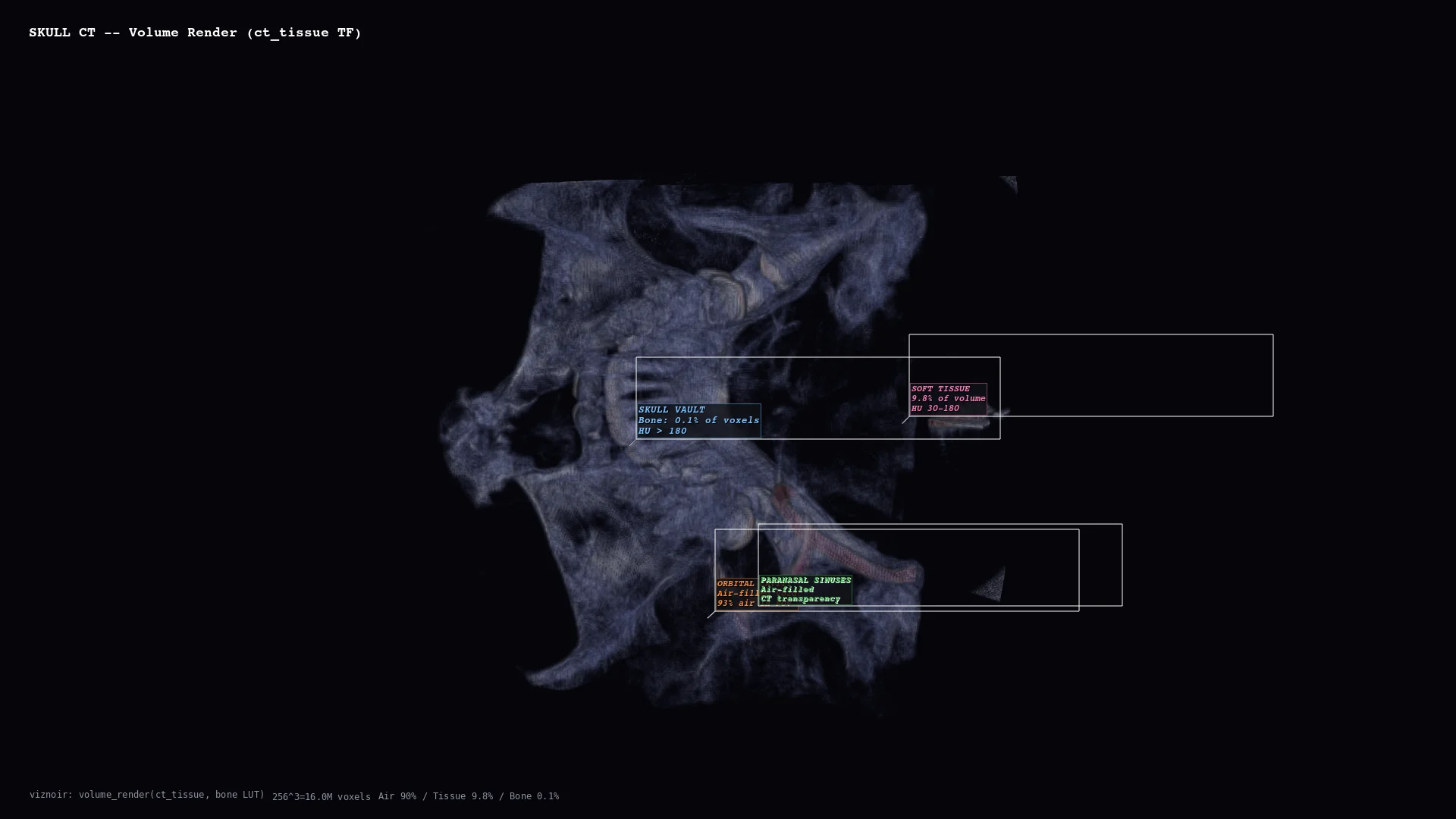 | 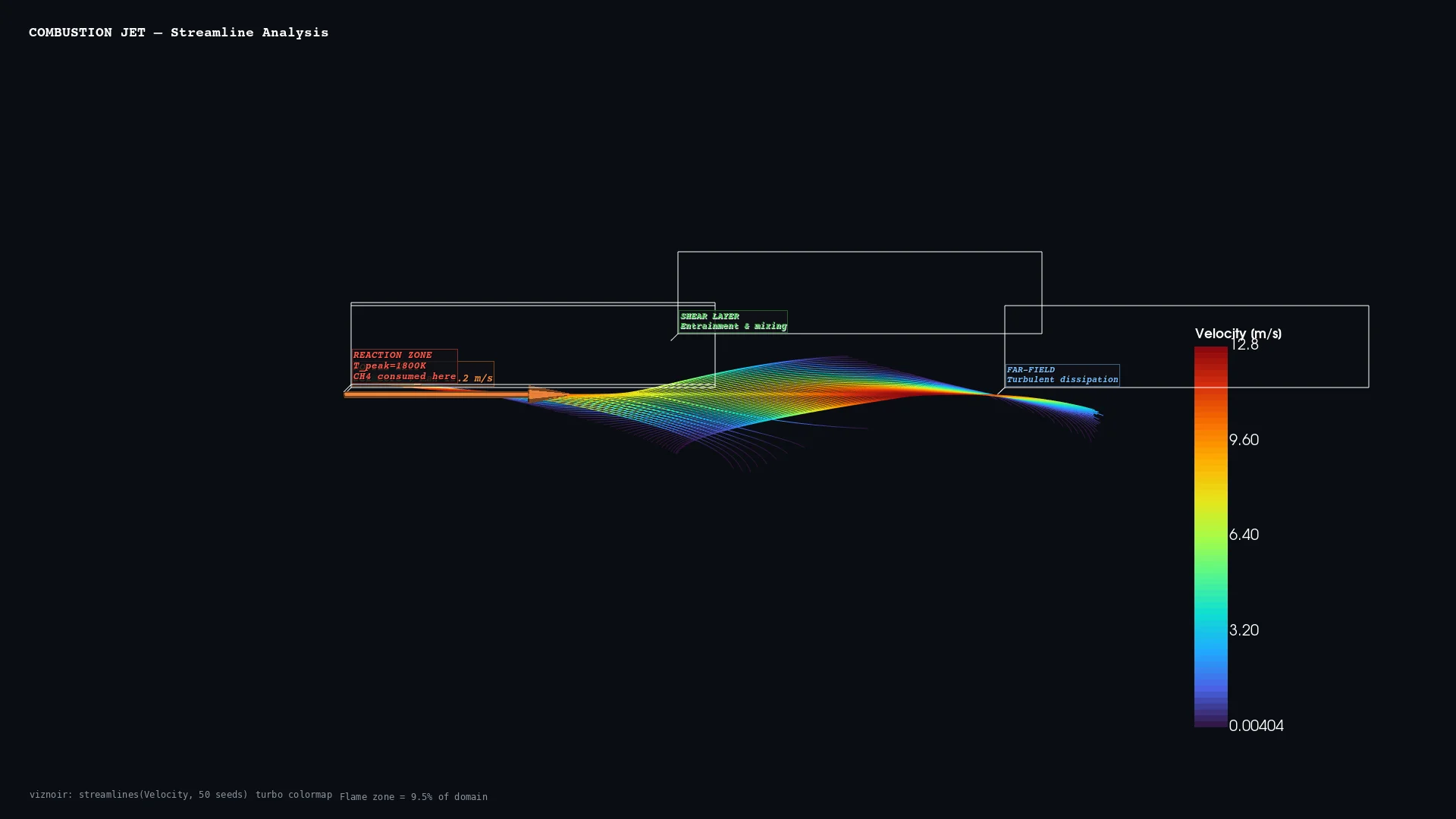 | 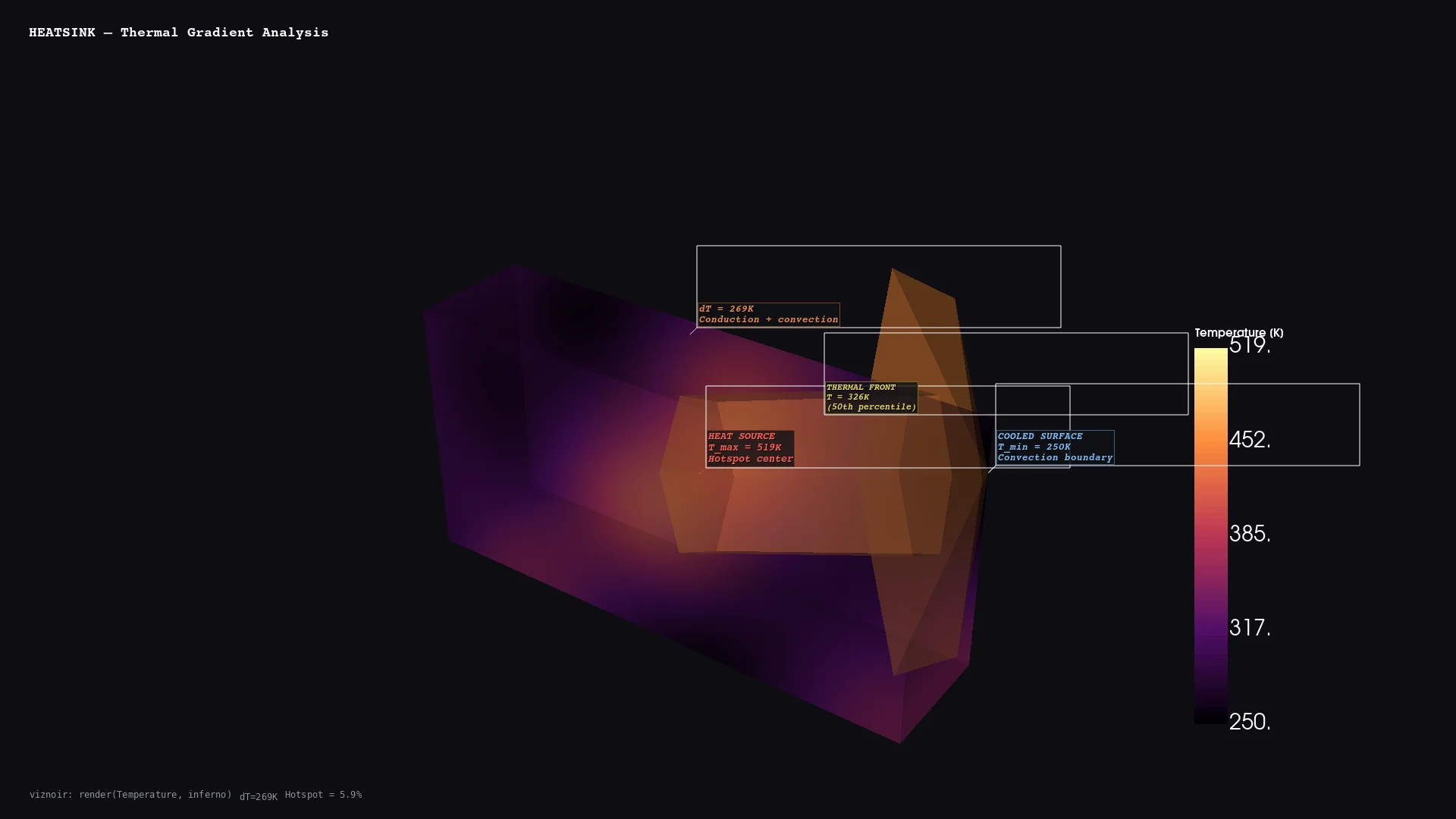 | 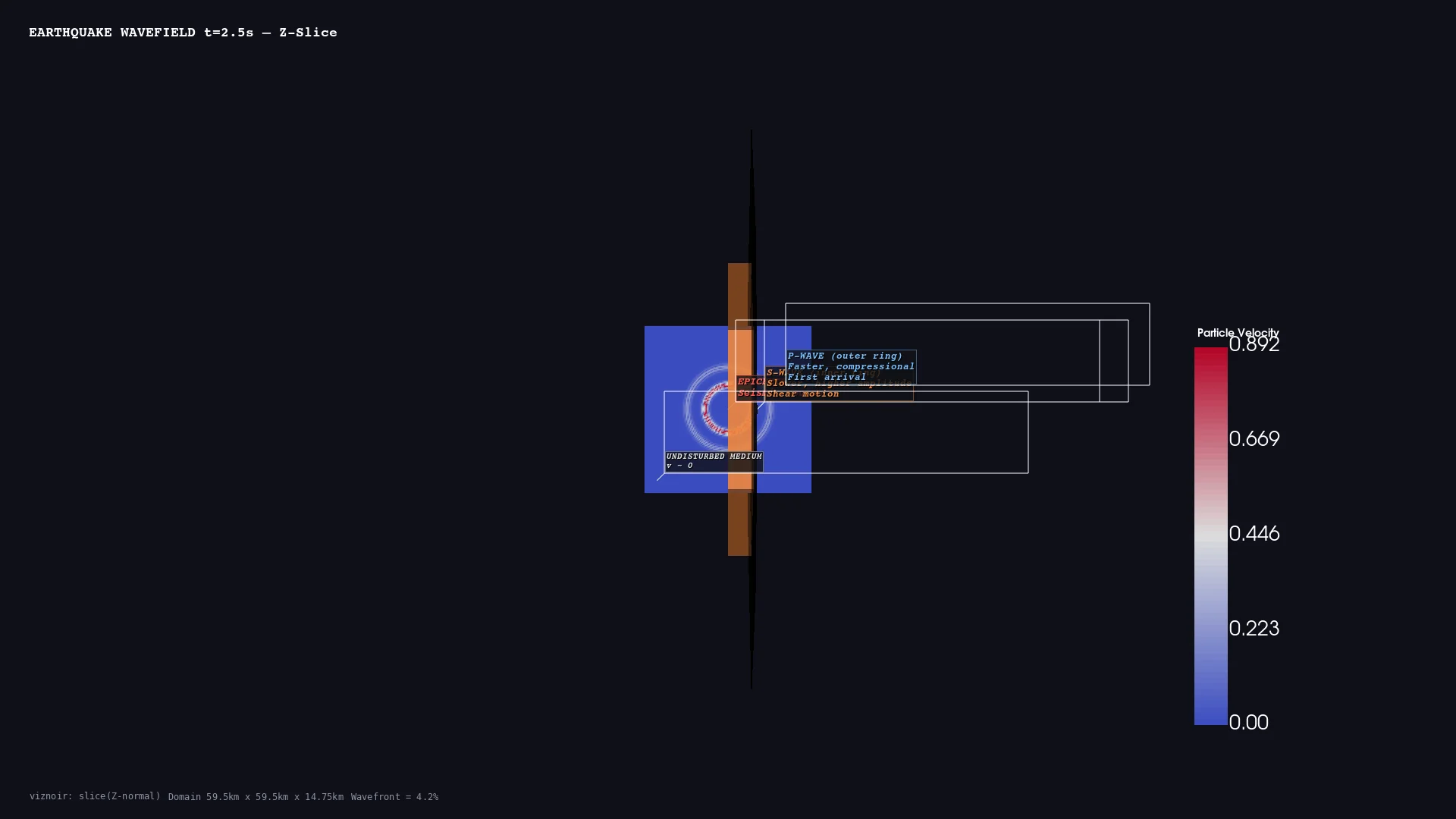 | 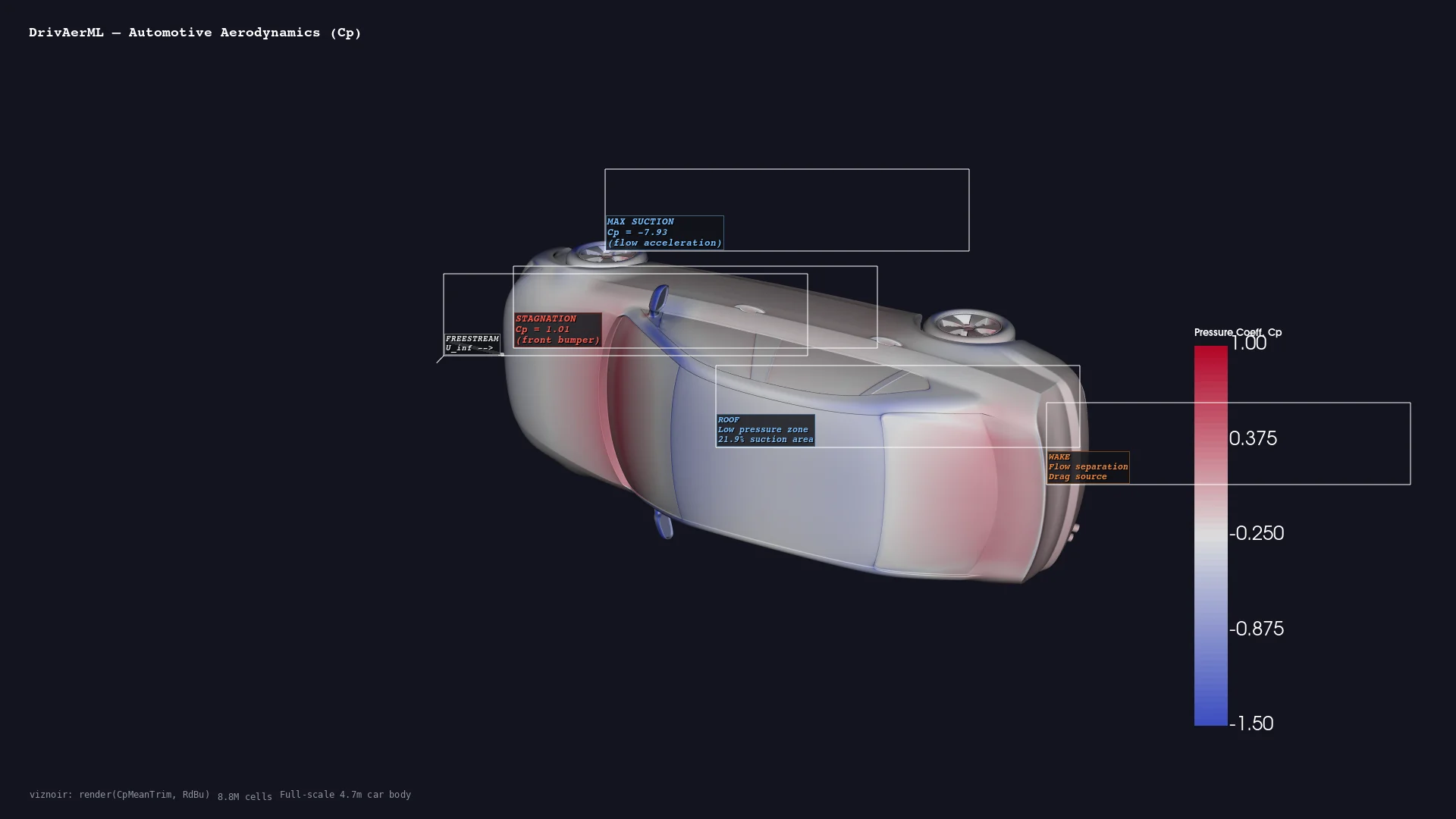 |
| Medical CT skull volume | CFD Combustion streamlines | Thermal Heatsink gradient | Geoscience Seismic wavefield | Automotive DrivAerML · 8.8M cells |
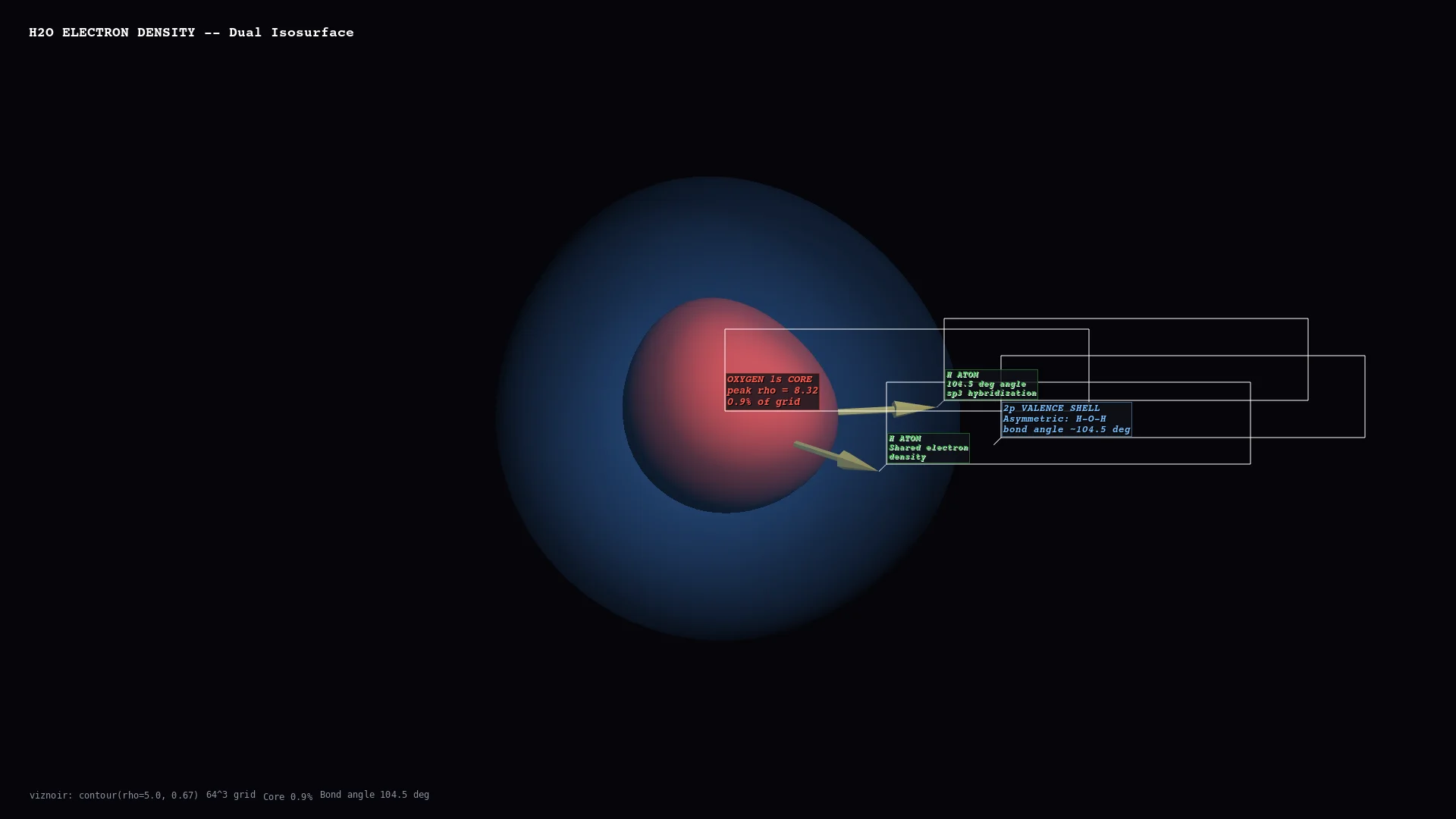 | 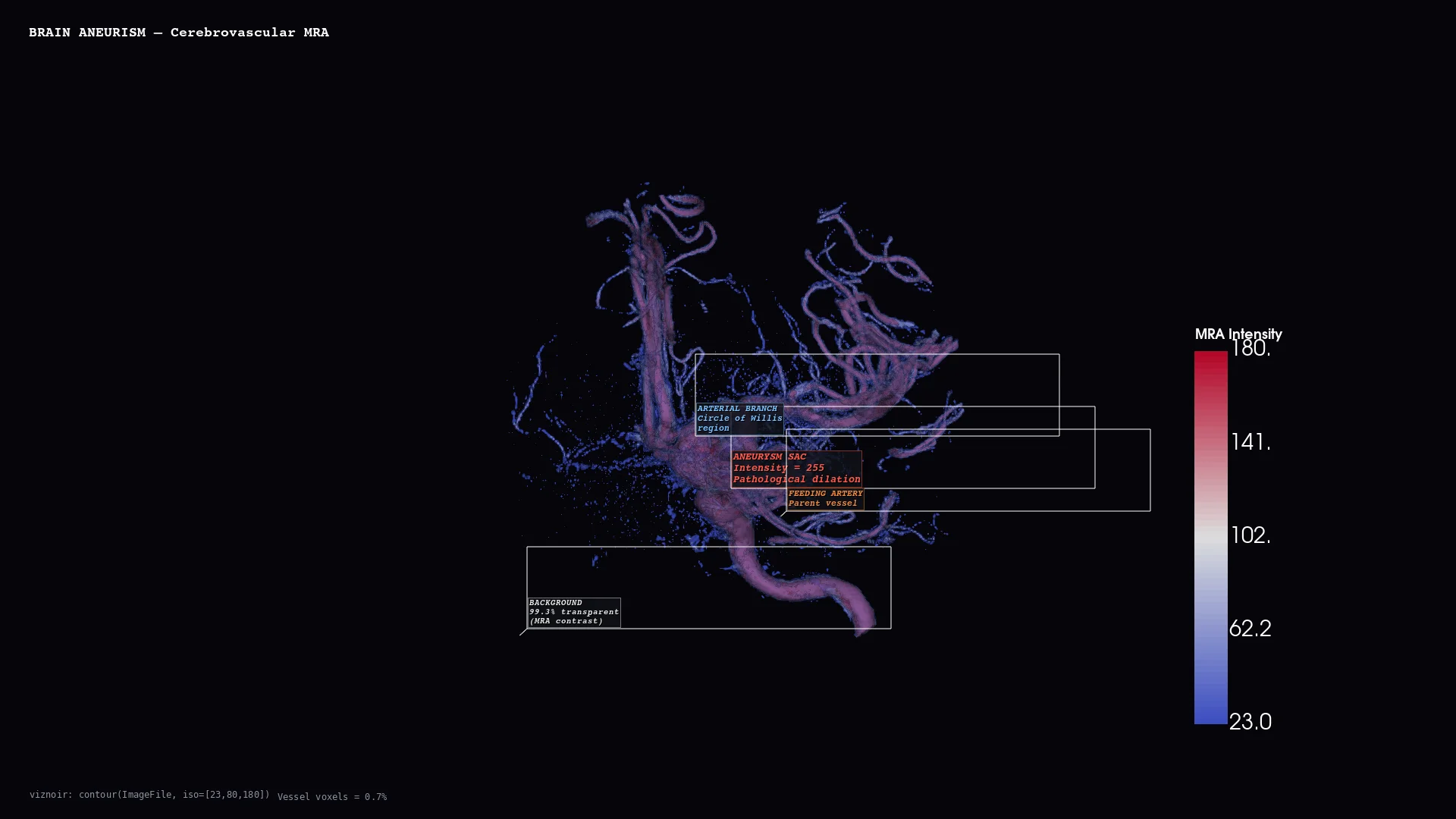 | 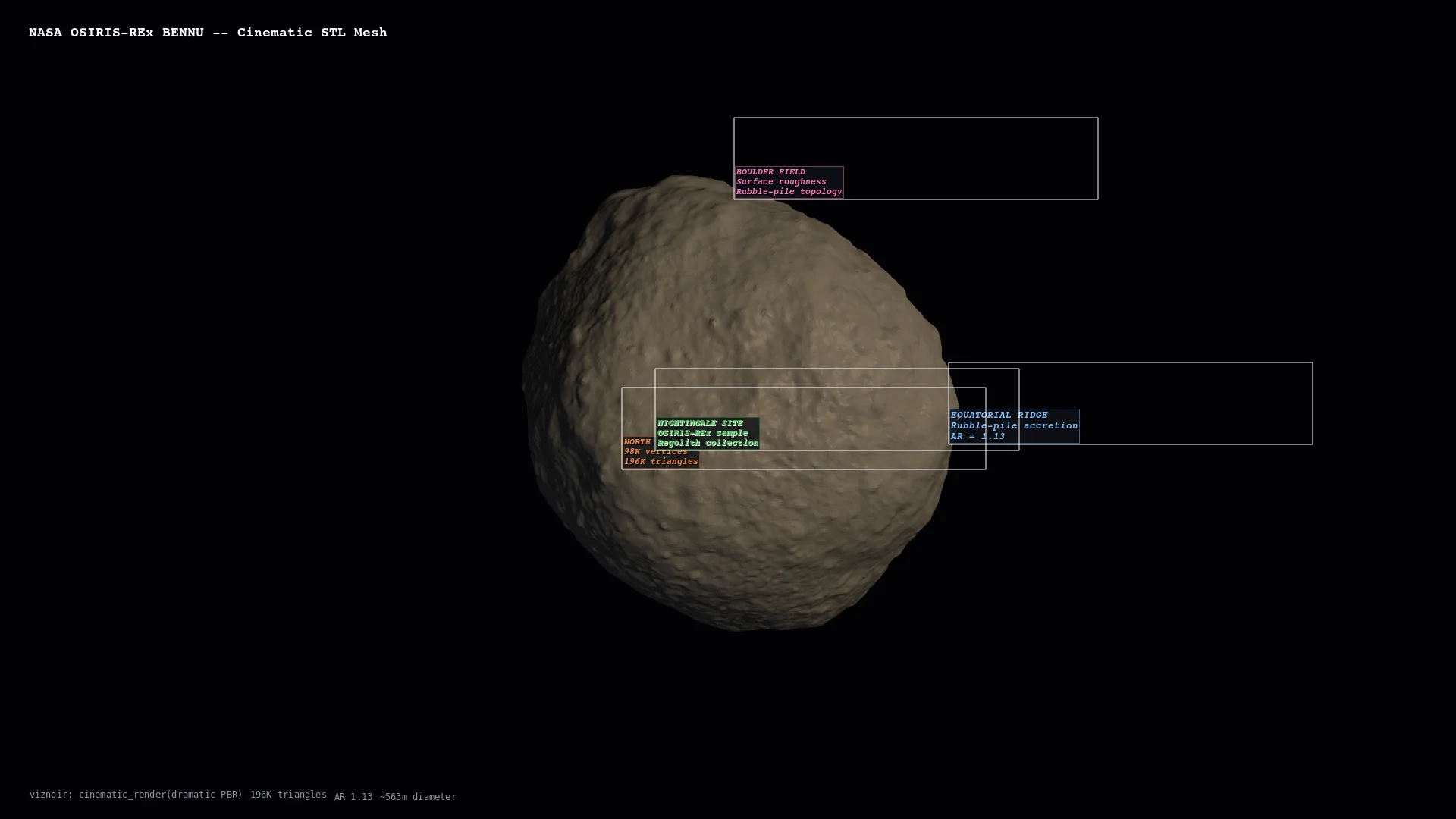 | 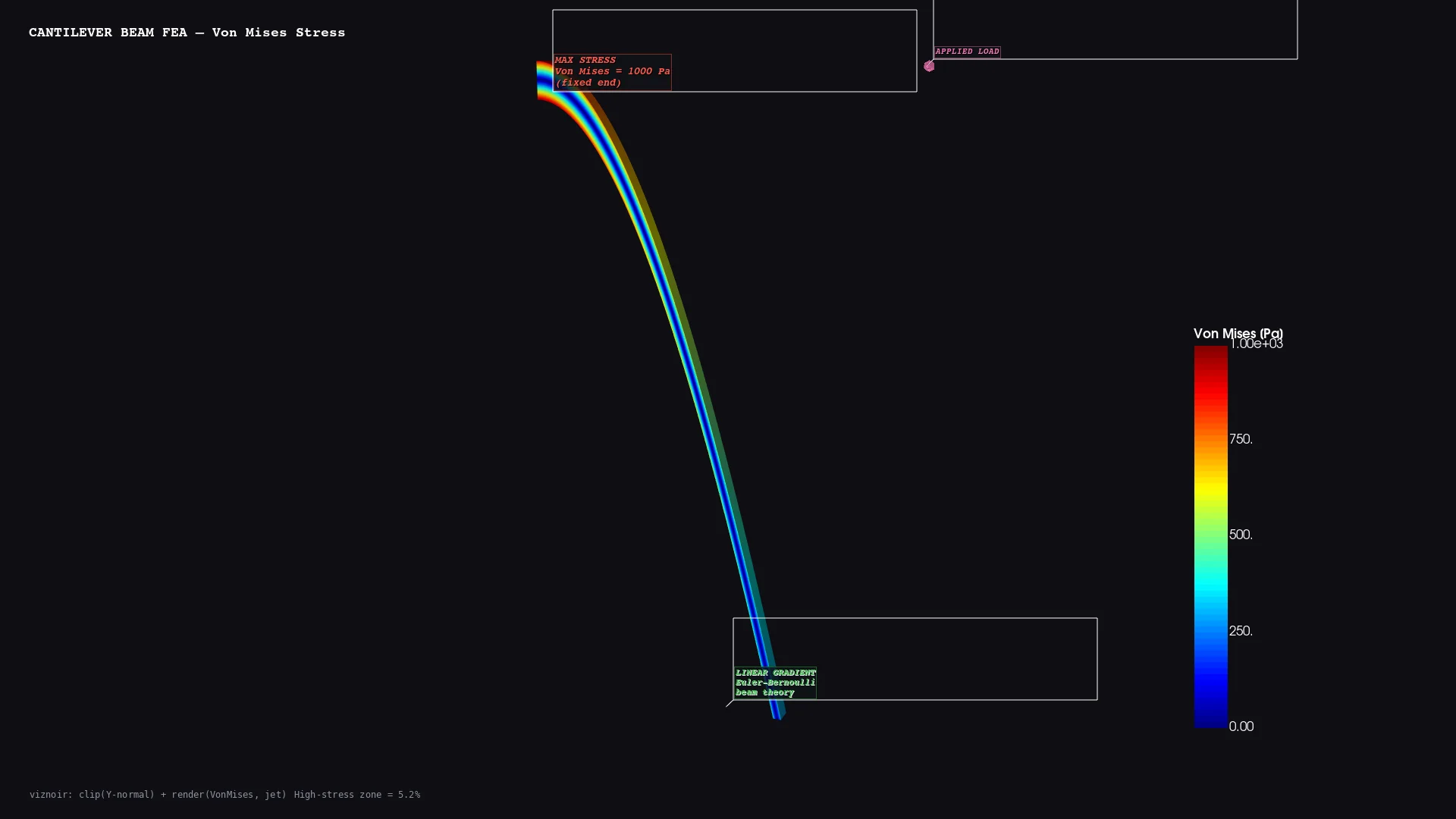 | 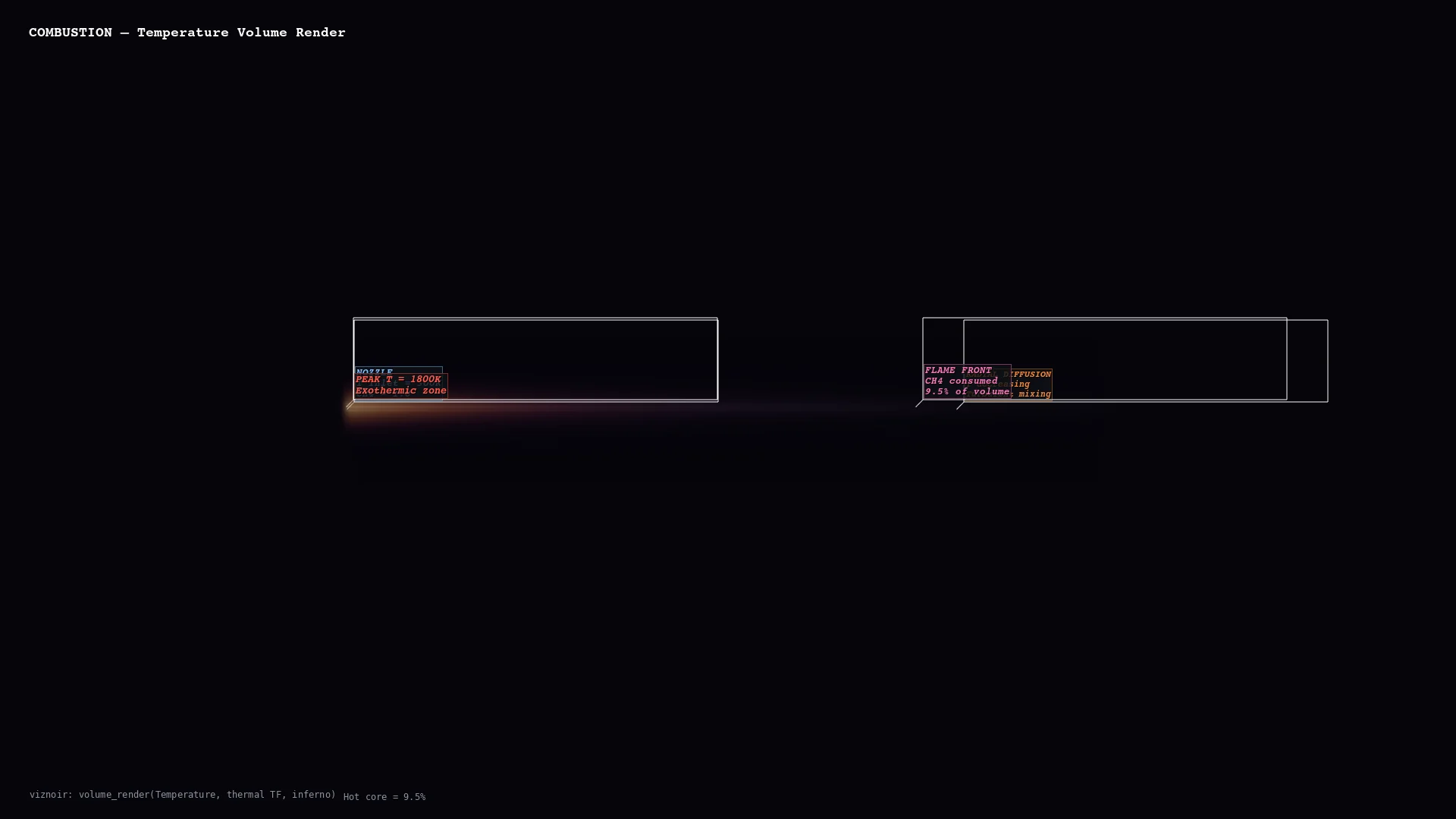 |
| Molecular H₂O electron density | Vascular Cerebral aneurysm MRA | Planetary Bennu · 196K triangles | Structural Cantilever FEA stress | Volume Thermal threshold |
Seven presets convert raw simulation data into publication-ready motion — each binds a rendering primitive to a physical phenomenon.
| Preset | Physics | Rendering |
|---|---|---|
streamline_growth | Lagrangian advection | Particle path-line extension over time |
clip_sweep | Pressure gradient cross-section | Moving clip plane |
layer_reveal | CT density classification | Progressive isosurface stacking |
iso_sweep | Orbital topology | Isovalue sweep with camera orbit |
warp_oscillation | Structural mode shape | Warp-by-vector harmonic displacement |
light_orbit | Oblique illumination | Rotating key light for material reveal |
threshold_reveal | Feature hierarchy | Threshold peeling from outside → in |
compose_assets)
Inspect → render → annotate → compose → narrate. One prompt produces a 4-panel physics decomposition with LaTeX-rendered governing equations.
Layouts: story (vertical narrative) · grid (N×M comparison) · slides (16:9 keynote) · video (MP4 with transitions)
Full interactive gallery: https://kimimgo.github.io/viznoir/#showcase
  prompt                    "Render pressure from cavity.foam"
    │
  MCP Server                22 tools · 12 resources · 4 prompts
    │
  VTK Engine                readers → filters → renderer → camera
    │                       EGL/OSMesa headless · cinematic lighting
  Physics Layer             topology analysis · context parsing
    │                       vortex detection · stagnation points
  Animation                 7 physics presets · easing · timeline
    │                       transitions · compositor · video export
  Output                    PNG · WebP · MP4 · GLTF · LaTeX
| 22 MCP tools | 24 VTK filters |
| 10 domains | 19 native file formats |
| 6/6 VTK data types | 50+ formats via meshio |
Homepage: kimimgo.github.io/viznoir
Developer docs: kimimgo.github.io/viznoir/docs — full tool reference, domain gallery, architecture guide
MIT
Claim this server with your GitHub account to request manual ownership verification.
Link to the catalog listing for MCP server for cinema-quality science visualization with VTK from your README. This badge does not certify ownership, compatibility or security.
[](https://awesome-mcp.com/servers/viznoir)Public repository statistics could not be verified. Check the configured source address; unavailable counts are not zero.
Separate sources, scopes and periods. Never combined or treated as installations, active users or security reviews.
No reviewed package or image identity; download statistics are not listed yet.
Alternative and complementary servers in the same category
A Rust CAD application with an MCP server for creating, inspecting and rendering drawings, either headlessly or through a connection to the desktop app.

Liquid Composer is a browser-based Liquid Glass icon design tool that offers a local MCP server for agent-driven icon workflows.

agent-media makes short drama series and other short vertical videos from Claude, ChatGPT or Codex through one MCP connection, with OAuth sign-in and no API keys.