
An AI receptionist platform with an MCP server for accessing business calls, contacts and appointments from AI assistants.
52
Communication
A hosted and locally runnable Model Context Protocol server that lets AI assistants manage Vybit notifications, public vybits, subscriptions, sounds, logs, access control, and usage.
Vybit MCP Server is cataloged as an MCP server attributed to flatirontek. A hosted and locally runnable Model Context Protocol server that lets AI assistants manage Vybit notifications, public vybits, subscriptions, sounds, logs, access control, and usage. It is categorized under communication social. See the capability inspector for recorded interfaces and their independent review status; consult upstream documentation for the current interface.
Installation configuration is not reviewed. No executable setup is offered for this entry; inspect the source repository before proceeding.
Catalog license label: MIT. Check the source repository's current license and terms before using, modifying or distributing this software.
Capability definitions are not reviewed. Unreviewed imports are not exposed as trusted interfaces.
No reviewed records to display. This does not establish that upstream lacks this capability.
No reviewed records to display. This does not establish that upstream lacks this capability.
No reviewed records to display. This does not establish that upstream lacks this capability.
Email delivery is not connected. This page does not collect email addresses or create subscriptions.
Browse the registry for current listings instead.
Reviews for Vybit MCP Server are not available yet
Review publishing and storage are not connected. This page does not collect or publish ratings or comments, including after sign-in.
No. Vybit offers a hosted remote MCP server that requires no installation, while a local npm package is available for those who prefer to run it themselves.
The MCP server supports an API key or an OAuth2 token.
README.md · c19daf7520fd · Fetched 2026-11-13 13:48:25 UTC
Original upstream text, without AI rewriting. Scripts, forms and unsafe links are filtered for safety.
Showing the last retrieved documentation snapshot; check the source for current changes.
Official TypeScript/JavaScript SDKs for integrating with the Vybit notification platform.
Vybit is a push notification service with personalized sounds that can be recorded or chosen from a library of thousands of searchable sounds (via freesound.org).






Vybit provides multiple integration options for different use cases:
| Package | Use Case | Authentication | Best For |
|---|---|---|---|
| @vybit/api-sdk | Backend/automation | API Key or OAuth2 Token | Server-to-server integrations, automation, monitoring systems |
| @vybit/oauth2-sdk | User-facing applications | OAuth 2.0 (user authorization) | Web apps where users connect their Vybit accounts (auth flow only) |
| @vybit/cli | Command line | API Key | Shell scripting, CI/CD, agent tooling, quick operations |
| @vybit/mcp-server | AI assistants | API Key or OAuth2 Token | Claude Desktop, Claude Code, and other MCP-compatible AI tools |
| @vybit/n8n-nodes-vybit | Workflow automation | API Key or OAuth2 | n8n workflows, no-code/low-code automation, integration platforms |
All packages share common utilities from @vybit/core.
For backend services, automation, and server-to-server integrations
npm install @vybit/api-sdk
Get Your API Key
Initialize the Client
import { VybitAPIClient } from '@vybit/api-sdk';

// With API key
const client = new VybitAPIClient({
  apiKey: 'your-api-key-from-developer-portal'
});

// Or with an OAuth2 access token
const client = new VybitAPIClient({
  accessToken: 'your-oauth2-access-token'
});
// Create a vybit (only name is required)
const vybit = await client.createVybit({
  name: 'Server Alert'
});

// List vybits with search and pagination
const vybits = await client.listVybits({
  search: 'alert',
  limit: 10,
  offset: 0
});

// Get a specific vybit
const details = await client.getVybit('vybit-id');

// Update a vybit
await client.updateVybit('vybit-id', {
  name: 'Updated Server Alert',
  status: 'on'
});

// Delete a vybit
await client.deleteVybit('vybit-id');
// Simple trigger
await client.triggerVybit('vybit-key');

// Trigger with custom content
await client.triggerVybit('vybit-key', {
  message: 'Server CPU usage at 95%',
  imageUrl: 'https://example.com/graph.png',  // Must be a direct link to a JPG, PNG, or GIF image
  linkUrl: 'https://dashboard.example.com',
  log: 'CPU spike detected on web-server-01'
});
A trigger that is received but not sent (the account's monthly or daily limit is reached, or the
vybit is off) does not throw. It resolves with result: 0 and a reason:
const result = await client.triggerVybit('vybit123abc');
if (result.result === 0) {
  console.log(result.reason); // 'monthly_limit', 'daily_limit', or 'vybit_off'
}
sendToOwner and sendToGroup answer the same way.
// List available sounds
const sounds = await client.listSounds({
  search: 'alert',
  limit: 20
});

// Get sound details
const sound = await client.getSound('sound-key');
// Browse public vybits (returns PublicVybit[])
const publicVybits = await client.listPublicVybits({
  search: 'weather',
  limit: 10
});

// Get details about a public vybit before subscribing
const vybitDetails = await client.getPublicVybit('subscription-key-abc123');

// Subscribe to a public vybit using its subscription key
const follow = await client.createVybitFollow({
  subscriptionKey: vybitDetails.key
});

// List your subscriptions
const subscriptions = await client.listVybitFollows();

// Unsubscribe from a vybit
await client.deleteVybitFollow(follow.followingKey);
// Get current usage and limits
const meter = await client.getMeter();
console.log(`Daily: ${meter.count_daily} / ${meter.cap_daily}`);
console.log(`Monthly: ${meter.count_monthly} / ${meter.cap_monthly}`);
console.log(`Plan: ${meter.tier}`);
For user-facing applications that need to access Vybit on behalf of users
The OAuth2 SDK handles the authorization flow only. Once you have an access token, use VybitAPIClient from @vybit/api-sdk for all API operations.
npm install @vybit/oauth2-sdk @vybit/api-sdk
Register Your Application
Initialize the OAuth2 Client
import { VybitOAuth2Client } from '@vybit/oauth2-sdk';

const oauthClient = new VybitOAuth2Client({
  clientId: 'your-client-id',
  clientSecret: 'your-client-secret',
  redirectUri: 'https://yourapp.com/oauth/callback'
});
const authUrl = oauthClient.getAuthorizationUrl({
  state: 'random-state-string'
});

// Redirect user to authUrl
// They will authorize your app and be redirected back to your redirectUri
// After redirect, extract the code from query params
const code = urlParams.get('code');

// Exchange code for access token
const token = await oauthClient.exchangeCodeForToken(code);

// Store token.access_token securely for future requests
import { VybitAPIClient } from '@vybit/api-sdk';

// Create an API client with the OAuth2 access token
const apiClient = new VybitAPIClient({
  accessToken: token.access_token
});

// Now use the full Developer API on behalf of the user
const vybits = await apiClient.listVybits();
await apiClient.triggerVybit('vybit-key', {
  message: 'Hello from your app!'
});
// Verify a token is still valid
const isValid = await oauthClient.verifyToken(token.access_token);

// Store and retrieve tokens
oauthClient.setAccessToken('existing-token');
const currentToken = oauthClient.getAccessToken();
For command-line access, shell scripting, CI/CD pipelines, and AI agent tooling
The Vybit CLI provides full parity with the MCP server — every operation available to AI assistants is also available from the command line. All output is structured JSON to stdout, making it equally useful for humans, shell scripts, and AI agents.
npm install -g @vybit/cli
# Option 1: Environment variable (recommended for CI/CD and agents)
export VYBIT_API_KEY='your-api-key'

# Option 2: Config file
vybit auth setup --api-key 'your-api-key'

# Option 3: Per-command flag
vybit --api-key 'your-api-key' vybits list
Credentials are resolved in order: CLI flags > environment variables > config file (~/.config/vybit/config.json).
# List your vybits
vybit vybits list

# Create a vybit
vybit vybits create --name "Deploy Alert" --trigger-type webhook

# Trigger a notification
vybit trigger <vybit-key> --message "Build passed"

# Trigger in CI/CD (quiet mode returns just the key/ID)
vybit trigger <vybit-key> --message "$(git log -1 --oneline)" -q

# Search sounds
vybit sounds list --search "bell"

# Check usage
vybit meter
| Command | Operations |
|---|---|
vybit vybits | list, get, create, update, delete |
vybit trigger | Trigger a vybit notification |
vybit reminders | list, create, update, delete |
vybit sounds | list, get |
vybit subscriptions | list, get, create, update, delete |
vybit browse | list, get (public vybits) |
vybit logs | list, get, vybit, subscription |
vybit peeps | list, get, create, delete, vybit |
vybit meter | API usage metrics |
vybit status | API health check |
vybit profile | User profile info |
vybit auth | setup, status, logout |
{"error":"...","statusCode":404} format--quiet / -q — output only keys/IDs for chaining commandsFor AI assistants like Claude to interact with your Vybit notifications
The Model Context Protocol (MCP) server enables AI assistants to manage your Vybit notifications through natural conversation. It provides full parity with the Developer API, giving AI assistants access to all Vybit features.
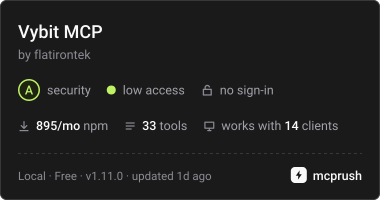
npm install -g @vybit/mcp-server
Vybit provides a hosted remote MCP server at https://api.vybit.net/v1/mcp — no installation required. Connect directly from Claude or ChatGPT (may require paid plans):
Claude Desktop / Claude Web (claude.ai):
https://api.vybit.net/v1/mcpChatGPT Desktop / ChatGPT Web (chatgpt.com):
https://api.vybit.net/v1/mcpIf you prefer to run the MCP server locally (e.g., for Claude Code, Cline, or other MCP clients), install the npm package and configure with your API key:
Claude Desktop (~/Library/Application Support/Claude/claude_desktop_config.json):
{
  "mcpServers": {
    "vybit": {
      "command": "npx",
      "args": ["-y", "@vybit/mcp-server"],
      "env": {
        "VYBIT_API_KEY": "your-api-key-here"
      }
    }
  }
}
Claude Code (.claude/mcp.json in your project):
{
  "mcpServers": {
    "vybit": {
      "command": "npx",
      "args": ["-y", "@vybit/mcp-server"],
      "env": {
        "VYBIT_API_KEY": "your-api-key-here"
      }
    }
  }
}
nvm users: Claude Desktop doesn't source your shell profile, so
node/npxmay resolve to the wrong version. Usewhich nodeandnpm root -gto find your paths, then usenodedirectly instead ofnpx. See the MCP Server README for details.
Once configured, you can ask your AI assistant to:
You: Create a vybit called "Server Alert" for webhooks with an alarm sound
Claude: [Creates the vybit and shows details including trigger URL]

You: Trigger my Server Alert vybit with message "CPU at 95%"
Claude: [Sends the notification]

You: What public vybits are available about weather?
Claude: [Shows matching public vybits]

You: Subscribe me to the "Daily Weather" vybit
Claude: [Subscribes and confirms]

You: Show me recent notifications for my Server Alert
Claude: [Lists notification logs]
The MCP server provides 31 tools across all Vybit API features:
Works with any MCP-compatible client:
See the MCP Server README for complete documentation.
For workflow automation and no-code/low-code integrations
Self-Hosted n8n:
npm install @vybit/n8n-nodes-vybit
Then restart your n8n instance.
n8n Cloud: Once verified, search for "Vybit" in the n8n nodes panel to install. Verification is currently under review.
The Vybit n8n node supports both authentication methods:
Option 1: API Key (Recommended for Personal Automation)
Option 2: OAuth2 (For Multi-User Services)
The n8n node provides access to 34 operations across 7 resources:
Profile (3 operations)
Vybits (6 operations)
Logs (4 operations)
Sounds (3 operations)
Peeps (5 operations)
Subscriptions (9 operations)
Reminders (4 operations)
Alert on Server Error:
HTTP Request (check API)
  → IF (status != 200)
  → Vybit (Trigger notification)
  → Email (alert team)
Daily Report:
Schedule (daily 9am)
  → Database Query (get metrics)
  → Vybit (Trigger with summary)
  → Slack (post to channel)
Automated Vybit Creation:
Airtable Trigger (new record)
  → Vybit (Create vybit)
  → Airtable (update record with trigger URL)
Both SDKs connect to Vybit production endpoints:
https://app.vybit.nethttps://api.vybit.net/v1For development, staging, and production environments, create separate Vybit developer accounts:
Developer API Approach:
const apiKey = process.env.NODE_ENV === 'production'
  ? process.env.VYBIT_PROD_API_KEY
  : process.env.VYBIT_DEV_API_KEY;

const client = new VybitAPIClient({ apiKey });
OAuth2 Approach:
const config = process.env.NODE_ENV === 'production'
  ? {
      clientId: process.env.VYBIT_PROD_CLIENT_ID,
      clientSecret: process.env.VYBIT_PROD_CLIENT_SECRET,
      redirectUri: 'https://yourapp.com/oauth/callback'
    }
  : {
      clientId: process.env.VYBIT_DEV_CLIENT_ID,
      clientSecret: process.env.VYBIT_DEV_CLIENT_SECRET,
      redirectUri: 'http://localhost:3000/oauth/callback'
    };

const client = new VybitOAuth2Client(config);
Both SDKs use consistent error classes from @vybit/core:
import {
  VybitAPIError,      // API request failures
  VybitAuthError,     // Authentication/authorization failures
  VybitValidationError // Invalid parameters
} from '@vybit/core';

try {
  await client.triggerVybit('invalid-key');
} catch (error) {
  if (error instanceof VybitAPIError) {
    console.error(`API Error: ${error.message} (${error.statusCode})`);
  } else if (error instanceof VybitAuthError) {
    console.error(`Auth Error: ${error.message}`);
  } else if (error instanceof VybitValidationError) {
    console.error(`Validation Error: ${error.message}`);
  }
}
The examples/ directory contains complete working examples:
All packages are written in TypeScript and include full type definitions:
import {
  VybitAPIClient,
  Vybit,
  PublicVybit,
  VybitCreateParams,
  VybitFollow,
  Reminder
} from '@vybit/api-sdk';
import { VybitOAuth2Client, TokenResponse } from '@vybit/oauth2-sdk';

// Full IntelliSense and type checking
const client: VybitAPIClient = new VybitAPIClient({ apiKey: 'key' });

// Owned vybits return full Vybit type with triggerKey, etc.
const vybit: Vybit = await client.getVybit('id');

// Public discovery returns simplified PublicVybit type
const publicVybits: PublicVybit[] = await client.listPublicVybits();
Interested in contributing? Check out our Contributing Guide for:
MIT
Claim this server with your GitHub account to request manual ownership verification.
Link to the catalog listing for Vybit MCP Server from your README. This badge does not certify ownership, compatibility or security.
[](https://awesome-mcp.com/servers/vybit-sdk)Public repository statistics could not be verified. Check the configured source address; unavailable counts are not zero.
Separate sources, scopes and periods. Never combined or treated as installations, active users or security reviews.
No reviewed package or image identity; download statistics are not listed yet.
Alternative and complementary servers in the same category
An AI receptionist platform with an MCP server for accessing business calls, contacts and appointments from AI assistants.
Pidgeon provides an MCP server and an email inbox API that gives AI agents their own addresses for sending, awaiting, and replying to email.

A Telegram CLI with background sync that can run an optional MCP server for a personal account using MTProto, not the bot API.
