
Oleafly is a live collaborative LaTeX, Typst and Markdown editor for research that offers a local MCP server and an oleafly mcp stdio command so outside AI clients can use its project tools.
Repository stats unavailable
Productivity & Ops
A free, open-source study app that runs an MCP server so your own AI agent can act as a tutor, measuring, planning, teaching and quizzing you across study spaces.
godspeed is cataloged as an MCP server attributed to bayshores. A free, open-source study app that runs an MCP server so your own AI agent can act as a tutor, measuring, planning, teaching and quizzing you across study spaces. It is categorized under productivity work. See the capability inspector for recorded interfaces and their independent review status; consult upstream documentation for the current interface.
Installation configuration is not reviewed. No executable setup is offered for this entry; inspect the source repository before proceeding.
Catalog license label: AGPL-3.0. Check the source repository's current license and terms before using, modifying or distributing this software.
Capability definitions are not reviewed. Unreviewed imports are not exposed as trusted interfaces.
No reviewed records to display. This does not establish that upstream lacks this capability.
No reviewed records to display. This does not establish that upstream lacks this capability.
No reviewed records to display. This does not establish that upstream lacks this capability.
Email delivery is not connected. This page does not collect email addresses or create subscriptions.
Browse the registry for current listings instead.
Reviews for godspeed are not available yet
Review publishing and storage are not connected. This page does not collect or publish ratings or comments, including after sign-in.
No. It uses the agent plan you already pay for and has no subscription or markup of its own; it needs no API keys.
Lessons, graphs, space files and settings stay on your machine as plain files you can read, though tasks send needed context to your agent and web research fetches pages.
README.md · e03bd1560a70 · Fetched 2026-11-13 14:08:59 UTC
Original upstream text, without AI rewriting. Scripts, forms and unsafe links are filtered for safety.
Showing the last retrieved documentation snapshot; check the source for current changes.
A free, open-source AI tutor for anything you study, taught by the AI you already pay for.
Download · Website · How it works · Outside agents · Docs · Issues
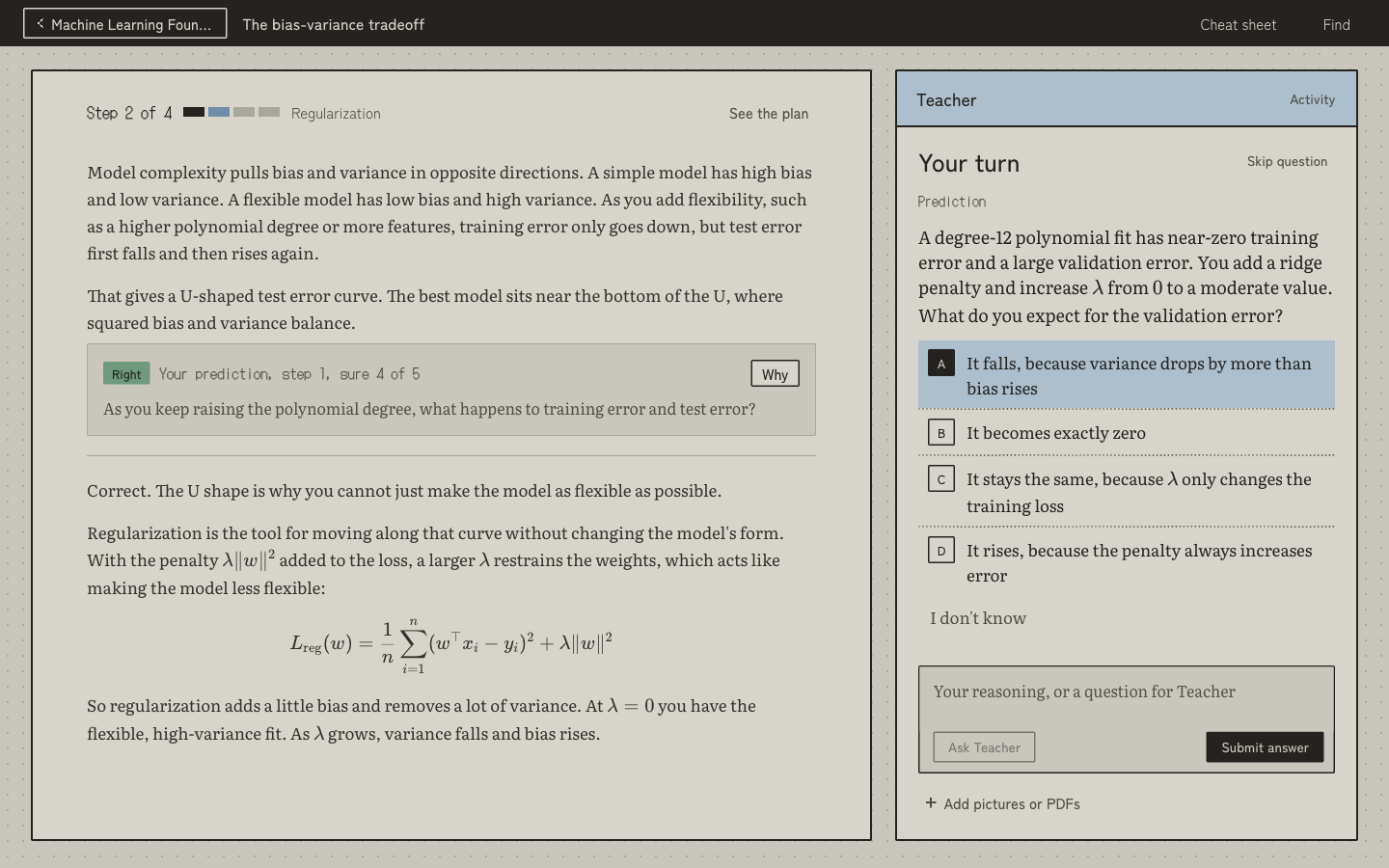
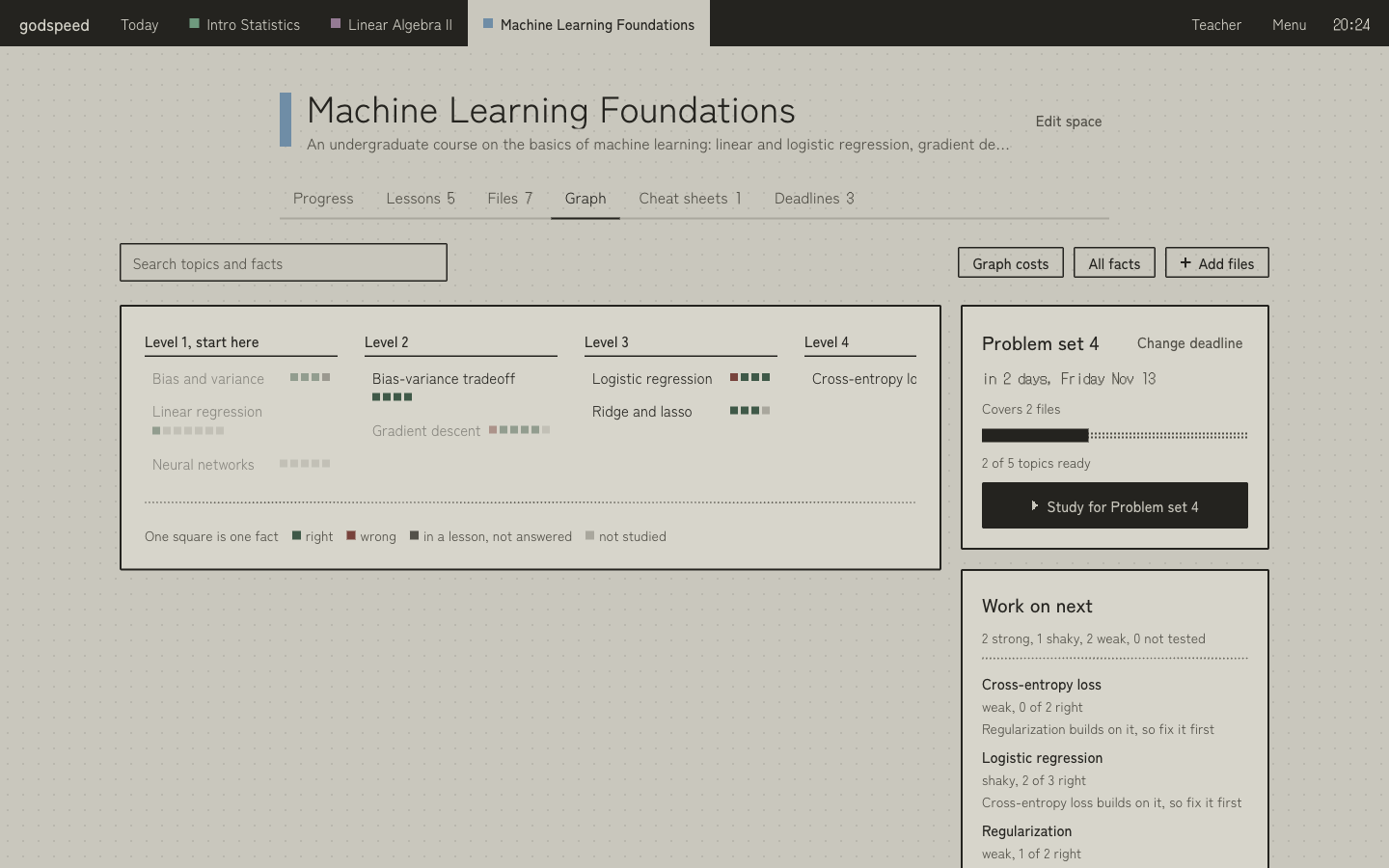
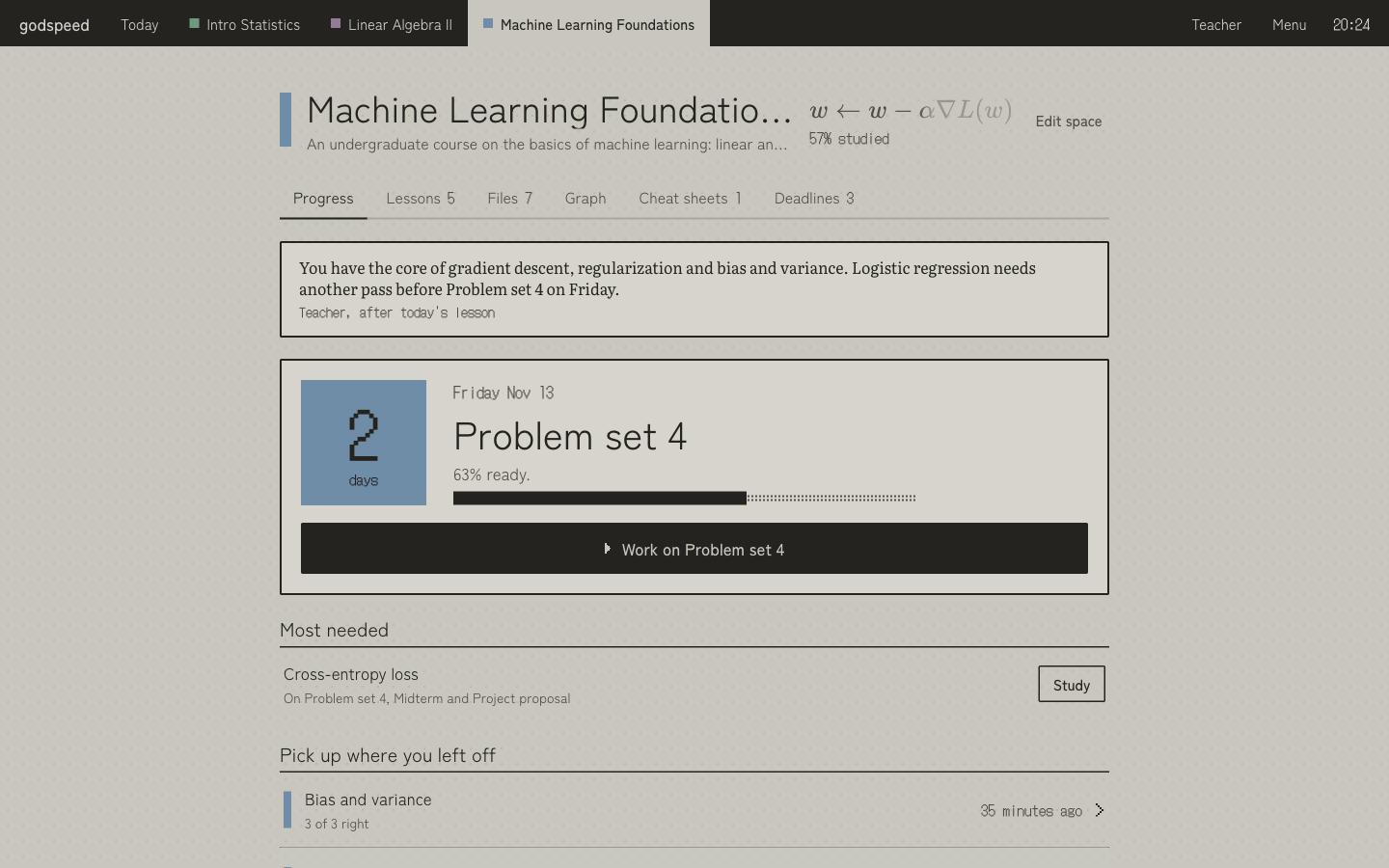
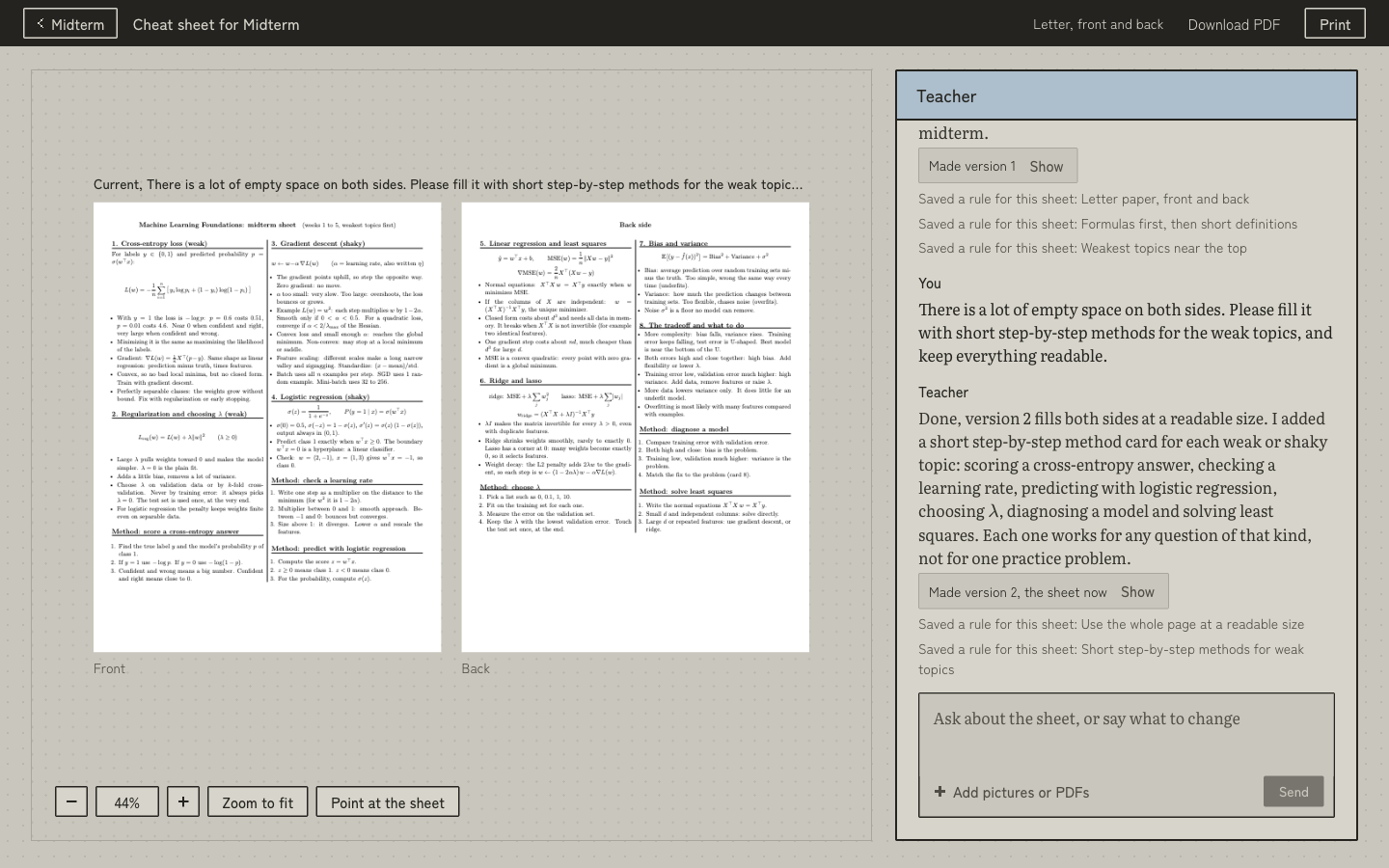
godspeed is a study app for students and self-learners. Claude Code, Codex or any MCP app becomes your tutor: it checks what you already know, plans a path to your goal or your next deadline, teaches one step at a time, then quizzes you. You sort what you study into spaces (a course, a certification, a language), and every space gets its own lessons, files (PDFs, notes, recordings), knowledge graph, deadlines and cheat sheets. It runs on Mac, Windows and Linux, and needs no API keys.
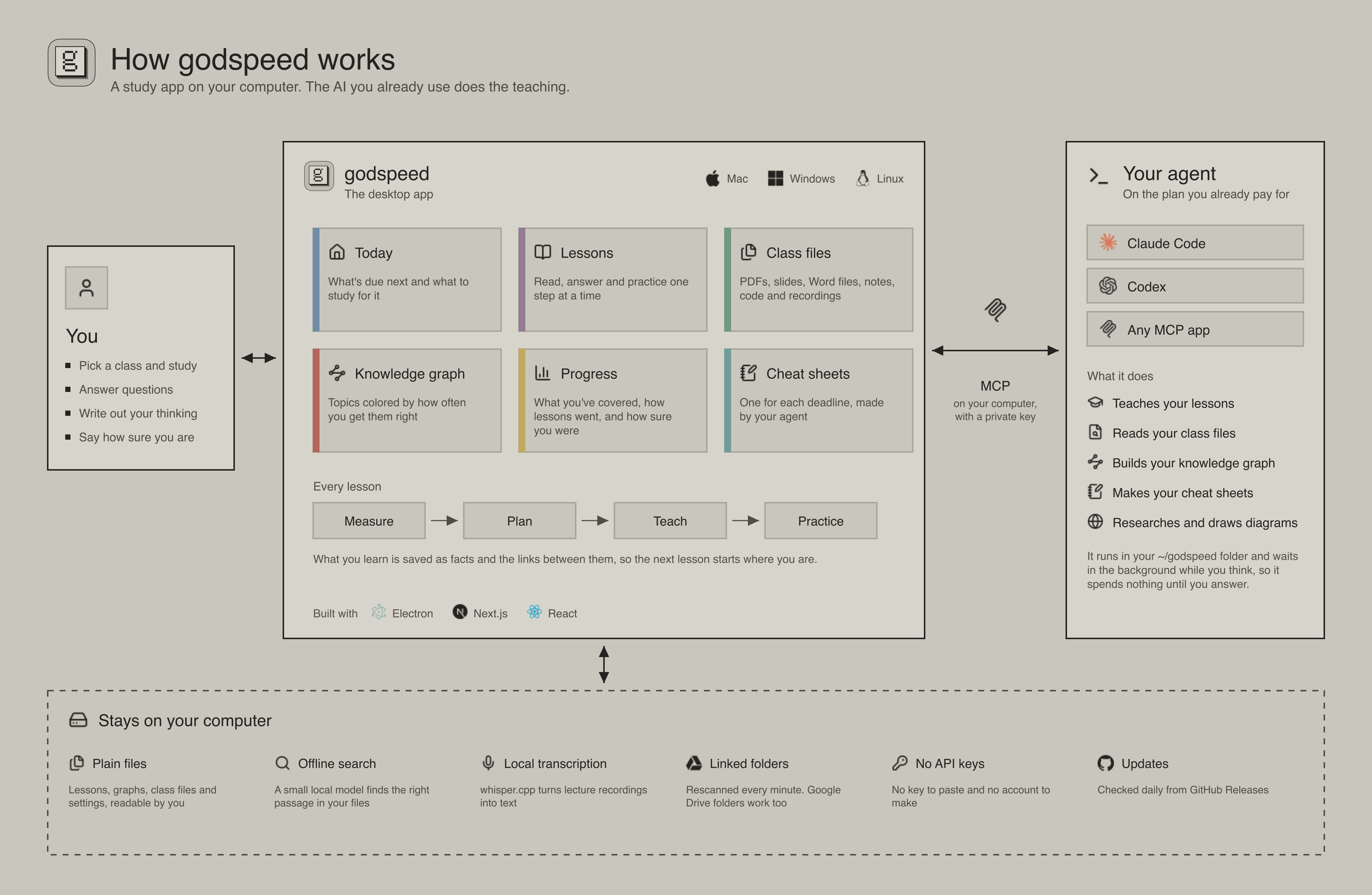
The diagram is an Excalidraw file, docs/assets/how-godspeed-works.excalidraw. Open it at excalidraw.com to edit it.
Everything you learn is saved as facts and the reasoning chains between them, linked back to the lesson they came from. Later lessons read that graph instead of starting from zero.
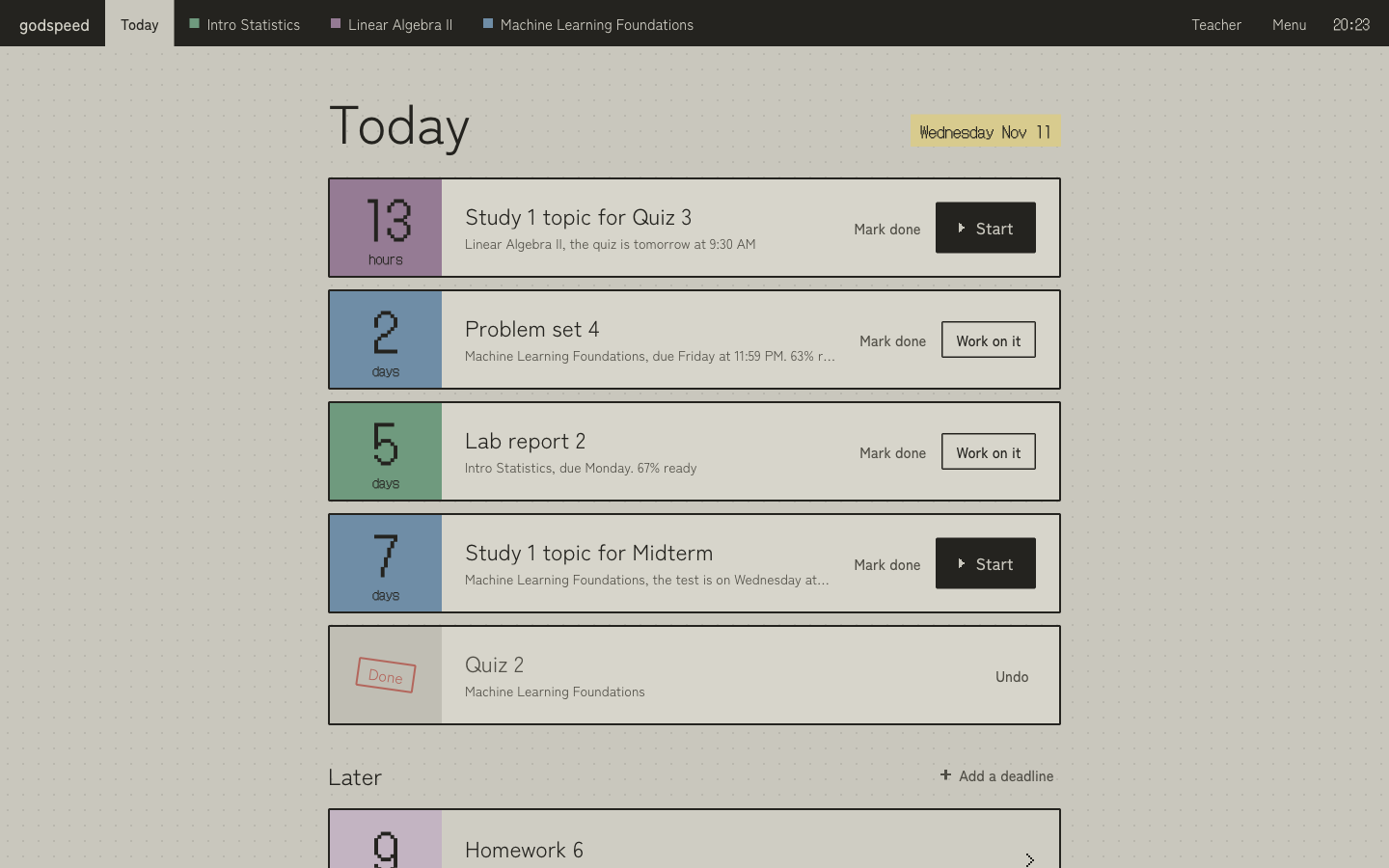
= and the answer shows in grey after it. Click it (or press Tab) to keep it. It does numbers, letters you set on a line above (x = 3), expanding and simplifying, solve 2x + 3 = 11, derivatives (d/dx x^3 =) and integrals (int x^2 dx =), all on your computer.Download godspeed for your computer:
Each link downloads the newest version directly.
The app checks for updates once a day and installs them when you quit. Settings → General → Check for updates checks right away.
The first launch walks you through connecting your agent (below). You can find the same steps later under Settings → Connection.
To build it yourself instead: npm install, then npm run desktop:local (an unsigned Mac app in target/release/bundle/macos/), or node scripts/fetch-model.mjs once and then npm run dev (http://localhost:3000).
While godspeed is open it runs an MCP server, and an agent you already use is its teacher. The agent also does the background jobs: research, diagrams, PDF reading and building your knowledge graph. If no agent is teaching, that work waits and starts when one does. An agent can be connected without teaching. The teacher panel and Settings → Connection say so and tell you how to start it.
~/godspeed, and opens a terminal there running it. The folder holds the agent's instructions (CLAUDE.md, AGENTS.md) and its connection to the app, so godspeed only loads when you study, not in your other chats. You can also run the command yourself: Copy the command copies it. If you start your agent through a launcher, Change command under the button sets the command godspeed runs instead of claude or codex. In Claude Code, /setup-spaces builds your spaces from your course files.
Authorization: Bearer <token>). For a helper, start a second session and tell it "Start as the helper".While you think, Claude Code waits in a background script, so the agent spends no tokens until you answer. Open Claude Code and Open Codex each open a second window of the same agent, the helper. It reads your files and builds the graph so the teacher stays free for you, and when the teacher stops to tidy its memory, the helper answers your lesson and Talk messages so you don't wait. With nothing to do it just waits for free. Settings → Connection shows what each window is doing. Agents can also list and read lessons, search your graph and your space files, import notes, and manage spaces and deadlines. They can save short notes about you (like "the midterm is over"), and every agent sees those notes and where you left off when it connects. You can see and delete the notes under Settings → Connection. Only programs on your computer that hold the token can connect.
npm run check        # typecheck + tests + lint + dead-code check (knip) + Rust tests, clippy and cargo machete: what CI runs
npm test             # frontend and shared tests only. deterministic: no LLM, no network
npm run rust:check   # the Rust half alone
A change is done when npm run check passes.
The code is split in two. src/ is the Vite and React screens (frontend/) and the pure logic they share (shared/core/). crates/ is the Rust server, the agent loops, the files on disk, and the Tauri desktop shell. Tests sit beside what they test: tests/ for TypeScript, and each crate's tests/ and src/ for Rust.
See the development guide and architecture. Bugs and requests go to GitHub Issues.
AGPL-3.0. godspeed started as a fork of LearnHarness by Amos Blomqvist, keeps its teaching method, and is distributed under the same license.
Claim this server with your GitHub account to request manual ownership verification.
Link to the catalog listing for godspeed from your README. This badge does not certify ownership, compatibility or security.
[](https://awesome-mcp.com/servers/godspeed)Public repository statistics could not be verified. Check the configured source address; unavailable counts are not zero.
Separate sources, scopes and periods. Never combined or treated as installations, active users or security reviews.
No reviewed package or image identity; download statistics are not listed yet.
Alternative and complementary servers in the same category
Oleafly is a live collaborative LaTeX, Typst and Markdown editor for research that offers a local MCP server and an oleafly mcp stdio command so outside AI clients can use its project tools.
Buddy is an Android app that offers its phone tools through a local MCP server to Claude Code, Codex, OpenCode, Antigravity, and Grok sessions.

Tuqui is a hosted MCP server that connects Odoo with Claude and ChatGPT so users can ask about sales, stock, customers and overdue invoices in plain language.
