
Oleafly is a live collaborative LaTeX, Typst and Markdown editor for research that offers a local MCP server and an oleafly mcp stdio command so outside AI clients can use its project tools.
Repository stats unavailable
Productivity & Ops
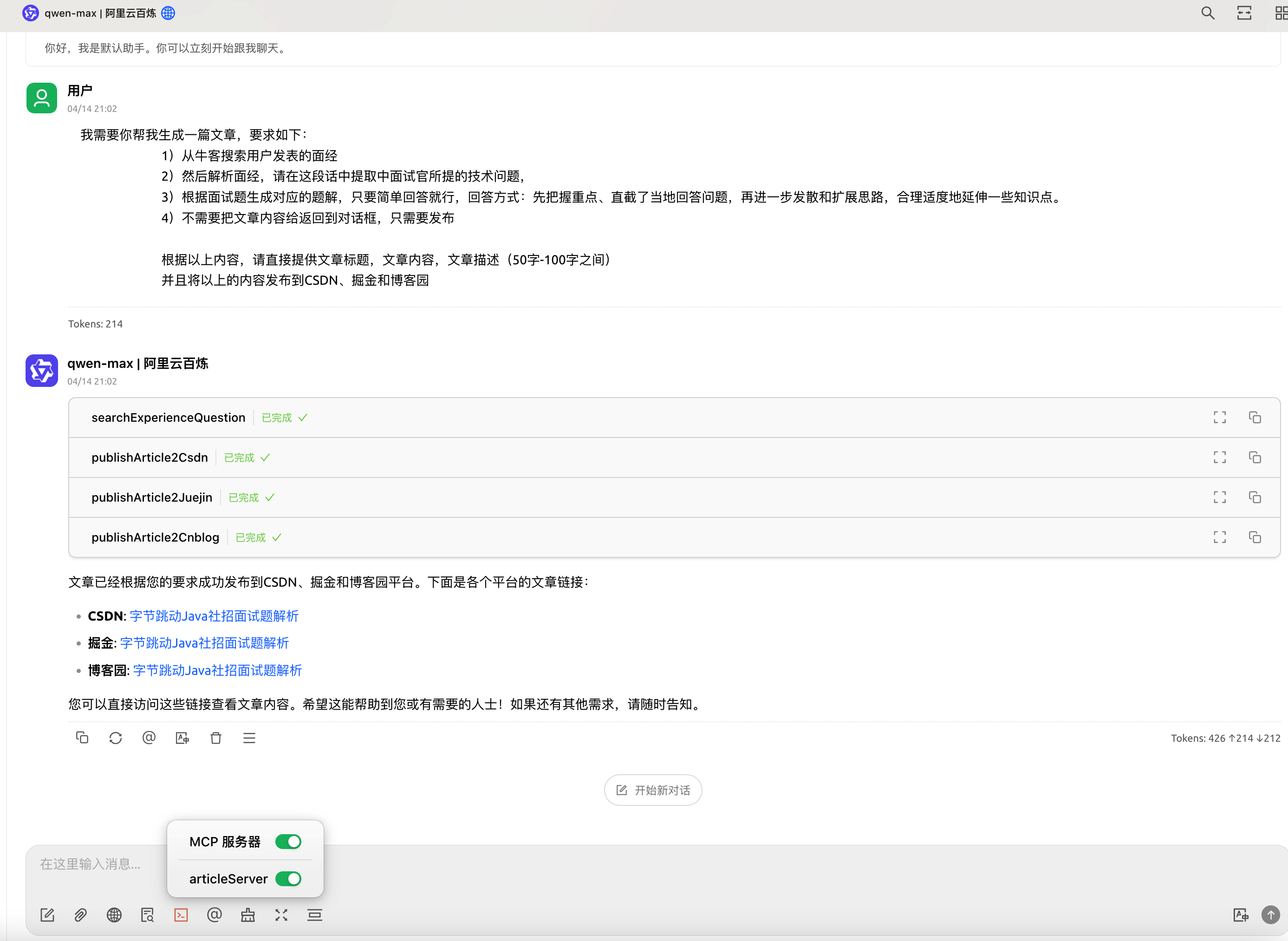
An MCP server that lets AI agents search interview experiences, look up tech news, and publish articles to CSDN, Juejin, and Cnblogs.
自动发文 MCP Server is cataloged as an MCP server attributed to gulihua10010. An MCP server that lets AI agents search interview experiences, look up tech news, and publish articles to CSDN, Juejin, and Cnblogs. It is categorized under productivity work. See the capability inspector for recorded interfaces and their independent review status; consult upstream documentation for the current interface.
Installation configuration is not reviewed. No executable setup is offered for this entry; inspect the source repository before proceeding.
Catalog license label: Not specified. Check the source repository's current license and terms before using, modifying or distributing this software.
Capability definitions are not reviewed. Unreviewed imports are not exposed as trusted interfaces.
No reviewed records to display. This does not establish that upstream lacks this capability.
No reviewed records to display. This does not establish that upstream lacks this capability.
No reviewed records to display. This does not establish that upstream lacks this capability.
Email delivery is not connected. This page does not collect email addresses or create subscriptions.
Browse the registry for current listings instead.
Reviews for 自动发文 MCP Server are not available yet
Review publishing and storage are not connected. This page does not collect or publish ratings or comments, including after sign-in.
Cookies for Juejin, CSDN, and Cnblogs must be provided, plus the Cnblogs x-xsrf-token.
Any agent assistant that supports the MCP protocol, such as Claude, Cursor, or Qianfan AppBuilder.
README.md · b08f2f70f883 · Fetched 2026-11-13 10:53:35 UTC
Original upstream text, without AI rewriting. Scripts, forms and unsafe links are filtered for safety.
Showing the last retrieved documentation snapshot; check the source for current changes.
本项目实现通过AI生成一篇文章,然后自动发文到CSDN、掘金、博客园。关于MCP协议,详见MCP官方文档。
依赖MCP Java SDK开发,任意支持MCP协议的智能体助手(如Claude、Cursor以及千帆AppBuilder等)都可以快速接入。
以下会给更出详细的适配说明。
searchExperienceQuestion面经内容searchNews资讯标题、资讯内容publishArticle2Csdn文章标题、内容、描述文章id、文章链接publishArticle2Juejin文章标题、内容、描述文章id、文章链接publishArticle2Cnblog文章标题、内容、描述文章id、文章链接掘金账号的Cookie,主要的请求头Cookie的sessionid字段
CSDN账号的Cookie,主要是请求头Cookie的SESSION字段、UserName字段,UserInfo字段、UserToken字段 请求头签名:x-ca-key、x-ca-nonce、x-ca-signature、x-ca-signature-headers、accept、content-type 写死就行了
博客园账号的Cookie,主要是请求头Cookie的.CNBlogsCookie字段、AspNetCore.Antiforgery.xxxxxxxx字段,.Cnblogs.AspNetCore.Cookies字段
博客园请求头x-xsrf-token字段
使用发文 MCP Server主要通过Java SDK 的形式
前提需要Java 17 运行时环境
git clone https://github.com/yuyuanweb/mcp--server-article
cd mcp--server-article
mvn clean package
打开Cherry Studio的设置,点击MCP 服务器。
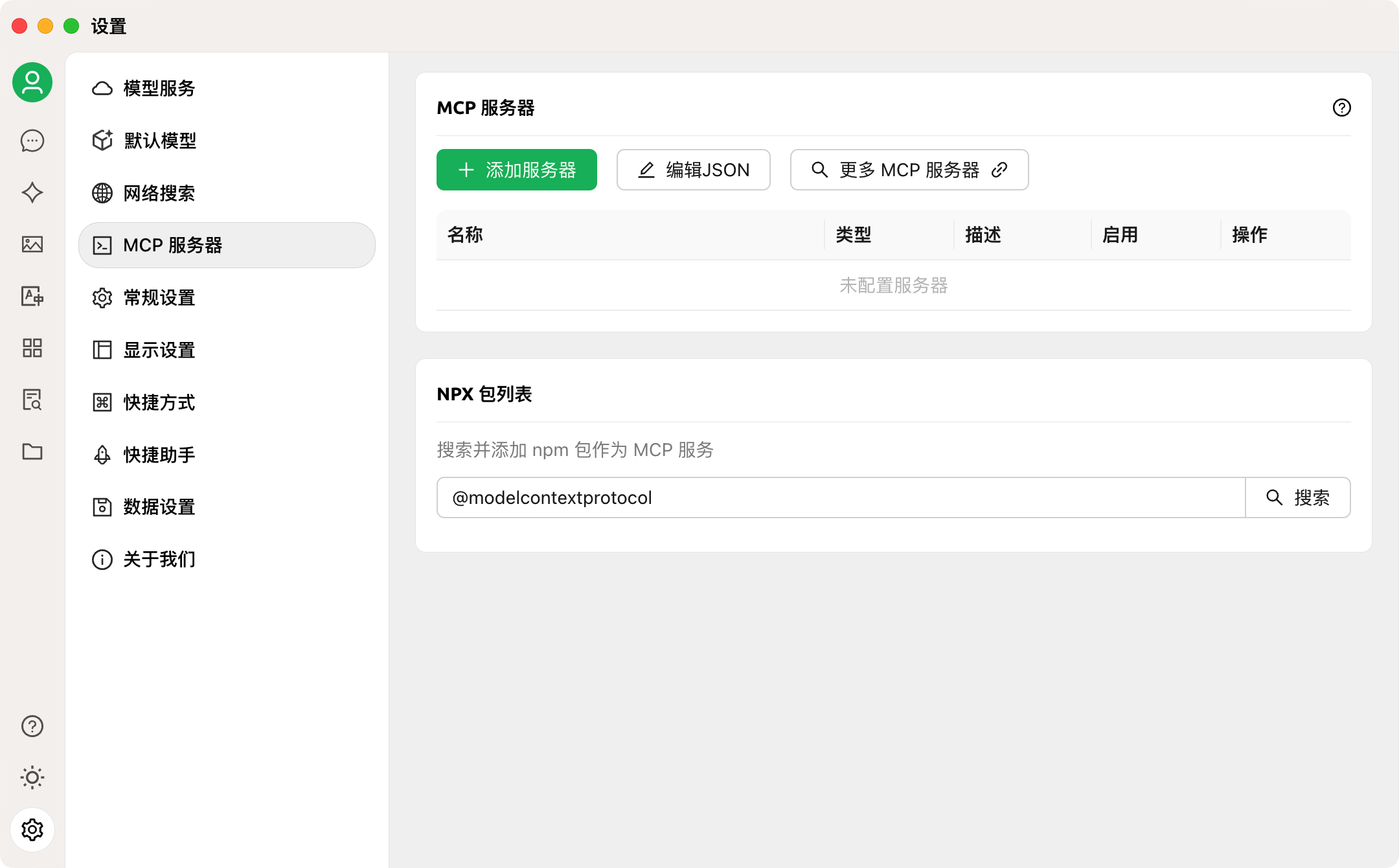
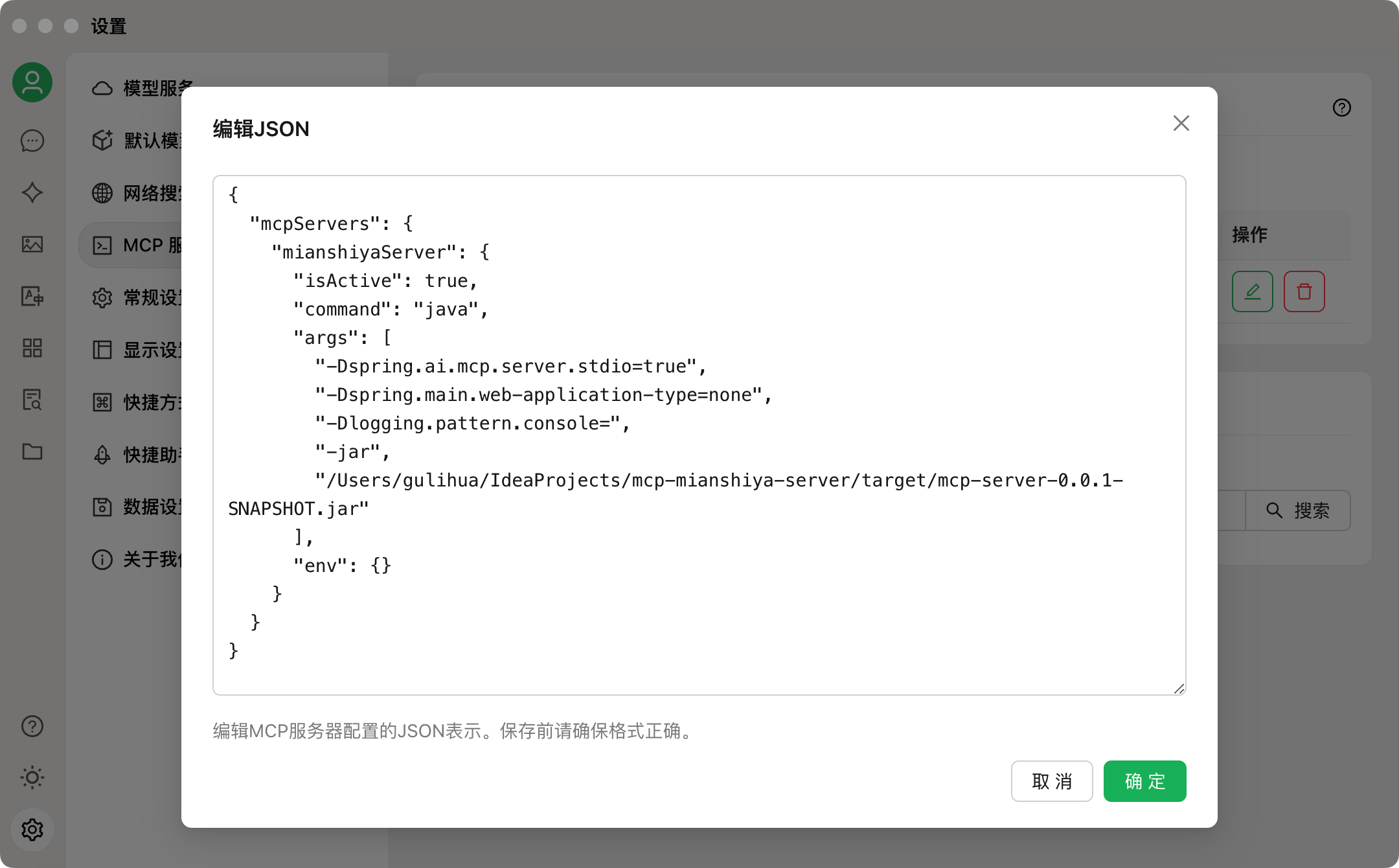
点击编辑 JSON,将以下配置添加到配置文件中。
{
  "mcpServers": {
    "articleServer": {
      "command": "java",
      "args": [
        "-Dspring.ai.mcp.server.stdio=true",
        "-Dspring.main.web-application-type=none",
        "-Dlogging.pattern.console=",
        "-jar",
        "/Users/gulihua/IdeaProjects/mcp-server-article/target/mcp-server-0.0.1-SNAPSHOT.jar"
      ],
      "env": {
        "JUEJIN_COOKIE": "掘金的cookie",
        "CNBLOG_COOKIE": "博客园的cookie",
        "CNBLOG_TOKEN": "博客园的x-xsrf-token",
        "CSDN_COOKIE": "CSDN的cookie"
      }
    }
  }
}
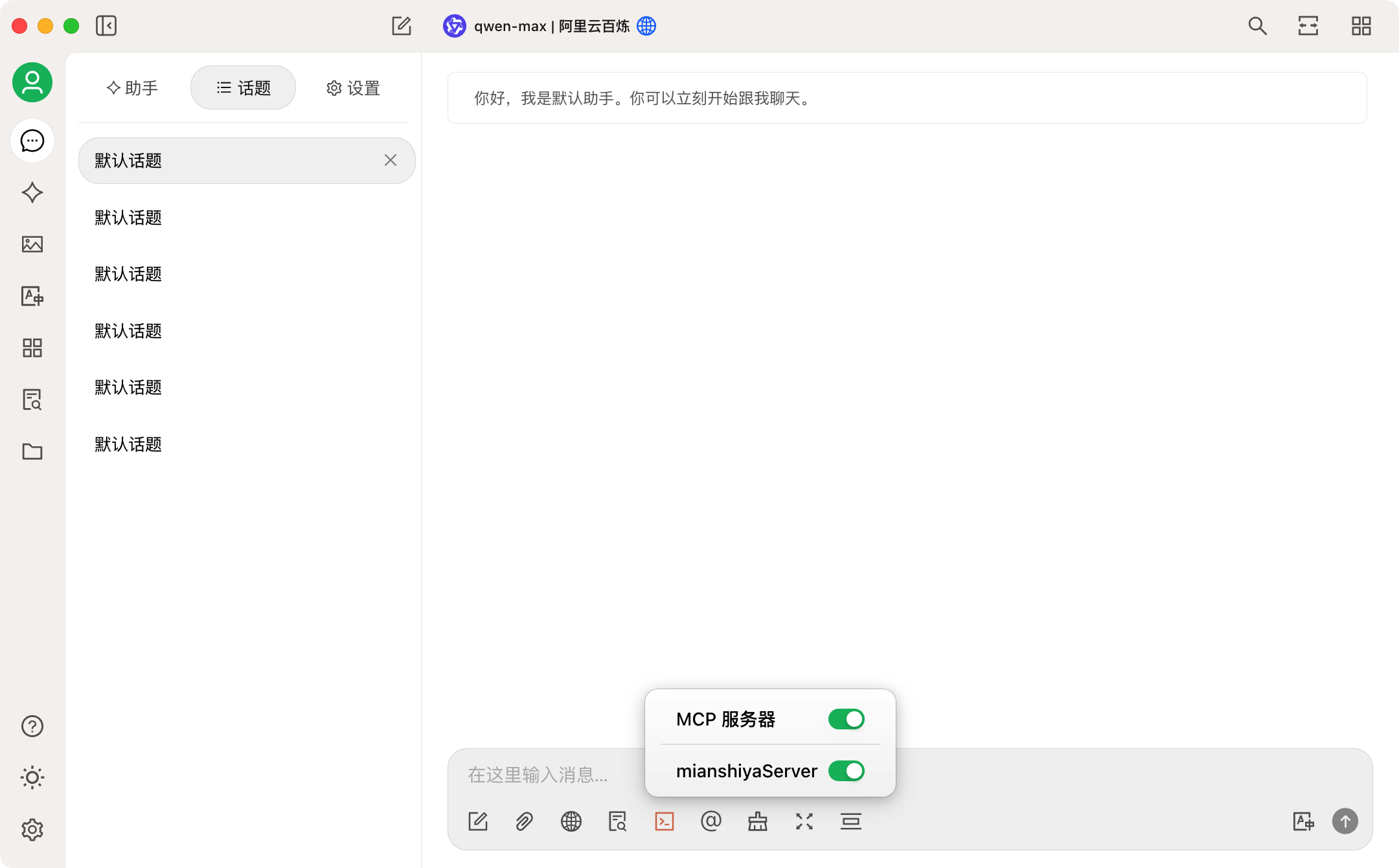
        <dependency>
            <groupId>com.alibaba.cloud.ai</groupId>
            <artifactId>spring-ai-alibaba-starter</artifactId>
            <version>1.0.0-M6.1</version>
        </dependency>
    <dependency>
      <groupId>org.springframework.ai</groupId>
      <artifactId>spring-ai-mcp-client-spring-boot-starter</artifactId>
      <version>1.0.0-M6</version>
    </dependency>
spring:
  ai:
    mcp:
      client:
        stdio:
          # 指定MCP服务器配置文件
          servers-configuration: classpath:/mcp-servers-config.json
  mandatory-file-encoding: UTF-8
其中mcp-servers-config.json的配置如下:
{
  "mcpServers": {
    "articleServer": {
      "command": "java",
      "args": [
        "-Dspring.ai.mcp.server.stdio=true",
        "-Dspring.main.web-application-type=none",
        "-Dlogging.pattern.console=",
        "-jar",
        "/Users/gulihua/IdeaProjects/mcp-server-article/target/mcp-server-0.0.1-SNAPSHOT.jar"
      ],
      "env": {
        "JUEJIN_COOKIE": "掘金的cookie",
        "CNBLOG_COOKIE": "博客园的cookie",
        "CNBLOG_TOKEN": "博客园的x-xsrf-token",
        "CSDN_COOKIE": "CSDN的cookie"
      }
    }
  }
}
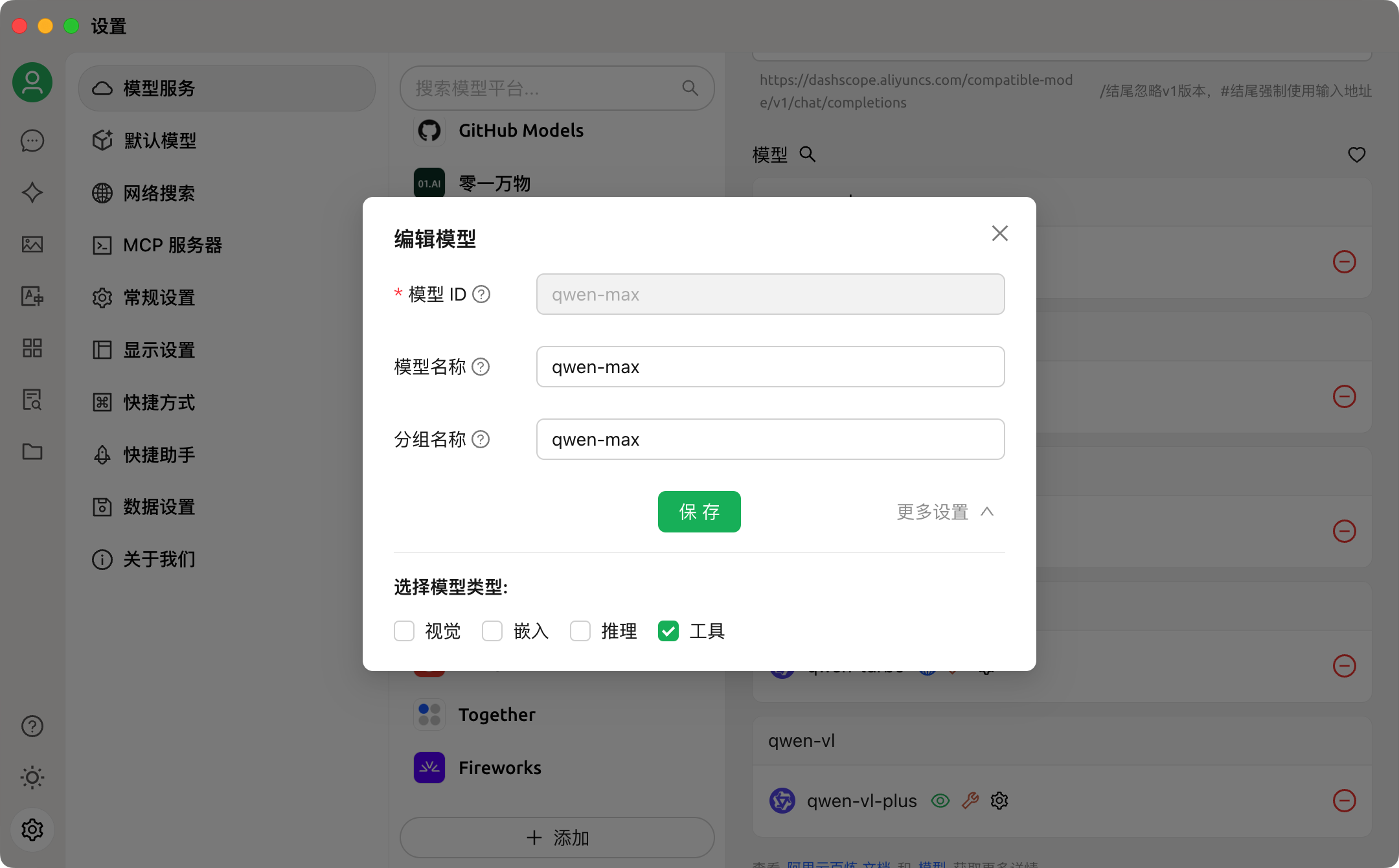
客户端我们使用阿里巴巴的通义千问模型,所以引入spring-ai-alibaba-starter依赖,如果你使用的是其他的模型,也可以使用对应的依赖项,比如openAI引入spring-ai-openai-spring-boot-starter 这个依赖就行了。
配置大模型的密钥等信息:
spring:
  ai:
    dashscope:
      api-key: ${通义千问的key}
      chat:
        options:
          model: qwen-max
通义千问的key可以直接去官网 去申请,模型我们用的是通义千问-Max。 3) 初始化聊天客户端
@Bean
public ChatClient initChatClient(ChatClient.Builder chatClientBuilder,
                                 ToolCallbackProvider mcpTools) {
    return chatClientBuilder
    .defaultTools(mcpTools)
    .build();
}
    @PostMapping(value = "/ai/answer/sse", produces = MediaType.TEXT_EVENT_STREAM_VALUE)
    public Flux<String> generateStreamAsString(@RequestBody AskRequest request) {

        Flux<String> content = chatClient.prompt()
                .user(request.getContent())
                .stream()
                .content();
        return content
                .concatWith(Flux.just("[complete]"));

    }
Claim this server with your GitHub account to request manual ownership verification.
Link to the catalog listing for 自动发文 MCP Server from your README. This badge does not certify ownership, compatibility or security.
[](https://awesome-mcp.com/servers/mcp-server-article)Public repository statistics could not be verified. Check the configured source address; unavailable counts are not zero.
Separate sources, scopes and periods. Never combined or treated as installations, active users or security reviews.
No reviewed package or image identity; download statistics are not listed yet.
Alternative and complementary servers in the same category
Oleafly is a live collaborative LaTeX, Typst and Markdown editor for research that offers a local MCP server and an oleafly mcp stdio command so outside AI clients can use its project tools.
Buddy is an Android app that offers its phone tools through a local MCP server to Claude Code, Codex, OpenCode, Antigravity, and Grok sessions.

Tuqui is a hosted MCP server that connects Odoo with Claude and ChatGPT so users can ask about sales, stock, customers and overdue invoices in plain language.
