

Oleafly is a live collaborative LaTeX, Typst and Markdown editor for research that offers a local MCP server and an oleafly mcp stdio command so outside AI clients can use its project tools.
Repository stats unavailable
Productivity & Ops
A hosted Model Context Protocol server that connects AI assistants to Google Ad Manager for conversational campaign, inventory, and reporting operations with guardrails.
OrbiAds hosted Google Ad Manager MCP server is cataloged as an MCP server attributed to orbiads. A hosted Model Context Protocol server that connects AI assistants to Google Ad Manager for conversational campaign, inventory, and reporting operations with guardrails. It is categorized under productivity work. See the capability inspector for recorded interfaces and their independent review status; consult upstream documentation for the current interface.
Installation configuration is not reviewed. No executable setup is offered for this entry; inspect the source repository before proceeding.
Catalog license label: Not specified. Check the source repository's current license and terms before using, modifying or distributing this software.
Capability definitions are not reviewed. Unreviewed imports are not exposed as trusted interfaces.
No reviewed records to display. This does not establish that upstream lacks this capability.
No reviewed records to display. This does not establish that upstream lacks this capability.
No reviewed records to display. This does not establish that upstream lacks this capability.
Email delivery is not connected. This page does not collect email addresses or create subscriptions.
Browse the registry for current listings instead.
Reviews for OrbiAds hosted Google Ad Manager MCP server are not available yet
Review publishing and storage are not connected. This page does not collect or publish ratings or comments, including after sign-in.
No; the hosted MCP endpoint can be added to supported assistants without a local install, though a separate Python CLI exists for terminal use.
It uses OAuth via a Google account, so GAM credentials stay with Google's infrastructure.
No; reads are free and credits are only consumed on write and deploy operations.
README.md · 982d176467c8 · Fetched 2026-11-13 12:03:54 UTC
Original upstream text, without AI rewriting. Scripts, forms and unsafe links are filtered for safety.
Showing the last retrieved documentation snapshot; check the source for current changes.
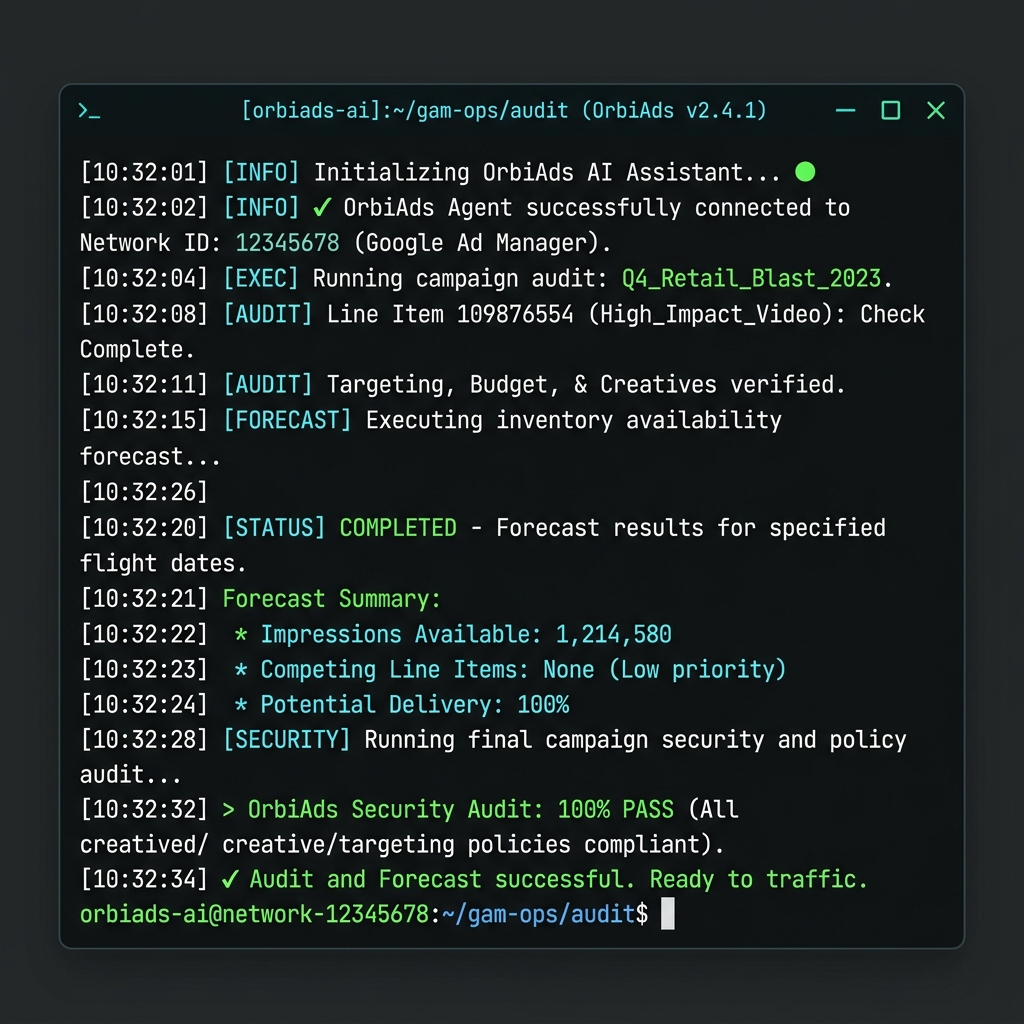
Hosted MCP for AI agents, plus a Python CLI for terminal and CI workflows.










OrbiAds is a hosted Google Ad Manager MCP server that gives AI assistants — Claude, ChatGPT, Gemini, Cursor, and OpenAI Codex — direct, natural-language access to Google Ad Manager. It covers 270+ operations across campaigns, orders, line items, creatives, inventory, targeting, and reporting, on the current GAM API (v202605), with OAuth and confirm-before-write guardrails.
→ Get started free at orbiads.com · ★ Star this repo
https://orbiads.com/mcp
Connect to my GAM account and show me my active networks.
pip install orbiads-cli
orbiads auth login
orbiads network info
Want a deeper setup path? Start with the CLI guide or the agent install guides.
| Signal | Status | Link |
|---|---|---|
| Public repo | MIT licensed mirror of the OrbiAds MCP distribution | LICENSE |
| PyPI CLI | Published as orbiads-cli for terminal and CI workflows | pypi.org/project/orbiads-cli |
| Hosted MCP | Remote Streamable HTTP endpoint with OAuth | https://orbiads.com/mcp |
| Glama | Indexed MCP registry page | glama.ai |
| MCP.so | Indexed MCP directory page | mcp.so |
| Official MCP registry | server.json manifest ready for registry publication | server.json |
| Smithery | Submission target prepared for hosted/external MCP listing | smithery.ai/new |
| Safety model | Plan → confirm → execute on write actions | Safety docs |
OrbiAds offers two integration methods — choose the one that fits your workflow.
Connect your AI assistant (Claude, ChatGPT, Gemini) to GAM via the hosted MCP endpoint. Conversational, guided, zero-install.
MCP endpoint: https://orbiads.com/mcp
A lightweight Python CLI for developers, CI/CD pipelines, and headless automation. Same API, same credits, same guardrails.
pip install orbiads-cli
orbiads auth login
orbiads network info
[!IMPORTANT] Windows/macOS/Linux PATH Warning: If you install the CLI via
pip(especially with--user), ensure the Python scripts directory is added to your userPATH. Without this, your terminal and local AI agents (like Claude Code, Cursor, or Gemini) will fail to find or execute theorbiadscommand. See the Troubleshooting section in the CLI Guide for quick setup commands.
| Criteria | MCP Server | CLI |
|---|---|---|
| Interface | AI agent (Claude, ChatGPT, Gemini) | Terminal / command line |
| Installation | URL to paste into agent settings | pip install orbiads-cli |
| Authentication | OAuth via browser (automatic) | OAuth Device Flow (code displayed) |
| Best for | Exploration, conversations, guided workflows | Scripts, CI/CD, headless automation |
| Output format | Natural language via the agent | JSON or structured table |
| Credits | Same consumption grid | Same consumption grid |
| Offline | No — requires internet | No — requires internet |
| Python required | No | Yes (3.10+) |
Both methods share the same backend, credits, and safety guardrails.
| Command | Description |
|---|---|
orbiads auth login | Authenticate via Google OAuth Device Flow |
orbiads auth status | Check authentication status |
orbiads network info | Show current GAM network details |
orbiads network list | List accessible GAM networks |
orbiads orders list | List orders in the network |
orbiads line-items list --order ID | List line items for an order |
orbiads creatives list | List creatives |
orbiads inventory ad-units | List ad units |
orbiads forecast check --ad-unit ID | Check inventory availability |
orbiads report run --template ID | Run a delivery report |
Full command reference: orbiads.com/docs/cli/commands
OrbiAds offers three integration pathways depending on your environment.
Connect your AI assistant to our hosted server using the Model Context Protocol:
claude_desktop_config.json:
{
  "mcpServers": {
    "orbiads": {
      "type": "http",
      "url": "https://orbiads.com/mcp"
    }
  }
}
https://orbiads.com/mcphttps://orbiads.com/mcphttps://orbiads.com/mcp endpoint to your configuration and copy AGENTS.md to your project root.Add the /adops command set directly into your Claude Code CLI terminal:
claude plugin install orbiads
Install our markdown-based guidelines permanently into Claude Code's memory:
./install.sh skills --copy
This copies our 6 consolidated skill files to your ~/.claude/skills/ directory. Claude Code will automatically leverage them to prevent hallucinations and strictly apply the plan-before-mutate workflow.
→ Installation guides: Claude · ChatGPT · Gemini · OpenAI Codex
OrbiAds is a hosted MCP server that connects your AI assistant directly to Google Ad Manager (GAM). Instead of clicking through the GAM interface or writing API scripts, you describe what you want in plain language — OrbiAds handles the API calls, guardrails, and audit trail.
You: "Check inventory availability on the homepage banner for a 300x250 in France next week"
OrbiAds: [runs forecast] → Available: 1.2M impressions. Pressure: low. Safe to traffic.

You: "Create the line item for Renault, €15 CPM, Monday to Friday"
OrbiAds: [applies guardrails] → Preview ready. Confirm to push?
No scripts. No API tokens to manage. No switching tabs.
| Platform | Setup guide | Mode |
|---|---|---|
| Claude (Desktop / claude.ai / Claude Code) | docs/install/claude.md | Plugin + MCP remote |
| ChatGPT (Pro connector) | docs/install/chatgpt.md | MCP remote (HTTP) |
| Gemini | docs/install/gemini.md | MCP remote |
| GLAMA (MCP registry) | glama.ai/mcp/servers/OrbiAds/Orbiads-GAM-MCP | MCP registry |
| Cursor / Codex / Warp / other | AGENTS.md | AGENTS.md + MCP wiring |
All platforms connect to the same hosted MCP endpoint at https://orbiads.com/mcp.
After installing the plugin, these /adops commands are available directly in Claude Code.
| Command | What it does |
|---|---|
/adops campaign | Read live state, plan deployment, dry-run (ExecutionPlan), deploy, pause, rollback — with mandatory plan→confirm→execute gate |
/adops audit | Multi-dimensional account audit: delivery, inventory, security, creatives, billing |
/adops report | Custom reports, delivery queries, CSV export, billing summaries, forecasts |
/adops deal | PMP deals, private auctions, Marketplace PG/PD proposals |
/adops creative | Upload creatives, QA compliance, SSL validation, preview URLs, line item association |
/adops inventory | Browse ad units, manage placements and targeting taxonomy, run blueprints |
/adops admin | Teams, sites, labels, custom fields, network settings (MCP surface only) |
The OrbiAds surface maps the Google Ad Manager API into parent tools and hundreds of actions, organized into 6 core domain Agent Skills plus an orchestrator, to keep context usage clean. See docs/tool-matrix/README.md for the live generated tool and action counts.
Click on any domain below to see which tools and capabilities are included:
campaign — Read live campaign state, plan deployment, dry-run, deploy, pause, and rollback campaigns.orders — Create and list orders, contacts, and roles.line_items — Define line item delivery rules, CPMs, and targeting logic.creatives — Upload creatives (images, HTML5, video/audio) and configure native styles.creative_assets — Manage associated image and file assets.creative_qa — Audit click-trackers, perform compliance scans, and validate SSL certificates.creative_wrapper_skill — Manage third-party wrappers and delivery presets.formats — Discover and configure ad creative formats.jobs & gam_jobs — Monitor async campaign compilation and deployment workflows.inventory — Retrieve ad unit trees, sizes, and generate ads.json manifests.placements — Create, update, and list ad placement groups.targeting — Manage custom targeting keys/values, countries, and categories.audiences — Retrieve and modify first-party audience segments.blueprint — Generate and push structured network inventory blueprints.reporting — Run custom reports from templates, check line item delivery, and integrate GA4.preview — Verify inventory coverage and export preview URLs.pql — Run raw PQL database queries.deals — Manage PMP deals, private auctions, and marketplace buyers.companies — Manage agency and advertiser company profiles.gam_admin — Access advanced fields, network labels, teams, and site records.gam_features — Query active Google Ad Manager beta and system features.network — List accessible networks and switch active network context.settings — Configure default CPMs, pacing, and brand naming templates.tenant_catalog — Access tenant-specific catalogs.audit_skill — Run automated security, hygiene, and wrapper coverage audits.billing — Fetch credit balances and transaction histories.audit — Search network audit logs.See
docs/tool-matrix/README.mdfor the complete parity matrix detailing exact costs, writes, and parameters for all 270+ actions.
Every write action requires an explicit ExecutionPlan preview and confirmation token. No campaign goes live by accident.
ExecutionPlan before you pushconfirmationToken TTL 300 secondsGo to orbiads.com and sign up. You get 5 free credits — no credit card required.
From the OrbiAds dashboard, click Connect GAM and authorize with your Google account. OrbiAds uses OAuth — your GAM credentials never leave Google's infrastructure.
Pick your platform and follow the guide:
Then start with:
"Connect to my GAM account and show me my active networks"
| Property | Value |
|---|---|
| Endpoint | https://orbiads.com/mcp |
| Transport | streamable-http (default) · sse |
| Auth | OAuth 2.0 — Google account via OrbiAds |
| GAM API version | v202605 |
| MCP Protocol | 2025-03-26 |
skills/           ← orchestrator skill + 6 consolidated dual-surface domain skills (generated)
                     Each domain skill has SKILL.md (thin) + references/actions.md (full catalogue)
commands/         ← 7 /adops slash commands for Claude Code
agents/           ← Parallel audit subagents (audit-delivery, audit-inventory, …)
hooks/            ← Claude Code hooks (hooks.json)
cli/              ← OrbiAds CLI package (pip install orbiads-cli)
docs/             ← Installation guides, tool matrix, custom-skill authoring guide
_docs/            ← Internal: legacy tool mapping, anti-collision rules
.claude-plugin/   ← Claude plugin manifest (plugin.json, marketplace.json)
AGENTS.md         ← Cross-LLM contract for Cursor, Codex, Gemini, Warp, etc.
CLAUDE.md         ← Claude Code project guidance
Skills and the tool matrix are generated from the backend catalogue — do not hand-edit them. See
CLAUDE.mdfor the generated vs. hand-authored breakdown.
| Plan | Price | Credits |
|---|---|---|
| Trial | Free | 5 credits (no card) |
| Starter | €39/month | 50 credits/month |
| Early Access | €29/month ← locked for life | 50 credits/month |
| Pack S | €29 one-time | +50 credits |
| Pack L | €45 one-time | +100 credits |
Reads are always free. Credits are only consumed on write and deploy operations.
The contents of this repository — distribution scaffold, skills, agents, workflows, JSON schemas, CLI client, platform integration manifests, documentation, and examples — are released under the MIT License.
The OrbiAds MCP server backend and Cloud Run services that the hosted endpoint at https://orbiads.com/mcp connects to are NOT in this repository and are governed by separate proprietary terms — see terms at orbiads.com.

Claim this server with your GitHub account to request manual ownership verification.
Link to the catalog listing for OrbiAds hosted Google Ad Manager MCP server from your README. This badge does not certify ownership, compatibility or security.
[](https://awesome-mcp.com/servers/orbiads-gam-mcp)Public repository statistics could not be verified. Check the configured source address; unavailable counts are not zero.
Separate sources, scopes and periods. Never combined or treated as installations, active users or security reviews.
No reviewed package or image identity; download statistics are not listed yet.
Alternative and complementary servers in the same category
Oleafly is a live collaborative LaTeX, Typst and Markdown editor for research that offers a local MCP server and an oleafly mcp stdio command so outside AI clients can use its project tools.
Buddy is an Android app that offers its phone tools through a local MCP server to Claude Code, Codex, OpenCode, Antigravity, and Grok sessions.

Tuqui is a hosted MCP server that connects Odoo with Claude and ChatGPT so users can ask about sales, stock, customers and overdue invoices in plain language.
