

Oleafly is a live collaborative LaTeX, Typst and Markdown editor for research that offers a local MCP server and an oleafly mcp stdio command so outside AI clients can use its project tools.
Repository stats unavailable
Productivity & Ops
Practical companion repository for the Themesic Perfex CRM REST API module, offering Postman, code snippets and docs, including an MCP server for AI agents.
Perfex CRM REST API examples with MCP server is cataloged as an MCP server attributed to themesic. Practical companion repository for the Themesic Perfex CRM REST API module, offering Postman, code snippets and docs, including an MCP server for AI agents. It is categorized under productivity work. See the capability inspector for recorded interfaces and their independent review status; consult upstream documentation for the current interface.
Installation configuration is not reviewed. No executable setup is offered for this entry; inspect the source repository before proceeding.
Catalog license label: Not specified. Check the source repository's current license and terms before using, modifying or distributing this software.
Capability definitions are not reviewed. Unreviewed imports are not exposed as trusted interfaces.
No reviewed records to display. This does not establish that upstream lacks this capability.
No reviewed records to display. This does not establish that upstream lacks this capability.
No reviewed records to display. This does not establish that upstream lacks this capability.
Email delivery is not connected. This page does not collect email addresses or create subscriptions.
Browse the registry for current listings instead.
Reviews for Perfex CRM REST API examples with MCP server are not available yet
Review publishing and storage are not connected. This page does not collect or publish ratings or comments, including after sign-in.
Yes, the v3 MCP server exposes permission-filtered CRM tools to any Model Context Protocol client.
Yes, v3 offers ready-made polling triggers under /api/zapier/* plus webhooks.
Yes, the REST API module adds a full RESTful HTTP/JSON API plus a v3 MCP server, webhooks, batch and automation endpoints.
README.md · 88a27cfce76f · Fetched 2026-11-13 10:57:25 UTC
Original upstream text, without AI rewriting. Scripts, forms and unsafe links are filtered for safety.
Showing the last retrieved documentation snapshot; check the source for current changes.
🌐 English · 简体中文 · Español · Português (BR) · Italiano · Français · Deutsch · Türkçe · Tiếng Việt · ไทย · العربية
Ready-to-use Postman collection, code snippets (cURL, PHP, Python, JavaScript) and a resource catalogue for the REST API module for Perfex CRM — the fastest way to connect Perfex CRM with AI agents and third-party applications.



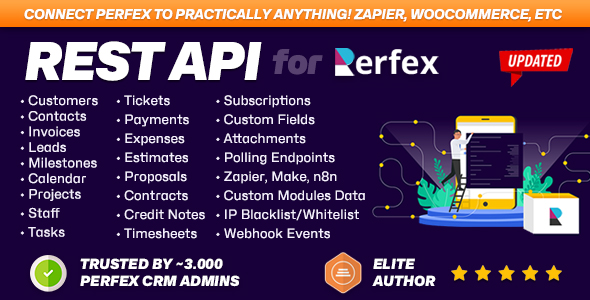
The Perfex CRM REST API lets you read and write customers, leads, invoices, estimates, projects, tasks and more over a clean HTTP/JSON interface — perfect for CRM integration, automation and custom apps. v3.0 adds an MCP server for AI agents, production-grade webhooks, ready-made Zapier / Make / n8n polling, batch operations and smarter list endpoints. This repository is the practical companion to the REST API for Perfex CRM module by Themesic Interactive: copy-paste examples, an importable Postman collection, and a full endpoint catalogue.
🧩 Get the module: https://themesic.com/product/rest-api-module-for-perfex-crm-connect-your-perfex-crm-with-third-party-applications/
📖 API guide / live docs: https://perfexcrm.themesic.com/apiguide/
🧾 OpenAPI 3.0 spec: GET https://yourdomain.com/api/openapi (reference copy)
| Feature | Endpoint | What it does |
|---|---|---|
| 🤖 MCP server | POST /api/mcp | Model Context Protocol (JSON-RPC 2.0) — exposes 148 permission-filtered CRM tools to Claude Desktop, ChatGPT, Cursor, n8n AI Agent and any MCP client |
| 🪝 Webhooks 2.0 | /api/webhooks | 124 events, REST management, async delivery with retries, SSRF protection, HMAC-signed requests |
| 🔌 Automation (polling) | /api/zapier/* | Ready-made polling triggers for Zapier, Make.com, n8n and any polling-based tool |
| ⚡ Batch | POST /api/batch | Up to 50 operations in one request (same tool names as MCP) |
| 📚 Knowledge Base | /api/knowledge_base | Articles + groups CRUD |
| 🗒️ Notes | /api/notes | Polymorphic notes across 12 entity types |
| 📄 Smarter lists | any list endpoint | Opt-in ?page=&per_page=, ?fields=, ?sort=, ?created_after=&created_before= |
| 🛡️ Safe writes | any POST | Idempotency-Key replay, ignored-unknown-fields on PUT, X-RateLimit-* headers |
| 📐 OpenAPI 3.0 spec | GET /api/openapi | The whole surface as one machine-readable document - 74 paths, 144 operations - import into Postman, Insomnia or Stoplight in seconds (reference copy in openapi/) |
Everything is opt-in and backwards-compatible: requests without the new parameters return the exact same response as before.
| Folder | What's inside |
|---|---|
postman/ | Importable Postman collection + environment ({{base_url}}, {{authtoken}}) — now with MCP, Webhooks, Batch, Automation, Knowledge Base & Notes |
snippets/curl/ | Copy-paste curl commands for the most common calls |
snippets/php/ | PHP (cURL) examples |
snippets/python/ | Python (requests) examples |
snippets/javascript/ | JavaScript / Node (fetch) examples |
docs/ | Authentication, pagination & filtering, webhooks, MCP, automation, custom tables, errors & status codes |
Each snippet language has examples for customers, invoices, leads plus the v3 features webhooks, mcp, batch, automation, knowledge_base and notes, and a list_features file showing pagination, field selection and sorting.
Every request to the Perfex CRM REST API is authenticated with the Authtoken header. Create a token
in your Perfex admin under API → API Management (after activating the
REST API module),
then call the API at https://yourdomain.com/api/...:
curl -H "authtoken: YOUR_API_TOKEN" https://yourdomain.com/api/customers
That returns the list of customers as JSON. See docs/authentication.md for
header vs. query-parameter auth, and snippets/ for the same call in PHP, Python and JavaScript.
postman/perfex-rest-api.postman_collection.json.postman/perfex-rest-api.postman_environment.json.base_url to https://yourdomain.com/api and authtoken to your token.Point any MCP client (Claude Desktop, Cursor, ChatGPT, n8n AI Agent) at POST https://yourdomain.com/api/mcp
and send your authtoken header. The server advertises permission-filtered tools for your CRM. See
docs/mcp.md and snippets/curl/mcp.sh.
Connect any assistant with one URL, https://perfex-mcp.themesic.com/mcp. Step-by-step setup for Claude, ChatGPT,
Cursor and VS Code: docs/connect-ai-assistants.md.
A Claude plugin (connector + skills) for claude.ai, Cowork and Claude Code lives in
claude-plugin/. It requires the REST API module with a valid license and the MCP
server enabled. See claude-plugin/README.md for setup, permissions and the
privacy policy.
All CRUD endpoints follow a RESTful convention: GET list, GET /:id single, POST create,
PUT /:id update, DELETE /:id delete — under the base path https://yourdomain.com/api.
| Resource | Base path | Typical operations |
|---|---|---|
| Customers | /api/customers | list, get, create, update, delete |
| Contacts | /api/contacts | list, get, create, update, delete |
| Leads | /api/leads | list, get, create, update, delete |
| Invoices | /api/invoices | list, get, create, update, delete |
| Estimates | /api/estimates | list, get, create, update, delete |
| Credit Notes | /api/credit_notes | list, get, create, update |
| Payments | /api/payments | list, get, create |
| Proposals | /api/proposals | list, get, create, update, delete |
| Contracts | /api/contracts | list, get, create, update, delete |
| Projects | /api/projects | list, get, create, update, delete |
| Tasks | /api/tasks | list, get, create, update, delete |
| Milestones | /api/milestones | list, get, create, update, delete |
| Timesheets | /api/timesheets | list, get, create, update, delete |
| Subscriptions | /api/subscriptions | list, get, create, update |
| Items | /api/items | list, get, create, update, delete |
| Expenses | /api/expenses | list, get, create, update, delete |
| Staff | /api/staffs | list, get, create, update, delete |
| Calendar | /api/calendar | list, get, create, update, delete |
| Custom Fields | /api/custom_fields | list per related type |
| Common (lookups) | /api/common | countries, taxes, currencies, statuses … |
| Resource | Base path | Typical operations |
|---|---|---|
| MCP server | /api/mcp | POST JSON-RPC 2.0: initialize, tools/list, tools/call |
| Batch | /api/batch | POST up to 50 operations in one request |
| Webhooks | /api/webhooks | list, get, create, update, delete, POST /:id/toggle, GET /events, GET /:id/logs |
| Automation (polling) | /api/zapier | GET /resources, GET /poll/:resource, GET /test/:resource |
| Knowledge Base | /api/knowledge_base | list, get, create, update, delete; /groups |
| Notes | /api/notes | list by :rel_type/:rel_id, get, create, update, delete |
The exact request fields per resource are documented in the official API guide. The snippets here cover the most common flows.
Every list endpoint accepts optional query parameters. Add them and you get a { data, meta } envelope;
omit them and you get the exact legacy array.
# Page 2, 20 per page, only id + company, newest first, created this year
curl -H "authtoken: YOUR_API_TOKEN" \
  "https://yourdomain.com/api/customers?page=2&per_page=20&fields=id,company&sort=-datecreated&created_after=2026-01-01"
| Parameter | Example | Effect |
|---|---|---|
page, per_page | ?page=2&per_page=20 | Pagination → { data, meta } |
fields | ?fields=id,company | Return only these columns |
sort | ?sort=-datecreated,company | Sort (- = descending) |
created_after, created_before | ?created_after=2026-01-01 | Date-range filter |
per_pageis the parameter that sizes a page (1-100, default 25).limitis accepted as an alias only whenpageis sent too, so a bare?limit=5does not paginate - use?page=1&per_page=5.
See docs/pagination-filtering.md and
snippets/curl/list_features.sh.
There are no breaking changes. Every v3 list feature is opt-in:
{ data, meta } envelope appears only when you send page or per_page./api/customers.PUT are ignored instead of returning an error.POST requests accept an optional Idempotency-Key header; identical retries replay the stored
response rather than creating duplicates.Two things worth knowing when adopting v3:
docs/custom-tables.md.tools/list.The Perfex CRM REST API is commonly used to connect Perfex CRM with AI agents and third-party applications:
/api/mcp./api/zapier/*).All of these are powered by the REST API for Perfex CRM module.
| Method | How |
|---|---|
| Header (recommended) | Authtoken: YOUR_API_TOKEN |
| Query parameter | ?authtoken=YOUR_API_TOKEN (handy for quick tests / webhooks) |
Tokens are created and scoped (per-resource permissions) in API → API Management. Full details in
docs/authentication.md.
Does Perfex CRM have a REST API? Yes. The REST API for Perfex CRM module adds a full RESTful HTTP/JSON API for customers, leads, invoices, estimates, projects, tasks and more, plus a v3 MCP server, webhooks, batch and automation endpoints.
Can I use Perfex CRM with AI agents / ChatGPT / Claude?
Yes — v3 ships an MCP server at POST /api/mcp that exposes permission-filtered CRM tools to any
Model Context Protocol client. See docs/mcp.md.
How do I authenticate with the Perfex CRM API?
Send your token in the Authtoken HTTP header (or as an ?authtoken= query parameter). See
docs/authentication.md.
What is the base URL of the Perfex CRM API?
https://yourdomain.com/api — for example https://yourdomain.com/api/customers.
Can I connect Perfex CRM to Zapier, Make or n8n?
Yes — v3 has ready-made polling triggers under /api/zapier/*, plus webhooks. See
Popular integrations and docs/automation.md.
Is there a Postman collection for Perfex CRM?
Yes — import postman/perfex-rest-api.postman_collection.json
and the bundled environment, set your base_url and authtoken, and start sending requests.
How do I create an invoice via the Perfex CRM API?
POST https://yourdomain.com/api/invoices with the invoice fields and an items[] array — v3 auto-calculates
subtotal/total. See snippets/curl/invoices.sh.

This repository is an examples companion to the commercial module:
REST API for Perfex CRM — connect your Perfex CRM with third-party applications by Themesic Interactive.
Contributions of additional examples are welcome — see CONTRIBUTING.md.
Example code in this repository is released under the MIT License. "Perfex" is a trademark of its respective owner; the REST API module is a commercial product by Themesic Interactive.
Claim this server with your GitHub account to request manual ownership verification.
Link to the catalog listing for Perfex CRM REST API examples with MCP server from your README. This badge does not certify ownership, compatibility or security.
[](https://awesome-mcp.com/servers/perfex-crm)Public repository statistics could not be verified. Check the configured source address; unavailable counts are not zero.
Separate sources, scopes and periods. Never combined or treated as installations, active users or security reviews.
No reviewed package or image identity; download statistics are not listed yet.
Alternative and complementary servers in the same category
Oleafly is a live collaborative LaTeX, Typst and Markdown editor for research that offers a local MCP server and an oleafly mcp stdio command so outside AI clients can use its project tools.
Buddy is an Android app that offers its phone tools through a local MCP server to Claude Code, Codex, OpenCode, Antigravity, and Grok sessions.

Tuqui is a hosted MCP server that connects Odoo with Claude and ChatGPT so users can ask about sales, stock, customers and overdue invoices in plain language.
