


Oleafly is a live collaborative LaTeX, Typst and Markdown editor for research that offers a local MCP server and an oleafly mcp stdio command so outside AI clients can use its project tools.
Repository stats unavailable
Productivity & Ops
An open-source collaborative workspace whose pages, databases, kanban boards and dashboards are exposed to AI agents through a built-in MCP server.
Remnus is cataloged as an MCP server attributed to ranork. An open-source collaborative workspace whose pages, databases, kanban boards and dashboards are exposed to AI agents through a built-in MCP server. It is categorized under productivity work. See the capability inspector for recorded interfaces and their independent review status; consult upstream documentation for the current interface.
Installation configuration is not reviewed. No executable setup is offered for this entry; inspect the source repository before proceeding.
Catalog license label: AGPL-3.0. Check the source repository's current license and terms before using, modifying or distributing this software.
Capability definitions are not reviewed. Unreviewed imports are not exposed as trusted interfaces.
No reviewed records to display. This does not establish that upstream lacks this capability.
No reviewed records to display. This does not establish that upstream lacks this capability.
No reviewed records to display. This does not establish that upstream lacks this capability.
Email delivery is not connected. This page does not collect email addresses or create subscriptions.
Browse the registry for current listings instead.
Reviews for Remnus are not available yet
Review publishing and storage are not connected. This page does not collect or publish ratings or comments, including after sign-in.
Editors use one-click OAuth 2.1 with PKCE and dynamic registration, while headless or CI agents can use scoped read/write personal access tokens sent as a bearer header.
Yes, agents can create a live dashboard from JSON blocks, receiving its URL and warnings for blocks that would render empty, and can later patch it by block id.
No. The documentation states the MCP server does not allow control of local files, shell commands or Git; repository-level enforcement relies on supplied AGENTS.md and CLAUDE.md snippets.
README.md · 6b927de6aca9 · Fetched 2026-11-13 12:17:51 UTC
Original upstream text, without AI rewriting. Scripts, forms and unsafe links are filtered for safety.
Showing the last retrieved documentation snapshot; check the source for current changes.
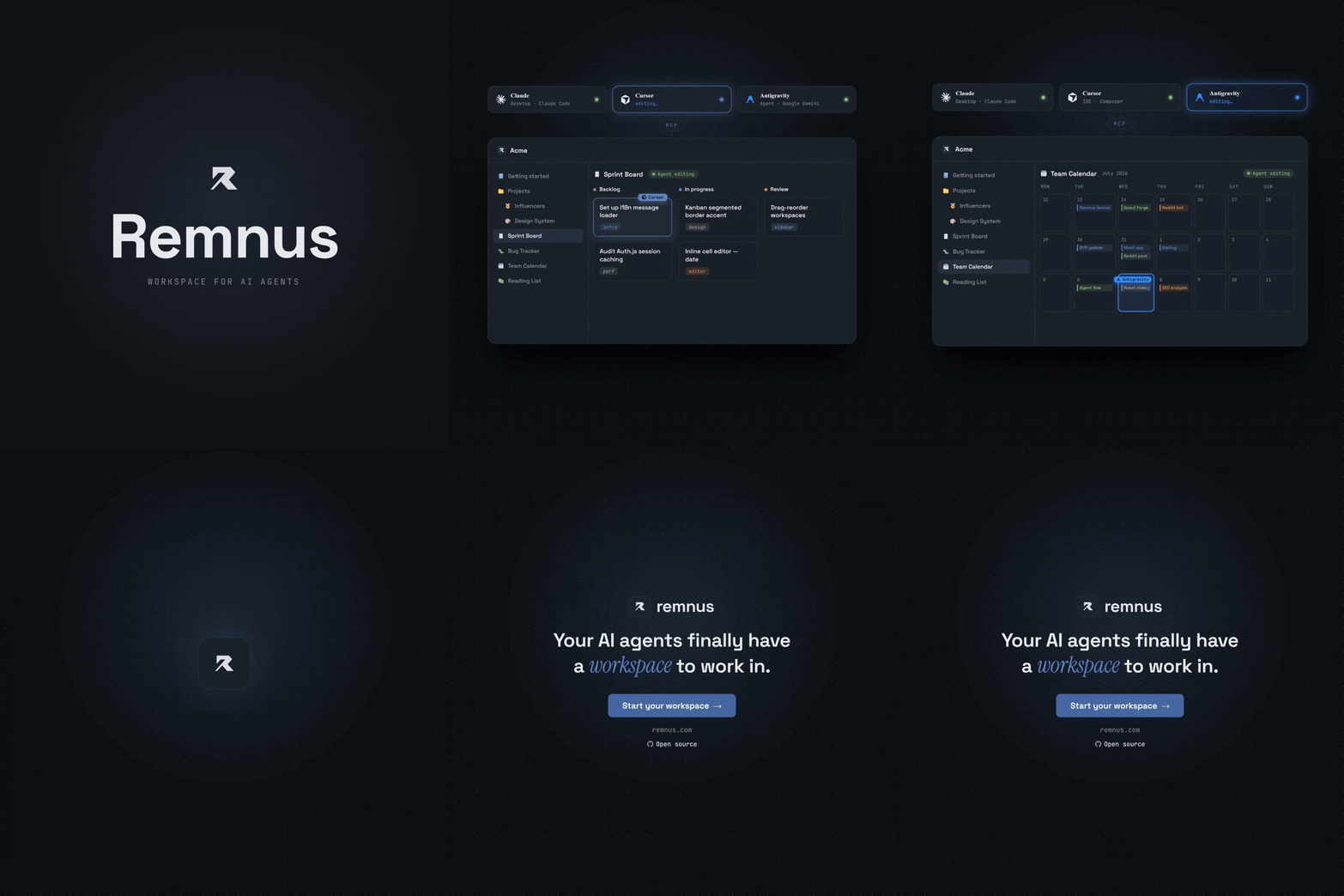
Open-source MCP-native workspace for humans and AI agents.
Kanban boards, databases, and pages that Claude, Cursor, and any AI agent can read and write via MCP — alongside you.



Remnus is the Human-Agent Collaborative Workspace, built around the Model Context Protocol (MCP). Every page, database, and kanban board in your workspace is accessible to AI agents via a first-class MCP server — connect editors with one-click OAuth 2.1 (PKCE), or use a scoped bearer token for headless / CI agents.
Unlike Notion's MCP integration, Remnus is designed for headless, CI/CD, and coding agent workflows from day one.
Remnus uses Open Knowledge Format (OKF) ideas as a portable knowledge contract. Pages can carry descriptions, types, tags, sources, lifecycle state, freshness dates, and revision-bound review signals. OKF v0.2 import/export is the interchange layer; the editable Remnus workspace remains canonical.
The prepare_context MCP tool turns a concrete task into Context Pack v2: a token-budgeted set of concepts ranked by BM25 relevance, native metadata, page links, freshness, and trust. Smart mode advertises this context-first flow automatically for meaningful work. Strict mode additionally requires the same agent's short-lived contextRunId before Remnus MCP mutations.
This does not let an MCP server control local files, shell commands, or Git. Repository-level enforcement uses the supplied AGENTS.md and CLAUDE.md snippets. Read the public Context-First MCP guide and the implementation story, How Remnus Uses OKF to Give AI Agents Better Context.
git clone https://github.com/Ranork/remnus-app.git
cd remnus-app
cp .env.example .env          # fill in AUTH_SECRET + OAuth credentials
npm install
npm run db:migrate
npm run dev
Open http://localhost:3000. The first user to sign up is auto-promoted to admin.
If you prefer to run Remnus using Docker:
git clone https://github.com/Ranork/remnus-app.git
cd remnus-app
AUTH_SECRET and OAuth credentials):
cp .env.example .env
docker compose up -d
http://localhost:3000. The SQLite database will be persisted automatically using a Docker volume.

After signing in, open the AI Agents panel from the sidebar and click Connect editor. It walks you through every supported editor (Cursor, VS Code, Claude Code, Codex, Windsurf, and more).

Remnus is published on the official MCP Registry (io.github.Ranork/remnus) and on Smithery, so MCP-aware clients and directories can discover it automatically. Smithery offers one-click install across many clients (Claude, Cursor, VS Code, Codex, Windsurf, and more) — open the Smithery page and click Add to toolbox, or use the Smithery CLI to install straight into a client's config:
npx -y smithery@latest mcp add ranorkk/remnus --client claude
Swap --client for cursor, vscode, codex, windsurf, etc. Either way, the first connection runs the same OAuth 2.1 sign-in — no token to paste.
Recommended — OAuth (token-less): point your editor at the MCP URL and approve the consent screen on first connect. Your editor runs the OAuth 2.1 flow automatically — nothing to copy.
{
  "mcpServers": {
    "remnus": {
      "type": "http",
      "url": "https://your-instance.com/api/mcp"
    }
  }
}
Headless / CI — personal access token: create a scoped token from the AI Agents panel and send it as a bearer header.
{
  "mcpServers": {
    "remnus": {
      "type": "http",
      "url": "https://your-instance.com/api/mcp",
      "headers": {
        "Authorization": "Bearer <your-token>"
      }
    }
  }
}
| Tool | Scope | Description |
|---|---|---|
prepare_context | read | Build Context Pack v2 (BM25 + OKF metadata + graph) and return a short-lived contextRunId |
search_workspace | read | Full-text search across pages and databases |
list_workspace | read | List sidebar items with pagination |
get_page | read | Get a page, database row or dashboard (as its block spec) by ID |
get_pages | read | Get multiple pages/rows by ID in one call (batch get_page) |
get_database_schema | read | Get column schema of a database |
query_database | read | Query rows with filters and pagination |
list_members | read | List workspace members with roles |
query_audit_log | read | Filtered agent activity log |
get_changes_since | read | Compact, chronological feed of what changed since a timestamp or cursor |
get_related_pages | read | A page's parent, children, outgoing links, backlinks, database siblings and source files — or, given a file path, the pages that rest on it |
get_status | read | Check this connection: workspace, scope, when the token expires and what to do about it |
create_page | write | Create a standalone page or database row, with an icon |
bulk_create_pages | write | Create up to 50 pages or rows in one call, nesting pages via ref/parentRef |
update_page | write | Update title, content, or properties |
bulk_update_pages | write | Update multiple rows in one call |
delete_page | write | Delete a page, database, dashboard or row (requires confirm: true) |
bulk_delete_pages | write | Delete up to 100 pages/rows/databases in one call (requires confirm: true) |
move_item | write | Move item to a new parent |
bulk_move_items | write | Move up to 100 items in one call, reparenting or moving rows to a different database |
create_database | write | Create a database with custom schema, icon, and views |
update_database_schema | write | Add or remove columns |
create_database_view | write | Add a table/kanban/calendar view |
update_database_view | write | Rename a view or patch its config |
delete_database_view | write | Delete a saved view (requires confirm: true) |
create_dashboard | write | Create a live dashboard from JSON blocks; returns its URL and warnings for blocks that would render empty |
update_dashboard | write | Patch a dashboard by block id — add, update, remove, reorder |
add_comment | write | Add a comment to a page or row (agent comments are append-only) |
@libsql/client (Turso-compatible)See CONTRIBUTING.md. All contributions are welcome — bug fixes, new MCP tools, translations, and docs.
AGPL-3.0 — free to self-host and modify. SaaS forks must open-source their changes.
Claim this server with your GitHub account to request manual ownership verification.
Link to the catalog listing for Remnus from your README. This badge does not certify ownership, compatibility or security.
[](https://awesome-mcp.com/servers/remnus-app)Public repository statistics could not be verified. Check the configured source address; unavailable counts are not zero.
Separate sources, scopes and periods. Never combined or treated as installations, active users or security reviews.
No reviewed package or image identity; download statistics are not listed yet.
Alternative and complementary servers in the same category
Oleafly is a live collaborative LaTeX, Typst and Markdown editor for research that offers a local MCP server and an oleafly mcp stdio command so outside AI clients can use its project tools.
Buddy is an Android app that offers its phone tools through a local MCP server to Claude Code, Codex, OpenCode, Antigravity, and Grok sessions.

Tuqui is a hosted MCP server that connects Odoo with Claude and ChatGPT so users can ask about sales, stock, customers and overdue invoices in plain language.
