

A Rust CAD application with an MCP server for creating, inspecting and rendering drawings, either headlessly or through a connection to the desktop app.
8K
Media & Design
An engine-agnostic MCP server that lets AI assistants generate mock 2D game assets such as sprites, spritesheets, health bars, and UI elements as PNG files in a project folder.
MCP server for generating 2D placeholder game assets is cataloged as an MCP server attributed to crony-io. An engine-agnostic MCP server that lets AI assistants generate mock 2D game assets such as sprites, spritesheets, health bars, and UI elements as PNG files in a project folder. It is categorized under media design. See the capability inspector for recorded interfaces and their independent review status; consult upstream documentation for the current interface.
Installation configuration is not reviewed. No executable setup is offered for this entry; inspect the source repository before proceeding.
Catalog license label: MIT. Check the source repository's current license and terms before using, modifying or distributing this software.
能力定义尚未审核。未核验的采集内容不会作为可信接口展示。
暂无可展示的已审核记录。这不表示上游不支持此能力。
暂无可展示的已审核记录。这不表示上游不支持此能力。
暂无可展示的已审核记录。这不表示上游不支持此能力。
Email delivery is not connected. This page does not collect email addresses or create subscriptions.
Browse the registry for current listings instead.
Reviews for MCP server for generating 2D placeholder game assets are not available yet
Review publishing and storage are not connected. This page does not collect or publish ratings or comments, including after sign-in.
Each generated PNG embeds JSON metadata in its EXIF data, which can be read back with the read_image_metadata tool without loading image pixels.
Yes, the batch tool can compose frames into a single-row animation strip, sizing each cell to the largest asset and centering smaller assets within it.
README.md · 49e6c76c7f53 · 采集于 2026-11-13 11:34:08 UTC
保留上游原文,不做 AI 改写。为安全起见过滤脚本、表单和不安全链接。
当前显示最后一次成功采集的文档快照,请以来源页面为准。
Design your game's feel before you design its art.



Just like wireframing helps designers visualize user flows before start sketching, 2d-assets-mcp helps game developers visualize timing, frames-per-second (FPS), collision boundaries, and UI layouts before spending hours on final artwork.
This MCP (Model Context Protocol) server lets any AI assistant (Antigravity, Claude Code, Codex, Devin, or any of them as long as it's MCP-compatible) generate advanced 2D mock/placeholder assets in PNG format right into your project folder. Save time and prototype faster, nail your game's feel with 2d-assets-mcp, and then replace the mockups with original artwork when you are ready.
This MCP is engine-agnostic and it works flawlessly with any game engine that supports PNG import, like:
Save time and create placeholder health bars, spritesheets, and whatever UI elements you can think of with full support for gradients, patterns, transparency, text rotation, and auto-scaling, all via chat and without ever opening an image editor. The idea behind it is to help you test and iterate how your game feels first by prototiping scale, jump arcs, and animation timing without waiting on final art assets, and also with zero friction: Need that placeholder button to be 20% larger? Just ask your AI client to regenerate it.
[!TIP] 2d-assets-mcp has AI-Friendly Metadata → meaning each generated PNG embeds rich JSON metadata (dimensions, color, shape, gradient properties, pattern details, text properties, stroke properties, description) directly in its EXIF data, so AI models without vision can still understand what an asset contains.
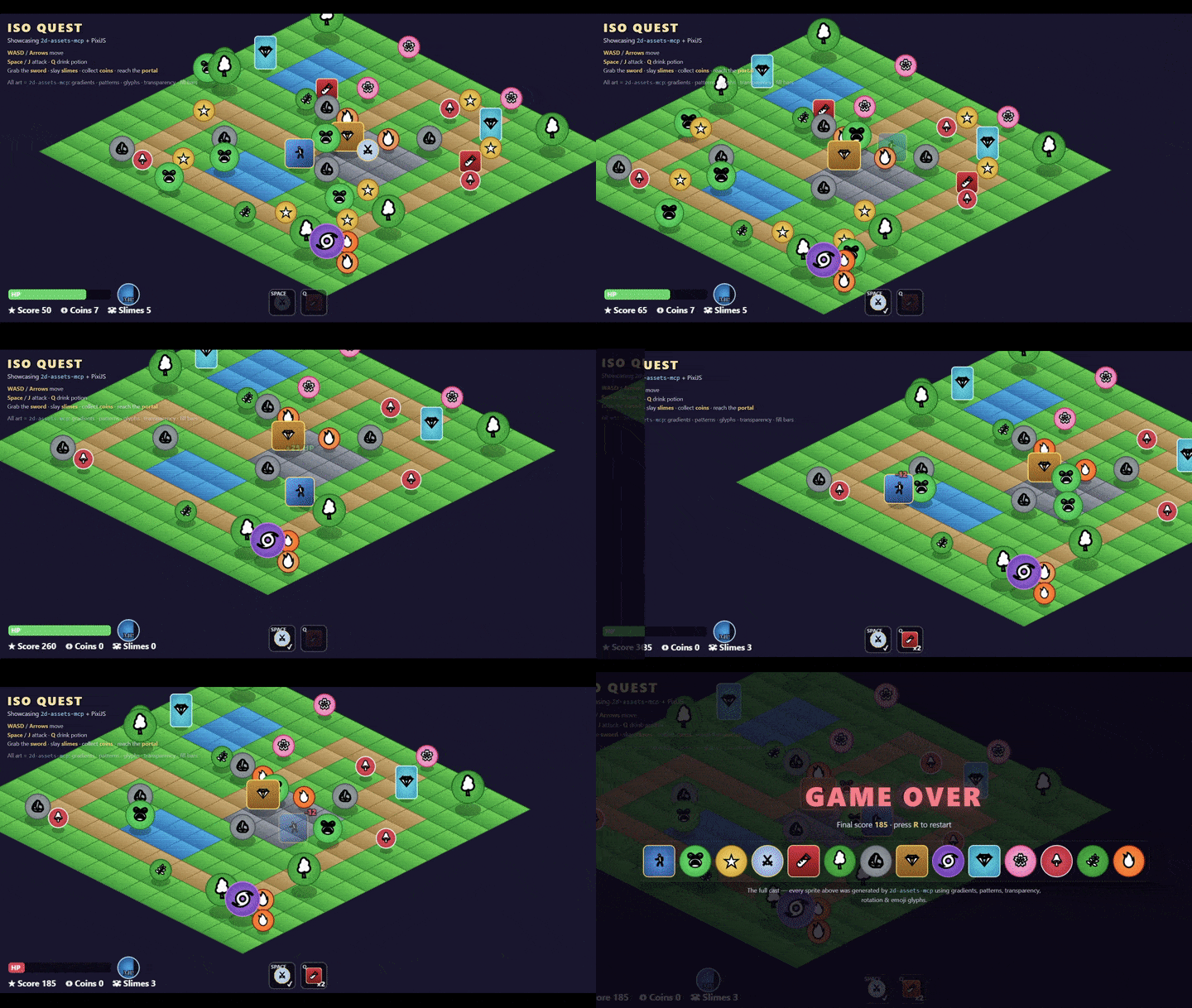
Here are some example assets generated by this MCP server:

Hero Idle Animation (8 frames, 512x64)

8-frame idle animation spritesheet with effect
Attack Button (128×48)

Button with red gradient, rounded corners, and "ATTACK" label
Health Bar (200×24)

Health bar at 75% fill with green color and dark gray track
Gold Coin (32×32)

Circular coin with radial gradient, dot pattern overlay, and "COIN" label


Fire animation (4 frames, 192x48)

4-frame spritesheet
fillPercent and trackColor for partially-filled assets.fontSize if needed.read_image_metadata, without loading image pixels, ideal for non-vision AI workflows.player_idle_128x128.png) to help models with no vision know the dimensions when using the asset.This MCP server equips your AI with 3 tools to generate and read 2D asset metadata.
generate_mock_assetGenerates a single PNG asset and writes it to the disk. It supports gradients, patterns, transparency, text rotation, and embedded metadata.
Required parameters
| Parameter | Type | Description |
|---|---|---|
filename | string | Output filename, e.g. player_idle.png |
directory | string | Absolute path to the output folder (created if missing) |
text | string | Label rendered on the asset |
color | string | Background hex color, e.g. #FF5733 |
Optional parameters: shape & size
| Parameter | Type | Default | Description |
|---|---|---|---|
width | number | 128 | Width in pixels |
height | number | 128 | Height in pixels |
shape | rectangle | rounded-rectangle | circle | rectangle | Geometric shape |
opacity | number 0–1 | 1.0 | Background opacity |
strokeColor | string | #000000 | Border hex color |
strokeWidth | number | 4 | Border width in px; 0 removes the border |
Optional parameters: fill & gradient
| Parameter | Type | Default | Description |
|---|---|---|---|
fillMode | solid | linear-gradient | radial-gradient | solid | Background fill type |
secondaryColor | string | auto-derived | Second gradient stop; auto-shaded from color if omitted |
gradientAngle | number | 45 | Angle in degrees for linear gradients (ignored for radial) |
Optional parameters: progress/health bar
| Parameter | Type | Default | Description |
|---|---|---|---|
fillPercent | number 0–100 | 100 | How much of the asset is filled (left to right) |
trackColor | string | — | Color of the unfilled portion; transparent if omitted |
Optional parameters: pattern overlay
| Parameter | Type | Default | Description |
|---|---|---|---|
pattern | none | stripes | dots | grid | none | Pattern overlay type |
patternColor | string | auto-derived | Pattern color; contrast-auto if omitted |
patternOpacity | number 0–1 | 0.18 | Pattern overlay opacity |
patternScale | number ≥2 | 16 | Pattern tile size in pixels |
Optional parameters: text
| Parameter | Type | Default | Description |
|---|---|---|---|
textPosition | center | top | bottom | center | Vertical text alignment |
fontSize | number | auto-scaled | Explicit font size in px; auto-fits if omitted |
textRotation | number | 0 | Text rotation angle in degrees |
textColor | string | auto-contrasting | Hex color for text; auto-calculated if omitted |
Optional parameters: metadata
| Parameter | Type | Default | Description |
|---|---|---|---|
assetDescription | string | — | Human-readable description embedded in the PNG EXIF for non-vision AI context |
[!NOTE] Output filename format
The server automatically appends the dimensions to the filename before writing:
player_idle.png → player_idle_128x128.png
generate_mock_asset_batchGenerates multiple assets in one request. Supports individual PNGs or a single composed spritesheet.
Required parameters
| Parameter | Type | Description |
|---|---|---|
assets | AssetConfig[] | Array of asset configs (same fields as generate_mock_asset) |
Optional parameters
| Parameter | Type | Default | Description |
|---|---|---|---|
spritesheetMode | individual \ spritesheet | spritesheet | individual writes separate PNGs; spritesheet composes a single PNG |
sheetFilename | string | spritesheet.png | Output filename for the composed spritesheet |
sheetDirectory | string | first asset's directory | Output directory for the spritesheet |
sheetMargin | number | 8 | Outer padding around the spritesheet in pixels |
sheetSpacing | number | 8 | Gap between animation frames in pixels |
[!NOTE] Spritesheet layout
All assets are arranged in a single row (traditional animation strip). Each frame cell is sized to the largest asset in the batch; smaller assets are centered within their cell. The output filename includes the total sheet dimensions:
player_run.png → player_run_648x136.png
read_image_metadataReads the JSON metadata embedded in the EXIF ImageDescription field of any PNG generated by this server. Useful for AI models that lack vision, because they can understand what an asset contains without decoding the image.
Required parameters
| Parameter | Type | Description |
|---|---|---|
filepath | string | Absolute path to the PNG file |
Metadata is stored as a JSON string in the PNG's EXIF IFD0.ImageDescription field using the sharp library's withMetadata API.
Reading it back uses a deliberate bypass of standard TIFF byte-walking: instead of parsing the binary TIFF structure, the raw EXIF buffer is scanned as a UTF-8 string for the known "generator":"2d-assets-mcp" key, then the surrounding JSON object is extracted. This makes the reader immune to TIFF padding, byte-order variations, and unusual IFD layouts across different PNG writers.
{
  "generator": "2d-assets-mcp",
  "type": "asset",
  "name": "player_idle",
  "width": 128,
  "height": 128,
  "color": "#4A90E2",
  "shape": "rounded-rectangle",
  "fillMode": "linear-gradient",
  "fillPercent": 100,
  "trackColor": null,
  "pattern": "none",
  "secondaryColor": "#2E5A8A",
  "gradientAngle": 45,
  "textRotation": 0,
  "textPosition": "center",
  "strokeColor": "#000000",
  "strokeWidth": 4,
  "description": "Player idle placeholder, blue rounded rectangle 128x128",
  "createdAt": "2025-01-15T10:30:00.000Z"
}
Spritesheet metadata fields (additional fields returned for spritesheet files)
{
  "generator": "2d-assets-mcp",
  "type": "spritesheet",
  "totalWidth": 648,
  "totalHeight": 136,
  "columns": 4,
  "rows": 1,
  "frameCount": 4,
  "frameWidth": 128,
  "frameHeight": 128,
  "margin": 8,
  "spacing": 8,
  "frames": [
    {
      "index": 0,
      "x": 8,
      "y": 8,
      "width": 128,
      "height": 128,
      "name": "frame_0",
      "color": "#4A90E2",
      "shape": "rounded-rectangle"
    }
  ],
  "createdAt": "2025-01-15T10:30:00.000Z"
}
Once connected to an AI coding assistant, try these prompts to speed up your workflow:
Single asset
"Create a 128×128 blue rounded-rectangle placeholder for my player character at
C:\Users\me\project\assets\sprites\(Windows) or/home/me/project/assets/sprites/(Linux) or/Users/me/project/assets/sprites/(macOS). Label it 'Player' and give it a radial gradient."
Health bar
"Generate a health bar PNG at 200×24 pixels, filled 65%, thin stroke, red fill color, dark gray track, at your project's UI folder. Call the file
health_bar.png."
Spritesheet
"Create a 4-frame run cycle spritesheet for my player. Each frame should be 64×64, different shades of blue, labeled Frame 1 through Frame 4. Save it to my project's sprites folder."
Read metadata
"Read the metadata from my project's sprites folder, file
player_idle_128x128.png."
npx (no install required)The fastest way to connect it to any AI coding assistant:
{
  "mcpServers": {
    "2d-assets": {
      "command": "npx",
      "args": ["-y", "2d-assets-mcp"]
    }
  }
}
1. Clone the repository
git clone https://github.com/crony-io/2d-assets-mcp.git
cd 2d-assets-mcp
2. Install dependencies
pnpm install   # recommended
# or: npm install
# or: yarn install
3. Build the project
pnpm run build
# or: npm run build
# or: yarn run build
4. Configure your MCP client
{
  "mcpServers": {
    "2d-assets-mcp": {
      "command": "node",
      "args": ["/absolute/path/to/2d-assets-mcp/dist/index.js"]
    }
  }
}
This project works with any Node.js package manager. Choose your preferred one:
npm
npm install -g 2d-assets-mcp
pnpm
pnpm add -g 2d-assets-mcp
Then reference the installed binary:
{
  "mcpServers": {
    "2d-assets": {
      "command": "2d-assets-mcp"
    }
  }
}
Add to your Claude Code/Claude Desktop MCP settings:
{
  "mcpServers": {
    "2d-assets-mcp": {
      "command": "node",
      "args": ["/absolute/path/to/2d-assets-mcp/dist/index.js"]
    }
  }
}
Add to your Devin MCP settings (mcp_config.json):
{
  "mcpServers": {
    "2d-assets-mcp": {
      "command": "node",
      "args": ["/absolute/path/to/2d-assets-mcp/dist/index.js"],
      "disabled": false
    }
  }
}
Create .cursor/mcp.json in your project:
{
  "mcpServers": {
    "2d-assets-mcp": {
      "command": "node",
      "args": ["/absolute/path/to/2d-assets-mcp/dist/index.js"]
    }
  }
}
git clone https://github.com/crony-io/2d-assets-mcp.git
cd 2d-assets-mcp
# Choose your package manager:
pnpm install   # recommended
# or
npm install
# or
yarn install
| Command | Description |
|---|---|
npm run build / pnpm run build | Compile TypeScript to dist/ |
npm run dev / pnpm run dev | Run directly from source with tsx (no build needed) |
npm run start / pnpm run start | Run the compiled server from dist/ |
npm run typecheck / pnpm run typecheck | Type-check without emitting files |
npm run check / pnpm run check | Run all checks: format, lint, and typecheck |
src/tools/yourTool.ts and export a registerYourTool(server: McpServer) functionsrc/server.tssrc/schemas.ts and types to src/types.tsMIT — see LICENSE for full text.
Issues and pull requests are always welcome. Just please, before you open a PR make sure to:
pnpm run check or npm run check (zero errors required).src/tools/.src/types.ts and schemas from src/schemas.ts.Claim this server with your GitHub account to request manual ownership verification.
Link to the catalog listing for MCP server for generating 2D placeholder game assets from your README. This badge does not certify ownership, compatibility or security.
[](https://awesome-mcp.com/servers/2d-assets-mcp)Public repository statistics could not be verified. Check the configured source address; unavailable counts are not zero.
来源、范围和时段分别列出;不相加,不代表安装人数、活跃用户或安全审核。
尚无已审核的包 / 镜像标识,暂不展示下载统计。
Alternative and complementary servers in the same category
A Rust CAD application with an MCP server for creating, inspecting and rendering drawings, either headlessly or through a connection to the desktop app.

Liquid Composer is a browser-based Liquid Glass icon design tool that offers a local MCP server for agent-driven icon workflows.

agent-media makes short drama series and other short vertical videos from Claude, ChatGPT or Codex through one MCP connection, with OAuth sign-in and no API keys.