
A directory listing describing a cancellation-letter and mailing-address service. The configured public GitHub repository returned 404 during source verification.
Repository stats unavailable
Developer Tools
A VS Code/Antigravity extension that mirrors an active Antigravity chat to a phone browser and includes a local MCP server for programmatic chat control.
Antigravity Link VS Code extension with bundled MCP server is cataloged as an MCP server attributed to cafetechne. A VS Code/Antigravity extension that mirrors an active Antigravity chat to a phone browser and includes a local MCP server for programmatic chat control. It is categorized under developer tools. See the capability inspector for recorded interfaces and their independent review status; consult upstream documentation for the current interface.
Installation configuration is not reviewed. No executable setup is offered for this entry; inspect the source repository before proceeding.
Catalog license label: MIT. Check the source repository's current license and terms before using, modifying or distributing this software.
能力定义尚未审核。未核验的采集内容不会作为可信接口展示。
暂无可展示的已审核记录。这不表示上游不支持此能力。
暂无可展示的已审核记录。这不表示上游不支持此能力。
暂无可展示的已审核记录。这不表示上游不支持此能力。
Email delivery is not connected. This page does not collect email addresses or create subscriptions.
Browse the registry for current listings instead.
Reviews for Antigravity Link VS Code extension with bundled MCP server are not available yet
Review publishing and storage are not connected. This page does not collect or publish ratings or comments, including after sign-in.
Yes; the README states the local HTTP API and MCP server are designed for automation use cases.
Not by default, since the server is LAN-only; remote access requires exposing it through a tunnel, with token authentication and HTTPS remaining in place.
README.md · dae4483275ac · 采集于 2026-11-13 13:44:50 UTC
保留上游原文,不做 AI 改写。为安全起见过滤脚本、表单和不安全链接。
当前显示最后一次成功采集的文档快照,请以来源页面为准。






Read this in your language: 日本語 · 中文(简体) · 中文(繁體) · 한국어 · Deutsch · Français · Español · Português · Русский · Italiano · Polski · Türkçe · Tiếng Việt · Bahasa Indonesia · العربية
What's new in v1.0.20 — Security: removed
child_processdependency entirely; debug endpoints now require auth; localhost guard on all LS RPC calls. See CHANGELOG.
You're running an Antigravity session and need to step away from your desk. The AI is mid-generation. You want to monitor it, redirect it, upload a file, or just read what it wrote from your phone, without coming back to your computer.
Antigravity Link makes that possible. Scan a QR code and your phone becomes a live mirror of the active chat: read responses as they stream, send messages, stop generation, upload files, dictate via voice, and switch between multiple Antigravity windows all from a mobile browser, on your local network.
For automation, the extension also exposes a local HTTP API and an MCP server so agents and external tools can drive Antigravity sessions programmatically.
https://github.com/user-attachments/assets/43c7d029-a598-474f-949e-5da333c9a3f2
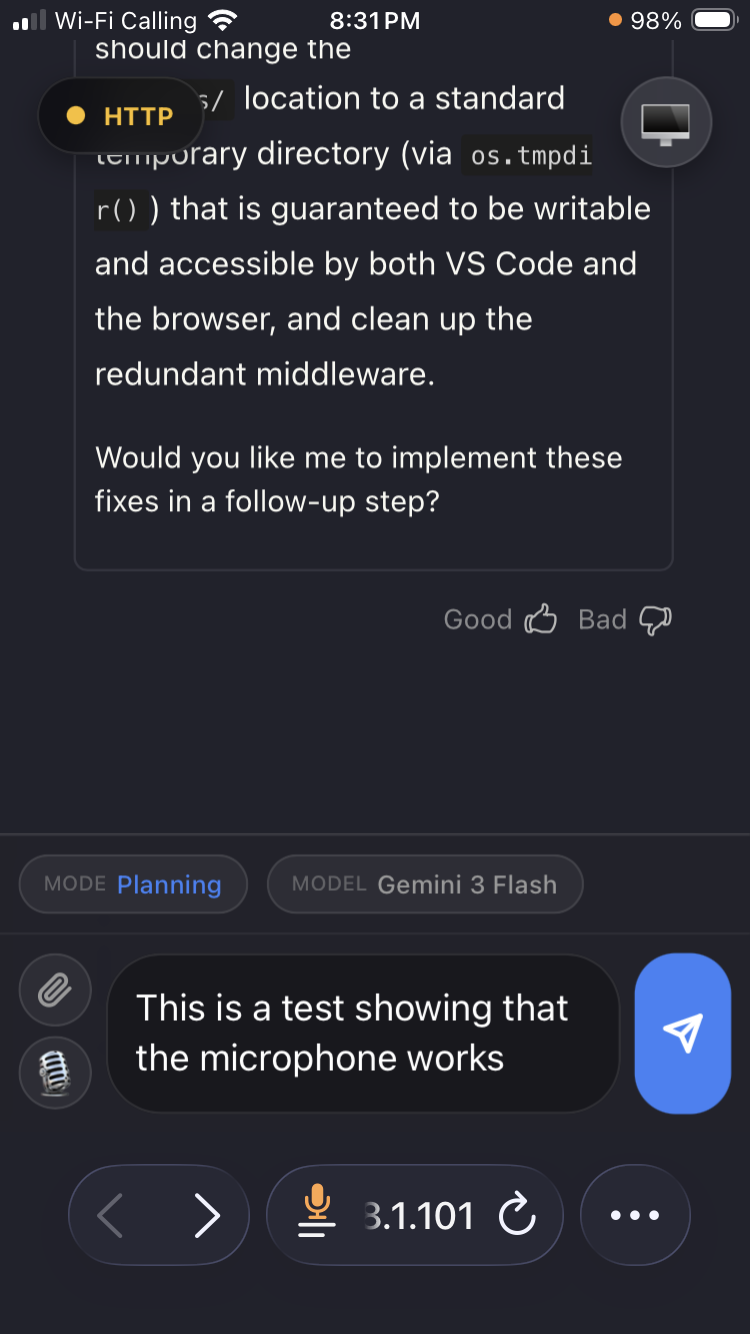 | 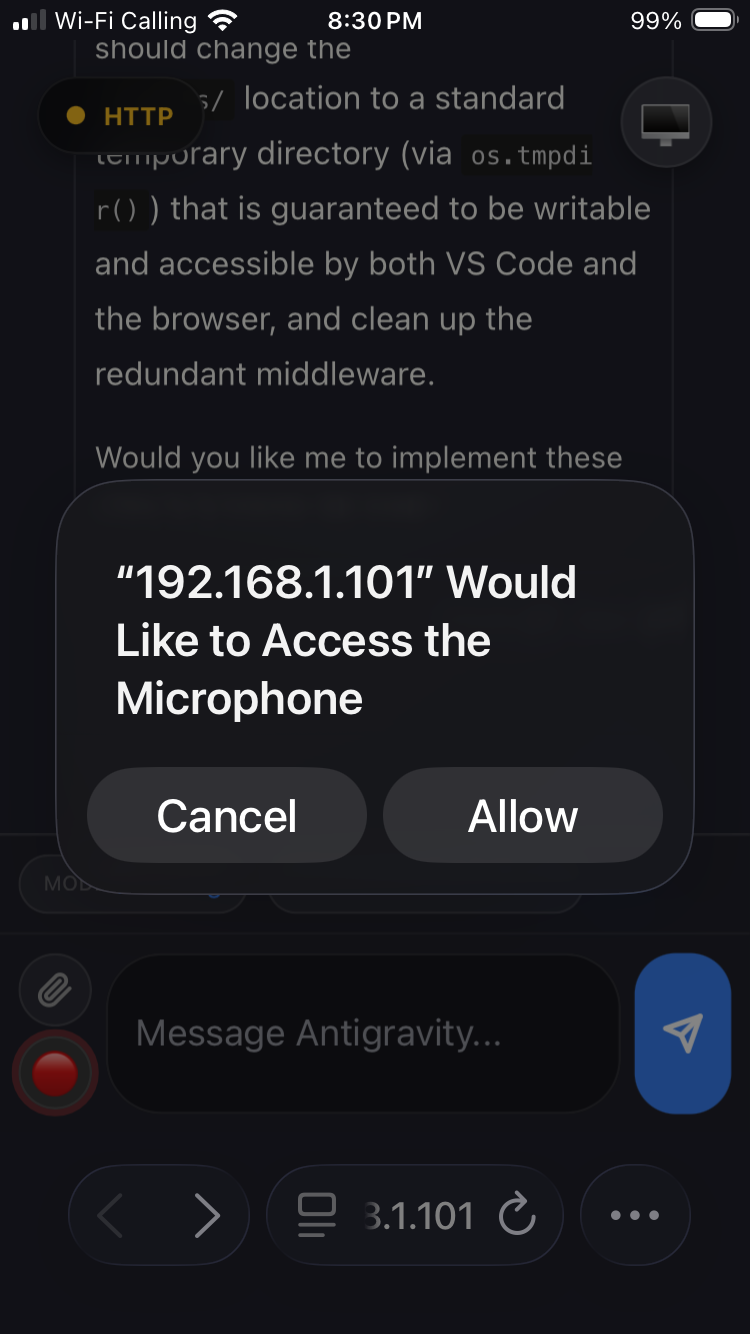 | 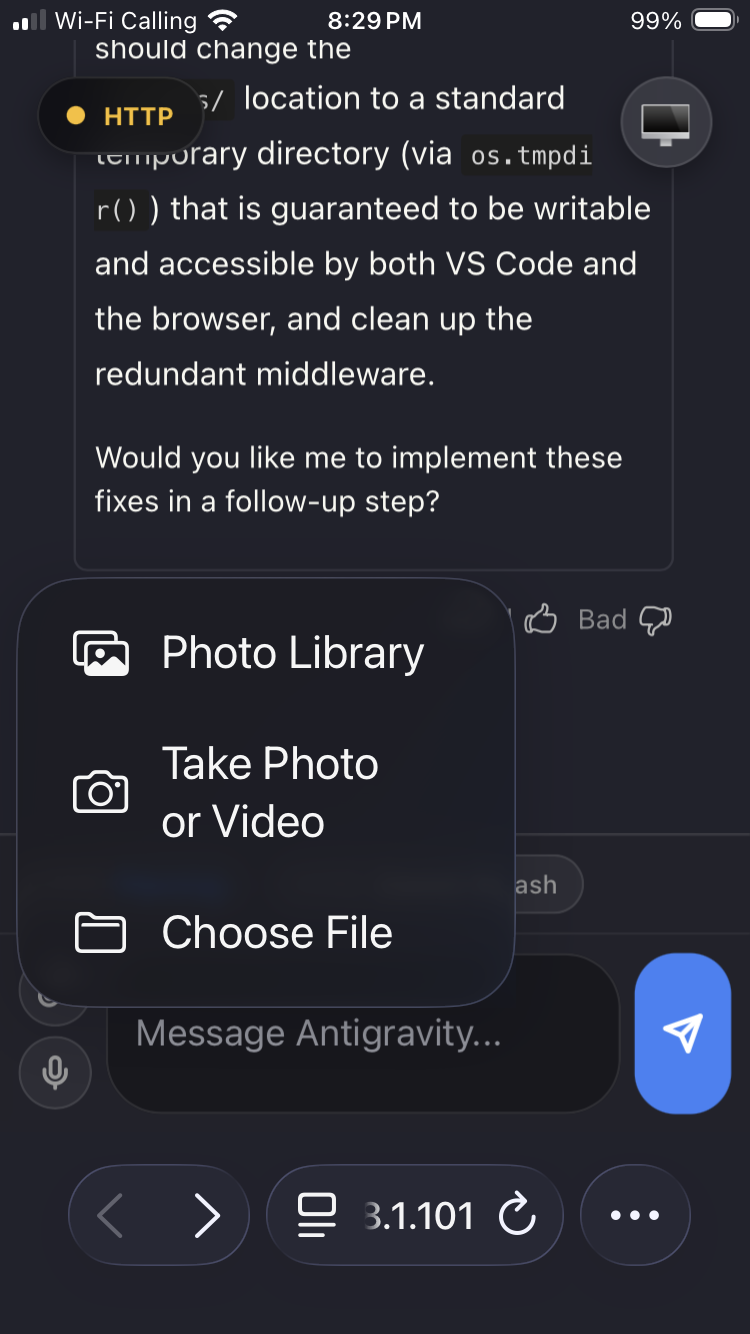 |
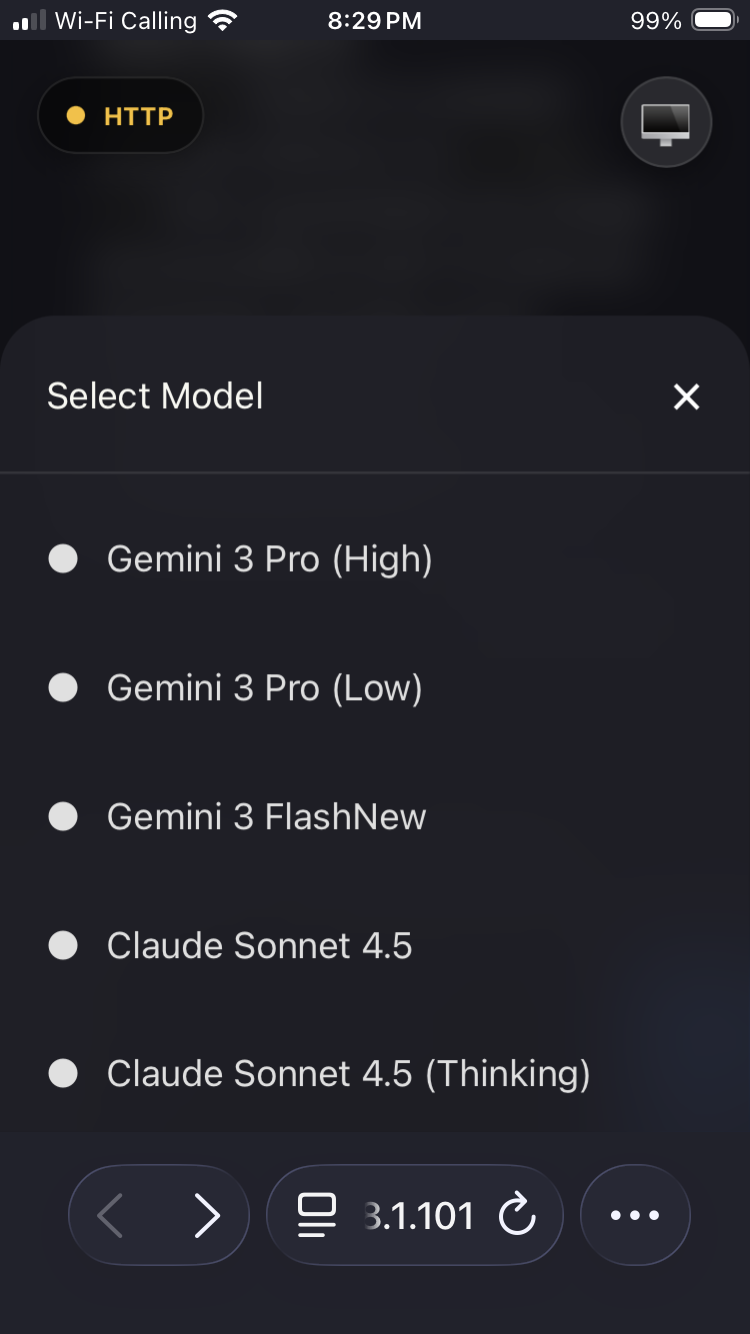 | 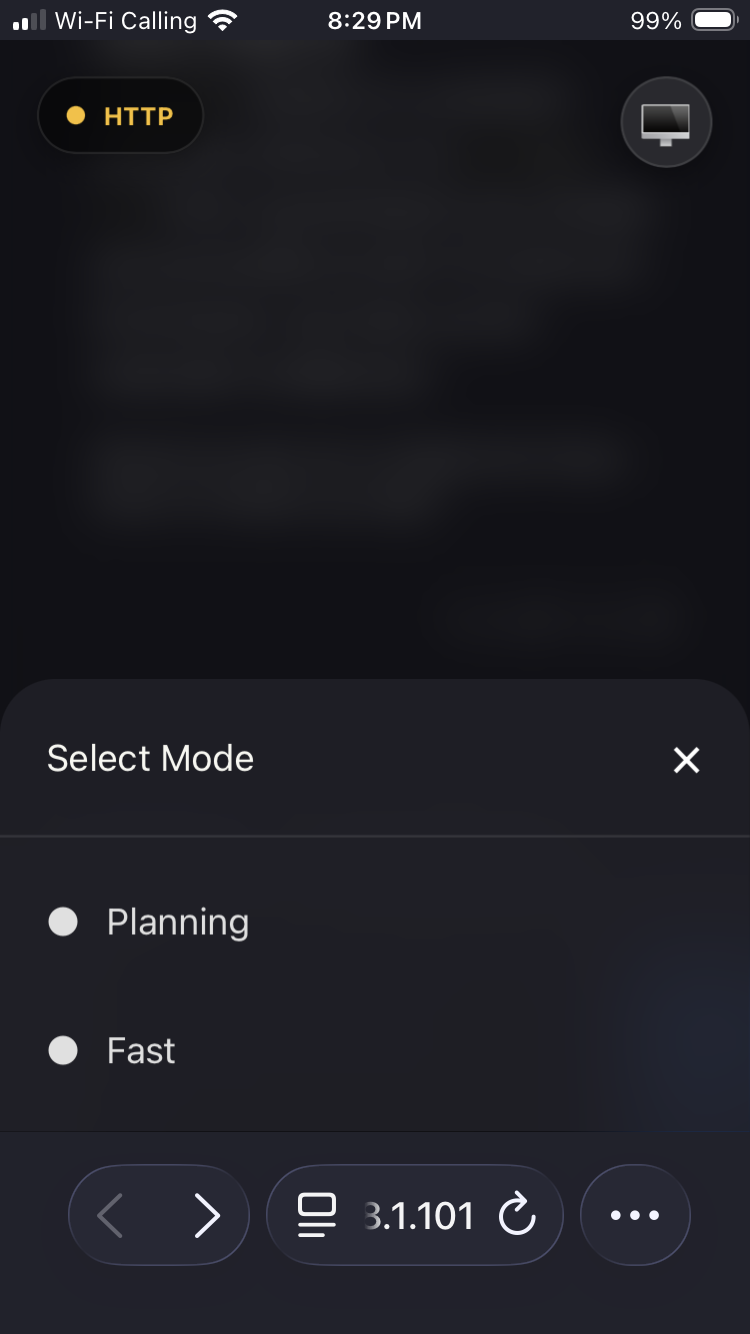 | 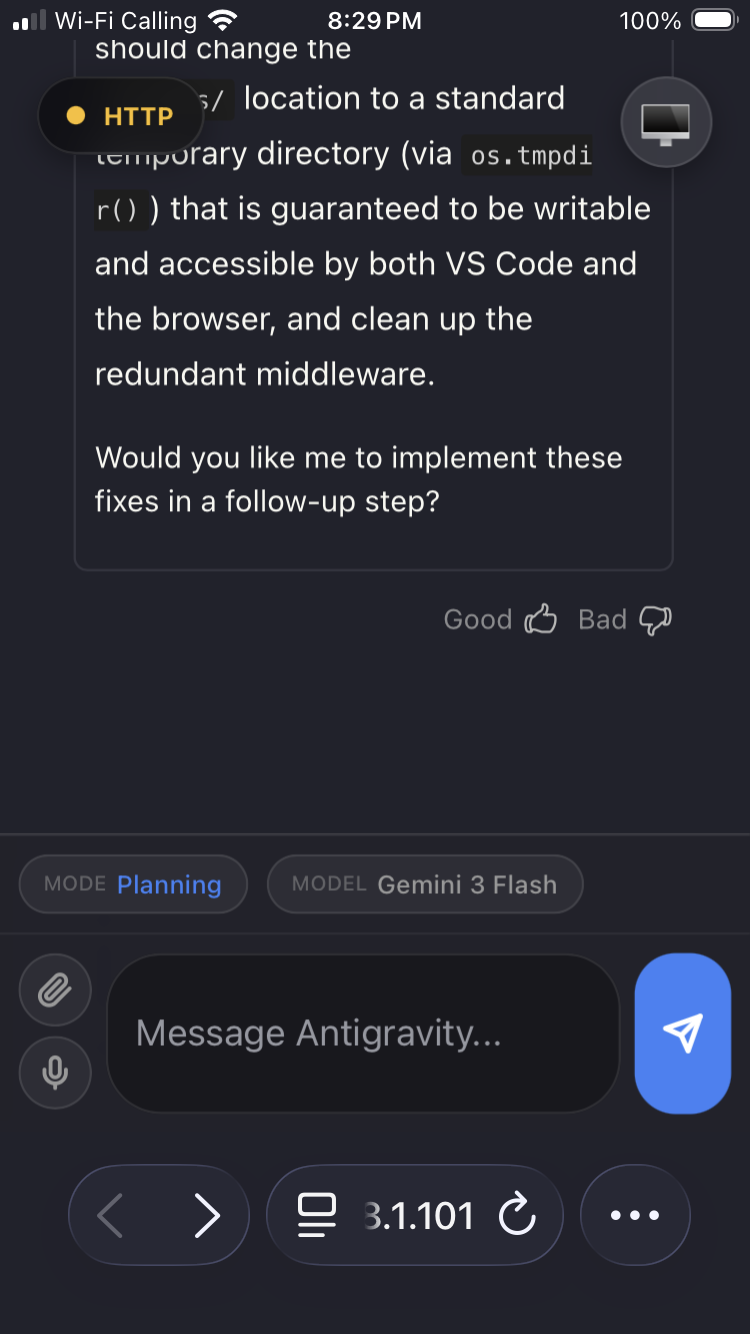 |
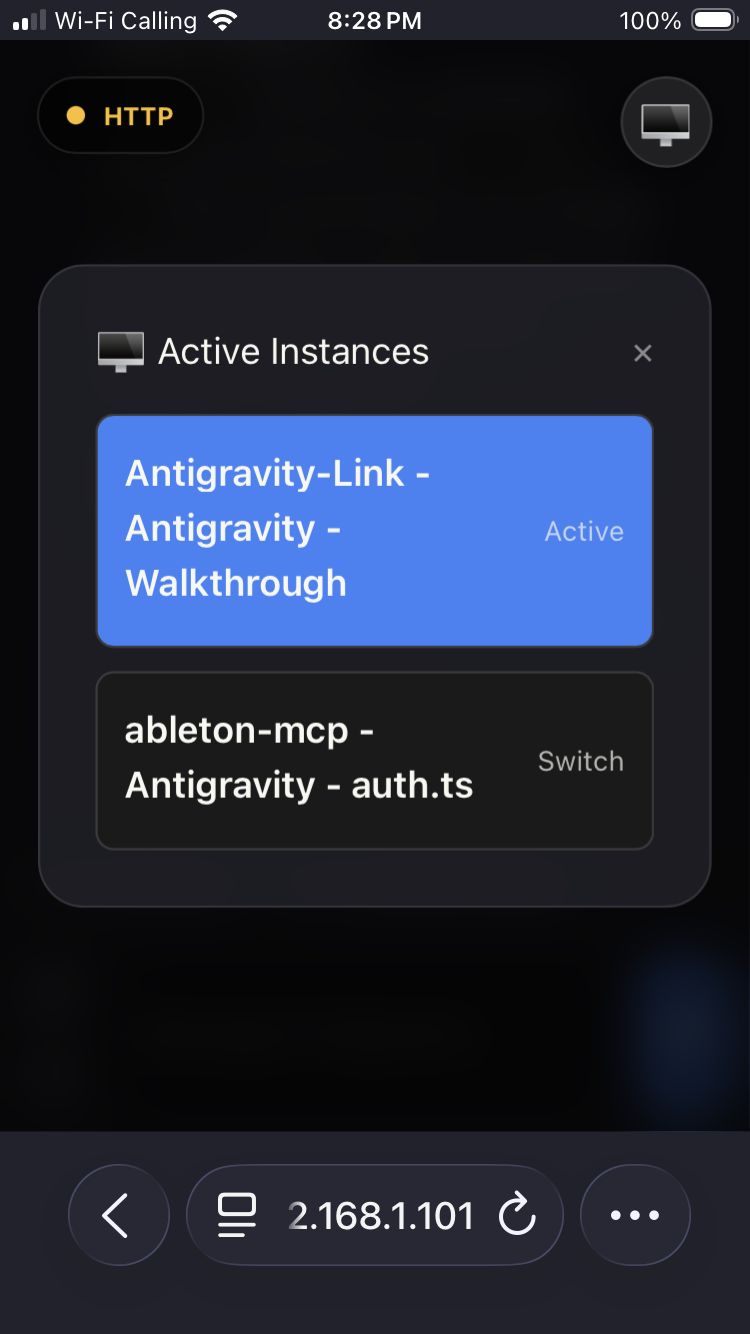 |
Install from the Antigravity extensions marketplace: search Antigravity Link or install directly from Open VSX.
Windows:
& "C:\Users\<username>\AppData\Local\Programs\Antigravity IDE\Antigravity IDE.exe" --remote-debugging-port=9000
macOS:
open -a "Antigravity IDE" --args --remote-debugging-port=9000
Linux:
antigravity-ide --remote-debugging-port=9000
Multiple Antigravity sessions are supported, but every window must be launched with this command.
In VS Code, run:
Antigravity Link: Start Server
Then run:
Antigravity Link: Show QR Code
Scan the QR code with your phone. Your mobile UI is ready.
Your phone may warn that the connection is unsafe because the certificate is self-signed. This is expected for local HTTPS. Use your browser's "Advanced" or similar option to proceed (wording differs between Safari/Chrome/Firefox).
| Command | Description |
|---|---|
| Antigravity Link: Start Server | Starts the local bridge server. |
| Antigravity Link: Stop Server | Stops the server. |
| Antigravity Link: Show QR Code | Displays the connection QR code. |
| Antigravity Link: Select Network Interface | Choose which network interface the QR URL advertises. |
| Setting | Default | Description |
|---|---|---|
antigravityLink.port | 3000 | Port for the local bridge server. |
antigravityLink.autoStart | false | Start the server on VS Code launch. |
antigravityLink.useHttps | true | Serve over HTTPS for mic access. |
antigravityLink.preferredHost | "" | Optional LAN IPv4 to advertise in QR URL (example: 192.168.1.101). |
antigravityLink.strictWorkbenchOnly | true | Only bind to workbench.html CDP targets for stability. |
antigravityLink.includeFallbackTargets | false | Allow jetski/launchpad fallback targets when strict mode is disabled. |
If you want to integrate quickly, use this sequence:
?token=...).mcp-server.mjs) or direct HTTP calls against https://localhost:3000./snapshot, /send, and /stop.OpenAPI example:
curl -k https://localhost:3000/snapshot \
  -H "Authorization: Bearer <token>"
MCP client configuration example:
{
  "antigravity-link": {
    "command": "node",
    "args": ["<extension-dir>/mcp-server.mjs"],
    "env": {
      "AG_BRIDGE_URL": "https://localhost:3000",
      "AG_BRIDGE_TOKEN": "<token>"
    }
  }
}
Replace <extension-dir> with the path to the installed extension:
%USERPROFILE%\.antigravity-ide\extensions\cafetechne.antigravity-link-extension-1.0.20~/.antigravity-ide/extensions/cafetechne.antigravity-link-extension-1.0.20uploads/.Antigravity Link has no known ban cases and is designed to stay that way.
The extension works by connecting to a debug port that Antigravity exposes on your own machine the same Chrome DevTools Protocol used by VS Code's built-in debugger and browser devtools. It reads your local UI and simulates keypresses and clicks, exactly as if you were sitting at your keyboard.
What this means in practice:
localhost:9000; and Antigravity's Language Server process on 127.0.0.1 for the stop-generation RPC. No data is sent to Google's servers or any external service beyond what Antigravity itself sends.The source code is MIT-licensed and fully auditable: https://github.com/cafeTechne/antigravity-link-extension
--remote-debugging-port command shown above.Does this work on iOS and Android? Yes. The mobile UI runs in any modern mobile browser Safari on iOS, Chrome on Android, and others all work.
Does this work over cellular or VPN? Not by default: the server is LAN-only. For remote access you would need to expose it through a tunnel such as ngrok, wireguard, etc.. The token authentication and HTTPS remain in place regardless.
Is the self-signed certificate warning safe to accept? Yes. The certificate is generated locally on your machine at server start. The warning appears because it is not issued by a public certificate authority, not because the connection is insecure.
Can I use this for automation? Yes. The local HTTP API and MCP server are designed for exactly this. See the API and MCP server sections.
The mobile interface automatically detects your browser's language and renders in:
English · 日本語 · 中文(简体)· 中文(繁體)· 한국어 · Deutsch · Français · Español · Português · Русский · Italiano · Polski · Türkçe · Tiếng Việt · Bahasa Indonesia · العربية
Arabic is rendered right-to-left automatically. Language detection uses navigator.language with no configuration required.
The interface is built with semantic HTML, ARIA roles, aria-live regions for connection status, keyboard navigation, and screen-reader-compatible labels throughout.
Pull requests are welcome. Check the TODOs in the codebase or open a GitHub issue to discuss ideas before starting large changes.
See CONTRIBUTING.md for setup and PR notes.
The extension exposes a local HTTP API at https://localhost:3000 (or your configured port). All endpoints except /ping require an Authorization: Bearer <token> header. The token is the value after ?token= in the QR code URL.
| Method | Endpoint | Description |
|---|---|---|
| GET | /ping | Health check — returns pong. No auth required. |
| GET | /snapshot | Current chat surface: HTML, CSS, mode/model, isGenerating. |
| GET | /instances | List active Antigravity windows. |
| POST | /instance | Switch active window. Body: { "targetId": "..." } |
| POST | /send | Send a message. Body: { "message": "..." } |
| POST | /click | Click a UI element. Body: { "selector"?, "text"?, "x"?, "y"? } |
| POST | /stop | Stop AI generation. |
| POST | /upload | Upload a file (multipart/form-data, field name file). |
| GET | /task | Read the current task document. |
| GET | /walkthrough | Read the current walkthrough document. |
| GET | /plan | Read the current implementation plan. |
Full schema: openapi.yaml
Antigravity Link ships an MCP (Model Context Protocol) server that lets AI assistants drive your Antigravity session directly.
Setup
Add the following to your MCP client configuration (e.g. claude_desktop_config.json):
{
  "antigravity-link": {
    "command": "node",
    "args": ["<extension-dir>/mcp-server.mjs"],
    "env": {
      "AG_BRIDGE_URL": "https://localhost:3000",
      "AG_BRIDGE_TOKEN": "<your-token>"
    }
  }
}
Replace <extension-dir> with the path to the installed extension:
%USERPROFILE%\.antigravity-ide\extensions\cafetechne.antigravity-link-extension-1.0.20~/.antigravity-ide/extensions/cafetechne.antigravity-link-extension-1.0.20The token is the value after ?token= in the QR code URL. The extension server must be running before the MCP client connects.
Available tools
| Tool | Description |
|---|---|
get_snapshot | Get current chat state, mode, model, and generation status. |
send_message | Send a message to the active chat. |
stop_generation | Cancel active AI generation. |
get_instances | List available Antigravity windows. |
switch_instance | Switch to a different Antigravity window. |
click_element | Click a UI element by selector, text, or coordinates. |
get_task | Read the current task document. |
get_walkthrough | Read the current walkthrough document. |
get_plan | Read the current implementation plan. |
This extension is self-contained. It ships its own public/ assets and uploads/ folder and does not require the parent npm run dev build.
If your workspace contains public/ or uploads/, the extension will prefer those paths automatically. This makes it easy to customize the mobile UI or keep uploads in your project root, but it also means behavior can differ between workspaces.
Inspired by early community projects including:
Claim this server with your GitHub account to request manual ownership verification.
Link to the catalog listing for Antigravity Link VS Code extension with bundled MCP server from your README. This badge does not certify ownership, compatibility or security.
[](https://awesome-mcp.com/servers/antigravity-link-extension)Public repository statistics could not be verified. Check the configured source address; unavailable counts are not zero.
来源、范围和时段分别列出;不相加,不代表安装人数、活跃用户或安全审核。
尚无已审核的包 / 镜像标识,暂不展示下载统计。
Alternative and complementary servers in the same category
A directory listing describing a cancellation-letter and mailing-address service. The configured public GitHub repository returned 404 during source verification.

A hosted MCP service for browsing and searching through Singapore mobile-network proxies.

A directory listing describing a Markdown-to-PDF service. The configured public GitHub repository returned 404 during source verification.