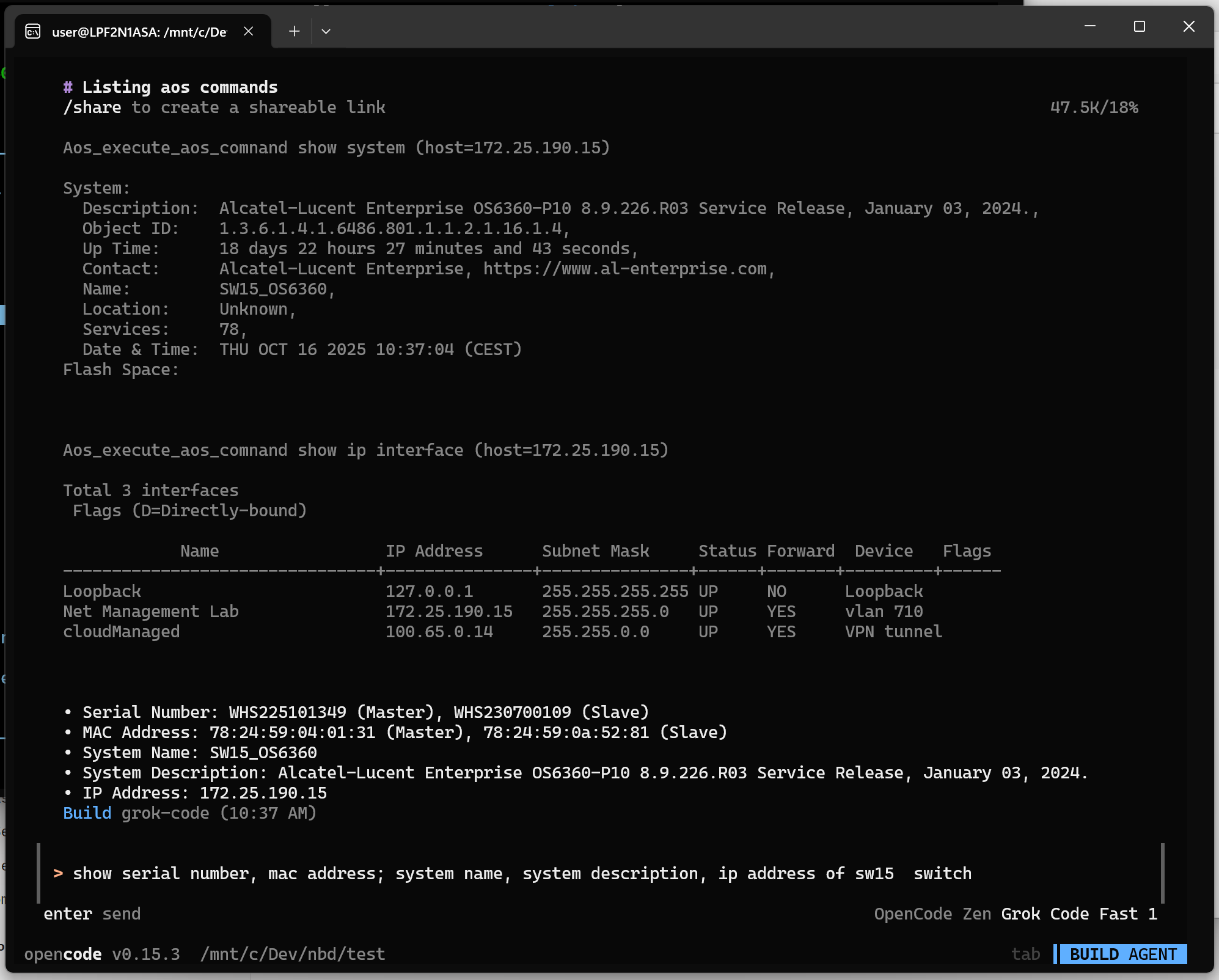
ALE AOS mcp server
This project provides a mcp (model context protocol) server for alcatel aos switches, see https://modelcontextprotocol.io/docs/getting-started/intro.
Basic switch cli commands can vbe used through a ssh connection.
It enables LLM interactions with alcatel aos network switches.
It contains two subprojects :
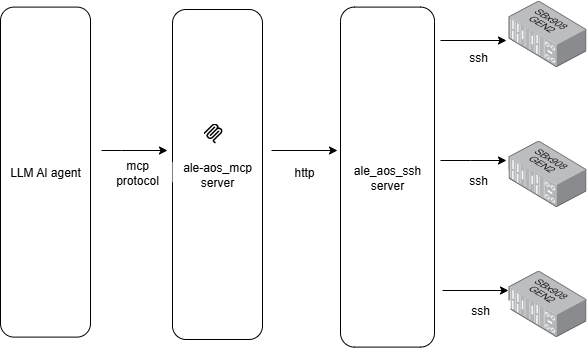
- aos_ssh : provides a rest API to run ssh cli command on ALE aos switches
- aos_mcp : mcp server providing mcp tools to llm to run basic ssh commands through aos_ssh server REST api.
Demos
- Demo with github copilot cli
https://github.com/user-attachments/assets/828169e4-867f-44cb-8bb6-dd90116090a2
Architecture
Deploy mcp and ssh servers
Docker images for aos_ssh and aos_mcp servers are availables:
- docker.io/foricher/ale-aos-ssh:[tag]
- docker.io/foricher/ale-aos-mcp:[tag]
Under deploy folder, the mcp server side is available with a docker compose deployment.
ale-aos-ssh configuration
Update data\aos-ssh-host.json file with your switches host, user, password for ssh connections.
{
  "jump_ssh_hosts": [
    {
      "name": "jump_name",
      "public_host": "public_host_or_ip_address",
      "public_port": 22,
      "private_host": "private_host_or_ip_address",
      "private_port": 22,
      "user": "jump_user",
      "password": "jupmp_password"
    }
  ],
  "hosts": [
    {
      "host": "host_or_ip_address1",
      "user": "user",
      "password": "password",
      "tags": ["sw1"]
    },
    {
      "host": "host_or_ip_address2",
      "user": "user",
      "password": "password",
      "tags": ["sw2"],
      "jump_ssh_name": "jump_name"
    }
  ]
}
Update data\aos-ssh-conf.yaml file with allowed aos commands.
allowed_aos_commands:
  - show .*
  - ping .*
  - traceroute .*
ale-aos-ssh configuration
data\mcp_tools.yaml file describes tools used by LLM to run aos commands.
docker compose file
docker-compose.yaml file:
services:
  aos-ssh:
    image: docker.io/foricher/ale-aos-ssh:0.1.2.2
    ports:
      - "8210:8110"
    volumes:
      - ./data/aos-ssh-host.json:/app/data/aos-ssh-host.json
      - ./data/aos-ssh-conf.yaml:/app/data/aos-ssh-conf.yaml
  aos-mcp:
    image: docker.io/foricher/ale-aos-mcp:0.1.2
    ports:
      - "8000:8000"
    environment:
      - ALE_AOS_MCP_SSH_URL=http://aos-ssh:8110
      - ALE_AOS_MCP_TRANSPORT=streamable-http
#      - ALE_AOS_MCP_TRANSPORT=sse
      - ALE_AOS_MCP_TOOLS_FILE=/app/data/mcp_tools.yaml
    volumes:
      - ./data:/app/data
    depends_on:
      - aos-ssh
Launch docker compose
 cd deploy
 docker compose up
By default, mcp server is deployed with transport streamable-http
Test with mcp inspector
You can test aos mcp server by using mcp inpector tool, see https://modelcontextprotocol.io/legacy/tools/inspector
npx @modelcontextprotocol/inspector
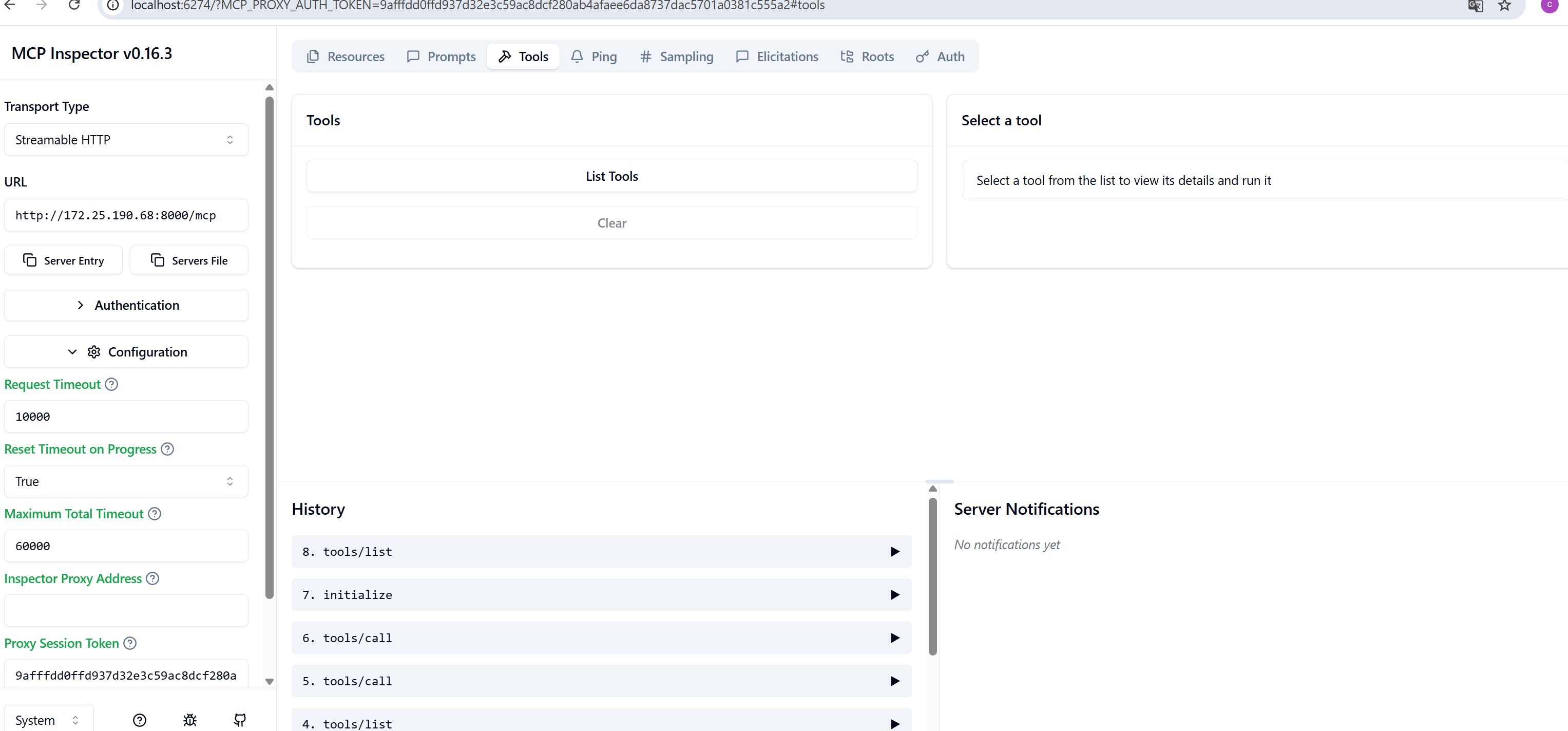
Client
-
Connect to remote MCP server with Streamable http transport.
Both servers ale_aos_mcp, ale_aos_ssh run remotely.
{
 "mcpServers": {
   "aos": {
     "type": "http",
     "url": "http://<aos-mcp-host>:8000/mcp"
   }
 }
}
{
   "mcpServers": {
       "aos": {
           "command": "uv run ale_aos_mcp",
           "args": [
               "--aos-ssh-url",
               "http://<aos-ssh-host>:8210"
           ],
           "env": {
           }
       }
   }
}
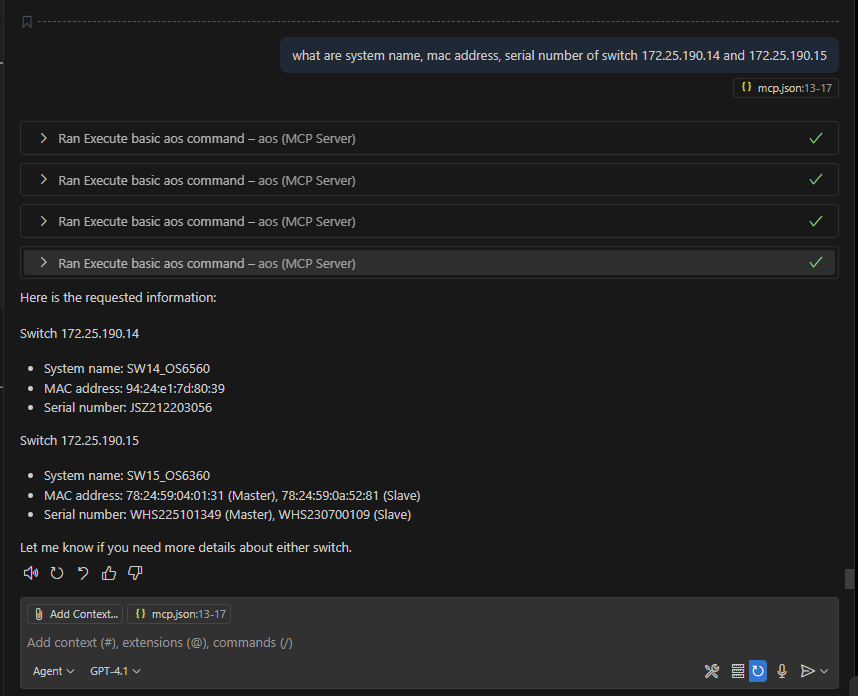
Use Github Copilot with visual studio code
Under your workspace, inside .vscode folder, put file mcp.json as below.
- with Streamable http transport
{
 "servers": {
   "aos": {
     "type": "http",
     "url": "http://<aos-mcp-host>:8000/mcp"
   }
 }
}
{
   "servers": {
       "aos": {
           "command": "uv run ale_aos_mcp",
           "args": [
               "--aos-ssh-url",
               "http://<aos-ssh-host>:8210"
           ],
           "env": {
           }
       }
   }
}
Set chat agent mode
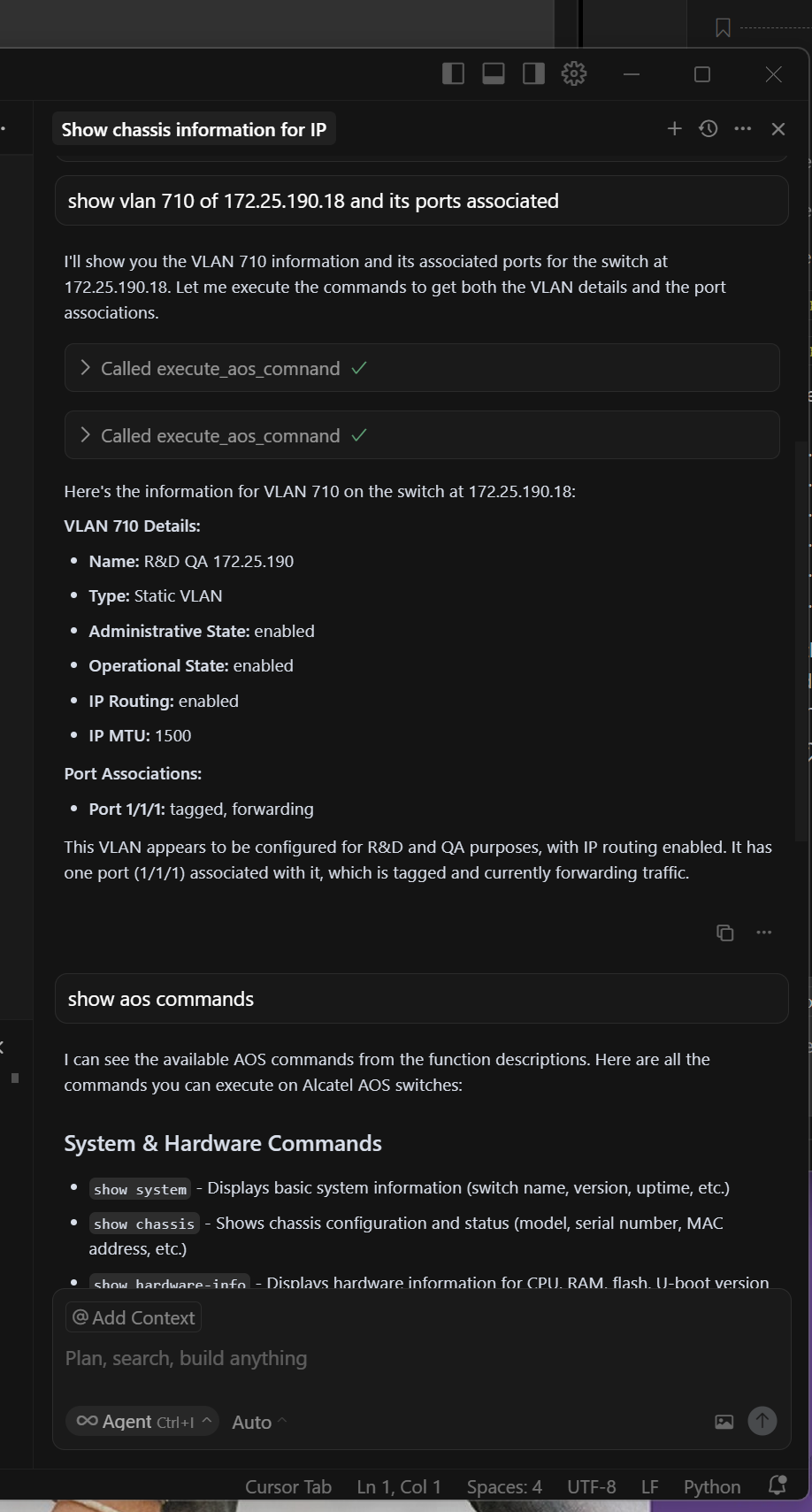
Use cursor with visual studio code
Under your workspace, inside .cursor folder, put file mcp.json as below.
Set chat agent mode
{
   "mcpServers": {
       "aos": {
           "url": "http://<aos-mcp-host>:8000/mcp"
       }
   }
}
Use gemini cli
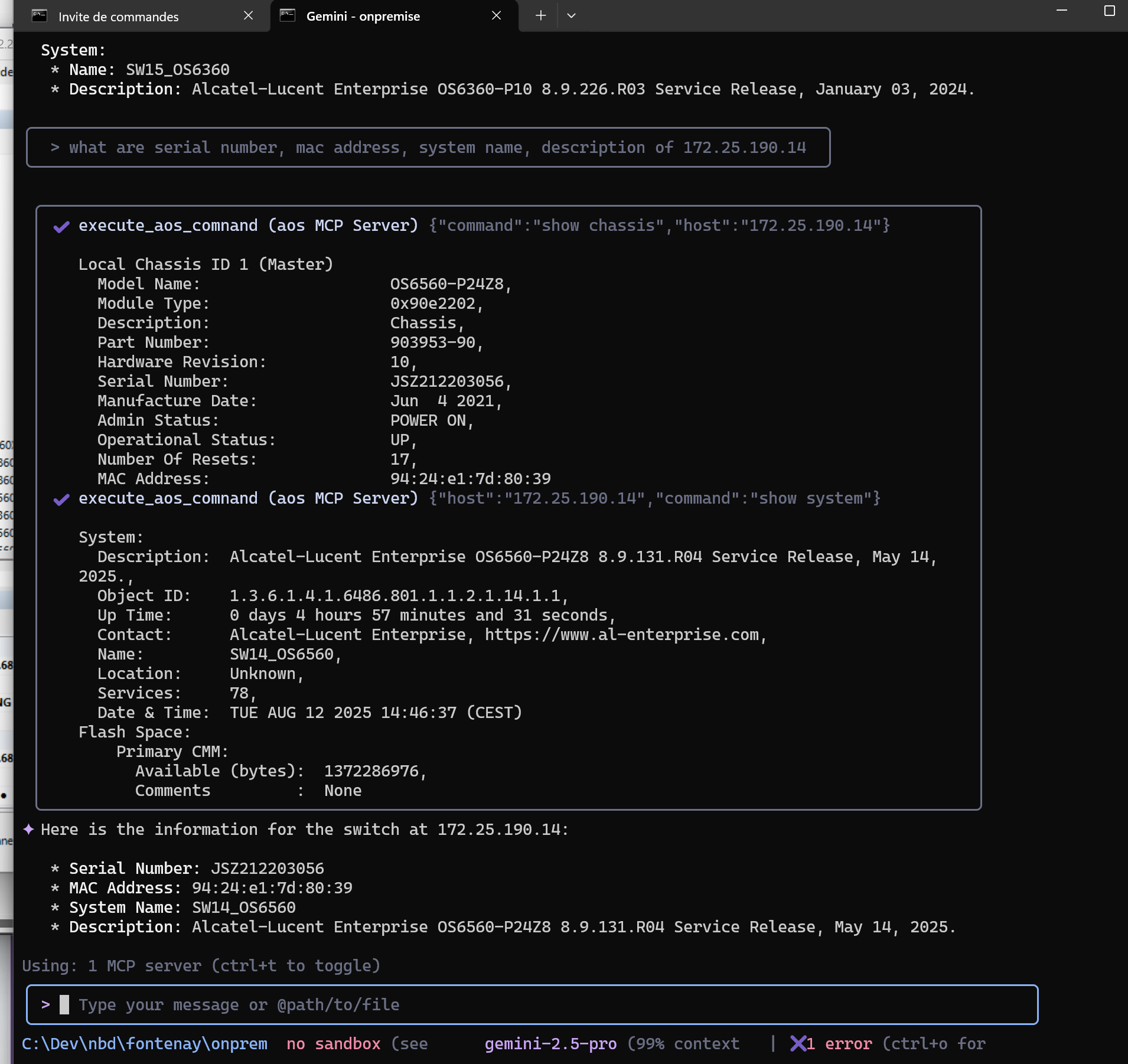
put under .gemini folder, file 'settings.json' as below.
{
"mcpServers": {
  "aos": {
    "name": "AOS MCP Server",
    "description": "AOS MCP Server for managing AOS switches",
    "httpUrl": "http://<aos-mcp-host>:8000/mcp",
    "timeout" : 60000
  }
}
}
Zscaler issue
set NODE_EXTRA_CA_CERTS=C:\\Data\\zscaler\\zscaler.pem
set NODE_TLS_REJECT_UNAUTHORIZED=0
set gemini api key
set GEMINI_KEY_API=<gemini-api-key>
install gemini-cli
npm install -g @google/gemini-cli@latest
gemini -m gemini-2.5-flash
or
npx https://github.com/google-gemini/gemini-cli -m gemini-2.5-flash
Use claude code cli
for more information see (https://docs.anthropic.com/en/docs/claude-code/mcp)
in case of Zscaler issue
set NODE_EXTRA_CA_CERTS=C:\\Data\\zscaler\\zscaler.pem
set NODE_TLS_REJECT_UNAUTHORIZED=0
install claude code
npm install -g @anthropic-ai/claude-code
under your project
cd <project>
add aos mcp server to claude into project.
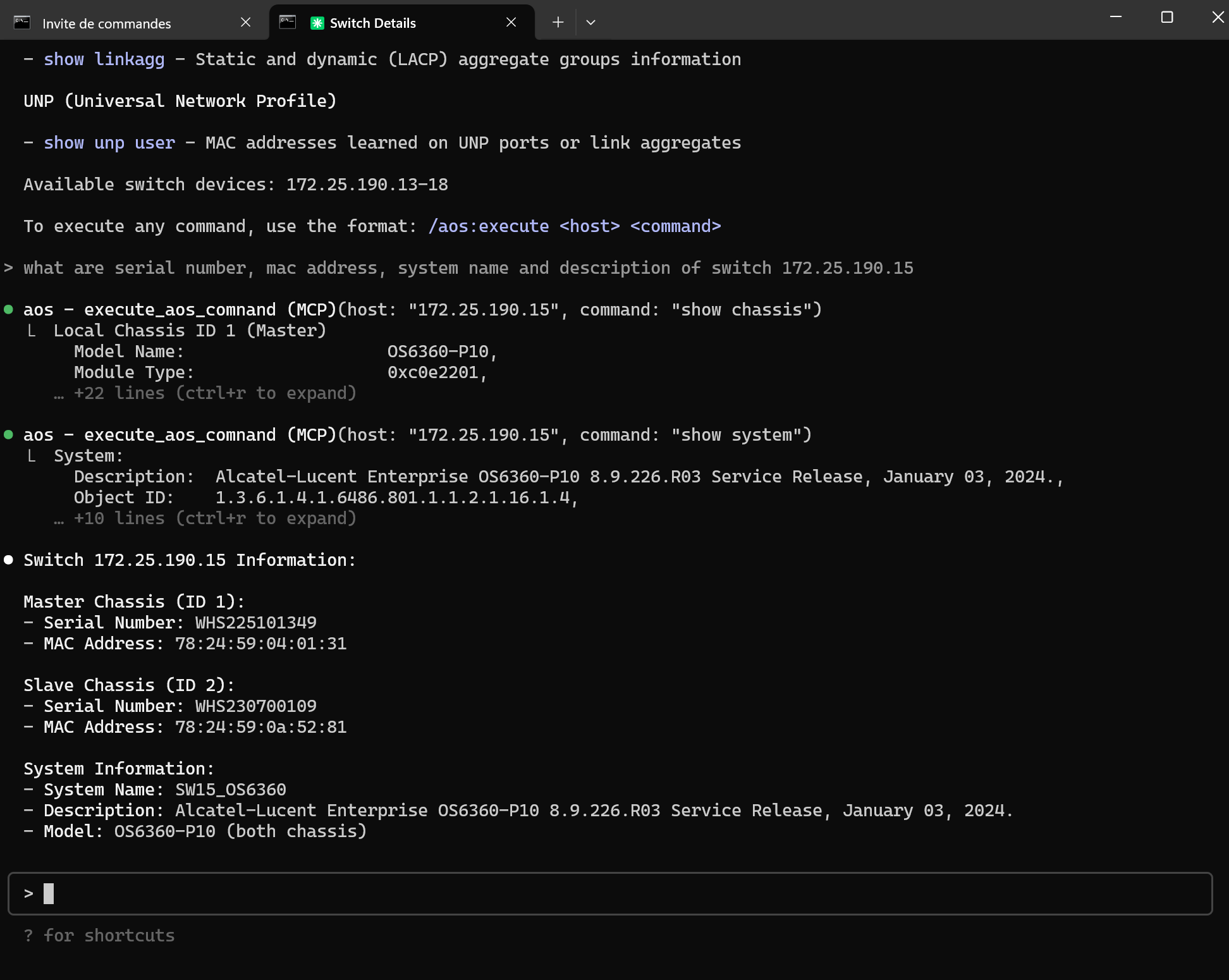
claude mcp add --transport http --scope project aos http://<mcp-server-host>:8000/mcp
run claude.
claude
Use opencode cli (linux only)
for more information see (https://opencode.ai).
in case of Zscaler issue
export NODE_TLS_REJECT_UNAUTHORIZED=0
install claude code
npm i -g opencode-ai
under your project
cd <project>
add opencode.json file into project.
{
  "$schema": "https://opencode.ai/config.json",
  "mcp": {
    "aos": {
      "type": "remote",
      "url": "http://<mcp-host>:8000/mcp",
      "enabled": true
    }
  }
}
run opencode.
opencode