
Oleafly is a live collaborative LaTeX, Typst and Markdown editor for research that offers a local MCP server and an oleafly mcp stdio command so outside AI clients can use its project tools.
Repository stats unavailable
Productivity & Ops
A self-hosted service that accepts posted content and serves the rendered result at an unguessable URL on a domain you control.
Self-hosted artifact publishing server with a built-in MCP server is cataloged as an MCP server attributed to kuyazee. A self-hosted service that accepts posted content and serves the rendered result at an unguessable URL on a domain you control. It is categorized under productivity work. See the capability inspector for recorded interfaces and their independent review status; consult upstream documentation for the current interface.
Installation configuration is not reviewed. No executable setup is offered for this entry; inspect the source repository before proceeding.
Catalog license label: MIT. Check the source repository's current license and terms before using, modifying or distributing this software.
能力定义尚未审核。未核验的采集内容不会作为可信接口展示。
暂无可展示的已审核记录。这不表示上游不支持此能力。
暂无可展示的已审核记录。这不表示上游不支持此能力。
暂无可展示的已审核记录。这不表示上游不支持此能力。
Email delivery is not connected. This page does not collect email addresses or create subscriptions.
Browse the registry for current listings instead.
Reviews for Self-hosted artifact publishing server with a built-in MCP server are not available yet
Review publishing and storage are not connected. This page does not collect or publish ratings or comments, including after sign-in.
HTML, a single React JSX/TSX component, Markdown, BPMN 2.0 process maps, PDF, and zipped static sites.
No. Artifacts are private by default and use unguessable slugs, and nothing is discoverable by default.
Each artifact is a directory of plain files under /data by default.
README.md · 546d1750a23c · 采集于 2026-11-13 11:39:20 UTC
保留上游原文,不做 AI 改写。为安全起见过滤脚本、表单和不安全链接。
当前显示最后一次成功采集的文档快照,请以来源页面为准。
Self-hosted, Claude-style artifact publishing
POST HTML, a React component, Markdown, a PDF, or a zipped static site. Get back an unguessable URL on your own domain.


Quick start · Deploy · API · CLI · MCP · Security
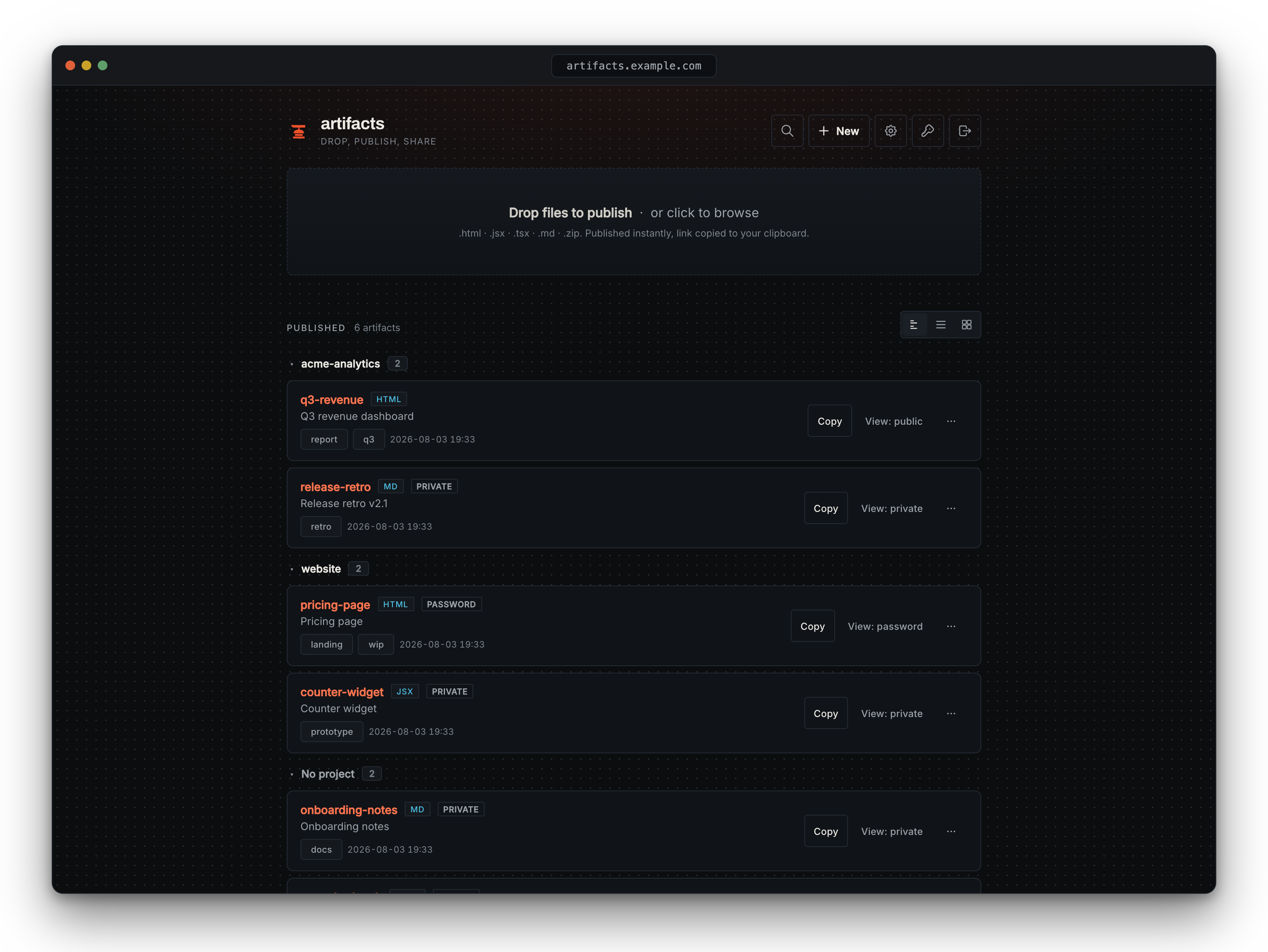
Dashboard: publish, group by project, and manage
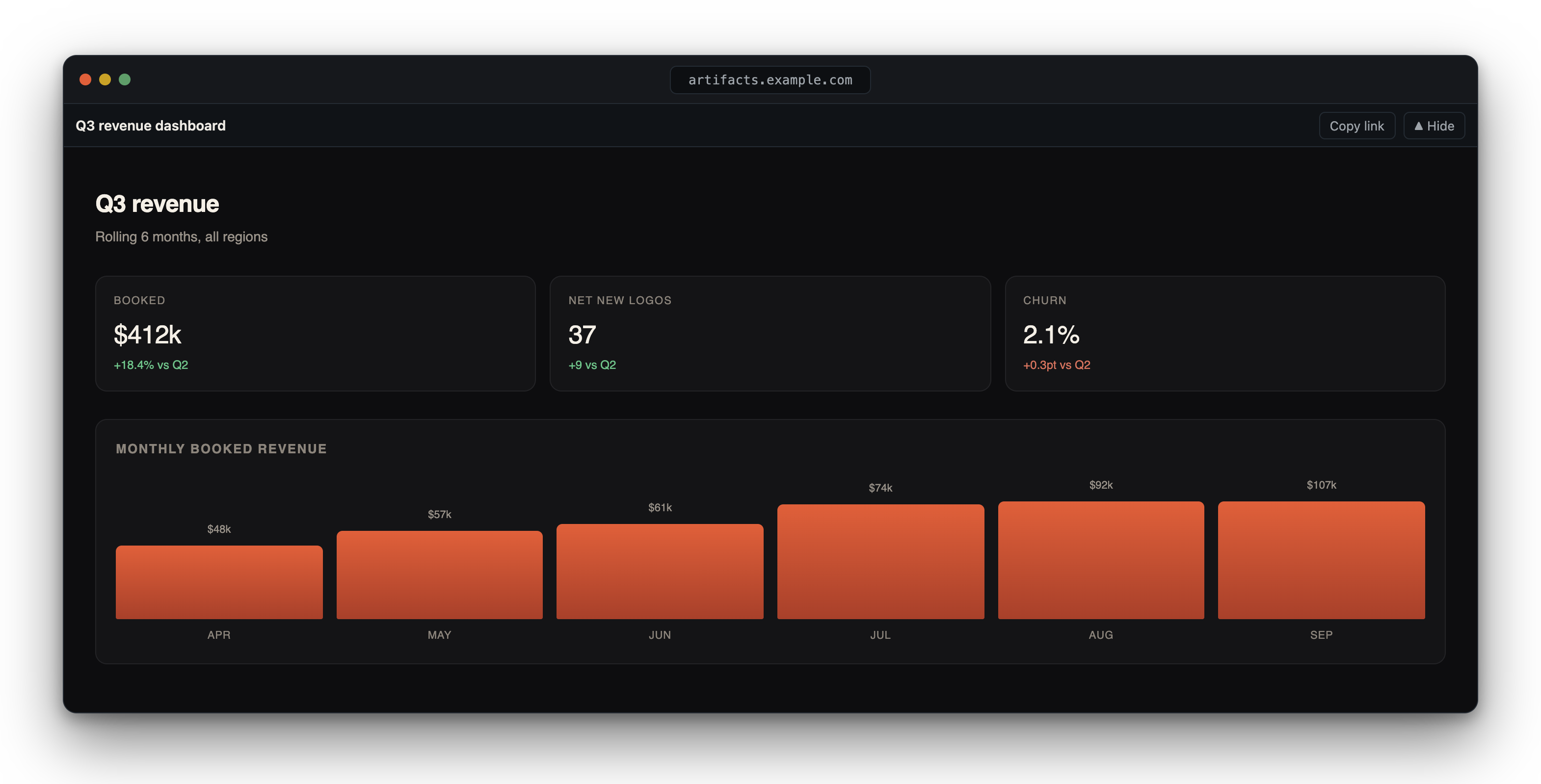
A published artifact served with the viewer topbar
AI assistants produce a lot of shareable output: dashboards, prototypes, reports, small apps. Claude's hosted artifacts work well, but the URLs live on someone else's infrastructure. This is the self-hosted version, about 1,100 lines. You POST content, it serves the rendered result at an unguessable URL on a domain you control.
It runs as one container with a single admin account and, by default, no database. Each artifact is a directory of plain files under /data, so backing up that directory backs up everything. On hosts that wipe local disk on restart, point it at durable external storage instead (an S3-compatible bucket, a git remote, or Postgres) by setting STORAGE_BACKEND. See deploying.
/ (behind an admin login) and a CLI.read / publish / full) with optional expiry, so you never share one master secret.private, shared through a signed capability link (?k=…) you can rotate to revoke. Switch any artifact to public (anyone with the bare link) or password-protected. Nothing is discoverable by default: unguessable slugs, noindex everywhere. See visibility.?raw=1 serves the bare content. Redirects are never framed.mermaid code block is drawn as a diagram that follows the theme. See docs/formats.md..bpmn download. The XML is checked on publish, and a file with no diagram layout gets one drawn for it, pools and lanes included, so an agent can write the process and leave the coordinates to the server. See docs/formats.md.type: "redirect" turns a slug into a short link that answers an HTTP 301 at the server, where other hosts fall back to a JavaScript bounce. The target must be an absolute http(s) URL and cannot carry credentials, and the response is uncacheable, so repointing the slug takes effect on the next visit. Repoint one from the row menu in the dashboard, or with a PUT. Read the cost of running an open redirector on your domain first: docs/formats.md.<iframe>. The row menu writes the tag for you, pointing at ?raw=1 so the frame holds the artifact and not a second toolbar. Private and password-protected artifacts stay unembeddable on purpose, and the unlock prompt refuses to be framed at all. See docs/embedding.md.GET /api/artifacts/:slug/qr, or artifacts qr <slug>. SVG or PNG, generated in-process: no QR library, no third-party image service, nothing about your artifacts leaves the box. See the API reference.TRUST_PROXY for the real client IP behind Cloudflare or a reverse proxy. See deploying.Clone, configure, start:
git clone https://github.com/anvilnine/artifacts && cd artifacts
cp .env.example .env   # set ARTIFACTS_API_KEY (openssl rand -hex 32) and BASE_URL
docker compose up -d
Or skip the clone and run the image directly:
docker run -d -p 3000:3000 -v artifacts-data:/data \
  -e ARTIFACTS_API_KEY=$(openssl rand -hex 32) \
  -e BASE_URL=https://artifacts.example.com \
  ghcr.io/anvilnine/artifacts:latest
Publish something:
curl -s -X POST https://artifacts.example.com/api/artifacts \
  -H "Authorization: Bearer $ARTIFACTS_API_KEY" \
  -H "Content-Type: application/json" \
  -d '{"content": "<h1>hello</h1>", "type": "html", "slug": "hello", "tags": ["demo"]}'
# {"slug":"hello","url":"https://artifacts.example.com/a/hello"}
Let Claude Code publish for you:
claude mcp add --transport http artifacts https://artifacts.example.com/mcp \
  --header "Authorization: Bearer ${ARTIFACTS_API_KEY}" --scope user
| I want to… | Read |
|---|---|
| Deploy it (Docker, compose, Coolify, bare node, env vars) | docs/deploy.md |
| Use the REST API (incl. zip sites and tags) | docs/api.md |
| Publish from the terminal | docs/cli.md |
| Hook up Claude Code / Codex / any agent | docs/mcp.md |
| Set up login + scoped API keys | docs/auth.md |
| Understand JSX/TSX rendering + zip validation | docs/formats.md |
| Put an artifact inside another page | docs/embedding.md |
No build step. Node ≥ 22.
npm install
cp .env.example .env   # any ARTIFACTS_API_KEY works locally, e.g. "test"
npm run dev
# UI at http://localhost:3000
The end-to-end suite is one shell script:
bash .github/workflows/smoke.sh http://localhost:3000 <your-key>
A few cases cannot be reached over HTTP, such as a hand-edited auth.json. Those run as unit
tests on node's built-in runner, no server needed:
npm test
That covers the dashboard too. dashboard-check.mjs fetches /, parses the inline script in
public/index.html, and checks that every element the script grabs by id is still in the markup.
It runs no browser, so it catches a syntax error or a deleted element but not a runtime error.
PRs welcome. See CONTRIBUTING.md.
Self-hosting is the product, and the open source version stays complete. If you would rather not run a server, Anvil Nine is building a managed version: same publishing flow, custom domains, backups handled for you. A waitlist page opens with the first cloud announcement; watch this repo's releases until then.
Uploaded HTML runs in the browser. That is the whole point, so the model is built to contain it:
noindex, but there is no listing to browse. Don't publish secrets.publish scope gets a 256 kB body parser instead of the 10 MB one, and a cap of 20 large bodies a minute per client IP, both checked before the body is parsed. Put a CDN or edge limiter in front for volumetric attacks.Full threat model in SECURITY.md.
This project stands on other people's open source. All of the following are MIT licensed.
Runtime
Optional storage backends (loaded only when selected)
The SQLite backend uses Node's built-in node:sqlite (no dependency).
Web UI
MIT © 2026 Zonily Jame
One container. Plain files by default; pluggable S3 / git / Postgres / SQLite storage.
Claim this server with your GitHub account to request manual ownership verification.
Link to the catalog listing for Self-hosted artifact publishing server with a built-in MCP server from your README. This badge does not certify ownership, compatibility or security.
[](https://awesome-mcp.com/servers/artifacts)Public repository statistics could not be verified. Check the configured source address; unavailable counts are not zero.
来源、范围和时段分别列出;不相加,不代表安装人数、活跃用户或安全审核。
尚无已审核的包 / 镜像标识,暂不展示下载统计。
Alternative and complementary servers in the same category
Oleafly is a live collaborative LaTeX, Typst and Markdown editor for research that offers a local MCP server and an oleafly mcp stdio command so outside AI clients can use its project tools.
Buddy is an Android app that offers its phone tools through a local MCP server to Claude Code, Codex, OpenCode, Antigravity, and Grok sessions.

Tuqui is a hosted MCP server that connects Odoo with Claude and ChatGPT so users can ask about sales, stock, customers and overdue invoices in plain language.
