

A Rust CAD application with an MCP server for creating, inspecting and rendering drawings, either headlessly or through a connection to the desktop app.
8K
Media & Design
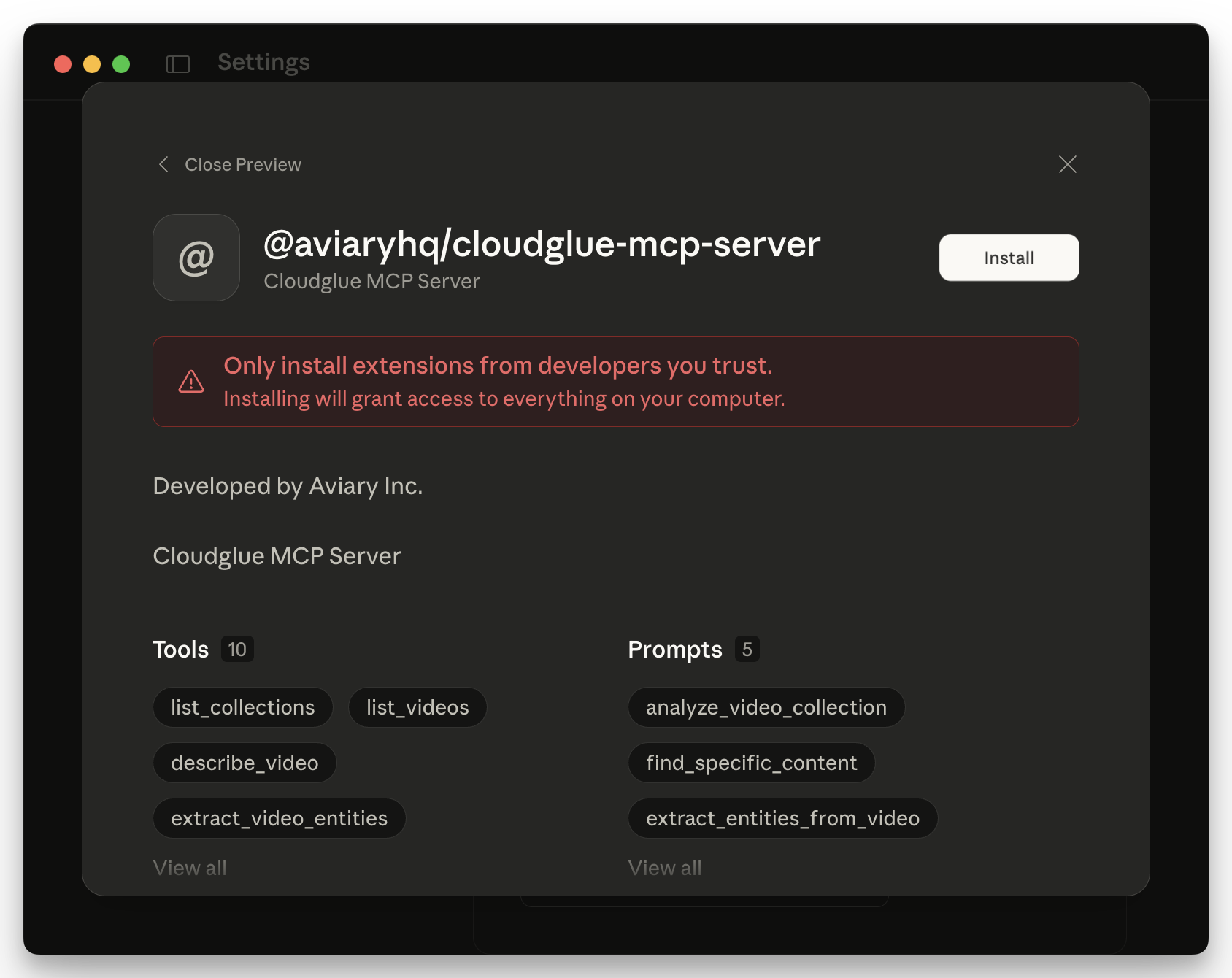
An MCP server that connects Cloudglue to AI assistants such as Cursor and Claude Desktop, enabling video collection understanding by turning videos into structured data ready for LLMs.
Cloudglue MCP Server is cataloged as an MCP server attributed to aviaryhq. An MCP server that connects Cloudglue to AI assistants such as Cursor and Claude Desktop, enabling video collection understanding by turning videos into structured data ready for LLMs. It is categorized under media design. See the capability inspector for recorded interfaces and their independent review status; consult upstream documentation for the current interface.
Installation configuration is not reviewed. No executable setup is offered for this entry; inspect the source repository before proceeding.
Catalog license label: MIT. Check the source repository's current license and terms before using, modifying or distributing this software.
能力定义尚未审核。未核验的采集内容不会作为可信接口展示。
暂无可展示的已审核记录。这不表示上游不支持此能力。
暂无可展示的已审核记录。这不表示上游不支持此能力。
暂无可展示的已审核记录。这不表示上游不支持此能力。
Email delivery is not connected. This page does not collect email addresses or create subscriptions.
Browse the registry for current listings instead.
Reviews for Cloudglue MCP Server are not available yet
Review publishing and storage are not connected. This page does not collect or publish ratings or comments, including after sign-in.
It supports Cloudglue platform file URLs, YouTube URLs, public HTTP video URLs, and data connector URLs for Dropbox, Google Drive, and Zoom.
No, YouTube URLs are not supported for camera shot segmentation.
README.md · d6b23fbd496f · 采集于 2026-11-13 10:07:51 UTC
保留上游原文,不做 AI 改写。为安全起见过滤脚本、表单和不安全链接。
当前显示最后一次成功采集的文档快照,请以来源页面为准。


Connect Cloudglue to Cursor, Claude Desktop, and other AI assistants to unlock the power of video collection understanding. Cloudglue helps turn your videos into structured data ready for LLMs.
By using the Cloudglue SDK and/or the MCP server, you agree to the Cloudglue Terms of Service and acknowledge our Privacy Policy.
First, get a Cloudglue API Key from cloudglue.dev, this will be used to authenticate the MCP server with your Cloudglue account.
Most MCP clients store their configuration as JSON. For cloudglue-mcp-server this would look like the following:
{
  "mcpServers": {
    "cloudglue": {
      "command": "npx",
      "args": [
        "-y",
        "@cloudglue/cloudglue-mcp-server@latest",
        "--api-key",
        "<CLOUDGLUE-YOUR-API-KEY>"
      ]
    }
  }
}
Replace <CLOUDGLUE-YOUR-API-KEY> with the API Key created earlier.
First, get a Cloudglue API Key from cloudglue.dev, this will be used to authenticate the MCP server with your Cloudglue account.
npm installnpm buildNext, configure your MCP client (such as Cursor) to use this server. Most MCP clients store the configuration as JSON in the following format:
{
  "mcpServers": {
    "cloudglue-mcp-server": {
      "command": "node",
      "args": [
        "/ABSOLUTE/PATH/TO/PARENT/FOLDER/cloudglue-mcp-server/build/index.js",
        "--api-key",
        "<CLOUDGLUE-YOUR-API-KEY>"
      ]
    }
  }
}
The Cloudglue MCP Server supports multiple URL formats for video analysis:
cloudglue://files/file-idlist_videos toolhttps://www.youtube.com/watch?v=...https://youtu.be/...describe_video, extract_video_entities, segment_video_chapterssegment_video_camera_shotshttps://example.com/video.mp4)Requires setup in Cloudglue account - see Data Connectors Documentation
Dropbox:
https://www.dropbox.com/scl/fo/SOME_ID/SOME_OTHER_ID?rlkey=SOME_KEY&st=SOME_TIME&dl=0dropbox://<path>/<to>/<file>Google Drive:
gdrive://file/<file_id>Zoom:
zoom://uuid/QFwZYEreTl2e6MBFSslXjQ%3D%3Dzoom://id/81586198865The following Cloudglue tools are available to LLMs through this MCP server:
list_collections: Discover available video collections and their basic metadata. Use this first to understand what video collections exist before using other collection-specific tools. Shows collection IDs needed for other tools, video counts, and collection types. For collections with type 'media-descriptions', use describe_video with the collection_id parameter to fetch previously extracted descriptions for a given Cloudglue file. For collections with type 'entities', use extract_video_entities with the collection_id parameter to fetch previously extracted entities for a given Cloudglue file. Pagination: Results are paginated in 25 collections per page using the page parameter (page 0 = first 25 collections, page 1 = next 25 collections, etc.). Each response includes page and total_pages fields. For comprehensive exploration, paginate through all collections by incrementing the page parameter until you've retrieved all pages.
list_videos: Browse and search video metadata with powerful filtering options. Use this to explore available videos, find specific content by date, or see what's in a collection. Returns essential video info like duration, filename, and IDs needed for other tools. Pagination: Results are paginated in 25 videos per page using the page parameter (page 0 = first 25 videos, page 1 = next 25 videos, etc.). Each response includes page and total_pages fields. Use date filtering to focus on specific time periods, then paginate within those results.
describe_video: Get comprehensive transcripts and descriptions from individual videos with intelligent cost optimization and pagination support. Automatically checks for existing transcripts before creating new ones. Supports all URL formats: Cloudglue URLs, YouTube URLs, public HTTP video URLs, and data connector URLs (Dropbox, Google Drive, Zoom). Pagination: Results are paginated in 5-minute segments using the page parameter (page 0 = first 5 minutes, page 1 = next 5 minutes, etc.). Use start_time_seconds to begin pagination from a specific time index (defaults to 0). Combined with page, this allows precise navigation: start_time_seconds sets the base offset, and page increments in 5-minute segments from that offset (e.g., start_time_seconds=600 with page=0 returns 10-15 minutes, page=1 returns 15-20 minutes). Each response includes page, total_pages, and description fields in JSON format. Use pagination to efficiently process longer videos by retrieving descriptions in manageable chunks or target specific time ranges. Pagination works consistently for both collection descriptions (when using collection_id) and individual video descriptions.
extract_video_entities: Extract structured data and entities from videos using custom prompts with intelligent cost optimization and pagination support. Automatically checks for existing extractions before creating new ones. Supports all URL formats: Cloudglue URLs, YouTube URLs, public HTTP video URLs, and data connector URLs (Dropbox, Google Drive, Zoom). The quality of results depends heavily on your prompt specificity. Pagination: Segment-level entities are paginated (25 segments per page) using the page parameter. Each response includes video_level_entities and segment_level_entities with entities, page, and total_pages fields in JSON format.
get_video_metadata: Get comprehensive technical metadata about a Cloudglue video file including duration, resolution, file size, processing status, and computed statistics. Returns structured JSON results with complete file metadata, video information (resolution, fps, codec, etc.), processing timestamps, and computed fields. Use this when you need video specifications, file details, or processing information rather than content analysis. Different from content-focused tools like describe_video.
segment_video_camera_shots: Segment videos into camera shots with intelligent cost optimization. Automatically checks for existing shot segmentation jobs before creating new ones. Returns structured JSON results with segments array containing timestamps, formatted times, and duration for each camera shot detected. Supports Cloudglue URLs, public HTTP video URLs, and data connector URLs (Dropbox, Google Drive, Zoom). Note: YouTube URLs are not supported for camera shot segmentation.
segment_video_chapters: Segment videos into chapters with intelligent cost optimization. Automatically checks for existing chapter segmentation jobs before creating new ones. Returns structured JSON results with chapters array containing timestamps, formatted times, and descriptions for each chapter detected. Supports optional custom prompt parameter to guide chapter detection. Supports all URL formats: Cloudglue URLs, YouTube URLs, public HTTP video URLs, and data connector URLs (Dropbox, Google Drive, Zoom).
retrieve_summaries: Bulk retrieve video summaries and titles from a collection to quickly understand its content and themes. Works with both rich-transcripts and media-descriptions collections. Perfect for getting a high-level overview of what's in a collection, identifying common topics, or determining if a collection contains relevant content for a specific query. Use this as your first step when analyzing a collection - it's more efficient than retrieving full descriptions and helps you determine if you need more detailed information. For targeted content discovery, consider using search_video_summaries or search_video_moments instead of browsing through all summaries. Pagination: Results are paginated in 25 summaries per page using the page parameter (page 0 = first 25 summaries, page 1 = next 25 summaries, etc.). Each response includes page and total_pages fields. For comprehensive collection analysis, paginate through all summaries by incrementing the page parameter until you've retrieved all pages.
search_video_moments: AI-powered semantic search to find specific video segments within a collection. Uses Cloudglue's search API to locate relevant moments across speech, on-screen text, and visual descriptions. Returns structured search results with timestamps and metadata. Perfect for finding needle-in-haystack spoken and visual content, specific discussions, or thematic analysis. Returns up to 20 relevant video moments per query.
search_video_summaries: AI-powered semantic search to find relevant videos within a collection. Uses Cloudglue's search API to locate videos based on their content, summaries, and metadata. Works with rich-transcripts and media-descriptions collections. Returns structured search results with video information and relevance scores. Perfect for discovering videos by topic, theme, or content similarity. Returns up to 20 relevant videos per query.
When to Paginate Exhaustively:
How to Paginate:
All tools use page-based pagination (list_collections, list_videos, describe_video, extract_video_entities, retrieve_summaries):
total_pages fieldpage < total_pages - 1, increment page and repeatPage sizes by tool:
list_collections: 25 collections per pagelist_videos: 25 videos per pagedescribe_video: 5 minutes per pageextract_video_entities: 25 segment entities per pageretrieve_summaries: 25 summaries per pagelist_collections and list_videos to explore available contentdescribe_video, extract_video_entities, segment_video_camera_shots, or segment_video_chaptersretrieve_summaries to efficiently understand what's in a collectiondescribe_video for specific videos that need full multimodal context, identified through summariesextract_video_entities for entity extraction from individual videossearch_video_moments for targeted segment search, search_video_summaries for video-level searchget_video_metadataAll tools include intelligent features like cost optimization, automatic fallbacks, and comprehensive error handling.
Claim this server with your GitHub account to request manual ownership verification.
Link to the catalog listing for Cloudglue MCP Server from your README. This badge does not certify ownership, compatibility or security.
[](https://awesome-mcp.com/servers/cloudglue-mcp-server)Public repository statistics could not be verified. Check the configured source address; unavailable counts are not zero.
来源、范围和时段分别列出;不相加,不代表安装人数、活跃用户或安全审核。
尚无已审核的包 / 镜像标识,暂不展示下载统计。
Alternative and complementary servers in the same category
A Rust CAD application with an MCP server for creating, inspecting and rendering drawings, either headlessly or through a connection to the desktop app.

Liquid Composer is a browser-based Liquid Glass icon design tool that offers a local MCP server for agent-driven icon workflows.

agent-media makes short drama series and other short vertical videos from Claude, ChatGPT or Codex through one MCP connection, with OAuth sign-in and no API keys.