
A directory listing describing a cancellation-letter and mailing-address service. The configured public GitHub repository returned 404 during source verification.
Repository stats unavailable
Developer Tools
A small MCP server that exposes tools to spawn Codex CLI agents in the server's working directory and return their results.
MCP server for delegating tasks to the Codex CLI is cataloged as an MCP server attributed to kky42. A small MCP server that exposes tools to spawn Codex CLI agents in the server's working directory and return their results. It is categorized under developer tools. See the capability inspector for recorded interfaces and their independent review status; consult upstream documentation for the current interface.
Installation configuration is not reviewed. No executable setup is offered for this entry; inspect the source repository before proceeding.
Catalog license label: Not specified. Check the source repository's current license and terms before using, modifying or distributing this software.
能力定义尚未审核。未核验的采集内容不会作为可信接口展示。
暂无可展示的已审核记录。这不表示上游不支持此能力。
暂无可展示的已审核记录。这不表示上游不支持此能力。
暂无可展示的已审核记录。这不表示上游不支持此能力。
Email delivery is not connected. This page does not collect email addresses or create subscriptions.
Browse the registry for current listings instead.
Reviews for MCP server for delegating tasks to the Codex CLI are not available yet
Review publishing and storage are not connected. This page does not collect or publish ratings or comments, including after sign-in.
Yes. The server uses a flag that disables sandboxing and confirmation prompts, so the README advises using it only in repositories you trust.
The README says this is typically a client-side MCP tool-call timeout because spawn_agent does not return until the spawned codex exec process finishes, so the tool-call timeout should be increased.
README.md · 4642dff38494 · 采集于 2026-11-13 14:07:43 UTC
保留上游原文,不做 AI 改写。为安全起见过滤脚本、表单和不安全链接。
当前显示最后一次成功采集的文档快照,请以来源页面为准。
codex-as-mcp is a small Model Context Protocol (MCP) server that lets MCP clients (Claude Code, Cursor, etc.) delegate work to the Codex CLI.
It exposes two tools that run Codex in the server's current working directory:
spawn_agent(prompt: str)spawn_agents_parallel(agents: list[dict])Under the hood, each agent runs something like:
codex exec --cd <server cwd> --skip-git-repo-check --dangerously-bypass-approvals-and-sandbox -.
The prompt is sent through stdin and then closed. This avoids command-line quoting/length issues and prevents Codex from accidentally reading from the MCP server's JSON-RPC stdin pipe.
Note: --dangerously-bypass-approvals-and-sandbox disables sandboxing and confirmation prompts. Use this server only in repos you trust.
There are two tools in codex-as-mcp
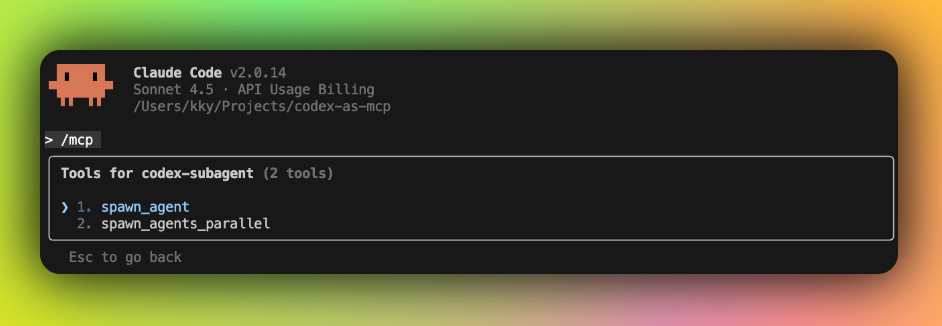
You can spawn parallel codex subagents using prompt.
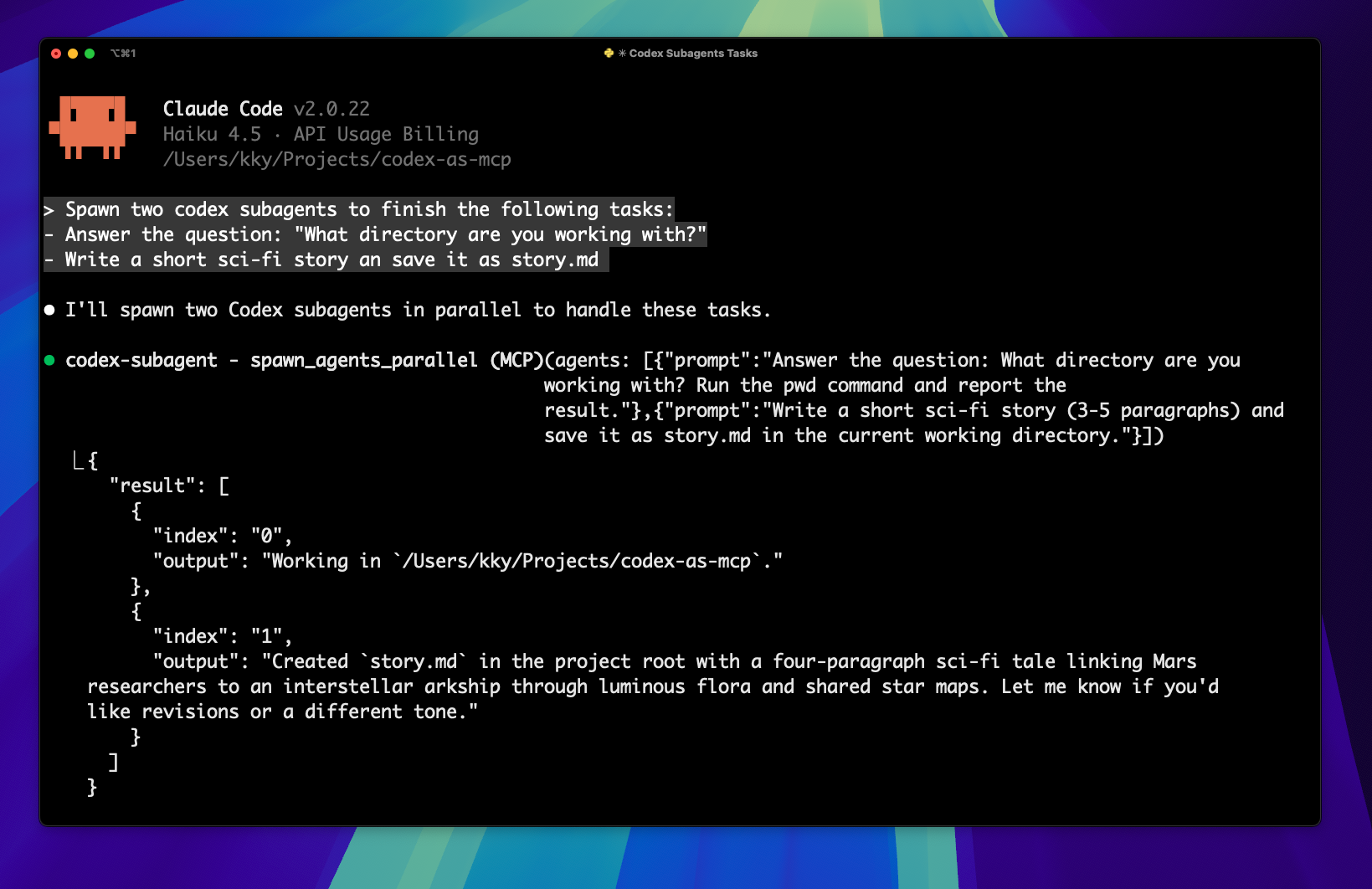
Here's a sample Codex session delegating two tasks in parallel.
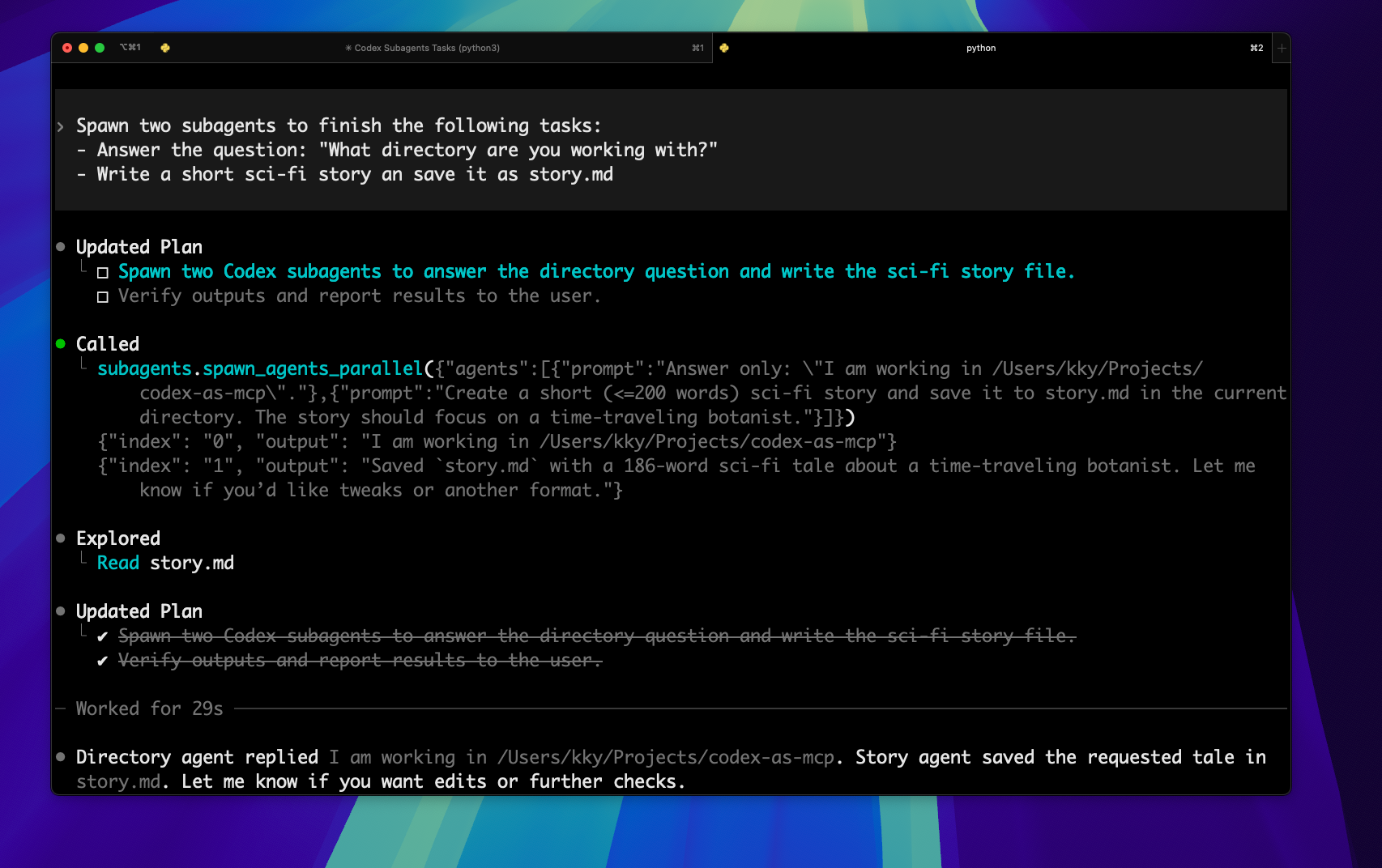
Requires Codex CLI >= 0.46.0
npm install -g @openai/codex@latest
codex login

# Verify installation
codex --version
Make sure Codex CLI can run non-interactively on your machine (provider + credentials in ~/.codex/config.toml, or via the provider-specific env var it references).
env_keyIf you're using a third-party provider, configure it in Codex config.toml and point model_provider at it. When a provider uses env_key, Codex CLI expects that env var to be present when it runs.
Example:
model_provider = "custom_provider"

[model_providers.custom_provider]
name = "custom_provider"
base_url = "https://..."
wire_api = "responses"
env_key = "PROVIDER_API_KEY"
show_raw_agent_reasoning = true
When using codex-as-mcp, make sure the MCP server process has that env var set, so it can pass it through to the spawned codex process. The env var name must match the env_key value above (here: PROVIDER_API_KEY).
Option A (recommended): set env in your MCP client config (if supported)
{
  "mcpServers": {
    "codex-subagent": {
      "type": "stdio",
      "command": "uvx",
      "args": ["codex-as-mcp@latest"],
      "env": {
        "PROVIDER_API_KEY": "KEY_VALUE"
      }
    }
  }
}
Option B: pass env via server args
uvx codex-as-mcp@latest --env PROVIDER_API_KEY=KEY_VALUE
Option C: add via Codex CLI (codex mcp add)
codex mcp add codex-subagent --env PROVIDER_API_KEY=KEY_VALUE -- uvx codex-as-mcp@latest
Security note: passing secrets via command-line args may be visible via process lists on your machine; prefer option A when possible.
Add to your .mcp.json:
{
  "mcpServers": {
    "codex-subagent": {
      "type": "stdio",
      "command": "uvx",
      "args": ["codex-as-mcp@latest"]
    }
  }
}
Or use Claude Desktop commands:
claude mcp add codex-subagent -- uvx codex-as-mcp@latest
If you're configuring Codex CLI directly (for example ~/.config/codex/config.toml), add:
[mcp_servers.subagents]
transport = "stdio"
command = "uvx"
args = ["codex-as-mcp@latest"]
# Increase if you see ~60s tool-call timeouts when running longer Codex tasks.
# tool_timeout_sec = 600
spawn_agent(prompt: str) – Spawns an autonomous Codex subagent using the server's working directory and returns the agent's final message.spawn_agents_parallel(agents: list[dict]) – Spawns multiple Codex subagents in parallel; each item must include a prompt key and results include either an output or an error per agent.The default CI uses unit tests and a fake subprocess path so it can run safely without credentials. Maintainers can additionally run the manually triggered Live Codex smoke GitHub Actions workflow with a real provider by setting repository secret CODEX_LIVE_API_KEY and providing a Responses-compatible base_url/model in the workflow inputs.
Note: current Codex CLI rejects wire_api = "chat"; chat-completions-only providers such as direct DeepSeek API need either native Codex support for that wire API or a Responses-compatible proxy.
spawn_agent times out after ~60sIf you see an error like:
tool call failed for `subagents/spawn_agent`
timed out awaiting tools/call after 60s
deadline has elapsed
This is typically a client-side MCP tool-call timeout. spawn_agent does not return until the spawned codex exec process finishes, which can take longer than 60 seconds.
Fix: increase the tool-call timeout in your MCP client.
In your Codex config (~/.codex/config.toml or ~/.config/codex/config.toml), set a higher tool_timeout_sec for the MCP server:
[mcp_servers.subagents]
transport = "stdio"
command = "uvx"
args = ["codex-as-mcp@latest"]
tool_timeout_sec = 600
mcp devIf you're testing locally with the MCP Inspector, increase request timeouts (or run ./test.sh, which exports these):
export MCP_SERVER_REQUEST_TIMEOUT=300000
export MCP_REQUEST_TIMEOUT_RESET_ON_PROGRESS=true
export MCP_REQUEST_MAX_TOTAL_TIMEOUT=28800000
Claim this server with your GitHub account to request manual ownership verification.
Link to the catalog listing for MCP server for delegating tasks to the Codex CLI from your README. This badge does not certify ownership, compatibility or security.
[](https://awesome-mcp.com/servers/codex-as-mcp)Public repository statistics could not be verified. Check the configured source address; unavailable counts are not zero.
来源、范围和时段分别列出;不相加,不代表安装人数、活跃用户或安全审核。
尚无已审核的包 / 镜像标识,暂不展示下载统计。
Alternative and complementary servers in the same category
A directory listing describing a cancellation-letter and mailing-address service. The configured public GitHub repository returned 404 during source verification.

A hosted MCP service for browsing and searching through Singapore mobile-network proxies.

A directory listing describing a Markdown-to-PDF service. The configured public GitHub repository returned 404 during source verification.