
A Rust CAD application with an MCP server for creating, inspecting and rendering drawings, either headlessly or through a connection to the desktop app.
8K
Media & Design
A loosely coupled, extensible, configuration-driven Model Context Protocol server for ComfyUI that exposes image generation workflows as MCP tools.
ComfyUI MCP Server is cataloged as an MCP server attributed to ericwanghp. A loosely coupled, extensible, configuration-driven Model Context Protocol server for ComfyUI that exposes image generation workflows as MCP tools. It is categorized under media design. See the capability inspector for recorded interfaces and their independent review status; consult upstream documentation for the current interface.
Installation configuration is not reviewed. No executable setup is offered for this entry; inspect the source repository before proceeding.
Catalog license label: Not specified. Check the source repository's current license and terms before using, modifying or distributing this software.
能力定义尚未审核。未核验的采集内容不会作为可信接口展示。
暂无可展示的已审核记录。这不表示上游不支持此能力。
暂无可展示的已审核记录。这不表示上游不支持此能力。
暂无可展示的已审核记录。这不表示上游不支持此能力。
Email delivery is not connected. This page does not collect email addresses or create subscriptions.
Browse the registry for current listings instead.
Reviews for ComfyUI MCP Server are not available yet
Review publishing and storage are not connected. This page does not collect or publish ratings or comments, including after sign-in.
All parameters are optional; omitted values fall back to defaults from the corresponding JSON template.
It runs in streamable-http mode by default.
README.md · 1ffdaa6e46d6 · 采集于 2026-11-13 10:04:12 UTC
保留上游原文,不做 AI 改写。为安全起见过滤脚本、表单和不安全链接。
当前显示最后一次成功采集的文档快照,请以来源页面为准。
ComfyUI_MCP Server 是为 ComfyUI 设计的松耦合、可扩展、配置驱动的模型上下文协议(ModelContextProtocol)服务端。支持依据客户定制工作流可扩展MCP服务(tool) 如: txt2img、img2img,每个MCP服务(tool)的参数和行为均可通过 JSON初始化和MCP工具装饰器模块灵活扩展,适合 AI 绘图、推理等场景的自动化与集成。
ComfyUI_MCP Server is a loosely coupled, extensible, and configuration-driven Model Context Protocol (MCP) server designed for ComfyUI. It supports the extension of MCP services (tools) such as txt2img and img2img, based on user-customized workflows. The parameters and behaviors of each MCP service (tool) can be flexibly extended through JSON initialization and MCP tool decorator modules, making it ideal for automation and integration in AI image generation, inference, and similar scenarios.
mcp_server/
├── mcp_server/
│   ├── mcpserver.py         # 主入口,自动注册 tools 目录下所有工具 | Main entry, auto-registers all tools in the tools directory
│   ├── tools/               # 工具模块与mcp tool配置(每个mcp tool一个py和json)| Tool modules and configs (one .py and .json per mcp tool)
│   │   ├── txt2img.py
│   │   ├── txt2img_api.json
│   │   ├── img2img.py
│   │   ├── img2img_api.json
│   │   ├── {xxxx}.py        # 配合被调用的ComfyUI的工作流。可任意添加MCP工具配置,工具自动注册与API扩展机制。
│   │   ├── {xxxx}_api.json  # Used in conjunction with the workflows of the callable ComfyUI, allowing for the addition of MCP tool configurations, with automatic registration and API extension mechanisms.
│   │   ├── ......
│   │   └── __init__.py
│   ├── utils.py             # 配置、模板、随机种子等通用工具 | Utilities for config, templates, random seed, etc.
│   ├── config.ini           # mcp服务与被调用的ComfyUI地址配置 | Service and ComfyUI address config
│   ├── logger.py & decorator.py                # 日志系统 | logs sys
│   └── __init__.py
├── workflows/               # MCP工具可实现的ComfyUI工作流json,与tools/对应。 | The "ComfyUI workflow json" that the "MCP tool" can achieve. Corresponding to "tools/".
│   ├── txt2img.json
│   ├── img2img.json
│   ├── {xxxx}.json
│   ├── ......
├── pyproject.toml           # 构建配置与依赖 | Build config and dependencies
└── README.md                # 使用说明(本文件)| User guide (this file)
python install.py # install(check item 2~3) & config(check item 1)

run_mcp.bat #run on windows
./run_mcp.sh #run on linux
tools/ 目录下所有工具模块 | Automatically registers all tool modules in the tools/ directory以 txt2img 为例,扩展新工具只需:
tools/myapi.py,实现 register_myapi_tool(mcp) 并注册 MCP服务(tool)tools/myapi_api.json,定义参数模板(在被调用的ComfyUI的自定义工作流导出同名API,加后缀_api)To add a new tool (e.g., txt2img):
tools/myapi.py, implement register_myapi_tool(mcp) and register the MCP service(tool)tools/myapi_api.json to define the parameter template (export the same-named API with _api suffix from the custom workflow of the target ComfyUI instance)文生图(txt2img)| Text-to-Image (txt2img)
# tools/txt2img.py
def register_txt2img_tool(mcp):
async def comfyui_txt2img_impl(prompt: str, pic_width: str, pic_height: str, negative_prompt: str, batch_size: str, model: str) -> str:
...
# 返回图片 Markdown 格式 | Returns image in Markdown format
...
markdown_images = [f"" for url in image_urls]
return "\n".join(markdown_images)
tools/txt2img_api.json | All parameters are optional; default values are taken from the corresponding JSON file tools/txt2img_api.json.mcpserver.py 会自动遍历 tools/ 目录下所有 .py 文件(如 txt2img.py),并调用其中的 register_xxx_tool(mcp) 注册函数。
每个工具模块需实现 register_xxx_tool(mcp),并通过 @mcp.tool() 装饰器注册 MCP服务(tool)。
mcpserver.py will automatically traverse all .py files in the tools/ directory (such as txt2img.py) and call their register_xxx_tool(mcp) registration function.
Each tool module must implement register_xxx_tool(mcp) and register the MCP service(tool) via the @mcp.tool() decorator.
示例 | Example:
# tools/txt2img.py
def register_txt2img_tool(mcp):
    @mcp.tool()
    async def txt2img(prompt: str, pic_width: str = '512', ... ) -> str:
        ...
每个 MCP服务(tool) 的参数签名、类型、注释均可通过同名 JSON(如 tools/txt2img_api.json)配置生成。在被调用的ComfyUI的自定义工作流导出同名API,加后缀_api。
所有参数均为可选,未传时自动取模板默认值,支持递归 seed 随机化、模型白名单、batch_size 限制等业务规则。
新增MCP服务(tool)的JSON模板需在被调用的ComfyUI自定义工作流导出同名API,加后缀_api,并放置于tools目录。
Each API's parameter signature, type, and docstring can be auto-generated via a same-named JSON (e.g., tools/txt2img_api.json).
MCP service(tool) parameters are optional; if not provided, default values from the template are used. Supports recursive seed randomization, model whitelist, batch_size limit, and other business rules.
For new MCP service(tool), the JSON template should be exported from the custom workflow of the target ComfyUI instance, with the same API name and the suffix _api, and placed in the tools directory.
示例片段 tools/txt2img_api.json| Example snippet:
{
  "5": {
    "inputs": {
      "width": 512,
      "height": 512,
      "batch_size": 1
    },
    "class_type": "EmptyLatentImage"
  }
}
支持通过 @mcp.resource("info//ckpt") 装饰器注册资源型API,实现如模型等资源的自动发现与管理。
Supports resource-type API registration via the @mcp.resource("info//ckpt") decorator, enabling automatic discovery and management of resources such as models.
示例 | Example:
@mcp.resource("info//ckpt")
async def list_checkpoints() -> list:
    # 返回所有可用的ckpt模型列表
    ...
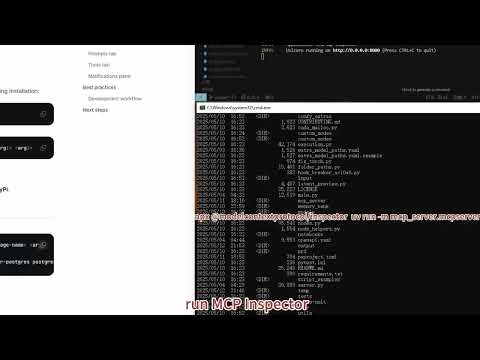
MCP Inspector 是官方推荐的交互式开发者工具,可用于测试和调试 MCP 服务端。
MCP Inspector is the officially recommended interactive developer tool for testing and debugging MCP servers.
run_mcp.bat --inspector #run on windows
./run_mcp.sh --inspector #run on linux
Inspector 可以连接本地 MCP 服务,支持工具、资源、提示词等全方位交互测试。
可在 Inspector 的 Tools 面板中查看所有自动注册的 API 工具,测试参数、查看返回、调试异常。
Inspector can connect to the local MCP server, supporting full interactive testing of tools, resources, prompts, etc.
You can view all auto-registered API tools in the Inspector's Tools panel, test parameters, view results, and debug exceptions.
更多用法详见 官方 Inspector 指南 | See more in the official Inspector guide。
ComfyUI 未启动或地址错误:请检查 config.ini 配置
依赖未安装:请先执行 uv pip install -r pyproject.toml
新增工具未生效:确认已实现 register_xxx_tool(mcp) 并放置于 tools/ 目录
参数校验失败:请检查 JSON 模板与实际参数类型、范围。(在被调用的ComfyUI的自定义工作流导出同名API,加后缀_api,并放置于 tools/ 目录)
Inspector 无法连接:确认 MCP 服务已启动且端口未被占用
日志未生成或无输出:请检查config.ini中的logging配置项,确保log_path路径存在且有写入权限。
MCP服务传输模式切换无效:请确认已正确修改config.ini中的transport参数,并重启服务。
ComfyUI not started or wrong address: Please check config.ini
Dependencies not installed: Please run uv pip install -r pyproject.toml
New tool not effective: Make sure register_xxx_tool(mcp) is implemented and placed in the tools/ directory
Parameter validation failed: Please check the JSON template and actual parameter types/ranges. (Export the same-named API with _api suffix from the custom workflow of the target ComfyUI instance and place it in the tools/ directory)
Inspector cannot connect: Make sure the MCP server is running and the port is not occupied
Logs not generated or no output: Please check the logging configuration in config.ini to ensure the log_path exists and has write permissions.
MCP service transport mode switch ineffective: Please confirm that the transport parameter in config.ini has been correctly modified and restart the service.
欢迎提交 PR 或 issue,完善更多 API 工具与业务逻辑。 如需集成更多模型、参数或业务规则,仅需新增/修改工具模块与 JSON 配置,无需侵入主流程。
Contributions are welcome via PR or issue to improve more API tools and business logic. To integrate more models, parameters, or business rules, just add/modify tool modules and JSON configs, no need to change the main process.
参数类型自动推断与校验增强:支持更智能的参数类型推断和更严格的校验,提升健壮性。
Enhanced parameter type inference and validation: Smarter type inference and stricter validation for better robustness.
更丰富的错误处理与日志:增加详细的错误日志、异常追踪和用户友好提示。
Richer error handling and logging: More detailed error logs, exception tracing, and user-friendly messages.
热加载工具/配置:支持tools目录和配置文件的热加载,无需重启服务即可生效。
Hot-reload for tools/config: Support hot-reloading of tools directory and config files without restarting the service.
多ComfyUI后端支持:支持同时连接和调度多个ComfyUI后端实例,实现负载均衡或多模型推理。
Multi-ComfyUI backend support: Connect and schedule multiple ComfyUI backend instances for load balancing or multi-model inference.
多媒体数据交互支持:支持图片、声音、视频等多媒体数据的输入输出与处理。
Multimedia data interaction support: Support input, output, and processing of multimedia data such as images, audio, and video.
更全面的ComfyUI HTTP API的集成。
More comprehensive integration of the ComfyUI HTTP API.
单元测试与CI完善:补充更多单元测试用例,集成持续集成(CI)流程,保障代码质量。
Improved unit testing & CI: Add more unit tests and integrate CI pipelines to ensure code quality.
Claim this server with your GitHub account to request manual ownership verification.
Link to the catalog listing for ComfyUI MCP Server from your README. This badge does not certify ownership, compatibility or security.
[](https://awesome-mcp.com/servers/comfyui_mcp)Public repository statistics could not be verified. Check the configured source address; unavailable counts are not zero.
来源、范围和时段分别列出;不相加,不代表安装人数、活跃用户或安全审核。
尚无已审核的包 / 镜像标识,暂不展示下载统计。
Alternative and complementary servers in the same category
A Rust CAD application with an MCP server for creating, inspecting and rendering drawings, either headlessly or through a connection to the desktop app.

Liquid Composer is a browser-based Liquid Glass icon design tool that offers a local MCP server for agent-driven icon workflows.

agent-media makes short drama series and other short vertical videos from Claude, ChatGPT or Codex through one MCP connection, with OAuth sign-in and no API keys.