 Conduit
The remote-connection manager Claude Code can drive.




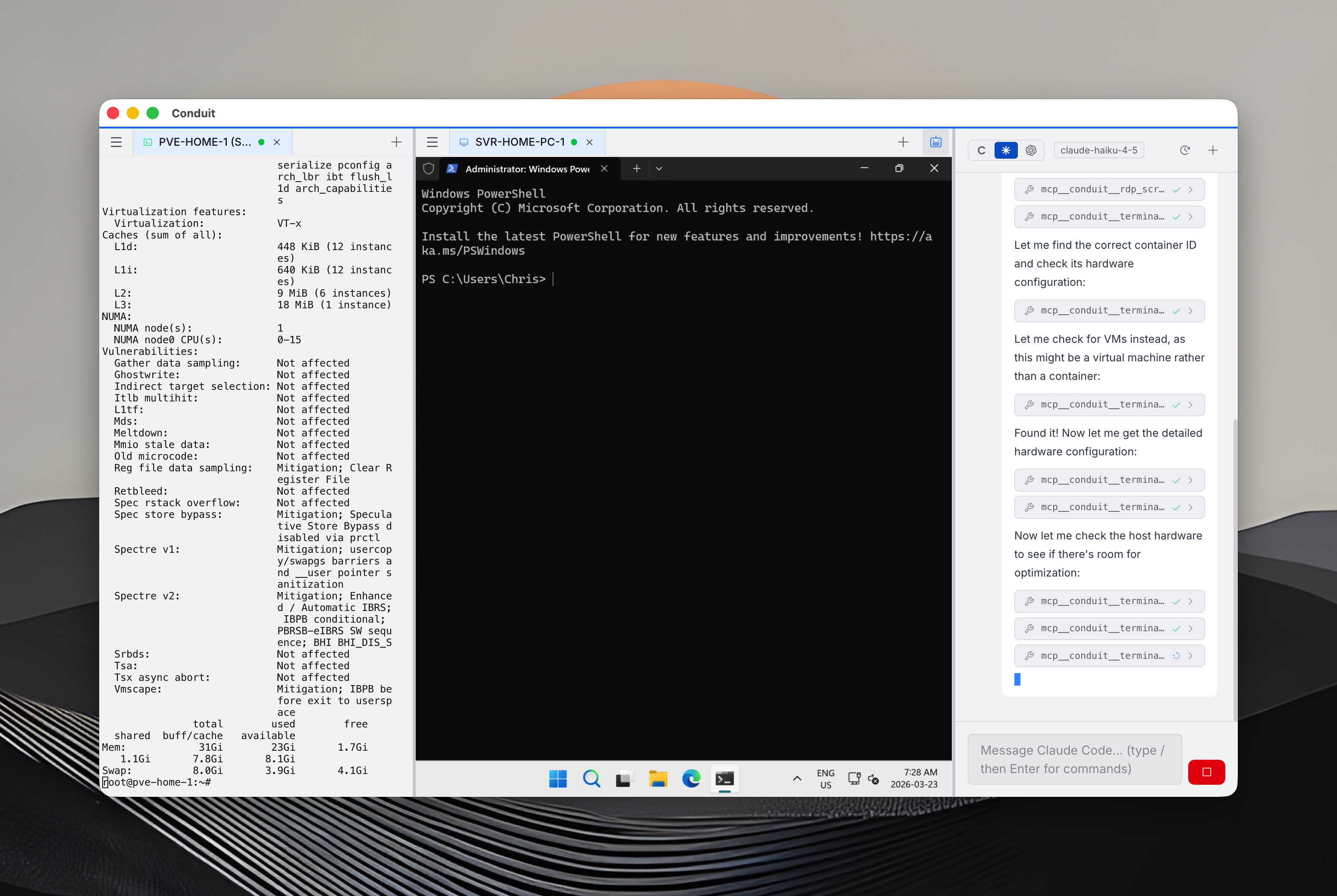
What is Conduit?
Conduit is a cross-platform remote connection manager for SSH, RDP, VNC, and web sessions with an encrypted credential vault. It runs on macOS, Windows, and Linux.
What makes it different: Conduit ships a Model Context Protocol (MCP) server that exposes every connection, every session, and every credential operation as a tool. Point Claude Code or Codex at it and your AI agent can open an SSH shell, click through an RDP desktop, fill out a web form, read credentials with approval, or manage a fleet of servers — through the same connections you already use.
Conduit does not ship its own AI. You bring your own: Claude Code (Anthropic) or Codex (OpenAI), using your own subscription. Conduit never proxies your AI calls and never sees your API keys or tokens.
Who is Conduit for?
- DevOps & SREs who want their AI agent to operate real infrastructure, not just generate text about it
- System administrators managing mixed SSH / RDP / VNC fleets
- IT professionals who need one tool for shells, remote desktops, and web portals
- AI-first engineers already using Claude Code or Codex daily
- Teams that need shared, zero-knowledge credential vaults
Why Conduit
- MCP-native. The MCP server is not an add-on — it is the product's first-class interface. Anything you can do in the UI, an agent can do through a tool call.
- Bring your own subscription, no proxy. Claude Code and Codex authenticate directly with Anthropic and OpenAI using your own account. Conduit never sees your API keys, tokens, or prompts.
- Local-first. Credentials live in a local AES-256 vault. Cloud sync is optional and zero-knowledge.
- Open source client. The Electron app, protocol handlers, FreeRDP helper, and MCP server are Apache 2.0. You can read exactly what AI agents can see and do.
- Multi-protocol. SSH, RDP, VNC, web — one app, one vault, one MCP endpoint.
MCP Quick Start
Register Conduit's MCP server with Claude Code:
# macOS
claude mcp add conduit -- node "/Applications/Conduit.app/Contents/Resources/mcp/dist/index.js" \
  --env CONDUIT_SOCKET_PATH="$HOME/Library/Application Support/conduit/conduit.sock" \
  --env CONDUIT_ENV="production"
# Windows (PowerShell)
claude mcp add conduit -- node "C:\Users\<you>\AppData\Local\Programs\Conduit\resources\mcp\dist\index.js" `
  --env CONDUIT_SOCKET_PATH="\\.\pipe\conduit" `
  --env CONDUIT_ENV="production"
# Linux
claude mcp add conduit -- node "/opt/Conduit/resources/mcp/dist/index.js" \
  --env CONDUIT_SOCKET_PATH="$XDG_RUNTIME_DIR/conduit/conduit.sock" \
  --env CONDUIT_ENV="production"
Then in any Claude Code session:
> list my active connections
> run `uptime` on the prod-db-1 SSH session
> take a screenshot of the Windows RDP box and click the Start menu
Codex and other MCP-compatible clients work the same way — Conduit exposes a standard MCP endpoint over a local Unix socket (or named pipe on Windows).
Key Features
Remote connection management
Tabbed sessions, split-view panes, and side-by-side work across protocols.
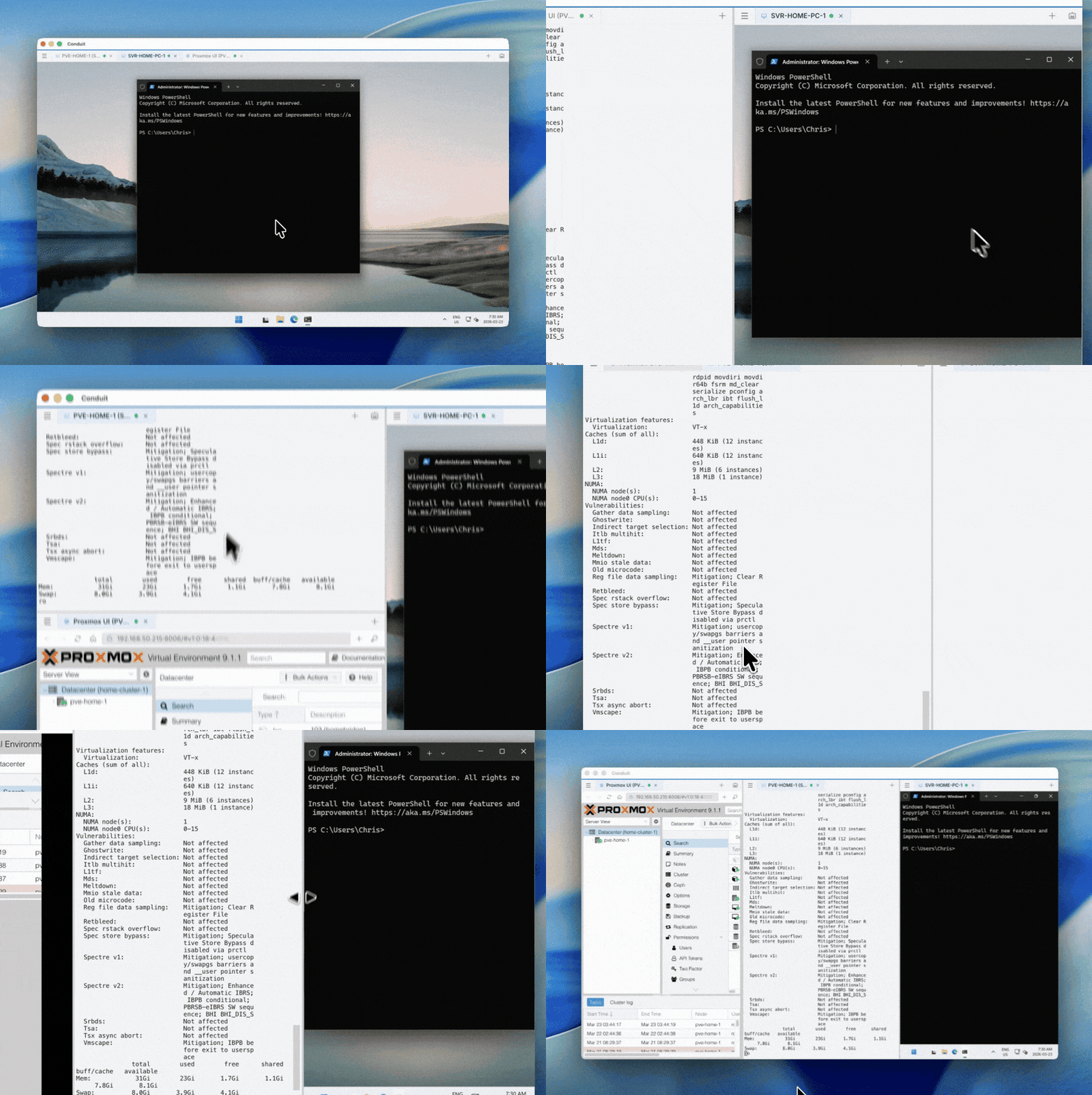
- Bidirectional clipboard for RDP and VNC
- Shared folder redirection with per-drive read-only enforcement
- Edge / WebView2 on Windows for native SSO against M365, ServiceNow, SharePoint
- Up to 12 tabs per web session with address bar and navigation controls
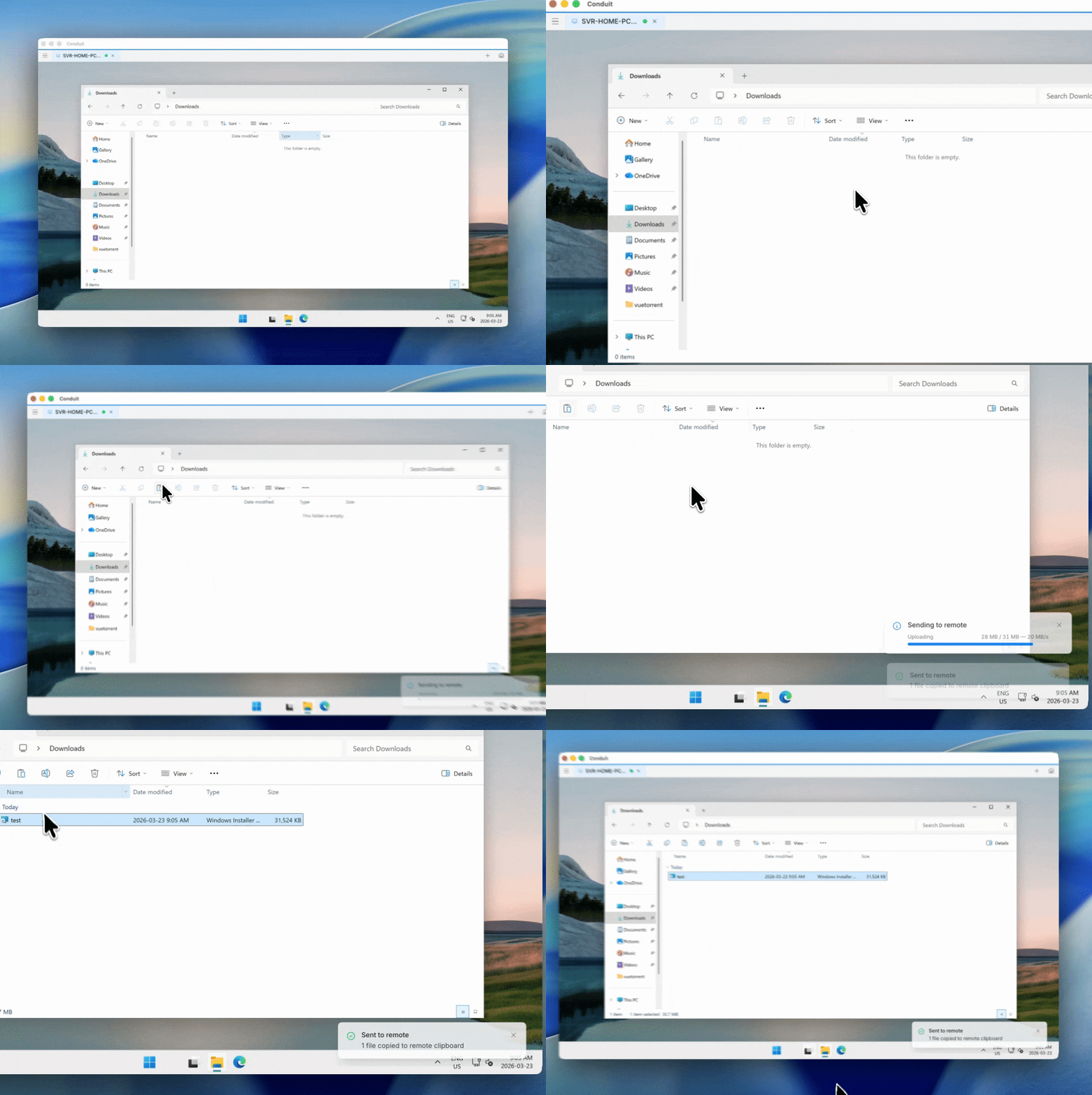
MCP server — the differentiator
The MCP server exposes 60+ tools covering every corner of the app. Agents connect over a local socket; nothing leaves your machine unless you tell it to.
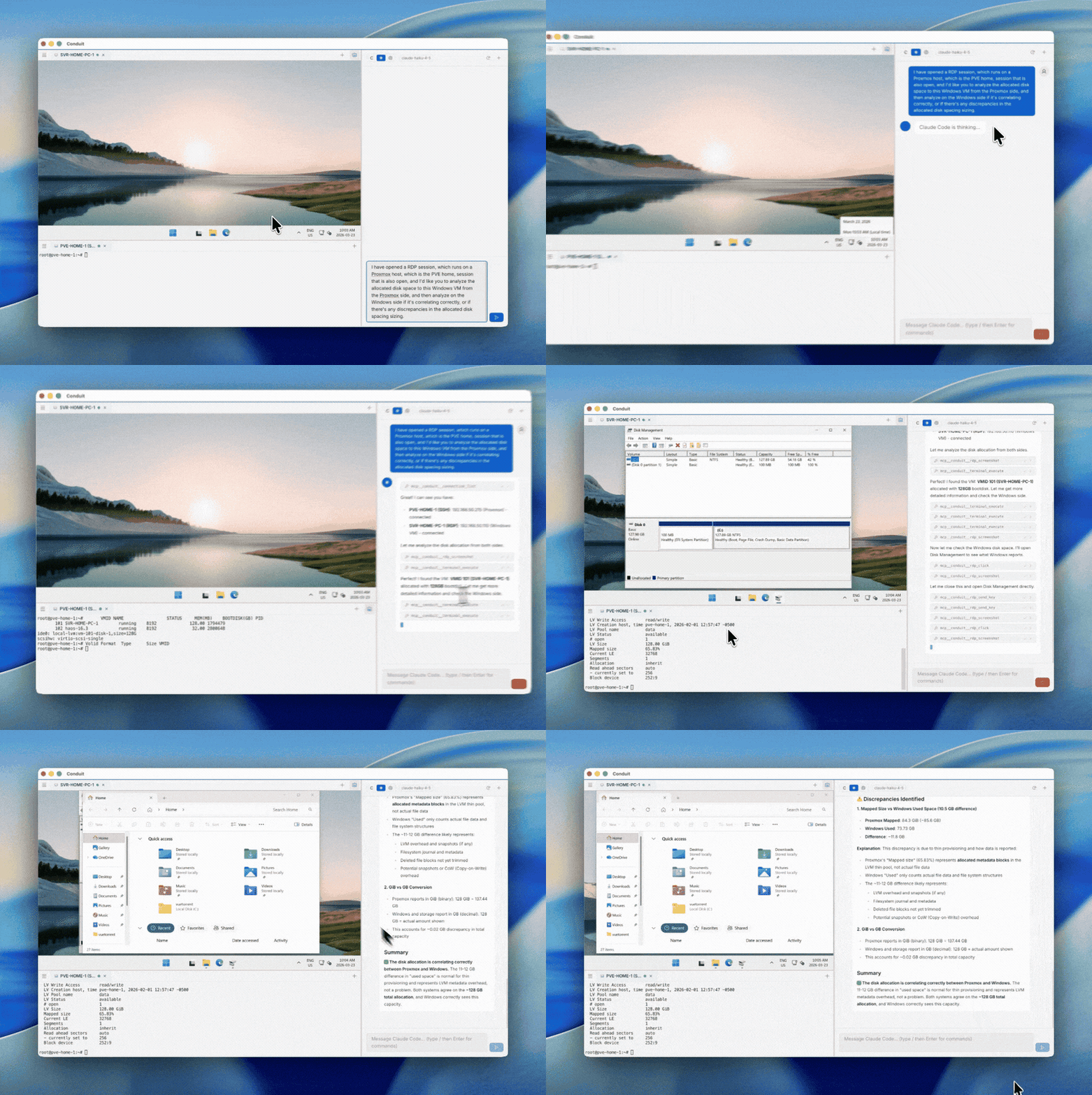
Terminal     execute commands, read output, send keystrokes, create local shells
RDP          screenshot, click, type, drag, scroll, resize remote desktops
VNC          screenshot, click, type, drag, scroll remote sessions
Web          screenshot, navigate, click by CSS selector, fill forms, execute JS
Web tabs     list, create, close, switch tabs in web sessions
Credentials  list, create, read (with approval), delete stored credentials
Connections  list, open, close SSH / RDP / VNC / web sessions
Documents    read, create, update markdown documents in the vault
Entries      get metadata, update notes on any vault entry
Supported agents:
Conduit does not proxy AI requests and does not see your API keys, tokens, or conversation content. Claude Code and Codex connect directly to their respective providers using credentials you manage.
How it works
- Connect to your servers via SSH, RDP, VNC, or web in Conduit.
- Ask Claude Code or Codex to perform a task against those connections.
- Approve tool calls through the universal approval gate (or mark trusted tools "always allow").
- Watch the agent work — executing commands, driving GUIs, reading screens.
Safety controls
- Per-tool and per-category approval with color-coded badges (read, execute, write, credential)
- Sensitive argument masking (passwords and tokens redacted in prompts)
- 120-second auto-deny timeout for unattended prompts
- Rate limiting and full audit logging
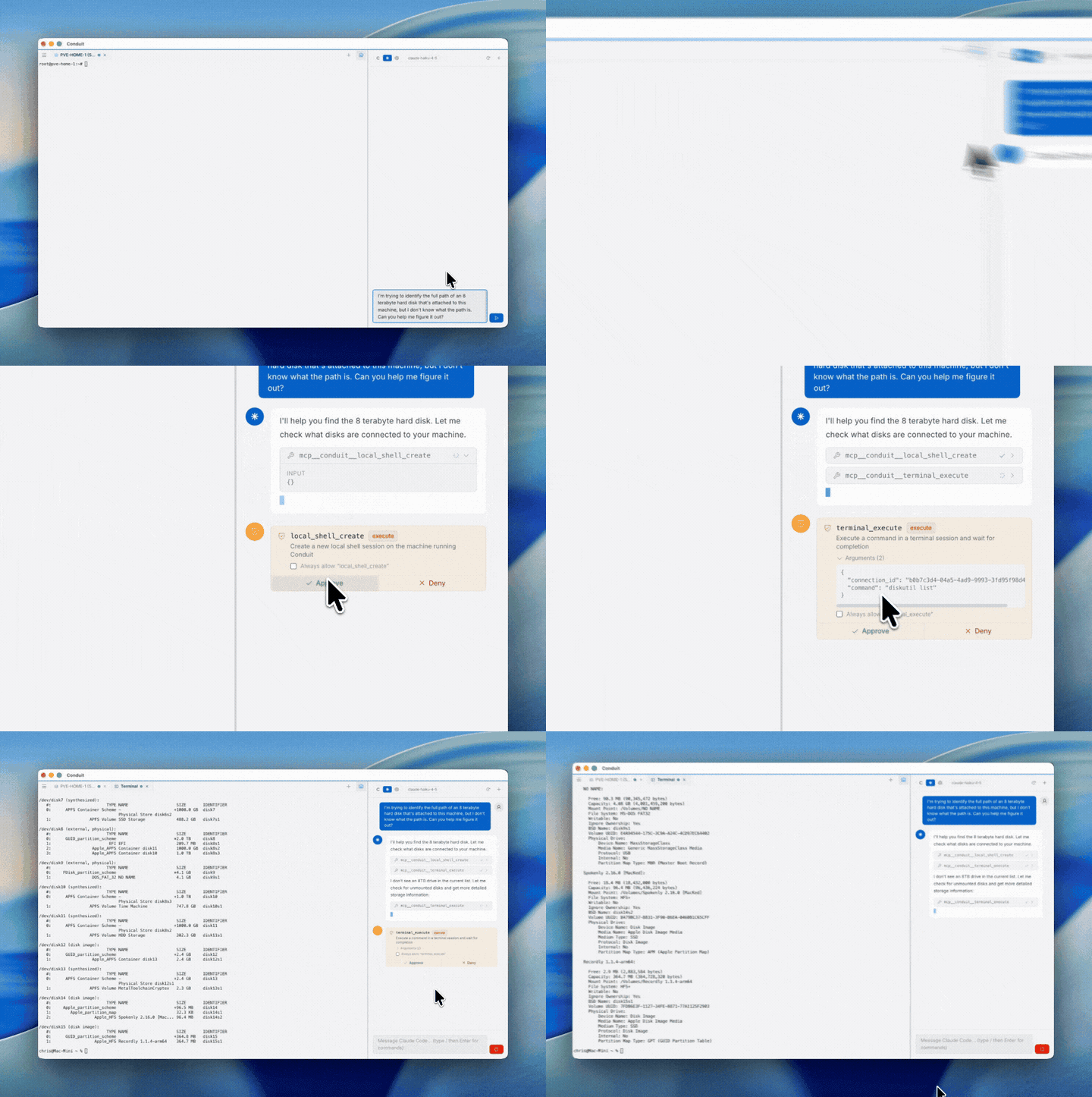
Agent chat panel
Conduit's in-app chat panel hosts Claude Code and Codex sessions side-by-side with your connections. The chat UI is a thin shell — the agent binaries run locally, authenticate with their own providers, and drive Conduit through the same MCP endpoint an external agent would use.
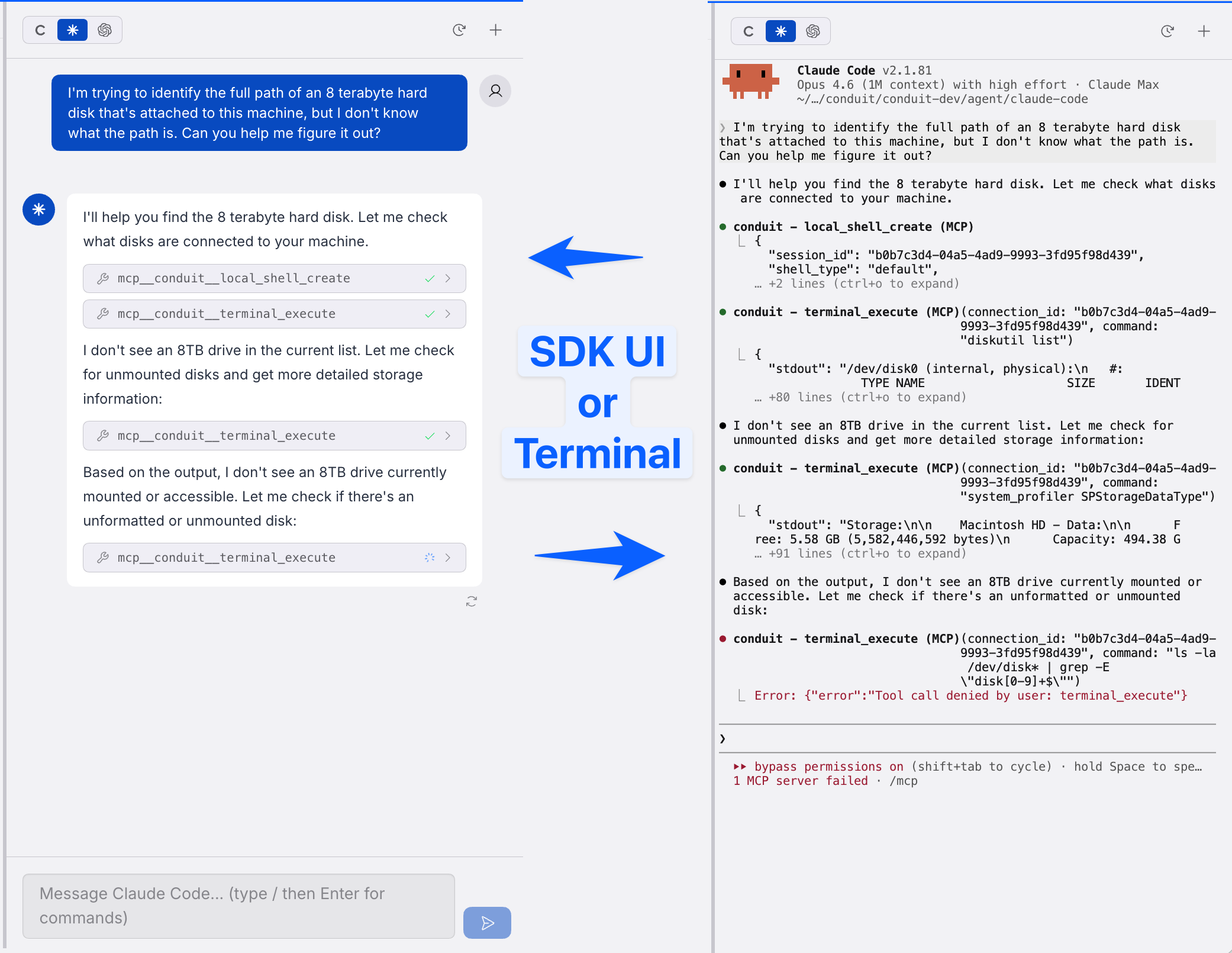
No built-in models. No proxied API calls. No subscription bundled with Conduit.
Encrypted credential vault
All credentials live in a local, AES-256 encrypted vault — not in plaintext config files, not in the cloud (unless you opt in to Pro sync).
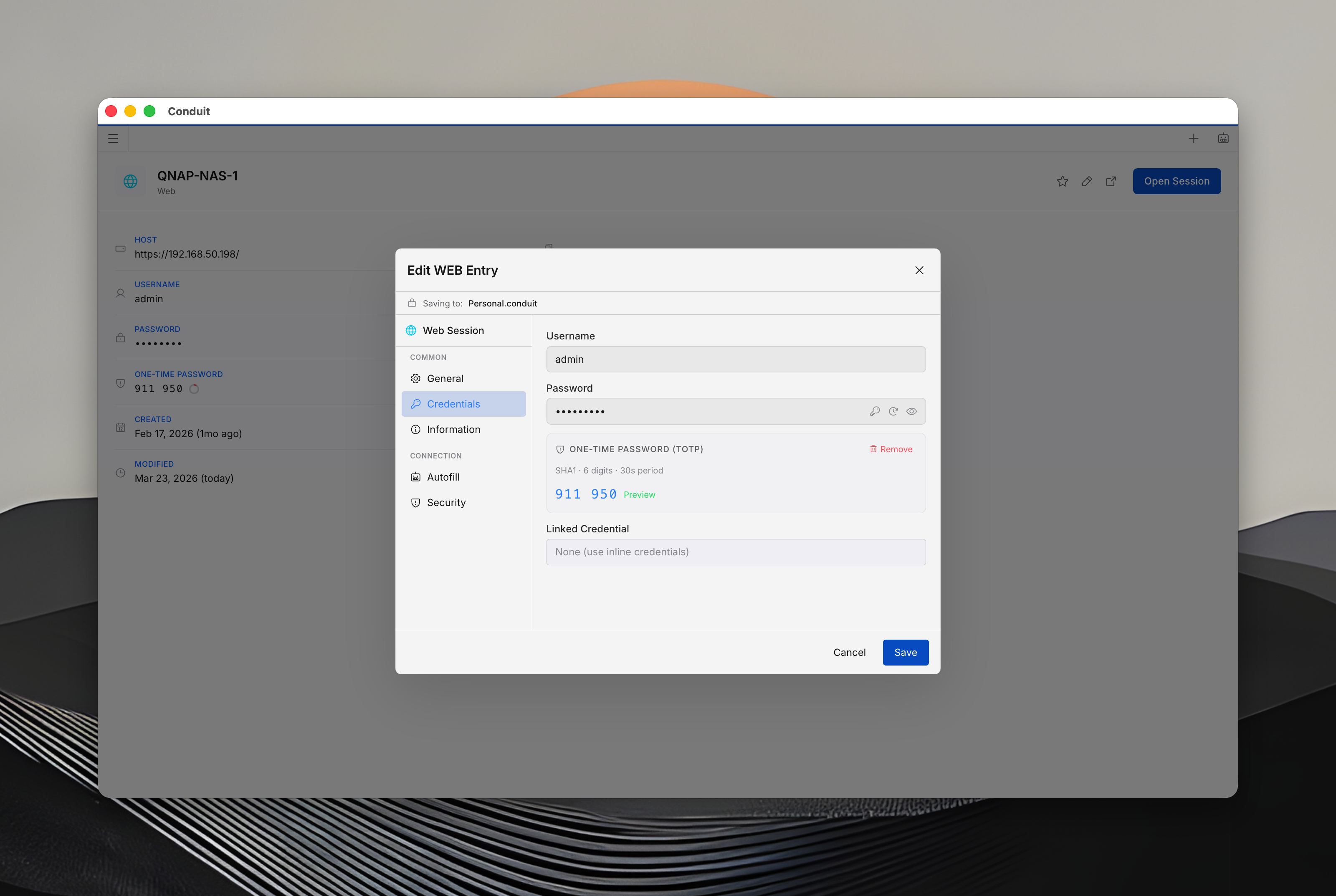
- AES-256 with master-password key derivation
- SSH key storage with fingerprint display and key generation (Ed25519, RSA, ECDSA)
- TOTP / MFA codes with countdown timer
- Password generator with configurable length and character sets
- Auto-lock on inactivity
- Auto-type into active sessions (right-click a credential)
- Global credential picker —
Cmd+Shift+Space from anywhere, even when tray-minimized
- Passphrase-encrypted
.conduit-export files
Team vaults (Pro/Team, optional)
Zero-knowledge credential sharing. The server stores ciphertext; keys never leave the client.
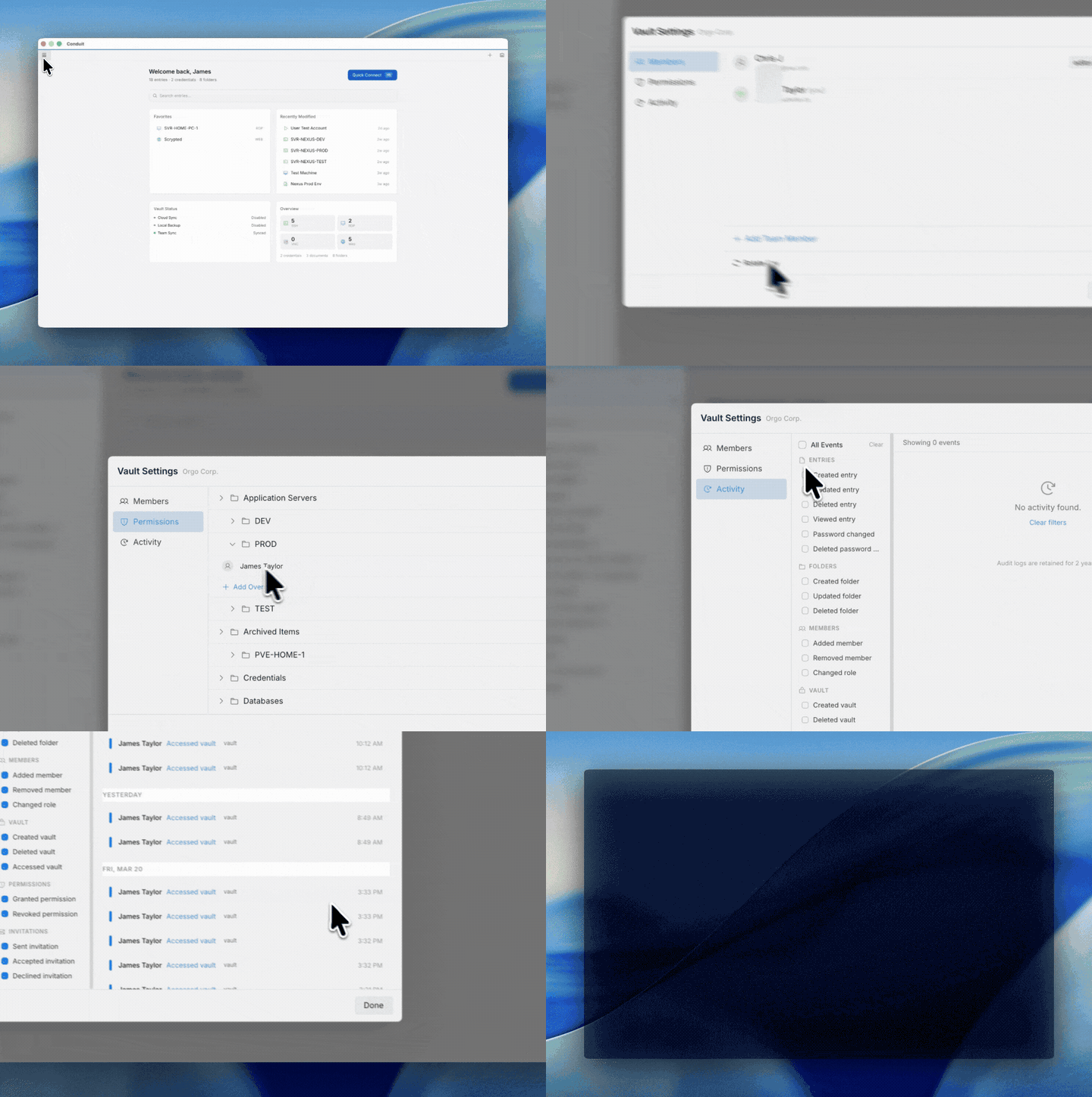
- X25519 key exchange, per-vault encryption keys
- Realtime sync across devices
- Folder-level roles (admin / editor / viewer)
- VEK rotation when members are removed
- 2-year audit retention, offline change queue
- 6-word BIP39 recovery passphrase
Four OS-native themes with matching icon sets.
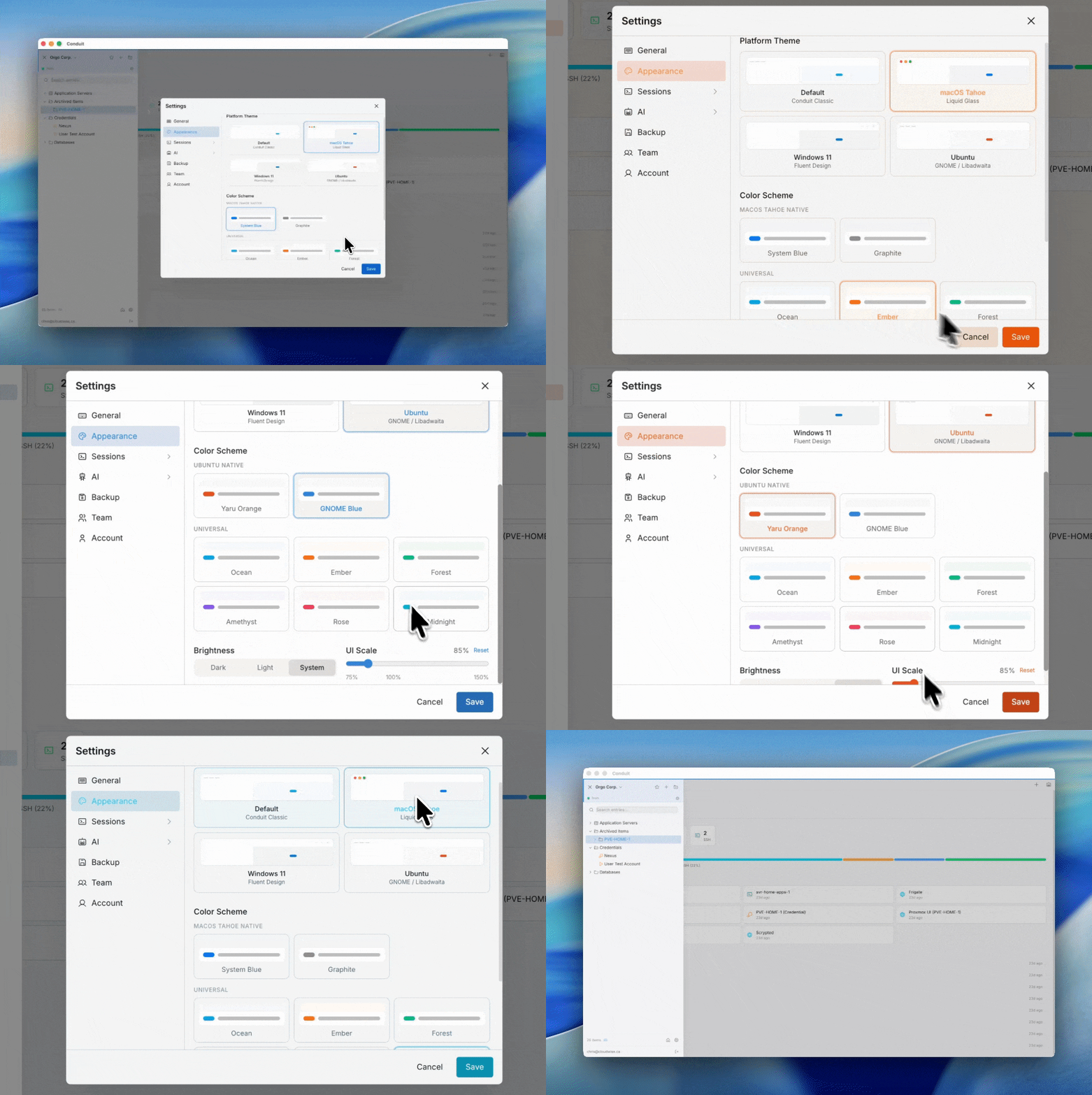
Dark + light modes, plus Ocean, Ember, Forest, Amethyst, Rose, Midnight, and OS-native color schemes.
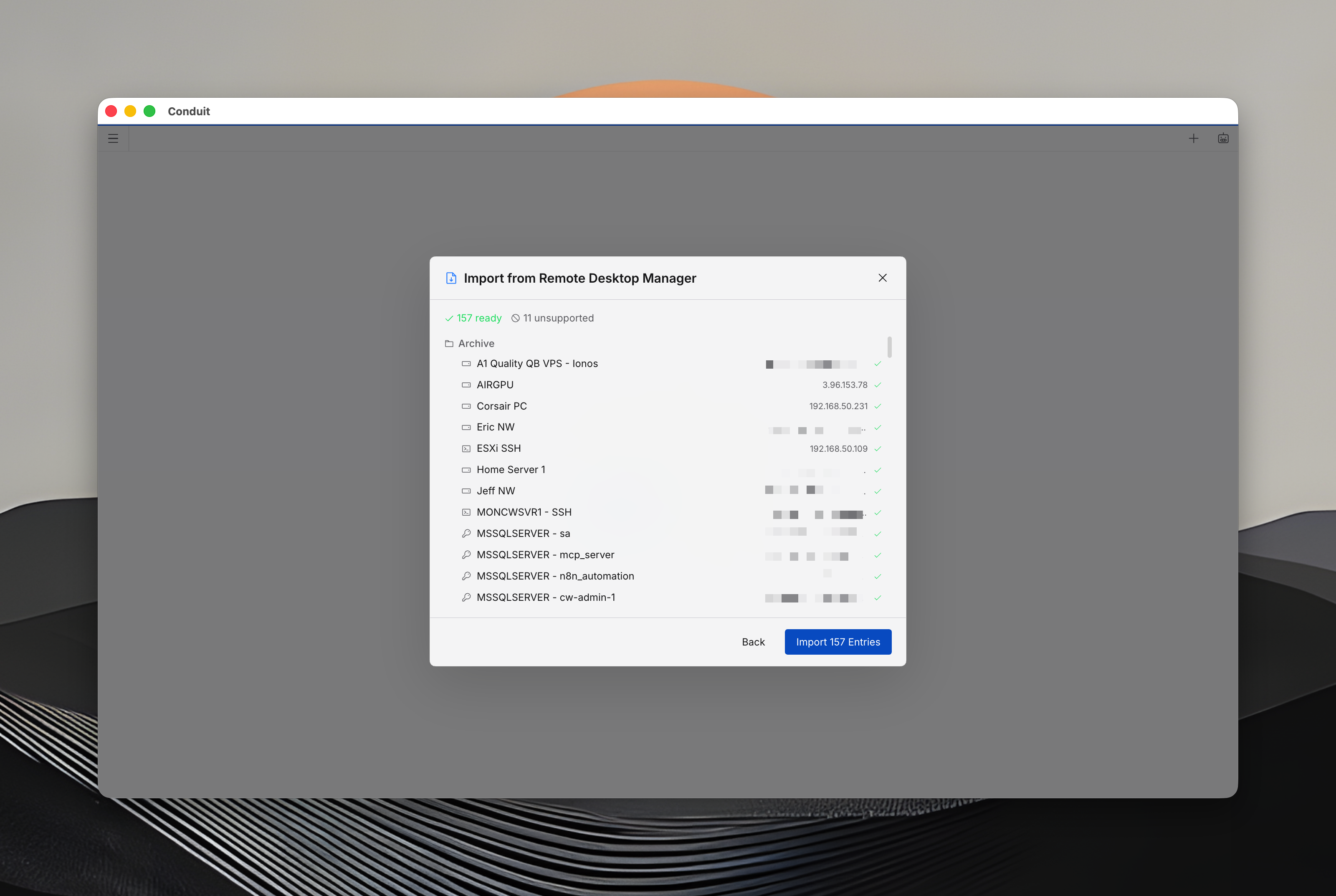
- Devolutions Remote Desktop Manager (
.rdm) — SSH, RDP, VNC, web, credentials, folders, secure notes, documents. Automatic decryption, duplicate detection, folder preservation.
- Conduit vault export (
.conduit-export) — encrypted transfer between vaults.
Installation
Download the latest release from GitHub Releases or conduitdesktop.com/download.
Want new features early? Install the newest pre-release from GitHub Releases, or turn on Get beta updates in Settings > General. See the beta channel.
- macOS —
.dmg, Apple Silicon and Intel
- Windows —
.exe, Windows 10/11 (x64 and ARM64)
- Linux —
.AppImage or .deb, x64 and ARM64
Comparison
Conduit's angle: it is the only remote-connection manager built to be driven by an AI agent. If you already use Claude Code or Codex, Conduit is the bridge between your agent and your infrastructure.
What's open source
The desktop client is open source under Apache 2.0 — this entire repository, including the Electron app, protocol handlers, FreeRDP helper, MCP server, and credential vault.
Contributing
We welcome issues, discussions, and pull requests. A CONTRIBUTING.md with dev setup, code style, and PR conventions is in progress — watch this repo for it.
In the meantime:
- File bugs and feature requests at GitHub Issues
- Check open discussions before starting large changes
- Sign your commits and keep PRs focused
Documentation
Full documentation at conduitdesktop.com/docs:
Support
License
This repository is licensed under Apache License 2.0.
The Conduit backend API and marketing website are proprietary and live in separate repositories. Conduit, the Conduit logo, and associated branding are trademarks of the Conduit project maintainers.
Keywords
remote-desktop-manager ssh-client rdp-client vnc-client mcp-server model-context-protocol claude-code codex ai-agent-tools credential-vault password-manager connection-manager devops-tools sysadmin remote-access electron cross-platform team-vault zero-knowledge-encryption freerdp open-source apache-2
conduitdesktop.com


