

A directory listing describing a cancellation-letter and mailing-address service. The configured public GitHub repository returned 404 during source verification.
Repository stats unavailable
Developer Tools
A local MCP server that gives coding agents an indexed, token-budgeted view of a repository, along with tools to persist durable facts and stash large output out of context.
CostWise — local MCP server for token-efficient coding agent context is cataloged as an MCP server attributed to okyashgajjar. A local MCP server that gives coding agents an indexed, token-budgeted view of a repository, along with tools to persist durable facts and stash large output out of context. It is categorized under developer tools. See the capability inspector for recorded interfaces and their independent review status; consult upstream documentation for the current interface.
Installation configuration is not reviewed. No executable setup is offered for this entry; inspect the source repository before proceeding.
Catalog license label: MIT. Check the source repository's current license and terms before using, modifying or distributing this software.
能力定义尚未审核。未核验的采集内容不会作为可信接口展示。
暂无可展示的已审核记录。这不表示上游不支持此能力。
暂无可展示的已审核记录。这不表示上游不支持此能力。
暂无可展示的已审核记录。这不表示上游不支持此能力。
Email delivery is not connected. This page does not collect email addresses or create subscriptions.
Browse the registry for current listings instead.
Reviews for CostWise — local MCP server for token-efficient coding agent context are not available yet
Review publishing and storage are not connected. This page does not collect or publish ratings or comments, including after sign-in.
README.md · 5aaf8f6c7454 · 采集于 2026-11-13 13:32:00 UTC
保留上游原文,不做 AI 改写。为安全起见过滤脚本、表单和不安全链接。
当前显示最后一次成功采集的文档快照,请以来源页面为准。
CostWise — MCP

Coding agents that explore less, remember more, and carry less context.







curl -fsSL https://raw.githubusercontent.com/okyashgajjar/costwise-mcp/main/install.sh | bash
One command on Linux, macOS, or Windows (via WSL). Detects your OS, installs Go if needed, builds from source, and connects your AI coding client.
Star this repo — it helps others find CostWise.
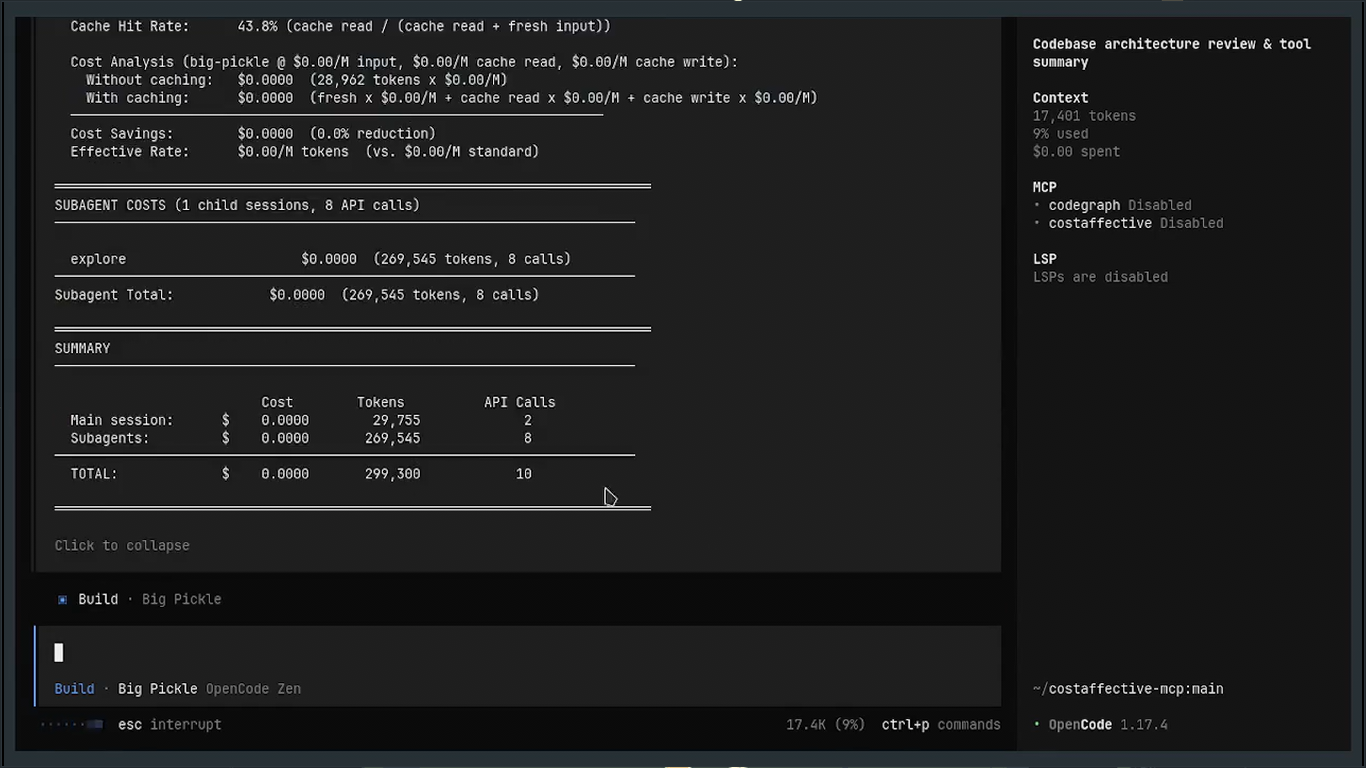
Without CostWise ▶ watch video |
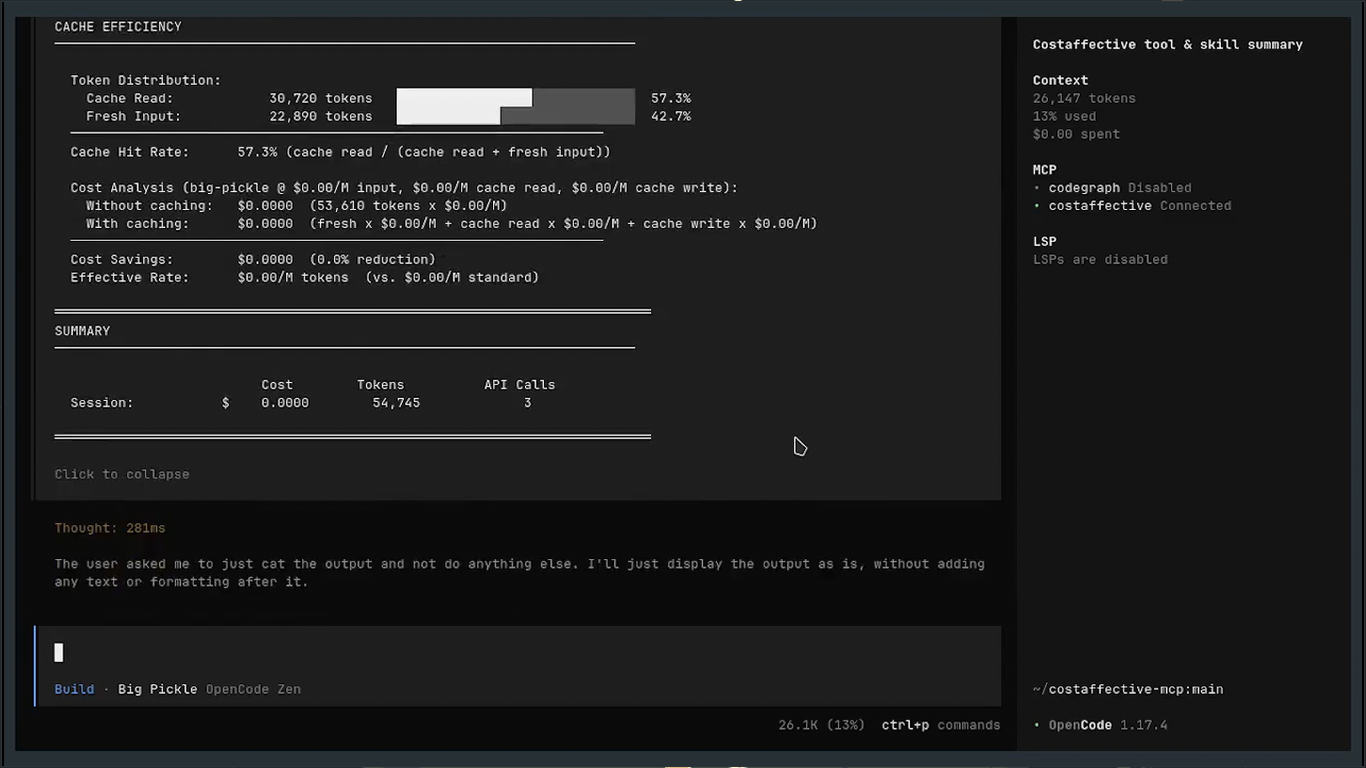
With CostWise ▶ watch video |
An experienced engineer walks into a codebase and does not:
They remember where things live. They open only what they need. They hold facts, not files.
Most AI coding agents do the opposite. They re-explore the same repository over and over. They dump whole files into context. They grow the conversation window until every turn becomes expensive — not because the answer is hard, but because everything else in the window has to be re-read and re-cached.
CostWise is a local MCP server that makes coding agents behave more like that experienced engineer. It gives them fast, token-budgeted access to your repository — so they stop reading whole files to find small facts.
A tool that connects over MCP cannot control how or when the client caches. Cache breakpoints and TTLs are the client's decision. There is exactly one lever the server controls:
How many tokens ever enter the resident context window in the first place.
Shrink that, and both costs fall: a smaller window is cheaper to read every turn and cheaper to rewrite when the cache is invalidated. CostWise does four things in service of that goal.
CostWise parses your repository once with Tree-sitter and stores symbols, references, and call edges in a local SQLite index. Navigation questions — "where is this defined," "who calls this," "what references this" — are answered from the index in a few tokens instead of by dumping source files.
Results are compressed scopes sized to the kind of question asked. The model gets the location, not the file; the implementation body, not the whole module; the caller list, not the grep output.
The remember tool persists a small durable fact — a decision, an entry point, a gotcha — to a per-repository store. The recall tool retrieves it later. Facts the model would otherwise re-derive or re-paste each turn are written down once and read back only when relevant.
The stash_context tool parks a large blob — a file, a command output, a test log — out of the conversation and returns a short handle. The full content stays on disk, recoverable. The recall tool pulls back only the slice that matches a query, within a token budget.
A 5,000-line build log pasted inline is re-read and potentially re-written to the cache every turn for the rest of the session. Stashed, it costs about 20 tokens (the handle) and is pulled back only in the slice you need.
A small piece of guidance (about 275 tokens) is delivered to every connected editor through the MCP protocol's instructions field. It teaches the model the lean workflow once per session: route large output through stash_context, persist durable facts with remember, prefer narrow retrieval over file reads.
It is also installable as a native Claude Code skill, AGENTS.md entry, or rules file for any editor that reads them. The same canonical source backs all delivery paths.
CostWise indexes 11 languages using Tree-sitter AST parsers — symbol definitions, references, and call edges are all precomputed and stored in a local SQLite index.
| Language | File Extensions | Parser |
|---|---|---|
| Go | .go | Native (bespoke) |
| Python | .py | Native (bespoke) |
| JavaScript | .js, .jsx, .mjs | Native (bespoke) |
| TypeScript | .ts, .tsx | Native (bespoke) |
| Rust | .rs | Tree-sitter |
| Java | .java | Tree-sitter |
| C | .c, .h | Tree-sitter |
| C++ | .cpp, .cc, .cxx, .hpp, .hh | Tree-sitter |
| C# | .cs | Tree-sitter |
| Ruby | .rb | Tree-sitter |
| PHP | .php | Tree-sitter |
Go, Python, JavaScript, and TypeScript use bespoke extractors with deeper analysis; the other seven use a generic spec-driven extractor built on Tree-sitter's common conventions. All languages get symbols, references, call edges, and full-text search.
Full installation guide with platform-specific variants: costwise-mcp.vercel.app/docs/install
The recommended way — one command:
curl -fsSL https://raw.githubusercontent.com/okyashgajjar/costwise-mcp/main/install.sh | bash
The script does everything:
/usr/local/bin/costwise--no-skill)Not recommended unless you already have Go and gcc. Build manually:
git clone https://github.com/okyashgajjar/costwise-mcp.git
cd costwise-mcp
$env:CGO_ENABLED=1
go build -o costwise.exe ./cmd/costwise/
Or use the recommended path — install WSL (Windows 10 2004+ / Windows 11):
# In PowerShell as Administrator:
wsl --install

# Then in WSL:
curl -fsSL https://raw.githubusercontent.com/okyashgajjar/costwise-mcp/main/install.sh | bash
Requires Go 1.25+ and a C compiler (CGO is mandatory — see the build notes below).
git clone https://github.com/okyashgajjar/costwise-mcp.git
cd costwise-mcp
CGO_ENABLED=1 go build -o costwise ./cmd/costwise/
sudo mv costwise /usr/local/bin/
costwise --version
CostWise provides 10 MCP tools that fall into three categories.
Retrieval tools answer questions from a pre-built index instead of by reading files:
search_code — semantic search by natural language question.find_symbol — locate where a symbol is defined.read_symbol — return a symbol's full implementation body.find_references — every usage of a symbol, precomputed.find_callers — which functions call a given function.Maintenance tools keep the index in sync:
get_repository_summary — token-budgeted overview of the repo, drillable by module.index_repository — manual re-index trigger (auto-watcher normally handles this).Context-control tools keep large content and durable facts out of the resident window:
remember — persist a fact once instead of repeating it inline.stash_context — park a large blob out of context behind a tiny handle.recall — pull back only the slice that matches a query, within a budget.Interactive tool catalog with schemas and examples: costwise-mcp.vercel.app/tools
Semantic repository search powered by a native Bluge inverted index and Tree-sitter.
Why: a natural-language question ("where is caching implemented?") should return the relevant scopes directly, not a list of files for the model to open one by one. Our new Bluge index provides fast BM25/TF-IDF scoring, fuzzy matching, and synonym expansion natively without AI overhead.
Example:
Where is caching implemented?
Find where a symbol is defined.
Why: "where is X defined" is the single most common navigation question. It should cost a location, not a file.
Example:
Find UserService
Return a symbol's full implementation body by name.
Why: "show me how X works" should cost one indexed line-range read, not a whole-file dump or an agent looping through search to reconstruct the body.
Example:
Show the body of GetOrCreateRepoSession
Find every usage of a symbol.
Why: impact analysis ("what will this change break?") needs every usage, precomputed, without grepping the tree live. CostWise now supports standard LSIF (dump.lsif) ingestion for 100% accurate, compiler-verified references. If LSIF is unavailable, it gracefully falls back to Tree-Sitter regex approximations.
Example:
Where is UserService used?
Find which functions call another function.
Why: understanding a call chain should read from stored call edges, not from the model reconstructing it by reading callers' files.
Example:
What calls processPayment()?
Note: search_code already routes an exact-text/full-text strategy internally, so a literal match is covered without a separate tool. For raw regex over files, use the host's native file search.
A token-budgeted overview of the repository: languages, the top modules by symbol count, and key symbols. Pass module to drill into one directory, and budget (small / medium / large) to cap the output.
Why: this is usually the first call of a session, so it is also the first thing that lands in the cached context and stays there. The earlier version emitted one line per directory plus a full per-directory chain with no limit — on a large monorepo that was tens of thousands of tokens, cached for the entire session. It is now hard-capped: the output stays small no matter how large the repository is, and details are pulled on demand via module.
Refresh or rebuild repository indexes manually. Usually unnecessary because the watchdog re-indexes automatically.
These exist because of the cache cost described above. They let the model keep large content and durable facts out of the resident window, losslessly.
Persist a small durable fact — a decision, an entry point, a gotcha — to a per-repository store, so it does not have to be repeated inline in the conversation every time it is relevant.
Why: facts the model re-derives or re-pastes each turn are pure cache overhead. Write them down once; read them back when needed.
Park a large blob (a whole file, a long command or test output, a generated report) out of the conversation and get back a short handle. Nothing is lost — the full content is written to disk and remains re-fetchable.
Why: this is the most direct lever on window size. A 5,000-line log pasted inline is re-read and potentially re-written to the cache every turn for the rest of the session. Stashed, it costs about 20 tokens (the handle) and is pulled back only in the slice you actually need.
Example: stash a 5,000-line log, keep roughly 20 tokens in context.
Take back only what you need: the budgeted slice of a stashed blob (by handle), or matching remembered facts — instead of re-reading the whole thing.
Why: "take output by necessary query" is the read side of the loop. Combined with stash_context it becomes: stash the monster, then recall only the lines that match your query, within a token budget.
The loop: stash_context (park it) → recall (pull back only the slice) → remember (keep the durable conclusion). The content is always recoverable; the window stays small.
See what a typical session looks like from first command to final answer — and how many tokens stay out of the window.
Step 1 — Install and index
curl -fsSL https://raw.githubusercontent.com/okyashgajjar/costwise-mcp/main/install.sh | bash
# Script detects OS, installs Go + C compiler if needed,
# builds binary, detects AI coding clients, and writes MCP config.
# The server auto-indexes your repo on first connection.
Step 2 — Start a coding session
Your AI agent connects to CostWise via MCP. On connect, the agent receives the ~275-token session skill — it now knows to use stash/recall/remember instead of pasting things inline.
Step 3 — Ask a navigation question
Instead of dumping a file, the agent calls:
find_symbol("UserService")
→ user_service.go:142

read_symbol("UserService")
→ func (s *UserService) Create(ctx context.Context, req *CreateRequest) (*User, error) {
      // full body returned, not the whole file
  }
Cost: ~50 tokens. Without CostWise: the agent reads user_service.go (potentially 500+ lines) into the window.
Step 4 — Trace an impact
You ask "what calls validateInput?" The agent calls:
find_callers("validateInput")
→ processPayment (payment.go:310)
  → validateOrder (order.go:88)
    → validateInput (validator.go:45)
Cost: ~30 tokens. Without CostWise: the agent opens each file, reads the callers, reconstructs the chain. Hundreds of tokens entering the window.
Step 5 — Run tests, get a failure
Tests fail with a 2,000-line log. Instead of pasting the whole thing inline:
stash_context(label="test-failure-output", content=<full 2000-line log>)
→ Stashed → abc123 (~28,000 tokens kept out of context)
Cost of the handle: ~20 tokens in context. The full log sits on disk.
Step 6 — Investigate the failure
recall(source="abc123", query="FAIL|panic|error")
→ test_service_test.go:42: TestCreateUser FAILED
    expected: 201, got: 500
    error: database connection refused
Cost: ~40 tokens (just the matching lines). Without CostWise: the agent re-reads or re-pastes the whole 2,000-line log.
Step 7 — Remember what you found
remember(key="db-conn-fix", fact="Database connection refused in tests — check DB_HOST env var in .env.test")
→ Remembered "db-conn-fix"
Cost: ~20 tokens, persisted for the rest of the session and future sessions.
Step 8 — Later, recall the fact
recall(query="db fix")
→ db-conn-fix: Database connection refused in tests — check DB_HOST env var in .env.test
No need to re-derive the fix. Cost: ~15 tokens.
Bottom line
| Step | Without CostWise | With CostWise |
|---|---|---|
Find UserService | 500+ tokens (whole file) | ~15 tokens (location) |
| Read implementation | 500+ tokens (whole file) | ~40 tokens (body only) |
| Call chain trace | 300+ tokens (multiple files) | ~30 tokens (precomputed edges) |
| Test log investigation | 2,000+ tokens (pasted inline) | ~20 tokens (handle) + ~40 tokens (recall) |
| Remember the fix | Re-derived next time | ~20 tokens (persisted) |
| Total window cost | ~3,300+ tokens | ~165 tokens |
Over a full session, those savings compound to 80%+ fewer tokens in the resident window — and every subsequent turn pays less cache read.
Testing the "Honest & Raw" token footprint of the CostWise server across differently sized repositories:
When it works best: Large codebases (>500 files) where context limits (e.g. 200k tokens) make naive full-file reads impossible or extremely expensive. CostWise compresses the structural understanding to under 500 tokens regardless of repository size.
When it doesn't: Tiny scripts or 1-3 file projects. The overhead of Tree-Sitter indexing and SQLite database creation is completely unnecessary when the entire codebase fits comfortably in 2,000 tokens. Just read the files directly in that scenario.
Why it exists: the context-control tools above only help if the model actually reaches for them. Left to its defaults, a model will happily paste a whole file inline. The costwise-session skill is a small piece of session-awareness guidance that teaches the model the lean workflow once per session, after which it applies automatically — route large output through stash_context / recall, persist durable facts with remember, and prefer narrow retrieval over reading whole files.
It is deliberately tiny (about 275 tokens). That is a fixed, one-time cost per session, and it pays for itself the first time it prevents a single large blob from entering the window.
It is delivered two ways, so it works everywhere with no ongoing effort from you:
Automatically, in every editor. The MCP server advertises the guidance through the protocol's instructions field. Every MCP client loads it on connect — Claude Code, Cursor, Codex, OpenCode, Antigravity, and any other MCP-compatible client. No setup, no per-editor files.
As a native Claude Code skill. Running costwise install also writes ~/.claude/skills/costwise-session/SKILL.md (opt out with --no-skill). You can manage it directly:
costwise skill install      # write the skill (global)
costwise skill install --local   # write it into the current project only
costwise skill uninstall    # remove it
costwise skill print        # print the guidance for manual placement in any tool
For editors that read their own rules or instructions files, costwise skill print outputs the guidance to paste in. The same single source of truth backs both delivery paths.
Interactive architecture diagram with component deep-dives: costwise-mcp.vercel.app/architecture
Enterprise Ready Features:
costwise-action) to pre-compute the SQLite cache.db on CI/CD. When booting locally, CostWise instantly downloads the pre-computed artifact.COSTWISE_PG_URL to connect to a Postgres backend instead of local SQLite. Stashes and facts remembered by Developer A are instantly available to Developer B.costwise validate against a centralized costwise-architecture.yaml configuration.AI Client (MCP Host)
│
├── stdio transport ──► costwise serve (MCP Server)
│ │ advertises session guidance via the MCP instructions field
│ │
│ ├── Session Manager (per-repo, persistent across tool calls)
│ ├── Repository State Manager
│ ├── Watchdog
│ ├── Shared Indexer
│ │
│ ├── Tree-sitter Parser
│ ├── Symbol Index
│ ├── Reference Index
│ ├── Call Graph Index
│ │
│ ├── search_code ───────────► tree-sitter AST match
│ ├── find_symbol ───────────► SymbolDB lookup
│ ├── read_symbol ───────────► SymbolDB body read
│ ├── find_references ───────► SymbolDB reference search
│ ├── find_callers ──────────► SymbolDB call graph
│ ├── get_repository_summary ► KnowledgeStore (token-budgeted)
│ ├── index_repository ──────► SharedIndexer
│ ├── remember ──────────────► per-repo durable facts
│ ├── stash_context ─────────► large blobs parked out of context
│ └── recall ────────────────► query-scoped read-back
All per-repository state (index, stash, facts) lives under the repository's local index directory, so separate repositories never clobber each other.
| Command | Description |
|---|---|
costwise install | Interactive installation |
costwise install --all | Configure all detected clients |
costwise install --target | Configure a specific client |
costwise install --build | Build from source before installing |
costwise install --repair | Repair installation |
costwise install --no-skill | Install without the session skill |
costwise skill install | Install the costwise-session skill |
costwise skill uninstall | Remove the session skill |
costwise skill print | Print the guidance for manual setup |
costwise doctor | Validate installation |
costwise serve | Start the MCP server |
costwise validate | Validate repo architecture against policy |
costwise uninstall | Remove MCP configuration |
costwise uninstall --all
Linux / macOS:
rm -f "$(command -v costwise)"
Windows:
Remove-Item (Get-Command costwise).Source -Force
All CostWise data lives in two places. Here is where to find and delete it if needed.
.mycli-fts/)Created at the root of every indexed repository. Contains everything that is specific to that repo:
| Path | What it stores | Safe to delete? |
|---|---|---|
.mycli-fts/stash/ | Stashed blobs from stash_context + manifest.json | Yes. Lose saved stashes. |
.mycli-fts/session_facts.json | Durable facts from remember tool | Yes. Lose saved facts. |
.mycli-fts/symbols_*.db | Tree-sitter symbol index (definitions, references, calls) | Yes. Triggers re-index on next session. |
.mycli-fts/fts_*.db | Full-text search index | Yes. Triggers re-index on next session. |
.mycli-fts/cache*.db | LRU cache of recent lookups | Yes. Temporary performance cache. |
To wipe everything for a repository:
rm -rf /path/to/your/repo/.mycli-fts
The index will rebuild automatically on the next session.
/tmp/)Shared across all repositories. A known landmine — these are not per-repo and can clobber:
| Path | What it stores | Safe to delete? |
|---|---|---|
/tmp/repo_memory.db | Long-term symbol memory across sessions | Yes. Lose learned symbols. |
/tmp/discovery_memory.db | Cross-session discovery patterns | Yes. Lose learned patterns. |
rm -f /tmp/repo_memory.db /tmp/discovery_memory.db
We welcome contributions of all kinds — bug fixes, new language parsers, better retrievers, documentation, benchmarks.
See CONTRIBUTING.md for full details.
Key documentation for contributors:
Quick start:
git clone https://github.com/okyashgajjar/costwise-mcp.git
cd costwise-mcp
CGO_ENABLED=1 go build ./...
CGO_ENABLED=1 go test ./...
Good first issues:
/tmp/ DB path clobbering (per-repo paths needed)Don't know where to start? Open an issue asking for guidance.
CGO is mandatory. The project depends on go-sqlite3 and go-tree-sitter, both of which use C bindings; builds with CGO_ENABLED=0 will fail.
git clone https://github.com/okyashgajjar/costwise-mcp.git
cd costwise-mcp
CGO_ENABLED=1 go build ./...
CGO_ENABLED=1 go test ./...
On Ubuntu/Debian: sudo apt install gcc libsqlite3-dev. On macOS: Xcode Command Line Tools. On Windows: MinGW-w64.
| Client | Config Surface |
|---|---|
| Claude Code | ~/.claude.json, .mcp.json, or settings files |
| Cursor | ~/.cursor/mcp.json or workspace MCP settings |
| OpenCode | opencode.json |
| Codex CLI | ~/.codex/config.toml |
| Antigravity | ~/.gemini/config/mcp_config.json |
| MCP-compatible | stdio transport |
Why it exists: the model should know whether the index it is querying is trustworthy. CostWise tracks three states and behaves accordingly.
| State | Meaning |
|---|---|
unindexed | No usable index exists yet |
stale | Files changed after the last index |
ready | Index is in sync with the working tree |
Agent mode can auto-index when needed; interactive modes prompt first.
Explore detailed use case studies: costwise-mcp.vercel.app/use-cases
costwise doctor checks:
| Symptom | Cause | Fix |
|---|---|---|
costwise: command not found | Binary not in PATH | Add ~/.local/bin or /usr/local/bin to PATH, or use absolute path |
| Server shows "disconnected" | Binary crashed or missing | Run costwise serve directly to see error output |
| Tools not appearing in client | Config syntax error | Validate JSON: python3 -m json.tool ~/.claude.json |
CGO_ENABLED=0 build failure | CGO required by go-sqlite3 and tree-sitter | Always use CGO_ENABLED=1 |
| Permission denied | Binary lacks execute bit | chmod +x $(which costwise) |
| Index seems stale | Files changed after last index | Call index_repository or wait for auto-watchdog |
| Stashed blobs missing | .mycli-fts/stash/ was deleted | Re-stash the content — old handles will not work |
| Session skill not working | MCP instructions field not supported in older clients | Upgrade to latest client version, or manually install the skill with costwise skill install |
Still stuck? Run costwise doctor and open an issue with the output.
All platforms with Go 1.25+ and a C compiler are supported via the install script (install.sh), which handles toolchain setup automatically:
Pre-built release binaries are available for Linux amd64 and Windows amd64. All other platforms are built from source by the install script.
| Resource | Link |
|---|---|
| Website and interactive tools | costwise-mcp.vercel.app |
| Full benchmark suite | costwise-mcp.vercel.app/benchmarks |
| Developer documentation | costwise-mcp.vercel.app/docs/install |
| MCP tool catalog | costwise-mcp.vercel.app/tools |
| Architecture guide | costwise-mcp.vercel.app/architecture |
| FAQ | costwise-mcp.vercel.app/faq |
| Blog and research | costwise-mcp.vercel.app/blog |
| Compare with alternatives | costwise-mcp.vercel.app/compare/codegraph |
Thanks to everyone who has contributed to CostWise:
MIT
Claim this server with your GitHub account to request manual ownership verification.
Link to the catalog listing for CostWise — local MCP server for token-efficient coding agent context from your README. This badge does not certify ownership, compatibility or security.
[](https://awesome-mcp.com/servers/costaffective-mcp)Public repository statistics could not be verified. Check the configured source address; unavailable counts are not zero.
来源、范围和时段分别列出;不相加,不代表安装人数、活跃用户或安全审核。
尚无已审核的包 / 镜像标识,暂不展示下载统计。
Alternative and complementary servers in the same category
A directory listing describing a cancellation-letter and mailing-address service. The configured public GitHub repository returned 404 during source verification.

A hosted MCP service for browsing and searching through Singapore mobile-network proxies.

A directory listing describing a Markdown-to-PDF service. The configured public GitHub repository returned 404 during source verification.