
A directory listing describing a cancellation-letter and mailing-address service. The configured public GitHub repository returned 404 during source verification.
Repository stats unavailable
Developer Tools
A hosted Model Context Protocol server that connects AI clients to live Amazon SP-API and Amazon Ads API data, letting agents read account data and perform write actions such as listing updates and campaign management.
DataDoe MCP: Hosted Amazon Seller and Vendor Data MCP Server is cataloged as an MCP server attributed to deltologic. A hosted Model Context Protocol server that connects AI clients to live Amazon SP-API and Amazon Ads API data, letting agents read account data and perform write actions such as listing updates and campaign management. It is categorized under developer tools. See the capability inspector for recorded interfaces and their independent review status; consult upstream documentation for the current interface.
Installation configuration is not reviewed. No executable setup is offered for this entry; inspect the source repository before proceeding.
Catalog license label: Not specified. Check the source repository's current license and terms before using, modifying or distributing this software.
能力定义尚未审核。未核验的采集内容不会作为可信接口展示。
暂无可展示的已审核记录。这不表示上游不支持此能力。
暂无可展示的已审核记录。这不表示上游不支持此能力。
暂无可展示的已审核记录。这不表示上游不支持此能力。
Email delivery is not connected. This page does not collect email addresses or create subscriptions.
Browse the registry for current listings instead.
Reviews for DataDoe MCP: Hosted Amazon Seller and Vendor Data MCP Server are not available yet
Review publishing and storage are not connected. This page does not collect or publish ratings or comments, including after sign-in.
No. DataDoe handles SP-API developer registration, OAuth, refresh tokens, and rate limits on your behalf.
It is hosted at mcp.datadoe.com; the repository is a schema facade used to publish DataDoe MCP to public registries.
It is part of a DataDoe subscription at $97 per month with a 14-day free trial.
README.md · d82ca4ab667d · 采集于 2026-11-13 11:38:32 UTC
保留上游原文,不做 AI 改写。为安全起见过滤脚本、表单和不安全链接。
当前显示最后一次成功采集的文档快照,请以来源页面为准。
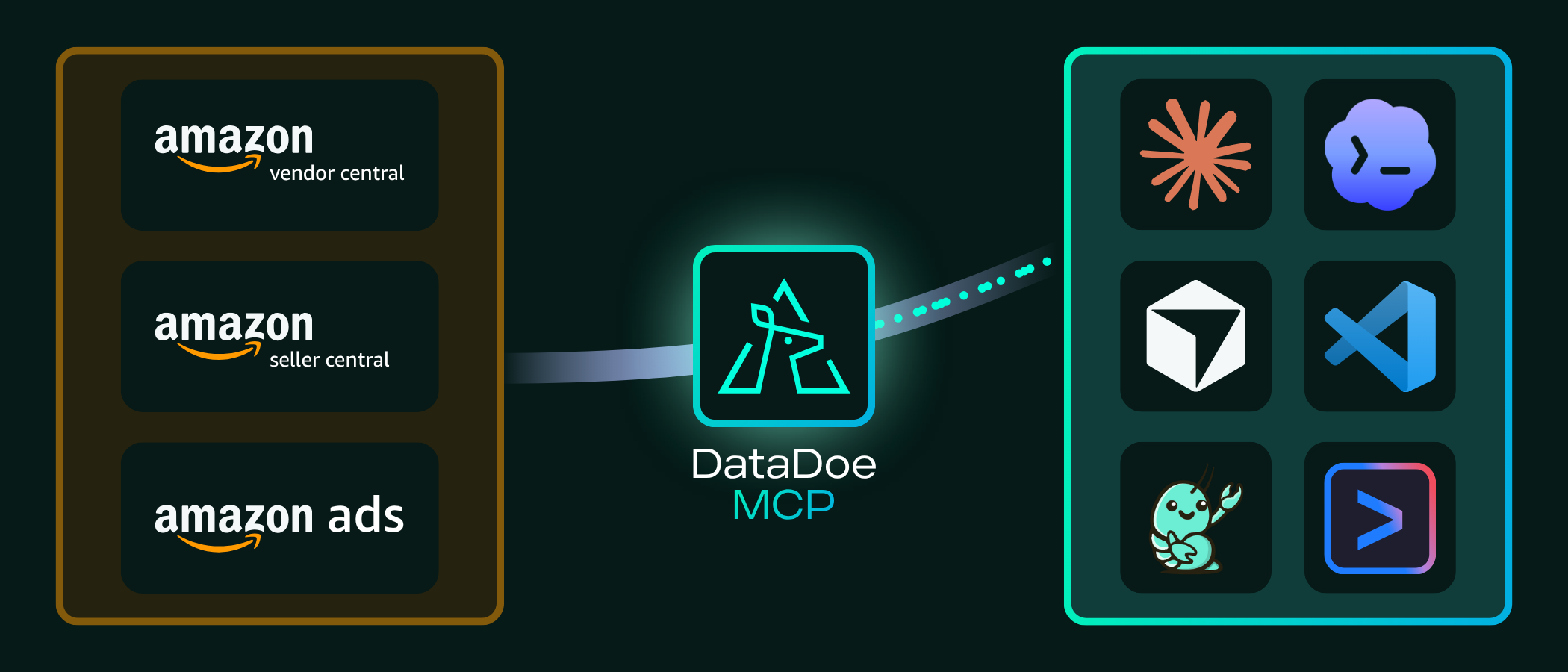
Hosted Amazon Seller Central & Vendor Central MCP server with read and write access. Connect Claude, ChatGPT, Cursor, Codex, Gemini, and GitHub Copilot to live Amazon SP-API and Amazon Ads API data, then let your AI agent act on it: update listings, manage orders, and optimize Amazon Ads campaigns. DataDoe handles the SP-API developer approval, OAuth, and rate limits so your AI agent starts working in under a minute.







🔗 Start a 14-day free trial · 📘 Documentation · ⚡ Actions · 📊 Amazon data schema · 🎥 Video demo
Sign up at DataDoe and connect your Amazon Seller Central or Vendor Central account.
Create a DataDoe MCP API key in DataDoe MCP Integrations.
Paste the config below into your AI client (Claude, Cursor, Codex, Gemini, GitHub Copilot, ChatGPT, or any MCP-capable tool):
{
  "mcpServers": {
    "datadoe": {
      "url": "https://mcp.datadoe.com/mcp/v1",
      "headers": {
        "datadoe-mcp-key": "<YOUR_DATADOE_MCP_KEY>"
      }
    }
  }
}
Ask your AI agent: "Show my top 10 ASINs by revenue last month across all Amazon marketplaces."
That's it. DataDoe runs the MCP server on hosted infrastructure, so your team doesn't need to deploy anything locally or wait for Amazon SP-API developer approval.
DataDoe MCP is a hosted Model Context Protocol (MCP) server for Amazon sellers, vendors, and agencies. It exposes your live Amazon Selling Partner API (SP-API) and Amazon Ads API data through MCP tools that work with Claude, ChatGPT, Cursor, Codex CLI, Gemini CLI, GitHub Copilot, Claude Desktop, n8n, NanoClaw, and any other MCP-capable client.
DataDoe MCP gives your AI agent two layers over your Amazon account:
Building your own Amazon SP-API integration typically requires SP-API developer registration, OAuth refresh-token flow, marketplace-specific endpoints, throttling logic, and 2-4 weeks of Amazon approval. DataDoe takes care of all of that. You get a single authenticated MCP URL for both reading and acting on your Amazon data.
exports_create accepts SQL-like filter groups, GROUP BY, aggregations, and date intervals, so your AI agent can build complex reports from one tool call.dryRun validation step and per-type controls.Example questions your AI agent can answer with DataDoe MCP connected:
And with Actions enabled, your agent can act on what it finds:
Actions let your AI agent make changes on your connected Amazon Seller Central, Vendor Central, and Amazon Ads accounts through the SP-API and Amazon Ads API. Every Action is recorded and auditable.
What your agent can do:
AMAZON_LISTINGS_UPDATE), update prices for Seller Central accounts (AMAZON_LISTINGS_PRICING_UPDATE), and preview a listing write with the matching *_VERIFY Action before submitting it.AMAZON_ORDERS_FIND) and order metrics (AMAZON_ORDERS_GET_METRICS).How it works - the agent runs each Action through these MCP tools:
actions_details_schema_get - get the payload schema for the Action type.actions_start with dryRun=true - validate the payload without executing.actions_start - run the Action and get an action id.actions_get - poll until it completes, then read the result.Use actions_list to review past Actions (filter by status, type, creator, and date).
Action types are disabled by default and enabled per type in Settings > Actions. When a type is disabled, actions_start rejects live runs but still allows dryRun validation.
Example details payload for AMAZON_LISTINGS_UPDATE:
{
  "type": "AMAZON_LISTINGS_UPDATE",
  "sellerOrVendorId": "<SELLER_OR_VENDOR_UUID>",
  "dryRun": true,
  "details": {
    "changes": [
      {
        "sku": "ABC-123",
        "language_tag": "en_US",
        "name": "Stainless Steel Water Bottle 750ml",
        "bulletPoints": ["Keeps drinks cold for 24 hours", "Leak-proof lid"]
      }
    ]
  }
}
Running an Action costs 3 AI Tokens for up to 100 changes, plus 1 AI Token per additional 100 changes. See the Actions docs for the full catalog and payload schemas.
DataDoe MCP exposes the following tools to your AI client:
| Tool | Category | What it does |
|---|---|---|
sellers_and_vendors_list | Account | Lists Amazon sellers and vendors connected to your DataDoe organization, with account type, marketplace, and connection details. |
sellers_and_vendors_get | Account | Returns one seller or vendor, including whether a connection needs reauthorization. |
sellers_and_vendors_rename | Account | Renames a seller or vendor. Names are unique within the organization. |
sellers_and_vendors_invitation_create | Account | Creates a one-time link to connect a new Amazon account or reconnect an existing one. |
sellers_and_vendors_invitations_get | Account | Lists pending invitations, or returns one invitation and its status. |
sellers_and_vendors_invitation_revoke | Account | Revokes a pending invitation so its link can no longer be used. |
organization_and_subscription_details_get | Account | Returns your DataDoe organization profile, subscription plan, billing health, and AI Token balances. |
exports_sources_get | Data | Searches DataDoe's catalog of Amazon data export sources (orders, sales and traffic, ads performance, inventory, listings, settlements, returns, brand analytics, and more) by keyword. |
exports_source_get | Data | Returns the columns (paginated) and metadata of one export source, including whether a date period is required. |
exports_create | Data | Creates an Amazon data export from any source. Supports SQL-like filters, HAVING, GROUP BY, aggregations (sum / avg / count / countDistinct / min / max), date intervals (DAY / WEEK / MONTH), pagination, and CSV or JSON output. |
exports_get | Data | Returns status and metadata for an in-flight or completed export job. |
exports_list | Data | Lists export jobs for the organization with pagination and optional export ID filters. |
exports_raw_url_get | Data | Returns a download URL for a completed export, valid until 15 minutes after the export was created. |
exports_raw_download | Data | Returns the raw export content (CSV or JSON) inline in the tool response. |
exports_delete | Data | Deletes an export by its ID. |
files_create | Files | Creates and uploads a utility file (listing images, A+ images, or order-message files) as base64-encoded content. |
files_list | Files | Lists utility files for the organization with pagination and filters. |
files_get | Files | Returns metadata for a utility file by id. |
files_download_url_get | Files | Returns a download URL for an uploaded file, valid until 15 minutes after the file was created. |
files_delete | Files | Deletes a utility file and its stored object when present. |
datadoe_user_docs_table_of_contents_get | Docs | Returns the table of contents of the DataDoe user documentation, useful when an agent needs to look up features or capabilities on demand. |
datadoe_user_docs_page_get | Docs | Returns the full content of a named DataDoe documentation page. |
actions_details_schema_get | Actions | Returns the JSON Schema of the details payload, the access mode (READ or WRITE), whether that Action type is enabled, and the start tool. |
actions_start | Actions | Starts a READ or WRITE Action on your Amazon account (listings, orders, A+ Content, Multi-Channel Fulfillment, Amazon Ads). Set dryRun=true to validate without executing. Returns an action id. |
actions_get | Actions | Returns the status and result of an Action by id; poll after actions_start. |
actions_list | Actions | Returns paginated Action history, filterable by status, type, creator, and date. |
cogs_upsert | COGS | Creates or updates cost-of-goods-sold rows for a Seller Central account. |
cogs_delete | COGS | Deletes COGS rows for a Seller Central account with optional filters. |
vendor_code_upsert | Vendor codes | Creates or updates vendor code rows for an account with a Vendor Central connection. |
vendor_code_delete | Vendor codes | Deletes vendor code rows for an account with a Vendor Central connection, with optional filters. |
sqp_asins_get | SQP | Returns the Search Query Performance (SQP) ASIN list of a Seller Central account. DataDoe stores up to 252 ASINs. |
sqp_asins_add | SQP | Adds up to 252 ASINs per call to the SQP list of a Seller Central account. |
sqp_asins_remove | SQP | Removes up to 252 ASINs per call from the SQP list of a Seller Central account. |
plugins_get | Plugins | Returns the Memories and Skills saved in the organization, plus ready Files for the user. |
plugins_memories_create | Plugins | Creates a memory Plugin for the user or organization. |
plugins_memories_edit | Plugins | Updates a memory Plugin for the user or organization. |
plugins_memories_delete | Plugins | Deletes a memory Plugin for the user or organization. |
plugins_skills_get | Plugins | Returns a Skill element (SKILL.md or supporting file) listed by plugins_get. |
plugins_files_get | Plugins | Returns converted markdown content for a File plugin listed by plugins_get. |
amc_workflows_find | AMC | Lists live Amazon Marketing Cloud (AMC) workflows with their schedules and state hash. |
amc_workflows_create | AMC | Creates an AMC workflow (SQL with optional Daily or Weekly schedules) without running it. |
amc_workflows_update | AMC | Updates the SQL and/or schedules of an AMC workflow. |
amc_workflows_delete | AMC | Deletes an AMC workflow and its schedules. |
amc_query_validate | AMC | Dry-runs a workflow, raw SQL, or a query template against Amazon without starting an execution. |
amc_query_start | AMC | Starts an on-demand AMC query from a workflow, raw SQL, or a query template. |
amc_query_cancel | AMC | Cancels a pending or running AMC query. |
amc_query_results_find | AMC | Lists AMC query result history with filters. |
amc_query_result_get | AMC | Returns one AMC query result, including short-lived download URLs when it is available. |
amc_schema_find | AMC | Reads the live AMC schema: a table index, or the fields of one data source. |
amc_operation_get | AMC | Returns the status of an asynchronous AMC operation, such as a workflow change or an uncertain query start. |
amc_query_templates_find | AMC | Lists ready-made AMC query templates and, when an account is selected, whether that account can run each one. |
amc_query_template_get | AMC | Returns one AMC query template, including its SQL. |
datadoe_support_ticket_create | Support | Sends a support request to the DataDoe team. |
datadoe_support_ticket_check | Support | Reads a support request and any reply. Poll about once an hour. |
datadoe_support_ticket_update | Support | Adds more information to an existing support request. |
Amazon Marketing Cloud (AMC) tools are available by request only and are listed by the live server only after access is granted. See Amazon Marketing Cloud.
The snippets below are the minimum config you need. For step-by-step guides per AI client, see the Per-client setup guides list at the end of this section.
Add DataDoe as a custom connector: open Customize > Connectors, click Add, and paste https://mcp.datadoe.com/mcp/v1 as the MCP Server URL. Claude signs in to DataDoe with OAuth, so you do not need an API key. See Using Claude.
claude mcp add datadoe "https://mcp.datadoe.com/mcp/v1" --transport http --header "datadoe-mcp-key: <YOUR_DATADOE_MCP_KEY>"
The server name and URL must come before --header. You can also omit --header and sign in with OAuth by running /mcp in Claude Code and choosing Authenticate.
Add to ~/.cursor/mcp.json (global) or .cursor/mcp.json (per project):
{
  "mcpServers": {
    "datadoe": {
      "url": "https://mcp.datadoe.com/mcp/v1",
      "headers": {
        "datadoe-mcp-key": "<YOUR_DATADOE_MCP_KEY>"
      }
    }
  }
}
Add to .vscode/mcp.json (per project) or your user MCP configuration (MCP: Open User Configuration):
{
  "servers": {
    "datadoe": {
      "type": "http",
      "url": "https://mcp.datadoe.com/mcp/v1",
      "headers": {
        "datadoe-mcp-key": "<YOUR_DATADOE_MCP_KEY>"
      }
    }
  }
}
DataDoe MCP works as a generic remote MCP server. Configure your client with:
https://mcp.datadoe.com/mcp/v1datadoe-mcp-key: <YOUR_DATADOE_MCP_KEY> (create a key in DataDoe MCP Integrations)For step-by-step setup guides per AI client, see the dedicated DataDoe documentation pages:
Full documentation root: www.datadoe.com/hub/docs
DataDoe MCP exposes every Amazon data table available in DataDoe, 130+ tables across Seller Central, Vendor Central and Amazon Ads, including:
Full schema: www.datadoe.com/hub/data-scheme
To avoid confusion when evaluating Amazon MCP servers:
mcp.datadoe.com. This GitHub repository is the schema facade used to publish DataDoe MCP to public MCP registries (Official MCP Registry, mcpservers.org, glama.ai, mcpmarket.com, Cline, smithery.ai, and others).MIT. The DataDoe MCP schema facade in this repository is open-source. The hosted MCP server, DataDoe application, and DataDoe infrastructure are proprietary and provided by DataDoe, Inc.
This server is just a schema facade of the actual DataDoe MCP server, made for exposing DataDoe MCP to various MCP registries. It is a no-op server: it does not do anything beyond exposing the schema of DataDoe MCP. If you want to actually use DataDoe MCP, see the DataDoe MCP documentation.
yarn install
yarn build
This compiles the TypeScript source into dist/index.js.
yarn start
The server communicates over stdio, so the process is intended to be launched by your MCP client rather than opened in a browser.
For a local setup, point your client at the built entrypoint. A typical mcp.json looks like this:
{
  "mcpServers": {
    "datadoe": {
      "command": "node",
      "args": ["/absolute/path/to/datadoe-mcp/dist/index.js"]
    }
  }
}
If your client supports environment-based workspace paths, you can usually swap the absolute path for the actual clone location on your machine.
DataDoe is a product of DataDoe, Inc. · datadoe.com
Claim this server with your GitHub account to request manual ownership verification.
Link to the catalog listing for DataDoe MCP: Hosted Amazon Seller and Vendor Data MCP Server from your README. This badge does not certify ownership, compatibility or security.
[](https://awesome-mcp.com/servers/datadoe-mcp)Public repository statistics could not be verified. Check the configured source address; unavailable counts are not zero.
来源、范围和时段分别列出;不相加,不代表安装人数、活跃用户或安全审核。
尚无已审核的包 / 镜像标识,暂不展示下载统计。
Alternative and complementary servers in the same category
A directory listing describing a cancellation-letter and mailing-address service. The configured public GitHub repository returned 404 during source verification.

A hosted MCP service for browsing and searching through Singapore mobile-network proxies.

A directory listing describing a Markdown-to-PDF service. The configured public GitHub repository returned 404 during source verification.