
Fleet MCP
A Model Context Protocol (MCP) server that enables AI assistants to interact with Fleet Device Management for device management, security monitoring, and compliance enforcement.
Demo
📸 Show/Hide Demo Screenshots
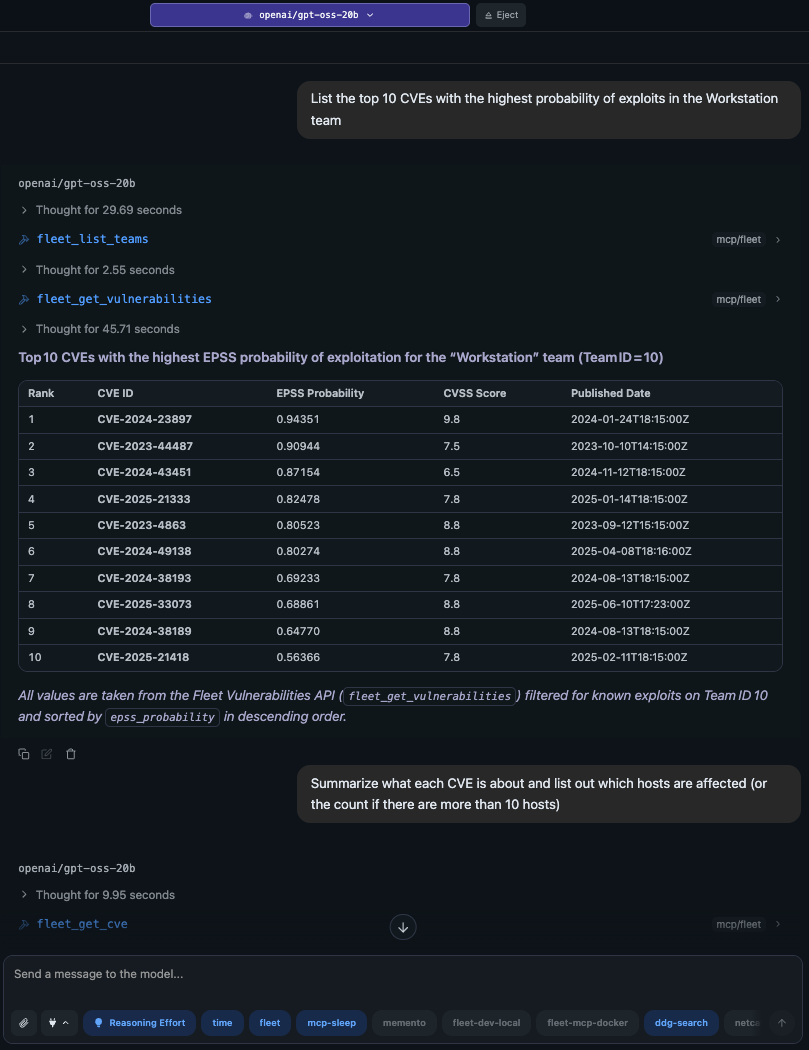
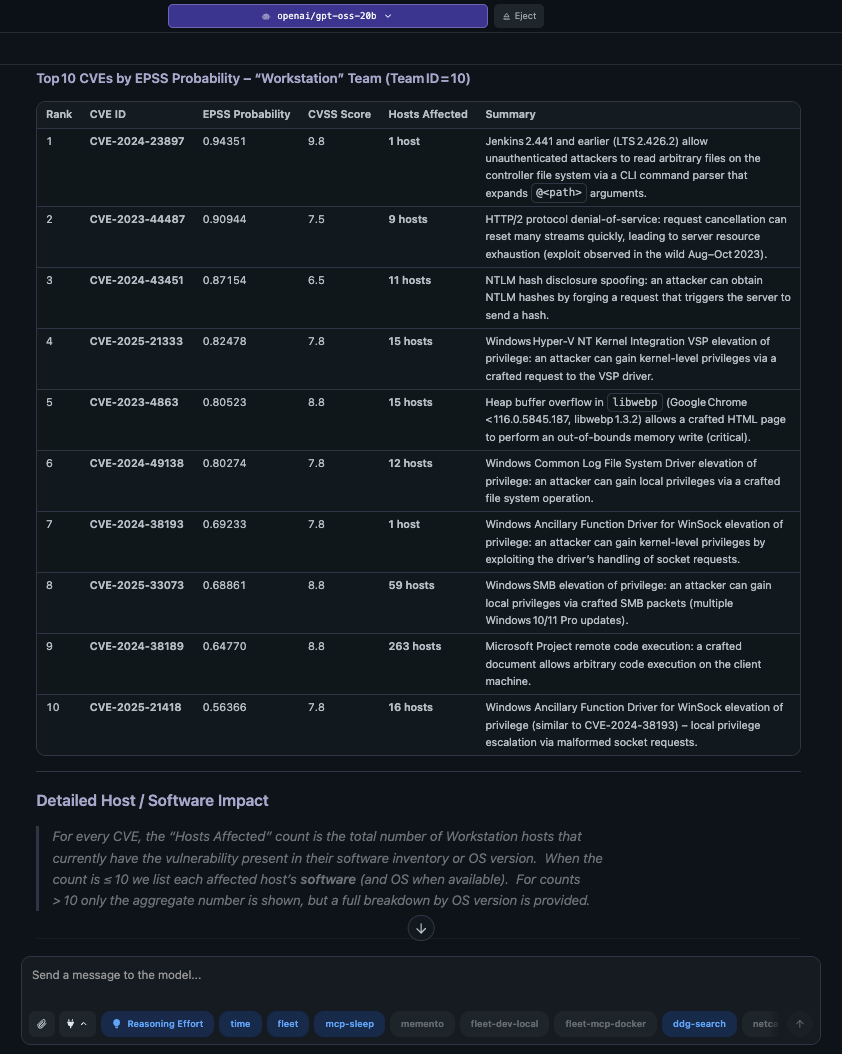
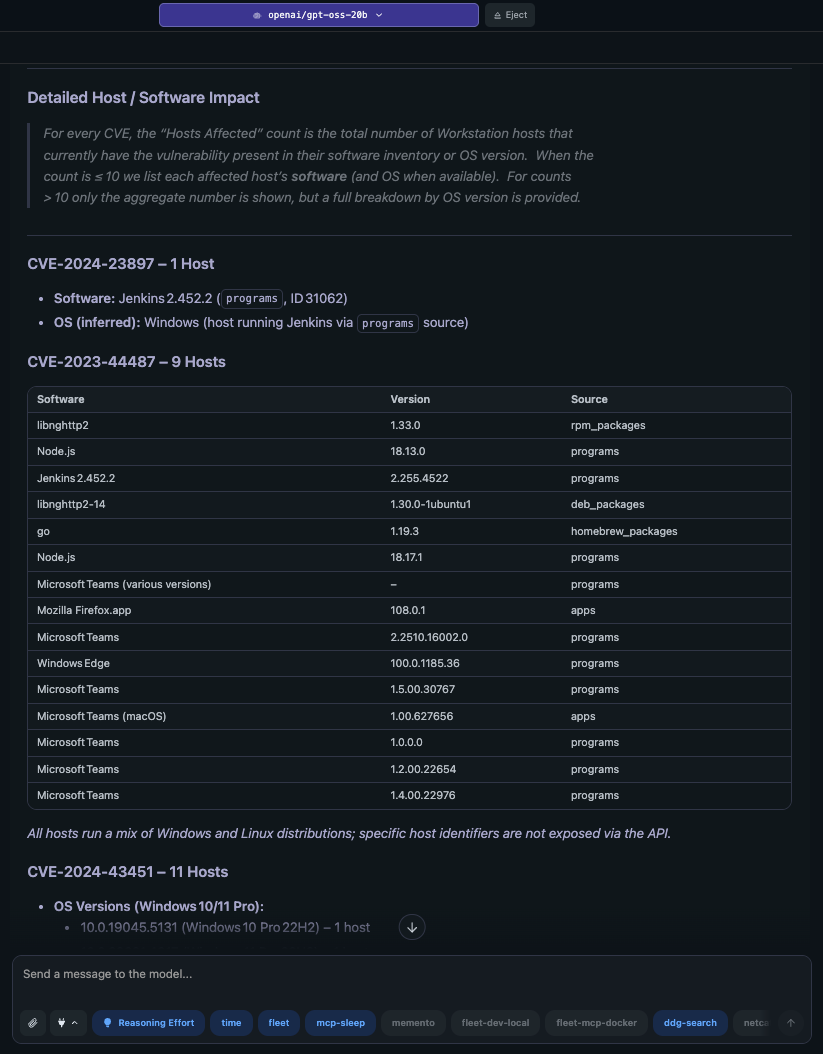
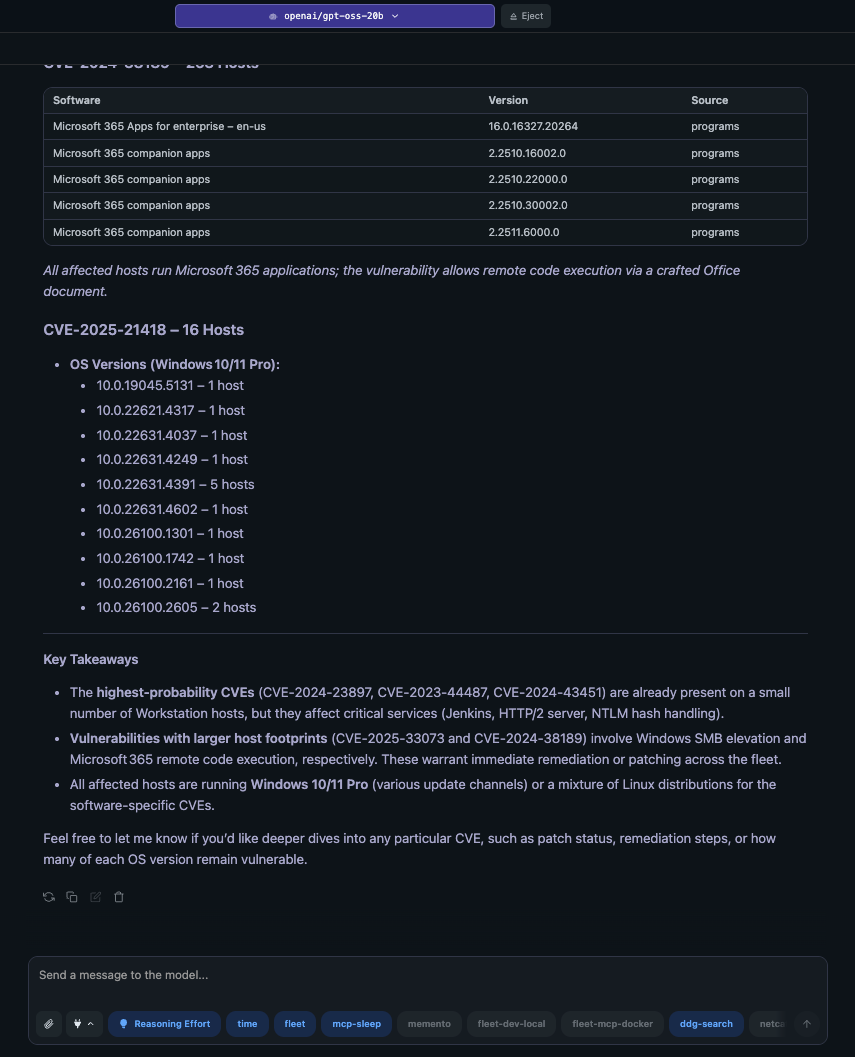
Features
- Host Management: List, search, query, and manage hosts across your fleet
- Live Query Execution: Run osquery queries in real-time against hosts
- Policy Management: Create, update, and monitor compliance policies
- Software Inventory: Track software installations and vulnerabilities across devices
- Team & User Management: Organize hosts and users into teams
- Osquery Table Discovery: Dynamic discovery and documentation of osquery tables
- Read-Only Mode: Safe exploration with optional SELECT-only query execution
- Activity Monitoring: Track Fleet activities and audit logs
Quick Start
Just want to dive right in? This will set up fleet-mcp with read-only access and SELECT query execution enabled. Just replace the FLEET_SERVER_URL and FLEET_API_TOKEN with your own.
{
  "mcpServers": {
    "fleet": {
      "command": "uvx",
      "args": ["fleet-mcp", "run"],
      "env": {
        "FLEET_SERVER_URL": "https://your-fleet-instance.com",
        "FLEET_API_TOKEN": "your-api-token",
        "FLEET_READONLY": "true",
        "FLEET_ALLOW_SELECT_QUERIES": "true"
      }
    }
  }
}
See the Available Tools section below for a complete list of tools.
MCP Client Configuration
Fleet MCP can be integrated with various MCP-compatible clients. Below are configuration examples for popular clients.
Prerequisites
Before configuring any MCP client, ensure you have:
-
Install uv (recommended) or pip:
# Install uv (recommended)
curl -LsSf https://astral.sh/uv/install.sh | sh

# Or use pip
pip install fleet-mcp
-
Fleet API Token: Generate an API token from your Fleet instance:
Option 1)
- Log into Fleet UI
- Navigate to: My account → Get API token
- Copy the token for use in configuration
Option 2)
- Create an API-Only user with
fleetctl
# Generate an API-Only User and get the token
fleetctl user create --name Fleet-MCP --email <email> --password <password> --role admin --api-only
Note: This API token and your fleet instance URL (https://your-fleet-instance.com) will be used in the client configuration.
-
Pick Your Client: Choose your preferred AI assistant client and follow the corresponding setup instructions below.
Install in Claude Desktop
Configuration File Location
- macOS:
~/Library/Application Support/Claude/claude_desktop_config.json
- Windows:
%APPDATA%\Claude\claude_desktop_config.json
- Linux:
~/.config/Claude/claude_desktop_config.json
Configuration
{
  "mcpServers": {
    "fleet": {
      "command": "uvx",
      "args": ["fleet-mcp", "run"],
      "env": {
        "FLEET_SERVER_URL": "https://your-fleet-instance.com",
        "FLEET_API_TOKEN": "your-api-token",
        "FLEET_READONLY": "true",
        "FLEET_ALLOW_SELECT_QUERIES": "true"
      }
    }
  }
}
Note: Replace uvx with fleet-mcp if you've installed the package globally. For enhanced security, use --config flag to reference a TOML file instead of embedding tokens (see Security Best Practices).
Install in Cursor
Go to: Settings → Cursor Settings → MCP → Add new global MCP server
Install globally in ~/.cursor/mcp.json or per-project in .cursor/mcp.json. See Cursor MCP docs for more info.
{
  "mcpServers": {
    "fleet": {
      "command": "uvx",
      "args": ["fleet-mcp", "run"],
      "env": {
        "FLEET_SERVER_URL": "https://your-fleet-instance.com",
        "FLEET_API_TOKEN": "your-api-token",
        "FLEET_READONLY": "true",
        "FLEET_ALLOW_SELECT_QUERIES": "true"
      }
    }
  }
}
Install in Cline (VS Code Extension)
Config Location: ~/.cline/mcp_settings.json (macOS/Linux) or %USERPROFILE%\.cline\mcp_settings.json (Windows)
Alternatively: VS Code Settings → Search "Cline: MCP Settings" → Edit JSON
{
  "mcpServers": {
    "fleet": {
      "command": "uvx",
      "args": ["fleet-mcp", "run"],
      "env": {
        "FLEET_SERVER_URL": "https://your-fleet-instance.com",
        "FLEET_API_TOKEN": "your-api-token",
        "FLEET_READONLY": "true",
        "FLEET_ALLOW_SELECT_QUERIES": "true"
      }
    }
  }
}
Install in Continue (VS Code Extension)
Config Location: ~/.continue/config.json
{
  "mcpServers": [
    {
      "name": "fleet",
      "command": "uvx",
      "args": ["fleet-mcp", "run"],
      "env": {
        "FLEET_SERVER_URL": "https://your-fleet-instance.com",
        "FLEET_API_TOKEN": "your-api-token",
        "FLEET_READONLY": "true",
        "FLEET_ALLOW_SELECT_QUERIES": "true"
      }
    }
  ]
}
Install in Zed Editor
Config Location: ~/.config/zed/settings.json (macOS/Linux) or %APPDATA%\Zed\settings.json (Windows)
{
  "context_servers": {
    "fleet": {
      "command": {
        "path": "uvx",
        "args": ["fleet-mcp", "run"]
      },
      "settings": {
        "env": {
          "FLEET_SERVER_URL": "https://your-fleet-instance.com",
          "FLEET_API_TOKEN": "your-api-token",
          "FLEET_READONLY": "true",
          "FLEET_ALLOW_SELECT_QUERIES": "true"
        }
      }
    }
  }
}
Install in Windsurf
See Windsurf MCP docs for more info.
{
  "mcpServers": {
    "fleet": {
      "command": "uvx",
      "args": ["fleet-mcp", "run"],
      "env": {
        "FLEET_SERVER_URL": "https://your-fleet-instance.com",
        "FLEET_API_TOKEN": "your-api-token",
        "FLEET_READONLY": "true",
        "FLEET_ALLOW_SELECT_QUERIES": "true"
      }
    }
  }
}
Install in VS Code
See VS Code MCP docs for more info.
"mcp": {
  "servers": {
    "fleet": {
      "type": "stdio",
      "command": "uvx",
      "args": ["fleet-mcp", "run"],
      "env": {
        "FLEET_SERVER_URL": "https://your-fleet-instance.com",
        "FLEET_API_TOKEN": "your-api-token",
        "FLEET_READONLY": "true",
        "FLEET_ALLOW_SELECT_QUERIES": "true"
      }
    }
  }
}
Install in Sourcegraph Cody
Config Location: ~/Library/Application Support/Cody/mcp_settings.json (macOS), %APPDATA%\Cody\mcp_settings.json (Windows), or ~/.config/Cody/mcp_settings.json (Linux)
{
  "mcpServers": {
    "fleet": {
      "command": "uvx",
      "args": ["fleet-mcp", "run"],
      "env": {
        "FLEET_SERVER_URL": "https://your-fleet-instance.com",
        "FLEET_API_TOKEN": "your-api-token",
        "FLEET_READONLY": "true",
        "FLEET_ALLOW_SELECT_QUERIES": "true"
      }
    }
  }
}
Install in Augment Code
Via UI: Hamburger menu → Settings → Tools → + Add MCP → Enter uvx fleet-mcp run → Name: "Fleet" → Add
Manual Config: Settings → Advanced → Edit settings.json
"augment.advanced": {
  "mcpServers": [
    {
      "name": "fleet",
      "command": "uvx",
      "args": ["fleet-mcp", "run"],
      "env": {
        "FLEET_SERVER_URL": "https://your-fleet-instance.com",
        "FLEET_API_TOKEN": "your-api-token",
        "FLEET_READONLY": "true",
        "FLEET_ALLOW_SELECT_QUERIES": "true"
      }
    }
  ]
}
Install in LM Studio
Navigate to Program → Install → Edit mcp.json. See LM Studio MCP Support.
{
  "mcpServers": {
    "fleet": {
      "command": "uvx",
      "args": ["fleet-mcp", "run"],
      "env": {
        "FLEET_SERVER_URL": "https://your-fleet-instance.com",
        "FLEET_API_TOKEN": "your-api-token",
        "FLEET_READONLY": "true",
        "FLEET_ALLOW_SELECT_QUERIES": "true"
      }
    }
  }
}
Generic MCP Client Configuration
For other MCP-compatible clients, use this general pattern:
{
  "mcpServers": {
    "fleet": {
      "command": "uvx",
      "args": ["fleet-mcp", "run"],
      "env": {
        "FLEET_SERVER_URL": "https://your-fleet-instance.com",
        "FLEET_API_TOKEN": "your-api-token",
        "FLEET_READONLY": "true",
        "FLEET_ALLOW_SELECT_QUERIES": "true"
      }
    }
  }
}
Configuration Options Reference
Note: All clients above use the same environment variables. Replace uvx with fleet-mcp if installed globally.
Security Best Practices
- Use Config Files: Store tokens in TOML files:
"args": ["fleet-mcp", "--config", "~/.config/fleet-mcp.toml", "run"]
- File Permissions:
chmod 600 ~/.config/fleet-mcp.toml
- Read-Only Mode: Start with
FLEET_READONLY=true (default)
- Token Rotation: Regularly rotate Fleet API tokens
- Environment-Specific Configs: Use separate configs for dev/prod
Fleet MCP provides tools organized into two main groups based on operational mode. Click to expand each group.
Read-Only Tools (Always Available)
These tools are available in all modes (readonly=true or readonly=false). They only read data and never modify Fleet state.
Host Management
fleet_list_hosts - List hosts with filtering, pagination, and searchfleet_get_host - Get detailed information about a specific host by IDfleet_get_host_by_identifier - Get host by hostname, UUID, or hardware serialfleet_search_hosts - Search hosts by hostname, UUID, serial number, or IPfleet_list_host_upcoming_activities - List upcoming activities for a specific hostfleet_list_host_past_activities - List past activities for a specific hostfleet_get_host_mdm - Get MDM information for a specific hostfleet_list_host_certificates - List certificates for a specific hostfleet_get_host_macadmins - Get macadmins data (Munki, MDM profiles) for a hostfleet_get_host_device_mapping - Get device mapping information for a hostfleet_get_host_encryption_key - Get disk encryption recovery key for a host
Query Management
fleet_list_queries - List all saved queries with paginationfleet_get_query - Get details of a specific saved queryfleet_get_query_report - Get the latest results from a scheduled query
Policy Management
fleet_list_policies - List all compliance policiesfleet_get_policy_results - Get compliance results for a specific policy
Software & Vulnerabilities
fleet_list_software - List software inventory across the fleetfleet_get_software - Get detailed information about a specific software itemfleet_get_host_software - Get software installed on a specific hostfleet_get_vulnerabilities - List known vulnerabilities with filteringfleet_get_cve - Get detailed information about a specific CVEfleet_search_software - Search for software by namefleet_find_software_on_host - Find specific software on a host by hostnamefleet_get_software_install_result - Get the result of a software installation requestfleet_list_software_titles - List software titles across the fleetfleet_get_software_title - Get detailed information about a specific software title
Team Management
fleet_list_teams - List all teamsfleet_get_team - Get details of a specific teamfleet_list_team_users - List all users that are members of a specific teamfleet_get_team_secrets - List team-specific enroll secrets
User Management
fleet_list_users - List all users with filteringfleet_get_user - Get details of a specific userfleet_list_user_sessions - List active sessions for a userfleet_get_session - Get session details by ID
Label Management
fleet_list_labels - List all labelsfleet_get_label - Get detailed information about a specific label
Pack Management
fleet_list_packs - List all query packsfleet_get_pack - Get detailed information about a specific packfleet_list_scheduled_queries - List scheduled queries in a specific pack
Script Management
fleet_list_scripts - List all scripts available in Fleetfleet_get_script - Get details of a specific scriptfleet_get_script_result - Get the result of a script executionfleet_list_batch_scripts - List batch script executionsfleet_get_batch_script - Get details of a batch script executionfleet_list_batch_script_hosts - List hosts in a batch script executionfleet_list_host_scripts - List scripts available for a specific host
MDM Management
fleet_list_mdm_commands - List MDM commands that have been executedfleet_get_mdm_command_results - Get results of MDM commandsfleet_list_mdm_profiles - List MDM configuration profilesfleet_get_host_mdm_profiles - Get MDM profiles installed on a specific hostfleet_get_mdm_profiles_summary - Get summary of MDM profile deployment statusfleet_get_filevault_summary - Get FileVault encryption summaryfleet_list_mdm_devices - List all MDM-enrolled Apple devicesfleet_get_bootstrap_metadata - Get metadata about a bootstrap package for a teamfleet_get_bootstrap_summary - Get aggregated summary about bootstrap package deploymentfleet_get_setup_assistant - Get the MDM Apple Setup Assistant configurationfleet_list_mdm_apple_installers - List all Apple MDM installers
VPP/App Store Management
fleet_list_app_store_apps - List App Store apps available for installationfleet_list_vpp_tokens - List VPP tokens configured in Fleet
Configuration Management
fleet_get_config - Get the current Fleet application configurationfleet_get_enroll_secrets - Get the enrollment secrets configurationfleet_get_certificate - Get the Fleet server certificate chainfleet_get_version - Get the Fleet server version information
Secret Management
fleet_list_secrets - List secret variables in Fleet
Invite Management
fleet_list_invites - List pending user invitesfleet_verify_invite - Verify an invite token and get invite details
Carve Management
fleet_list_carves - List file carve sessionsfleet_get_carve - Get detailed information about a specific carve sessionfleet_get_carve_block - Get a specific block of data from a carve session
Device Management
fleet_get_device_info - Get device information using a device token
Activity Monitoring
fleet_list_activities - List Fleet activities and audit logs
Osquery Table Discovery & Reference
fleet_list_osquery_tables - List available osquery tables with dynamic discoveryfleet_get_osquery_table_schema - Get detailed schema for a specific tablefleet_suggest_tables_for_query - Get AI-powered table suggestions based on intent
System
fleet_health_check - Check Fleet server connectivity and authentication
Write/Modify Tools (Requires readonly=false)
These tools can modify Fleet state and are only available when readonly=false is set in the configuration. This will allow you to make changes to your Fleet environment such as creating scripts, policies, managing teams, etc. in addition to the read-only tools. Setting to readonly=true (default) will disable these tools.
Host Management
fleet_delete_host - Remove a host from Fleetfleet_transfer_hosts - Transfer hosts to a different teamfleet_query_host - Run an ad-hoc live query against a specific hostfleet_query_host_by_identifier - Run a live query by hostname/UUID/serialfleet_cancel_host_activity - Cancel an upcoming activity for a specific hostfleet_lock_host - Lock a host device remotelyfleet_unlock_host - Unlock a host device remotelyfleet_unenroll_host_mdm - Unenroll a host from MDMfleet_add_labels_to_host - Add labels to a hostfleet_remove_labels_from_host - Remove labels from a hostfleet_refetch_host - Force a host to refetch and update its data immediately
Query Management
fleet_create_query - Create a new saved queryfleet_delete_query - Delete a saved queryfleet_run_live_query_with_results - Execute a live query and collect resultsfleet_run_saved_query - Run a saved query against hosts
Policy Management
fleet_create_policy - Create a new compliance policyfleet_update_policy - Update an existing policyfleet_delete_policy - Delete a policy
Software Management
fleet_install_software - Install software on a specific hostfleet_batch_set_software - Batch upload/set software installers for a team
Team Management
fleet_create_team - Create a new teamfleet_add_team_users - Add one or more users to a specific teamfleet_remove_team_user - Remove a specific user from a team
User Management
fleet_create_user - Create a new userfleet_update_user - Update an existing userfleet_delete_session - Delete/invalidate a specific sessionfleet_delete_user_sessions - Delete all sessions for a specific user
Label Management
fleet_create_label - Create a new labelfleet_update_label - Update an existing labelfleet_delete_label - Delete a label by name
Pack Management
fleet_create_pack - Create a new query packfleet_update_pack - Update an existing packfleet_delete_pack - Delete a pack by name
Script Management
fleet_run_script - Run a script on a specific hostfleet_run_batch_script - Run a script on multiple hostsfleet_cancel_batch_script - Cancel a batch script executionfleet_create_script - Create and upload a new scriptfleet_modify_script - Modify an existing scriptfleet_delete_script - Delete a script
MDM Management
fleet_upload_mdm_profile - Upload a new MDM configuration profilefleet_delete_mdm_profile - Delete an MDM configuration profilefleet_lock_device - Lock an MDM-enrolled device remotelyfleet_upload_bootstrap_package - Upload a bootstrap package for MDM enrollmentfleet_delete_bootstrap_package - Delete a bootstrap package for a teamfleet_create_setup_assistant - Create or update an MDM Apple Setup Assistantfleet_delete_setup_assistant - Delete the MDM Apple Setup Assistantfleet_upload_mdm_apple_installer - Upload a new Apple MDM installer package
Note: The wipe device tool is currently disabled as it is too dangerous. It may be revisited later if really needed.
VPP/App Store Management
fleet_add_app_store_app - Add an App Store app for distributionfleet_update_app_store_app - Update App Store app settingsfleet_delete_vpp_token - Delete a VPP token
Configuration Management
fleet_update_config - Update the Fleet application configurationfleet_update_enroll_secrets - Update the enrollment secrets configuration
Secret Management
fleet_create_secret - Create a new secret variablefleet_delete_secret - Delete a secret variable by ID
Invite Management
fleet_create_invite - Create a new user invitefleet_update_invite - Update a pending invitefleet_delete_invite - Delete a pending invite
Configuration
Fleet MCP supports three configuration methods (in order of precedence):
- Command-line arguments (highest priority)
- Environment variables (with
FLEET_ prefix)
- Configuration file (recommended for security)
Configuration File (Recommended)
Create fleet-mcp.toml:
[fleet]
server_url = "https://your-fleet-instance.com"  # Required
api_token = "your-api-token"                     # Required
verify_ssl = true                                # Default: true
timeout = 30                                     # Default: 30 seconds
max_retries = 3                                  # Default: 3
readonly = true                                  # Default: true
allow_select_queries = false                     # Default: false
Environment Variables
See Configuration Options Reference for all available variables. Environment variables use the FLEET_ prefix and override config file settings.
Command-Line Arguments
fleet-mcp --server-url https://fleet.example.com --api-token YOUR_TOKEN run
Options: --config, --server-url, --api-token, --readonly, --verbose
Read-Only Mode
Fleet MCP runs in read-only mode by default for safe exploration without risk of changes.
Three Operational Modes
Configuration Examples
# Strict Read-Only (Default)
[fleet]
readonly = true
allow_select_queries = false
# Read-Only with SELECT Queries
[fleet]
readonly = true
allow_select_queries = true
# Full Write Access (⚠️ Use with caution) - Recommended to have LLM prompt for confirmation before making changes
[fleet]
readonly = false
CLI Commands
Global Options: --config, --verbose, --server-url, --api-token, --readonly
Usage Examples
Example 1: List All Teams
# In Claude Desktop or any MCP client
"List all teams in Fleet"
Example 2: Find Software on a Host
"What version of Chrome is installed on host-123?"
Example 3: Run a Query
# With allow_select_queries=true
"Run a query to find all processes listening on port 80"
Example 4: Check Compliance
"Show me which hosts are failing the disk encryption policy"
Example 5: Discover Osquery Tables
"What osquery tables are available for monitoring network connections?"
Development
Development Setup
This project uses uv for dependency management.
Setup
git clone https://github.com/SimplyMinimal/fleet-mcp.git
cd fleet-mcp
uv sync --dev
Common Tasks
Project Structure
src/fleet_mcp/
├── cli.py              # Command-line interface
├── client.py           # Fleet API client
├── config.py           # Configuration management
├── server.py           # MCP server implementation
├── tools/              # MCP tool implementations
└── utils/              # Utilities (SQL validator, etc.)
Troubleshooting
Server Not Appearing in Client
- Validate JSON syntax in config file
- Restart the MCP client
- Check client logs for errors
- Verify
uvx or fleet-mcp is in PATH: which uvx
Connection Errors
- Test manually:
uvx fleet-mcp test
- Verify
FLEET_SERVER_URL is accessible
- Check
FLEET_API_TOKEN is valid
- For self-signed certs:
FLEET_VERIFY_SSL=false
Authentication Failed (401)
- Verify API token is correct
- Check token hasn't expired
- Ensure token has appropriate permissions
- Generate new token: Fleet UI → My account → Get API token
Query Validation Failed
- Set
FLEET_ALLOW_SELECT_QUERIES=true
- Ensure query is SELECT-only (no INSERT, UPDATE, DELETE, etc.)
- Verify osquery SQL syntax is valid
Tool Not Available
- Write operations require
FLEET_READONLY=false
- Query execution requires
FLEET_ALLOW_SELECT_QUERIES=true
- Check tool availability in current mode
License
Fleet MCP is open source software licensed under the MIT License.
You are free to use, modify, and distribute this software for any purpose, including commercial use, subject to the terms of the MIT License.
Disclaimer
This project is not affiliated with or endorsed by Fleet DM. It is an independent implementation of the Model Context Protocol for interacting with Fleet instances.


