Google Flights MCP Server
A Model Context Protocol (MCP) server implementation that connects your Agents or LLMs to Google Flights data. Access flight information, find the cheapest options, filter by time restrictions, and get Google Flights' best recommendations!
🌍 Overview
This MCP server provides seamless access to Google Flights data, enabling your AI agents to:
- Retrieve Comprehensive Flight Info
- Find the Cheapest Available Flights
- Filter flights based on Specific Time Constraints
- Get Google Flights' recommended Best Flights
Note: Currently, this tool only does one-ways (if you ask for a round-trip, it'll do two one-ways though!) as I built it as a fun pet project to learn about MCPs.
If anyone actually finds this useful or wants me to, I can work on adding Round-Trip and Multi-City functionality!! Just raise a PR or hit me up!
🎥 Usage & Demo
Just follow the Quick Start to set this up for Claude Desktop, Cursor, or another MCP Client and just ask away to find out about your desired flight info!!
[Insert Claude Desktop Demo Video]
-
get_general_flights_info(): Retrieve comprehensive flight information for a given route
- Provides detailed flight details for up to 40 flights
- Returns a list of human-readable flight descriptions
-
get_cheapest_flights(): Find the most affordable flight options
- Sorts and returns flights by lowest price
- Includes current overall route pricing information
-
get_best_flights(): Get Google Flights' top recommended flights
- Identifies and returns flights marked as "best" by Google Flights
- Helps users find optimal flight choices
-
get_time_filtered_flights(): Filter flights by specific time constraints
- Search for flights before or after a target time
- Allows precise scheduling preferences
Required Parameters
-
origin: str - Origin airport IATA code (e.g., "ATL", "SCL", "JFK")
-
destination: str - Destination airport IATA code (e.g., "DTW", "ICN", "LIR")
-
departure_date: str - Departure date in YYYY-MM-DD format
Optional Parameters
-
trip_type: str - Trip type, either "one-way" or "round-trip" (default: "one-way")
-
seat: str - Seat type: "economy", "premium-economy", "business", or "first" (default: "economy")
-
adults: int - Number of adult passengers (default: 1)
-
children: int - Number of child passengers (default: 0)
-
infants_in_seat: int - Number of infants requiring a seat (default: 0)
-
infants_on_lap: int - Number of infants traveling on a lap (default: 0)
Additional Parameters for Specific Functions
-
n_flights: int - Number of flights to return (default: 40, only for get_general_flights_info())
-
state: str - Time filter state, either "before" or "after" (only for get_time_filtered_flights())
-
target_time_str: str - Target time in HH:MM AM/PM format (only for get_time_filtered_flights())
⚡ Quick Start
Claude Desktop
-
Make sure you have the latest Claude for Desktop downloaded!
-
Clone This Repo
-
Install uv to set up our Python Environment
MacOS
# Check if uv is already installed
uv --version

# If not installed
curl -LsSf https://astral.sh/uv/install.sh | sh
Windows
# Check if uv is already installed
uv --version

# If not installed
powershell -ExecutionPolicy ByPass -c "irm https://astral.sh/uv/install.ps1 | iex"
⚠️ IMPORTANT: After installation, you must restart your terminal for the uv command to get picked up!
-
Add this flights MCP Server to your Claude for Desktop config:
MacOS
- Navigate to the config file location via Terminal:
~/Library/Application Support/Claude/claude_desktop_config.json
- OR if you have VSCode adn the Code alias, you can just create/edit using:
code ~/Library/Application\ Support/Claude/claude_desktop_config.json
Windows
- Navigate to the config file location via PowerShell:
%AppData%\Claude\claude_desktop_config.json
- OR if you have VSCode adn the Code alias, you can just create/edit using:
code $env:AppData\Claude\claude_desktop_config.json
Note: ~/Library/Application Support/Claude/config.json is a different, unrelated file. Do not edit it.
-
Add this flights MCP Server in the mcpServers key:
{
  "mcpServers": {
    "flights": {
      "command": "/ABSOLUTE/PATH/.local/bin/uv",
      "args": [
        "--directory",
        "/ABSOLUTE/PATH/TO/PARENT/FOLDER",
        "run",
        "flights.py"
      ]
    }
  }
}
Make sure to modify the code to include the Absolute Path for uv for the command param and for the Absolute Path for the args param to this Repo.
You may need to put the full path to the uv executable in the command field. You can get this by running:
which uv on MacOS/Linuxwhere uv on Windows
Example:
{
  "mcpServers": {
    "flights": {
      "command": "/Users/sahitmamidipaka/.local/bin/uv",
      "args": [
        "--directory",
        "/Users/sahitmamidipaka/Documents/Google-Flights-MCP-Server",
        "run",
        "flights.py"
      ]
    }
  }
}
-
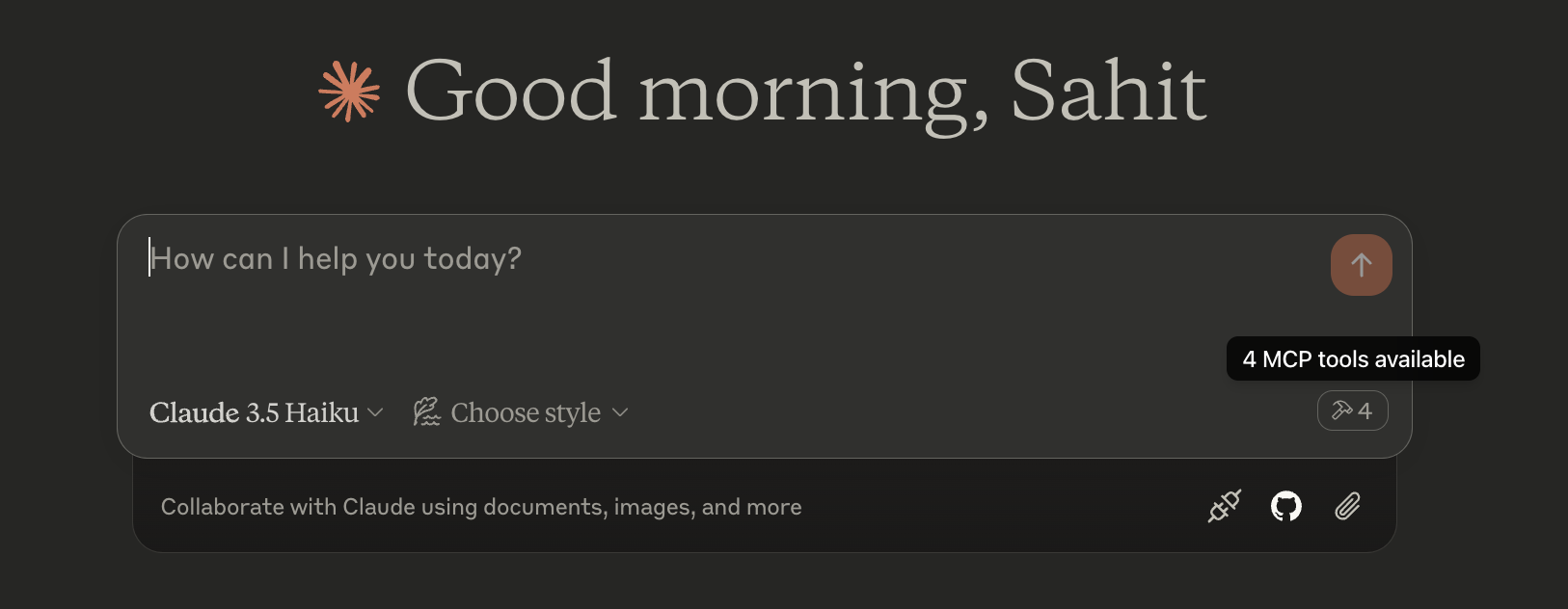
That's it! Open Claude for Desktop and you should see the little MCP Tools icon appear (make sure to re-open the app for updates to take place—you'll need to do this whenever you change your claude_desktop_config.json file 😊)
For more information, refer to the Official MCP Documentation.
Cursor
-
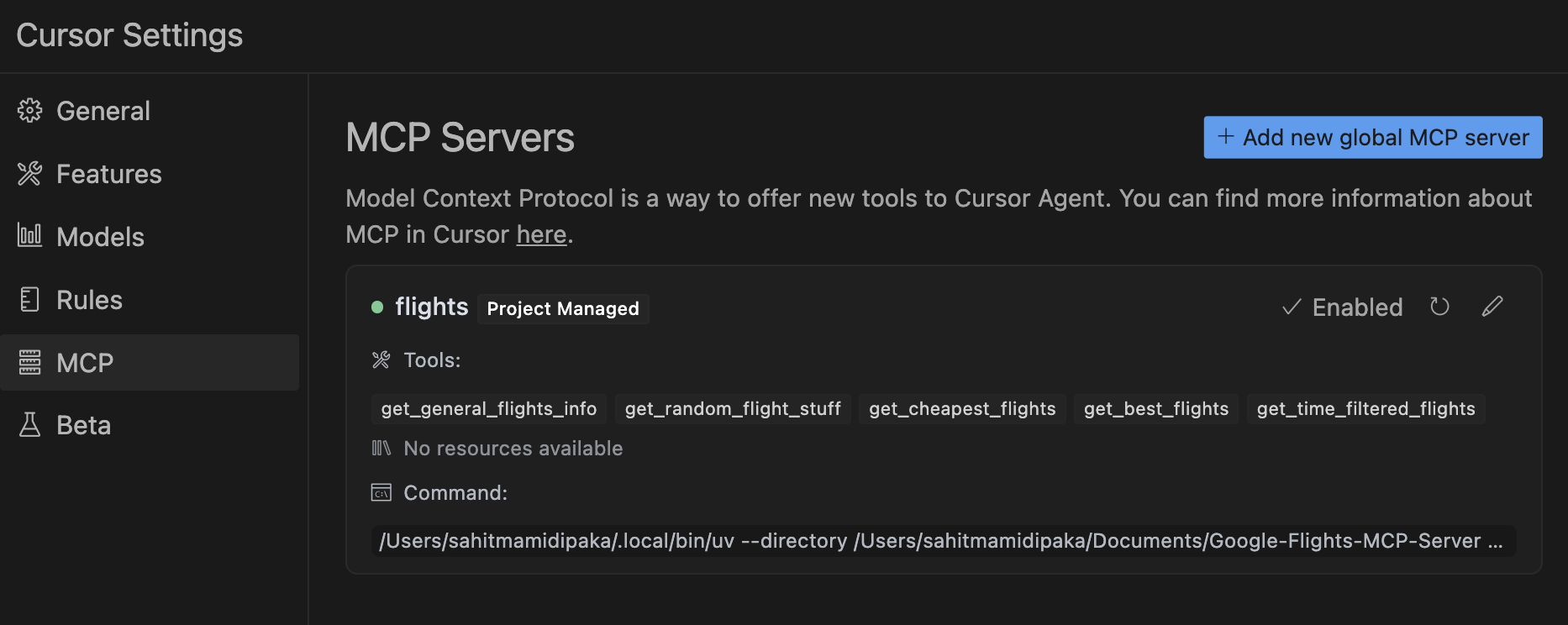
Open Cursor & Go to Settings
-
Press the MCP Tab on the Left Panel
-
Add a new MCP Server (Choose one):
Project Configuration
- Create a
.cursor/mcp.json file in your project directory
- Ideal for tools specific to a single project
Global Configuration
- Create a
~/.cursor/mcp.json file in your home directory
- Makes MCP servers available across all Cursor workspaces
-
Attach the following configuration in the mcp.json file:
{
  "mcpServers": {
    "flights": {
      "command": "uv",
      "args": [
        "--directory",
        "/ABSOLUTE/PATH/TO/PARENT/FOLDER",
        "run",
        "flights.py"
      ]
    }
  }
}
Make sure to replace /ABSOLUTE/PATH/TO/PARENT/FOLDER with the actual path to this repo.
You may need to put the full path to the uv executable in the command field. You can get this by running:
which uv on MacOS/Linuxwhere uv on Windows
Example:
{
  "mcpServers": {
    "flights": {
      "command": "/Users/sahitmamidipaka/.local/bin/uv",
      "args": [
        "--directory",
        "/Users/sahitmamidipaka/Documents/Google-Flights-MCP-Server",
        "run",
        "flights.py"
      ]
    }
  }
}
For more information, refer to the Official Cursor MCP Documentation.
🚀 Example Usage
- Show me flight options from Atlanta to Shanghai for Jan 1 2026
- What are the prices like for flights from Detroit to Atlanta this weekend?
- I live in New York and want to go to Japan. Find the cheapest flight options leaving this Friday and consider all airports near me!
- Show me flight options for LAX today but only after 8:00 PM
✨ Upcoming Features
- Better Roundtrip Functionality 🚀
- Multi-City Functionality 🌍
- Explore / Go Anywhere Functionality 🗺️
- Price Graphs & Price History 📈
🤝 Contributing
Feel free to:
📄 License
This project is licensed under the MIT License - see the LICENSE file for details.
This means you are free to:
- Use the software commercially
- Modify the source code
- Distribute the software
- Use the software privately
You must include the original copyright notice and citation in any distributed software or derivative works, as per the terms of the MIT License.
Thank you for checking out this project! Always feel free to contact me for any reason.
Note: This project was created for fun and is in no way endorsed or affiliated with Google, Google Flights, or any other Alphabet subsidiary company.



