
Store and retrieve entities, relations and observations in a persistent local knowledge graph.
create_entitiescreate_relationsadd_observations+6 more
92K
AI & Multi-Agent
FLUJO is an open-source, local-first AI workspace for building reusable AI agents from plain-language steps or visual flows, connecting models and MCP tools, and running them in chat, background automations, and external applications.
FLUJO is cataloged as an MCP server attributed to mario-andreschak. FLUJO is an open-source, local-first AI workspace for building reusable AI agents from plain-language steps or visual flows, connecting models and MCP tools, and running them in chat, background automations, and external applications. It is categorized under ai agents-models. See the capability inspector for recorded interfaces and their independent review status; consult upstream documentation for the current interface.
Installation configuration is not reviewed. No executable setup is offered for this entry; inspect the source repository before proceeding.
Catalog license label: MIT. Check the source repository's current license and terms before using, modifying or distributing this software.
能力定义尚未审核。未核验的采集内容不会作为可信接口展示。
暂无可展示的已审核记录。这不表示上游不支持此能力。
暂无可展示的已审核记录。这不表示上游不支持此能力。
暂无可展示的已审核记录。这不表示上游不支持此能力。
Email delivery is not connected. This page does not collect email addresses or create subscriptions.
Browse the registry for current listings instead.
Reviews for FLUJO are not available yet
Review publishing and storage are not connected. This page does not collect or publish ratings or comments, including after sign-in.
The FLUJO server must stay running; the browser tab can be closed.
The workspace is stored on your computer; cloud models and connected services receive the requests you send them.
FLUJO provides flows through its MCP transport, and an explicitly exposed configured server can be reused through FLUJO's local MCP proxy by another compatible client.
README.md · be51cbeafc37 · 采集于 2026-11-13 05:37:33 UTC
保留上游原文,不做 AI 改写。为安全起见过滤脚本、表单和不安全链接。
当前显示最后一次成功采集的文档快照,请以来源页面为准。
Connect your AIs and apps, build an agent, then talk to it, automate it, or call it from other software.
Simple + visual builders · MCP-native connections · Multi-model · Built-in debugger · Automation
Install FLUJO ↓ · Explore features ↓ · Watch the walkthrough → · Website → · Online demo →


FLUJO is an open-source, local-first AI workspace. Save your model and app connections once, build reusable agents as plain-language steps or visual flows, and inspect what happens when they run. Combine models, tools and other agents; branch, loop and hand off work; use the same setup in chat, background automations and external applications.
Your workspace is stored on your computer. Cloud models and connected services receive the requests you send them. Privacy and workspace controls.

Connect your AI, create an agent, then use it. Walkthrough screenshots show real FLUJO 3.46.2 screens; select an image to view it at full size.
FLUJO feels complicated, you're missing a feature, or you're stuck? Join Discord or open a GitHub issue. We can only improve if we know what's wrong.
AI Setup · Connected Apps · Agent Builder · Talk & debugging · Automations · Meetings · Personas · Integrations · Project vision
The installers set up FLUJO and useful tool runtimes such as Git, Node.js, Python, uv and ripgrep. They download dependencies and need an internet connection.
Windows installer: Download the latest flujo-setup.exe.
Windows PowerShell:
irm https://raw.githubusercontent.com/mario-andreschak/FLUJO/main/scripts/install.ps1 | iex
Linux / macOS:
curl -fsSL https://raw.githubusercontent.com/mario-andreschak/FLUJO/main/scripts/install.sh | bash
Already have Node.js 22.23.4+ within 22.x, or 24.22.1+ within 24.x? Run the published package:
npx flujo-ai@latest
Open localhost:4200 and keep the FLUJO server running. Some connected tools need additional runtimes or credentials. Shell installers follow the development branch by default; check the release notes for a Windows installer's version and channel.
All installation choices · Windows · Linux/macOS · npm · Docker · Build from source

Model connections and supported logins · Model settings · Fallback behavior
Give agents access to files, browsers, APIs and other services through the Model Context Protocol.

Import a repository, install and build its server, configure its run command, then test and save the connection.

The tool inspector lets you browse and call a connected server's capabilities directly:
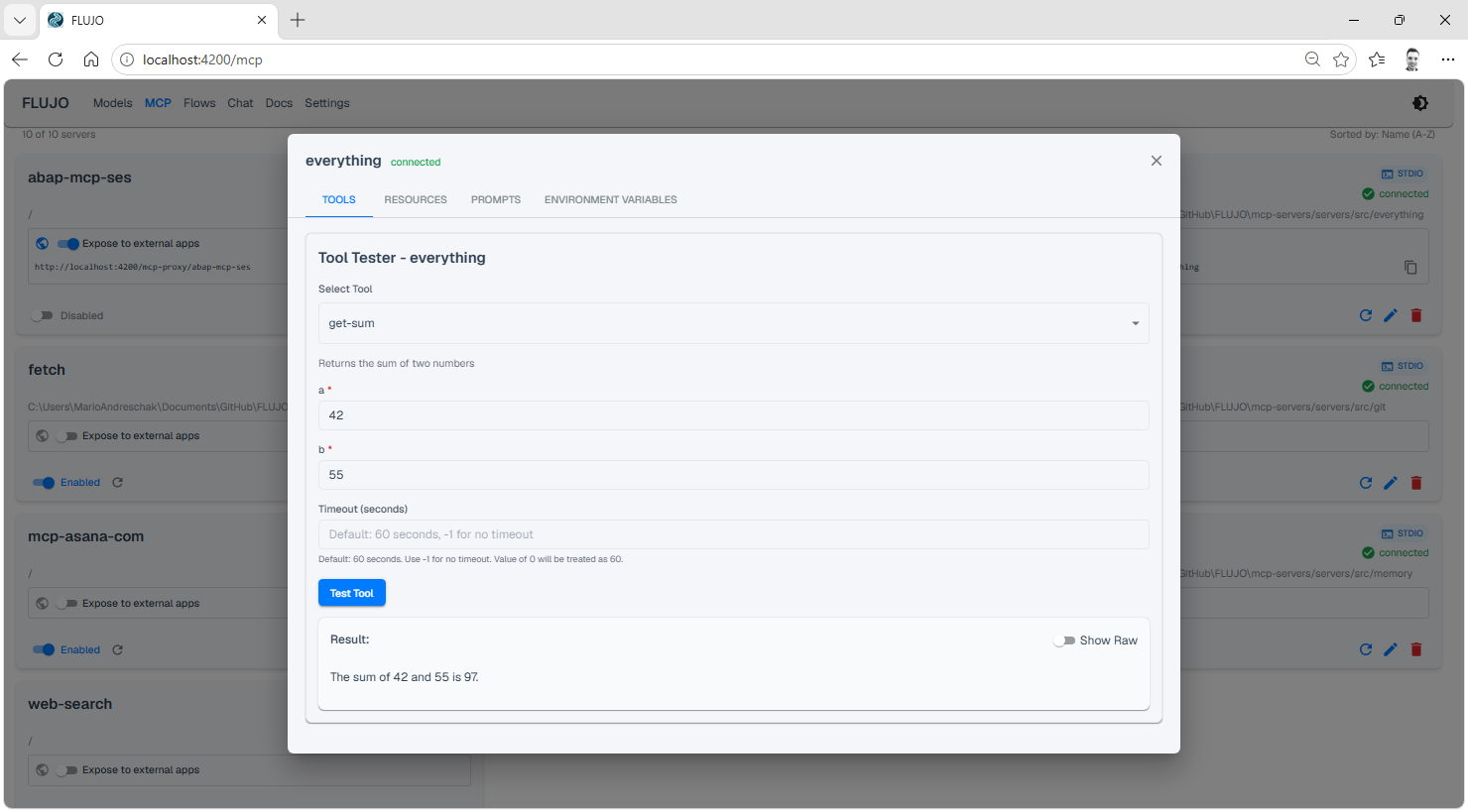
Connected Apps guide · GitHub setup · Interactive Apps and limits
Start simple, then add the structure your task needs.

Easy and Expert are views of the same agent. This recording uses a Website Builder as one example.

Connect one node to several successors, then describe when its handoff tools should choose each path. Connect a node back to an earlier step to create a loop. Combine these patterns to coordinate several specialists.
Drop in a Subflow node to call another flow. Choose what context it receives and how its output appears in the parent run.
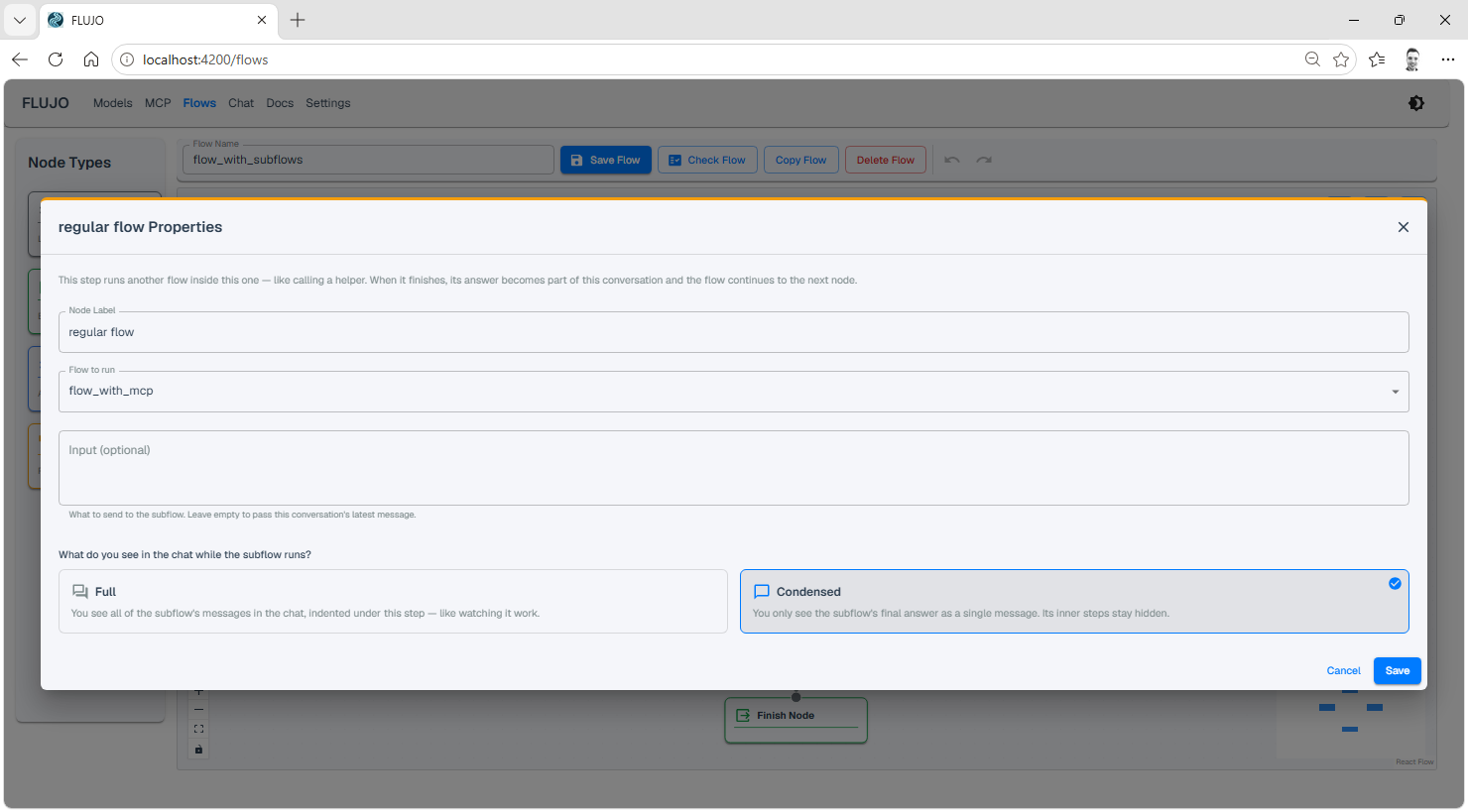
Node reference · Context and output modes
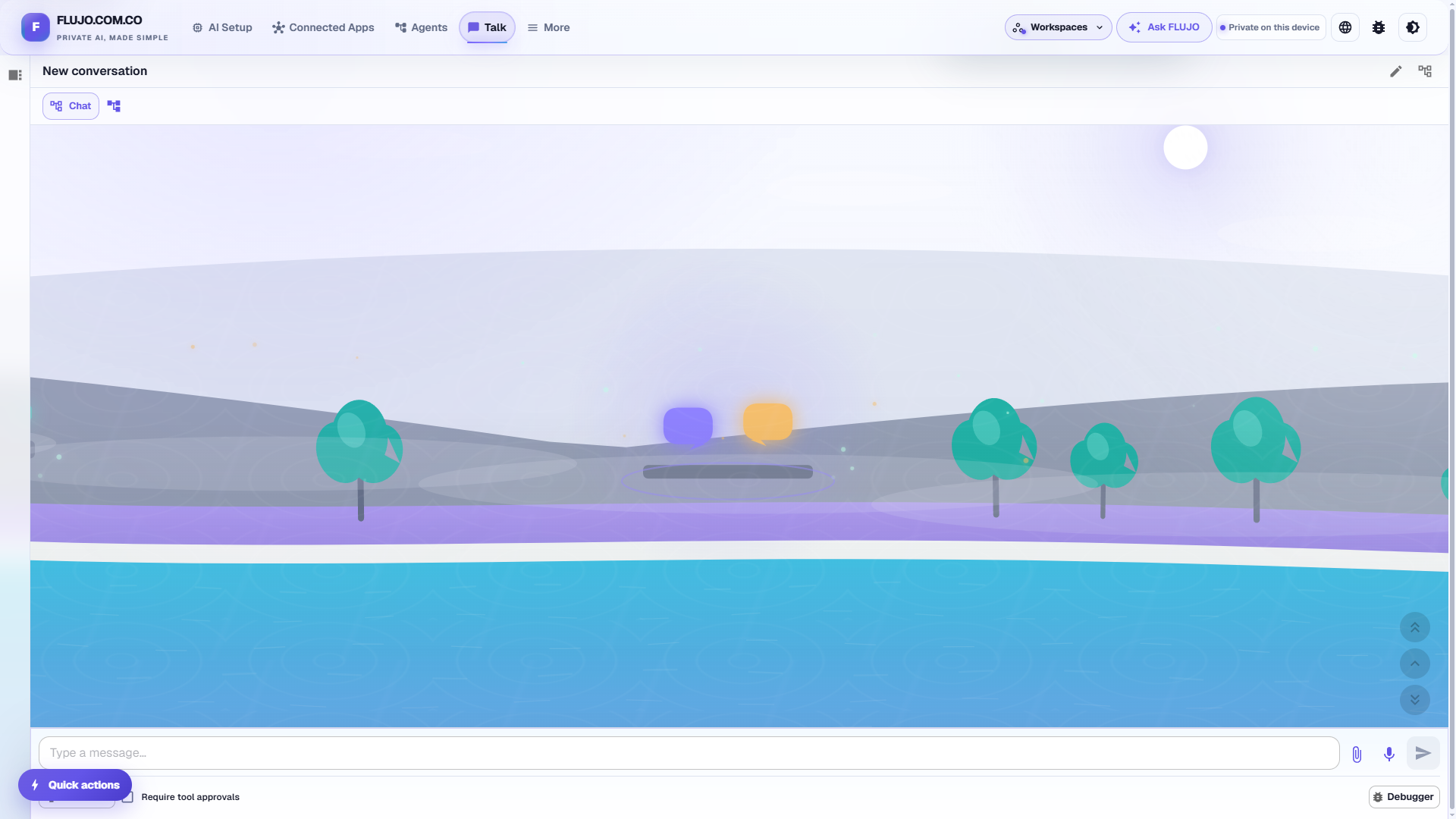
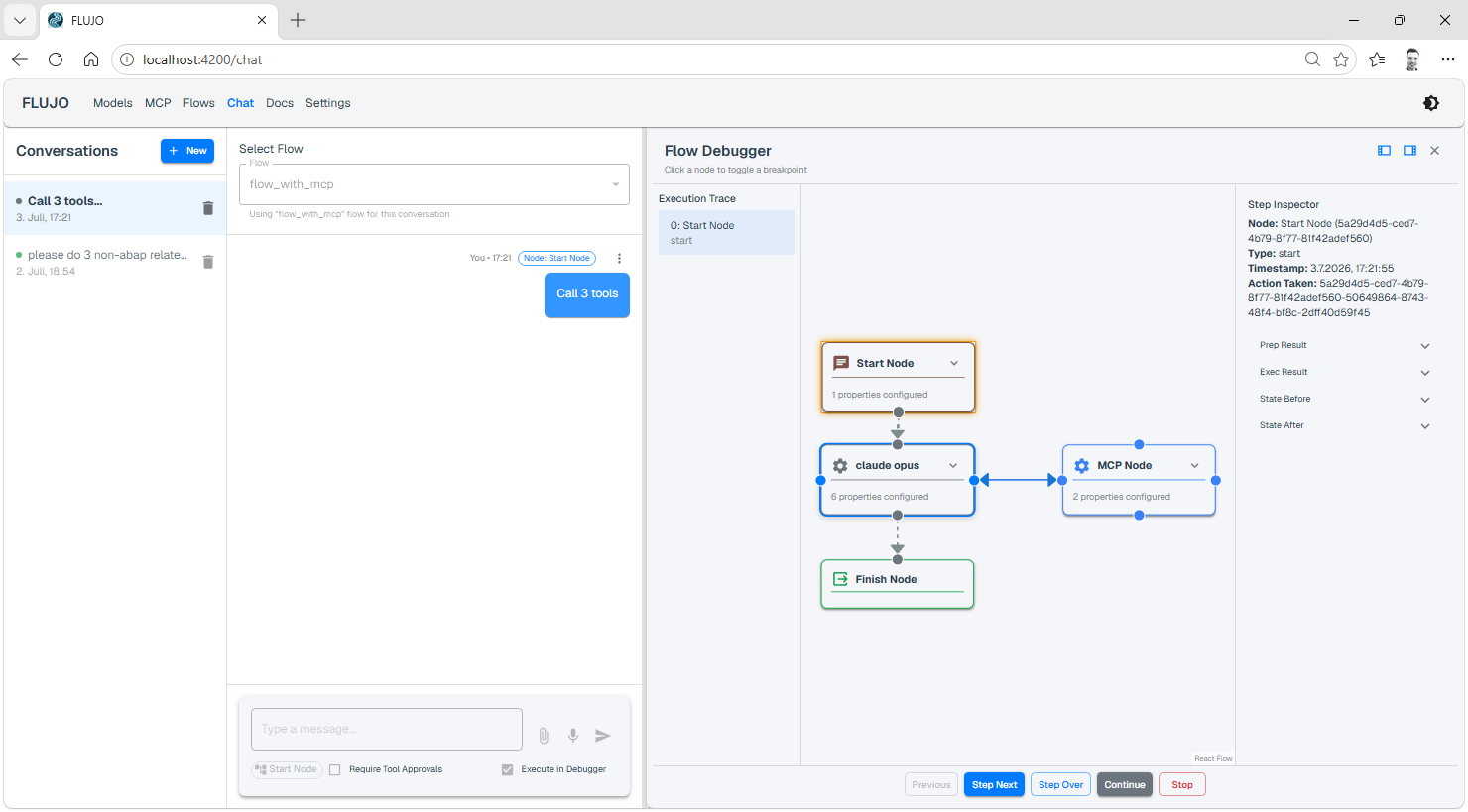
Run and debug agents · Chat commands and dynamic references
Run a saved agent on a schedule or when something happens. The FLUJO server must stay running; the browser tab can be closed.
| Trigger | Example |
|---|---|
| Schedule | Prepare a daily report or run on a custom cron schedule |
| Webhook | Start work from an authenticated call by another service |
| File changes | Process a file when it appears or changes in a watched folder |
| Watch a tool | Poll an MCP tool and react to changed results or new items |
| Website changes | React when fetched page content changes |
| Another flow finishes | Chain work after a flow completes or fails |

Choose what starts the work. Each saved trigger has its own run history and results.
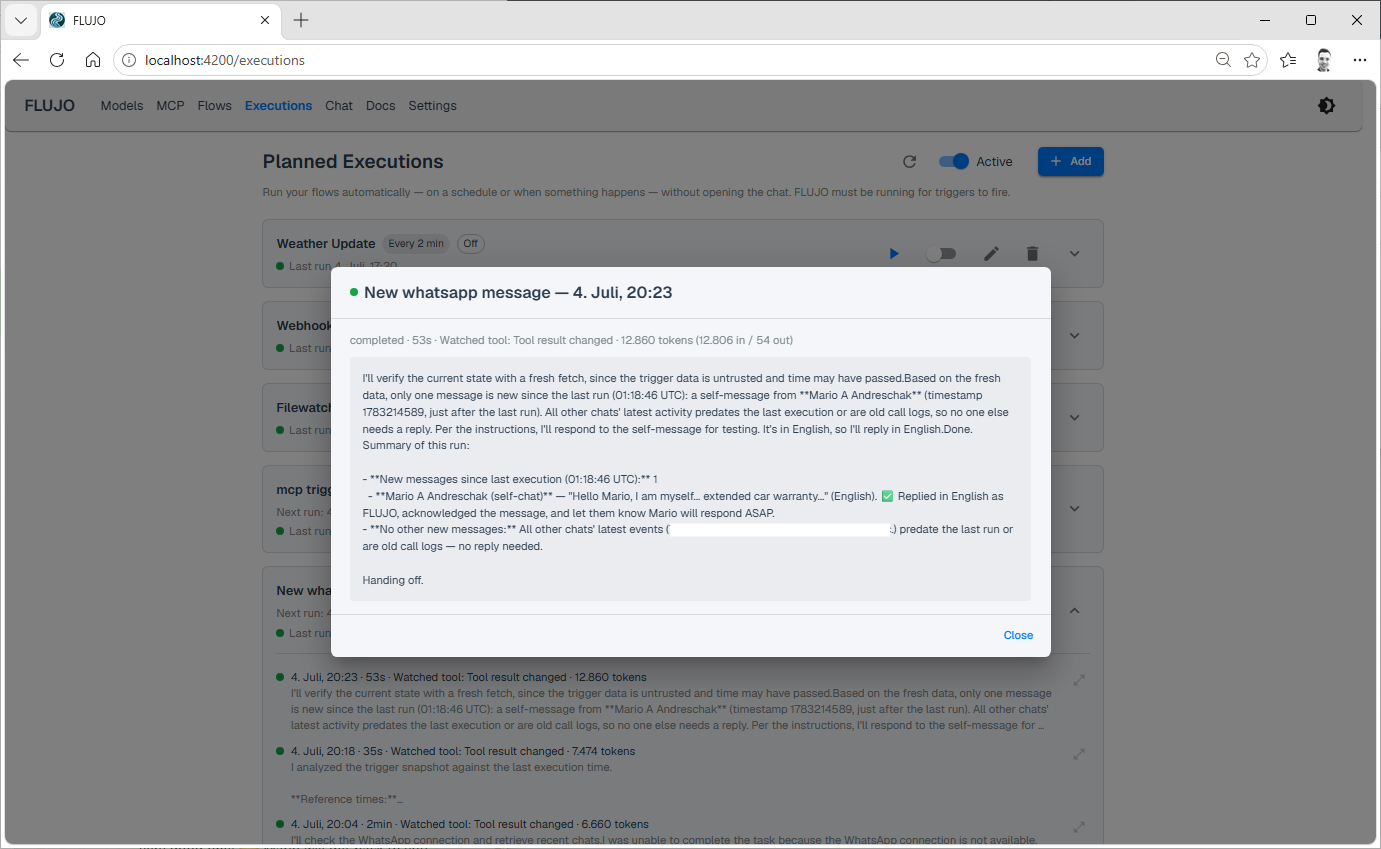
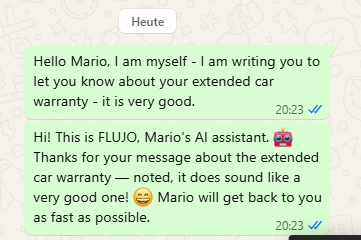
Combine a Watch a tool trigger with a WhatsApp MCP server to build an auto-responder. Its operation depends on the connected server, account access and agent configuration.
Failed tools, provider limits and approvals can need attention. Schedule catch-up can admit one missed occurrence; it does not replay every missed run. The Triggers page retains saved schedules during refresh errors and offers Try again. Pause changes wait for confirmation, failed deletions remain retryable, and stalled requests release the controls after 30 seconds.
Automation setup and recovery · Scheduled occurrence accounting
Bring multiple agents into a shared conversation around a topic. Choose participants and facilitation in More → Meetings.

The walkthrough previews this setup without creating or running a meeting.
A Persona is an ongoing helper with a name, a Role, memories, conversations and goals. Review its work and memories, adjust its setup, and pause or stop ongoing goals. Enable experimental features in Settings to explore Personas.

Follow Maya's workshop example. Its three “days” are compressed demonstration sessions, with operator review and corrections; they do not establish unattended reliability over elapsed days.
See flows and their relationships in one place, or explore planned timing in the Day view. The overview is read-only; forecasts are distinct from execution results.

Reuse FLUJO from Cline, Roo Code, Cursor, an OpenAI SDK client or another compatible MCP client.
| Surface | Use |
|---|---|
http://localhost:4200/v1 | Select a flow-<your-flow-name> model to run an agent through the OpenAI-compatible API |
http://localhost:4200/mcp-flows | Access flows through FLUJO's MCP transport |
http://localhost:4200/mcp-proxy/<server-name> | Reuse an explicitly exposed MCP server's tools and resources; the proxy is currently localhost-only |
The default local profile accepts a compatibility API-key value; that value is not authentication. An explicitly enabled owner policy requires an issued, scoped bearer. These interfaces have exposure and workspace-access rules; see the API reference.
FLUJO connects to Ollama as a model provider. It does not expose an Ollama-compatible server endpoint.
Open /docs in the running app for searchable HTTP documentation with examples for chat, conversations, models, flows, MCP, automations and administration. The reference is curated; the route inventory covers the source handlers.
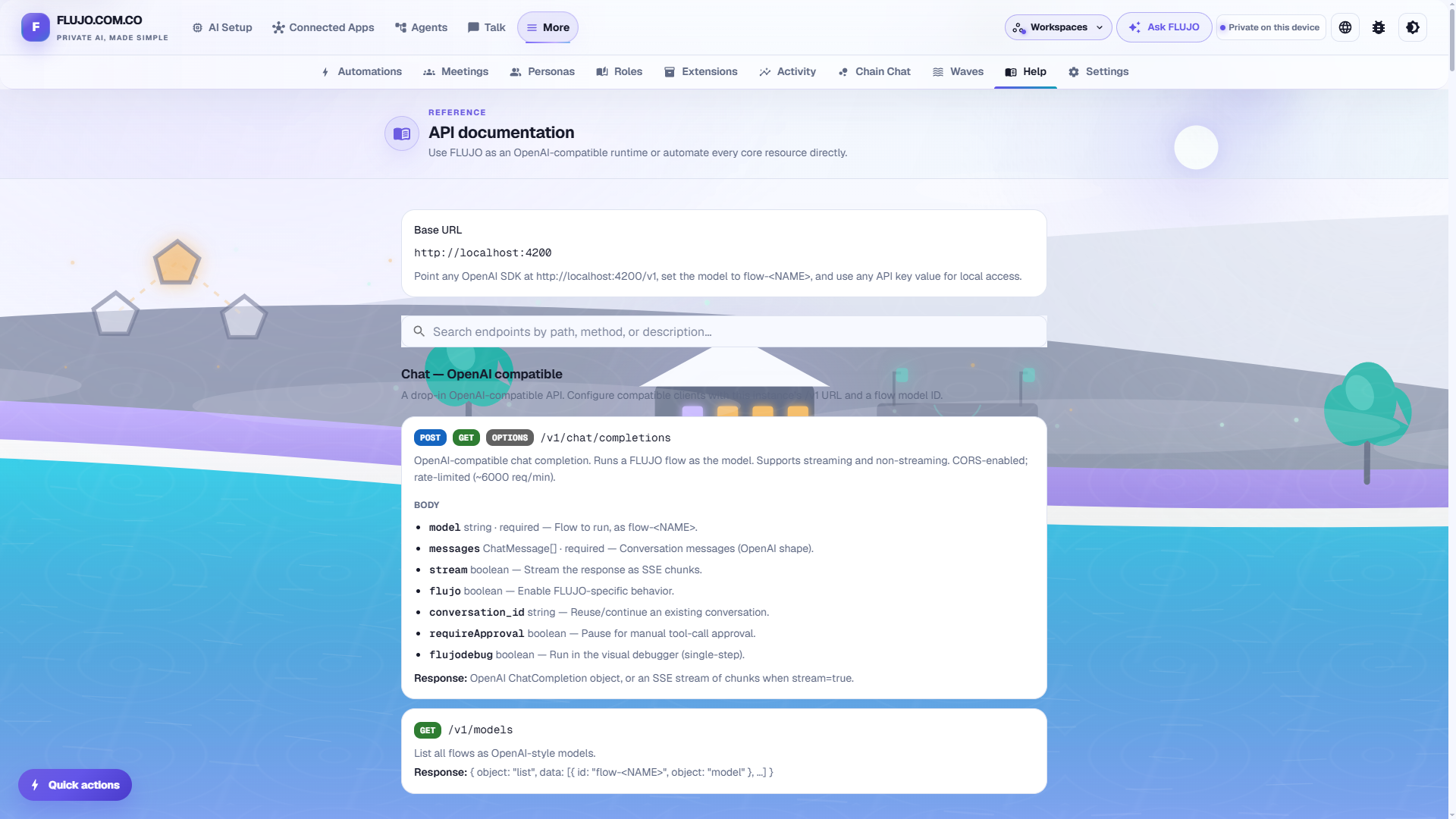
Developer and integration guide
Choose an example:
| Guide | What it demonstrates |
|---|---|
| First AI-only conversation | The shortest path from a model connection to a reply |
| Coffee-reading helper | Install a web-reading tool from GitHub, use it in chat and check the answer against its source |
| Website Builder | Reuse a general agent for a site brief, then review and revise its local output |
| Plan with Maya | Continuing context, memory and goals across resumed demonstration sessions |
Everyday use and recovery · Compare working styles with Claude, Goose, Dify, n8n, OpenClaw and Hermes · Full documentation
The detailed instructions remain available for each setup:
The default installation is for one trusted operator on localhost, without a sign-in screen or separate user accounts. Settings → Network access controls exposure, not authentication. Deliberate LAN or public exposure needs appropriate authenticating controls; public/shared hosting acceptance remains open. Workspace selection does not provide user isolation.
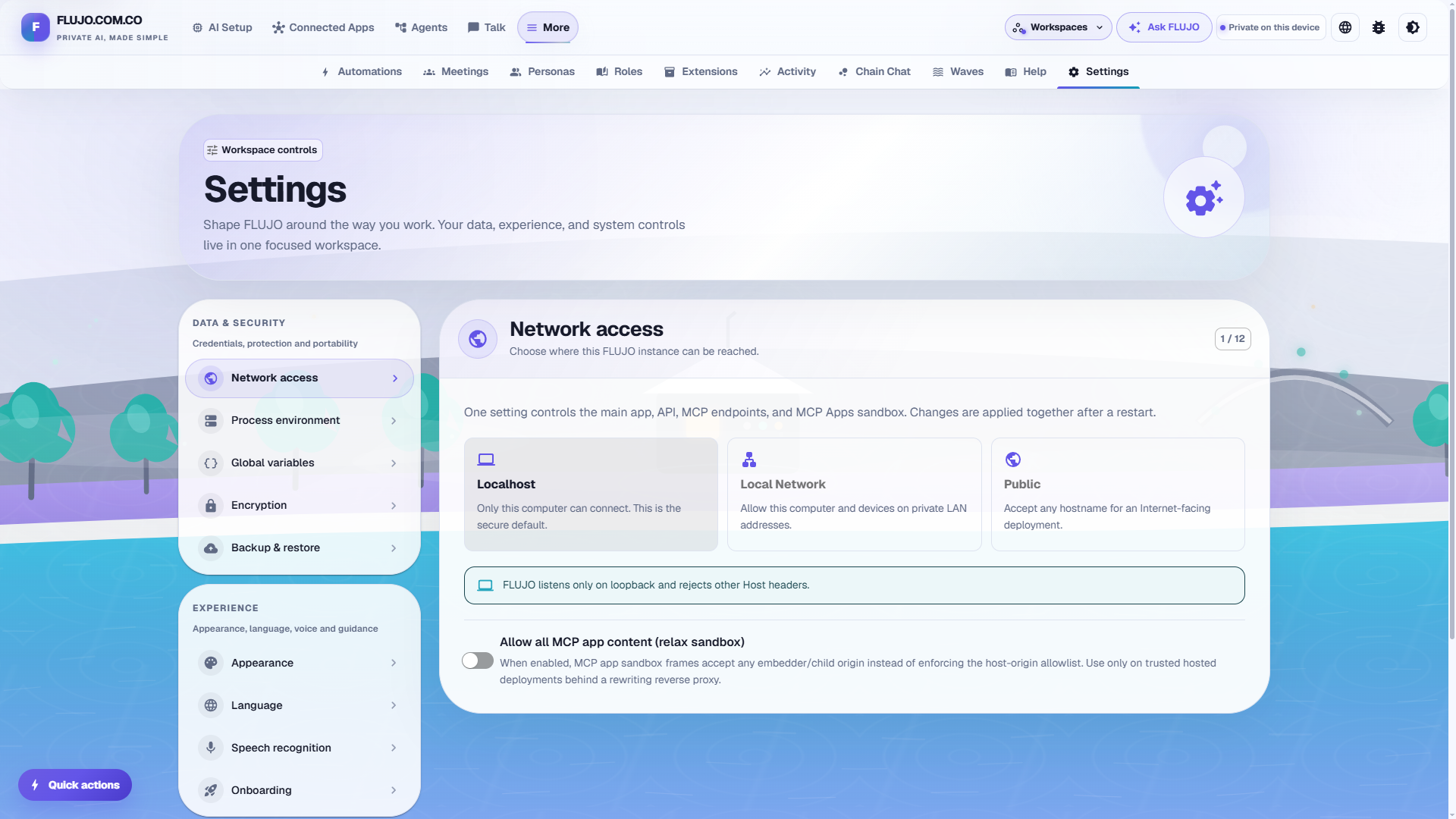
Network deployment guide · Privacy and costs · Security policy
| Capability | Current scope |
|---|---|
| Model connections, chat and visual agents | Available, including branching, loops, subflows, debugging and tool approvals |
| AI-assisted flow generation | Available; review the generated steps and tool access |
| MCP connections and interactive Apps | Available within the server's capabilities and documented protocol limits |
| Automation triggers | Available while the server runs; inspect results and recover failures |
| Workspaces and portable workers | Available within their data, authentication and credential-transfer boundaries |
| Meetings, Personas, Roles, persistent goals and Waves | Experimental; supervision and recovery can be needed |
| MCP Skills, resumable subflow sessions and selected generators | Opt-in experiments; see their feature flags and guides |
Project status · Release history · Persona acceptance criteria
World: one avatar, one voice, and work that happens in the background. One virtual home to bring everything into one place.
Swarms: bring FLUJO into the cloud. One machine, ten machines, a hundred machines — with a long-term ambition of thousands of agents working together, using supported Claude/Codex subscription access and a copy of your local MCP configuration.
These are longer-term ambitions. Related directions include real-time voice, deeper roots/checkpoint support and builds suited to smaller devices. See the current project status or share a feature request.
Contributions, bug reports and ideas are welcome. Read the contributor guide, pick a starter task, or open a pull request. Maintainers have a separate release procedure.
FLUJO is MIT licensed, powered by PocketFlow, and built with Cline, Claude Code and a lot of love.

Claim this server with your GitHub account to request manual ownership verification.
Link to the catalog listing for FLUJO from your README. This badge does not certify ownership, compatibility or security.
[](https://awesome-mcp.com/servers/flujo)Public repository statistics could not be verified. Check the configured source address; unavailable counts are not zero.
来源、范围和时段分别列出;不相加,不代表安装人数、活跃用户或安全审核。
尚无已审核的包 / 镜像标识,暂不展示下载统计。
Alternative and complementary servers in the same category
Store and retrieve entities, relations and observations in a persistent local knowledge graph.
Organize problem solving into revisable, branching thought steps through an MCP tool.

Query-aware context compression with an MCP plugin for coding agents, plus Python and HTTP interfaces for reducing the context sent to a language model.