
A directory listing describing a cancellation-letter and mailing-address service. The configured public GitHub repository returned 404 during source verification.
Repository stats unavailable
Developer Tools
A lightweight MCP server that connects LLM assistants to the Foundry toolchain for Solidity development and on-chain operations.
Foundry MCP Server is cataloged as an MCP server attributed to praneshasp. A lightweight MCP server that connects LLM assistants to the Foundry toolchain for Solidity development and on-chain operations. It is categorized under developer tools. See the capability inspector for recorded interfaces and their independent review status; consult upstream documentation for the current interface.
Installation configuration is not reviewed. No executable setup is offered for this entry; inspect the source repository before proceeding.
Catalog license label: Not specified. Check the source repository's current license and terms before using, modifying or distributing this software.
能力定义尚未审核。未核验的采集内容不会作为可信接口展示。
暂无可展示的已审核记录。这不表示上游不支持此能力。
暂无可展示的已审核记录。这不表示上游不支持此能力。
暂无可展示的已审核记录。这不表示上游不支持此能力。
Email delivery is not connected. This page does not collect email addresses or create subscriptions.
Browse the registry for current listings instead.
Reviews for Foundry MCP Server are not available yet
Review publishing and storage are not connected. This page does not collect or publish ratings or comments, including after sign-in.
The server uses a persistent Forge workspace at `~/.mcp-foundry-workspace` for Solidity files, scripts, and dependencies.
Sending transactions to contracts is supported when `PRIVATE_KEY` is configured.
Heimdall tools can disassemble and decompile EVM bytecode, decode raw calldata, generate control flow graphs, and inspect Ethereum transactions.
README.md · 3627242fa6c4 · 采集于 2026-11-13 08:19:51 UTC
保留上游原文,不做 AI 改写。为安全起见过滤脚本、表单和不安全链接。
当前显示最后一次成功采集的文档快照,请以来源页面为准。
A simple, lightweight and fast MCP (Model Context Protocol) server that provides Solidity development capabilities using the Foundry toolchain (Forge, Cast, and Anvil).
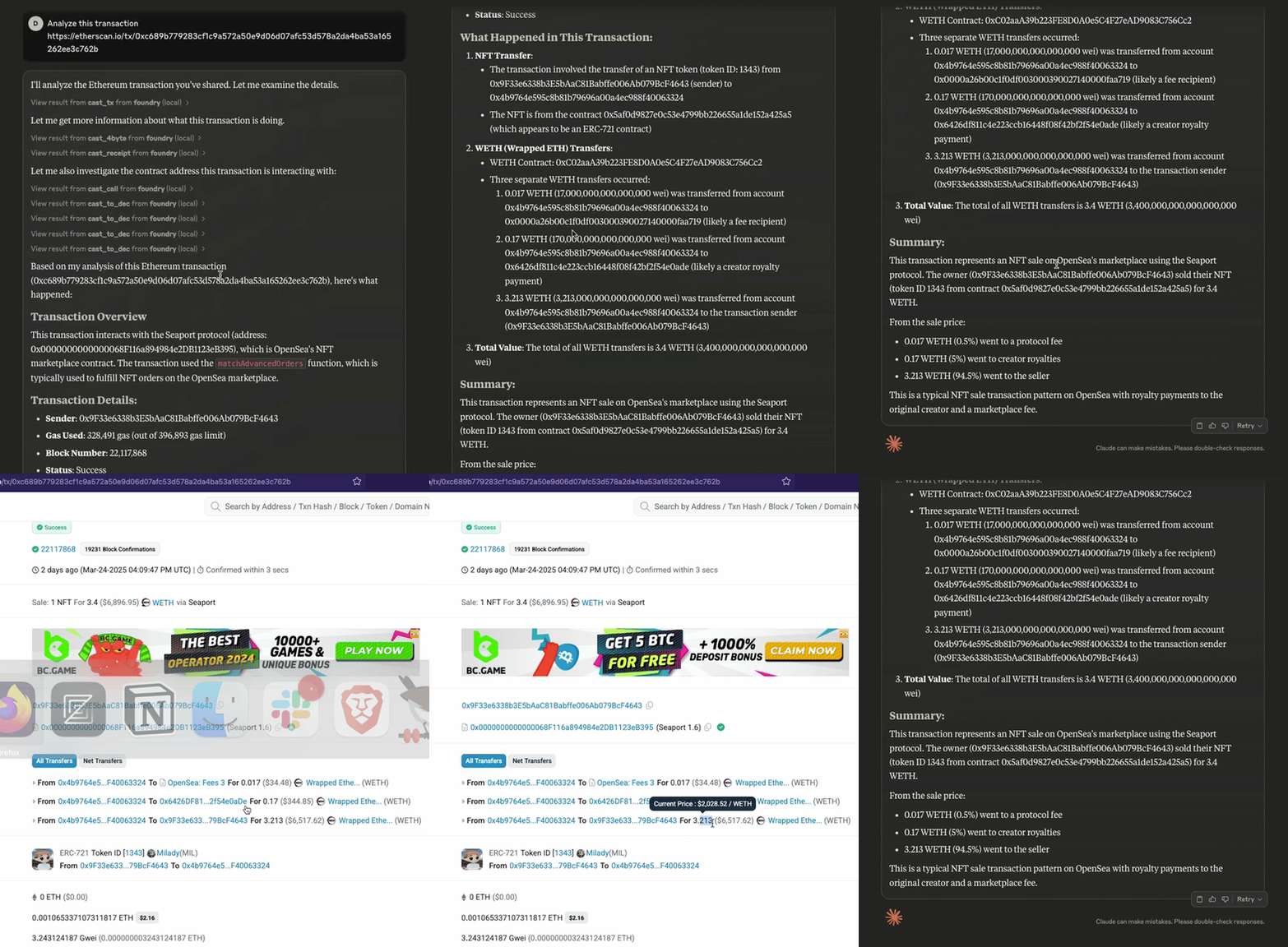
This server connects LLM assistants to the Foundry ecosystem, enabling them to:
PRIVATE_KEY is configured)The server is designed to be used as an MCP tool provider for MCP Clients. When connected to a client, it enables the clients(claude desktop, cursor, client, etc.,) to perform Solidity and onchain operations directly.
Ensure Foundry tools (Forge, Cast, Anvil) are installed on your system:
curl -L https://foundry.paradigm.xyz | bash
foundryup
Clone and build the server.
bun i && bun build ./src/index.ts --outdir ./dist --target node
Update your client config (eg: Claude desktop):
 "mcpServers": {
    "foundry": {
      "command": "node",
      "args": [
        "path/to/foundry-mcp-server/dist/index.js"
      ],
      "env" :{
        "PRIVATE_KEY": "0x1234",
      }
    }
 }
[!NOTE]
PRIVATE_KEYis optional
You can now install and run the server directly using npm:
npm install -g @pranesh.asp/foundry-mcp-server
npx @pranesh.asp/foundry-mcp-server
Claude Code
claude mcp add-json foundry-mcp-server '{"type":"stdio","command":"npx","args":["@pranesh.asp/foundry-mcp-server"],"env":{"RPC_URL":"","PRIVATE_KEY":""}}'
Other MCP Clients (Cursor, Claude, Windsurf)
Add to your MCP settings:
{
  "mcpServers": {
    "foundry": {
      "command": "npx",
      "args": ["@pranesh.asp/foundry-mcp-server"],
      "env": {
        "RPC_URL": "http://localhost:8545",
        "PRIVATE_KEY": "0x..."
      }
    }
  }
}
The server supports the following environment variables:
RPC_URL: Default RPC URL to use when none is specified (optional)PRIVATE_KEY: Private key to use for transactions (optional)[!CAUTION] Do not add keys with mainnet funds. Even though the code uses it safely, LLMs can hallicunate and send malicious transactions. Use it only for testing/development purposes. DO NOT trust the LLM!!
[!TIP] Getting
Invalid configurationerrors? Check your JSON syntax—common issues include double quotes (""KEY"→"KEY"), trailing commas, or unquoted keys. Validate withecho '...' | jq .
The server maintains a persistent Forge workspace at ~/.mcp-foundry-workspace for all Solidity files, scripts, and dependencies.
anvil_start: Start a new Anvil instanceanvil_stop: Stop a running Anvil instanceanvil_status: Check if Anvil is running and get its statuscast_call: Call a contract function (read-only)cast_send: Send a transaction to a contract functioncast_balance: Check the ETH balance of an addresscast_receipt: Get the transaction receiptcast_storage: Read contract storage at a specific slotcast_run: Run a published transaction in a local environmentcast_logs: Get logs by signature or topiccast_sig: Get the selector for a function or event signaturecast_4byte: Lookup function or event signature from the 4byte directorycast_chain: Get information about the current chainforge_script: Run a Forge script from the workspaceinstall_dependency: Install a dependency for the Forge workspacecreate_solidity_file: Create or update a Solidity file in the workspaceread_file: Read the content of a file from the workspacelist_files: List files in the workspaceconvert_eth_units: Convert between EVM units (wei, gwei, hex)compute_address: Compute the address of a contract that would be deployedcontract_size: Get the bytecode size of a deployed contractestimate_gas: Estimate the gas cost of a transactionheimdall_disassemble: Disassemble EVM bytecode into human-readable opcodesheimdall_decode: Decode raw calldata without requiring ABIheimdall_decompile: Decompile EVM bytecode to Solidity source code and ABIheimdall_cfg: Generate visual control flow graph for EVM bytecodeheimdall_inspect: Detailed inspection of Ethereum transactionsOnce the installation is complete, and the Claude desktop app is configured, you must completely close and re-open the Claude desktop app to see the tavily-mcp server. You should see a hammer icon in the bottom left of the app, indicating available MCP tools, you can click on the hammer icon to see more details on the available tools.
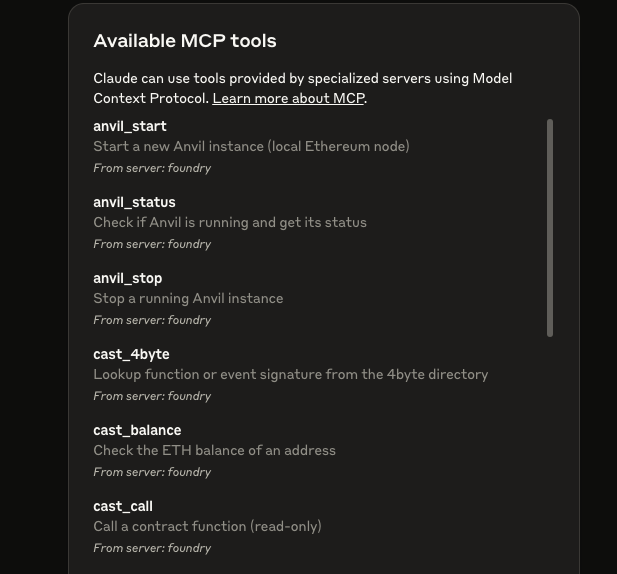
Now claude will have complete access to the foundry-mcp server. If you insert the below examples into the Claude desktop app, you should see the foundry-mcp server tools in action.
Can you analyze the transaction and explain what it does?
https://etherscan.io/tx/0xcb73ad3116f19358e2e649d4dc801b7ae0590a47b8bb2e57a8e98b6daa5fb14b
Query the mainnet ETH and USDT balances for the wallet 0x195F46025a6926968a1b3275822096eB12D97E70.
Transfer 0.5 USDC to 0x195F46025a6926968a1b3275822096eB12D97E70 on Mainnet.
Deploy a mock ERC20 contract to a local anvil instance and name it "Fire Coin".
The software is being provided as is. No guarantee, representation or warranty is being made, express or implied, as to the safety or correctness of the software. They have not been audited and as such there can be no assurance they will work as intended, and users may experience delays, failures, errors, omissions, loss of transmitted information or loss of funds. The creators are not liable for any of the foregoing. Users should proceed with caution and use at their own risk.
Claim this server with your GitHub account to request manual ownership verification.
Link to the catalog listing for Foundry MCP Server from your README. This badge does not certify ownership, compatibility or security.
[](https://awesome-mcp.com/servers/foundry-toolkit)Public repository statistics could not be verified. Check the configured source address; unavailable counts are not zero.
来源、范围和时段分别列出;不相加,不代表安装人数、活跃用户或安全审核。
尚无已审核的包 / 镜像标识,暂不展示下载统计。
Alternative and complementary servers in the same category
A directory listing describing a cancellation-letter and mailing-address service. The configured public GitHub repository returned 404 during source verification.

A hosted MCP service for browsing and searching through Singapore mobile-network proxies.

A directory listing describing a Markdown-to-PDF service. The configured public GitHub repository returned 404 during source verification.