


A Model Context Protocol (MCP) server for controlling Chrome with debugging capabilities, userscript injection, and extension support.
Repository stats unavailable
Browser & Scraping
A local MCP server that bridges external AI clients to the FSB Chrome extension so they can inspect pages and drive supervised browser automation.
FSB MCP server for browser automation is cataloged as an MCP server attributed to fullselfbrowsing. A local MCP server that bridges external AI clients to the FSB Chrome extension so they can inspect pages and drive supervised browser automation. It is categorized under browser automation. See the capability inspector for recorded interfaces and their independent review status; consult upstream documentation for the current interface.
Installation configuration is not reviewed. No executable setup is offered for this entry; inspect the source repository before proceeding.
Catalog license label: MIT License. Check the source repository's current license and terms before using, modifying or distributing this software.
能力定义尚未审核。未核验的采集内容不会作为可信接口展示。
暂无可展示的已审核记录。这不表示上游不支持此能力。
暂无可展示的已审核记录。这不表示上游不支持此能力。
暂无可展示的已审核记录。这不表示上游不支持此能力。
Email delivery is not connected. This page does not collect email addresses or create subscriptions.
Browse the registry for current listings instead.
Reviews for FSB MCP server for browser automation are not available yet
Review publishing and storage are not connected. This page does not collect or publish ratings or comments, including after sign-in.
No. When an MCP client drives FSB, the client's model handles reasoning and no FSB API key is needed.
No. They are local to the open browser session, so Chrome and the FSB extension must stay running, and FSB provides no server-side monitoring.
The extension connects to the MCP bridge over a local WebSocket, with an optional loopback-only Streamable HTTP mode.
README.md · fdfa123467c8 · 采集于 2026-11-13 09:33:53 UTC
保留上游原文,不做 AI 改写。为安全起见过滤脚本、表单和不安全链接。
当前显示最后一次成功采集的文档快照,请以来源页面为准。








AI-powered browser automation through natural language. Tell it what to do, and watch it browse for you.
Pure structural intelligence. Zero vision. Zero guessing.
Benchmark · What's New · Quick Start · MCP Server · Architecture · Providers · Development

Average success rates on Online-Mind2Web, with FSB included.
| # | Agent | Average success rate |
|---|---|---|
| 01 | Hark | 97.7% |
| 02 | Navigator (n1.5) | 97.3% |
| 03 | ACT-2 | 92.7% |
| 04 | FSB | 92.3% |
| 05 | Navigator (n1-preview) | 78.7% |
| 06 | Google Computer Use | 69.0% |
| 07 | Operator | 61.3% |
| 08 | ACT-1 (Aug 2025) | 57.3% |
| 09 | Claude Computer Use | 56.3% |
| 10 | ACT-1 (Jul 2025) | 45.7% |
FSB: AI-reviewed result (277/300).
FSB (Full Self Browsing) is an open source Chrome extension for AI powered browser automation. Describe a task in plain English; FSB reads the live DOM, builds a plan, executes browser actions, verifies results, and reports progress through the popup, side panel, or MCP.
FSB v0.9.95 is functional and production ready for supervised automation. Browser automation can still behave unpredictably on complex or sensitive sites, so monitor actions and test on non critical pages first.
Project Mariner, Claude Computer Use, and OpenAI Operator rely heavily on visual page understanding. FSB uses page structure directly.
| Metric | Vision based agents | FSB |
|---|---|---|
| Page understanding | Screenshots | DOM, selectors, ARIA, forms |
| Hidden elements | Often invisible | Available in structure |
| Typical per step latency | 1 to 3 seconds | 50 to 200 ms |
| Token/cost profile | Image heavy | Text/structure heavy |
FSB shines when your AI client drives it directly. Install the MCP server for your client of choice — one command, no manual config edits, and no FSB API key needed (your MCP client's model handles the reasoning):
| Client | One-command install |
|---|---|
| Claude Code | npx -y fsb-mcp-server@latest install --claude-code |
| Claude Desktop | npx -y fsb-mcp-server@latest install --claude-desktop |
| Cursor | npx -y fsb-mcp-server@latest install --cursor |
| VS Code | npx -y fsb-mcp-server@latest install --vscode |
| Antigravity | npx -y fsb-mcp-server@latest install --antigravity |
| Codex | npx -y fsb-mcp-server@latest install --codex |
| Cline | npx -y fsb-mcp-server@latest install --cline |
| All at once | npx -y fsb-mcp-server@latest install --all |
Preview before writing: append --dry-run. Sanity check with npx -y fsb-mcp-server@latest doctor. Restart the client so the new MCP server appears.
Then install the browser side (the MCP bridge talks to the extension):
Search for cats on Google or Read this page and summarize it.Want to run FSB standalone from the extension popup/side panel? Open settings, paste an API key (xAI, Gemini, OpenAI, Anthropic, OpenRouter, LM Studio, or custom), and start there — no MCP needed.
On OpenClaw? Install FSB directly from ClawHub. That is the fastest onboarding route. If you need the manual fallback, the FSB skill in skills/fsb/ still prints the canonical OpenClaw stdio config block and runs the doctor flow. The bare --openclaw install flag stays manual because OpenClaw's MCP config schema is unstable across builds.
On Hermes? Use the same skill at skills/fsb/. Run node skills/fsb/scripts/print-hermes-yaml.mjs to print the canonical ~/.hermes/config.yaml mcp_servers.fsb block, or run node skills/fsb/scripts/install-host.mjs to detect a local Hermes config and gate the install on consent.
On Grok Bot? The marketplace wrapper lives in plugins/grok-bot/, with a pinned npm MCP server and one FSB skill. It uses Chrome on Bot's own computer; see its setup and privacy disclosures. Marketplace listing is pending publisher review.
upload_file tool with sensitive-path safeguards.Background agents were removed in v0.9.45rc1. When the extension updates, it deletes the saved agent definitions and alarms they left behind. For scheduled or recurring work, use OpenClaw or Claude Routines.
FSB is most reliable when the task can be expressed as page structure and user actions. It is intentionally not a stealth browser, scraper farm, or unsupervised account operator.
| Area | Current behavior |
|---|---|
| DOM analysis | Captures visible and structural page data, element refs, selectors, forms, ARIA labels, and DOM deltas. |
| Action execution | Supports clicks, typing, keys, scrolling, navigation, tabs, spreadsheet ranges, coordinate tools, direct JavaScript, and real file uploads. |
| Capability catalog | Searches the 128-app catalog and invokes verified signed, audited, denylist-gated T1/T1b first-party API capabilities through search_capabilities and invoke_capability. Catalog-tail hits remain learn-pending, discovery-pending, or guarded fail-closed until proven. Sensitive origins are flagged, while denylisted origins remain blocked. |
| Verification | Checks post-action state, loading behavior, DOM stability, and stuck-action repetition. |
| UI surfaces | Popup chat, persistent side panel, options/control panel, logs, analytics, memory, vault, and sync controls. |
| Model support | Hosted providers, OpenRouter routing, LM Studio local models, custom endpoints, and live model discovery. |
| Output rendering | Markdown, sanitized HTML, Mermaid diagrams, Chart.js charts, and task progress messages. |
| Observability | Session history, action logs, token/cost accounting, diagnostics ring buffer, and MCP status probes. |
| Security | Encrypted keys, vault unlock flows, redaction helpers, DOMPurify, capability signature/audit gates, origin denylisting, upload-path denylisting, and restricted-tab recovery messaging. |
| Trigger watchers | MCP callers can arm one-element watches with blocking or detached reporting, plus status/list/stop companions. |
| DOM live preview | PhantomStream-backed capture, renderer, protocol, media mirroring, and relay compatibility with FSB-owned pairing, task status, overlays, and remote-control ownership. |
The core design goal is to keep the browser as the source of truth. The model receives structured page context, makes a tool decision, and the extension verifies what changed before moving to the next step.
Native Capability Catalog: first-party API execution. Beyond DOM automation, FSB can search a capability catalog covering 128 apps and invoke verified API capabilities with search_capabilities and invoke_capability. Verified capabilities run through a router that checks the origin, verifies the recipe signature, checks the denylist, serializes the action, and logs an audit record that never includes secrets. Capabilities that are not yet verified are clearly labeled instead of being presented as ready to use. Every origin is allowed by default unless it is on the denylist, and denylisted origins stay blocked. Sensitive origins are flagged in the interface and the audit trail, and reading data through network capture on a sensitive origin still asks for extra confirmation. The API integration model is inspired by OpenTabs (see Acknowledgements). Capability execution is fully supported and has been tested, including live browser testing. The automated test suite is green.
upload_file: real file input uploads. MCP clients and FSB autopilot can now call upload_file(selector, file_path, tab_id?) to set an absolute local disk path on a real <input type="file"> through CDP DOM.setFileInputFiles, including inputs hidden behind styled dropzones. Uploads pass through one shared background chokepoint with a sensitive-path denylist and audit logging that does not persist disk paths. drop_file remains for synthetic drag/drop cases and pure drag-only zones.
PhantomStream 0.2.1 media mirroring. Dashboard DOM live preview now consumes the published PhantomStream media side channel in reference mode, so progressive <video> and <audio> nodes can mirror alongside DOM snapshots. Adaptive HLS/DASH discovery remains deferred because it would require a new webRequest permission; MCP tool schemas, pairing, auth, and dashboard ownership behavior are unchanged.
Engineering milestone 0.11.0 — Trigger Tool (reactive DOM monitoring). MCP callers can arm a watch on one page element with trigger and manage it with stop_trigger, get_trigger_status, and list_triggers. Watches support live-observe and refresh-poll modes, threshold/delta/regex/compound conditions, blocking or detached reporting, and a configurable concurrency cap. See Trigger Watchers for the full contract.
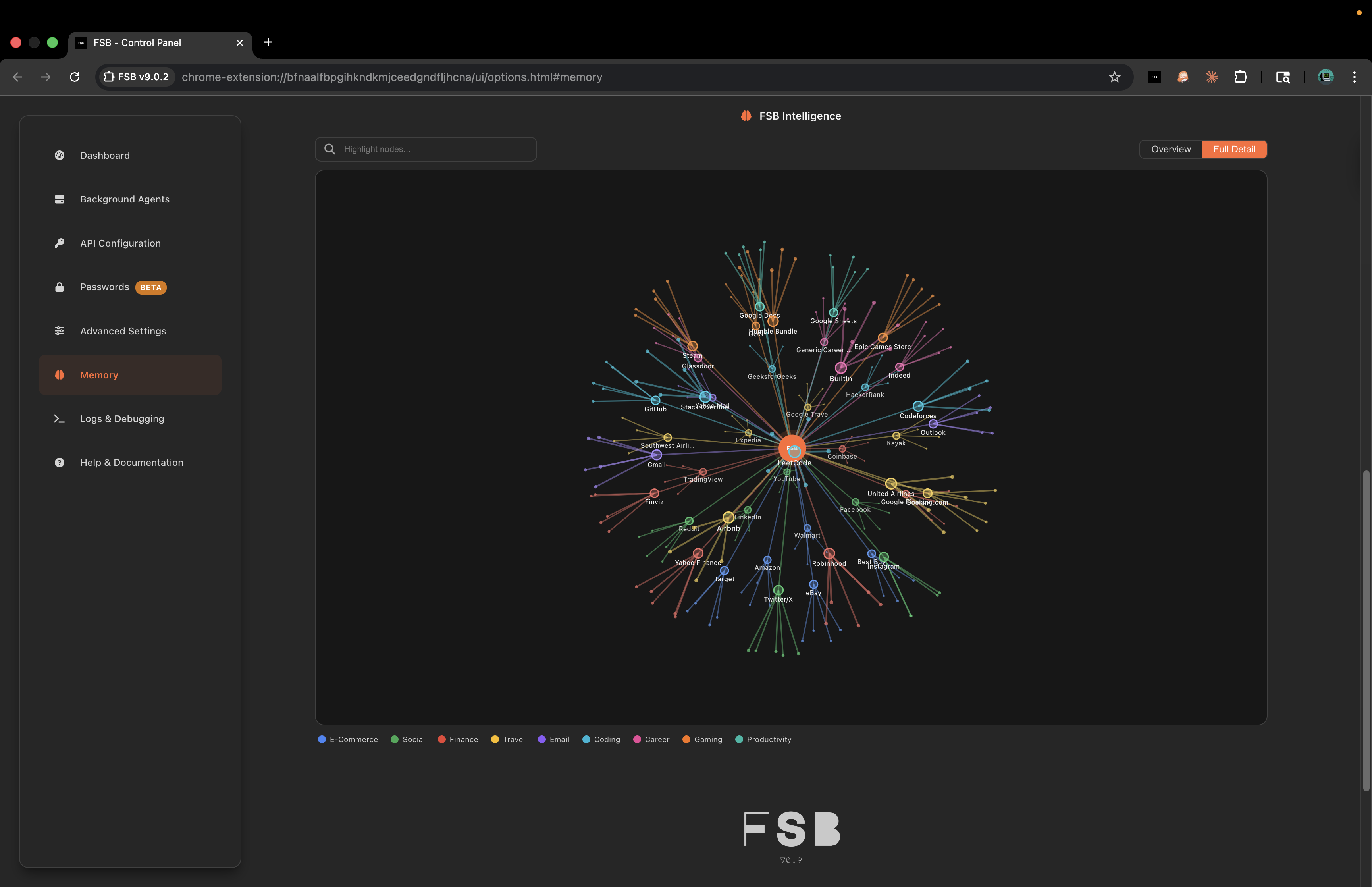
Showcase and ecosystem pages. full-selfbrowsing.com added pages for Lattice (capability runtime SDK), PhantomStream (DOM-native browser mirroring), Prometheus (the autonomous browser build behind FSB), and a community Site Maps hub, plus a live stats page with an anonymized active-regions globe, a legal posture page, and an interactive knowledge-graph viewer on About.
Full history is in CHANGELOG.md; the MCP package keeps its own log in mcp/CHANGELOG.md.
| Path | Purpose |
|---|---|
extension/ | Chrome extension package. Load this directory as an unpacked MV3 extension. |
mcp/ | npm package fsb-mcp-server, the local MCP bridge for external AI clients. |
skills/fsb/ | OpenClaw + Hermes skill: doctor + stdio/YAML printers + consent gated install for multiple hosts. |
showcase/ | Marketing and dashboard site for full-selfbrowsing.com. Angular 20 static prerender + Express relay. |
showcase/server/ | Node/Express deploy backend for pairing, PhantomStream-compatible relay, auth, and dashboard data. |
server-py/ | Legacy Python/FastAPI-style backend prototype retained for reference. |
tests/ | Node tests for extension modules, MCP contracts, bridge behavior, and regression coverage. |
scripts/ | Repo maintenance and validation scripts. |
Top level deploy and validation files:
package.json - root commands for validation, tests, packaging, and showcase helpers.Dockerfile, fly.toml - production deploy for the showcase server on fly.io..github/workflows/ci.yml - validates extension, MCP smoke tests, and showcase build..github/workflows/deploy.yml - deploys the production site on main pushes.
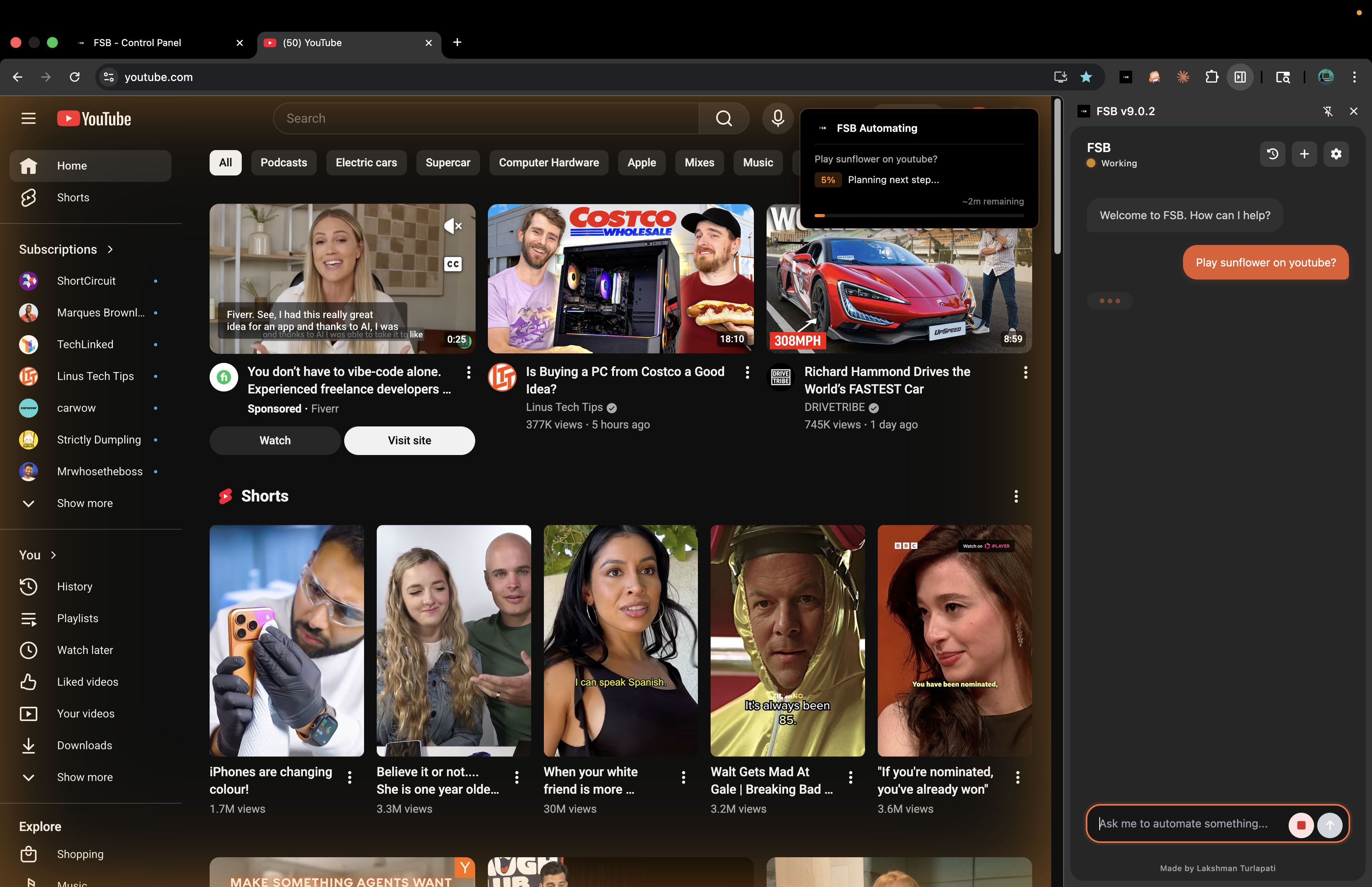
Task Input |
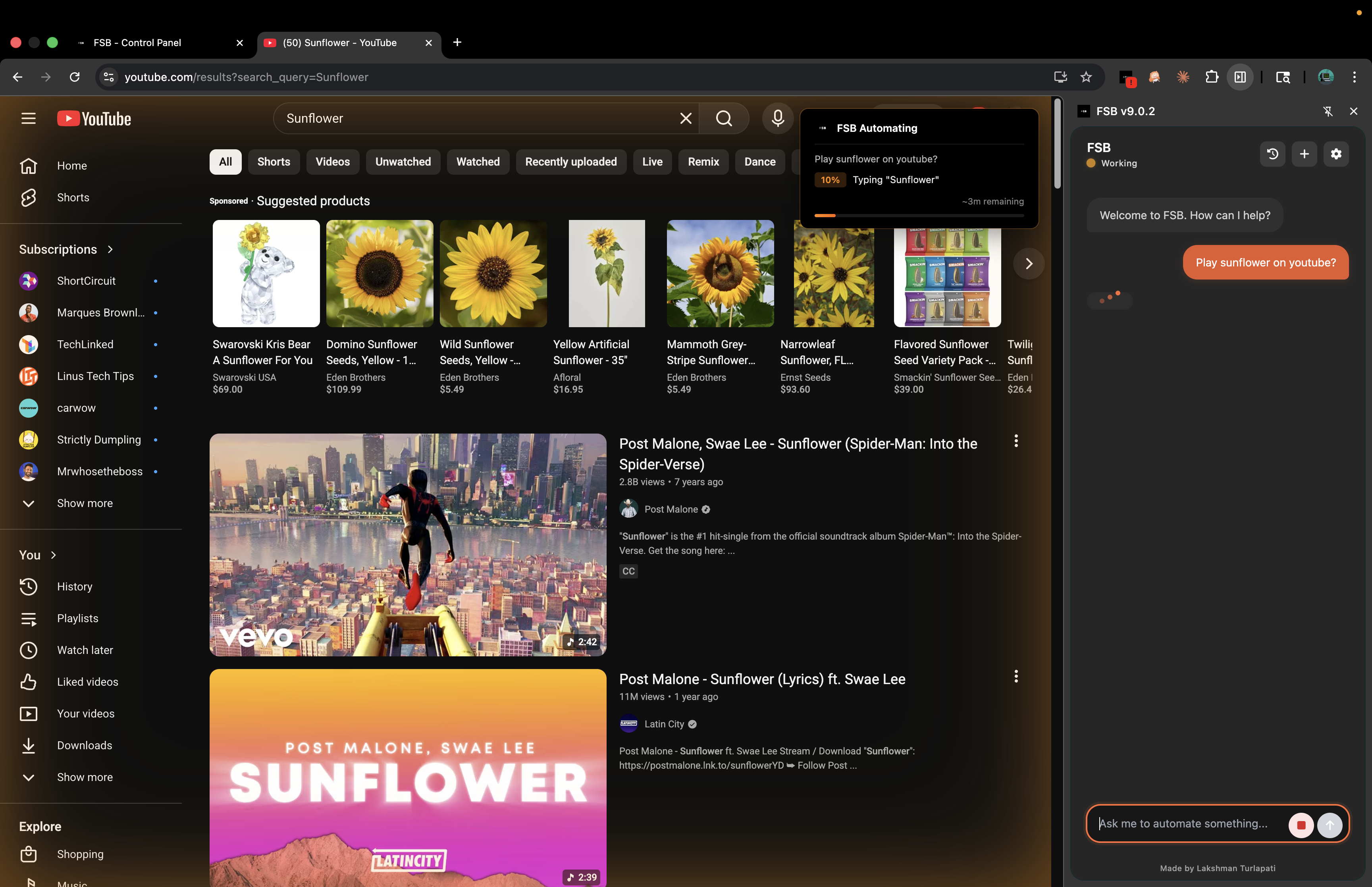
Task Execution |
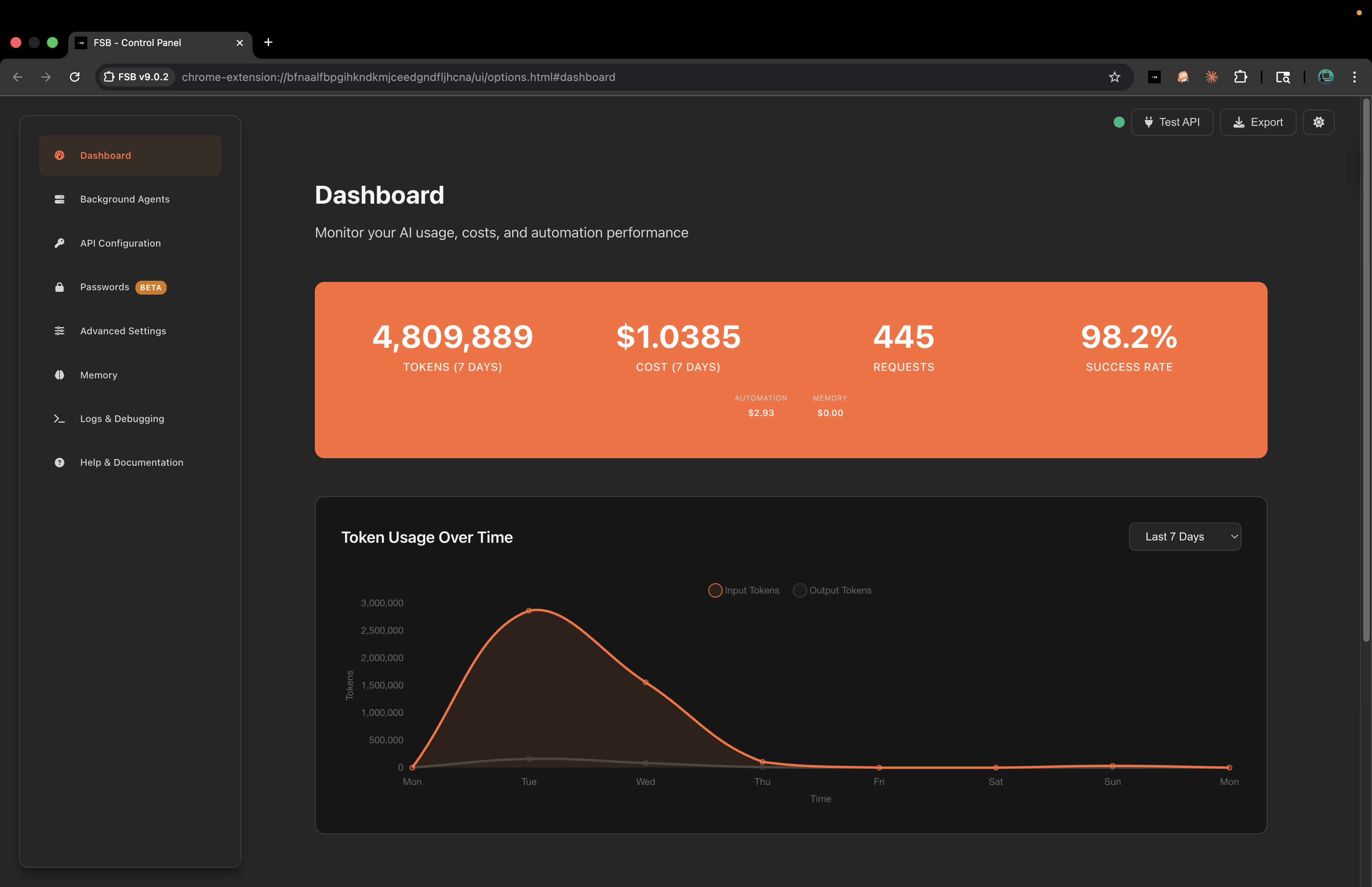
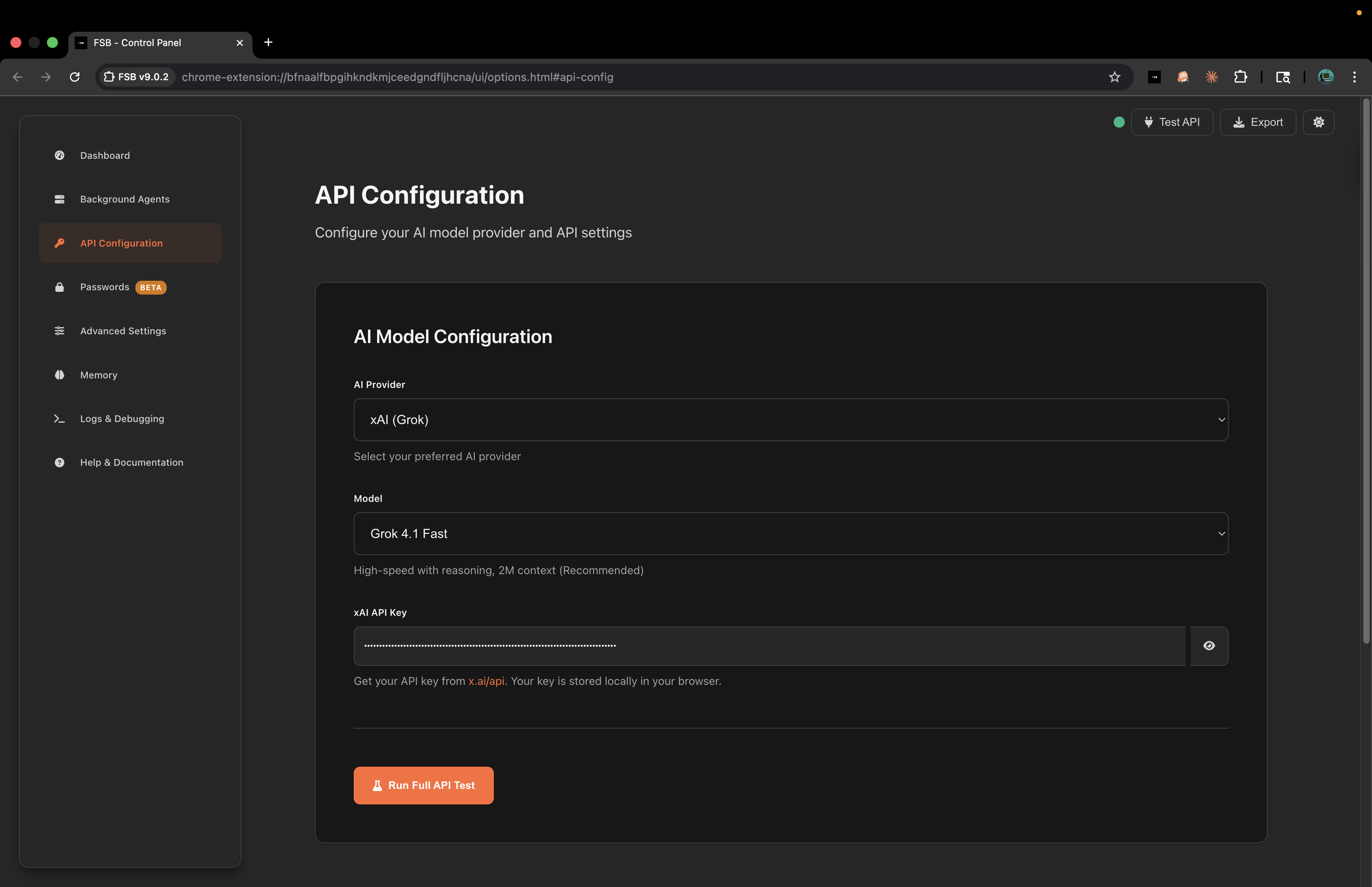
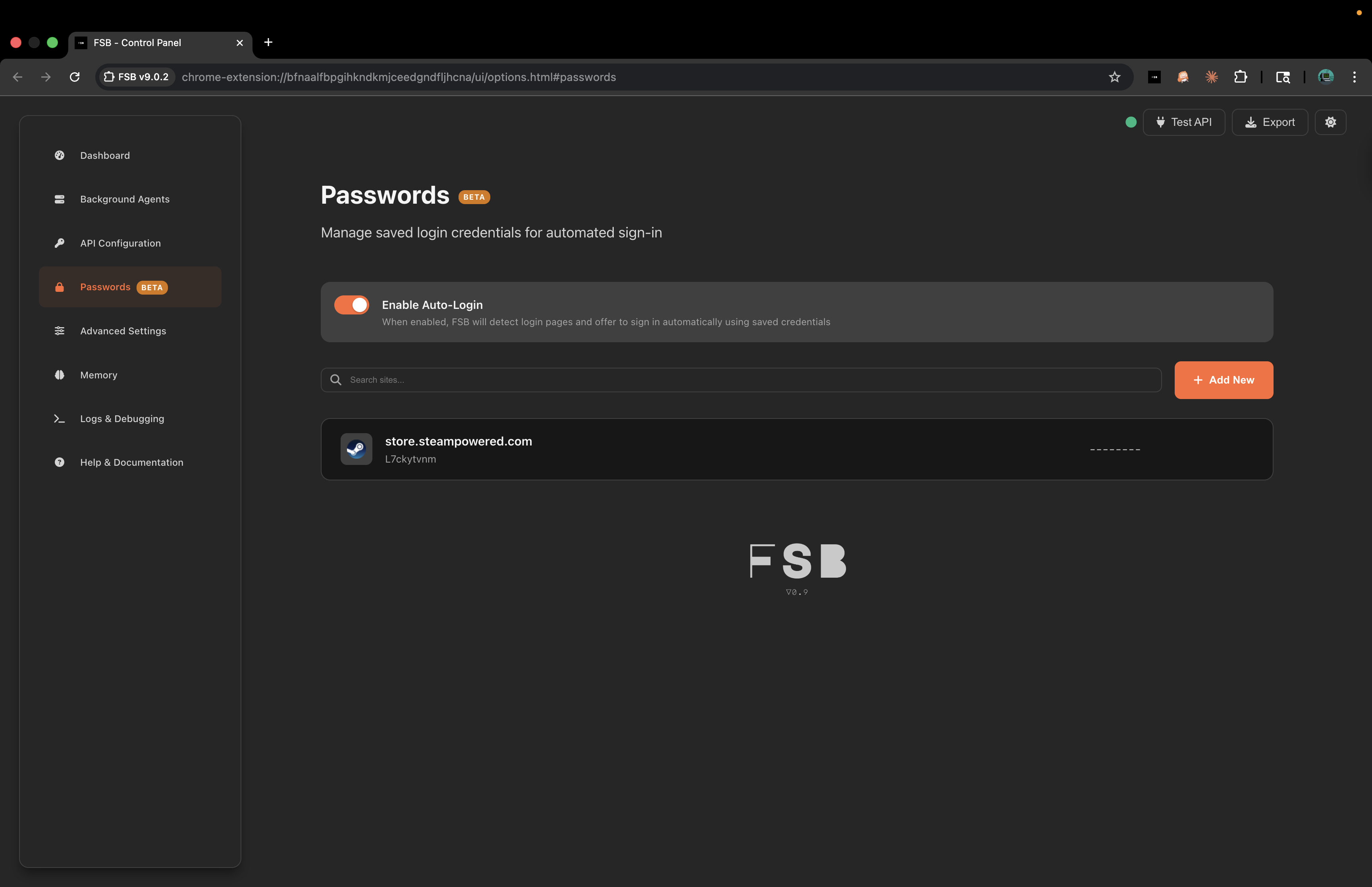
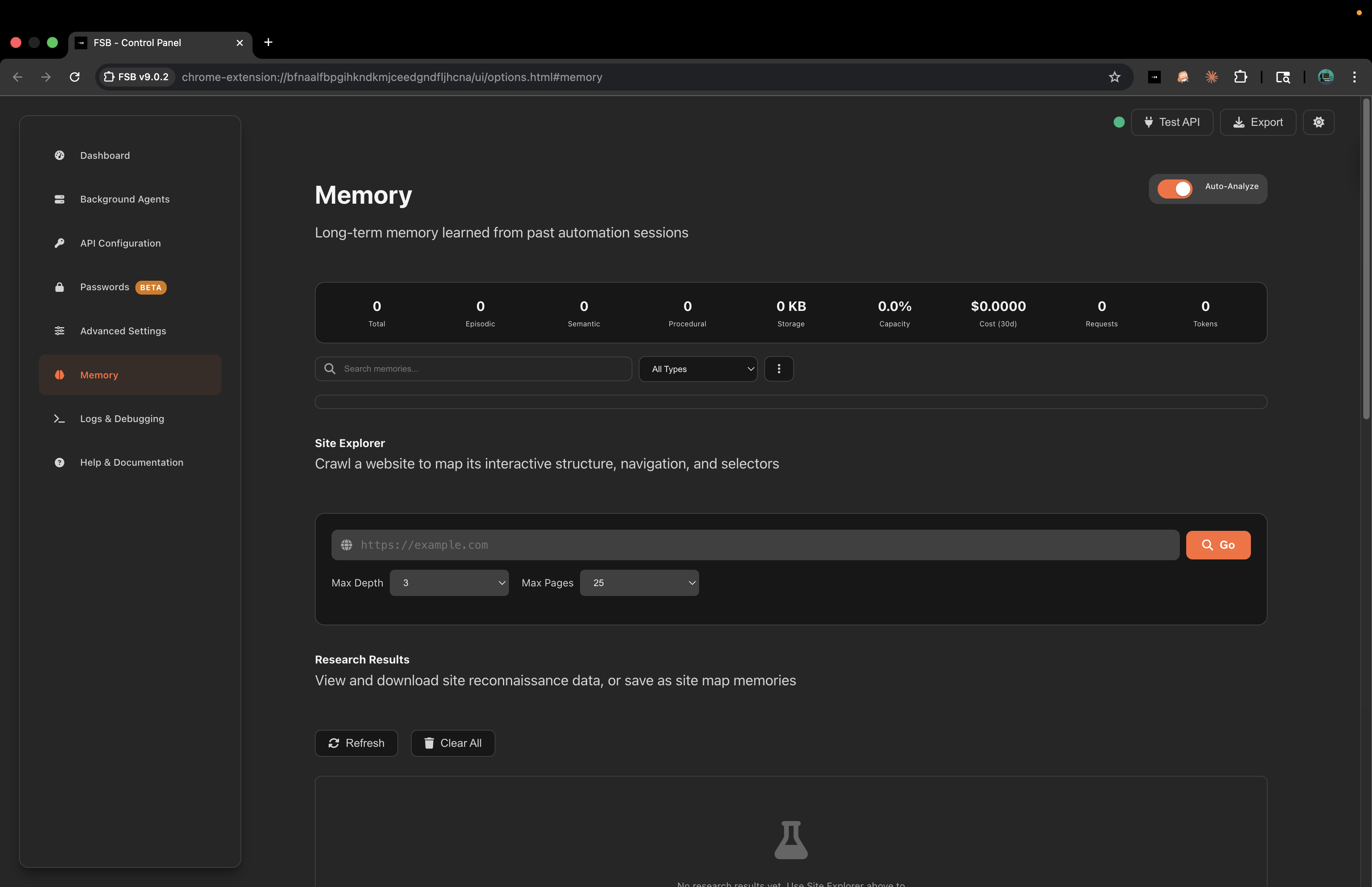
http://localhost:1234git clone https://github.com/fullselfbrowsing/FSB.git
cd FSB
chrome://extensions/.extension/ directory.Start with simple tasks such as:
Scroll downSearch for cats on GoogleClick the first search resultRead this page and summarize itReload the extension from chrome://extensions/ after local code changes. Reload open tabs after the extension reloads so content scripts re-inject.
For an unpacked build, record the ID on chrome://extensions/. A different install path or profile can produce a different ID; if doctor reports ORIGIN_PIN_MISMATCH, run npx -y fsb-mcp-server@latest pair --reset and pair the new installation. One browser profile attaches to the local bridge at a time. doctor and status show the attached extension ID, version, install instance, connection time, and normal-window count. The MCP server and extension have independent versions. Branded Chrome 137 removed the --load-extension flag; use Load unpacked in Chrome, or use Chrome for Testing or Chromium when a command-line flag is required.
If a site uses heavy client rendering, custom canvas controls, or unusual shadow DOM, start by asking FSB to read the page and identify available controls. That gives the model a better first snapshot and makes failures easier to debug.
| Problem | Check |
|---|---|
| Extension does not appear | Confirm Chrome loaded extension/, not the repo root. |
| API test fails | Confirm the selected provider, key, endpoint, and model belong together. |
| Page reads fail | Move away from browser-internal pages such as chrome:// or extension pages. |
| Clicks miss targets | Refresh the DOM snapshot, scroll the target into view, or use coordinate tools. |
| Typed text does not stick | Prefer type_text over JavaScript value assignment on controlled inputs. |
| MCP tools are missing | Restart the host client and run npx -y fsb-mcp-server@latest doctor. |
| MCP tools time out | Check status --watch, active tab readiness, and whether another task is queued. |
Most failures are recoverable by inspecting the current page, refreshing selectors, or restarting the local MCP bridge. Reinstalling the MCP config should be the last step, not the first.
You do not need a build step to load the extension in Chrome. You only need npm dependencies when running tests, building MCP, or building the showcase site.
npm install
npm --prefix mcp install
npm --prefix showcase/angular install
The extension reads bundled scripts directly from extension/. The MCP package is TypeScript and must be built before smoke tests or npm publishing. The showcase is a normal Angular app with static prerender output served by the production Express backend.
FSB ships fsb-mcp-server, a local MCP server that lets external AI clients control the same browser extension. It exposes 69 registered tools across autopilot, trigger watchers, manual browser control, read-only page inspection, task outcome reporting, Developer/UAT capture, capability search/invoke, observability, and vault.
The extension connects to the MCP bridge on:
ws://localhost:7225
Optional Streamable HTTP mode exposes:
http://127.0.0.1:7226/mcp
The HTTP endpoint binds to loopback only and rejects requests with an Origin header or a foreign Host. Use the printed local endpoint from an MCP client. If a tab stops responding, page reads return PAGE_UNRESPONSIVE; navigate and close_tab remain available. Inspect page state before repeating any action reported as outcome: "unknown" and mayHaveExecuted: true.
npx -y fsb-mcp-server@latest install --claude-desktop
npx -y fsb-mcp-server@latest install --claude-code
npx -y fsb-mcp-server@latest install --cursor
npx -y fsb-mcp-server@latest install --vscode
npx -y fsb-mcp-server@latest install --antigravity
npx -y fsb-mcp-server@latest install --codex
npx -y fsb-mcp-server@latest install --cline
npx -y fsb-mcp-server@latest install --all
Preview without writing:
npx -y fsb-mcp-server@latest install --all --dry-run
npx -y fsb-mcp-server@latest install --list
Claude Code:
claude mcp add --scope user fsb -- npx -y fsb-mcp-server@latest
Codex (~/.codex/config.toml):
[mcp_servers.fsb]
command = "npx"
args = ["-y", "fsb-mcp-server@latest"]
VS Code (mcp.json):
{
  "servers": {
    "fsb": {
      "type": "stdio",
      "command": "npx",
      "args": ["-y", "fsb-mcp-server@latest"]
    }
  }
}
Cline (~/.cline/data/settings/cline_mcp_settings.json, shared by the VS Code extension, JetBrains plugin, and CLI). timeout is in seconds; Cline's 60-second default would cut off long run_task calls:
{
  "mcpServers": {
    "fsb": {
      "command": "npx",
      "args": ["-y", "fsb-mcp-server@latest"],
      "timeout": 1800
    }
  }
}
Diagnostics:
npx -y fsb-mcp-server@latest doctor
npx -y fsb-mcp-server@latest status --watch
npx -y fsb-mcp-server@latest wait-for-extension
See mcp/README.md for the full tool reference and client-specific setup notes.
OpenCode and OpenClaw are supported through manual or unsupported fallback setup paths; after editing host configuration, refresh or reload the client if FSB tools do not appear.
Manual tools are the default path for most external clients. They let the caller inspect the page, pick a selector, act, and verify. run_task is useful when the user explicitly wants FSB to run its own automation loop, but manual control is easier to audit and recover.
Use Trigger Watchers when a caller wants to watch one selector for a future value change instead of polling manually. They are local to the open browser session: Chrome and the FSB extension must remain running, results are reported back to the MCP caller, and FSB does not provide server-side monitoring or push delivery.
Recommended manual pattern:
visual_reason and client on action calls when you want the trusted overlay.read_page or get_dom_snapshot to understand the current page.execute_js for safe DOM reads and simple DOM-triggered clicks.click, type_text, press_key, and drag when real browser events matter.read_page, get_page_snapshot, or get_dom_snapshot.is_final:true on the last action to clear the overlay immediately.Use doctor and status --watch before changing client configs. Most MCP failures are connection, extension wake, active-tab, or content-script readiness issues, not install problems.
graph TB
    UI["Popup / Side Panel / Options"] --> BG["MV3 Background Worker"]
    BG --> AI["Universal Provider"]
    BG --> CS["Content Scripts"]
    BG --> MEM["Memory + Analytics"]
    BG --> MCP["MCP Bridge"]
    AI --> APIs["xAI / Gemini / OpenAI / Anthropic / OpenRouter / Local"]
    CS --> PAGE["Web Page DOM"]
    MCP --> CLIENTS["Claude Code / Codex / Cursor / VS Code / Others"]
extension/background.js): owns sessions, model calls, tool execution, MCP routing, and storage orchestration.extension/content/): analyze the DOM, create element references, execute actions, stream DOM state through the PhantomStream capture adapter, wait for stable state, and render visual feedback.extension/ai/): universal OpenAI-compatible request engine, provider settings, model discovery, tool definitions, transcripts, and action history.extension/lib/memory/): stores episodic, semantic, and procedural records, then retrieves relevant prior context for later tasks.extension/lib/visualization/): D3/site graph views for guide and memory exploration.extension/config/secure-config.js plus UI flows): encrypts API keys and saved user data in Chrome storage.mcp/): TypeScript server that translates MCP calls into extension bridge messages.FSB stores configuration and runtime data in Chrome storage. API keys and saved sensitive values go through the secure configuration layer. Session logs, analytics, and memory records are kept locally unless a user explicitly enables server sync or uses the showcase dashboard pairing flow.
During a task, the background worker owns the session state and talks to three main collaborators:
The MCP server does not replace the extension runtime. It is a local bridge that translates MCP requests into the same background-worker routes used by FSB's own UI.
The extension's canonical tool registry covers navigation, search, clicking, typing, keyboard events, scrolling, waiting, tabs, spreadsheets, coordinate interactions, real file uploads, DOM mutation helpers, read-only inspection, site guide lookup, memory search, and task finalization signals.
The MCP server exposes a curated public surface around that registry plus direct server-registered companion tools:
| Surface | Count | Examples |
|---|---|---|
| Autopilot | 3 | run_task, stop_task, get_task_status |
| Trigger watchers | 4 | trigger, stop_trigger, get_trigger_status, list_triggers |
| Manual control | 37 | execute_js, navigate, click, type_text, drag, upload_file |
| Read-only inspection | 8 | read_page, get_dom_snapshot, get_site_guide, read_sheet |
| Task outcome | 3 | complete_task, partial_task, fail_task |
| Developer / UAT | 1 | capture_screenshot |
| Capabilities | 2 | search_capabilities, invoke_capability |
| Observability and replay | 7 | list_sessions, get_session_replay, replay_session |
| Vault | 4 | list_credentials, fill_credential, use_payment_method |
Read-only tools bypass the mutation queue where safe. capture_screenshot is semantically read-only but remains serialized because it consumes Chromium's exclusive debugger resource. Mutation tools are serialized so two clients do not click, type, upload, invoke, or navigate at the same time. Capability tools remain outside the canonical extension registry by design; search_capabilities bypasses the queue, while invoke_capability serializes like other side-effecting tools. Search results include readiness labels so callers can distinguish t1-ready direct execution from t1-guarded-fail-closed, learn-pending, and discovery-pending catalog-tail hits.
capture_screenshot captures Chromium's actual composited page, not reconstructed HTML. MCP returns a native PNG image plus a private managed file in ~/.fsb/screenshots; matching files expire after seven days. Autopilot does not create a file: screenshot bytes live only in service-worker memory until the next model request and are excluded from transcripts, history, logs, metrics, and persistence. A screenshot can contain sensitive visible page data, so share or upload the returned path only when the destination is trusted.
Recorded MCP tasks can span multiple tabs while remaining one logical history session. The task lifecycle (complete_task, partial_task, or fail_task) closes that history record; is_final only clears the visual overlay, with idle expiry as a recording fallback. get_session_replay exposes the verified, receipt-free replay structure; replay_session requests one exact-manifest approval in the FSB side panel, after which FSB opens and maps the recorded tabs automatically.
FSB uses one universal provider path for hosted, routed, local, and custom OpenAI-compatible models.
| Provider | Default or fallback model | Notes |
|---|---|---|
| xAI | grok-4-1-fast | Default provider, fast automation profile. |
| Google Gemini | gemini-2.5-flash | Includes free/low cost model options depending on Google availability. |
| OpenAI | gpt-4o | Strong general automation and structured output. |
| Anthropic | claude-sonnet-4-6 | Strong reasoning and form-heavy workflows. |
| OpenRouter | openai/gpt-4o | Single key for routed models; live discovery supported. |
| LM Studio | Live local model list | No API key; reads /v1/models from a local LM Studio server. |
| Custom | User supplied model | Any compatible chat completions endpoint. |
The extension includes 30 fallback model entries and live model discovery for supported hosted providers. Pricing and model availability change frequently, so use the provider dashboard as the source of truth for billing.
Provider-specific prompt formatting lives in the AI layer, but the execution loop is intentionally shared. That keeps action planning, tool validation, transcript storage, cost tracking, and error handling consistent across models.
Model discovery queries provider model endpoints where available, filters non-text models, normalizes the list, and caches successful results. If a provider is offline, the key is missing, or discovery fails, FSB keeps the UI usable with bundled fallback models.
The fallback table currently includes:
Custom providers are intentionally open-ended. The model name and endpoint come from user settings, and the universal provider handles OpenAI-compatible request/response behavior.
FSB ships site guides for 17 categories, including ecommerce, finance, social, travel, coding, email, career, gaming, productivity, media, design, news, utilities, sports, reference, music, and games. Guides provide selectors, navigation patterns, workflow hints, and known site quirks.
Long term memory records:
Memory operations are tracked separately from normal automation costs. The options dashboard exposes usage charts, memory detail panels, logs, and export controls.
| Category | Examples |
|---|---|
| Ecommerce | Amazon, eBay, Walmart, Best Buy, Target |
| Finance | Yahoo Finance, TradingView, Google Finance, Coinbase |
| Social | YouTube, Reddit, LinkedIn, Instagram, TikTok |
| Travel | Booking, Kayak, Google Travel, Airbnb, airlines |
| Coding | GitHub, Stack Overflow, LeetCode, Codeforces |
| Email and productivity | Gmail, Outlook, Google Workspace, Notion, Jira, Trello |
| Career | Workday, Greenhouse, Lever, major employer job portals |
| Media and design | Video players, voice recorders, Photopea, Miro, Excalidraw |
| Edge cases | CAPTCHA-like sliders, file upload, cookie opt-out, buried login links |
Site guides are helpers, not hard-coded scripts. FSB still reads the current DOM each turn and uses guides as context for better selectors and fewer repeated mistakes.
After a task, FSB can extract memories from the session transcript and action history. Memories are scored, tagged, consolidated, and later retrieved by domain, task type, recency, and keyword relevance. This lets FSB reuse what it learned without stuffing every previous session into every prompt.
Memory and site maps are especially useful for:
Use separate API keys for development and production, rotate keys regularly, respect website terms of service, and supervise automation on anything account, finance, shopping, or data-entry related.
upload_file requires an absolute local path, blocks known sensitive path patterns, and records audit metadata without persisting the disk path.Provider calls receive the page/task context needed to complete the requested automation. That can include visible page text, form labels, selectors, and user-supplied task instructions. Avoid running automation on sensitive pages unless you are comfortable sending that task context to the selected model provider.
FSB does not require a hosted FSB account for local extension use. The showcase backend and dashboard pairing server are separate from normal local extension operation.
Install root dependencies when running validation or tests:
npm install
npm --prefix mcp install
npm --prefix showcase/angular install
Common checks:
npm run validate:extension
npm test
npm run test:mcp-smoke
npm --prefix showcase/angular run build
The CI workflow runs these checks in separate jobs:
Other useful commands:
npm run showcase:serve
npm run showcase:smoke
npm --prefix mcp run build
npm --prefix mcp run dev
Debugging:
chrome://extensions/.npm run test:mcp-smoke, then npx -y fsb-mcp-server@latest doctor, then npx -y fsb-mcp-server@latest status --watch.mcp/README.md when tool names, counts, transports, diagnostics, or installer platforms change.extension/README.md when manifest entry points, extension loading, packaging, or validation changes.showcase/README.md when Angular, deploy, crawler, or site build behavior changes.Before changing a release version, author its release entry in the owning changelog, then run npm run version:set:extension -- X.Y.Z or npm run version:set:mcp -- X.Y.Z. Release notes remain human-authored and the setters do not rewrite changelog history. Before cutting either release, run npm run version:check and verify:
extension/manifest.json, while MCP-owned metadata matches mcp/package.jsonextension-vX.Y.Z and mcp-vX.Y.Z tags match their independently versioned artifactsThe root README should describe what a new user needs to understand before installing, testing, or choosing an integration path. Detailed package behavior belongs in the package README that owns it. This split keeps the public overview useful while still giving maintainers a clear place to update tool surfaces, extension entry points, or showcase deploy instructions.
This project is licensed under the MIT License. See LICENSE.
Made by Lakshman Turlapati
FSB Full Self Browsing: AI powered automation, accessible to everyone.
Claim this server with your GitHub account to request manual ownership verification.
Link to the catalog listing for FSB MCP server for browser automation from your README. This badge does not certify ownership, compatibility or security.
[](https://awesome-mcp.com/servers/full-self-browsinhg)Public repository statistics could not be verified. Check the configured source address; unavailable counts are not zero.
来源、范围和时段分别列出;不相加,不代表安装人数、活跃用户或安全审核。
尚无已审核的包 / 镜像标识,暂不展示下载统计。
Alternative and complementary servers in the same category
A Model Context Protocol (MCP) server for controlling Chrome with debugging capabilities, userscript injection, and extension support.

An MCP server that lets AI assistants browse websites and extract content using optional CSS selectors.

An MCP server that reads pages, fills forms, takes screenshots, and hands the browser to a person for logins or CAPTCHAs.