GCP MCP
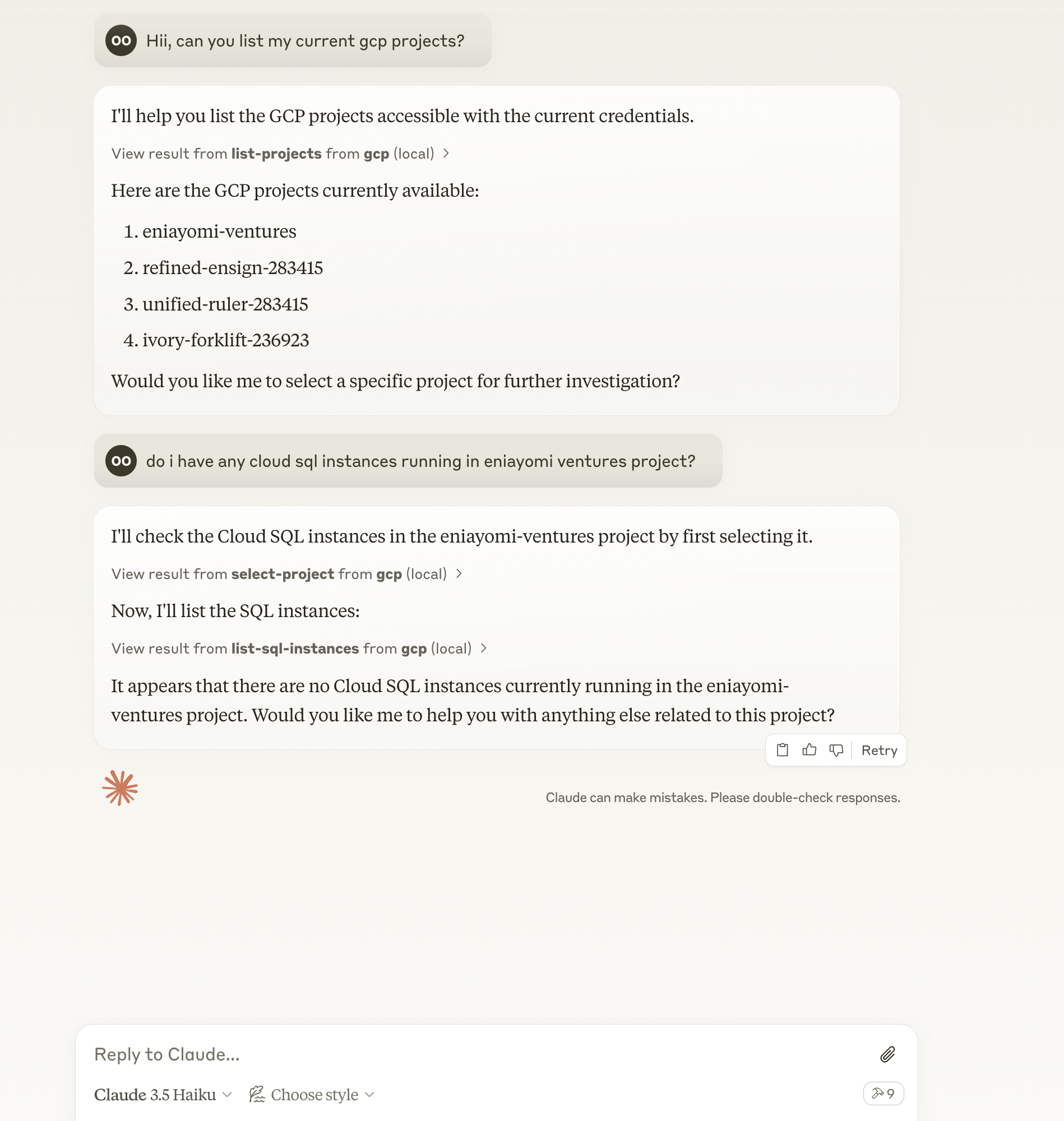
A Model Context Protocol (MCP) server that enables AI assistants like Claude to interact with your Google Cloud Platform environment. This allows for natural language querying and management of your GCP resources during conversations.
Features
- 🔍 Query and modify GCP resources using natural language
- ☁️ Support for multiple GCP projects
- 🌐 Multi-region support
- 🔐 Secure credential handling (no credentials are exposed to external services)
- 🏃♂️ Local execution with your GCP credentials
- 🔄 Automatic retries for improved reliability
Prerequisites
- Node.js
- Claude Desktop/Cursor/Windsurf
- GCP credentials configured locally (application default credentials)
Installation
- Clone the repository:
git clone https://github.com/eniayomi/gcp-mcp
cd gcp-mcp
- Install dependencies:
npm install
Configuration
Claude Desktop
-
Open Claude desktop app and go to Settings -> Developer -> Edit Config
-
Add the following entry to your claude_desktop_config.json:
via npm:
{
  "mcpServers": {
    "gcp": {
      "command": "sh",
      "args": ["-c", "npx -y gcp-mcp"]
    }
  }
}
If you installed from source:
{
  "mcpServers": {
    "gcp": {
      "command": "npm",
      "args": [
        "--silent",
        "--prefix",
        "/path/to/gcp-mcp",
        "start"
      ]
    }
  }
}
Replace /path/to/gcp-mcp with the actual path to your project directory if using source installation.
Cursor
- Open Cursor and go to Settings (⌘,)
- Navigate to AI -> Model Context Protocol
- Add a new MCP configuration:
{
  "gcp": {
    "command": "npx -y gcp-mcp"
  }
}
Windsurf
- Open
~/.windsurf/config.json (create if it doesn't exist)
- Add the MCP configuration:
{
  "mcpServers": {
    "gcp": {
      "command": "npx -y gcp-mcp"
    }
  }
}
GCP Setup
-
Set up GCP credentials:
- Set up application default credentials using
gcloud auth application-default login
-
Refresh your AI assistant (Claude Desktop/Cursor/Windsurf)
Usage
Start by selecting a project or asking questions like:
- "List all GCP projects I have access to"
- "Show me all Cloud SQL instances in project X"
- "What's my current billing status?"
- "Show me the logs from my Cloud Run services"
- "List all GKE clusters in us-central1"
- "Show me all Cloud Storage buckets in project X"
- "What Cloud Functions are deployed in us-central1?"
- "List all Cloud Run services"
- "Show me BigQuery datasets and tables"
run-gcp-code: Execute GCP API calls using TypeScript codelist-projects: List all accessible GCP projectsselect-project: Select a GCP project for subsequent operationsget-billing-info: Get billing information for the current projectget-cost-forecast: Get cost forecast for the current projectget-billing-budget: Get billing budgets for the current projectlist-gke-clusters: List all GKE clusters in the current projectlist-sql-instances: List all Cloud SQL instances in the current projectget-logs: Get Cloud Logging entries for the current project
Example Interactions
- List available projects:
List all GCP projects I have access to
- Select a project:
Use project my-project-id
- Check billing status:
What's my current billing status?
- View logs:
Show me the last 10 log entries from my project
Supported Services
- Google Compute Engine
- Cloud Storage
- Cloud Functions
- Cloud Run
- BigQuery
- Cloud SQL
- Google Kubernetes Engine (GKE)
- Cloud Logging
- Cloud Billing
- Resource Manager
- More coming soon...
Troubleshooting
To see logs:
tail -n 50 -f ~/Library/Logs/Claude/mcp-server-gcp.log
Common issues:
- Authentication errors: Ensure you've run
gcloud auth application-default login
- Permission errors: Check IAM roles for your account
- API errors: Verify that required APIs are enabled in your project
Contributing
Contributions are welcome! Please feel free to submit a Pull Request.
License
MIT


