

This is a Model Context Protocol (MCP) server for interacting with AIStor object stores.
Repository stats unavailable
Databases & Storage
A Model Context Protocol server implementation for Graphiti that lets AI assistants interact with Graphiti's temporally-aware knowledge graph capabilities.
Graphiti MCP Server is cataloged as an MCP server attributed to joseperko1982. A Model Context Protocol server implementation for Graphiti that lets AI assistants interact with Graphiti's temporally-aware knowledge graph capabilities. It is categorized under databases storage. See the capability inspector for recorded interfaces and their independent review status; consult upstream documentation for the current interface.
Installation configuration is not reviewed. No executable setup is offered for this entry; inspect the source repository before proceeding.
Catalog license label: Not specified. Check the source repository's current license and terms before using, modifying or distributing this software.
能力定义尚未审核。未核验的采集内容不会作为可信接口展示。
暂无可展示的已审核记录。这不表示上游不支持此能力。
暂无可展示的已审核记录。这不表示上游不支持此能力。
暂无可展示的已审核记录。这不表示上游不支持此能力。
Email delivery is not connected. This page does not collect email addresses or create subscriptions.
Browse the registry for current listings instead.
Reviews for Graphiti MCP Server are not available yet
Review publishing and storage are not connected. This page does not collect or publish ratings or comments, including after sign-in.
Yes, it can be deployed using Docker with Neo4j.
README.md · 31711d2ba2a9 · 采集于 2026-11-13 12:45:38 UTC
保留上游原文,不做 AI 改写。为安全起见过滤脚本、表单和不安全链接。
当前显示最后一次成功采集的文档快照,请以来源页面为准。


:star: Help us reach more developers and grow the Graphiti community. Star this repo!
[!TIP] Check out the new MCP server for Graphiti! Give Claude, Cursor, and other MCP clients powerful Knowledge Graph-based memory.
Graphiti is a framework for building and querying temporally-aware knowledge graphs, specifically tailored for AI agents operating in dynamic environments. Unlike traditional retrieval-augmented generation (RAG) methods, Graphiti continuously integrates user interactions, structured and unstructured enterprise data, and external information into a coherent, queryable graph. The framework supports incremental data updates, efficient retrieval, and precise historical queries without requiring complete graph recomputation, making it suitable for developing interactive, context-aware AI applications.
Use Graphiti to:

A knowledge graph is a network of interconnected facts, such as "Kendra loves Adidas shoes." Each fact is a "triplet" represented by two entities, or nodes ("Kendra", "Adidas shoes"), and their relationship, or edge ("loves"). Knowledge Graphs have been explored extensively for information retrieval. What makes Graphiti unique is its ability to autonomously build a knowledge graph while handling changing relationships and maintaining historical context.
Graphiti powers the core of Zep's memory layer for AI Agents.
Using Graphiti, we've demonstrated Zep is the State of the Art in Agent Memory.
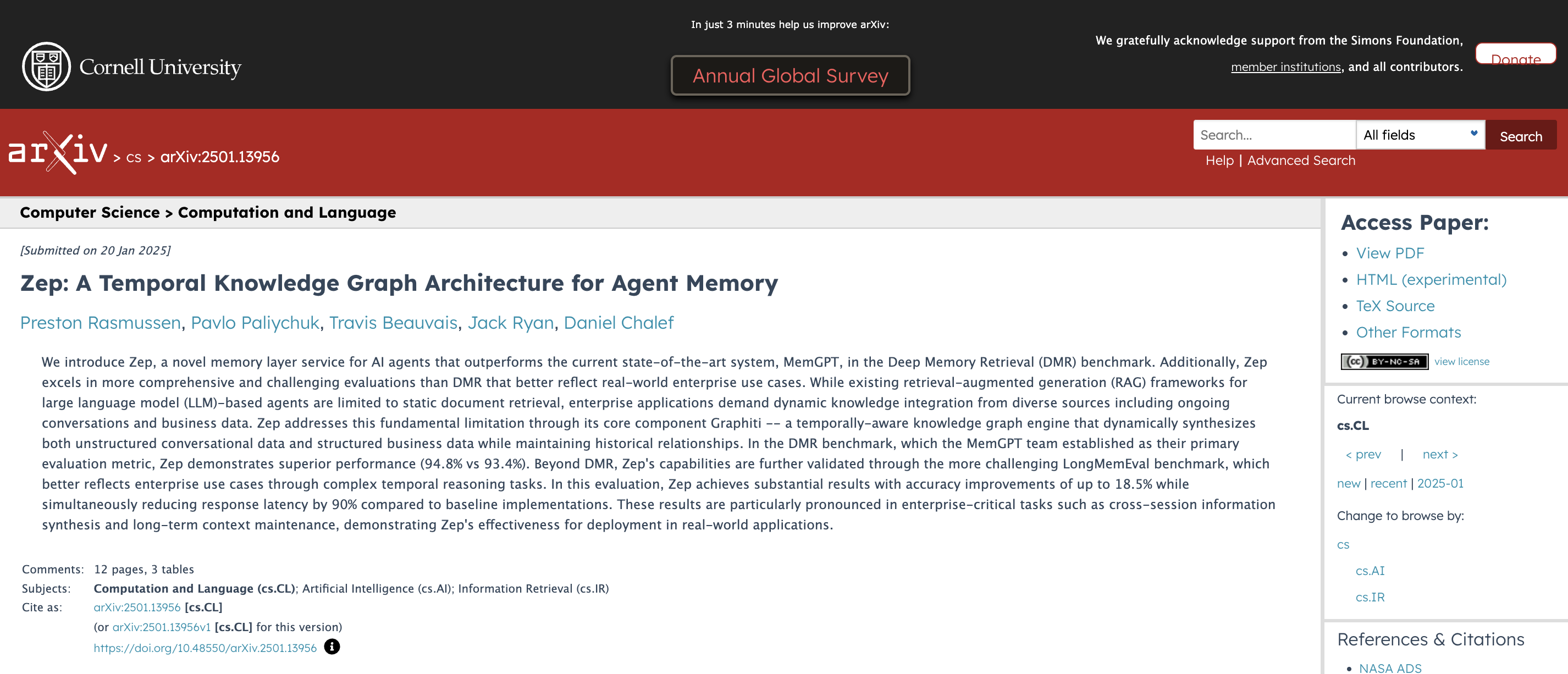
Read our paper: Zep: A Temporal Knowledge Graph Architecture for Agent Memory.
We're excited to open-source Graphiti, believing its potential reaches far beyond AI memory applications.
Traditional RAG approaches often rely on batch processing and static data summarization, making them inefficient for frequently changing data. Graphiti addresses these challenges by providing:

| Aspect | GraphRAG | Graphiti |
|---|---|---|
| Primary Use | Static document summarization | Dynamic data management |
| Data Handling | Batch-oriented processing | Continuous, incremental updates |
| Knowledge Structure | Entity clusters & community summaries | Episodic data, semantic entities, communities |
| Retrieval Method | Sequential LLM summarization | Hybrid semantic, keyword, and graph-based search |
| Adaptability | Low | High |
| Temporal Handling | Basic timestamp tracking | Explicit bi-temporal tracking |
| Contradiction Handling | LLM-driven summarization judgments | Temporal edge invalidation |
| Query Latency | Seconds to tens of seconds | Typically sub-second latency |
| Custom Entity Types | No | Yes, customizable |
| Scalability | Moderate | High, optimized for large datasets |
Graphiti is specifically designed to address the challenges of dynamic and frequently updated datasets, making it particularly suitable for applications requiring real-time interaction and precise historical queries.
Requirements:
[!IMPORTANT] Graphiti works best with LLM services that support Structured Output (such as OpenAI and Gemini). Using other services may result in incorrect output schemas and ingestion failures. This is particularly problematic when using smaller models.
Optional:
[!TIP] The simplest way to install Neo4j is via Neo4j Desktop. It provides a user-friendly interface to manage Neo4j instances and databases.
pip install graphiti-core
or
poetry add graphiti-core
You can also install optional LLM providers as extras:
# Install with Anthropic support
pip install graphiti-core[anthropic]

# Install with Groq support
pip install graphiti-core[groq]

# Install with Google Gemini support
pip install graphiti-core[google-genai]

# Install with multiple providers
pip install graphiti-core[anthropic,groq,google-genai]
[!IMPORTANT] Graphiti uses OpenAI for LLM inference and embedding. Ensure that an
OPENAI_API_KEYis set in your environment. Support for Anthropic and Groq LLM inferences is available, too. Other LLM providers may be supported via OpenAI compatible APIs.
For a complete working example, see the Quickstart Example in the examples directory. The quickstart demonstrates:
The example is fully documented with clear explanations of each functionality and includes a comprehensive README with setup instructions and next steps.
The mcp_server directory contains a Model Context Protocol (MCP) server implementation for Graphiti. This server allows AI assistants to interact with Graphiti's knowledge graph capabilities through the MCP protocol.
Key features of the MCP server include:
The MCP server can be deployed using Docker with Neo4j, making it easy to integrate Graphiti into your AI assistant workflows.
For detailed setup instructions and usage examples, see the MCP server README.
The server directory contains an API service for interacting with the Graphiti API. It is built using FastAPI.
Please see the server README for more information.
In addition to the Neo4j and OpenAi-compatible credentials, Graphiti also has a few optional environment variables. If you are using one of our supported models, such as Anthropic or Voyage models, the necessary environment variables must be set.
USE_PARALLEL_RUNTIME is an optional boolean variable that can be set to true if you wish
to enable Neo4j's parallel runtime feature for several of our search queries.
Note that this feature is not supported for Neo4j Community edition or for smaller AuraDB instances,
as such this feature is off by default.
Graphiti supports Azure OpenAI for both LLM inference and embeddings. To use Azure OpenAI, you'll need to configure both the LLM client and embedder with your Azure OpenAI credentials.
from openai import AsyncAzureOpenAI
from graphiti_core import Graphiti
from graphiti_core.llm_client import OpenAIClient
from graphiti_core.embedder.openai import OpenAIEmbedder, OpenAIEmbedderConfig
from graphiti_core.cross_encoder.openai_reranker_client import OpenAIRerankerClient

# Azure OpenAI configuration
api_key = "<your-api-key>"
api_version = "<your-api-version>"
azure_endpoint = "<your-azure-endpoint>"

# Create Azure OpenAI client for LLM
azure_openai_client = AsyncAzureOpenAI(
    api_key=api_key,
    api_version=api_version,
    azure_endpoint=azure_endpoint
)

# Initialize Graphiti with Azure OpenAI clients
graphiti = Graphiti(
    "bolt://localhost:7687",
    "neo4j",
    "password",
    llm_client=OpenAIClient(
        client=azure_openai_client
    ),
    embedder=OpenAIEmbedder(
        config=OpenAIEmbedderConfig(
            embedding_model="text-embedding-3-small"  # Use your Azure deployed embedding model name
        ),
        client=azure_openai_client
    ),
    # Optional: Configure the OpenAI cross encoder with Azure OpenAI
    cross_encoder=OpenAIRerankerClient(
        client=azure_openai_client
    )
)

# Now you can use Graphiti with Azure OpenAI
Make sure to replace the placeholder values with your actual Azure OpenAI credentials and specify the correct embedding model name that's deployed in your Azure OpenAI service.
Graphiti supports Google's Gemini models for both LLM inference and embeddings. To use Gemini, you'll need to configure both the LLM client and embedder with your Google API key.
Install Graphiti:
poetry add "graphiti-core[google-genai]"

# or

uv add "graphiti-core[google-genai]"
from graphiti_core import Graphiti
from graphiti_core.llm_client.gemini_client import GeminiClient, LLMConfig
from graphiti_core.embedder.gemini import GeminiEmbedder, GeminiEmbedderConfig

# Google API key configuration
api_key = "<your-google-api-key>"

# Initialize Graphiti with Gemini clients
graphiti = Graphiti(
    "bolt://localhost:7687",
    "neo4j",
    "password",
    llm_client=GeminiClient(
        config=LLMConfig(
            api_key=api_key,
            model="gemini-2.0-flash"
        )
    ),
    embedder=GeminiEmbedder(
        config=GeminiEmbedderConfig(
            api_key=api_key,
            embedding_model="embedding-001"
        )
    )
)

# Now you can use Graphiti with Google Gemini
Graphiti is under active development. We aim to maintain API stability while working on:
We encourage and appreciate all forms of contributions, whether it's code, documentation, addressing GitHub Issues, or answering questions in the Graphiti Discord channel. For detailed guidelines on code contributions, please refer to CONTRIBUTING.
Join the Zep Discord server and make your way to the #Graphiti channel!
Claim this server with your GitHub account to request manual ownership verification.
Link to the catalog listing for Graphiti MCP Server from your README. This badge does not certify ownership, compatibility or security.
[](https://awesome-mcp.com/servers/graphiti-brainstorming-kg)Public repository statistics could not be verified. Check the configured source address; unavailable counts are not zero.
来源、范围和时段分别列出;不相加,不代表安装人数、活跃用户或安全审核。
尚无已审核的包 / 镜像标识,暂不展示下载统计。
Alternative and complementary servers in the same category
This is a Model Context Protocol (MCP) server for interacting with AIStor object stores.

A Model Context Protocol server that lets AI assistants run SQL queries against AWS Athena databases and retrieve results.

A Model Context Protocol (MCP) server that exposes access to an InfluxDB v2 instance using the InfluxDB OSS API v2.