
Oleafly is a live collaborative LaTeX, Typst and Markdown editor for research that offers a local MCP server and an oleafly mcp stdio command so outside AI clients can use its project tools.
Repository stats unavailable
Productivity & Ops
Hjarni offers an official, hosted MCP server that lets ChatGPT, Claude, and other compatible clients search, read, create, update, and organize the same Markdown notes as the app.
Hjarni hosted MCP server for Markdown notes is cataloged as an MCP server attributed to hjarni. Hjarni offers an official, hosted MCP server that lets ChatGPT, Claude, and other compatible clients search, read, create, update, and organize the same Markdown notes as the app. It is categorized under productivity work. See the capability inspector for recorded interfaces and their independent review status; consult upstream documentation for the current interface.
Installation configuration is not reviewed. No executable setup is offered for this entry; inspect the source repository before proceeding.
Catalog license label: Not specified. Check the source repository's current license and terms before using, modifying or distributing this software.
能力定义尚未审核。未核验的采集内容不会作为可信接口展示。
暂无可展示的已审核记录。这不表示上游不支持此能力。
暂无可展示的已审核记录。这不表示上游不支持此能力。
暂无可展示的已审核记录。这不表示上游不支持此能力。
Email delivery is not connected. This page does not collect email addresses or create subscriptions.
Browse the registry for current listings instead.
Reviews for Hjarni hosted MCP server for Markdown notes are not available yet
Review publishing and storage are not connected. This page does not collect or publish ratings or comments, including after sign-in.
Clients use OAuth sign-in, and for clients accepting an Authorization header Hjarni also supports full-access API tokens and restricted agent tokens as Bearer credentials.
Agent tokens can grant no access, read, or write at a space or folder, with grants inheriting down the tree and never exceeding the owner's access.
Export is an action in Hjarni, not an MCP tool; it downloads active notes as a Markdown ZIP with folders and attachments.
README.md · c712b2b99482 · 采集于 2026-11-13 11:57:32 UTC
保留上游原文,不做 AI 改写。为安全起见过滤脚本、表单和不安全链接。
当前显示最后一次成功采集的文档快照,请以来源页面为准。

Markdown notes for you, ChatGPT, and Claude.
An official, hosted MCP server for the same notes you read and edit.
Hjarni is a Markdown note-taking app with an official, hosted MCP server at https://hjarni.com/mcp. Write and edit notes in the browser or Hjarni's iPhone, iPad, Apple Silicon Mac, and Android apps. Connect ChatGPT, Claude, or another compatible MCP client to search, read, create, update, and organize those same saved notes.
Use folders, tags, wiki-links, and instructions to keep a project brief, research notebook, or second brain current across assistants. You can review saved changes in note history, restore an earlier body, and export active notes as Markdown with attachments.
Hjarni hosts the server; connecting does not require running a local bridge or Docker container. This repository documents that hosted service. See client compatibility for setup routes and client-specific limits.
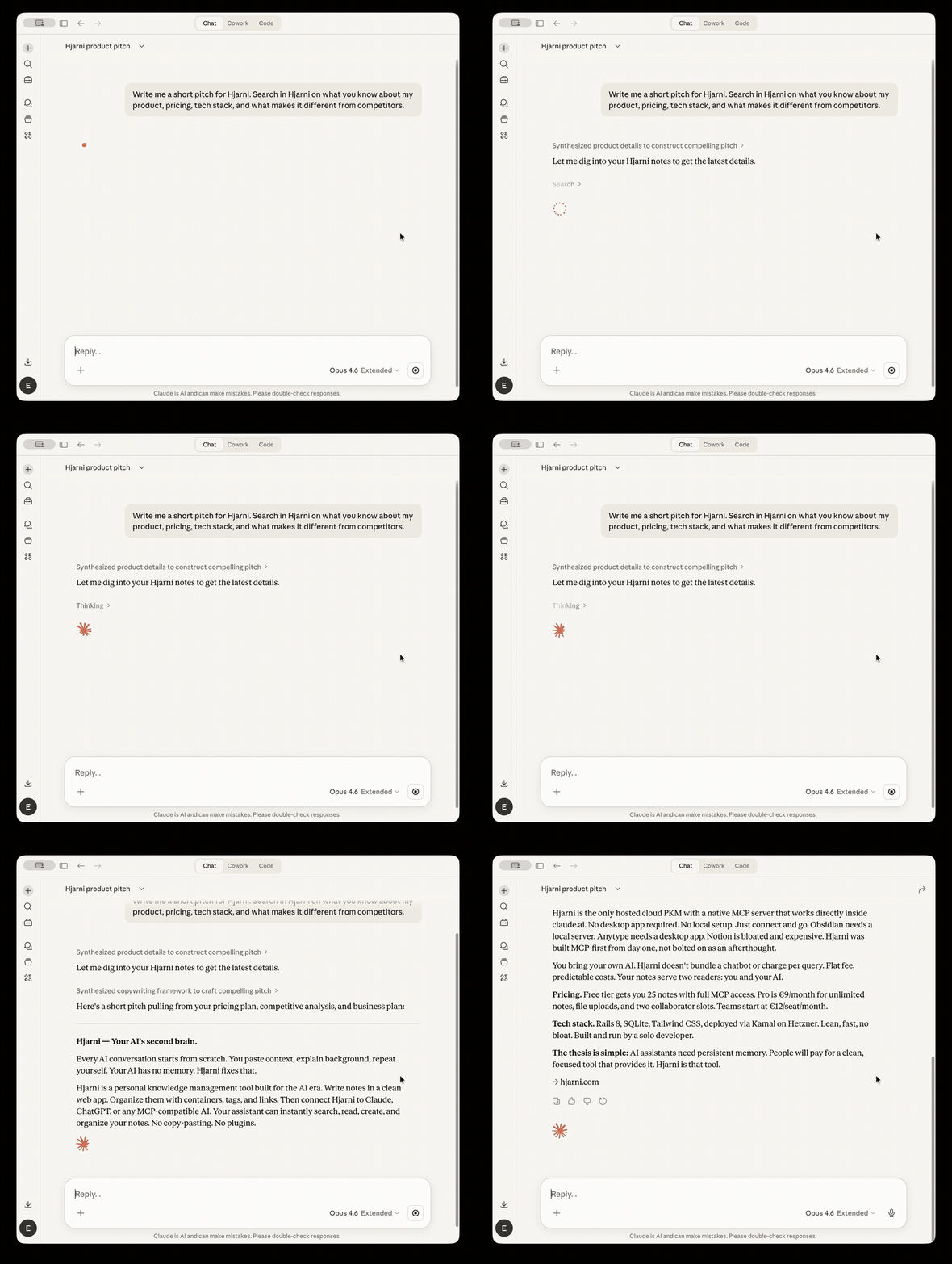
Keep each client's preferences, agreed scope, dated decisions, current status, and next action in one project brief. ChatGPT and Claude can read and update that same Markdown note through Hjarni's official, hosted MCP server.
Connecting makes saved notes available; it does not guarantee retrieval or copy every conversation or the assistants' native memories. The recorded client-context walkthrough shows both assistants using the same fictional brief, with prompts to repeat the checks.
Note history and Trash let you inspect saved edits and their recorded author or AI client, compare a previous note body with the current text, and restore an earlier body as a new version. Restoring replaces the whole body, including any later edits; the current title, folder, and other fields stay unchanged. Rapid edits by the same author can be grouped into one revision. Deleted notes and folders remain recoverable in Trash for 30 days, subject to account limits. History reviews saved changes; approval before a write depends on the assistant's connection and settings.
Export and data ownership explains how to download active notes as a Markdown ZIP with folders and attachments, and includes a sample ZIP to inspect without an account. Export is an action in Hjarni, not an MCP tool. The standard Markdown ZIP excludes archived and trashed notes, revision history, and folder instructions; wiki links and attachment URLs may need updating in another app. Personal notes, individual folders, and teams can be exported separately.
The endpoint is https://hjarni.com/mcp. Use OAuth sign-in for ChatGPT and Claude; no manually copied API token is needed. For a client that accepts an Authorization header, Hjarni also supports full-access API tokens and restricted agent tokens.
Hjarni is in the Claude Connectors Directory: open the listing, click Connect, and sign in.
Or add it by URL:
https://hjarni.com/mcp.See the Hjarni Claude guide and Claude's current connector instructions for account and workspace requirements. Custom connectors are available on Claude Free, with a limit of one; Team and Enterprise owners manage workspace availability.
claude mcp add --transport http hjarni https://hjarni.com/mcp
Add --scope user to make it available in every project. Then run /mcp inside Claude Code to complete the OAuth sign-in.
Install Hjarni from its ChatGPT directory page and sign in. See the ChatGPT setup guide for availability and usage.
If your account permits custom MCP servers, you can also add it by URL:
https://hjarni.com/mcp, and OAuth authentication.@ menu and ask it to find a saved note.Custom-server availability and workspace controls are separate from installing the directory entry. Follow OpenAI's current custom MCP instructions if the labels in your account differ.
Clients need Streamable HTTP and a supported authentication method: OAuth 2.0 with PKCE or Authorization: Bearer YOUR_API_TOKEN. OAuth discovery is at https://hjarni.com/.well-known/oauth-authorization-server; protected resource metadata is at https://hjarni.com/.well-known/oauth-protected-resource. Features such as prompts, panels, and events depend on the client.
Setup guides: Cursor · Copilot · Copilot Studio · Perplexity · Raycast
OAuth sign-in connections use the access of the connected Hjarni account, including its authorized team and shared notes. Naming one folder in a prompt or adding folder instructions does not restrict that connection's access.
For compatible clients such as Claude Code or Cursor, create an agent token in Settings > Connections and grant no access, read, or write at a space or folder. Grants inherit down the tree and can be overridden below it; an agent cannot exceed your own access. Each token can have its own instructions and identity in history. Use the token as a Bearer credential instead of the regular OAuth connection.
Restricted tokens see a narrower tool list and cannot use account-wide management tools or the note panel. They still expose a few account-wide details, including your profile, and brain instructions unless disabled for that token; the agent-token reference lists the exact boundaries. Privacy and permissions explains account, team, and connection access.
The table describes assistant-facing tools. Actual availability depends on the connection's permissions and the client's cached tool list; reconnect or refresh the server in the client after a server update.
| Tool | Description |
|---|---|
me | Connected profile, teams, note quota, and onboarding state; restricted tokens return their grants instead of account-wide quota and onboarding |
dashboard-get | Overview of the account: counts, recent notes, and recent changes across all spaces |
search | Full-text search across notes, containers, and tags |
notes-list | List notes with filtering by container, tags, and sorting |
notes-get | Read a single note: full body, tags, links, backlinks, files, and inherited AI instructions |
notes-create | Create a new note with title, body, summary, tags, and container placement |
notes-update | Edit or append content, replace or append a Markdown section, move notes, change tags, archive, favorite, or mark verified |
notes-open | Open an editable note panel on supported hosts, or return note data on other clients; omit the ID to open a picker |
notes-delete | Move a note to Trash (recoverable for 30 days) |
notes-restore | Restore a note from Trash |
notes-history | Read a note's revision history: who wrote each version, when, and what changed |
notes-revert | Revert a note's body to an earlier revision (appends a new revision, so it can be undone) |
containers-list | List folders for organizing notes |
containers-get | Get a single container with its description and AI instructions |
containers-create | Create new folders |
containers-update | Update a container (rename, move, change description, archive) |
containers-permissions | Set or clear a team member's role on a team container |
containers-delete | Move a folder, its sub-folders, and their notes to Trash (recoverable for 30 days) |
containers-restore | Restore a deleted folder and everything deleted with it |
tags-list | List all tags |
tags-create | Create new tags |
tags-manage | Rename, merge, or delete a tag |
links-manage | Create or remove bidirectional links between notes |
instructions-get | Read AI instructions at brain, personal root, container, or team level |
instructions-update | Replace or append brain, personal-root, personal-folder, or team instructions, subject to access and owner permissions |
files-attach | Attach a base64 file to a personal note |
files-attach_from_url | Attach a public URL or native ChatGPT file reference to a personal note |
files-create_upload_url | Generate a one-time browser upload link for an authorized personal, team, or shared note |
files-check_upload | Check the status of an upload link |
files-get_download_url | Get a temporary, login-free download URL; treat it as a credential while valid |
files-remove | Permanently remove an attachment from a personal note |
email-addresses-list | List email capture addresses |
email-addresses-create | Create an email capture address: mail sent to it becomes a note, subject to account eligibility |
teams-list | List all teams the user is a member of |
teams-get | Get team details including recent notes |
teams-create | Create a new team |
teams-invite | Invite a teammate by email or get a shareable join link |
feedback-submit | Send feedback about Hjarni to the maintainers |
nudges-dismiss | Dismiss a product suggestion the user declined |
For edits, read the current note first and prefer targeted edits over replacing the full body. Pass its lock_version as expected_lock_version for stale-write checks. This is not a strict lock: a pure append_body call skips that check, and a mismatched version is accepted if the note's latest edit is attributed to the connected user and is older than 30 minutes. Check tool results before reporting success: access and limit refusals can return ok: false with a status, or error: true with an error message. See the tool and permissions reference.
The server also exposes MCP prompts for clients that support prompt discovery:
| Prompt | Description |
|---|---|
summarize_note | Summarize a note and suggest tags and related links |
weekly_review | Review recent activity and suggest organization improvements |
research_topic | Synthesize everything in the knowledge base related to a topic |
On hosts that support MCP Apps (the io.modelcontextprotocol/ui extension), files-create_upload_url can render an inline drop-zone so files upload straight into a note from the chat. Other clients get the plain upload link.
notes-open can show a note picker and an editor beside the conversation. In ChatGPT hosts that support Hjarni's panel extensions, the panel also supports note mentions and attaching selected text as context. Availability depends on the host and the published connection's current tool metadata. notes-panel and notes-search_mentions are app-only tools used by that interface; assistants should read with notes-get and edit with notes-update.
Clients can also read a saved note as a resource with resources/read and a URI such as hjarni://notes/42, subject to the same note-access checks. These are saved-note resources, not automatic conversation synchronization.
Clients that support the events extension can subscribe to note.created, note.updated, and note.deleted (moved to Trash). Hjarni delivers notifications to a verified webhook callback, with access checked before delivery. Notifications identify the changed note; the client retrieves its content with notes-get.
events/list, events/subscribe, and events/unsubscribe are protocol methods, not tools. Delivery is webhook-only; polling and stream delivery are not supported. Events do not by themselves make every connected assistant run in the background. See the events reference and event-triggered workflows.
"What decisions have I made about the tech stack?"
Claude searches your notes, follows wiki-links between related notes, and synthesizes a summary from multiple sources.
"Save this as a note in my Projects folder and tag it"
Claude finds the right container, creates the note with Markdown formatting, adds tags, and links it to related notes.
"Help me triage my inbox"
Ask Claude to list unfiled notes, suggest where each belongs based on your folder structure, and wait for your approval before moving them.
"Draft a project update using my recent meeting notes"
Claude pulls relevant notes and uses them as source material.
[[id:Note Title]]) for cross-referencing| Endpoint | https://hjarni.com/mcp |
| Transport | Streamable HTTP with JSON-RPC 2.0 |
| Protocol versions | 2025-11-25, 2025-06-18, 2025-03-26, and 2024-11-05 through initialize; 2026-07-28 through server/discover (see the reference for supported methods) |
| Authentication | OAuth 2.0 (PKCE), full-access API token, or restricted agent token as a Bearer credential |
| Capabilities | Tools, prompts, note and UI resources (MCP Apps), and webhook events |
For the full protocol reference, see the MCP server docs.
| Plan | Price | What you get |
|---|---|---|
| Free | $0 | 25 personal notes, folders, tags, search, MCP & API access, view-only public links, 20 MB across 5 file attachments |
| Pro | $12/mo or $120/yr | Unlimited notes and file attachments, email capture, public sharing, share with 2 collaborators |
| Teams | $20/seat/mo or $200/seat/yr | Shared knowledge base, team MCP & API, member management, per-folder roles |
MCP and API access are included on every plan; account limits, feature eligibility, and permissions still apply. ChatGPT or Claude subscriptions are separate. Prices are also available in EUR and GBP; see current pricing and limits.
Email evert@hjarni.com.

Claim this server with your GitHub account to request manual ownership verification.
Link to the catalog listing for Hjarni hosted MCP server for Markdown notes from your README. This badge does not certify ownership, compatibility or security.
[](https://awesome-mcp.com/servers/hjarni-mcp)Public repository statistics could not be verified. Check the configured source address; unavailable counts are not zero.
来源、范围和时段分别列出;不相加,不代表安装人数、活跃用户或安全审核。
尚无已审核的包 / 镜像标识,暂不展示下载统计。
Alternative and complementary servers in the same category
Oleafly is a live collaborative LaTeX, Typst and Markdown editor for research that offers a local MCP server and an oleafly mcp stdio command so outside AI clients can use its project tools.
Buddy is an Android app that offers its phone tools through a local MCP server to Claude Code, Codex, OpenCode, Antigravity, and Grok sessions.

Tuqui is a hosted MCP server that connects Odoo with Claude and ChatGPT so users can ask about sales, stock, customers and overdue invoices in plain language.
