

Oleafly is a live collaborative LaTeX, Typst and Markdown editor for research that offers a local MCP server and an oleafly mcp stdio command so outside AI clients can use its project tools.
Repository stats unavailable
Productivity & Ops
An MCP server built on the HowToCook recipe dataset that helps AI assistants recommend recipes and plan meals.
HowToCook-MCP Server is cataloged as an MCP server attributed to worryzyy. An MCP server built on the HowToCook recipe dataset that helps AI assistants recommend recipes and plan meals. It is categorized under productivity work. See the capability inspector for recorded interfaces and their independent review status; consult upstream documentation for the current interface.
Installation configuration is not reviewed. No executable setup is offered for this entry; inspect the source repository before proceeding.
Catalog license label: MIT License. Check the source repository's current license and terms before using, modifying or distributing this software.
能力定义尚未审核。未核验的采集内容不会作为可信接口展示。
暂无可展示的已审核记录。这不表示上游不支持此能力。
暂无可展示的已审核记录。这不表示上游不支持此能力。
暂无可展示的已审核记录。这不表示上游不支持此能力。
Email delivery is not connected. This page does not collect email addresses or create subscriptions.
Browse the registry for current listings instead.
Reviews for HowToCook-MCP Server are not available yet
Review publishing and storage are not connected. This page does not collect or publish ratings or comments, including after sign-in.
It accepts allergy and avoided-ingredient lists plus a diner count from 1 to 10.
The server supports stdio, http, and sse transports.
README.md · d702e22896b9 · 采集于 2026-11-13 09:38:44 UTC
保留上游原文,不做 AI 改写。为安全起见过滤脚本、表单和不安全链接。
当前显示最后一次成功采集的文档快照,请以来源页面为准。
English | 简体中文
让 AI 助手变身私人大厨,为你的一日三餐出谋划策!
基于Anduin2017/HowToCook打造的 MCP(Model Context Protocol)服务器,让 AI 助手能够为你推荐菜谱、规划膳食,解决"今天吃什么"的世纪难题!
数据来源:Anduin2017/HowToCook ⭐ 没有 star 的同学快去点个星星吧!
🎉 想直接使用当前 MCP?立即体验 https://howtocookmcp.weilei.site/
🎉 同时,我们也提供了 DXT(Desktop Extensions)供大家体验,一键安装到 Claude Desktop
如下:请确保你已经安装了最新版的 Claude Desktop, 当前 MCP 的 DXT 文件已上传代码库,可以自行下载或者 Fork 本仓库自行构建
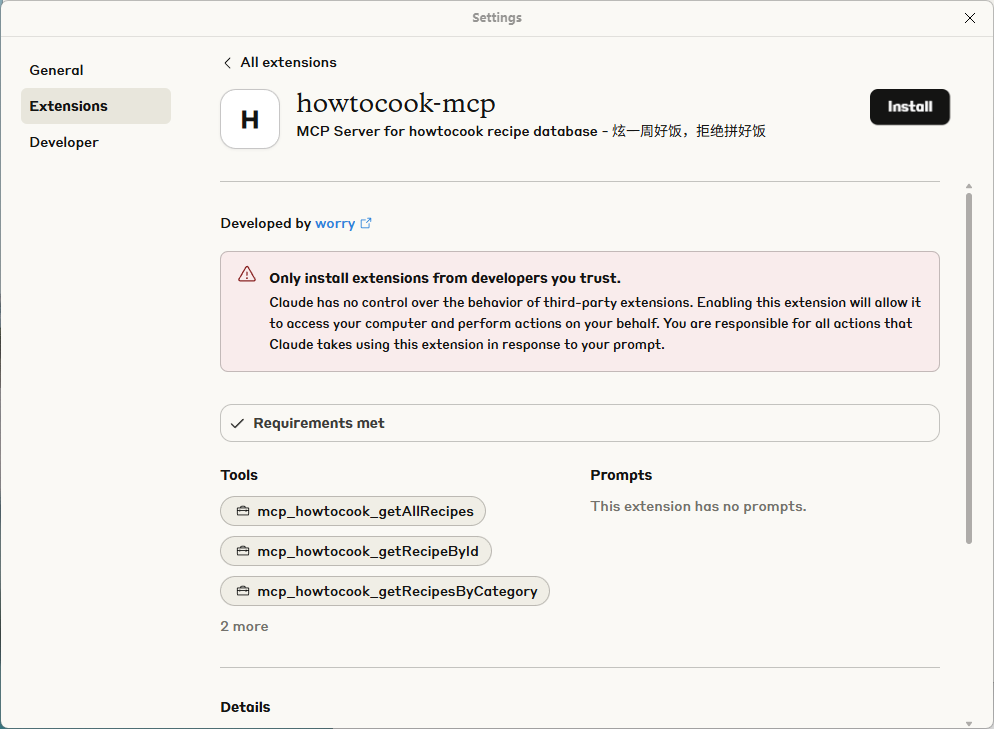
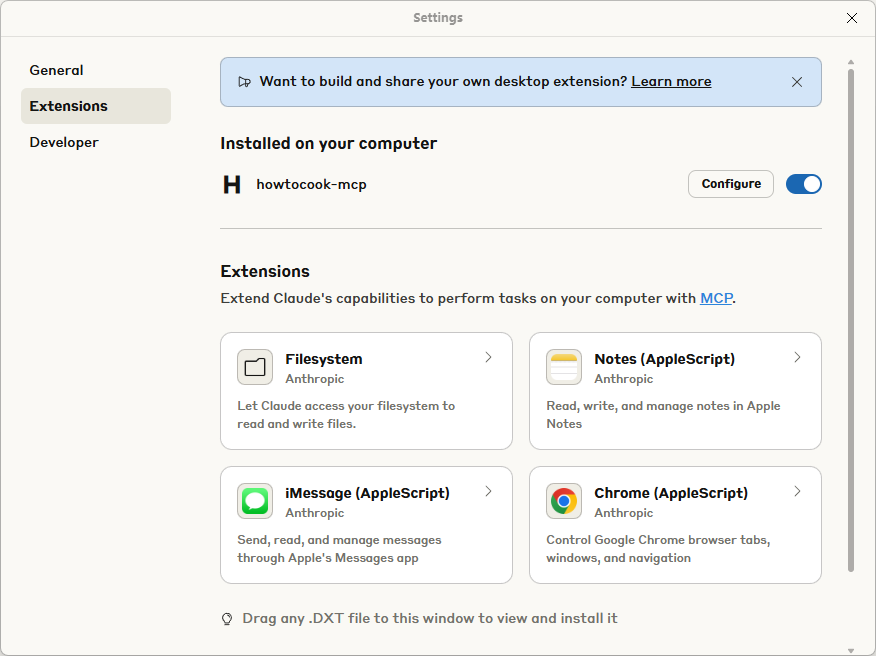
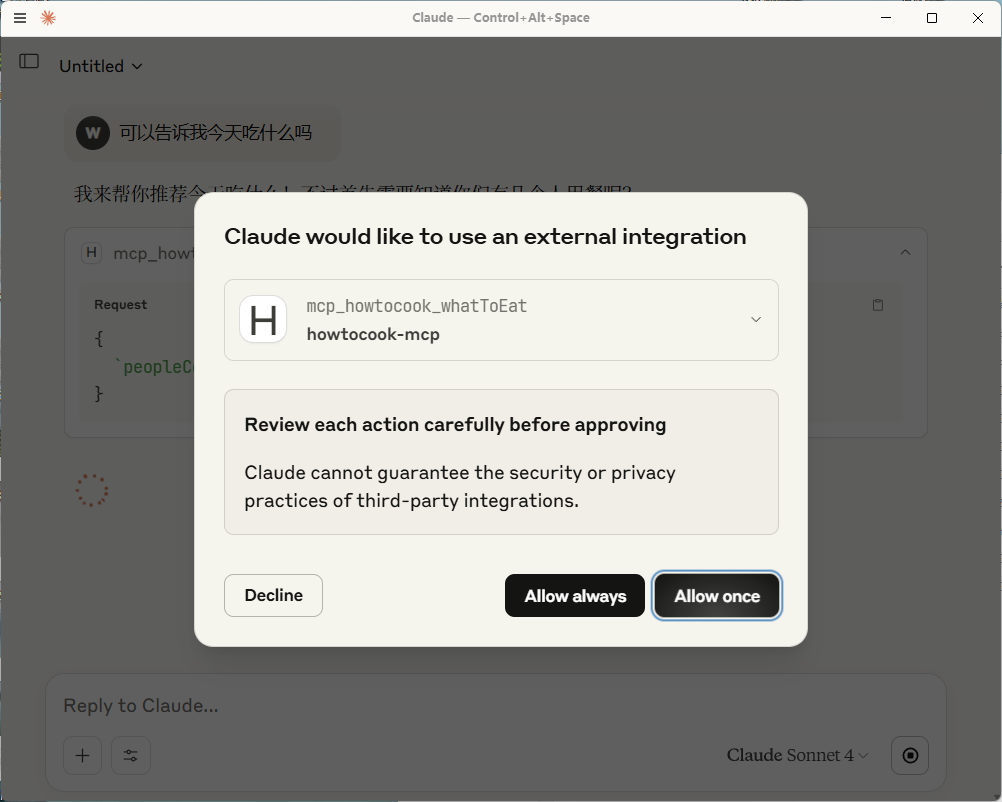
本地开发如何打包成 DXT?
1.运行 npm install -g @anthropic-ai/dxt
2.在包含本地 MCP 服务器的文件夹中,运行 dxt init。也就是您 MCP 的根目录,此命令将引导您创建manifest.json
3.运行dxt pack创建 dxt 文件
现在,任何支持 DXT 的应用都可以运行您的本地 MCP 服务器。例如,使用适用于 macOS 和 Windows 的 Claude 打开该文件即可显示安装对话框
具体参阅:anthropics/dxt


本服务器适用于所有支持 MCP 协议的 AI 助手和客户端,包括但不限于:
该 MCP 服务器提供以下美食工具:
git clone https://github.com/worryzyy/howtocook-mcp.git
cd howtocook-mcp
npm install
npm run build
服务器支持以下命令行参数:
--transport <stdio|http|sse> - 选择传输方式(默认为 stdio)--port <number> - 使用 http 或 sse 传输时的监听端口(默认为 3000)示例:使用 http 传输并监听 8080 端口
node build/index.js --transport http --port 8080
npm start
npm i -g howtocook-mcp ,否则会出现 Failed to create client然后在 Cursor 设置中添加 MCP 服务器配置:
{
	"mcpServers": {
		"howtocook-mcp": {
			"command": "npx",
			"args": ["-y", "howtocook-mcp"]
		}
	}
}
{
	"mcpServers": {
		"howtocook-mcp": {
			"command": "node",
			"args": ["youpath\\howtocook-mcp\\build\\index.js"]
		}
	}
}
对于其他支持 MCP 协议的客户端,请参考各自的文档进行配置,通常需要指定:
howtocook-mcpnpx -y howtocook-mcp以下是在各种 MCP 客户端中使用的示例提示语:
无需参数,直接召唤美食全书!
请使用howtocook的MCP服务查询所有菜谱
请使用howtocook的MCP服务查询水产类的菜谱
参数:
category: 菜谱分类(水产、早餐、荤菜、主食等)请使用howtocook的MCP服务为3人推荐一周菜谱,我们家不吃香菜,对虾过敏
参数:
allergies: 过敏原列表,如 ["大蒜", "虾"]avoidItems: 忌口食材,如 ["葱", "姜"]peopleCount: 用餐人数 (1-10)请使用howtocook的MCP服务为4人晚餐推荐菜单
参数:
peopleCount: 用餐人数 (1-10)npm install -g howtocook-mcp全局安装欢迎 Fork 和 Pull Request,让我们一起完善这个美食助手!
MIT License - 随意使用,就像分享美食配方一样慷慨!
🍴 美食即将开始,胃口准备好了吗?
Claim this server with your GitHub account to request manual ownership verification.
Link to the catalog listing for HowToCook-MCP Server from your README. This badge does not certify ownership, compatibility or security.
[](https://awesome-mcp.com/servers/howtocook-mcp)Public repository statistics could not be verified. Check the configured source address; unavailable counts are not zero.
来源、范围和时段分别列出;不相加,不代表安装人数、活跃用户或安全审核。
尚无已审核的包 / 镜像标识,暂不展示下载统计。
Alternative and complementary servers in the same category
Oleafly is a live collaborative LaTeX, Typst and Markdown editor for research that offers a local MCP server and an oleafly mcp stdio command so outside AI clients can use its project tools.
Buddy is an Android app that offers its phone tools through a local MCP server to Claude Code, Codex, OpenCode, Antigravity, and Grok sessions.

Tuqui is a hosted MCP server that connects Odoo with Claude and ChatGPT so users can ask about sales, stock, customers and overdue invoices in plain language.
