
A directory listing describing a cancellation-letter and mailing-address service. The configured public GitHub repository returned 404 during source verification.
Repository stats unavailable
Developer Tools
JitAPI registers OpenAPI specs, indexes their endpoints with semantic search, and exposes MCP tools so Claude can find relevant endpoints, resolve dependencies, and execute API calls.
MCP server for interacting with any API from its OpenAPI spec is cataloged as an MCP server attributed to nk3750. JitAPI registers OpenAPI specs, indexes their endpoints with semantic search, and exposes MCP tools so Claude can find relevant endpoints, resolve dependencies, and execute API calls. It is categorized under developer tools. See the capability inspector for recorded interfaces and their independent review status; consult upstream documentation for the current interface.
Installation configuration is not reviewed. No executable setup is offered for this entry; inspect the source repository before proceeding.
Catalog license label: MIT. Check the source repository's current license and terms before using, modifying or distributing this software.
能力定义尚未审核。未核验的采集内容不会作为可信接口展示。
暂无可展示的已审核记录。这不表示上游不支持此能力。
暂无可展示的已审核记录。这不表示上游不支持此能力。
暂无可展示的已审核记录。这不表示上游不支持此能力。
Email delivery is not connected. This page does not collect email addresses or create subscriptions.
Browse the registry for current listings instead.
Reviews for MCP server for interacting with any API from its OpenAPI spec are not available yet
Review publishing and storage are not connected. This page does not collect or publish ratings or comments, including after sign-in.
No, it uses local embeddings by default; cloud embedding provider keys are optional.
Bearer tokens, API key custom headers, and API key query parameters are supported.
README.md · 8a6e42d0d527 · 采集于 2026-11-13 14:05:57 UTC
保留上游原文,不做 AI 改写。为安全起见过滤脚本、表单和不安全链接。
当前显示最后一次成功采集的文档快照,请以来源页面为准。




Point Claude at any API. JitAPI figures out which endpoints to call and in what order — automatically.
JitAPI is an MCP server that lets Claude interact with any API from its OpenAPI spec. Instead of dumping hundreds of endpoints into context, JitAPI uses semantic search and a dependency graph to surface only what's needed — then Claude plans and executes the calls.
https://github.com/user-attachments/assets/53f72f89-a41a-4a9c-a688-ec876ea05fbd
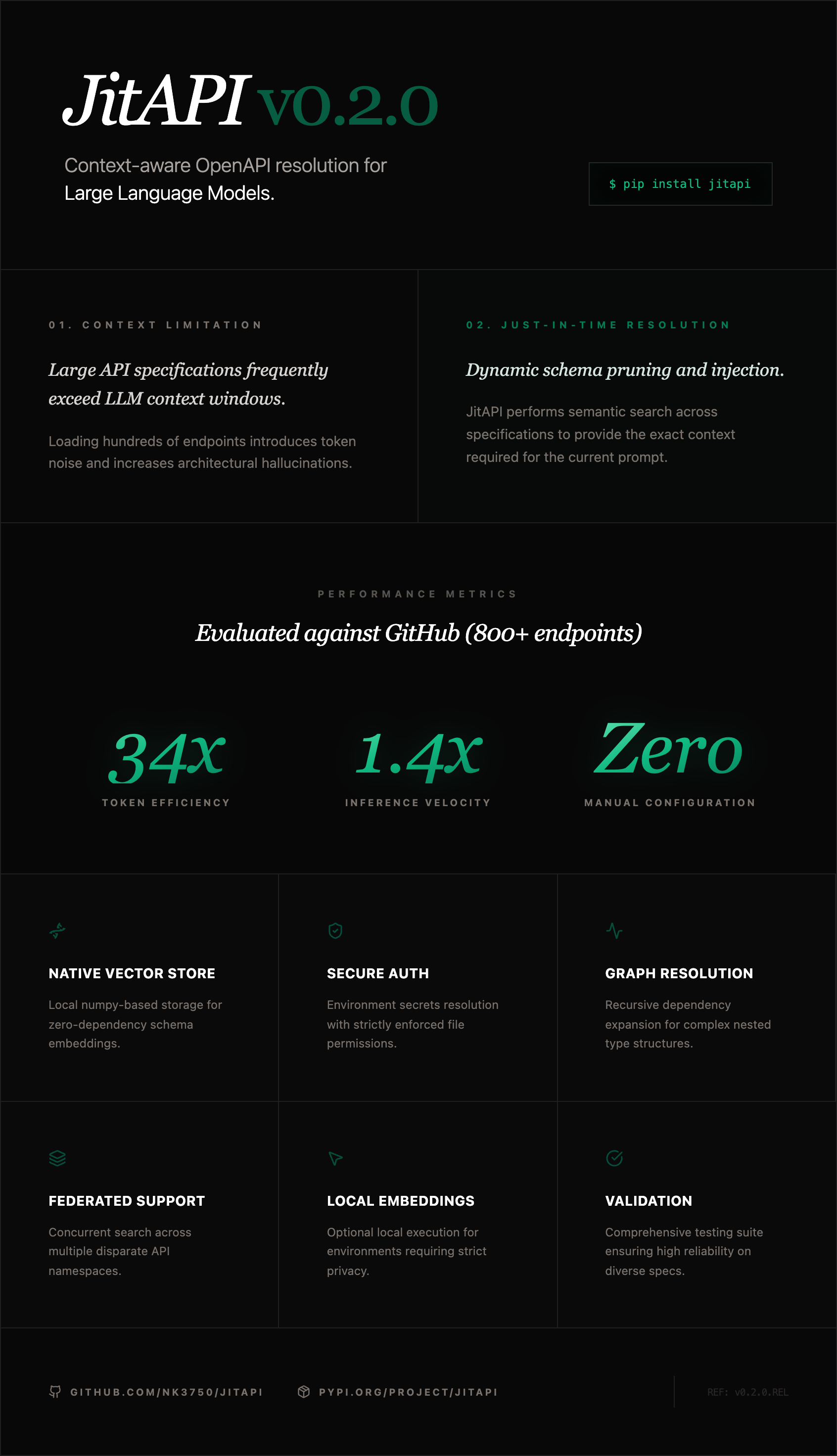
Stripe has 300+ endpoints. GitHub has 800+. Loading the full spec into Claude's context wastes tokens and causes hallucinations. Writing a custom MCP server for every API you use doesn't scale.
JitAPI solves this: register any OpenAPI spec once, then ask for what you need in plain English. It finds the right endpoints, resolves dependencies between them, and lets Claude execute the calls.
pip install jitapi
Add to your Claude Code config (.mcp.json):
{
  "mcpServers": {
    "jitapi": {
      "command": "uvx",
      "args": ["jitapi"]
    }
  }
}
That's it. No API keys required — JitAPI uses local embeddings out of the box.
Then in Claude:
You: Register the GitHub API from https://raw.githubusercontent.com/github/rest-api-description/main/descriptions/api.github.com/api.github.com.json

Claude: ✓ Registered GitHub v3 REST API — 1,107 endpoints indexed

You: List my repos

Claude: [searches for "list repositories for authenticated user" → finds GET /user/repos → executes]
Here are your repositories: ...
The killer feature: register multiple APIs and ask questions that span them. JitAPI searches across all registered APIs and Claude chains the calls.
You: Register the TMDB API and OpenWeatherMap API
Claude: ✓ Registered both APIs

You: Find the top popular movie on TMDB, then get the weather where it was filmed

Claude: [searches TMDB → GET /movie/popular → GET /movie/{id} for production locations
         → searches OpenWeather → GET /data/2.5/weather with the city]

The #1 popular movie is "Inception", filmed in Los Angeles.
Current weather in LA: 72°F, partly cloudy.
Register API                          Ask a question
     │                                      │
     ▼                                      ▼
Parse OpenAPI spec               Embed query → vector search
     │                                      │
     ▼                                      ▼
Build dependency graph           Find relevant endpoints
     │                                      │
     ▼                                      ▼
Embed all endpoints              Expand with dependencies
     │                                      │
     ▼                                      ▼
Store in vector DB               Return schemas → Claude executes
| Tool | Description |
|---|---|
register_api | Register an API from an OpenAPI spec URL |
list_apis | List all registered APIs and their endpoint counts |
search_endpoints | Semantic search across endpoints using natural language |
get_workflow | Find relevant endpoints with dependency resolution and full schemas |
get_endpoint_schema | Get the complete schema for a specific endpoint |
call_api | Execute a single API call with auth, path params, query params, and body |
set_api_auth | Configure authentication (API key header, API key query param, or bearer token) |
delete_api | Remove a registered API and all its data |
Create .mcp.json in your project directory (or ~/.claude.json for global access):
{
  "mcpServers": {
    "jitapi": {
      "command": "uvx",
      "args": ["jitapi"]
    }
  }
}
Add to your Claude Desktop config:
| OS | Config path |
|---|---|
| macOS | ~/Library/Application Support/Claude/claude_desktop_config.json |
| Windows | %APPDATA%\Claude\claude_desktop_config.json |
| Linux | ~/.config/Claude/claude_desktop_config.json |
{
  "mcpServers": {
    "jitapi": {
      "command": "uvx",
      "args": ["jitapi"]
    }
  }
}
JitAPI works out of the box with local embeddings (fastembed) — no API keys needed. For better search quality on large APIs, you can add a cloud embedding provider:
| Provider | Quality | Setup |
|---|---|---|
| Local (default) | Good | Nothing — works immediately |
| Voyage AI (recommended) | Excellent | pip install jitapi[voyage] + set VOYAGE_API_KEY |
| OpenAI | Excellent | pip install jitapi[openai] + set OPENAI_API_KEY |
| Cohere | Very good | pip install jitapi[cohere] + set COHERE_API_KEY |
Set the API key in your MCP config's env block:
{
  "mcpServers": {
    "jitapi": {
      "command": "uvx",
      "args": ["jitapi"],
      "env": {
        "VOYAGE_API_KEY": "your-key-here"
      }
    }
  }
}
Provider is auto-detected from available environment variables. Priority: Voyage AI > OpenAI > Cohere > local.
Configure API authentication after registering. Supported auth types: bearer, api_key (custom header), and api_key_query (query parameter). The recommended approach uses environment variables so secrets are never written to disk:
{
  "mcpServers": {
    "jitapi": {
      "command": "uvx",
      "args": ["jitapi"],
      "env": {
        "GITHUB_TOKEN": "ghp_...",
        "OPENWEATHER_API_KEY": "your-key-here"
      }
    }
  }
}
Then tell Claude to use the env var:
You: Set bearer auth for GitHub using env var GITHUB_TOKEN
Claude: [calls set_api_auth with auth_type="bearer", env_var="GITHUB_TOKEN"]
✓ Auth configured for github (from env var $GITHUB_TOKEN)
With env_var, JitAPI reads the secret from the environment at request time — only the env var name is persisted, never the credential itself.
You can also pass credentials directly (they'll be stored in ~/.jitapi/auth.json with 0600 permissions):
You: Set API key auth for OpenWeather with param name "appid"
Claude: [calls set_api_auth with auth_type="api_key_query", credential="...", param_name="appid"]
✓ Auth configured for openweather
Supported auth types: bearer, api_key (custom header, default X-API-Key), api_key_query (query parameter).
Security note: When using
env_var, credentials are resolved at runtime and never touch the filesystem. When passingcredentialdirectly, secrets are stored as plaintext JSON at~/.jitapi/auth.json(file permissions0600, directory0700). For production use, prefer theenv_varapproach.
| Variable | Required | Description |
|---|---|---|
VOYAGE_API_KEY | No | Voyage AI API key (recommended cloud provider) |
OPENAI_API_KEY | No | OpenAI API key (alternative cloud provider) |
COHERE_API_KEY | No | Cohere API key (alternative cloud provider) |
JITAPI_STORAGE_DIR | No | Data directory (default: ~/.jitapi) |
JITAPI_LOG_LEVEL | No | DEBUG, INFO, WARNING, ERROR (default: INFO) |
git clone https://github.com/nk3750/jitapi.git
cd jitapi
pip install -e ".[dev]"
pytest
ruff check src/
MIT
Built by Neelabh Kumar — AI engineer and builder.
Claim this server with your GitHub account to request manual ownership verification.
Link to the catalog listing for MCP server for interacting with any API from its OpenAPI spec from your README. This badge does not certify ownership, compatibility or security.
[](https://awesome-mcp.com/servers/jitapi)Public repository statistics could not be verified. Check the configured source address; unavailable counts are not zero.
来源、范围和时段分别列出;不相加,不代表安装人数、活跃用户或安全审核。
尚无已审核的包 / 镜像标识,暂不展示下载统计。
Alternative and complementary servers in the same category
A directory listing describing a cancellation-letter and mailing-address service. The configured public GitHub repository returned 404 during source verification.

A hosted MCP service for browsing and searching through Singapore mobile-network proxies.

A directory listing describing a Markdown-to-PDF service. The configured public GitHub repository returned 404 during source verification.