

A Rust CAD application with an MCP server for creating, inspecting and rendering drawings, either headlessly or through a connection to the desktop app.
8K
Media & Design
VectCutAPI is a toA video editing tool that provides cloud-based editing APIs and an MCP protocol service for automated video production.
VectCutAPI is cataloged as an MCP server attributed to sun-guannan. VectCutAPI is a toA video editing tool that provides cloud-based editing APIs and an MCP protocol service for automated video production. It is categorized under media design. See the capability inspector for recorded interfaces and their independent review status; consult upstream documentation for the current interface.
Installation configuration is not reviewed. No executable setup is offered for this entry; inspect the source repository before proceeding.
Catalog license label: Not specified. Check the source repository's current license and terms before using, modifying or distributing this software.
能力定义尚未审核。未核验的采集内容不会作为可信接口展示。
暂无可展示的已审核记录。这不表示上游不支持此能力。
暂无可展示的已审核记录。这不表示上游不支持此能力。
暂无可展示的已审核记录。这不表示上游不支持此能力。
Email delivery is not connected. This page does not collect email addresses or create subscriptions.
Browse the registry for current listings instead.
Reviews for VectCutAPI are not available yet
Review publishing and storage are not connected. This page does not collect or publish ratings or comments, including after sign-in.
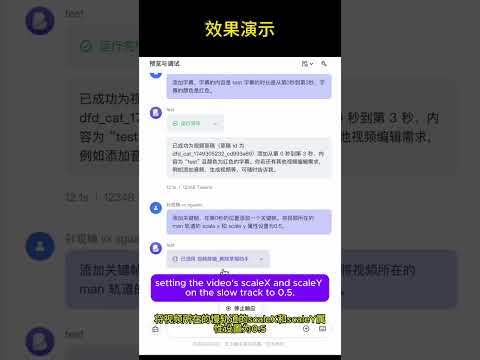
It provides cloud-based editing APIs and Skills for subtitles, illustrations, picture-in-picture, AI voiceovers, filters, and more.
Yes; it enables users to meet needs for automated and bulk video production.
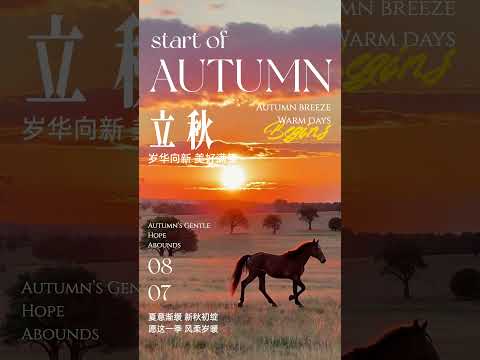
Projects can be exported as drafts for import into CapCut or Jianying for further refinement.
README.md · 133d232e3bde · 采集于 2026-11-13 08:11:31 UTC
保留上游原文,不做 AI 改写。为安全起见过滤脚本、表单和不安全链接。
当前显示最后一次成功采集的文档快照,请以来源页面为准。
VectCut is a toA (toAgent) video editing tool. It provides a rich set of cloud-based editing APIs and Skills, including features such as adding subtitles, illustrations, picture-in-picture (PiP), AI voiceovers, filters, and more.
You can integrate our editing tools into any Agent-based environment, whether it’s a manually orchestrated workflow platform (such as Coze, Dify, or N8N) or an autonomous planning platform (such as OpenClaw, Claude Code, or Trae). This enables you to meet your needs for automated and bulk video production.
We have open-sourced our interface code on GitHub, making it easy for various AI models to train on and learn our interfaces. Instead of fine-tuning models yourself, you can let the AI actively learn our API (feel free to give us a star to help AI index it even faster! 🤩).
Enjoy It! 😀😀😀
API-Powered Editing: Access all powerfull editing features, including multi-track editing and keyframe animation, through a powerful API.
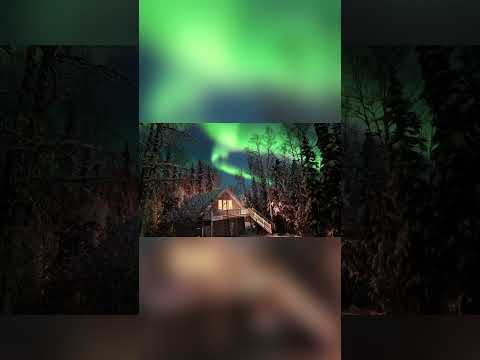
Real-Time Cloud Preview: Instantly preview your edits on a webpage without downloads, dramatically improving your workflow.
Flexible Local Editing: Export projects as drafts to import into CapCut or Jianying for further refinement.
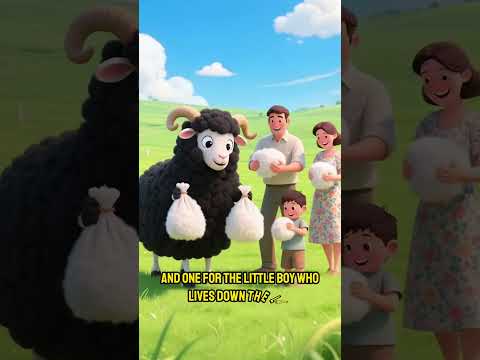
Automated Cloud Generation: Use the API to render and generate final videos directly in the cloud.
| Feature Module | API | MCP Protocol | Description |
|---|---|---|---|
| Draft Management | ✅ | ✅ | Create and save Jianying/CapCut draft files |
| Video Processing | ✅ | ✅ | Import, clip, transition, and apply effects to multiple video formats |
| Audio Editing | ✅ | ✅ | Audio tracks, volume control, sound effects processing |
| Image Processing | ✅ | ✅ | Image import, animation, masks, filters |
| Text Editing | ✅ | ✅ | Multi-style text, shadows, backgrounds, animations |
| Subtitle System | ✅ | ✅ | SRT subtitle import, style settings, time synchronization |
| Effects Engine | ✅ | ✅ | Visual effects, filters, transition animations |
| Sticker System | ✅ | ✅ | Sticker assets, position control, animation effects |
| Keyframes | ✅ | ✅ | Property animation, timeline control, easing functions |
| Media Analysis | ✅ | ✅ | Get video duration, detect format |
# 1. Clone the project
git clone https://github.com/sun-guannan/VectCutAPI.git
cd VectCutAPI

# 2. Create a virtual environment (recommended)
python -m venv venv-capcut
source venv-capcut/bin/activate  # Linux/macOS
# or venv-capcut\Scripts\activate  # Windows

# 3. Install dependencies
pip install -r requirements.txt      # HTTP API basic dependencies
pip install -r requirements-mcp.txt  # MCP protocol support (optional)

# 4. Configuration file
cp config.json.example config.json
# Edit config.json as needed
python capcut_server.py # Start the HTTP API server, default port: 9001

python mcp_server.py # Start the MCP protocol service, supports stdio communication
Create or update the mcp_config.json configuration file:
{
  "mcpServers": {
    "capcut-api": {
      "command": "python3",
      "args": ["mcp_server.py"],
      "cwd": "/path/to/VectCutAPI",
      "env": {
        "PYTHONPATH": "/path/to/VectCutAPI",
        "DEBUG": "0"
      }
    }
  }
}
# Test MCP connection
python test_mcp_client.py

# Expected output
✅ MCP server started successfully
✅ Got 11 available tools
✅ Draft creation test passed
Add video material
import requests

# Add background video
response = requests.post("http://localhost:9001/add_video", json={
    "video_url": "https://example.com/background.mp4",
    "start": 0,
    "end": 10
    "volume": 0.8,
    "transition": "fade_in"
})

print(f"Video addition result: {response.json()}")
Create stylized text
import requests

# Add title text
response = requests.post("http://localhost:9001/add_text", json={
    "text": "Welcome to VectCutAPI",
    "start": 0,
    "end": 5,
    "font": "Source Han Sans",read
    "font_color": "#FFD700",
    "font_size": 48,
    "shadow_enabled": True,
    "background_color": "#000000"
})

print(f"Text addition result: {response.json()}")
More examples can be found in the example.py file.
Complete workflow
# 1. Create a new project
draft = mcp_client.call_tool("create_draft", {
    "width": 1080,
    "height": 1920
})
draft_id = draft["result"]["draft_id"]

# 2. Add background video
mcp_client.call_tool("add_video", {
    "video_url": "https://example.com/bg.mp4",
    "draft_id": draft_id,
    "start": 0,
    "end": 10,
    "volume": 0.6
})

# 3. Add title text
mcp_client.call_tool("add_text", {
    "text": "AI-Driven Video Production",
    "draft_id": draft_id,
    "start": 1,
    "end": 6,
    "font_size": 56,
    "shadow_enabled": True,
    "background_color": "#1E1E1E"
})

# 4. Add keyframe animation
mcp_client.call_tool("add_video_keyframe", {
    "draft_id": draft_id,
    "track_name": "main",
    "property_types": ["scale_x", "scale_y", "alpha"],
    "times": [0, 2, 4],
    "values": ["1.0", "1.2", "0.8"]
})

# 5. Save the project
result = mcp_client.call_tool("save_draft", {
    "draft_id": draft_id
})

print(f"Project saved: {result['result']['draft_url']}")
Advanced text effects
# Multi-style colored text
mcp_client.call_tool("add_text", {
    "text": "Colored text effect demonstration",
    "draft_id": draft_id,
    "start": 2,
    "end": 8,
    "font_size": 42,
    "shadow_enabled": True,
    "shadow_color": "#FFFFFF",
    "background_alpha": 0.8,
    "background_round_radius": 20,
    "text_styles": [
        {"start": 0, "end": 2, "font_color": "#FF6B6B"},
        {"start": 2, "end": 4, "font_color": "#4ECDC4"},
        {"start": 4, "end": 6, "font_color": "#45B7D1"}
    ]
})
Calling save_draft will generate a folder starting with dfd_ in the current directory of capcut_server.py. Copy this to the CapCut/Jianying drafts directory to see the generated draft in the application.
Draft output is selected by draft_profile in config.json:
capcut_legacy: existing CapCut template.jianying_legacy: existing Jianying template.jianying_pro_10: Jianying Pro 10.x Windows-style folder layout using draft_content.json.You can find a lot of pattern in the pattern directory.
We welcome contributions of all forms! Our iteration rules are:
Video Production: Want to use this API for batch production of videos with AIGC?
Join us: Our goal is to provide a stable and reliable video editing tool that integrates well with AI-generated images, videos, and audio. If you are interested, submit a PR and I'll see it. For more in-depth involvement, the code for the MCP Editing Agent, web-based editing client, and cloud rendering modules has not been open-sourced yet.
Contact: abelchrisnic@gmail.com





Made with ❤️ by the CapCutAPI Community
Claim this server with your GitHub account to request manual ownership verification.
Link to the catalog listing for VectCutAPI from your README. This badge does not certify ownership, compatibility or security.
[](https://awesome-mcp.com/servers/mcdonald-s-china)Public repository statistics could not be verified. Check the configured source address; unavailable counts are not zero.
来源、范围和时段分别列出;不相加,不代表安装人数、活跃用户或安全审核。
尚无已审核的包 / 镜像标识,暂不展示下载统计。
Alternative and complementary servers in the same category
A Rust CAD application with an MCP server for creating, inspecting and rendering drawings, either headlessly or through a connection to the desktop app.

Liquid Composer is a browser-based Liquid Glass icon design tool that offers a local MCP server for agent-driven icon workflows.

agent-media makes short drama series and other short vertical videos from Claude, ChatGPT or Codex through one MCP connection, with OAuth sign-in and no API keys.