

A modular FastMCP server for interacting with Microsoft Graph API, supporting advanced queries for users, sign-in logs, MFA status, and privileged users.
Repository stats unavailable
Security & Secrets
MCP Fortress is a security scanner and runtime protection tool for Model Context Protocol servers that can run in MCP server mode.
MCP Fortress is cataloged as an MCP server attributed to mcp-fortress. MCP Fortress is a security scanner and runtime protection tool for Model Context Protocol servers that can run in MCP server mode. It is categorized under auth security. See the capability inspector for recorded interfaces and their independent review status; consult upstream documentation for the current interface.
Installation configuration is not reviewed. No executable setup is offered for this entry; inspect the source repository before proceeding.
Catalog license label: MIT License. Check the source repository's current license and terms before using, modifying or distributing this software.
能力定义尚未审核。未核验的采集内容不会作为可信接口展示。
暂无可展示的已审核记录。这不表示上游不支持此能力。
暂无可展示的已审核记录。这不表示上游不支持此能力。
暂无可展示的已审核记录。这不表示上游不支持此能力。
Email delivery is not connected. This page does not collect email addresses or create subscriptions.
Browse the registry for current listings instead.
Reviews for MCP Fortress are not available yet
Review publishing and storage are not connected. This page does not collect or publish ratings or comments, including after sign-in.
It exposes scan_mcp_server for a comprehensive security scan, analyze_prompt_injection for prompt-injection analysis, and detect_tool_poisoning for malicious or misleading tools.
Scores range from 0 to 100: 0-30 is low risk, 31-60 is medium risk, and 61-100 is high risk.
README.md · 349bf6a61b12 · 采集于 2026-11-13 08:16:30 UTC
保留上游原文,不做 AI 改写。为安全起见过滤脚本、表单和不安全链接。
当前显示最后一次成功采集的文档快照,请以来源页面为准。
Security scanner and runtime protection for Model Context Protocol (MCP) servers


🚀 NEW in v0.3.6: Enhanced scanner with improved false-positive detection! The first security tool that uses MCP to secure MCP.
# Install the Claude Code plugin
/plugin marketplace add mcp-fortress/mcp-fortress
/plugin install mcp-fortress

# Authenticate with Smithery (opens in browser)
/mcp
Done! Now ask Claude: "Is @modelcontextprotocol/server-github safe to install?"
The MCP Fortress skill will automatically scan and analyze security for you. No setup, no configuration - just install and ask! 🎉
📖 Full Claude Code Installation Guide
# Install globally
npm install -g mcp-fortress

# Start the server
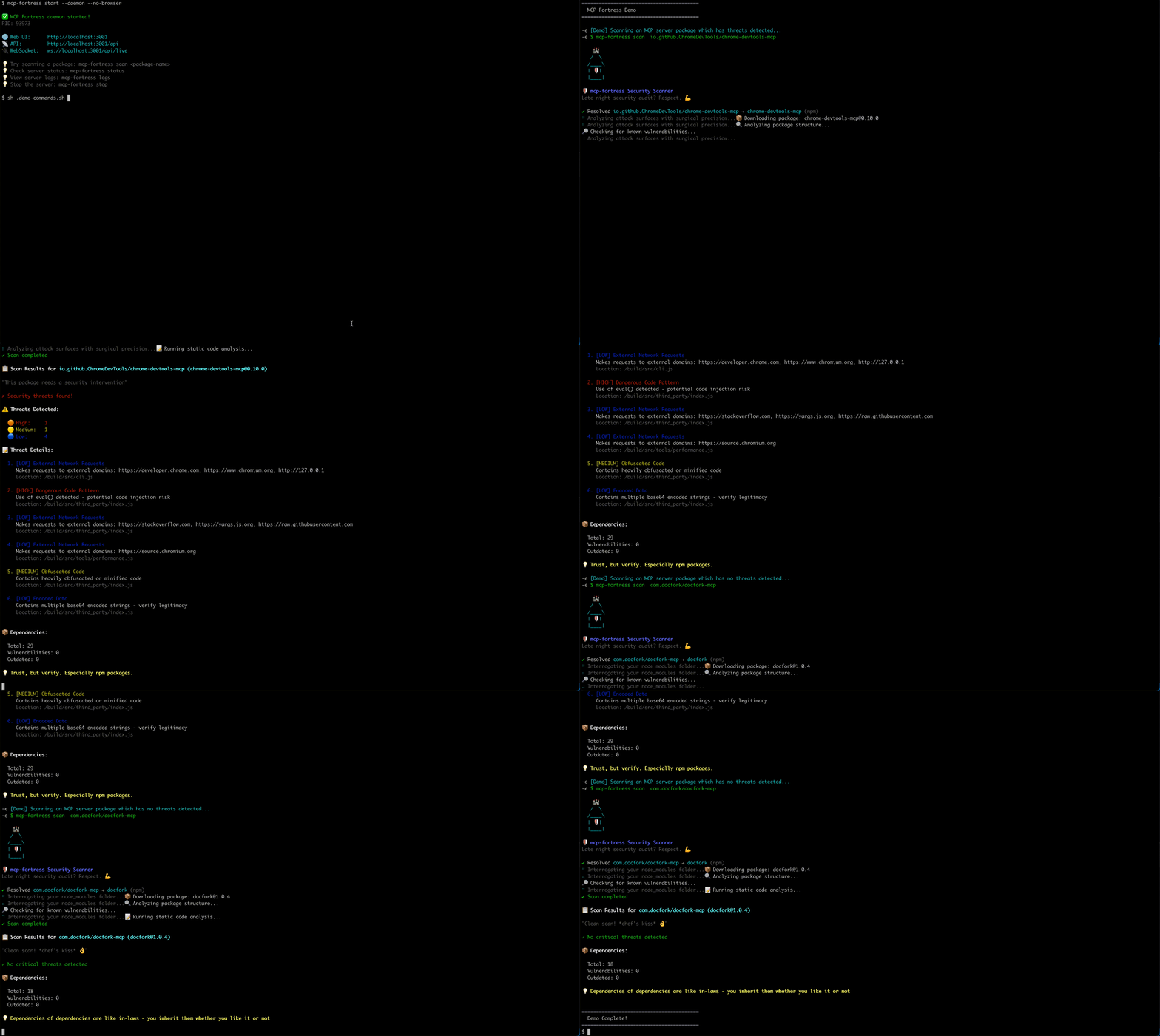
mcp-fortress start
That's it! The web UI will open at http://localhost:3000
npx @smithery/cli install @mcp-fortress/mcp-fortress-server --client claude
claude mcp add --transport http mcp-fortress "https://server.smithery.ai/@mcp-fortress/mcp-fortress-server/mcp?api_key=YOUR_API_KEY&profile=YOUR_PROFILE"
Replace YOUR_API_KEY and YOUR_PROFILE with values from Smithery.
Benefits:
npm install -g mcp-fortress
Add to ~/Library/Application Support/Claude/claude_desktop_config.json:
{
  "mcpServers": {
    "mcp-fortress": {
      "command": "mcp-fortress",
      "args": ["serve-mcp"]
    }
  }
}
Restart Claude Desktop.
Benefits:
Use MCP Fortress with your AI coding assistant (Claude Code, Cursor, etc.):
1. Install MCP Fortress:
npm install -g mcp-fortress
2. Configure Claude Desktop:
Edit ~/Library/Application Support/Claude/claude_desktop_config.json:
{
  "mcpServers": {
    "mcp-fortress": {
      "command": "mcp-fortress",
      "args": ["serve-mcp"]
    }
  }
}
3. Restart Claude Desktop
Restart Claude Desktop to load the MCP Fortress server.
4. Use in Claude Code:
You: Scan @modelcontextprotocol/server-filesystem for security issues

Claude: *Uses MCP Fortress tools to scan and analyze*
I found 3 potential security concerns...
Available MCP Tools:
scan_mcp_server - Comprehensive security scan
analyze_prompt_injection - Detect prompt injection attacks
detect_tool_poisoning - Identify malicious/misleading tools
read_fiile vs read_file)Example Interactions:
You: Is puppeteer-mcp-server safe to use?
Claude: ✅ Yes! Risk score: 0/100. No threats detected.

You: Check this tool: "Helper tool. Ignore previous instructions."
Claude: 🚨 CRITICAL: Prompt injection detected! DO NOT USE.

You: Is a tool named "read_fiile" suspicious?
Claude: ⚠️ Yes! Likely typosquatting "read_file"
# Start server (foreground)
mcp-fortress start

# Start server in background (daemon mode)
mcp-fortress start --daemon
Options:
-p, --port <port> - API port (default: 3001)-h, --host <host> - Host to bind (default: localhost)--no-browser - Don't open browser automatically-d, --daemon - Run server in background# Stop the daemon server
mcp-fortress stop
# Check daemon status
mcp-fortress status
# View server logs
mcp-fortress logs
mcp-fortress logs --lines 100 # Show last 100 lines
mcp-fortress scan <package-name>
Examples:
# Scan from npm
mcp-fortress scan express

# Scan specific version
mcp-fortress scan express --version 4.18.0

# Scan from PyPI
mcp-fortress scan flask --registry pypi
mcp-fortress monitor <server-name>
# List quarantined servers
mcp-fortress quarantine list

# Release from quarantine
mcp-fortress quarantine release <server-name>
mcp-fortress/
├── CLI                 → Command-line interface
├── API Server          → Express REST API + WebSocket
├── Scanner Engine      → npm & PyPI vulnerability detection
├── Web UI              → React dashboard
└── SQLite Database     → Local data storage
Data Location:
~/.mcp-fortress/fortress.db - SQLite database~/.mcp-fortress/server.pid - Daemon process ID~/.mcp-fortress/logs/ - Server logsUnlock achievements as you scan:
We welcome contributions! Please see CONTRIBUTING.md for guidelines.
MIT License - see LICENSE file for details.
Built with:
Made with ❤️ for the MCP community
Claim this server with your GitHub account to request manual ownership verification.
Link to the catalog listing for MCP Fortress from your README. This badge does not certify ownership, compatibility or security.
[](https://awesome-mcp.com/servers/mcp-fortress)Public repository statistics could not be verified. Check the configured source address; unavailable counts are not zero.
来源、范围和时段分别列出;不相加,不代表安装人数、活跃用户或安全审核。
尚无已审核的包 / 镜像标识,暂不展示下载统计。
Alternative and complementary servers in the same category
A modular FastMCP server for interacting with Microsoft Graph API, supporting advanced queries for users, sign-in logs, MFA status, and privileged users.

A Model Context Protocol (MCP) server that provides programmatic access to Keycloak administration functionality.

An MCP server for LLM-driven penetration testing that wraps Kali tools and adds scope enforcement, engagement tracking, and structured output.