
Store and retrieve entities, relations and observations in a persistent local knowledge graph.
create_entitiescreate_relationsadd_observations+6 more
92K
AI & Multi-Agent
An MCP server that connects to Hugging Face Spaces, automatically selecting appropriate endpoints so their capabilities can be used from the client. The README notes it has been superseded by the official Hugging Face MCP Server.
MCP server for using Hugging Face Spaces is cataloged as an MCP server attributed to evalstate. An MCP server that connects to Hugging Face Spaces, automatically selecting appropriate endpoints so their capabilities can be used from the client. The README notes it has been superseded by the official Hugging Face MCP Server. It is categorized under ai agents-models. See the capability inspector for recorded interfaces and their independent review status; consult upstream documentation for the current interface.
Installation configuration is not reviewed. No executable setup is offered for this entry; inspect the source repository before proceeding.
Catalog license label: Not specified. Check the source repository's current license and terms before using, modifying or distributing this software.
能力定义尚未审核。未核验的采集内容不会作为可信接口展示。
暂无可展示的已审核记录。这不表示上游不支持此能力。
暂无可展示的已审核记录。这不表示上游不支持此能力。
暂无可展示的已审核记录。这不表示上游不支持此能力。
Email delivery is not connected. This page does not collect email addresses or create subscriptions.
Browse the registry for current listings instead.
Reviews for MCP server for using Hugging Face Spaces are not available yet
Review publishing and storage are not connected. This page does not collect or publish ratings or comments, including after sign-in.
No. The README states the project has been superseded by the official Hugging Face MCP Server and Gradio MCP Endpoints, and points to hf.co/mcp for accessing and configuring Hugging Face MCP services.
Content is returned as an embedded Base64 encoded Resource instead.
README.md · b9e3903f1fb6 · 采集于 2026-11-13 09:36:57 UTC
保留上游原文,不做 AI 改写。为安全起见过滤脚本、表单和不安全链接。
当前显示最后一次成功采集的文档快照,请以来源页面为准。
[!TIP]
You can access and configure Hugging Face MCP services directly at https://hf.co/mcp, including Gradio spaces.
This project has been superceded by the official Hugging Face MCP Server and Gradio MCP Endpoints.
Alternatively you can run hf-mcp-server locally as a STDIO Server, or with robust support for SSE, Streaming HTTP and Streaming HTTP JSON Mode. This also runs a local UI for selecting tools and endpoints and supports
ToolListChangedNotificationstoo.
Read the introduction here llmindset.co.uk/resources/mcp-hfspace/
Connect to Hugging Face Spaces with minimal setup needed - simply add your spaces and go!
By default, it connects to black-forest-labs/FLUX.1-schnell providing Image Generation capabilities to Claude Desktop.
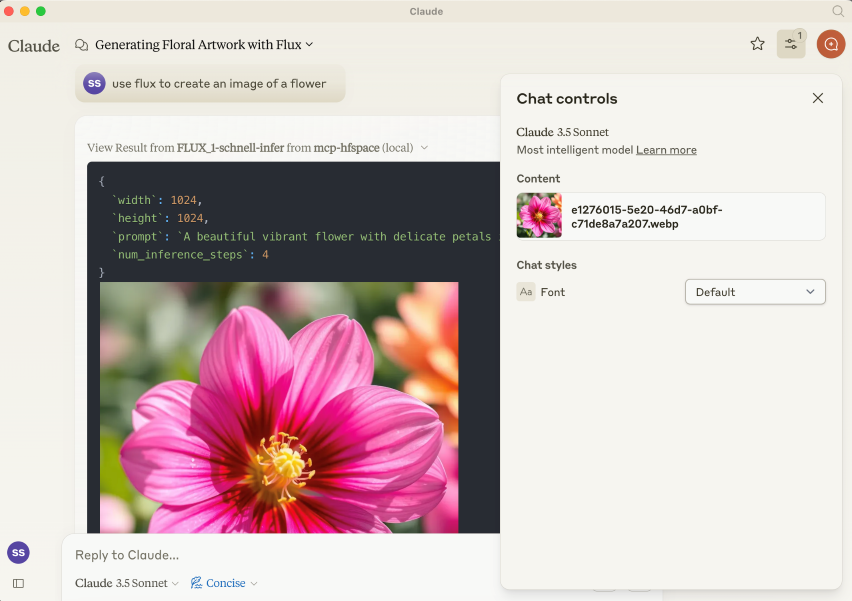
[!TIP] Gradio 5.28 now has integrated MCP Support via SSE: https://huggingface.co/blog/gradio-mcp. Check out whether your target Space is MCP Enabled!
NPM Package is @llmindset/mcp-hfspace.
Install a recent version of NodeJS for your platform, then add the following to the mcpServers section of your claude_desktop_config.json file:
    "mcp-hfspace": {
      "command": "npx",
      "args": [
        "-y",
        "@llmindset/mcp-hfspace"
      ]
    }
Please make sure you are using Claude Desktop 0.78 or greater.
This will get you started with an Image Generator.
Supply a list of HuggingFace spaces in the arguments. mcp-hfspace will find the most appropriate endpoint and automatically configure it for usage. An example claude_desktop_config.json is supplied below.
By default the current working directory is used for file upload/download. On Windows this is a read/write folder at \users\<username>\AppData\Roaming\Claude\<version.number\, and on MacOS it is the is the read-only root: /.
It is recommended to override this and set a Working Directory for handling the upload and download of images and other file-based content. Specify either the --work-dir=/your_directory argument or MCP_HF_WORK_DIR environment variable.
An example configuration for using a modern image generator, vision model and text to speech, with a working directory set is below:
    "mcp-hfspace": {
      "command": "npx",
      "args": [
        "-y",
        "@llmindset/mcp-hfspace",
        "--work-dir=/Users/evalstate/mcp-store",
        "shuttleai/shuttle-jaguar",
        "styletts2/styletts2",
        "Qwen/QVQ-72B-preview"
      ]
    }
To use private spaces, supply your Hugging Face Token with either the --hf-token=hf_... argument or HF_TOKEN environment variable.
It's possible to run multiple server instances to use different working directories and tokens if needed.
By default, the Server operates in Claude Desktop Mode. In this mode, Images are returned in the tool responses, while other files are saved in the working folder, their file path is returned as a message. This will usually give the best experience if using Claude Desktop as the client.
URLs can also be supplied as inputs: the content gets passed to the Space.
There is an "Available Resources" prompt that gives Claude the available files and mime types from your working directory. This is currently the best way to manage files.
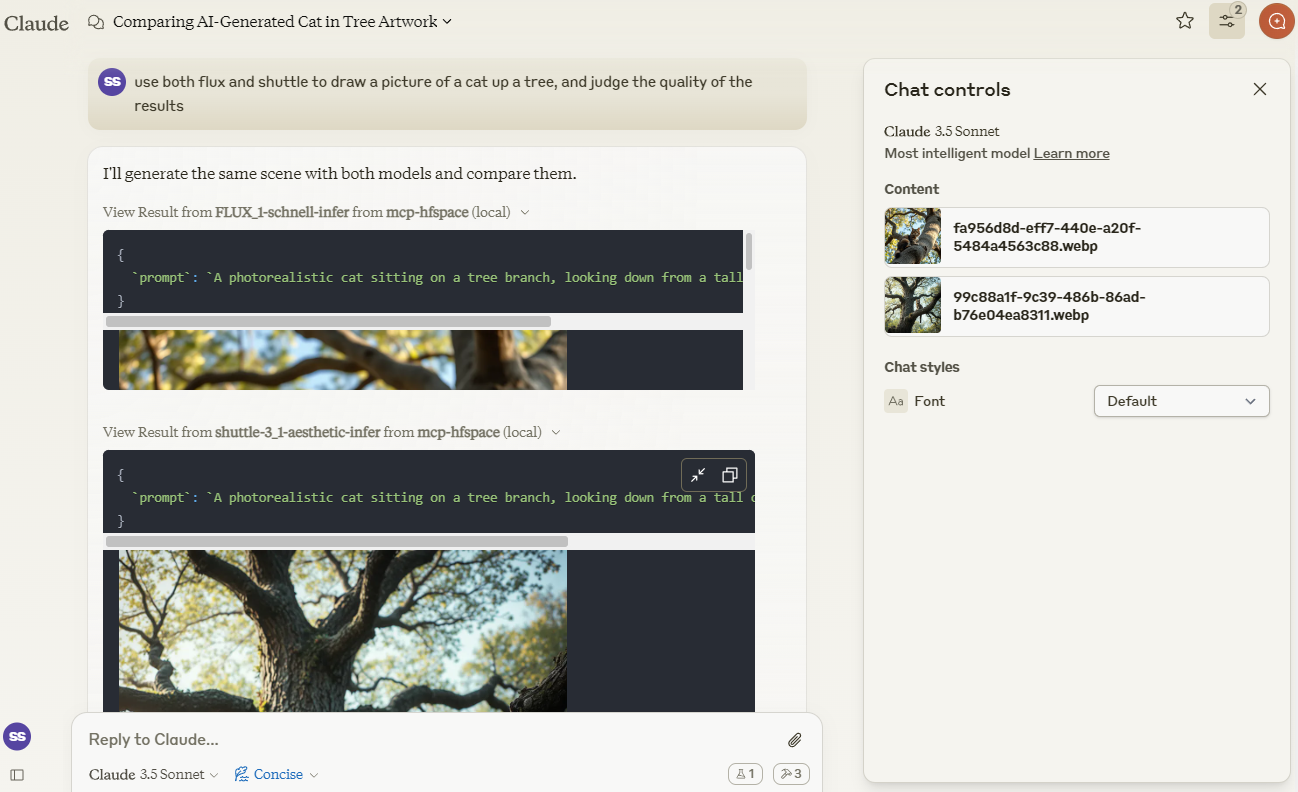
We'll use Claude to compare images created by shuttleai/shuttle-3.1-aesthetic and FLUX.1-schnell. The images gets saved to the Work Directory, as well as included in Claude's context window - so Claude can use its vision capabilities.
We'll use merve/paligemma2-vqav2 space link to query an image. In this case, we specify the filename which is available in the Working Directory: we don't want to upload the Image directly to Claude's context window. So, we can prompt Claude:
use paligemma to find out who is in "test_gemma.jpg" -> Text Output: david bowie
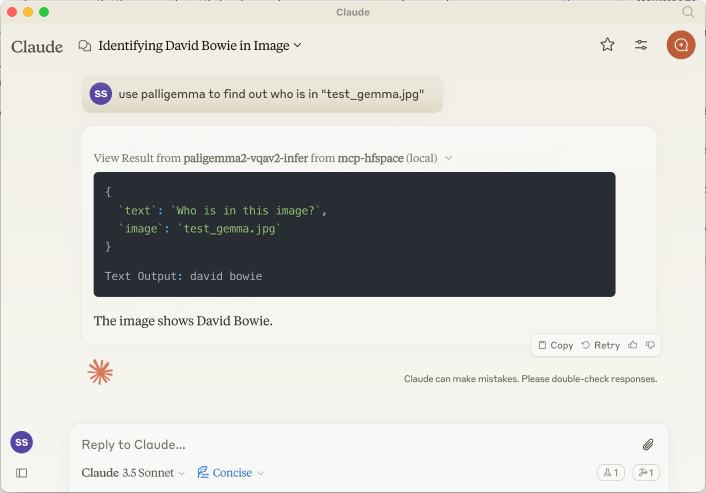
If you are uploading something to Claude's context use the Paperclip Attachment button, otherwise specify the filename for the Server to send directly.
We can also supply a URL. For example : use paligemma to detect humans in https://e3.365dm.com/24/12/1600x900/skynews-taylor-swift-eras-tour_6771083.jpg?20241209000914 -> One person is detected in the image - Taylor Swift on stage.
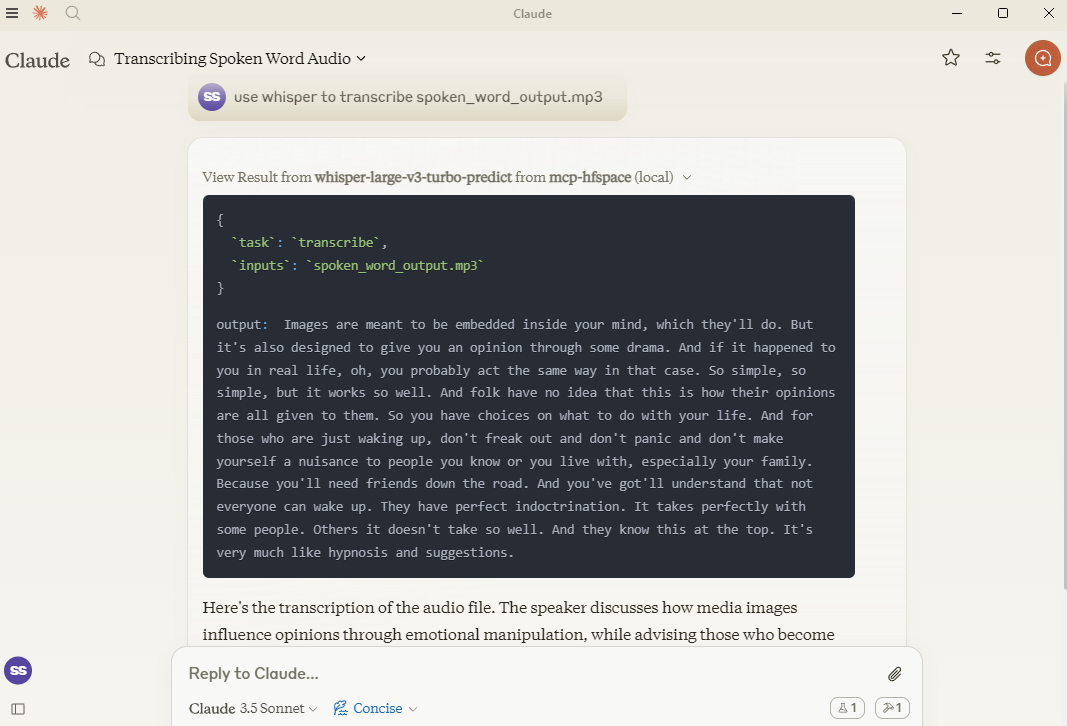
In Claude Desktop Mode, the audio file is saved in the WORK_DIR, and Claude is notified of the creation. If not in desktop mode, the file is returned as a base64 encoded resource to the Client (useful if it supports embedded Audio attachments).
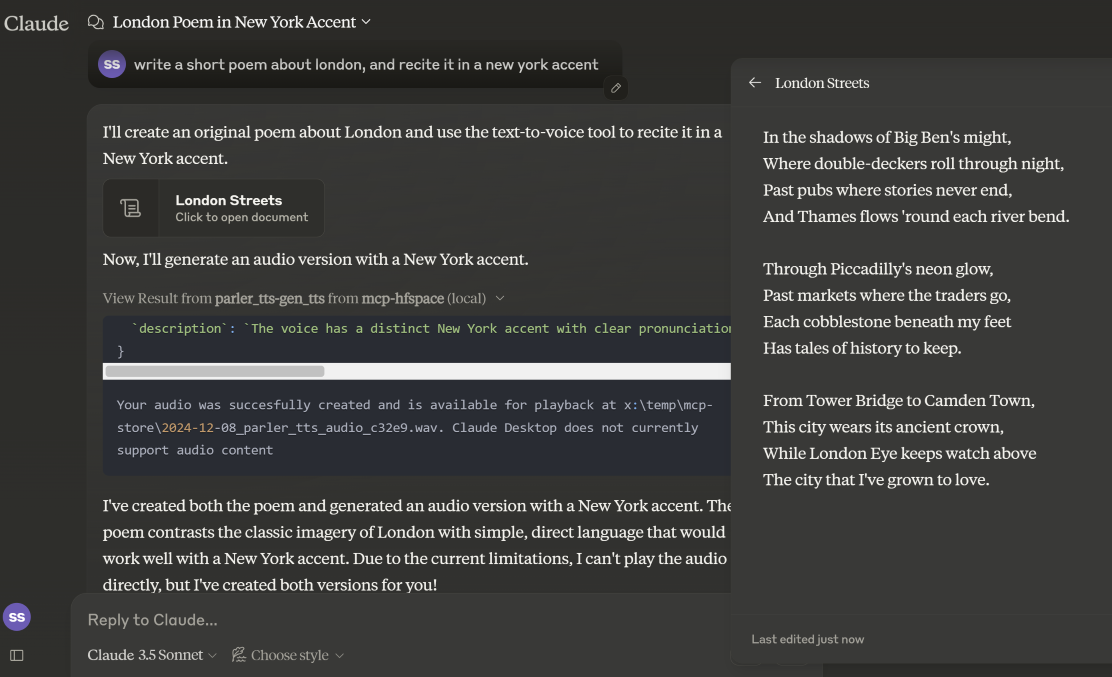
Here, we use hf-audio/whisper-large-v3-turbo to transcribe some audio, and make it available to Claude.
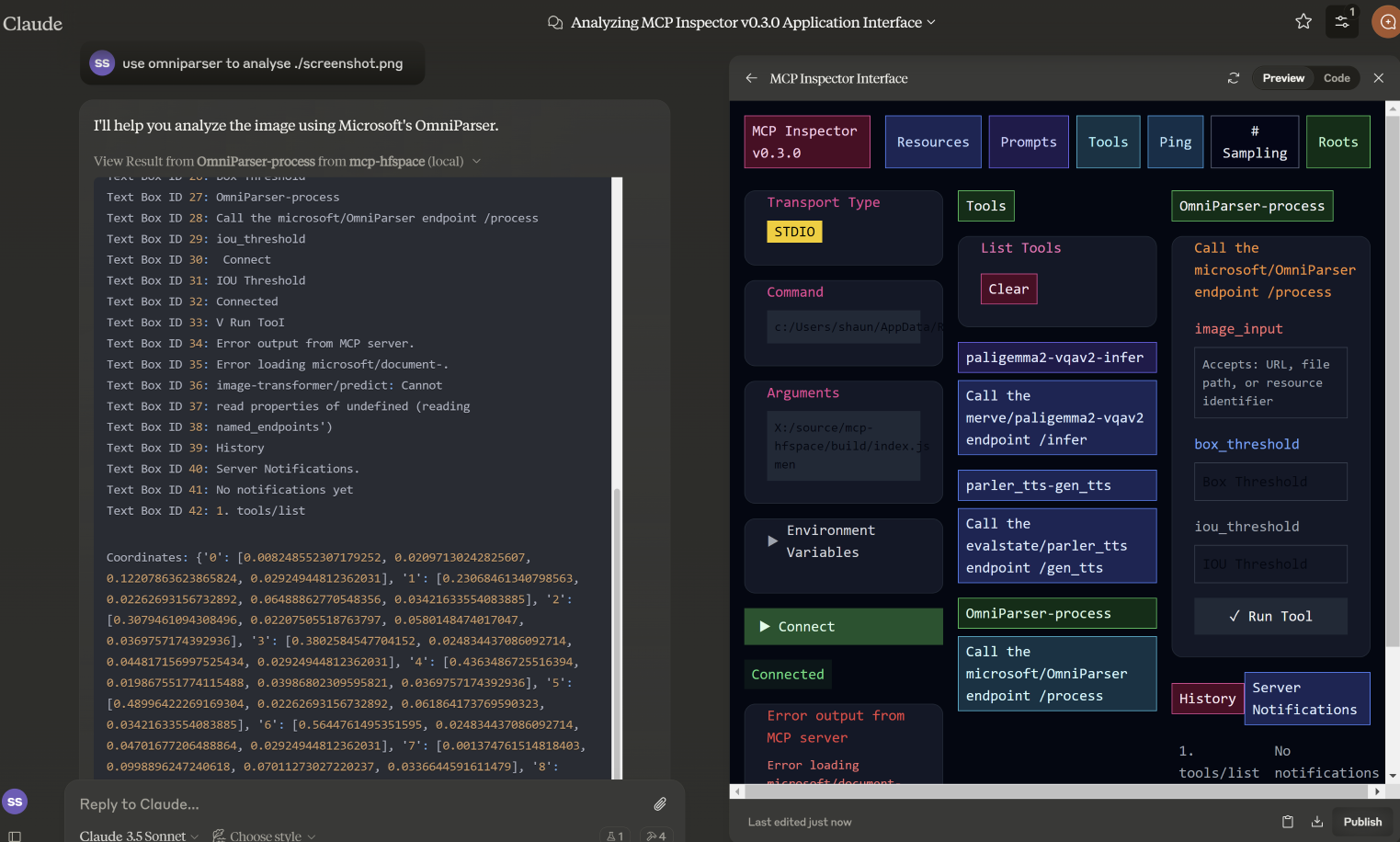
In this example, we specify the filename for microsoft/OmniParser to use, and get returned an annotated Image and 2 separate pieces of text: descriptions and coordinates. The prompt used was use omniparser to analyse ./screenshot.png and use the analysis to produce an artifact that reproduces that screen. DawnC/Pawmatch is also good at this.
In this example, Claude sets a number of reasoning puzzles for Qwen, and asks follow-up questions for clarification.
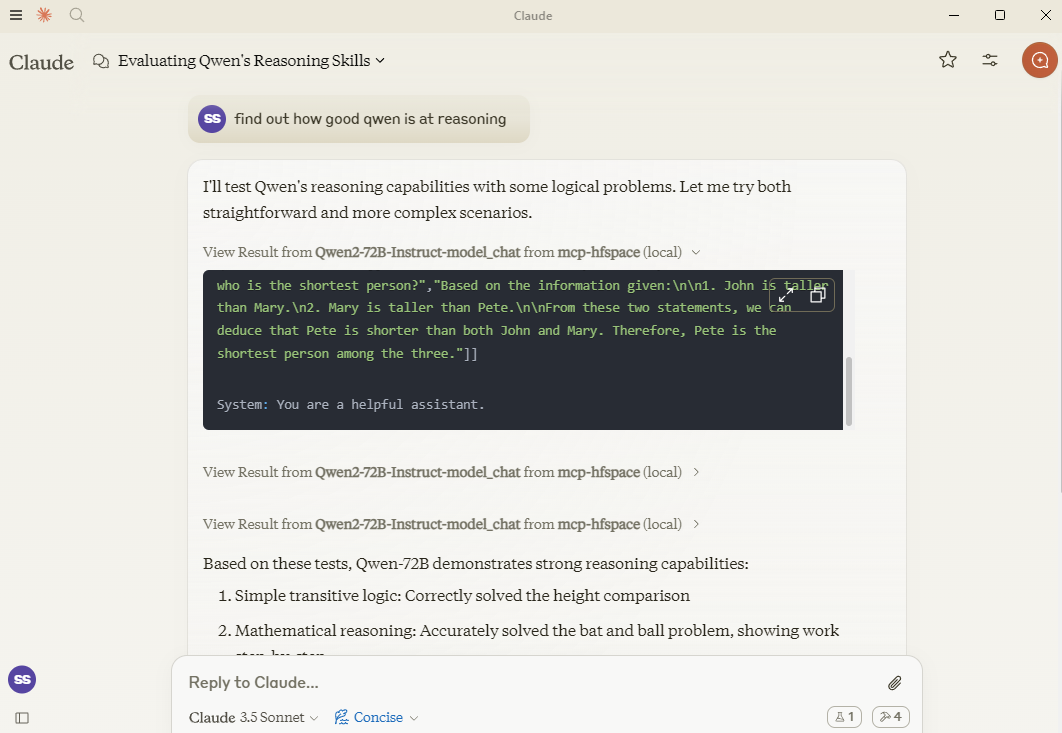
If you need, you can specify a specific API Endpoint by adding it to the spacename. So rather than passing in Qwen/Qwen2.5-72B-Instruct you would use Qwen/Qwen2.5-72B-Instruct/model_chat.
This can be disabled with the option --desktop-mode=false or the environment variable CLAUDE_DESKTOP_MODE=false. In this case, content as returned as an embedded Base64 encoded Resource.
Some recommended spaces to try:
Prompts for each Space are generated, and provide an opportunity to input. Bear in mind that often Spaces aren't configured with particularly helpful labels etc. Claude is actually very good at figuring this out, and the Tool description is quite rich (but not visible in Claude Desktop).
A list of files in the WORK_DIR is returned, and as a convenience returns the name as "Use the file..." text. If you want to add something to Claude's context, use the paperclip - otherwise specify the filename for the MCP Server. Claude does not support transmitting resources from within Context.
Private Spaces are supported with a HuggingFace token. The Token is used to download and save generated content.
To use with Claude Desktop, add the server config:
On MacOS: ~/Library/Application Support/Claude/claude_desktop_config.json
On Windows: %APPDATA%/Claude/claude_desktop_config.json
{
  "mcpServers": {
    "mcp-hfspace": {
      "command": "npx"
      "args": [
        "-y",
        "@llmindset/mcp-hfspace",
        "--work-dir=~/mcp-files/ or x:/temp/mcp-files/",
        "--HF_TOKEN=HF_{optional token}"
        "Qwen/Qwen2-72B-Instruct",
        "black-forest-labs/FLUX.1-schnell",
        "space/example/specific-endpint"
        (... and so on)
        ]
    }
  }
}
@spaces.GPU(duration=20) in app.py to request less quota when running the job.Claim this server with your GitHub account to request manual ownership verification.
Link to the catalog listing for MCP server for using Hugging Face Spaces from your README. This badge does not certify ownership, compatibility or security.
[](https://awesome-mcp.com/servers/mcp-hfspace)Public repository statistics could not be verified. Check the configured source address; unavailable counts are not zero.
来源、范围和时段分别列出;不相加,不代表安装人数、活跃用户或安全审核。
尚无已审核的包 / 镜像标识,暂不展示下载统计。
Alternative and complementary servers in the same category
Store and retrieve entities, relations and observations in a persistent local knowledge graph.
Organize problem solving into revisable, branching thought steps through an MCP tool.

Query-aware context compression with an MCP plugin for coding agents, plus Python and HTTP interfaces for reducing the context sent to a language model.