Korea Tourism API MCP Server ✈️





Unlock the wonders of South Korean tourism directly within your AI assistant! This project provides a Model Context Protocol (MCP) server powered by the official Korea Tourism Organization (KTO) API. Equip your AI with the ability to discover vibrant festivals, serene temples, delicious restaurants, comfortable accommodations, and much more across Korea.
Links:
✨ Features
- Comprehensive Search: Find tourist spots, cultural sites, events, food, lodging, and shopping via keywords, area, or location.
- Rich Details: Access descriptions, operating hours, admission fees, photos, addresses, and contact information.
- Location-Aware: Discover attractions near specific GPS coordinates.
- Timely Information: Find festivals and events based on date ranges.
- Multilingual Support: Get information in various languages supported by the KTO API (including English).
- Supported Languages: English, Japanese, Simplified Chinese, Traditional Chinese, Russian, Spanese, German, French
- Efficient & Resilient:
- Response Caching: Uses time-to-live (TTL) caching to store results and reduce redundant API calls, improving speed.
- Rate Limiting: Respects API usage limits to prevent errors.
- Automatic Retries: Automatically retries requests in case of temporary network or server issues.
- MCP Standard: Seamlessly integrates with AI assistants supporting the Model Context Protocol.
⚠️ Prerequisites
Before you begin, you must obtain an API key from the Korea Tourism Organization (KTO) Data Portal.
- Visit the KTO Data Portal (or the specific portal for the tourism API if available).
- Register and request an API key for the "TourAPI" services (you might need to look for services providing information like
areaBasedList, searchKeyword, detailCommon, etc.).
- Keep your Service Key (API Key) safe. It will be required during installation or runtime.
You need to apply for the API below to make a request for each language.
🚀 Installation & Running
You can run this MCP server using either uv (a fast Python package installer and runner) or Docker.
Installing via Smithery
To install Korea Tourism API MCP Server for Claude Desktop automatically via Smithery:
npx -y @smithery/cli install @harimkang/mcp-korea-tourism-api --client claude
Option 1: Using uv (Recommended for local development)
-
Clone the repository:
git clone https://github.com/harimkang/mcp-korea-tourism-api.git
cd mcp-korea-tourism-api
-
Set the API Key Environment Variable:
Replace "YOUR_KTO_API_KEY" with the actual key you obtained.
# On macOS/Linux
export KOREA_TOURISM_API_KEY="YOUR_KTO_API_KEY"

# On Windows (Command Prompt)
# set KOREA_TOURISM_API_KEY="YOUR_KTO_API_KEY"

# On Windows (PowerShell)
# $env:KOREA_TOURISM_API_KEY="YOUR_KTO_API_KEY"
Note: For persistent storage, add this line to your shell's configuration file (e.g., .zshrc, .bashrc, or use system environment variable settings).
-
Install dependencies and run the server:
This command uses uv to install dependencies based on uv.lock (if available) or pyproject.toml and then runs the server module.
# Install Dependency with uv
uv sync

# Default: stdio transport (for MCP clients)
uv run -m mcp_tourism.server

# HTTP transport for web applications
uv run -m mcp_tourism.server --transport streamable-http --host 127.0.0.1 --port 8000

# SSE transport for real-time applications
uv run -m mcp_tourism.server --transport sse --host 127.0.0.1 --port 8080

# Using environment variables
export MCP_TRANSPORT=streamable-http
export MCP_HOST=0.0.0.0
export MCP_PORT=3000
uv run -m mcp_tourism.server
The server will start and listen for MCP requests via the specified transport protocol.
Option 2: Using Docker (Recommended for isolated environment/deployment)
-
Clone the repository:
git clone https://github.com/harimkang/mcp-korea-tourism-api.git
cd mcp-korea-tourism-api
-
Build the Docker Image:
You can build the image with different transport configurations:
# Default build (stdio transport)
docker build -t mcp-korea-tourism-api .

# Build with HTTP transport configuration
docker build -t mcp-korea-tourism-api \
  --build-arg MCP_TRANSPORT=streamable-http \
  --build-arg MCP_HOST=0.0.0.0 \
  --build-arg MCP_PORT=8000 \
  --build-arg MCP_PATH=/mcp \
  --build-arg MCP_LOG_LEVEL=INFO \
  .

# Build with SSE transport configuration
docker build -t mcp-korea-tourism-api \
  --build-arg MCP_TRANSPORT=sse \
  --build-arg MCP_HOST=0.0.0.0 \
  --build-arg MCP_PORT=8080 \
  .
-
Run the Docker Container:
You can run the container with different transport configurations:
-
Stdio Transport (Default - for MCP clients):
docker run --rm -it \
  -e KOREA_TOURISM_API_KEY="YOUR_KTO_API_KEY" \
  mcp-korea-tourism-api
-
HTTP Transport (for web applications):
# Using runtime environment variables
docker run --rm -p 8000:8000 \
  -e KOREA_TOURISM_API_KEY="YOUR_KTO_API_KEY" \
  -e MCP_TRANSPORT=streamable-http \
  -e MCP_HOST=0.0.0.0 \
  -e MCP_PORT=8000 \
  mcp-korea-tourism-api

# Check health: curl http://localhost:8000/health
-
SSE Transport (for real-time applications):
docker run --rm -p 8080:8080 \
  -e KOREA_TOURISM_API_KEY="YOUR_KTO_API_KEY" \
  -e MCP_TRANSPORT=sse \
  -e MCP_HOST=0.0.0.0 \
  -e MCP_PORT=8080 \
  mcp-korea-tourism-api
-
Using Docker Compose (Recommended):
# Copy and configure environment variables
cp docker.env.example .env
# Edit .env file with your API key and preferred settings

# Run with HTTP transport (default profile)
docker-compose up mcp-tourism-http

# Run with SSE transport
docker-compose --profile sse up mcp-tourism-sse

# Run development setup with debug logging
docker-compose --profile dev up mcp-tourism-dev
🔧 Transport Configuration
The Korea Tourism API MCP Server supports multiple transport protocols to accommodate different use cases:
Available Transports
-
stdio (Default): Standard input/output transport for direct MCP client integration
- Best for: Claude Desktop, Cursor, and other MCP-compatible AI assistants
- Configuration: No additional setup required
-
streamable-http: HTTP-based transport for web applications
- Best for: Web applications, REST API integration, load balancers
- Features: HTTP endpoints, health checks, JSON responses
- Default endpoint:
http://localhost:8000/mcp
-
sse: Server-Sent Events transport for real-time applications
- Best for: Real-time web applications, event-driven architectures
- Features: Real-time streaming, persistent connections
- Default endpoint:
http://localhost:8080/mcp
Configuration Options
You can configure the server using command line arguments or environment variables:
Command Line Examples
# Get help for all available options
python -m mcp_tourism.server --help

# Run with HTTP transport on custom port
python -m mcp_tourism.server --transport streamable-http --port 3000 --log-level DEBUG

# Run with SSE transport
python -m mcp_tourism.server --transport sse --host 0.0.0.0 --port 8080
Environment Variable Examples
# Set environment variables
export MCP_TRANSPORT=streamable-http
export MCP_HOST=0.0.0.0
export MCP_PORT=8000
export MCP_LOG_LEVEL=INFO
export KOREA_TOURISM_API_KEY="your_api_key_here"

# Run the server
python -m mcp_tourism.server
Health Check
For HTTP and SSE transports, a health check endpoint is available at /health:
# Check server health
curl http://localhost:8000/health

# Example response
{
  "status": "healthy",
  "service": "Korea Tourism API MCP Server",
  "transport": "streamable-http",
  "timestamp": 1640995200.0
}
🛠️ Integrating with Cursor
To use this MCP server within Cursor:
-
Ensure the Docker container is runnable: Follow the Docker installation steps above to build the image (mcp-korea-tourism-api). You don't need to manually run the container; Cursor will do that.
-
Locate your mcp.json file: This file configures MCP tools for Cursor. You can usually find it via Cursor's settings or potentially in a path like ~/.cursor/mcp.json or similar.
-
Add or Update the MCP Configuration: Add the following JSON object to the list within your mcp.json file. If you already have an entry for this tool, update its command. Replace "YOUR_KTO_API_KEY" with your actual key.
{
  "mcpServers": {
    "korea-tourism": {
      "command": "docker",
      "args": [
        "run",
        "--rm",
        "-i",
        "-e",
        "KOREA_TOURISM_API_KEY=YOUR_KTO_API_KEY",
        "mcp-korea-tourism-api"
      ]
    }
  }
}
OR Use uv [local directory]
{
  "mcpServers": {
    "korea-tourism": {
      "command": "uv",
      "args": [
        "--directory",
        "{LOCAL_PATH}/mcp-korea-tourism-api",
        "run",
        "-m",
        "mcp_tourism.server"
      ],
      "env": {
        "KOREA_TOURISM_API_KEY": "YOUR_KTO_API_KEY"
      }
    }
  }
}
-
Save mcp.json.
-
Restart Cursor or Reload MCP Tools: Cursor should now detect the tool and use Docker to run it when needed.
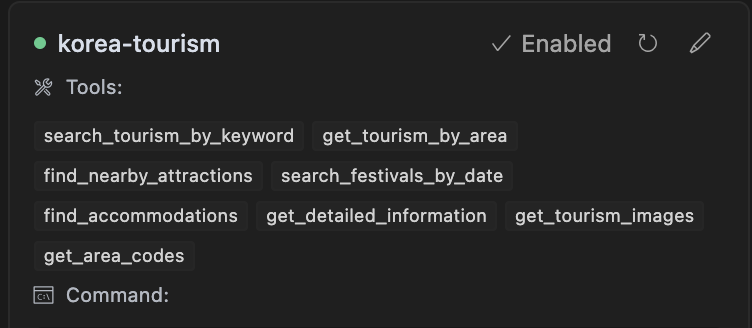
This server exposes the following tools for AI assistants:
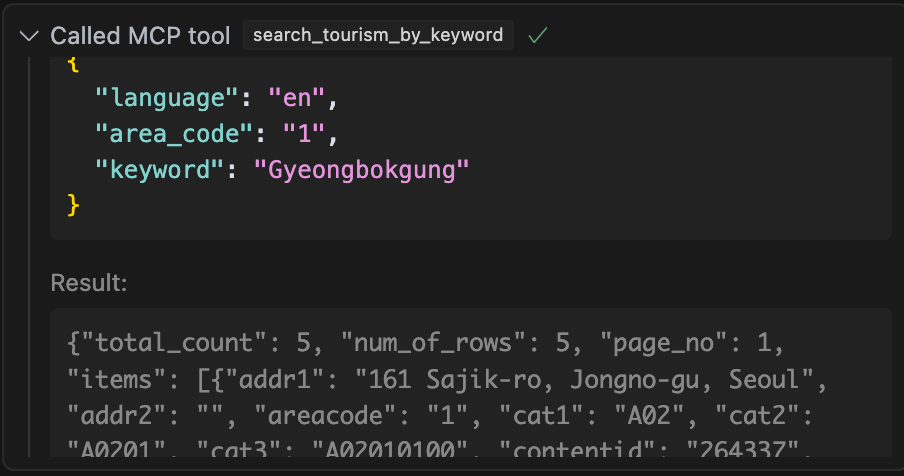
search_tourism_by_keyword: Search for tourism information using keywords (e.g., "Gyeongbokgung", "Bibimbap"). Filter by content type, area code.
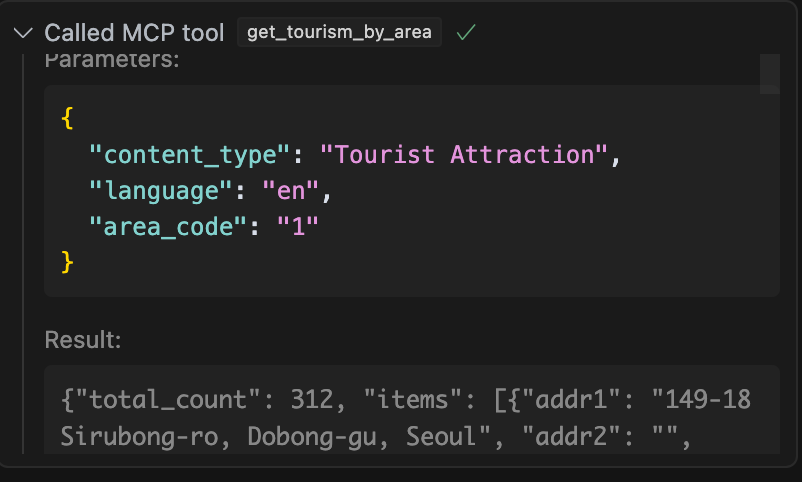
get_tourism_by_area: Browse tourism information by geographic area codes (e.g., Seoul='1'). Filter by content type, district code.
find_nearby_attractions: Discover tourism spots near specific GPS coordinates (longitude, latitude). Filter by radius and content type.
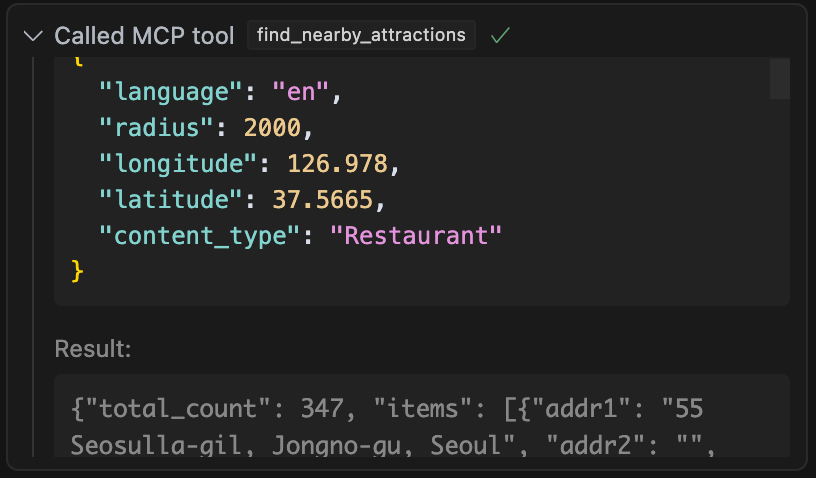
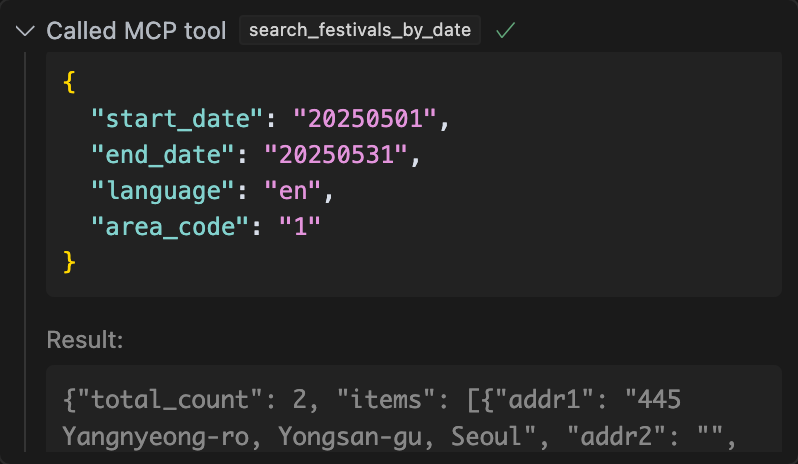
search_festivals_by_date: Find festivals occurring within a specified date range (YYYYMMDD). Filter by area code.
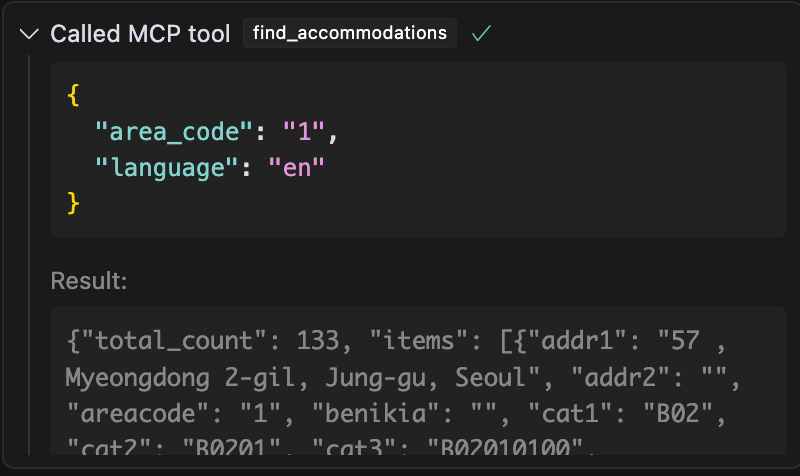
find_accommodations: Search for hotels, guesthouses, etc. Filter by area and district code.
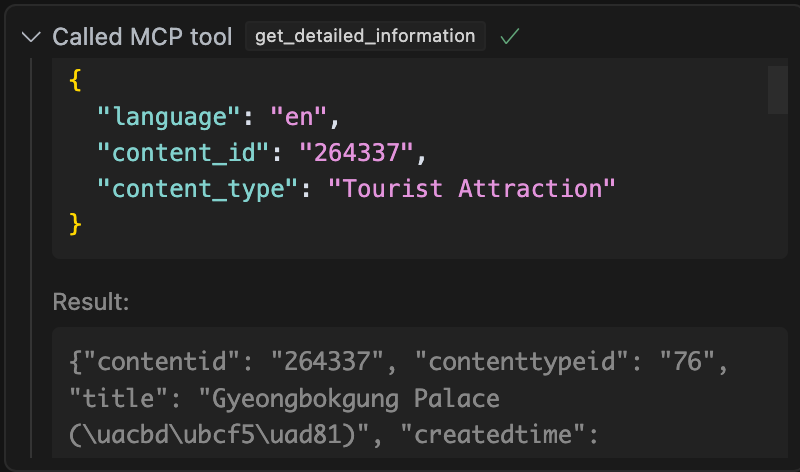
get_detailed_information: Retrieve comprehensive details (overview, usage time, parking, etc.) for a specific item using its Content ID. Filter by content type.
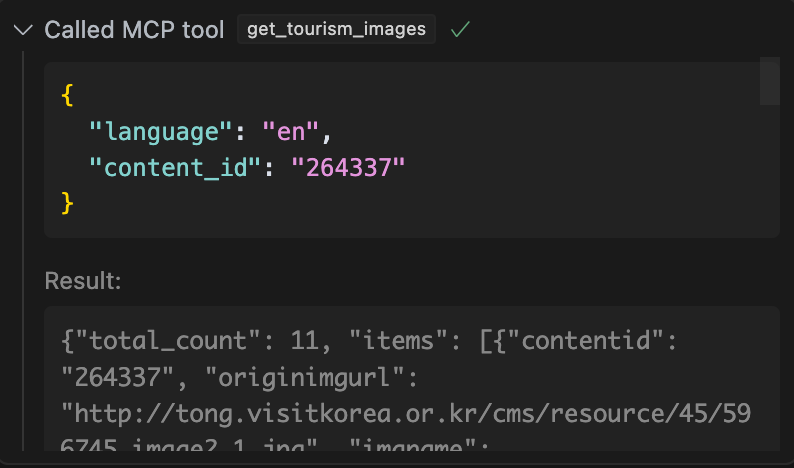
get_tourism_images: Get image URLs associated with a specific tourism item using its Content ID.
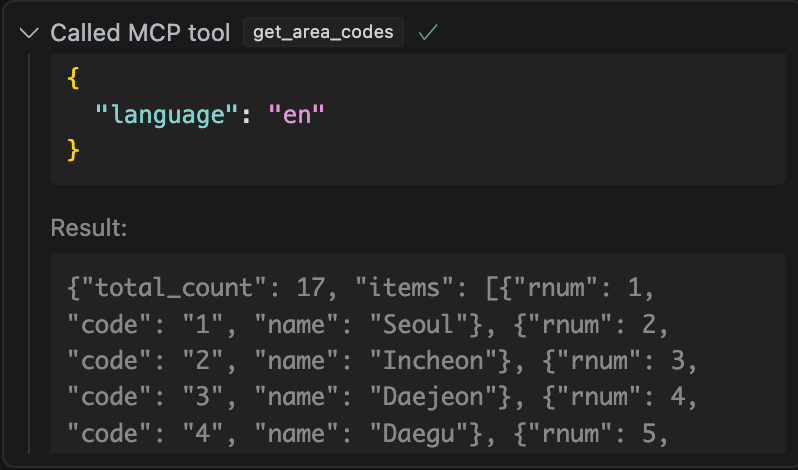
get_area_codes: Retrieve area codes (for cities/provinces) and optionally sub-area (district) codes.
⚙️ Requirements (for uv method)
- Python 3.12+
uv installed (pip install uv)
Example Usage
An AI assistant integrated with this MCP could handle queries like:
- "Find restaurants near Myeongdong station."
- "Show me pictures of Bulguksa Temple."
- "Are there any festivals in Busan next month?"
- "Tell me more about Gyeongbokgung Palace, content ID 264337."