Modal MCP Server

Modal MCP Server

mcp-modal•bygeorge-bobby

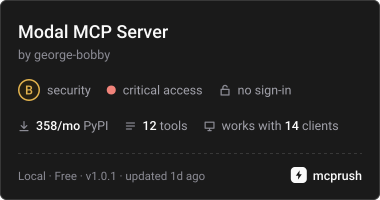
An MCP server that manages Modal from Claude Code or any MCP client, covering apps, containers, logs, volumes, secrets and costs, plus deploying and running your own Modal apps.

License: Not specified•Runtime: Awaiting documentation review•Category: cloud devops

WHAT IT DOES

  • •Uses the local modal CLI and existing machine credentials, so no extra tokens are needed.
  • •Provides tools to list Modal resources, fetch and search logs, and analyze costs.
  • •Can deploy and run Modal apps and manage apps, containers, volumes and secrets.
  • •Includes read-only and destructive hints on every tool and passes names and paths safely after `--` or as options.

BEST FOR

  • •Diagnosing why a Modal app is failing using logs, containers and deploy history.
  • •Deploying a Modal app and then checking that it is healthy.
  • •Tracing a Modal cost increase down to the responsible app, resource and hour.

ABOUT MCP-MODAL

Modal MCP Server is cataloged as an MCP server attributed to george-bobby. An MCP server that manages Modal from Claude Code or any MCP client, covering apps, containers, logs, volumes, secrets and costs, plus deploying and running your own Modal apps. It is categorized under cloud devops. See the capability inspector for recorded interfaces and their independent review status; consult upstream documentation for the current interface.

HOW TO INSTALL

Installation configuration is not reviewed. No executable setup is offered for this entry; inspect the source repository before proceeding.

LICENSE

Catalog license label: Not specified. Check the source repository's current license and terms before using, modifying or distributing this software.

能力检查器

能力定义尚未审核。未核验的采集内容不会作为可信接口展示。

Tools (0)

暂无可展示的已审核记录。这不表示上游不支持此能力。

Resources (0)

暂无可展示的已审核记录。这不表示上游不支持此能力。

Prompts (0)

暂无可展示的已审核记录。这不表示上游不支持此能力。

NEWSLETTER - COMING LATER

Newsletter subscriptions are not open yet

Email delivery is not connected. This page does not collect email addresses or create subscriptions.

Browse the registry for current listings instead.

Community Reviews

Coming later

Reviews for Modal MCP Server are not available yet

Review publishing and storage are not connected. This page does not collect or publish ratings or comments, including after sign-in.

FREQUENTLY ASKED QUESTIONS

Does the server require separate Modal credentials or tokens?

No. It runs your local modal CLI and uses the profile and credentials already on your machine, so there are no extra tokens to manage.

Why is there no modal serve tool?

Because modal serve endpoints stop when the command returns; the server instead offers deploy_modal_app to get an endpoint that stays up.

What can the server do compared to my Modal login?

The server can do anything your Modal login can, so the README advises auto-approving only the four read-only tools and keeping the rest behind an approval prompt.

上游原版 README

在 GitHub 查看同一版本原文

README.md · b2a85e1d6c4c · 采集于 2026-11-13 12:53:12 UTC

保留上游原文,不做 AI 改写。为安全起见过滤脚本、表单和不安全链接。

当前显示最后一次成功采集的文档快照,请以来源页面为准。

Modal MCP Server

PyPI Python Tests License

Manage Modal from Claude Code or any MCP client: apps, containers, logs, volumes, secrets and costs, plus deploying and running your own Modal apps.

It runs your local modal CLI, so it uses the profile and credentials already on your machine. There are no extra tokens to manage.
Modal MCP server mcp-modal MCP server

Quick start

  1. Log in to Modal once (this writes ~/.modal.toml):

    modal setup
    
  2. Add the server to Claude Code:

    claude mcp add mcp-modal -- uvx mcp-modal@latest
    

    Or share it with your team through a .mcp.json in the project root:

    {
      "mcpServers": {
        "mcp-modal": { "command": "uvx", "args": ["mcp-modal@latest"] }
      }
    }
    

uvx caches a tool after its first run, so a plain uvx mcp-modal never updates. @latest checks PyPI on every launch. Pin an exact version (mcp-modal@1.0.0) when every machine must run the same build.

Requirements

  • Python 3.11+ and uv
  • Modal CLI 1.5+, logged in with modal setup
  • To deploy or run an app, that app's project must use uv and have modal installed in its virtualenv

Tools

ToolWhat it does
list_modal_resourcesRead-only lookup of apps, app_history, containers, volumes, volume_files, secrets, environments or profile
get_modal_logsFetch or follow logs for an app or a container
search_modal_logsGrep logs and return each match with surrounding lines
analyze_modal_costsRank spend by app, environment or resource, explain a cost spike, or show the bill and rates
deploy_modal_appmodal deploy, returning the live endpoint URLs
run_modal_appmodal run a function or entrypoint and collect its output
manage_modal_appStop an app, or roll it back to an earlier version
manage_modal_containerRun a command in a container, or stop it
manage_modal_volumeCreate, delete or rename a volume
modal_volume_filesUpload, download, copy or remove files in a volume
manage_modal_secretCreate or delete a secret (values are redacted from all output)
inspect_modal_secretList the key names inside a secret, never its values (starts a short container)

Each tool's full arguments are in its MCP schema, so your client shows them. Common ones:

  • env targets a Modal environment. Leave it out to use the profile's default.
  • profile runs a single call against another profile in ~/.modal.toml, for example list_modal_resources(resource="apps", profile="work"). Your default profile is not changed.

Tips:

  • On a busy app, give log tools both since and until. since on its own fetches everything from then until now. search_modal_logs(prefilter=True) filters on Modal's side when the logs are too large to fetch.
  • Logs only contain stdout, stderr and system output. Crash events shown on the Modal dashboard (such as "… exited with …") are not log lines, so they won't appear here.
  • There is no modal serve tool, because its endpoints stop when the command returns. Use deploy_modal_app to get an endpoint that stays up.

Prompts

Four ready-made workflows. In Claude Code they appear as /mcp__mcp-modal__<name>:

  • debug_modal_app: work out why an app is failing, from logs, containers and deploy history
  • deploy_and_verify: deploy an app, then check it is actually healthy
  • review_modal_account: find idle apps, stray containers and orphaned volumes or secrets
  • investigate_modal_costs: trace a cost increase down to the app, resource and hour

Security

The server can do anything your Modal login can. Let your client auto-approve the four read-only tools (list_modal_resources, get_modal_logs, search_modal_logs, analyze_modal_costs), and keep the rest behind an approval prompt. In particular:

  • deploy_modal_app and run_modal_app execute local Python code.
  • modal_volume_files can upload any local file (put) or overwrite one (get with force).
  • manage_modal_secret with from_dotenv or from_json reads a local file and stores its contents in a Modal secret.
  • manage_modal_container with exec runs arbitrary commands in a container.

Every tool declares MCP read-only and destructive hints so clients can tell these apart. Names and paths are passed after -- or as --option=value, so a value starting with - can never act as a CLI flag.

Configuration

Set these in the env block of your MCP client config:

VariableDefaultEffect
MCP_MODAL_ALLOWED_LOCAL_PATHSunset (no limit):-separated directories that modal_volume_files and manage_modal_secret may read from or write to
MCP_MODAL_MAX_OUTPUT_CHARS40000Character limit per text field in a response. 0 turns the limit off

When output is cut, the response sets output_capped: true and keeps both the start and the end of the text.

Responses

Every tool returns JSON with success. On failure it also has error, plus the command that ran and its stdout/stderr when available. On success:

  • list_modal_resources returns its items under apps, history, containers, volumes, contents, secrets or environments. Lists longer than 200 items are cut, and omitted_items says how many were left out. resource="profile" returns active_profile and profiles instead.
  • Actions return message, command, stdout and stderr.
  • Logs and runs return logs or output. truncated: true means the command was still running when the timeout hit.
  • Log search returns match_count (an exact count over the whole fetched log) and matches, which are line-numbered context blocks with each matching line marked >.

Install configuration

Are you the maintainer?

Claim this server with your GitHub account to request manual ownership verification.

README Embed Badge
Markdown

Link to the catalog listing for Modal MCP Server from your README. This badge does not certify ownership, compatibility or security.

[![MCP catalog listing](https://img.shields.io/badge/MCP-awesome--mcp-orange?style=flat-square)](https://awesome-mcp.com/servers/mcp-modal)

REPOSITORY STATS

GitHub StarsUnavailable
ForksUnavailable

Public repository statistics could not be verified. Check the configured source address; unavailable counts are not zero.

下载与拉取统计

来源、范围和时段分别列出;不相加,不代表安装人数、活跃用户或安全审核。

尚无已审核的包 / 镜像标识,暂不展示下载统计。

Related cloud devops MCP Servers

Alternative and complementary servers in the same category

View all in cloud devops →
Huawei MCP Server
mcp-server-huaweiclouddeveloper•huaweiclouddeveloper

A Model Context Protocol server built on Huawei Cloud services that enables AI assistants to operate Huawei Cloud resources within conversational workflows, supporting ECS, OBS, GaussDB, and other cloud products.

Repository stats unavailable
Cloud & DevOps
Coolify MCP Server
coolify-mcp-server•wrediam

An MCP server that exposes the Coolify v4.3.1 REST API so AI clients can manage applications, databases, services, servers, deployments, and more.

Repository stats unavailable
Cloud & DevOps

A deprecated Model Context Protocol server for interacting with Kong Konnect APIs, enabling AI assistants to query and analyze Kong Gateway configurations, traffic, and analytics.

Repository stats unavailable
Cloud & DevOps