 RagRabbit



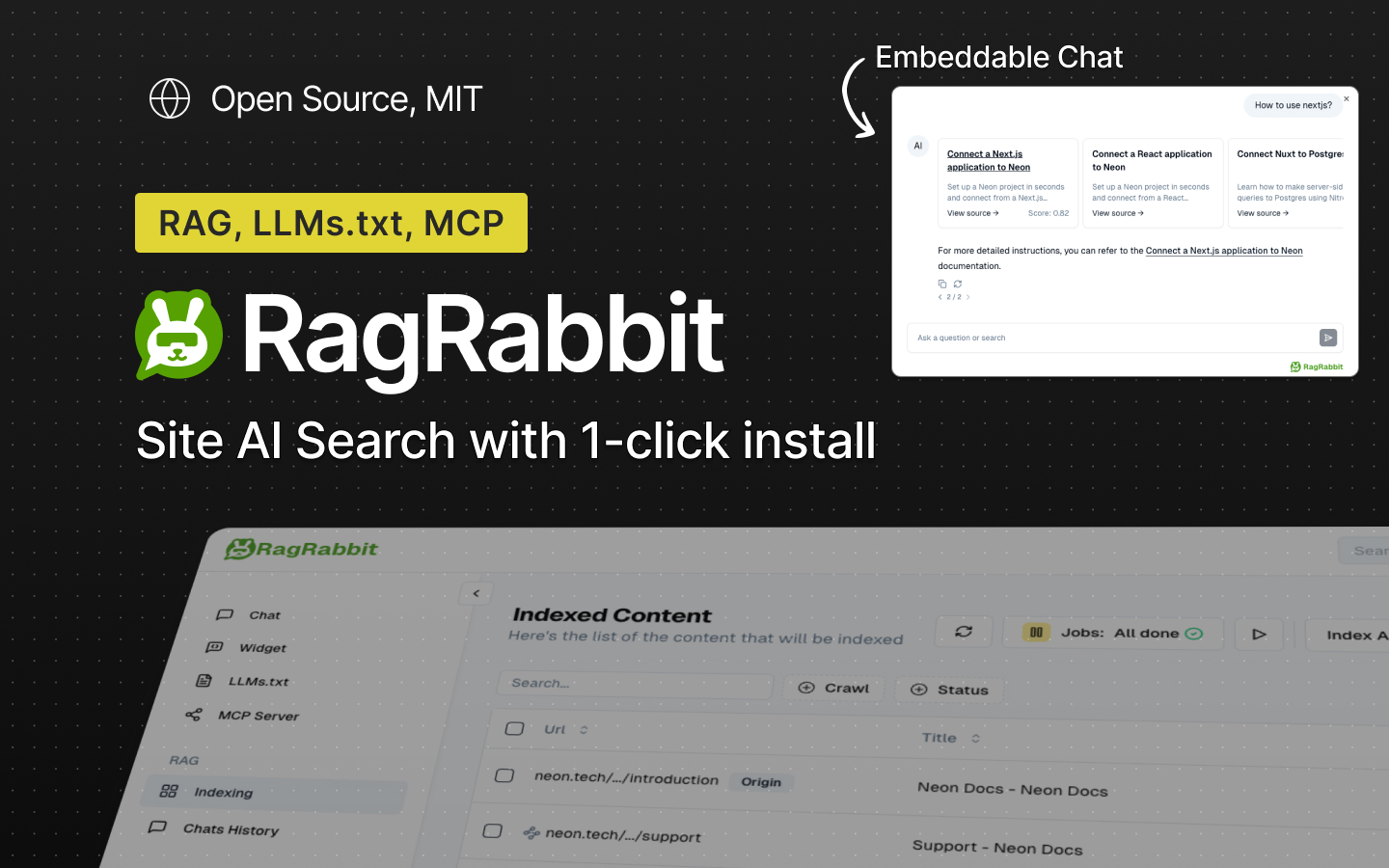
Self Hosted Site AI Search, LLMs.txt, MCP Server that crawls your content. 1-Click Deploy on Vercel.

How it works
RagRabbit is a Next.js Turborepo app that uses Llamaindex with pgVector.
Features
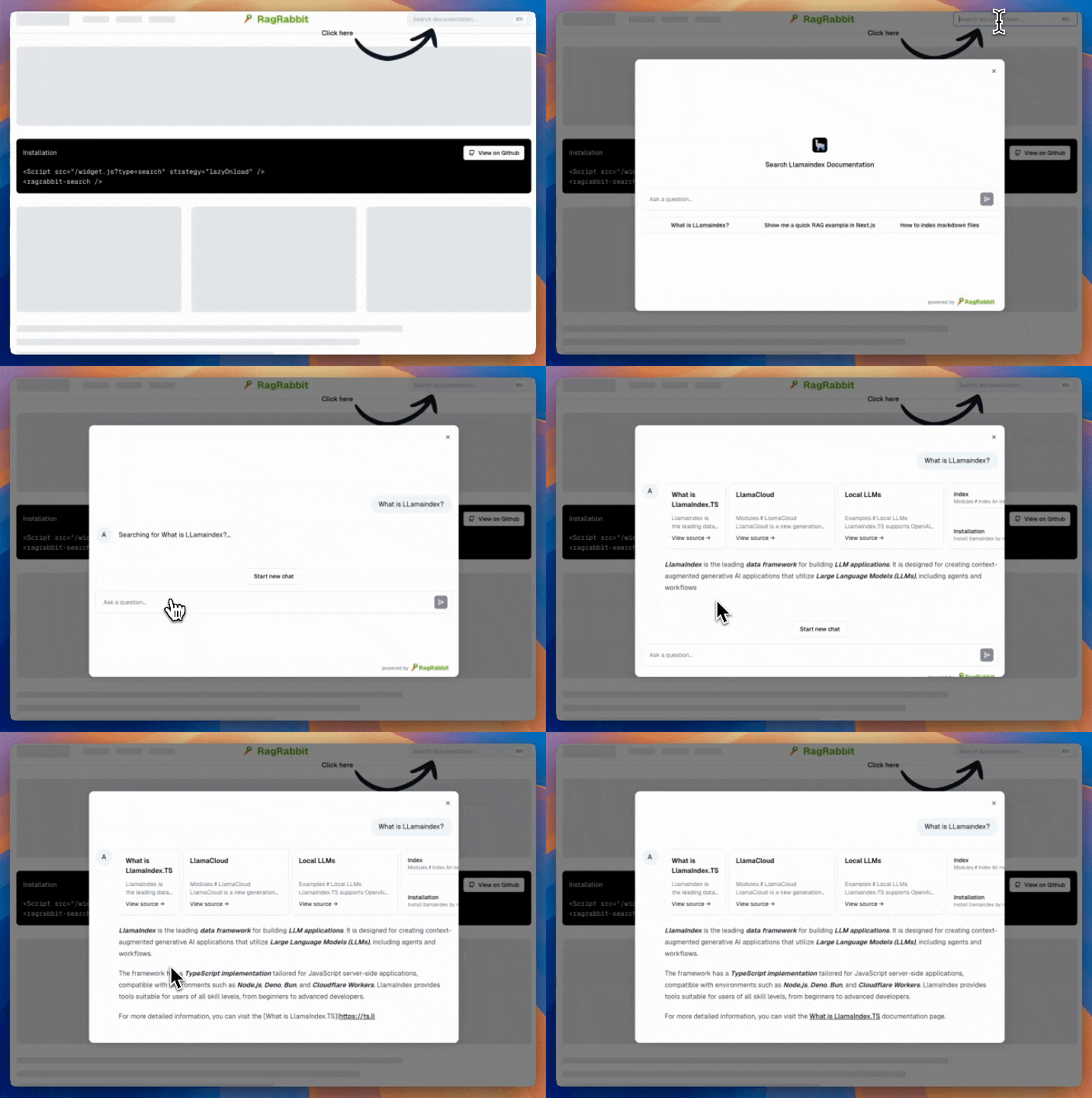
- 💬 Chat Widget: Embeddable AI Chat agent and instant Search
- 🕸️ Website Crawler: scrapes and index pages with pgVector and PostgreSQL
- 📄 LLMs.txt Generation: fully customizable wiht ToC reorder
- 🔌 MCP Server:
npx @ragrabbit/mcp to access your docs from Claude Desktop and Cursor IDE
- 🛠️ Flexible: Authentication, Open Source, API Keys access
- 🚀 Easy Deployment: One-click setup on Vercel
Integrations:
Demo
View RagRabbit Demo Page
Install
To install on Vercel:
Requirements:
- Node.js 20.x
- PostgreSQL w/ pgVector
- OpenAI API Key
- (Optional) Trigger.dev API Key
Configuration
Set the following environment variables:
For username/password login:
- ADMIN_USER
- ADMIN_PASSWORD
For email login:
- RESEND_AUTH=true
- To restrict access to those emails: RESEND_ALLOWED_EMAILS="test@test.com,foo@bar.com"
- To not send emails but logs the login link instead (in Vercel logs): SIMULATE_EMAILS=true
See .env.example for the complete list.
How to use
Use the Indexing section to add a new url/website to index, either a single url or a website to crawl recursively:
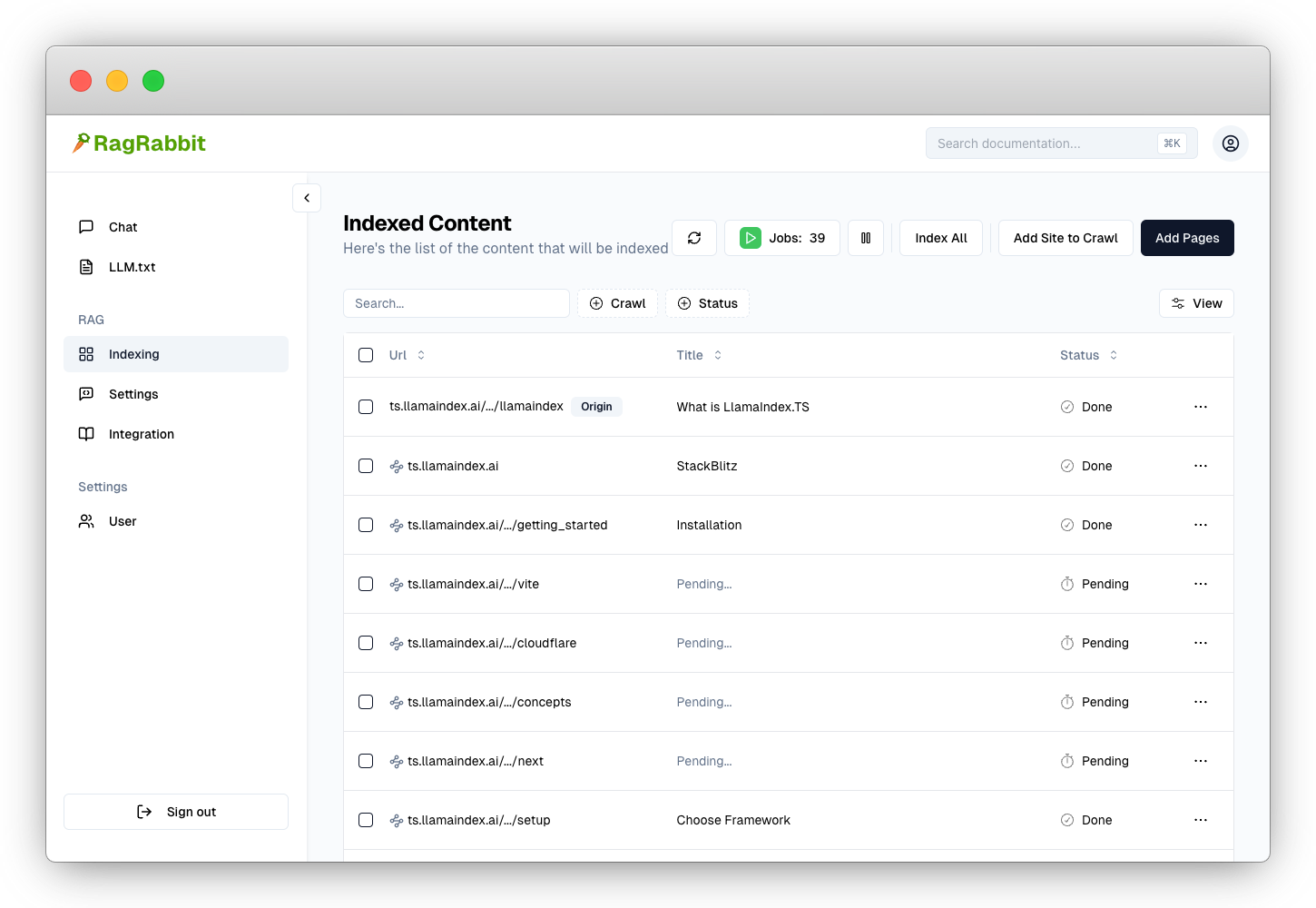
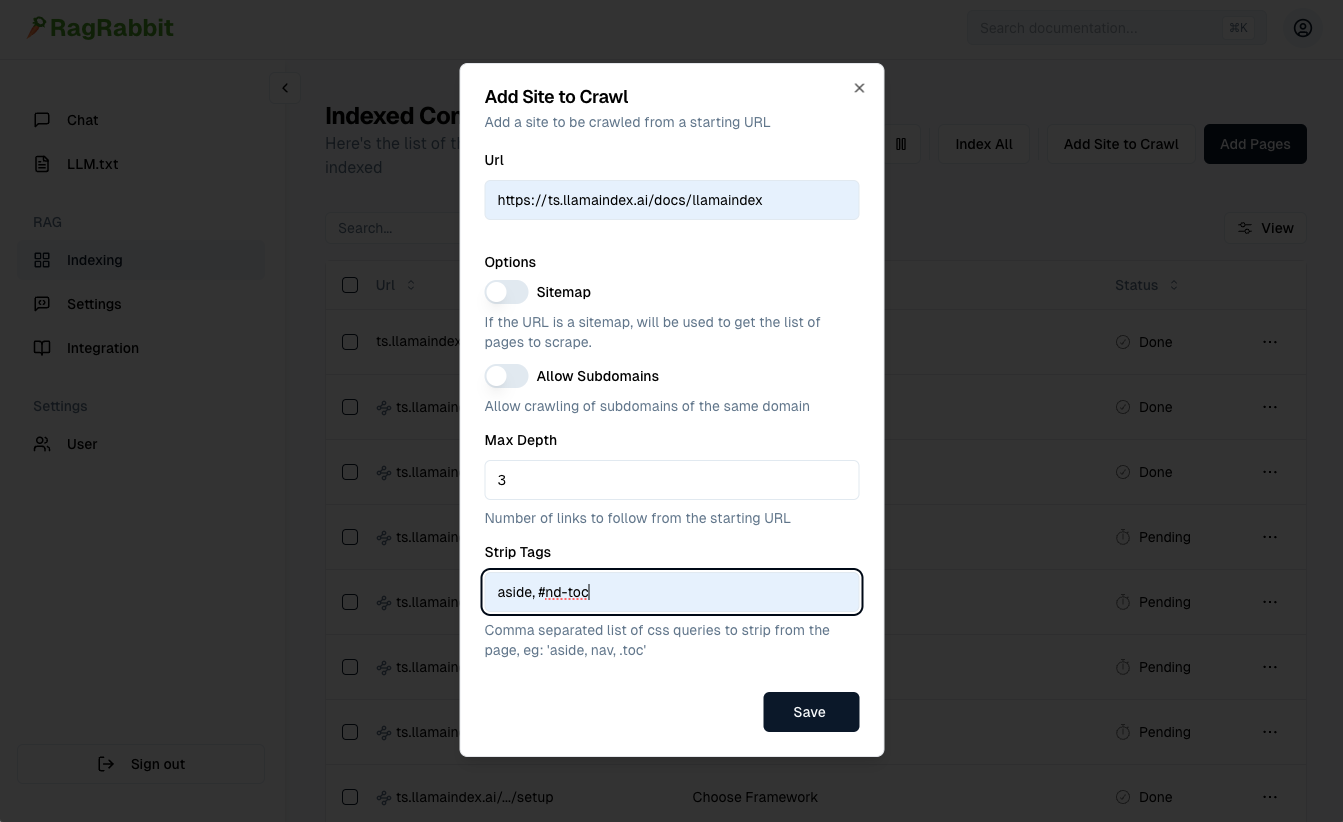
Then start the Job Runner (keep the tab open until it finish)

In the LLM.txt section you can preview the generated LLM.txt file:
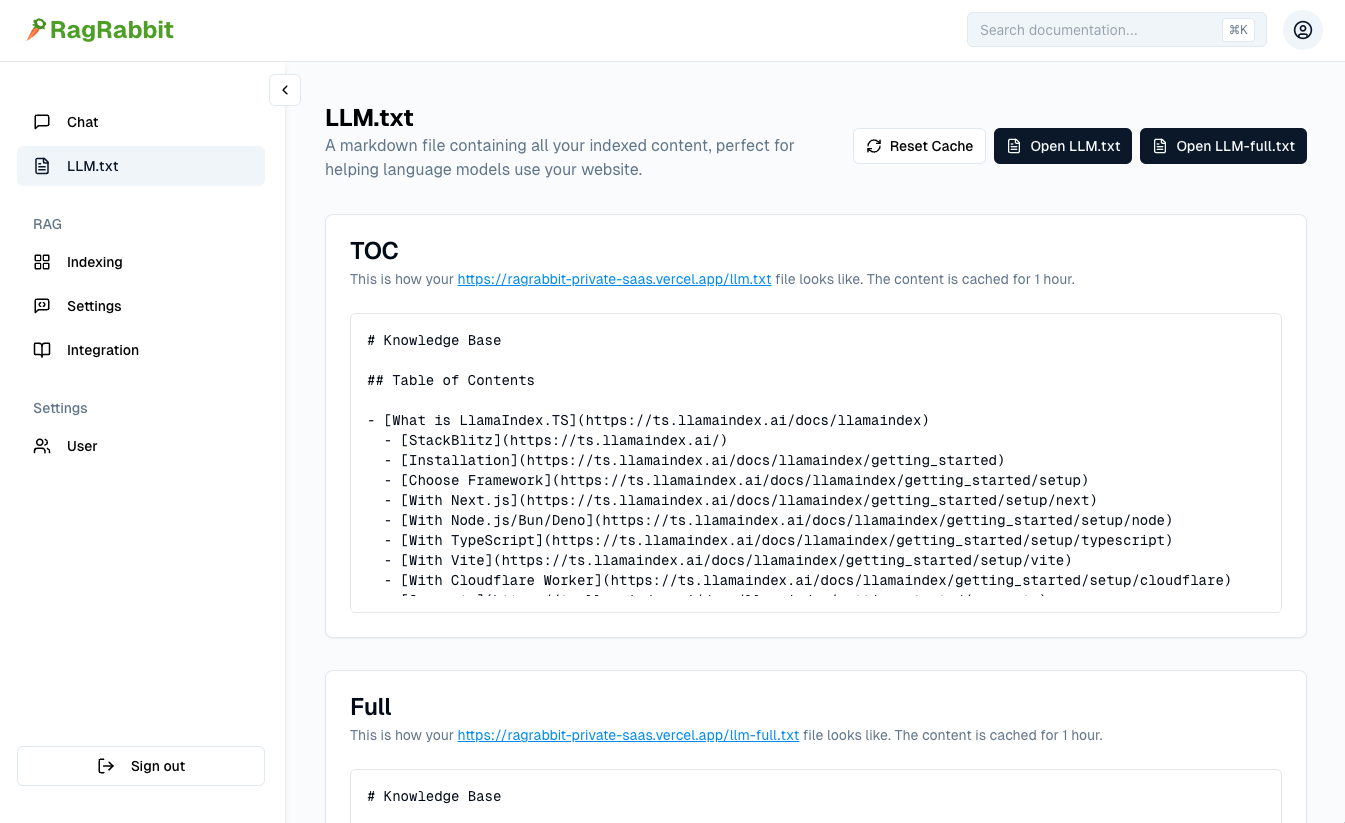
You can then embed the widget in your site with the following snippet:
Embed a button at the bottom of your page:
<script src="https://<your deployed app>/widget.js"></script>

Insert a search input anwhere in your page:

<script src="https://ragrabbit.com/widget.js?type=search"></script>
<ragrabbit-search></ragrabbit-search>
To use with React.js
"use client";

import Script from "next/script";

export function RagRabbitSearch() {
  return (
    <>
      <Script src="/widget.js?type=search" strategy="lazyOnload" />
      <style>{`
        ragrabbit-search .ragrabbit-search-input {
            padding: 6px 12px;
        }
      `}</style>
      <div className="ml-auto min-w-[300px] flex-1 sm:flex-initial">
        {/* @ts-ignore - Custom element will be mounted by external script */}
        <ragrabbit-search></ragrabbit-search>
      </div>
    </>
  );
}
MPC Server
The MCP Server allows any supported AI Clients to retrieve pages from your documentation using semantic search.
Claude Desktop
Add a custom mcp server with the name of your product, so that Claude AI can use it when looking for info about it.
in claude_desktop_config.json (Claude -> Settings -> Developer -> Edit Config)
{
  "mcpServers": {
    "<name_of_your_documentation_no_spaces>": {
      "command": "npx",
      "args": ["@ragrabbit/mcp", "http://<RagRabbit install>/", "<name of your documentation>"]
    }
  }
}
In Cursor IDE
Go to Cursor -> Settings -> Cursor Settings -> MCP
And add a new MCP of type command with the command:
npx @ragrabbit/mcp", "http://<RagRabbit install>/", "<name of your documentation>"
Arguments:
ragrabbit-url: (Required) The base URL of your RagRabbit instance, eg https://my-ragrabbit.vercel.com/name: (Required) Custom name for the documentation search service (defaults to "RagRabbit") so that AI will know to use it when looking for info
Configuration Options
You can configure the chat button by adding the following parameters to the widget.js script tag:
buttonText
<script src="https://ragrabbit.com/widget.js?buttonText=Ask%20AI"></script>
You can configure the search widget by adding the following parameters and use the mountSearch call:
searchPlaceholder
<div id="search-container"></div>
<script>
  window.mountSearch("search-container", { searchPlaceholder: "Search documentation..." });
</script>
Integrations
Fumadocs
Create a component to replace the Search Dialog:
pnpm add @ragrabbit/search-react
"use client";
import type { SharedProps } from "fumadocs-ui/components/dialog/search";
import { RagRabbitModal } from "@ragrabbit/search-react";

export default function SearchDialog({ open, onOpenChange }: SharedProps) {
  return <RagRabbitModal
    domain="http://localhost:3000/"
    open={open}
    onOpenChange={onOpenChange}
    />;
}
Then set it in the layout.tsx:
<RootProvider
  search={{
    SearchDialog,
  }}
>
  ...
</RootProvider>
Optionally add the Floating Chat button:
"use client";
import { RagRabbitChatButton } from "@ragrabbit/search-react";

export default function ChatButton() {
  return <RagRabbitChatButton domain="http://localhost:3000/" />;
}
And add it to the layout.tsx:
<body className="flex flex-col min-h-screen">
  <ChatButton />
  ...
Development
# Start the db (Docker needed)
pnpm dev:utils # Starts postgresql with pgvector, Storybook and Drizzle ORM Studio

# Start the app
cd apps/saas
pnpm dev
Directory structure:
RagRabbit is a monorepo with Turborepo a Next.js app and a modular design with separate packages.
apps/
├── docs -> the documentation site
├── saas -> the main application
└── web -> the web site
packages/
├── db -> the database with Drizzle ORM
├── auth -> the authentication with Auth.js
├── core -> shared utils
├── design -> the design system
├── rag -> the LLM and RAG package with LlamaIndexTS
├── jobs -> job runner with Trigger.dev
└── storybook -> a Next.js Storybook app
.cursorrules -> Fine tuned Cursor rules with all the locations to work with the monorepo
Author
Marco D'Alia - @madarco - Linkedin
License
MIT




