

A directory listing describing a cancellation-letter and mailing-address service. The configured public GitHub repository returned 404 during source verification.
Repository stats unavailable
Developer Tools
A Model Context Protocol server that provides access to a VictoriaLogs instance for querying logs, exploring log data, and searching embedded documentation.
VictoriaLogs MCP Server is cataloged as an MCP server attributed to victoriametrics-community. A Model Context Protocol server that provides access to a VictoriaLogs instance for querying logs, exploring log data, and searching embedded documentation. It is categorized under developer tools. See the capability inspector for recorded interfaces and their independent review status; consult upstream documentation for the current interface.
Installation configuration is not reviewed. No executable setup is offered for this entry; inspect the source repository before proceeding.
Catalog license label: Not specified. Check the source repository's current license and terms before using, modifying or distributing this software.
能力定义尚未审核。未核验的采集内容不会作为可信接口展示。
暂无可展示的已审核记录。这不表示上游不支持此能力。
暂无可展示的已审核记录。这不表示上游不支持此能力。
暂无可展示的已审核记录。这不表示上游不支持此能力。
Email delivery is not connected. This page does not collect email addresses or create subscriptions.
Browse the registry for current listings instead.
Reviews for VictoriaLogs MCP Server are not available yet
Review publishing and storage are not connected. This page does not collect or publish ratings or comments, including after sign-in.
It embeds a vector database with VictoriaMetrics documentation and blog posts for the documentation tool, which is the main source of resource usage; disabling that tool reduces it.
Yes, by using the MCP_PASSTHROUGH_HEADERS parameter together with header-based routing in vmauth to route calls between instances based on HTTP header values.
README.md · b2d6cb663a03 · 采集于 2026-11-13 13:54:44 UTC
保留上游原文,不做 AI 改写。为安全起见过滤脚本、表单和不安全链接。
当前显示最后一次成功采集的文档快照,请以来源页面为准。


The implementation of Model Context Protocol (MCP) server for VictoriaLogs.
This provides access to your VictoriaLogs instance and seamless integration with VictoriaLogs APIs and documentation. It can give you a comprehensive interface for logs, observability, and debugging tasks related to your VictoriaLogs instances, enable advanced automation and interaction capabilities for engineers and tools.
This MCP server allows you to use almost all read-only APIs of VictoriaLogs, i.e. all functions available in Web UI:
In addition, the MCP server contains embedded up-to-date documentation and is able to search it without online access.
More details about the exact available tools and prompts can be found in the Usage section.
You can combine functionality of tools, docs search in your prompts and invent great usage scenarios for your VictoriaLogs instance. And please note the fact that the quality of the MCP Server and its responses depends very much on the capabilities of your client and the quality of the model you are using.
You can also combine the MCP server with other observability or doc search related MCP Servers and get even more powerful results.
There is a publicly available instance of the VictoriaMetrics MCP Server that you can use to test the features without installing it:
https://play-vmlogs-mcp.victoriametrics.com/mcp
Attention! This URL is not supposed to be opened in a browser, it is intended to be used in MCP clients.
It's available in Streamable HTTP Mode mode and configured to work with Public VictoriaLogs Playground.
Here is example of configuration for Claude Desktop:
go install github.com/VictoriaMetrics/mcp-victorialogs/cmd/mcp-victorialogs@latest
Just download the latest release from Releases page and put it to your PATH.
Example for Linux x86_64 (note that other architectures and platforms are also available):
latest=$(curl -s https://api.github.com/repos/VictoriaMetrics/mcp-victorialogs/releases/latest | grep 'tag_name' | cut -d\" -f4)
wget https://github.com/VictoriaMetrics/mcp-victorialogs/releases/download/$latest/mcp-victorialogs_Linux_x86_64.tar.gz
tar axvf mcp-victorialogs_Linux_x86_64.tar.gz
You can run VictoriaLogs MCP Server using Docker.
This is the easiest way to get started without needing to install Go or build from source.
docker run -d --name mcp-victorialogs \
  -e VL_INSTANCE_ENTRYPOINT=https://play-vmlogs.victoriametrics.com \
  -e MCP_SERVER_MODE=http \
  -e MCP_LISTEN_ADDR=:8081 \
  -p 8081:8081 \
  ghcr.io/victoriametrics/mcp-victorialogs
You should replace environment variables with your own parameters.
Note that the MCP_SERVER_MODE=http flag is used to enable Streamable HTTP mode.
More details about server modes can be found in the Configuration section.
See available docker images in github registry.
Also see Using Docker instead of binary section for more details about using Docker with MCP server with clients in stdio mode.
For building binary from source code you can use the following approach:
Clone repo:
git clone https://github.com/VictoriaMetrics/mcp-victorialogs.git
cd mcp-victorialogs
Build binary from cloned source code:
make build
# after that you can find binary mcp-victorialogs and copy this file to your PATH or run inplace
Build image from cloned source code:
docker build -t mcp-victorialogs .
# after that you can use docker image mcp-victorialogs for running or pushing
Check out VictoriaLogs MCP Server Helm chart documentation for more details about installation using Helm.
MCP Server for VictoriaLogs is configured via environment variables:
| Variable | Description | Required | Default | Allowed values |
|---|---|---|---|---|
VL_INSTANCE_ENTRYPOINT | URL to VictoriaLogs instance | Yes | - | - |
VL_INSTANCE_BEARER_TOKEN | Authentication token for VictoriaLogs API | No | - | - |
VL_INSTANCE_HEADERS | Custom HTTP headers to send with requests (comma-separated key=value pairs) | No | - | - |
MCP_PASSTHROUGH_HEADERS | HTTP header names to forward from incoming MCP requests to VictoriaLogs (comma-separated list). Overrides VL_INSTANCE_HEADERS on collision. Only applies in sse/http modes. | No | - | - |
VL_DEFAULT_TENANT_ID | Default tenant ID used when tenant is not specified in requests (format: AccountID:ProjectID or AccountID) | No | 0:0 | - |
MCP_SERVER_MODE | Server operation mode. See Modes for details. | No | stdio | stdio, sse, http |
MCP_LISTEN_ADDR | Address for SSE or HTTP server to listen on | No | localhost:8081 | - |
MCP_DISABLED_TOOLS | Comma-separated list of tools to disable | No | - | - |
MCP_HEARTBEAT_INTERVAL | Defines the heartbeat interval for the streamable-http protocol. It means the MCP server will send a heartbeat to the client through the GET connection, to keep the connection alive from being closed by the network infrastructure (e.g. gateways) | No | 30s | - |
MCP_LOG_FORMAT | Log output format | No | text | text, json |
MCP_LOG_LEVEL | Minimum log level | No | info | debug, info, warn, error |
MCP Server supports the following modes of operation (transports):
stdio - Standard input/output mode, where the server reads commands from standard input and writes responses to standard output. This is the default mode and is suitable for local servers.sse - Server-Sent Events. Server will expose the /sse and /message endpoints for SSE connections.http - Streamable HTTP. Server will expose the /mcp endpoint for HTTP connections.More info about transports you can find in MCP docs:
# For a public playground
export VL_INSTANCE_ENTRYPOINT="https://play-vmlogs.victoriametrics.com"

# Custom headers for authentication (e.g., behind a reverse proxy)
# Expected syntax is key=value separated by commas
export VL_INSTANCE_HEADERS="<HEADER>=<HEADER_VALUE>,<HEADER>=<HEADER_VALUE>"

# Forward specific headers from incoming MCP requests to VictoriaLogs
export MCP_PASSTHROUGH_HEADERS="X-Token,X-Access-Key"

# Server mode
export MCP_SERVER_MODE="sse"
export MCP_SSE_ADDR="0.0.0.0:8081"
export MCP_DISABLED_TOOLS="hits,facets"
In SSE and HTTP modes the MCP server provides the following endpoints:
| Endpoint | Description |
|---|---|
/ | Landing page with setup help and tool inspection (HTTP mode only) |
/sse + /message | Endpoints for messages in SSE mode (for MCP clients that support SSE) |
/mcp | HTTP endpoint for streaming messages in HTTP mode (for MCP clients that support Streamable HTTP) |
/metrics | Metrics in Prometheus format for monitoring the MCP server |
/health/liveness | Liveness check endpoint to ensure the server is running |
/health/readiness | Readiness check endpoint to ensure the server is ready to accept requests |
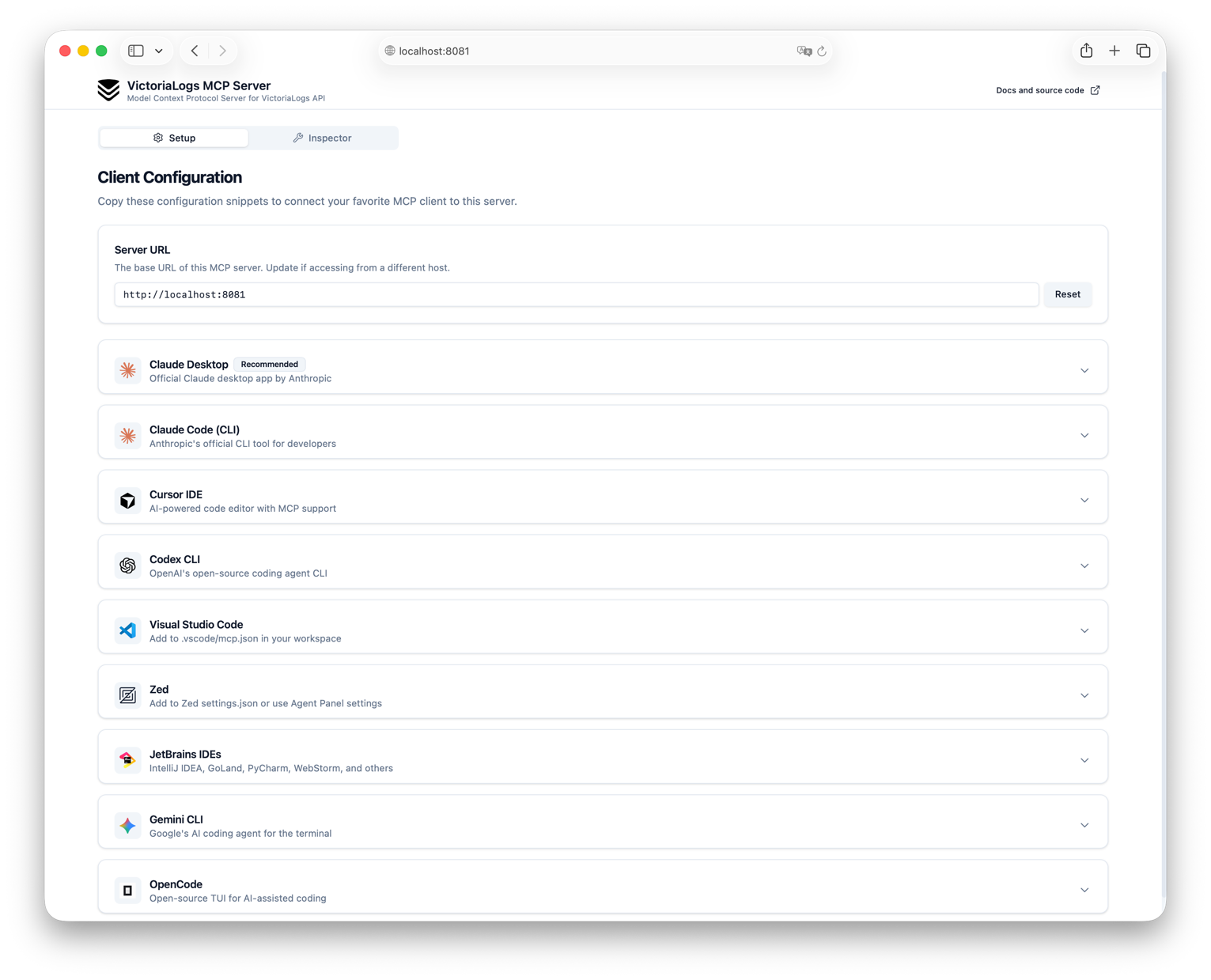
Go to: Settings -> Cursor Settings -> MCP -> Add new global MCP server and paste the following configuration into your Cursor ~/.cursor/mcp.json file:
{
  "mcpServers": {
    "victorialogs": {
      "command": "/path/to/mcp-victorialogs",
      "env": {
        "VL_INSTANCE_ENTRYPOINT": "<YOUR_VL_INSTANCE>",
        "VL_INSTANCE_BEARER_TOKEN": "<YOUR_VL_BEARER_TOKEN>",
        "VL_INSTANCE_HEADERS": "<HEADER>=<HEADER_VALUE>,<HEADER>=<HEADER_VALUE>"
      }
    }
  }
}
See Cursor MCP docs for more info.
Add this to your Claude Desktop claude_desktop_config.json file (you can find it if open Settings -> Developer -> Edit config):
{
  "mcpServers": {
    "victorialogs": {
      "command": "/path/to/mcp-victorialogs",
      "env": {
        "VL_INSTANCE_ENTRYPOINT": "<YOUR_VL_INSTANCE>",
        "VL_INSTANCE_BEARER_TOKEN": "<YOUR_VL_BEARER_TOKEN>",
        "VL_INSTANCE_HEADERS": "<HEADER>=<HEADER_VALUE>,<HEADER>=<HEADER_VALUE>"
      }
    }
  }
}
See Claude Desktop MCP docs for more info.
Run the command:
claude mcp add victorialogs -- /path/to/mcp-victorialogs \
  -e VL_INSTANCE_ENTRYPOINT=<YOUR_VL_INSTANCE> \
  -e VL_INSTANCE_BEARER_TOKEN=<YOUR_VL_BEARER_TOKEN> \
  -e VL_INSTANCE_HEADERS="<HEADER>=<HEADER_VALUE>,<HEADER>=<HEADER_VALUE>"
See Claude Code MCP docs for more info.
Codex CLI and the IDE extension use the same MCP configuration file: ~/.codex/config.toml
(or .codex/config.toml in a trusted project).
Run the command:
codex mcp add victorialogs \
  --env VL_INSTANCE_ENTRYPOINT=<YOUR_VL_INSTANCE> \
  --env VL_INSTANCE_BEARER_TOKEN=<YOUR_VL_BEARER_TOKEN> \
  --env VL_INSTANCE_HEADERS="<HEADER>=<HEADER_VALUE>,<HEADER>=<HEADER_VALUE>" \
  -- /path/to/mcp-victorialogs
Or add the following to your Codex ~/.codex/config.toml file:
[mcp_servers.victorialogs]
command = "/path/to/mcp-victorialogs"

[mcp_servers.victorialogs.env]
VL_INSTANCE_ENTRYPOINT = "<YOUR_VL_INSTANCE>"
VL_INSTANCE_BEARER_TOKEN = "<YOUR_VL_BEARER_TOKEN>"
VL_INSTANCE_HEADERS = "<HEADER>=<HEADER_VALUE>,<HEADER>=<HEADER_VALUE>"
If you run the server in Streamable HTTP mode, you can register it with:
codex mcp add victorialogs --url http://localhost:8081/mcp
See Codex MCP docs for more info.
Add this to your VS Code MCP config file:
{
  "servers": {
    "victorialogs": {
      "type": "stdio",
      "command": "/path/to/mcp-victorialogs",
      "env": {
        "VL_INSTANCE_ENTRYPOINT": "<YOUR_VL_INSTANCE>",
        "VL_INSTANCE_BEARER_TOKEN": "<YOUR_VL_BEARER_TOKEN>",
        "VL_INSTANCE_HEADERS": "<HEADER>=<HEADER_VALUE>,<HEADER>=<HEADER_VALUE>"
      }
    }
  }
}
See VS Code MCP docs for more info.
Add the following to your Zed config file:
  "context_servers": {
    "victorialogs": {
      "command": {
        "path": "/path/to/mcp-victorialogs",
        "args": [],
        "env": {
                  "VL_INSTANCE_ENTRYPOINT": "<YOUR_VL_INSTANCE>",
        "VL_INSTANCE_BEARER_TOKEN": "<YOUR_VL_BEARER_TOKEN>",
        "VL_INSTANCE_HEADERS": "<HEADER>=<HEADER_VALUE>,<HEADER>=<HEADER_VALUE>"
      }
      },
      "settings": {}
    }
  }
}
See Zed MCP docs for more info.
Settings -> Tools -> AI Assistant -> Model Context Protocol (MCP).Add (+)As JSON{
"mcpServers": {
"victorialogs": {
"command": "/path/to/mcp-victorialogs",
"env": {
"VL_INSTANCE_ENTRYPOINT": "<YOUR_VL_INSTANCE>",
"VL_INSTANCE_BEARER_TOKEN": "<YOUR_VL_BEARER_TOKEN>",
"VL_INSTANCE_HEADERS": "<HEADER>=<HEADER_VALUE>,<HEADER>=<HEADER_VALUE>"
}
}
}
}
Add the following to your Windsurf MCP config file.
{
  "mcpServers": {
    "victorialogs": {
      "command": "/path/to/mcp-victorialogs",
      "env": {
        "VL_INSTANCE_ENTRYPOINT": "<YOUR_VL_INSTANCE>",
        "VL_INSTANCE_BEARER_TOKEN": "<YOUR_VL_BEARER_TOKEN>",
        "VL_INSTANCE_HEADERS": "<HEADER>=<HEADER_VALUE>,<HEADER>=<HEADER_VALUE>"
      }
    }
  }
}
See Windsurf MCP docs for more info.
You can run VictoriaLogs MCP Server using Docker instead of local binary.
You should replace run command in configuration examples above in the following way:
{
  "mcpServers": {
    "victorialogs": {
      "command": "docker",
        "args": [
          "run",
          "-i", "--rm",
          "-e", "VL_INSTANCE_ENTRYPOINT",
          "-e", "VL_INSTANCE_BEARER_TOKEN",
          "-e", "VL_INSTANCE_HEADERS",
          "ghcr.io/victoriametrics/mcp-victorialogs",
        ],
      "env": {
        "VL_INSTANCE_ENTRYPOINT": "<YOUR_VL_INSTANCE>",
        "VL_INSTANCE_BEARER_TOKEN": "<YOUR_VL_BEARER_TOKEN>",
        "VL_INSTANCE_HEADERS": "<HEADER>=<HEADER_VALUE>,<HEADER>=<HEADER_VALUE>"
      }
    }
  }
}
After installing and configuring the MCP server, you can start using it with your favorite MCP client.
You can start dialog with AI assistant from the phrase:
Use MCP VictoriaLogs in the following answers
But it's not required, you can just start asking questions and the assistant will automatically use the tools and documentation to provide you with the best answers.
MCP VictoriaLogs provides numerous tools for interacting with your VictoriaLogs instance.
Here's a list of available tools:
| Tool | Description |
|---|---|
documentation | Search in embedded VictoriaLogs documentation |
facets | Most frequent values per each log field |
field_names | List of field names for the query |
field_values | List of field values for the query |
flags | View non-default flags of the VictoriaLogs instance |
hits | The number of matching log entries grouped by buckets |
query | Execute LogsQL queries |
stats_query | Querying log stats for the given time |
stats_query_range | Querying log stats on the given time range |
stream_field_names | List of stream fields for the query |
stream_field_values | List of stream field values for the query |
stream_ids | List of stream IDs for the query |
streams | List of streams for the query |
The server includes pre-defined prompts for common tasks.
These are just examples at the moment, the prompt library will be added to in the future:
| Prompt | Description |
|---|---|
documentation | Search VictoriaLogs documentation for specific topics |
The server contains an embedded vector database with VictoriaMetrics documentation and blog posts for the documentation tool.
It helps to answer complex questions about VictoriaLogs without providing all data to LLM.
This is the main source of resource usage. To reduce it, add documentation to MCP_DISABLED_TOOLS environment variable to completely disable the vector database loading.
You can use MCP_PASSTHROUGH_HEADERS parameter in the MCP Server together with Header-based routing in vmauth to route MCP calls between instances based on HTTP header values from your MCP client config.
AI services and agents along with MCP servers like this cannot guarantee the accuracy, completeness and reliability of results. You should double check the results obtained with AI.
The quality of the MCP Server and its responses depends very much on the capabilities of your client and the quality of the model you are using.
Contributions to the MCP VictoriaLogs project are welcome!
Please feel free to submit issues, feature requests, or pull requests.
Claim this server with your GitHub account to request manual ownership verification.
Link to the catalog listing for VictoriaLogs MCP Server from your README. This badge does not certify ownership, compatibility or security.
[](https://awesome-mcp.com/servers/mcp-victorialogs)Public repository statistics could not be verified. Check the configured source address; unavailable counts are not zero.
来源、范围和时段分别列出;不相加,不代表安装人数、活跃用户或安全审核。
尚无已审核的包 / 镜像标识,暂不展示下载统计。
Alternative and complementary servers in the same category
A directory listing describing a cancellation-letter and mailing-address service. The configured public GitHub repository returned 404 during source verification.

A hosted MCP service for browsing and searching through Singapore mobile-network proxies.

A directory listing describing a Markdown-to-PDF service. The configured public GitHub repository returned 404 during source verification.