
A Rust CAD application with an MCP server for creating, inspecting and rendering drawings, either headlessly or through a connection to the desktop app.
8K
Media & Design
A local MCP server that turns videos, audio, and images from files or links into model-ready context such as keyframes, transcripts, and on-screen text.
media-context-mcp is cataloged as an MCP server attributed to vishalguptax. A local MCP server that turns videos, audio, and images from files or links into model-ready context such as keyframes, transcripts, and on-screen text. It is categorized under media design. See the capability inspector for recorded interfaces and their independent review status; consult upstream documentation for the current interface.
Installation configuration is not reviewed. No executable setup is offered for this entry; inspect the source repository before proceeding.
Catalog license label: Apache-2.0. Check the source repository's current license and terms before using, modifying or distributing this software.
能力定义尚未审核。未核验的采集内容不会作为可信接口展示。
暂无可展示的已审核记录。这不表示上游不支持此能力。
暂无可展示的已审核记录。这不表示上游不支持此能力。
暂无可展示的已审核记录。这不表示上游不支持此能力。
Email delivery is not connected. This page does not collect email addresses or create subscriptions.
Browse the registry for current listings instead.
Reviews for media-context-mcp are not available yet
Review publishing and storage are not connected. This page does not collect or publish ratings or comments, including after sign-in.
README.md · 2cc68be304d7 · 采集于 2026-11-13 12:39:31 UTC
保留上游原文,不做 AI 改写。为安全起见过滤脚本、表单和不安全链接。
当前显示最后一次成功采集的文档快照,请以来源页面为准。





Give your AI assistant eyes and ears.
Analyze any video, audio, or image — locally, right inside your editor.
Install · Capabilities · Modes · Examples · Tools · Options · Docs
LLMs read text and glance at a single image — but they can't watch a video or listen to audio. media-context-mcp closes that gap. Hand it a file or a link and it returns clean, model-ready context — keyframes, a transcript, or the text on screen — entirely on your machine. Nothing is uploaded.
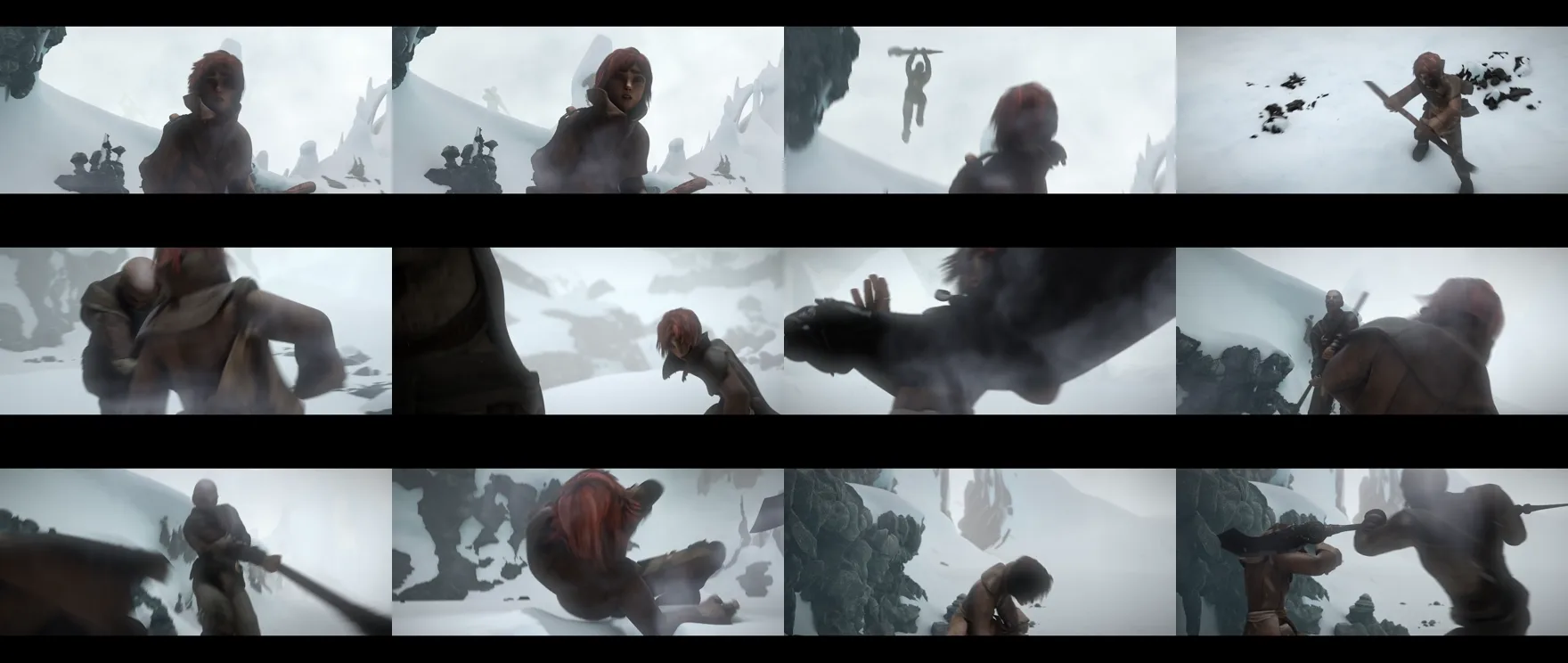
A 10-second clip becomes one tidy contact sheet your model reads in order — not hundreds of stills.
Two steps — add the server, then install the local helpers it uses.
# Claude Code
claude mcp add media-context -- npx -y media-context-mcp
The launch command is always npx -y media-context-mcp. Pick your client:
Settings → Developer → Edit Config (claude_desktop_config.json):
{
  "mcpServers": {
    "media-context": { "command": "npx", "args": ["-y", "media-context-mcp"] }
  }
}
~/.cursor/mcp.json (global) or .cursor/mcp.json (per-project):
{
  "mcpServers": {
    "media-context": { "command": "npx", "args": ["-y", "media-context-mcp"] }
  }
}
.vscode/mcp.json — VS Code uses the servers key:
{
  "servers": {
    "media-context": { "command": "npx", "args": ["-y", "media-context-mcp"] }
  }
}
~/.codeium/windsurf/mcp_config.json:
{
  "mcpServers": {
    "media-context": { "command": "npx", "args": ["-y", "media-context-mcp"] }
  }
}
cline_mcp_settings.json (the extension's MCP settings):
{
  "mcpServers": {
    "media-context": { "command": "npx", "args": ["-y", "media-context-mcp"] }
  }
}
.kiro/settings/mcp.json (project) or ~/.kiro/settings/mcp.json (user):
{
  "mcpServers": {
    "media-context": { "command": "npx", "args": ["-y", "media-context-mcp"] }
  }
}
~/.gemini/settings.json:
{
  "mcpServers": {
    "media-context": { "command": "npx", "args": ["-y", "media-context-mcp"] }
  }
}
settings.json — Zed uses context_servers:
{
  "context_servers": {
    "media-context": { "command": { "path": "npx", "args": ["-y", "media-context-mcp"] } }
  }
}
~/.codex/config.toml:
[mcp_servers.media-context]
command = "npx"
args = ["-y", "media-context-mcp"]
Settings → Tools → AI Assistant → Model Context Protocol → Add, then use command npx with args -y media-context-mcp.
Tip: in Claude Code you can install it as a plugin instead — run
/plugin marketplace add vishalguptax/media-context-mcp, then/plugin install media-context. To share with a team, install per-project:--scope project(writes.mcp.json) or commit a.cursor/mcp.jsonin the repo.
One command sets up everything the server uses, via your OS package manager:
npx media-context-mcp setup          # core: keyframes, links, on-screen text
npx media-context-mcp setup --audio  # also enable transcription
The server finds the helpers automatically afterward — no extra configuration. Run check_media_deps to see what's ready, and setup --uninstall to remove them. (Install by hand →)
“Summarize
demo.mp4.”
| Video | Keyframe overview, full-size stills, scene detection, or a dense filmstrip that catches split-second glitches |
| Audio | Speech turned into text — clips, voice notes, meetings, podcasts |
| Images | The picture, plus the exact text shown on screen |
| Anywhere | Local files or links — YouTube, Vimeo, and 1000+ sites |
| Private | Runs on your machine. No API keys, no uploads |
| Efficient | A long clip becomes a couple of images, not hundreds |
analyze_media auto-detects audio and images. For video, choose how frames are sampled:
| Mode | Best for |
|---|---|
sheet (default) | A cheap overview — frames tiled into one or two contact sheets |
frames | Detail on specific moments — individual full-size stills |
scenes | Slide decks & static screencasts — only scene-change frames |
filmstrip | Catching a sub-second UI glitch — a dense, near-native-rate strip |
Just ask in plain language — the assistant picks the right options.
| You ask | What you get |
|---|---|
“Summarize demo.mp4.” | A quick overview from sampled keyframes |
“What error does bug.mp4 show at the end?” | The exact on-screen text, read back |
“Walk me through the UI flow in onboarding.mov.” | Step-by-step from scene-change frames |
“Transcribe standup.m4a and list action items.” | A local transcript |
“Summarize https://youtu.be/… with the transcript.” | Fetched and transcribed |
“Read the error in this screenshot crash.png.” | The picture plus its exact text |
“Find where the slider in ui.mp4 flickers ~0:06.” | The exact frame of a sub-second glitch |
| Tool | What it does |
|---|---|
analyze_media | Turn a video, audio, or image — file or URL — into model-readable context. Auto-detects the type and supports cropping, time windows, language, and sampling rate. |
check_media_deps | Report which capabilities are ready on this machine. |
Every call runs locally and cleans up after itself.
Your assistant fills these in for you, but you can steer it (“use filmstrip mode”, “crop to the toolbar”).
analyze_media parameters| Param | Default | Description |
|---|---|---|
source | — | Local file path (video/audio/image) or http(s) URL |
context | — | A note framing the analysis; echoed atop the summary |
detail | — | high = readable stills for screen recordings; low = cheap overview |
mode | sheet | sheet · frames · scenes · filmstrip |
format | webp | webp (smallest) · jpeg · png (crisp text) |
maxFrames | 30 | Upper bound on sampled frames |
grid | 5 | Tiles per row/column for contact-sheet modes |
scale | 320 | Per-frame width in px — lower = fewer tokens |
sceneThreshold | 0.4 | Scene-change sensitivity (scenes mode) |
fps | auto | Explicit sampling rate; pair high with filmstrip |
crop | — | {x,y,width,height} (pixels, or 0–1 fractions) to zoom a region |
stripRows | 18 | Tiles per image in filmstrip mode |
startSec / endSec | — | Restrict to a time window |
transcript | false | Also produce a transcript (video) |
whisperModel | small | tiny · base · small · medium · large |
ocr | false | Extract on-screen text |
ocrLang | eng | Language code(s), e.g. eng+deu |
ocrPsm | 3 | Page-segmentation: 3 auto · 6 block · 11 sparse |
detectJumps | false | Track an on-screen number and report jump-back glitches with timestamps |
maxDurationSec | 3600 | Reject URL downloads longer than this |
maxFileSizeMb | 500 | Abort a URL download past this size |
Worked recipes for each are in the usage guide.
Can an LLM watch a video? Not directly — models take images and text, not video. This server turns the video into frames and a transcript it can read.
Does anything get uploaded? No. Everything runs on your machine; no keys, no cloud.
Which clients work? Any MCP client — Claude Code, Claude Desktop, Cursor, VS Code, Windsurf, Cline, Kiro, Gemini CLI, JetBrains, Zed, Codex.
Does it handle YouTube and other links? Yes.
How much does it cost? It's free and open source.
Node.js 18+, on Windows, macOS, or Linux. The one-time npx media-context-mcp setup installs everything else.
npm install
npm run build
npm test
Issues and PRs welcome — see the usage guide for the architecture.
Apache-2.0 © Vishal Gupta
Claim this server with your GitHub account to request manual ownership verification.
Link to the catalog listing for media-context-mcp from your README. This badge does not certify ownership, compatibility or security.
[](https://awesome-mcp.com/servers/media-context-mcp)Public repository statistics could not be verified. Check the configured source address; unavailable counts are not zero.
来源、范围和时段分别列出;不相加,不代表安装人数、活跃用户或安全审核。
尚无已审核的包 / 镜像标识,暂不展示下载统计。
Alternative and complementary servers in the same category
A Rust CAD application with an MCP server for creating, inspecting and rendering drawings, either headlessly or through a connection to the desktop app.

Liquid Composer is a browser-based Liquid Glass icon design tool that offers a local MCP server for agent-driven icon workflows.

agent-media makes short drama series and other short vertical videos from Claude, ChatGPT or Codex through one MCP connection, with OAuth sign-in and no API keys.