
This is a Model Context Protocol (MCP) server for interacting with AIStor object stores.
Repository stats unavailable
Databases & Storage
An MCP server that exposes 100+ tools across 14 biological and medical APIs, available through a hosted unified endpoint or per-API endpoints, and runnable locally.
Medical MCP Server for Biological APIs is cataloged as an MCP server attributed to pascalwhoop. An MCP server that exposes 100+ tools across 14 biological and medical APIs, available through a hosted unified endpoint or per-API endpoints, and runnable locally. It is categorized under databases storage. See the capability inspector for recorded interfaces and their independent review status; consult upstream documentation for the current interface.
Installation configuration is not reviewed. No executable setup is offered for this entry; inspect the source repository before proceeding.
Catalog license label: MIT. Check the source repository's current license and terms before using, modifying or distributing this software.
能力定义尚未审核。未核验的采集内容不会作为可信接口展示。
暂无可展示的已审核记录。这不表示上游不支持此能力。
暂无可展示的已审核记录。这不表示上游不支持此能力。
暂无可展示的已审核记录。这不表示上游不支持此能力。
Email delivery is not connected. This page does not collect email addresses or create subscriptions.
Browse the registry for current listings instead.
Reviews for Medical MCP Server for Biological APIs are not available yet
Review publishing and storage are not connected. This page does not collect or publish ratings or comments, including after sign-in.
Yes, a production deployment offers a unified endpoint and individual API endpoints.
No, it is a stateless proxy and does not store API keys; keys are passed as tool-call parameters for APIs that require them.
Yes, it caches HTTP responses to disk using hishel with a 30-day default TTL.
README.md · 227d13e450e9 · 采集于 2026-11-13 14:03:11 UTC
保留上游原文,不做 AI 改写。为安全起见过滤脚本、表单和不安全链接。
当前显示最后一次成功采集的文档快照,请以来源页面为准。



MCP server that integrates multiple biological and medical databases for research purposes.
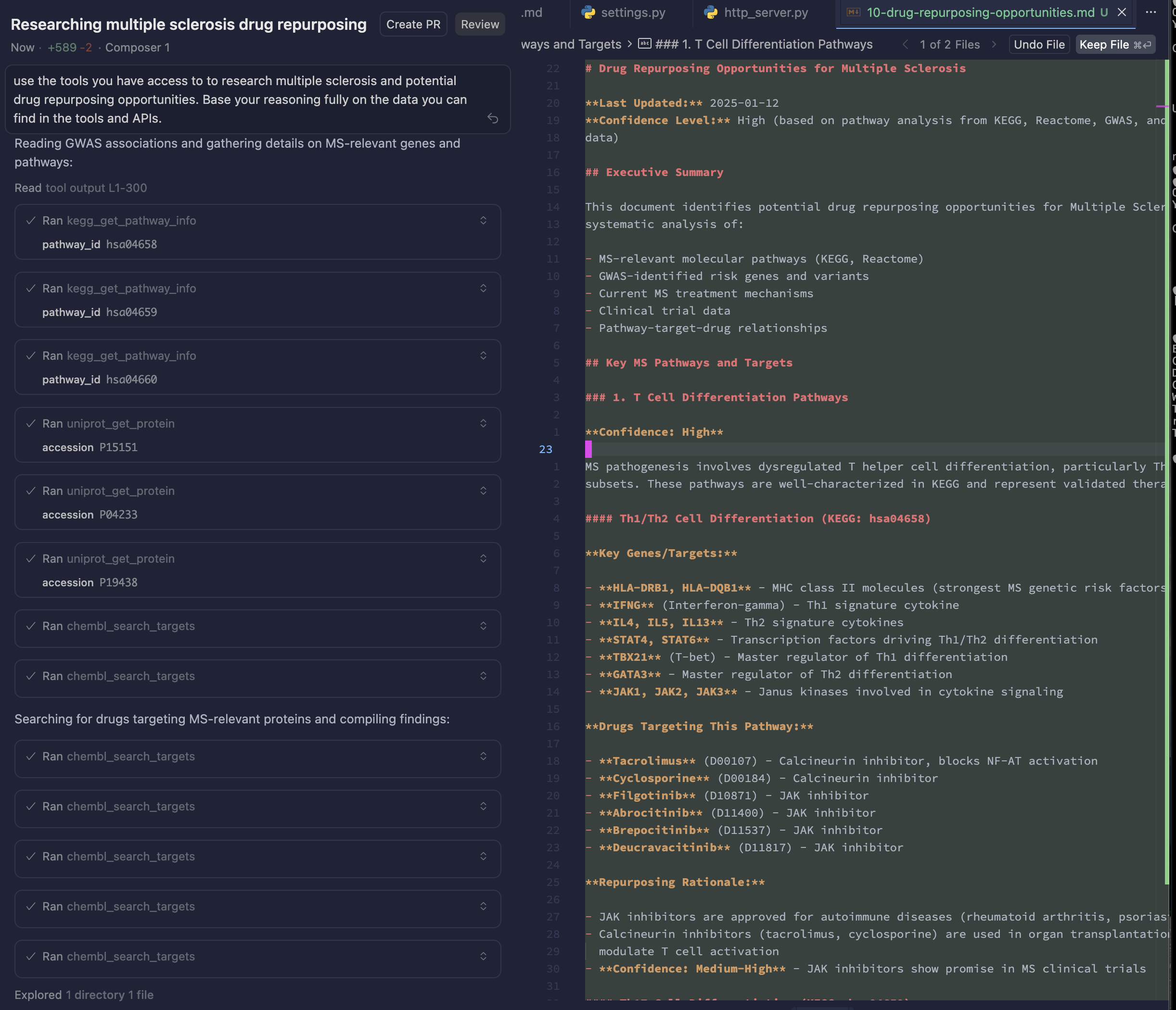
The easiest way to use this MCP server is to connect to the production deployment. All APIs are available through a unified endpoint that gives you access to all tools in one place.
Production URL: https://mcp.cloud.curiloo.com/tools/unified/mcp
Add this to your .cursor/mcp.json (or equivalent MCP client configuration):
{
    "mcpServers": {
        "medical-apis": {
            "url": "https://mcp.cloud.curiloo.com/tools/unified/mcp"
        }
    }
}
Once connected, you'll have access to 100+ tools across 14 biological and medical APIs:
{
    "jsonrpc": "2.0",
    "method": "tools/call",
    "params": {
        "name": "mygene_get_gene",
        "arguments": {
            "gene_id_or_symbol": "TP53"
        }
    }
}
If you prefer to use individual APIs separately, each API has its own endpoint:
/tools/reactome/mcp - Reactome only/tools/pubmed/mcp - PubMed only/tools/chembl/mcp - ChEMBL onlyTo run your own instance locally, you can either:
Install the package from PyPI:
pip install medical-mcps
Then run the server:
medical-mcps
The server will be available at http://localhost:8000.
Pull and run the pre-built Docker image:
# Pull latest image
docker pull pascalwhoop/medical-mcps:latest

# Run server
docker run -p 8000:8000 pascalwhoop/medical-mcps:latest
The server will be available at http://localhost:8000.
For specific versions:
docker pull pascalwhoop/medical-mcps:v0.1.0
The easiest way to run the MCP backend:
# Start all services with auto-rebuild
make docker-watch

# Or start in background
make docker-up

# View logs
make docker-logs

# Stop services
make docker-down
Services will be available at:
# Install dependencies using uv
cd /path/to/medical-mcps
uv sync
The server uses Streamable HTTP transport (per MCP specification) for remote hosting over HTTP.
After running uv sync, you can run the server:
# Start server with uvicorn and livereload (auto-reload on code changes)
make server
# Run HTTP server
uv run mcp-server

# Or with custom host/port
MCP_HOST=0.0.0.0 MCP_PORT=8000 uv run mcp-server
# Run with uvicorn and livereload
uv run uvicorn medical_mcps.http_server:app --reload --host 0.0.0.0 --port 8000
The HTTP server will be available at http://localhost:8000 (or your configured host/port).
The server uses the MCP SDK's Streamable HTTP transport mounted as an ASGI app on FastAPI. The MCP
endpoint is available at /mcp and supports both POST (for sending JSON-RPC messages) and GET (for
optional SSE streams).
The MCP servers are deployed and available at:
Production Base URL: https://mcp.cloud.curiloo.com
Usage analytics: Production tool calls are logged to BigQuery via Cloud Logging. See docs/USAGE_ANALYTICS.md for architecture, setup, and example queries.
Use the unified endpoint to access all APIs in one place:
{
    "url": "https://mcp.cloud.curiloo.com/tools/unified/mcp"
}
This gives you access to all 100+ tools from all APIs through a single connection.
If you prefer to use individual APIs separately, each API has its own endpoint:
Production:
{
    "url": "https://mcp.cloud.curiloo.com/tools/reactome/mcp"
}
Local Development:
{
    "url": "http://localhost:8000/tools/reactome/mcp"
}
All endpoints are available at both production and local URLs:
/tools/unified/mcp - Unified server (all APIs combined)/tools/reactome/mcp - Reactome API/tools/kegg/mcp - KEGG API/tools/uniprot/mcp - UniProt API/tools/omim/mcp - OMIM API (requires API key)/tools/gwas/mcp - GWAS Catalog API/tools/pathwaycommons/mcp - Pathway Commons API/tools/nodenorm/mcp - Node Normalization API/tools/chembl/mcp - ChEMBL API/tools/opentargets/mcp - OpenTargets Platform API/tools/ctg/mcp - ClinicalTrials.gov API/tools/pubmed/mcp - PubMed/PubTator3 API/tools/openfda/mcp - OpenFDA API/tools/myvariant/mcp - MyVariant.info API/tools/biothings/mcp - BioThings Suite APIs (MyGene, MyDisease, MyChem)/tools/nci/mcp - NCI Clinical Trials API (requires API key)/tools/everycure-kg/mcp - Every Cure Matrix Knowledge Graph APIOption 1: Use Unified Endpoint (Recommended)
Access all APIs through one connection:
{
    "mcpServers": {
        "medical-apis": {
            "url": "https://mcp.cloud.curiloo.com/tools/unified/mcp"
        }
    }
}
Option 2: Use Individual Endpoints
If you prefer separate connections for each API:
{
    "mcpServers": {
        "reactome": {
            "url": "https://mcp.cloud.curiloo.com/tools/reactome/mcp"
        },
        "chembl": {
            "url": "https://mcp.cloud.curiloo.com/tools/chembl/mcp"
        },
        "pubmed": {
            "url": "https://mcp.cloud.curiloo.com/tools/pubmed/mcp"
        }
    }
}
You can test if the production server is accessible by making a simple HTTP request:
# Test unified endpoint (recommended)
curl https://mcp.cloud.curiloo.com/tools/unified/mcp \
  -X POST \
  -H "Content-Type: application/json" \
  -d '{"jsonrpc": "2.0", "method": "initialize", "params": {}, "id": 1}'

# Or test individual API endpoint
curl https://mcp.cloud.curiloo.com/tools/reactome/mcp \
  -X POST \
  -H "Content-Type: application/json" \
  -d '{"jsonrpc": "2.0", "method": "initialize", "params": {}, "id": 1}'
A successful response indicates the server is running and accessible.
All API clients use hishel (RFC 9111 compliant HTTP caching) to transparently cache responses to disk. This reduces redundant API calls and improves performance.
~/.cache/medical-mcps/api_cache/refresh_ttl_on_access=True)reactome.db, kegg.db)To disable caching for a specific client, pass enable_cache=False when initializing:
client = ReactomeClient(enable_cache=False)
To clear the cache, delete the cache directory:
rm -rf ~/.cache/medical-mcps/api_cache/
Or delete individual API cache files:
rm ~/.cache/medical-mcps/api_cache/reactome.db
All HTTP-based APIs support caching:
Note: ChEMBL uses a library client (not HTTP), so caching is handled at the library level.
The server includes optional Sentry integration for error tracking and performance monitoring. Sentry automatically instruments MCP tool executions, prompt requests, and resource access.
SENTRY_DSN environment variable:export SENTRY_DSN="https://your-dsn@sentry.io/project-id"
Sentry can be configured via environment variables:
SENTRY_DSN - Your Sentry DSN (required to enable Sentry)SENTRY_TRACES_SAMPLE_RATE - Sample rate for performance traces (default: 1.0 = 100%)SENTRY_SEND_DEFAULT_PII - Include tool inputs/outputs in Sentry (default: true)SENTRY_ENABLE_LOGS - Enable sending logs to Sentry (default: true)SENTRY_PROFILE_SESSION_SAMPLE_RATE - Sample rate for profiling sessions (default: 1.0 =
100%)SENTRY_PROFILE_LIFECYCLE - Profiler lifecycle mode (default: trace - auto-run when
transaction active)ENVIRONMENT - Environment name (default: local)Performance Monitoring:
traces_sample_rate=1.0)profile_session_sample_rate=1.0)enable_logs=True)Sentry automatically collects:
MCP Integration:
Starlette Integration:
send_default_pii=True)HTTPX Integration:
Asyncio Integration:
By default, Sentry does not include tool inputs/outputs or prompt content (considered PII). To
include this data, set SENTRY_SEND_DEFAULT_PII=true.
See the Sentry MCP integration documentation for more details.
Important: The MCP server is a stateless proxy. It does NOT store API keys.
For APIs that require authentication (currently OMIM), the MCP client must provide the API key as a parameter with each tool call:
{
    "jsonrpc": "2.0",
    "method": "tools/call",
    "params": {
        "name": "get_entry",
        "arguments": {
            "mim_number": "104300",
            "api_key": "your-omim-api-key-here"
        }
    }
}
APIs requiring API keys:
api_key parameter (get from https://omim.org/api)api_key parameter (get from
https://clinicaltrialsapi.cancer.gov/)api_key parameter for higher rate limits (get from
https://open.fda.gov/apis/)APIs not requiring API keys:
If a new API requires authentication, follow this pattern:
api_key: str as a required parameter to all tools"Error: API key is required. Get your API key from <url>"client = APIClient(api_key=api_key)Example:
@api_mcp.tool()
async def some_tool(param: str, api_key: str) -> str:
    """Tool description.

    Args:
        param: Required parameter
        api_key: API key (REQUIRED - get from https://api-provider.com)
    """
    if not api_key:
        return "Error: API key is required. Get your API key from https://api-provider.com"

    try:
        client = APIClient(api_key=api_key)
        return await client.some_method(param)
    except Exception as e:
        return f"Error calling API: {str(e)}"
All tools are prefixed with the API name (e.g., reactome_*) to make it clear which API is being
used.
reactome_get_pathway - Get detailed pathway informationreactome_query_pathways - Query pathways by keyword or gene/protein namereactome_get_pathway_participants - Get all participants in a pathwayreactome_get_disease_pathways - Get pathways associated with a diseasekegg_get_pathway_info - Get pathway information by pathway IDkegg_list_pathways - List pathways (optionally filtered by organism)kegg_find_pathways - Find pathways matching a query keywordkegg_get_gene - Get gene information by gene IDkegg_find_genes - Find genes matching a query keywordkegg_get_disease - Get disease information by disease IDkegg_find_diseases - Find diseases matching a query keywordkegg_link_pathway_genes - Get genes linked to a pathwayuniprot_get_protein - Get protein information by accessionuniprot_search_proteins - Search proteins in UniProtKBuniprot_get_protein_sequence - Get protein sequence in FASTA formatuniprot_get_disease_associations - Get disease associations for a proteinuniprot_map_ids - Map identifiers between databasesomim_get_entry - Get entry information by MIM numberomim_search_entries - Search entries in OMIMomim_get_gene - Get gene information by gene symbolomim_search_genes - Search genes in OMIMomim_get_phenotype - Get phenotype information by MIM numberomim_search_phenotypes - Search phenotypes in OMIMNote: All OMIM tools require an api_key parameter. Get your API key from https://omim.org/api
gwas_get_association - Get association information by association IDgwas_search_associations - Search for associations with various filtersgwas_get_variant - Get SNP information by rsIdgwas_search_variants - Search for SNPs/variants by rsIdgwas_get_study - Get study information by study IDgwas_search_studies - Search for studies with various filtersgwas_get_trait - Get trait information by trait IDgwas_search_traits - Search for traitspathwaycommons_search - Search for pathways, proteins, or other biological entitiespathwaycommons_get_pathway_by_uri - Get pathway information by URIpathwaycommons_top_pathways - Get top-level pathways (optionally filtered by gene or
datasource)pathwaycommons_graph - Get pathway graph/network (neighborhood, paths, etc.)pathwaycommons_traverse - Traverse pathway data using graph path expressionsnodenorm_get_semantic_types - Get all supported BioLink semantic typesnodenorm_get_curie_prefixes - Get all supported CURIE prefixesnodenorm_get_normalized_nodes - Normalize one or more CURIEs to get equivalent identifiersnodenorm_get_allowed_conflations - Get available conflation typeschembl_get_molecule - Get molecule (drug/compound) information by ChEMBL IDchembl_search_molecules - Search molecules by name or synonymchembl_get_target - Get target (protein) information by ChEMBL IDchembl_search_targets - Search targets by name or synonymchembl_get_activities - Get bioactivity data (filter by target or molecule)chembl_get_mechanism - Get mechanism of action for a moleculechembl_find_drugs_by_target - Find all drugs targeting a specific proteinchembl_find_drugs_by_indication - Find all drugs for a disease/indicationchembl_get_drug_indications - Get all indications for a specific drugopentargets_search - Search targets, diseases, and drugs across the OpenTargets platformopentargets_get_associations - Retrieve target-disease associationsopentargets_get_evidence - Fetch evidence linking a target to a diseaseThis server follows the same FastMCP + med_mcp_server pattern used across the codebase rather than
copying an external implementation, and its client calls the official OpenTargets Platform v4 GraphQL API
with proper GraphQL queries for search, associations, and evidence retrieval.
ctg_search_studies - Search clinical trials with various filtersctg_get_study - Get single study by NCT IDctg_search_by_condition - Search trials by condition/diseasectg_search_by_intervention - Search trials by intervention/treatmentctg_get_study_metadata - Get data model metadata (available fields)pubmed_search_articles - Search biomedical articles from PubMed/PubTator3 by genes, diseases,
chemicals, keywords, or variantspubmed_get_article - Get detailed article information by PMID or DOI (supports full text
retrieval)pubmed_search_preprints - Search preprint articles from bioRxiv/medRxiv via Europe PMCopenfda_search_adverse_events - Search FDA adverse event reports (FAERS) by drug, reaction, or
seriousnessopenfda_get_adverse_event - Get detailed adverse event report by safety report IDopenfda_search_drug_labels - Search FDA drug product labels (SPL) by drug name, indication, or
sectionopenfda_get_drug_label - Get full drug label by set ID (with optional section filtering)openfda_search_device_events - Search FDA device adverse event reports (MAUDE) by device,
manufacturer, or problemNote: OpenFDA tools support optional api_key parameter for higher rate limits. Get your API
key from https://open.fda.gov/apis/
myvariant_search_variants - Search genetic variants by gene, HGVS notation, rsID, clinical
significance, frequency, or CADD scoremyvariant_get_variant - Get comprehensive variant details by variant ID (HGVS, rsID, or
MyVariant ID)mygene_get_gene - Get gene information from MyGene.info by ID or symbolmydisease_get_disease - Get disease information from MyDisease.info by ID or namemychem_get_drug - Get drug/chemical information from MyChem.info by ID or namenci_search_trials - Search NCI clinical trials for cancer research by condition, intervention,
phase, or statusnci_get_trial - Get NCI trial details by trial IDNote: NCI tools support optional api_key parameter. Get your API key from
https://clinicaltrialsapi.cancer.gov/
The server is structured as:
medical_mcps/
├── __init__.py
├── http_server.py         # HTTP MCP server (Starlette)
├── med_mcp_server.py      # Unified MCP server and tool decorator
├── settings.py            # Server configuration
├── sentry_config.py       # Sentry error tracking configuration
├── api_clients/           # API client implementations
│   ├── __init__.py
│   ├── base_client.py
│   ├── reactome_client.py
│   ├── kegg_client.py
│   ├── uniprot_client.py
│   ├── omim_client.py
│   ├── gwas_client.py
│   ├── pathwaycommons_client.py
│   ├── nodenorm_client.py
│   ├── chembl_client.py
│   ├── ctg_client.py
│   ├── pubmed_client.py
│   ├── openfda_client.py
│   ├── opentargets_client.py
│   ├── myvariant_client.py
│   ├── mygene_client.py
│   ├── mydisease_client.py
│   ├── mychem_client.py
│   └── nci_client.py
└── servers/               # Individual MCP servers per API
    ├── __init__.py
    ├── reactome_server.py
    ├── kegg_server.py
    ├── uniprot_server.py
    ├── omim_server.py
    ├── gwas_server.py
    ├── pathwaycommons_server.py
    ├── nodenorm_server.py
    ├── chembl_server.py
    ├── opentargets_server.py
    ├── ctg_server.py
    ├── pubmed_server.py
    ├── openfda_server.py
    ├── myvariant_server.py
    ├── biothings_server.py
    └── nci_server.py
To add a new API:
api_clients/ (e.g., newapi_client.py)servers/ (e.g., newapi_server.py)@medmcps_tool decorator from med_mcp_server to register tools with both the
individual server and unified serverhttp_server.py (import, mount, and lifespan){api_name}_{tool_name} for toolsExample:
from ..med_mcp_server import unified_mcp, tool as medmcps_tool

@medmcps_tool(name="newapi_tool_name", servers=[newapi_mcp, unified_mcp])
async def tool_function(...):
    ...
Test the server by connecting an MCP client and calling the tools. Each tool response includes the API source in the output.
Claim this server with your GitHub account to request manual ownership verification.
Link to the catalog listing for Medical MCP Server for Biological APIs from your README. This badge does not certify ownership, compatibility or security.
[](https://awesome-mcp.com/servers/medical-mcps)Public repository statistics could not be verified. Check the configured source address; unavailable counts are not zero.
来源、范围和时段分别列出;不相加,不代表安装人数、活跃用户或安全审核。
尚无已审核的包 / 镜像标识,暂不展示下载统计。
Alternative and complementary servers in the same category
This is a Model Context Protocol (MCP) server for interacting with AIStor object stores.

A Model Context Protocol server that lets AI assistants run SQL queries against AWS Athena databases and retrieve results.

A Model Context Protocol (MCP) server that exposes access to an InfluxDB v2 instance using the InfluxDB OSS API v2.