

This is a Model Context Protocol (MCP) server for interacting with AIStor object stores.
Repository stats unavailable
Databases & Storage
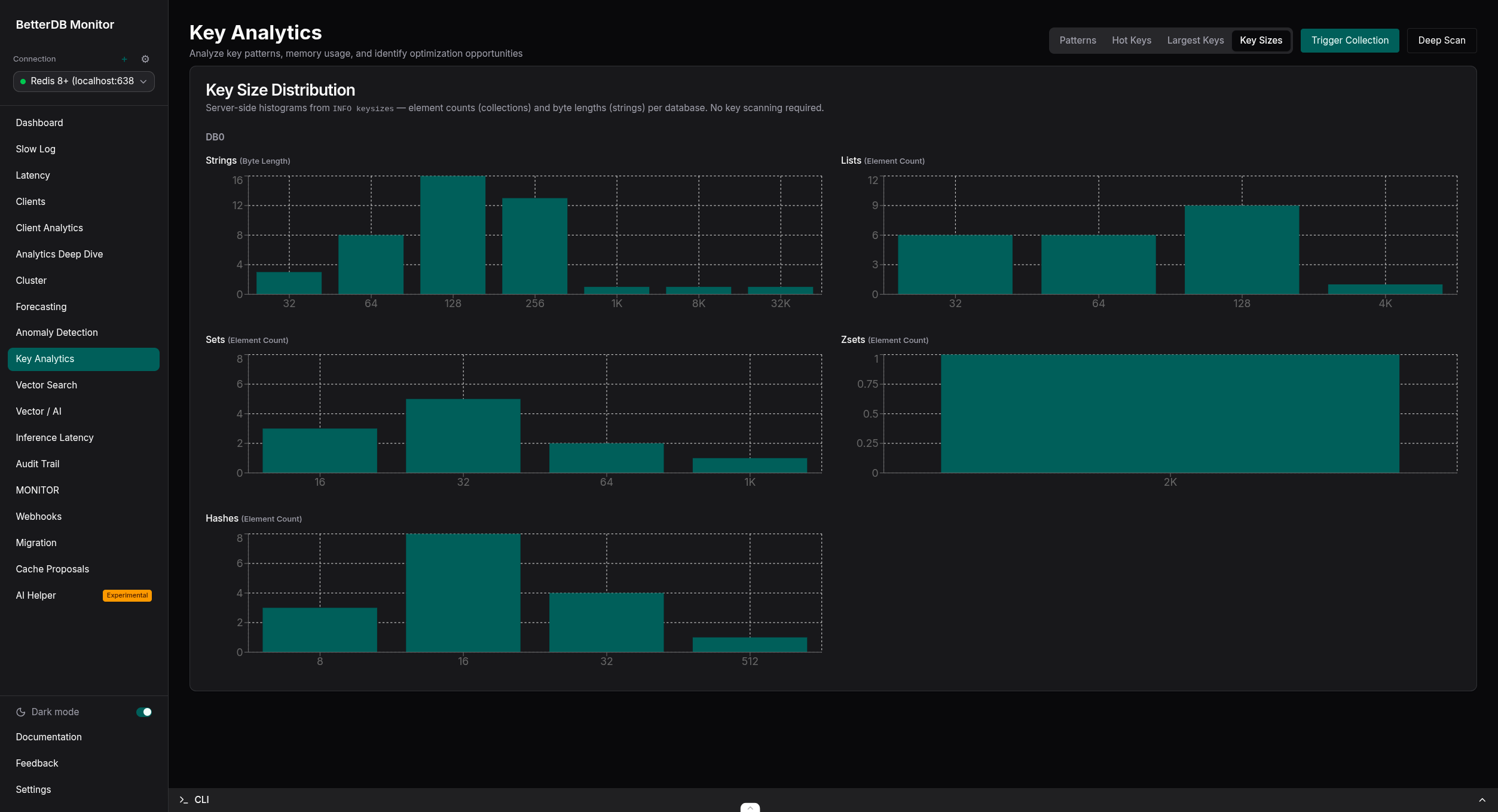
A monitoring layer for Valkey and Redis that persists slowlogs, command patterns, client activity, and anomaly signals, with an included MCP server.
BetterDB Monitor is cataloged as an MCP server attributed to betterdb-inc. A monitoring layer for Valkey and Redis that persists slowlogs, command patterns, client activity, and anomaly signals, with an included MCP server. It is categorized under databases storage. See the capability inspector for recorded interfaces and their independent review status; consult upstream documentation for the current interface.
Installation configuration is not reviewed. No executable setup is offered for this entry; inspect the source repository before proceeding.
Catalog license label: Not specified. Check the source repository's current license and terms before using, modifying or distributing this software.
能力定义尚未审核。未核验的采集内容不会作为可信接口展示。
暂无可展示的已审核记录。这不表示上游不支持此能力。
暂无可展示的已审核记录。这不表示上游不支持此能力。
暂无可展示的已审核记录。这不表示上游不支持此能力。
Email delivery is not connected. This page does not collect email addresses or create subscriptions.
Browse the registry for current listings instead.
Reviews for BetterDB Monitor are not available yet
Review publishing and storage are not connected. This page does not collect or publish ratings or comments, including after sign-in.
README.md · f9adfc8b0e9c · 采集于 2026-11-13 13:50:05 UTC
保留上游原文,不做 AI 改写。为安全起见过滤脚本、表单和不安全链接。
当前显示最后一次成功采集的文档快照,请以来源页面为准。








The monitoring layer that Valkey deserves.
BetterDB persists what Valkey throws away - slowlogs, command patterns, client activity, anomaly signals - so you can debug what happened at 3am, not just what's happening now. Built for Valkey 8.x with native support for COMMANDLOG, CLUSTER SLOT-STATS, and per-thread I/O metrics. Redis 6+ compatible for everything else.
Website | Docker Hub | npm | Documentation | Blog
BetterDB is built by BetterDB Inc., a public benefit company operating under the OCV Open Charter.
docker run -d --name betterdb -p 3001:3001 betterdb/monitor:latest
Point your browser to http://localhost:3001. To monitor a specific instance:
docker run -d \
  --name betterdb \
  -p 3001:3001 \
  -e DB_HOST=your-valkey-host \
  -e DB_PORT=6379 \
  -e DB_PASSWORD=your-password \
  betterdb/monitor:latest
Connecting to a database on your host machine? Inside the container
localhostis the container itself, not your host — so usehost.docker.internalas the database host. On Docker Desktop (macOS/Windows) it works out of the box; on Linux add--add-host=host.docker.internal:host-gatewayto thedocker runcommand so the name resolves. The dashboard's one-click "connect to local instance" button auto-detects this and pre-fills the right host for you.
Two image variants are published, both multi-arch (linux/amd64, linux/arm64):
| Tag | What it is |
|---|---|
latest, X.Y.Z-no-ai | Default image - every monitoring feature included, without the dependencies for the experimental local-LLM AI Helper |
X.Y.Z | Adds the experimental AI Helper (bring your own Ollama; disabled by default via AI_ENABLED) |
See Docker Production Deployment for persistent storage, custom ports, licensing, and air-gapped setups.
helm repo add betterdb https://docs.betterdb.com/charts
helm repo update
helm install betterdb-monitor betterdb/betterdb-monitor \
  --namespace betterdb --create-namespace \
  --set db.host=my-valkey.default.svc.cluster.local \
  --set db.password=yourpassword
Then kubectl port-forward -n betterdb svc/betterdb-monitor 3001:3001 and open http://localhost:3001, or enable the chart's ingress. PostgreSQL-backed history, bring-your-own Secrets, and air-gapped licensing are all covered in the Kubernetes guide and the chart README.
Run BetterDB Monitor without Docker:
npx @betterdb/monitor
On first run, an interactive setup wizard guides you through database connection, storage backend (SQLite, PostgreSQL, or in-memory), and server settings. Configuration is saved to ~/.betterdb/config.json.
npm install -g @betterdb/monitor   # global install
betterdb --setup                   # re-run setup wizard
betterdb --port 8080               # override server port
betterdb --db-host 1.2.3.4         # override database host
betterdb --help                    # all options
Requires Node.js >= 20.0.0 and a Valkey or Redis instance to monitor. For SQLite storage, also npm install -g better-sqlite3.
@betterdb/mcp.betterdb_* metrics. See docs/prometheus-metrics.md.| Interface | Details |
|---|---|
| Web UI | http://localhost:3001 |
| MCP server | npx -y @betterdb/mcp@1.6.0 (stdio) - create a token under Settings → MCP Tokens (required on cloud, optional on self-hosted) |
| Prometheus | http://localhost:3001/api/prometheus/metrics |
| REST API (OpenAPI) | http://localhost:3001/docs |
| Health check | http://localhost:3001/api/health |
Note: In production builds (Docker, CLI) API routes are served under the
/apiprefix. In local development (pnpm dev) there is no prefix - e.g.http://localhost:3001/health.
| Database | Minimum Version | Supported Features |
|---|---|---|
| Valkey | 8.0+ | All features including COMMANDLOG (8.1+) and CLUSTER SLOT-STATS |
| Redis | 6+ | All features except the Valkey-exclusive COMMANDLOG and CLUSTER SLOT-STATS |
The backend uses a unified adapter over the wire-compatible iovalkey client and auto-detects Valkey vs Redis from the INFO response (DB_TYPE=auto). Capabilities like COMMANDLOG and SLOT-STATS are detected per version, and the UI gracefully degrades when a feature isn't available.
Managed services are supported too - guides for AWS ElastiCache, MemoryDB, Redis Cloud, and Upstash live in docs/providers, and @betterdb/agent reaches VPC-only instances over an outbound WebSocket.
The Docker image contains the monitoring application (backend + frontend). It requires:
docker run -d \
  --name betterdb-monitor \
  -p 3001:3001 \
  -e DB_HOST=your-valkey-host \
  -e DB_PORT=6379 \
  -e DB_PASSWORD=your-password \
  -e STORAGE_TYPE=postgres \
  -e STORAGE_URL=postgresql://user:pass@postgres-host:5432/dbname \
  betterdb/monitor
Set the PORT environment variable and match the -p mapping:
docker run -d \
  --name betterdb-monitor \
  -p 8080:8080 \
  -e PORT=8080 \
  -e DB_HOST=your-valkey-host \
  betterdb/monitor
If your Valkey and PostgreSQL are running on the same host:
docker run -d \
  --name betterdb-monitor \
  --network host \
  -e DB_HOST=localhost \
  -e DB_PORT=6380 \
  -e DB_PASSWORD=devpassword \
  -e STORAGE_TYPE=postgres \
  -e STORAGE_URL=postgresql://dev:devpass@localhost:5432/postgres \
  betterdb/monitor
| Variable | Required | Default | Description |
|---|---|---|---|
DB_HOST | Yes | localhost | Valkey/Redis host to monitor |
DB_PORT | No | 6379 | Valkey/Redis port |
DB_PASSWORD | No | - | Valkey/Redis password |
DB_USERNAME | No | default | Valkey/Redis ACL username |
DB_TYPE | No | auto | Database type: auto, valkey, or redis |
DB_TLS | No | false | Set to true to connect to the monitored database over TLS (required by managed providers such as Aiven or ElastiCache Serverless) |
DB_TLS_CA_FILE | No | - | Path to a PEM CA bundle used to verify the database server certificate. Needed when the server certificate is issued by a private CA (see Mutual TLS) |
DB_TLS_CERT_FILE | No | - | Path to a PEM client certificate presented to the database (mutual TLS). Use together with DB_TLS_KEY_FILE |
DB_TLS_KEY_FILE | No | - | Path to the PEM private key matching DB_TLS_CERT_FILE |
DB_TLS_KEY_PASSPHRASE | No | - | Passphrase for DB_TLS_KEY_FILE, if the key is encrypted |
DB_AUTH_MODE | No | password | password sends AUTH with DB_USERNAME/DB_PASSWORD; certificate sends no AUTH so the server maps the client certificate to an ACL user (Valkey tls-auth-clients-user). Requires DB_TLS=true and a client certificate + key |
STORAGE_TYPE | No | memory | Storage backend: memory or postgres |
STORAGE_URL | Conditional | - | PostgreSQL connection URL (required if STORAGE_TYPE=postgres) |
STORAGE_SSL_CA | No | - | Path (or trusted HTTPS URL) to a CA cert used to verify the PostgreSQL server. For managed providers with their own CA (e.g. Aiven), supply the project CA here for full chain + hostname verification. Takes precedence over STORAGE_SSL_NO_VERIFY |
STORAGE_SSL_NO_VERIFY | No | false | Connect to PostgreSQL over TLS without verifying the server certificate (encrypted but not authenticated). Convenience for managed providers that present their own CA and force sslmode=require when you can't supply STORAGE_SSL_CA. Prefer STORAGE_SSL_CA in production |
PORT | No | 3001 | Application HTTP port |
NODE_ENV | No | production | Node environment |
ANOMALY_DETECTION_ENABLED | No | true | Enable anomaly detection |
ANOMALY_PROMETHEUS_INTERVAL_MS | No | 30000 | Prometheus summary update interval (ms) |
BETTERDB_LICENSE_KEY | No | - | Online license key (Pro/Enterprise), validated over the network |
BETTERDB_OFFLINE_LICENSE_FILE | No | - | Path to a signed offline license .jwt for air-gapped hosts (see below) |
BETTERDB_OFFLINE_LICENSE | No | - | Offline license token as an inline JWT string |
BETTERDB_DATA_DIR | No | /app/data | Directory for persisted license state (mount a writable volume) |
ENCRYPTION_KEY | No | - | Key (min 16 chars) used to envelope-encrypt stored connection passwords, TLS private keys and SSH tunnel secrets at rest. Without it, secrets are stored in plaintext; rows found in plaintext are re-encrypted on the next start once the key is set. If the key is missing while encrypted rows exist, env-configured credentials are used in memory only and never written back unencrypted |
BETTERDB_SSH_KEY_DIR | No | - | Directory that server-side SSH private keys must live in. Enables the "server file path" key source for SSH tunnels; a connection's key path must resolve inside it. Unset disables file-based keys (inline pasted keys still work) |
BETTERDB_TLS_CERT_DIR | No | - | Directory that server-side TLS files (CA bundle, client certificate, key) must live in. Enables the "server file paths" source for mutual TLS on UI-added connections; a connection's paths must resolve inside it. Unset disables file paths (pasted PEM still works) |
BETTERDB_TELEMETRY | No | true | Set false to disable anonymous telemetry |
Full reference, including AI, webhook tuning, and health-gate thresholds: docs/configuration.md. For OTLP trace ingest and metrics/event export, see docs/opentelemetry.md.
When Use TLS is on, a connection can also carry TLS material:
tls-auth-clients yes.The certificate is passed to the TLS socket exactly as supplied, so its subject (CN) is whatever your CA issued. Material is either pasted as PEM (the private key and passphrase are encrypted at rest when ENCRYPTION_KEY is set) or referenced by server file paths inside BETTERDB_TLS_CERT_DIR, the same allowlist model as SSH keys. The env-configured default connection takes the same material from DB_TLS_CA_FILE, DB_TLS_CERT_FILE, DB_TLS_KEY_FILE and DB_TLS_KEY_PASSPHRASE.
Certificate-only authentication. Valkey can map a field of the client certificate to an ACL user (tls-auth-clients-user). For that mapping to hold, the client must not send AUTH afterwards, which would re-authenticate the session as a different user or fail outright. Choose Client certificate (mTLS) as the authentication method (or DB_AUTH_MODE=certificate) and BetterDB sends no AUTH at all; username and password are ignored. BetterDB then runs ACL WHOAMI after connecting and shows the resolved user in the connection test result and in the connection status (authenticatedUser), so you can confirm the certificate mapped to the intended account rather than falling back to default.
Cluster and Sentinel nodes discovered from a seed connection reuse the seed's CA, client certificate and authentication mode. Server certificate verification is always on; there is no option to disable it.
Rotation. File-sourced material (BETTERDB_TLS_CERT_DIR paths, and the DB_TLS_*_FILE paths of the env-configured connection) is watched for changes: the files are stat-checked at most every few seconds when a socket is opened and re-read when they changed, so a replaced certificate is presented by every new connection (reconnects, key-analytics scans, the CLI, discovered cluster nodes) without a restart. New material is checked to parse as a matching certificate and key before it is adopted, so a rotation caught between writing the two files keeps the previous pair until both are in place. Already-open sockets keep running on the old handshake until they reconnect; use POST /connections/{id}/reconnect to force that. While DB_HOST is set, the env-configured default connection and the nodes auto-registered from it are rebuilt from the current DB_* settings on every start, so a changed username, password, DB_TLS, certificate paths or DB_AUTH_MODE always win over the stored copy (connections you created yourself keep their own settings, even when they were adopted into the default's topology). Pasted PEM is fixed at save time; re-create the connection to rotate it.
Connections can reach a database through an SSH bastion/jump host instead of connecting directly — useful for Valkey/Redis in a private subnet, ElastiCache, or MemoryDB. Enable Connect via SSH tunnel when adding a connection and provide the SSH host, port, and username. A single hop is supported.
Authentication is either a password or a private key. Private keys come from one of two sources:
ENCRYPTION_KEY is set (envelope encryption); without that key it is stored in plaintext, like connection passwords. Works everywhere, including managed/cloud deployments.BETTERDB_SSH_KEY_DIR environment variable to the directory holding the allowed keys, and the referenced path must resolve inside it, so the API can never be coerced into reading arbitrary files. Leave BETTERDB_SSH_KEY_DIR unset to disable this option.Optionally pin the SSH server's host key fingerprint (SHA256:...) on the connection; when set, the tunnel is refused unless the server presents a matching key, preventing man-in-the-middle attacks on the bastion path. Left blank, the server identity is not verified (a warning is logged).
The tunnel forwards to the database over 127.0.0.1; when TLS is enabled the certificate is still validated against the real database hostname. Set ENCRYPTION_KEY so SSH passwords, key passphrases, and inline keys are encrypted at rest.
Known limitation — cluster/Sentinel topologies: only the connection you configure is tunnelled. Cluster and Sentinel monitoring fan out to the other nodes using the addresses those nodes advertise (CLUSTER NODES / Sentinel), and those per-node connections are made directly, not through the tunnel. If the other nodes are only reachable via the bastion (e.g. ElastiCache/MemoryDB in a private subnet), per-node views will be unavailable. Use SSH tunnels for single-node/primary monitoring, or place the monitor where it can reach the cluster nodes directly.
BetterDB Monitor unlocks Pro/Enterprise features in one of two ways, depending on whether the host has internet access:
BETTERDB_LICENSE_KEY. The monitor validates it
against betterdb.com and caches a locally-verified signed token, so your
tier keeps working through short outages and restarts.Every entitlement is a signed RS256 JWT. The monitor verifies it locally against public keys embedded in the image - it never has to reach a license server to trust a token. So an air-gapped host can run paid tiers with zero connectivity:
.jwt, Pro/Enterprise). It contains no
secrets and can't be tampered with - any edit breaks the signature.BETTERDB_OFFLINE_LICENSE_FILE (path), BETTERDB_OFFLINE_LICENSE
(inline string), or paste it in the UI under Settings → License → "Air-gapped
environment? Activate an offline license."When an offline token is configured and no BETTERDB_LICENSE_KEY is set, the
monitor makes zero outbound requests - license checks, telemetry, and update
pings are all disabled. It runs the granted tier until the token expires (perpetual
licenses re-download yearly), then reverts to Community.
# fully offline - no network required
docker volume create betterdb-data
docker run --rm -v betterdb-data:/d alpine chown 1001:1001 /d   # volume writable by UID 1001 (one-time)

docker run -d --name betterdb-monitor -p 3001:3001 \
  -e DB_HOST=your-valkey-host -e DB_PORT=6379 -e DB_PASSWORD=your-password \
  -v /path/to/betterdb-license.jwt:/run/secrets/betterdb-license.jwt:ro \
  -e BETTERDB_OFFLINE_LICENSE_FILE=/run/secrets/betterdb-license.jwt \
  -v betterdb-data:/app/data \
  betterdb/monitor
Verify with GET /api/license/status → source: offline-token, mode: offline,
airGapped: true.
Persistence: mount a writable volume at
/app/dataso the offline license and the online outage-grace token survive restarts. The container runs as UID 1001, so a freshly-created volume must bechowned to it (shown above) - otherwise persistence fails withEACCES … license.jwt.
For the full flow, verification precedence, and key-rotation runbook see Offline & Air-Gapped Licenses and the Configuration reference.
node:20-alpinelatest / -no-ai) / ~640MB (versioned image with the experimental AI Helper's local-LLM dependencies)linux/amd64, linux/arm64docker logs -f betterdb-monitor # follow logs
docker stop betterdb-monitor # stop
docker rm betterdb-monitor # remove
BetterDB Monitor persists audit trail, analytics, captures, and anomaly data to one of four backends:
| Backend | Use case | Notes |
|---|---|---|
memory | Testing, ephemeral environments | Default in Docker; all data lost on restart |
postgres | Production | STORAGE_TYPE=postgres + STORAGE_URL=postgresql://user:pass@host:port/db |
turso | Production / serverless SQLite | STORAGE_TYPE=turso + STORAGE_URL=libsql://... + STORAGE_AUTH_TOKEN; works in Docker |
sqlite | Local development / CLI | Native module stripped from the latest Docker image; STORAGE_SQLITE_FILEPATH optional |
Metrics are exposed at GET /api/prometheus/metrics in Prometheus text format: ACL audit, client connections, slowlog/commandlog patterns, memory, throughput, keyspace, replication, cluster slot stats, and Node.js runtime metrics - all prefixed betterdb_.
scrape_configs:
  - job_name: 'betterdb-monitor'
    metrics_path: '/api/prometheus/metrics'
    static_configs:
      - targets: ['your-monitor-host:3001']
Full metric reference: docs/prometheus-metrics.md and docs/prometheus-integration.md.
betterdb-monitor/
├── apps/
│   ├── api/                 # NestJS backend (Fastify)
│   └── web/                 # React frontend (Vite)
├── packages/                # Published packages (see below)
├── docs/                    # Documentation site (Jekyll)
├── docker-compose.yml       # Local Valkey (port 6380) and Redis (port 6382) for testing
└── package.json             # Workspace root
This monorepo ships several standalone packages. See packages/ for the full list.
| Package | Language | Registry |
|---|---|---|
@betterdb/monitor | TypeScript | npm |
@betterdb/mcp | TypeScript | npm |
@betterdb/agent | TypeScript | npm |
@betterdb/semantic-cache | TypeScript | npm |
betterdb-semantic-cache | Python | PyPI |
@betterdb/agent-cache | TypeScript | npm |
betterdb-agent-cache | Python | PyPI |
cache-benchmark | Python | Replay harness for benchmarking semantic caches |
iovalkey for Valkey/Redis connections, TypeScript strict mode. Port 3001.Prerequisites: Node.js >= 20.0.0, pnpm >= 9.0.0, Docker.
pnpm install
cp .env.example .env
pnpm docker:dev        # local Valkey (6380) and Redis (6382)
pnpm dev               # web on :5173, api on :3001
To connect to Redis instead of Valkey, set DB_PORT=6382 in .env.
pnpm dev:api           # API only
pnpm dev:web           # frontend only
pnpm docker:dev:down   # stop local databases
pnpm build             # production build
pnpm test              # API tests
Docker image builds:
pnpm docker:build      # local build
pnpm docker:publish    # multi-arch build & push (requires buildx)
apps/api/src/apps/web/src/api/packages/shared/src/types/anydocs/ is licensed under CC BY-SA 4.0.proprietary/ is covered by a commercial license (see proprietary/LICENSE). These features are free during early access.Claim this server with your GitHub account to request manual ownership verification.
Link to the catalog listing for BetterDB Monitor from your README. This badge does not certify ownership, compatibility or security.
[](https://awesome-mcp.com/servers/monitor)Public repository statistics could not be verified. Check the configured source address; unavailable counts are not zero.
来源、范围和时段分别列出;不相加,不代表安装人数、活跃用户或安全审核。
尚无已审核的包 / 镜像标识,暂不展示下载统计。
Alternative and complementary servers in the same category
This is a Model Context Protocol (MCP) server for interacting with AIStor object stores.

A Model Context Protocol server that lets AI assistants run SQL queries against AWS Athena databases and retrieve results.

A Model Context Protocol (MCP) server that exposes access to an InfluxDB v2 instance using the InfluxDB OSS API v2.